이 페이지는 앱이나 개발자의 공식 페이지가 아니며, 정보 제공 및 논평을 목적으로 작성된 독립 편집 간행물입니다. 명시적으로 달리 언급되지 않는 한, 해당 앱이나 개발자는 MWM, Apple, Google Play, 앱 퍼블리셔 또는 앱 개발자와 제휴, 보증, 후원, 승인 또는 공식적으로 연결되어 있지 않으며, 이 페이지의 어떤 내용도 해당 앱이 MWM의 서비스를 사용하여 개발되었음을 의미하지 않습니다. 모든 상표, 로고, 스크린샷 및 기타 콘텐츠는 해당 소유자의 자산입니다.
ProShot
전문가를 위해 설계된 수동 카메라 앱으로 iPhone의 잠재력을 최대한 발휘해 보세요. ISO, 셔터 속도, 화이트 밸런스를 완벽하게 제어하면서 놀라운 ProRAW 사진과 ProRes 비디오를 촬영하세요. AI 필터 없이, 데이터 수집 없이, 순수한 사진 촬영만 가능합니다.
AI가 여러분의 촬영을 결정하도록 내버려 두지 마세요. ProShot은 하드웨어의 모든 기술적 잠재력을 발휘하여 DSLR급의 정밀도와 원시 데이터를 손끝으로 제공합니다.
직관적인 수동 제어
듀얼 다이얼 시스템으로 설정을 마스터하세요. 노출, ISO, 셔터 속도를 손쉽게 조정하여 언제나 완벽한 사진을 촬영하세요.
ProRAW 및 제로 처리
AI 간섭 없이 원시 이미지를 캡처하세요. 전문가 수준의 후반 작업 및 편집을 위한 완전한 창의적 자율성을 유지하세요.
다음 스크린샷과 설명은 앱의 공식 스토어 목록에서 직접 가져온 것이며 앱 개발자의 자산입니다.
앱 스토어
스크린샷
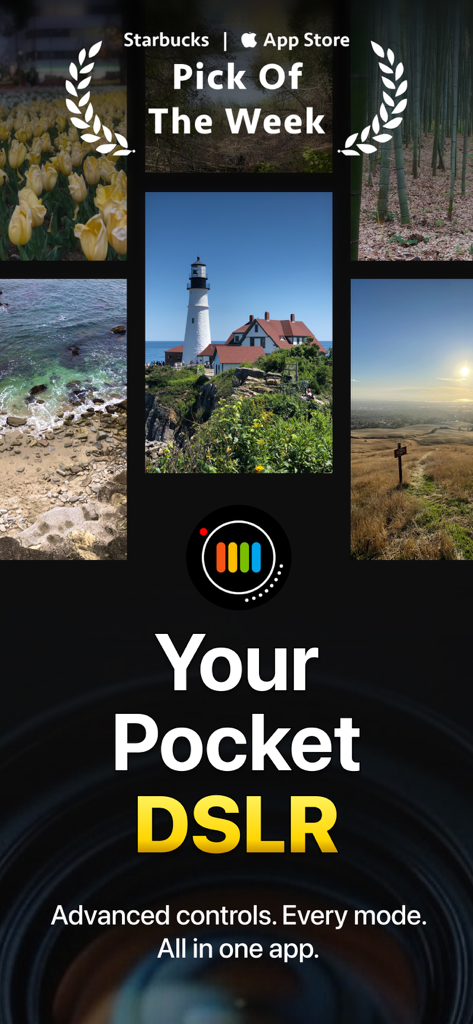
ProShot 카메라 앱의 홍보 이미지. 풍경 사진과 '주머니 속 DSLR'이라는 헤드라인이 특징입니다.
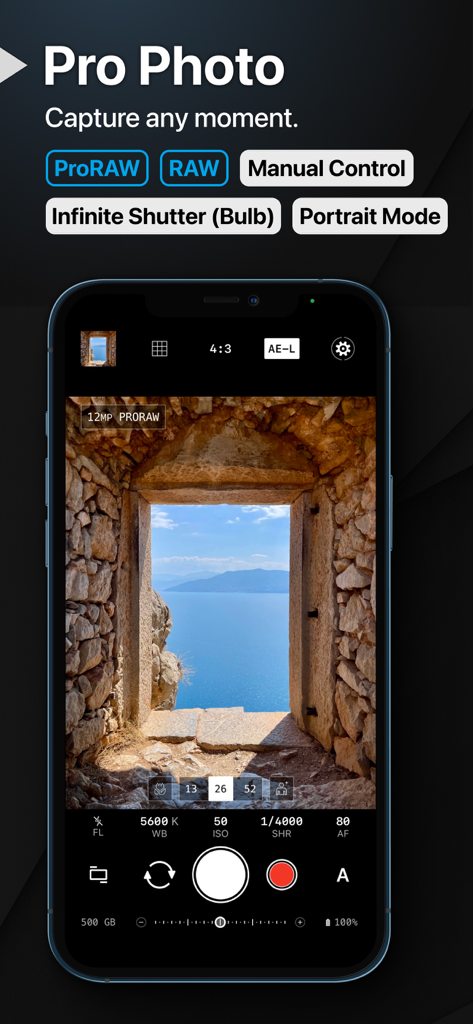
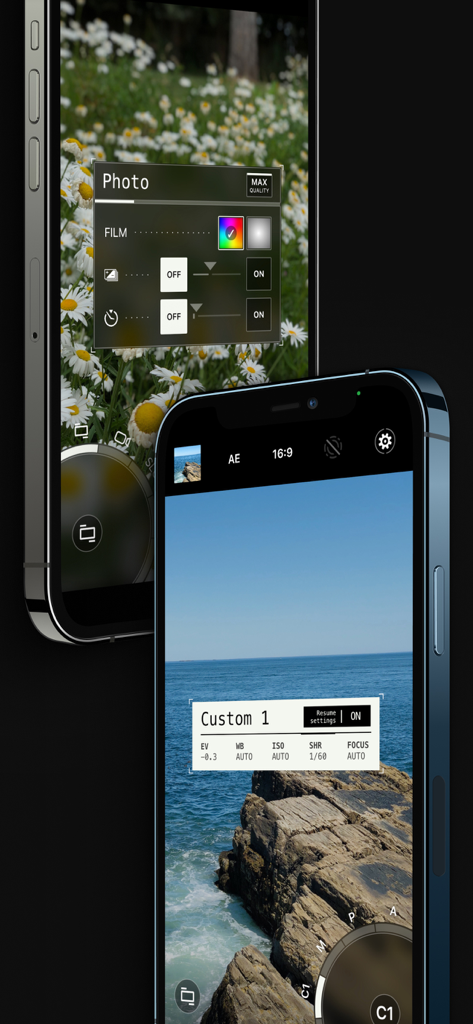
iPhone 화면에 수동 카메라 컨트롤과 ProRAW 지원을 보여주는 ProShot 앱 인터페이스.
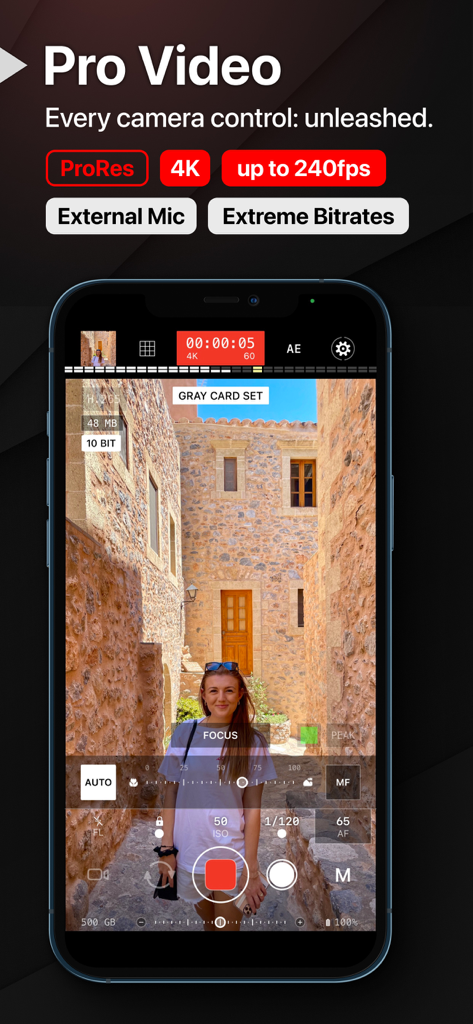
수동 카메라 설정이 있는 ProShot 모바일 앱의 전문가용 비디오 녹화 인터페이스.
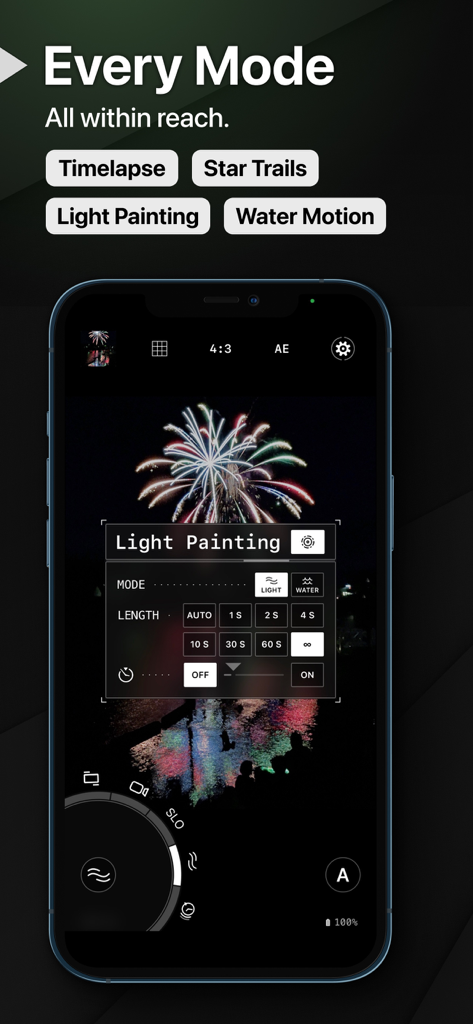
iPhone에서 라이트 페인팅 설정과 불꽃놀이 사진을 보여주는 ProShot 앱 인터페이스.
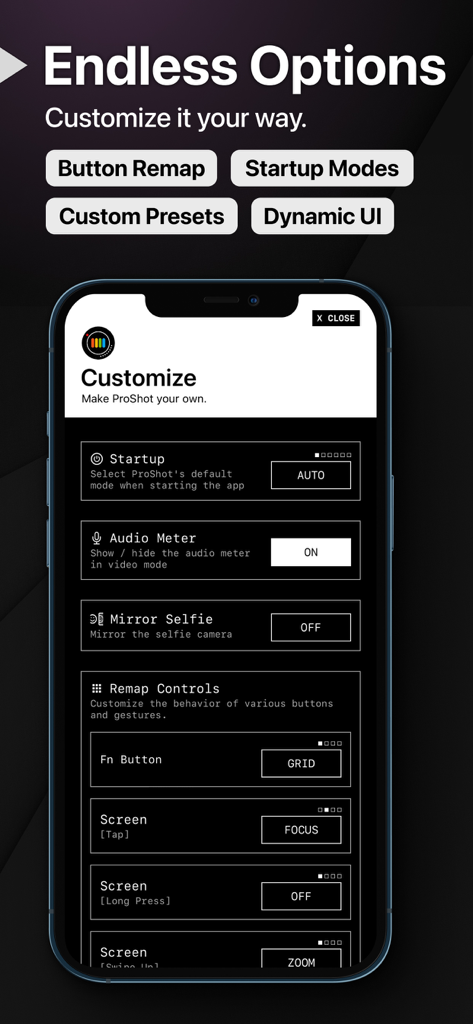
버튼 재매핑 및 카메라 시작 모드 사용자 정의를 위한 ProShot 앱 설정 메뉴.
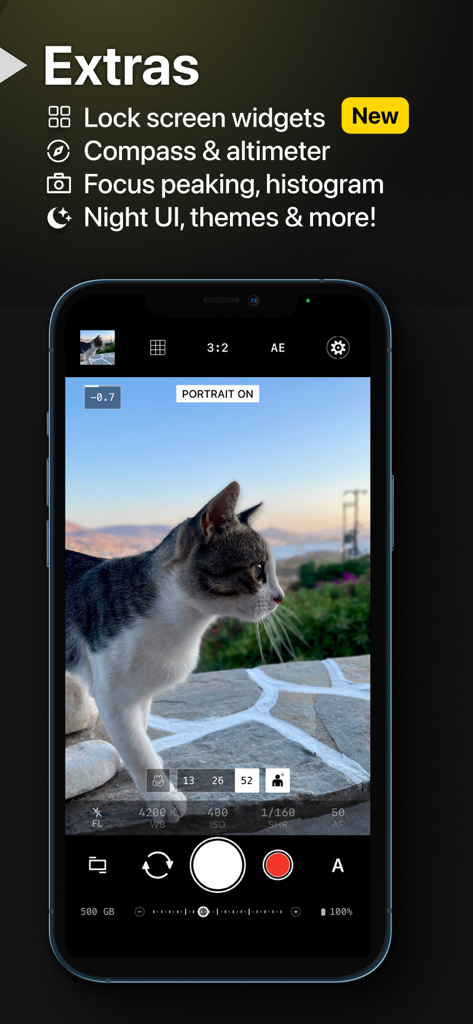
iPhone에서 수동 카메라 컨트롤이 있는 인물 모드 고양이 사진을 보여주는 ProShot 앱 인터페이스.
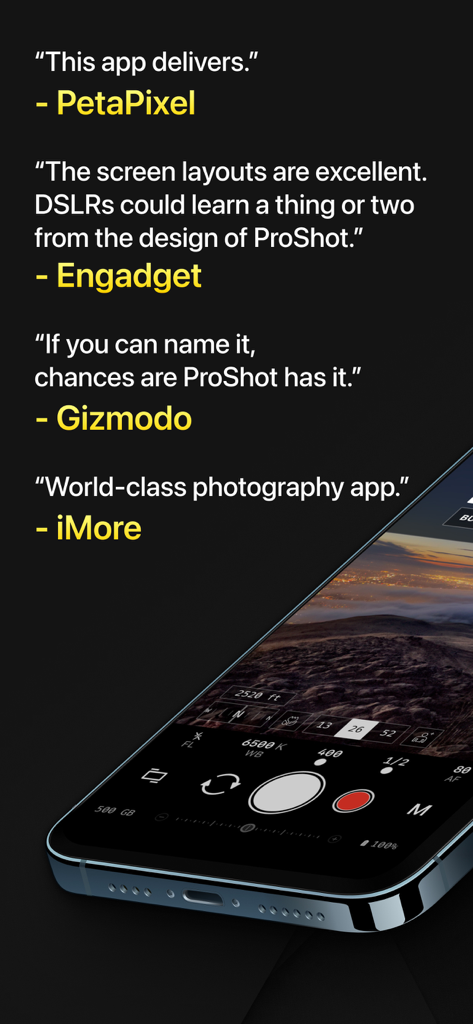
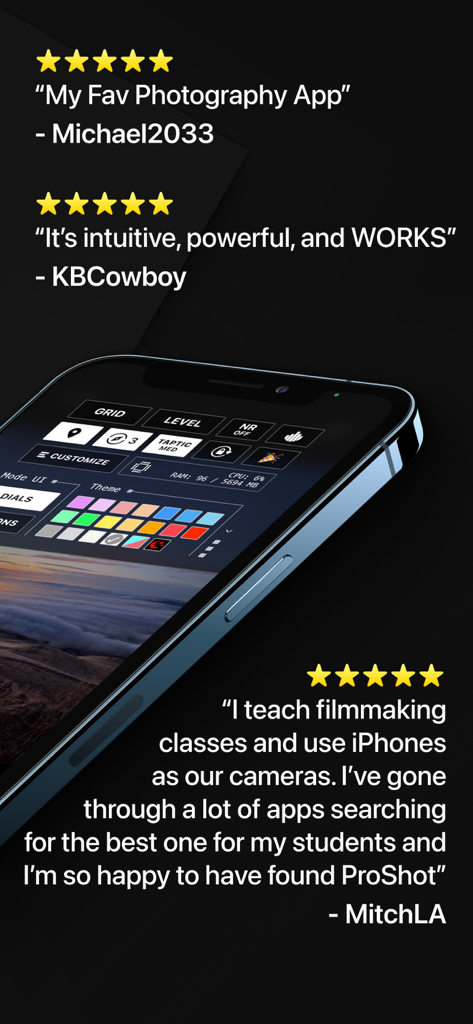
수동 카메라 인터페이스를 보여주는 스마트폰 옆에 ProShot 앱의 전문 미디어 리뷰.
5성급 사용자 평가와 함께 ProShot 앱의 사용자 정의 인터페이스를 보여주는 스마트폰 화면.
전문 수동 카메라 컨트롤과 사용자 정의 사진 설정을 갖춘 ProShot 모바일 앱 인터페이스.
설명
"World-class photography app" - iMore
"The screen layouts are excellent. DSLRs could learn a thing or two." - Engadget
"If you can name it, chances are ProShot has it" - Gizmodo
► Loved by over 1M+ photographers!
Welcome to ProShot, the ultimate manual camera app for iPhone and iPad.
ProShot puts the power of ProRAW, ProRes and DSLR controls right in your pocket, empowering you to capture stunning photos and videos in any situation. Whether you are a seasoned pro or just getting started, ProShot has something for you.
► MANUAL CONTROLS
Unlock DSLR-like precision for crystal-clear photos and video. Full manual, semi-auto, or smart Auto modes let you adjust exposure, ISO, white balance, and more, while auto ISO & shutter speed limits let you fine-tune motion blur and noise, just like the big cameras.
► PROFESSIONAL TOOLS
ProShot adjusts to your changing world. Fly through camera settings with its unique Dual Dial system. Record video instantly with the press of a button. Paint with light trails or stargaze via Bulb mode. Fine-tune your experience with remappable controls, histograms, focus peaking, compass, Night UI to preserve vision, and so much more.
► PRIVACY BUILT-IN
Zero data harvesting - your images and info stay secure, because that’s the way it should be.
There is so much more to ProShot. Below is a list of some of the many features waiting for you. ProShot is under constant development, so great new things are always on the horizon!
► PHOTO FEATURES
- Auto, Program, Manual, and two Custom modes, just like a DSLR
- Shutter priority, ISO priority, Automatic, and Full Manual control
- Adjust exposure, ISO, shutter speed, flash, focus, torch intensity, white balance and more
- Set max ISO and max shutter speed options
- ProRAW, RAW (DNG), HEIC, and JPEG formats
- Option for zero processing for pure images without AI filters
- Live Photo support
- Unlimited shutter speed (Bulb) with Live Photo support for gorgeous night videos
- Portrait mode
- Black and White mode
- 16:9, 3:2, 4:3, and 1:1 aspect ratios
- Light Painting with special modes for capturing water and light trails
- Timelapse (intervalometer and video), with full manual control
- Zero-lag bracket exposure up to ±3 EV
- Manual focus assist and focus peaking with customizable color
- Front-facing camera support with full manual control
- Zoom up to 15X using just one finger
- Grid, histogram, compass, noise reduction and many more options
- Customizable accent color and UI layout to fit your style
- Dedicated Night UI to preserve your night vision
- Camera roll seamlessly integrated into the viewfinder
- Lock Screen widgets
► VIDEO FEATURES
- All Photo mode controls are also available in Video mode
- 4K video with extreme bitrate options
- Adjustable frame rate from 24 FPS up to 240 FPS
- Support for H.264, H.265 and ProRES formats
- Timelapse video up to 4K
- Industry-standard options for 180 degree rule
- Support for external microphones
- Monitor audio level and video file size in real-time
- Change any camera parameter, even during video recording
- Capture full resolution still frames during video recording
- Support for simultaneous audio playback (like Spotify) while recording
- Video light with adjustable intensity
Leave the heavy DSLR at home, ProShot's got your back.
User guide: https://www.riseupgames.com/proshot/ios
Video tutorial: https://www.youtube.com/watch?v=OMKtcX5ufjw
이 페이지는 앱이나 개발자의 공식 페이지가 아니며, 정보 제공 및 논평을 목적으로 작성된 독립 편집 간행물입니다. 명시적으로 달리 언급되지 않는 한, 해당 앱이나 개발자는 MWM, Apple, Google Play, 앱 퍼블리셔 또는 앱 개발자와 제휴, 보증, 후원, 승인 또는 공식적으로 연결되어 있지 않으며, 이 페이지의 어떤 내용도 해당 앱이 MWM의 서비스를 사용하여 개발되었음을 의미하지 않습니다. 모든 상표, 로고, 스크린샷 및 기타 콘텐츠는 해당 소유자의 자산입니다.