
이 페이지는 앱이나 개발자의 공식 페이지가 아니며, 정보 제공 및 논평을 목적으로 작성된 독립 편집 간행물입니다. 명시적으로 달리 언급되지 않는 한, 해당 앱이나 개발자는 MWM, Apple, Google Play, 앱 퍼블리셔 또는 앱 개발자와 제휴, 보증, 후원, 승인 또는 공식적으로 연결되어 있지 않으며, 이 페이지의 어떤 내용도 해당 앱이 MWM의 서비스를 사용하여 개발되었음을 의미하지 않습니다. 모든 상표, 로고, 스크린샷 및 기타 콘텐츠는 해당 소유자의 자산입니다.


다운로드
250k+사용자 평점
총 평가 수
1.5K개발사
카테고리
Entertainment지원 언어
8최신 버전
3.0.0크기
27.2 MB출시일
2023년 3월 14일전문 테크 분석가가 평가한 핵심 기능 및 영향력
PXPlay: Remote Play 앱 분석
초저지연 스트리밍
이 도구는 응답성을 최적화한 낮은 지연 시간 스트리밍 기능을 갖추고 있어, 사용자가 콘솔 게임을 지연 없이 부드럽게 플레이할 수 있게 해줍니다.
HDR 및 4K/2K 업스케일링
이 앱은 HDR 시각 효과와 실시간 4K/2K "슈퍼 해상도" 업스케일링을 지원하여 사용자에게 압도적인 고품질 시각적 경험을 제공합니다.
Wi-Fi 및 모바일 데이터 원격 플레이
이 앱은 Wi-Fi 및 모바일 데이터 연결을 통해 원격 플레이를 지원하여, 사용자가 가정 내외 어디서든 콘솔 게임에 접속하고 플레이할 수 있도록 합니다.
맞춤형 스트리밍 설정
이 앱은 사용자 지정 비트레이트 및 비디오 프레임 페이싱 설정을 제공하여, 사용자가 네트워크 환경과 기기 성능에 맞춰 스트리밍 품질을 세밀하게 조정하고 최적화할 수 있게 해줍니다.
공간 오디오 지원
이 도구는 공간 오디오(3D 오디오)를 지원하여, 사용자에게 더욱 몰입감 있고 현실적인 청각 경험을 제공합니다.
타사 컨트롤러 지원
이 앱은 다양한 타사 컨트롤러를 지원하여, 사용자가 선호하는 게임패드로 편안하게 플레이하고 익숙한 조작감을 유지할 수 있도록 합니다.
유연한 제어 옵션
이 도구는 버튼 매핑, 핫키 및 터치패드 제스처 에뮬레이션을 지원하며, 가상 게임패드 기능도 제공하여 다양한 제어 옵션과 유연성을 가능하게 합니다.
다중 콘솔 관리
이 앱은 여러 콘솔 등록 및 전환 기능을 제공하여, 사용자가 보유한 다양한 콘솔에 쉽게 접근하고 편리하게 관리할 수 있도록 해줍니다.
자주 묻는 질문
에 대해 알아야 할 모든 것 PXPlay: Remote Play
What is PXPlay?
PXPlay is an application that enables users to remotely control and stream their console games to Apple devices like iPhone, iPad, or Apple TV. It ensures smooth, low-latency streaming with high-quality visuals and full controller support.
Does PXPlay support 4K or 2K upscaling for game streaming?
Yes, PXPlay supports 4K and 2K "Super Resolution" upscaling. This feature, alongside HDR visuals, optimizes the visual quality for console game streaming on compatible devices.
Which devices are compatible with PXPlay for game streaming?
PXPlay allows users to stream and play their console games directly on iPhone, iPad, or Apple TV. This provides flexibility to enjoy games on various Apple devices remotely.
Can I use third-party controllers with PXPlay?
Yes, PXPlay offers support for third-party controllers. It also includes features for button mapping, hotkeys, and touchpad gesture emulation to enhance the remote play experience.
Does PXPlay work with mobile data for remote play?
Yes, PXPlay operates over both Wi-Fi and mobile data networks. Specific setup instructions are available for playing games over the internet using mobile data.
Can I register more than one console with PXPlay?
Yes, PXPlay enables users to register and switch between multiple consoles. This functionality provides seamless access to different gaming systems from the application.
Does PXPlay offer Spatial Audio?
Yes, PXPlay integrates Spatial Audio (3D Audio) as a main feature. This provides an immersive audio experience during remote gameplay, enhancing sound depth and direction.
How can I customize the streaming quality in PXPlay?
PXPlay provides customizable quality settings including resolution (1080p, 720p), upscaling options (1440p, 2160p), FPS (30, 60), and custom bitrate. These are accessible in the Streaming settings.
Does PXPlay include virtual gamepad controls?
Yes, PXPlay functions as a virtual gamepad. It offers advanced touch controls and gesture support directly on your iPhone, iPad, or Apple TV for playing console games.
다음 스크린샷과 설명은 앱의 공식 스토어 목록에서 직접 가져온 것이며 앱 개발자의 자산입니다.
앱 스토어
스크린샷
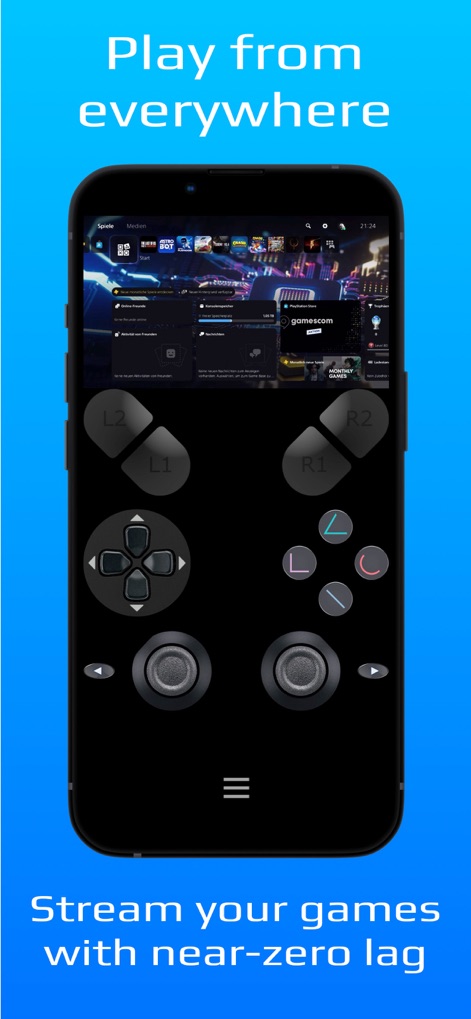
이 앱은 가상 게임패드 오버레이와 콘솔 대시보드를 통해 사용자가 어디서든 좋아하는 게임을 즐길 수 있도록 합니다.
어디서든 플레이
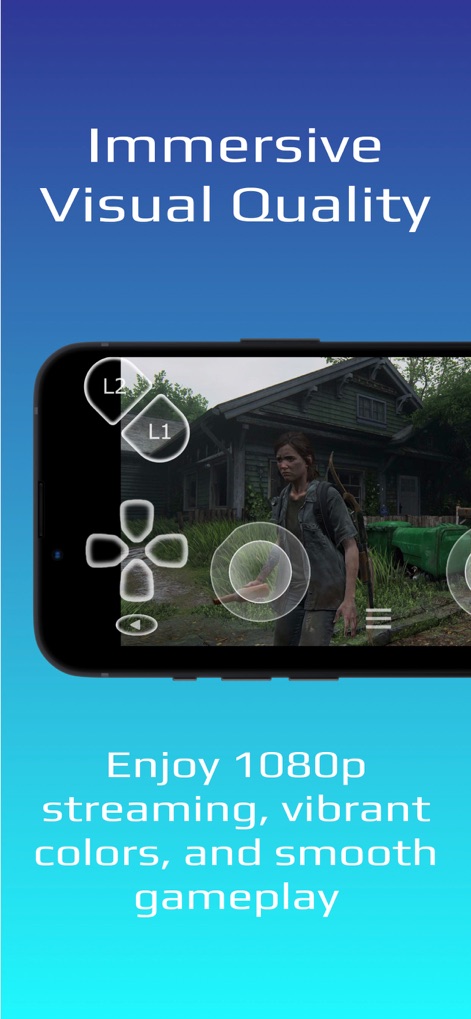
이 앱은 선명한 게임 그래픽과 몰입감 넘치는 1080p 스트리밍을 통해 고품질의 게임 플레이를 경험할 수 있도록 합니다.
몰입형 그래픽 경험

이 도구는 고급 업스케일링 기술을 사용하여 게임 내 장면의 4K/2K 해상도와 향상된 시각적 세부 사항을 제공합니다.
초고해상도 업스케일링
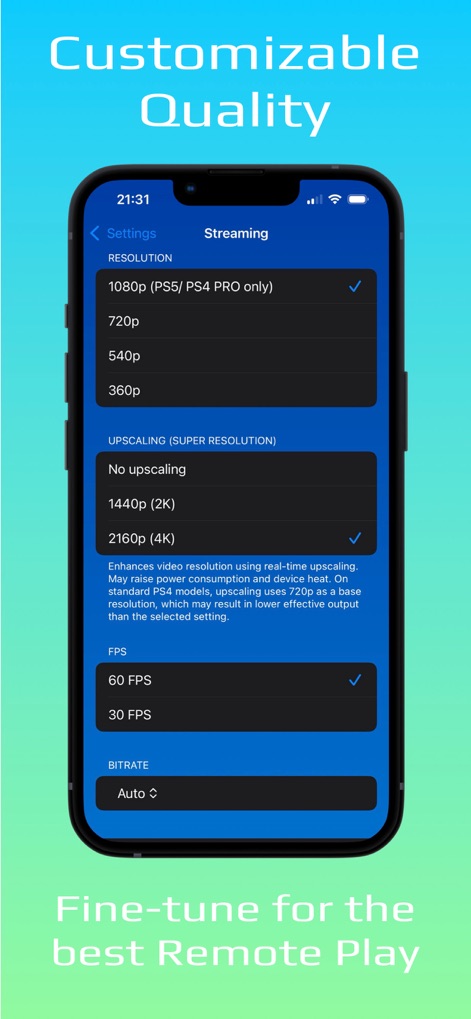
사용자는 해상도 및 FPS 설정과 같은 다양한 스트리밍 옵션을 통해 최적의 원격 플레이 환경을 위해 앱을 세부적으로 조정할 수 있습니다.
맞춤형 스트리밍 설정
설명
Download



이 페이지는 앱이나 개발자의 공식 페이지가 아니며, 정보 제공 및 논평을 목적으로 작성된 독립 편집 간행물입니다. 명시적으로 달리 언급되지 않는 한, 해당 앱이나 개발자는 MWM, Apple, Google Play, 앱 퍼블리셔 또는 앱 개발자와 제휴, 보증, 후원, 승인 또는 공식적으로 연결되어 있지 않으며, 이 페이지의 어떤 내용도 해당 앱이 MWM의 서비스를 사용하여 개발되었음을 의미하지 않습니다. 모든 상표, 로고, 스크린샷 및 기타 콘텐츠는 해당 소유자의 자산입니다.