
이 페이지는 앱이나 개발자의 공식 페이지가 아니며, 정보 제공 및 논평을 목적으로 작성된 독립 편집 간행물입니다. 명시적으로 달리 언급되지 않는 한, 해당 앱이나 개발자는 MWM, Apple, Google Play, 앱 퍼블리셔 또는 앱 개발자와 제휴, 보증, 후원, 승인 또는 공식적으로 연결되어 있지 않으며, 이 페이지의 어떤 내용도 해당 앱이 MWM의 서비스를 사용하여 개발되었음을 의미하지 않습니다. 모든 상표, 로고, 스크린샷 및 기타 콘텐츠는 해당 소유자의 자산입니다.


Ringtone Maker Garage
이 앱은 당신의 아이폰을 지루한 무리에서 벗어나게 할 비밀 병기입니다. 당신의 아이폰은 칙칙한 공장 설정에서 벗어나 마침내 당신의 진짜 개성을 표출할 기회를 얻습니다.
다운로드
1M+사용자 평점
총 평가 수
11.9K개발사
카테고리
Music지원 언어
6최신 버전
1.4.8크기
100.8 MB출시일
2020년 11월 9일이 앱은 아이폰 사용자의 개인화 요구를 충족시키는 강력한 도구입니다.
Ringtone Maker Garage: 핵심 기능 분석
아이튠즈 및 비디오에서 벨소리 생성
이 앱은 사용자가 아이튠즈의 로컬 음악 파일이나 비디오에서 오디오를 추출하여 독창적인 벨소리, 알람음 및 문자 알림음을 손쉽게 생성할 수 있도록 지원합니다.
정교한 오디오 편집 기능
이 도구는 오디오 파일을 정밀하게 다듬고, 페이드인 및 페이드아웃 효과를 적용하는 기능을 갖추고 있어 사용자가 원하는 벨소리를 완벽하게 맞춤 설정할 수 있게 합니다.
다양한 장르의 벨소리 컬렉션
앱은 힙합, 록, 재즈, 클래식 등 다양한 음악 장르를 아우르는 방대한 벨소리 카탈로그를 제공하여 사용자들이 자신의 음악적 취향에 맞는 사운드를 발견하도록 돕습니다.
인기 벨소리 및 즐겨찾기 관리
이 앱은 정기적으로 업데이트되는 인기 벨소리 섹션을 통해 최신 트렌드를 반영하며, 사용자가 마음에 드는 벨소리를 즐겨찾기에 추가하여 쉽게 관리할 수 있게 합니다.
아이폰 배경화면 컬렉션
사용자는 방대한 배경화면 컬렉션을 통해 아이폰의 잠금 화면과 홈 화면을 개인의 스타일에 맞춰 꾸밀 수 있으며, 이를 통해 시각적 만족도를 높일 수 있습니다.
맞춤형 오디오 녹음
이 도구는 사용자가 직접 오디오를 녹음하여 독창적인 벨소리나 알림음을 만들 수 있는 기능을 제공하며, 이를 통해 완전한 개인화된 사운드 경험을 가능하게 합니다.
간편한 벨소리 설치
이 앱은 GarageBand 및 iTunes를 통한 벨소리 설치 과정을 간소화하여 사용자가 맞춤 제작한 사운드를 아이폰에 손쉽게 적용할 수 있도록 합니다.
연락처 및 메시지 알림음 사용자화
사용자는 특정 연락처에 대한 맞춤 벨소리나 문자 메시지 알림음을 설정하여 통화 및 메시지 수신 경험을 개인화하고, 중요한 알림을 쉽게 식별할 수 있습니다.
자주 묻는 질문
에 대해 알아야 할 모든 것 Ringtone Maker Garage
Can I create custom ringtones using the Ringtone Maker Garage app?
Yes, Ringtone Maker Garage allows users to create custom ringtones for iPhone from local iTunes songs, extracted audio from videos, or newly recorded audio. The app provides tools to trim, fade in, and fade out audio files.
Does Ringtone Maker Garage support creating ringtones from video files?
Yes, Ringtone Maker Garage enables users to extract audio directly from videos to use them as custom ringtones for their iPhone. This feature is detailed within the app's capabilities.
Can I record my own audio to make ringtones with Ringtone Maker Garage?
Yes, Ringtone Maker Garage allows users to record their own audio directly within the app. This recorded audio can then be used to create personalized ringtones for an iPhone.
How do I install ringtones created with Ringtone Maker Garage on my iPhone without using a computer?
Ringtone Maker Garage supports installing ringtones via GarageBand directly on your iPhone without a PC. You access "My Tones," select "Install via GarageBand," and then export the ringtone from GarageBand.
What music genres are available for ringtones in Ringtone Maker Garage?
Ringtone Maker Garage offers a rich collection of ringtones across various genres, including HipHop, Funky, Jazz, Rock, Classical, Children, Comedy, Reggae, TikTok, Blues, Latin, Instrumental, Rap, R&B, Souls, Pop, and Folk.
Does Ringtone Maker Garage provide wallpapers for iPhone customization?
Yes, Ringtone Maker Garage offers a large selection of wallpapers. Users can personalize both their iPhone's home screen and lock screen with a variety of aesthetic and cute backgrounds available in the app.
Is the Ringtone Maker Garage app free to download and use?
Yes, Ringtone Maker Garage is free to download. However, accessing the app's full functionality requires signing up for an auto-renewing subscription.
What are the subscription options for Ringtone Maker Garage?
Ringtone Maker Garage offers weekly and yearly auto-renewable subscriptions. Subscriptions with a free trial automatically renew unless canceled 24 hours before the trial ends. Payment charges to your iTunes Account.
다음 스크린샷과 설명은 앱의 공식 스토어 목록에서 직접 가져온 것이며 앱 개발자의 자산입니다.
앱 스토어
스크린샷
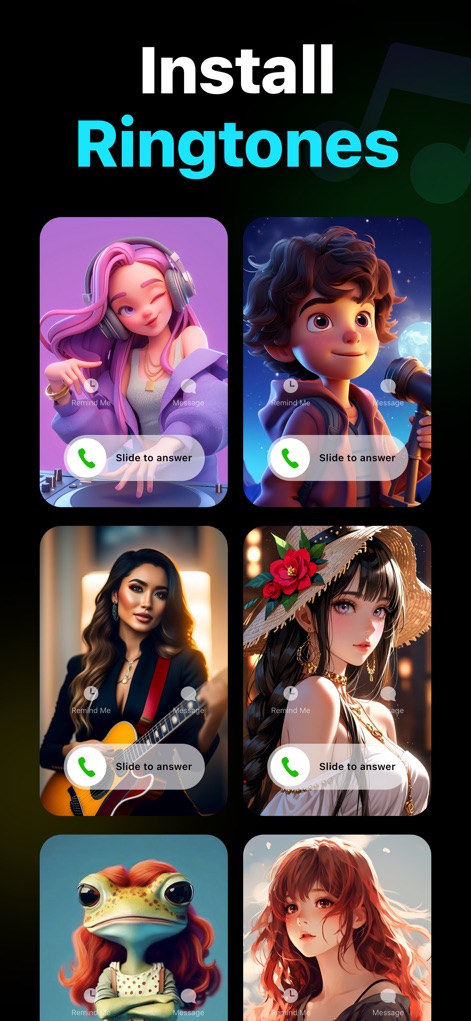
사용자는 이 앱을 통해 다양한 캐릭터 이미지와 함께 전화 수신 화면을 미리 보고, 통화 버튼 및 메시지 버튼이 포함된 독특한 디자인을 선택하여 벨소리를 설치할 수 있습니다.
맞춤형 벨소리 설정
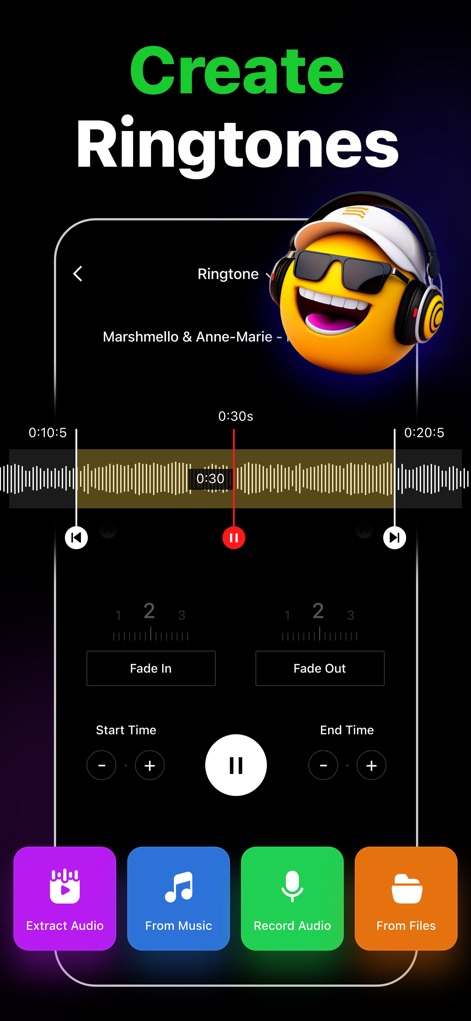
이 앱은 사용자가 오디오 파형 편집기를 활용하여 원하는 음악을 정밀하게 다듬을 수 있도록 하며, 페이드 인/아웃 효과와 시작/종료 시간 설정을 통해 완벽한 벨소리를 만들 수 있습니다.
나만의 벨소리 제작
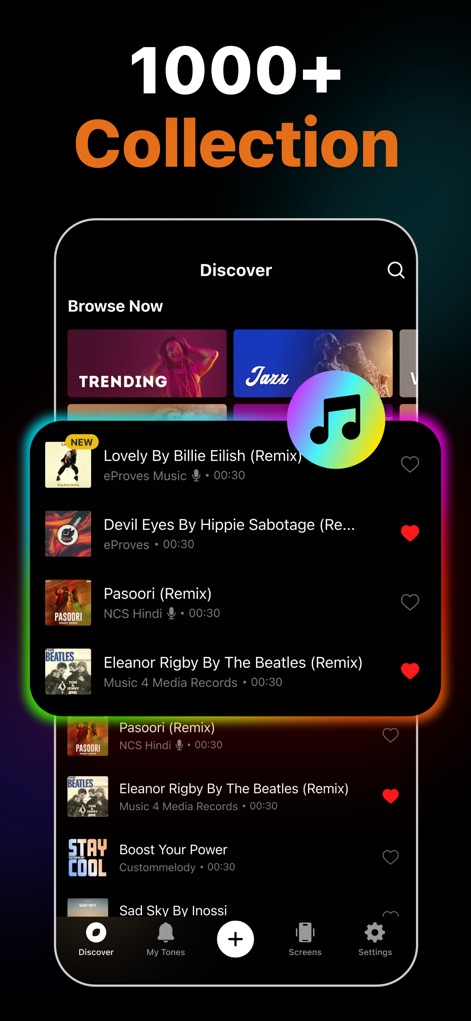
이 앱은 힙합, 재즈 등 다양한 장르의 트렌디한 음악 벨소리를 1000개 이상 제공하며, 사용자는 좋아하는 곡을 하트 아이콘으로 표시하여 쉽게 즐겨찾기에 추가할 수 있습니다.
방대한 벨소리 컬렉션
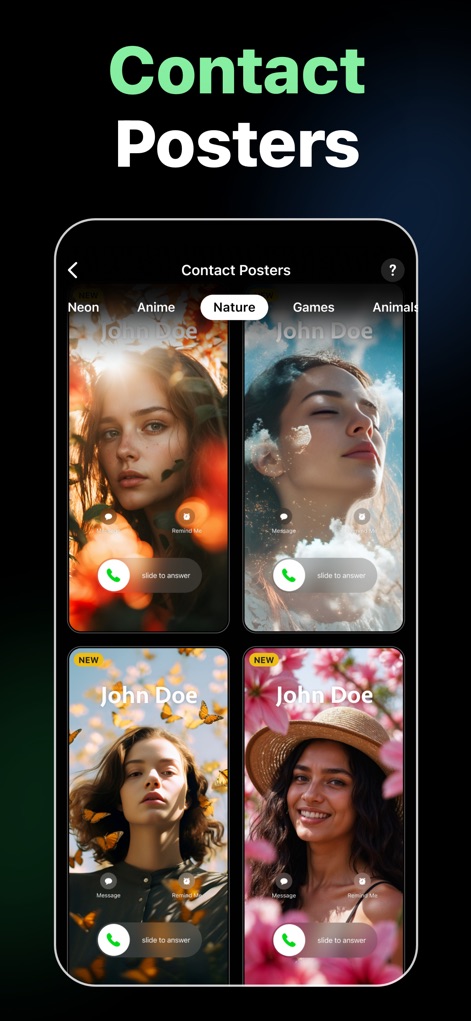
사용자는 이 앱에서 자연, 애니메이션 등 다양한 테마의 연락처 포스터를 탐색하고, 각 포스터에 표시된 'John Doe' 이름과 'Slide to answer' 인터페이스를 통해 맞춤형 통화 화면을 설정할 수 있습니다.
개성 있는 연락처 포스터
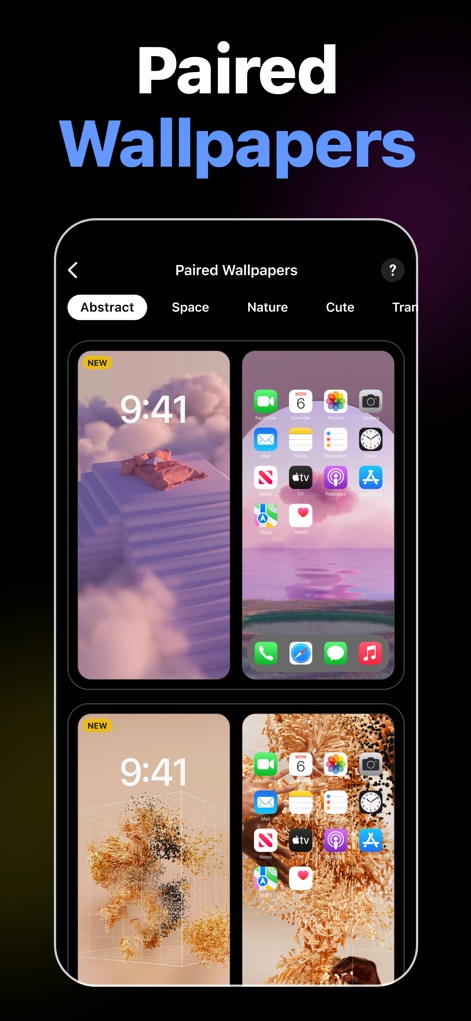
이 도구는 잠금 화면과 홈 화면을 위한 조화로운 배경화면 쌍을 제공하며, 사용자는 추상적인 디자인이나 앱 아이콘이 정렬된 화면 구성이 포함된 다양한 옵션 중에서 선택할 수 있습니다.
완벽한 페어링 배경화면
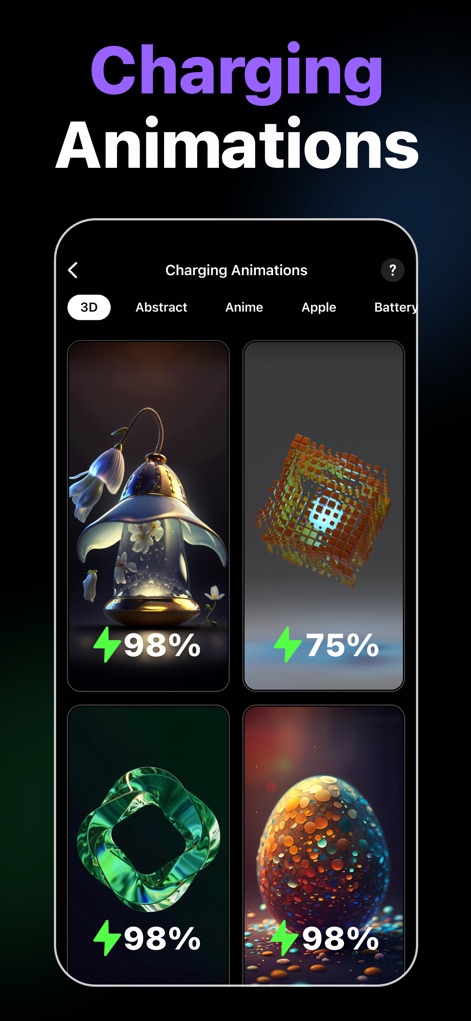
이 앱은 3D 오브젝트와 배터리 잔량 표시가 통합된 다채로운 충전 애니메이션을 제공하여, 사용자가 휴대폰을 충전할 때마다 시각적으로 즐거운 경험을 할 수 있도록 합니다.
역동적인 충전 애니메이션
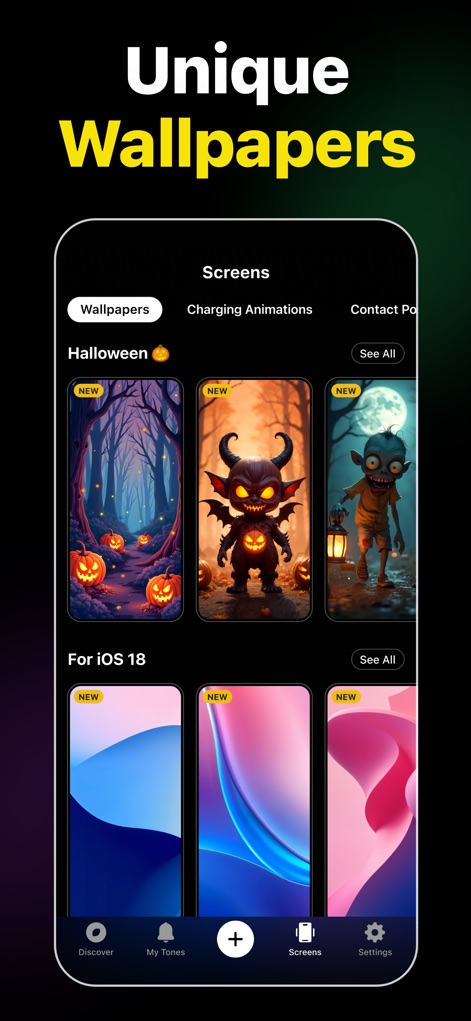
사용자는 할로윈 테마의 신비로운 이미지와 iOS 18에 최적화된 새로운 추상적인 패턴을 포함하여, 이 앱이 제공하는 독특하고 다채로운 배경화면 중에서 선택하여 기기를 맞춤 설정할 수 있습니다.
특별한 배경화면 컬렉션
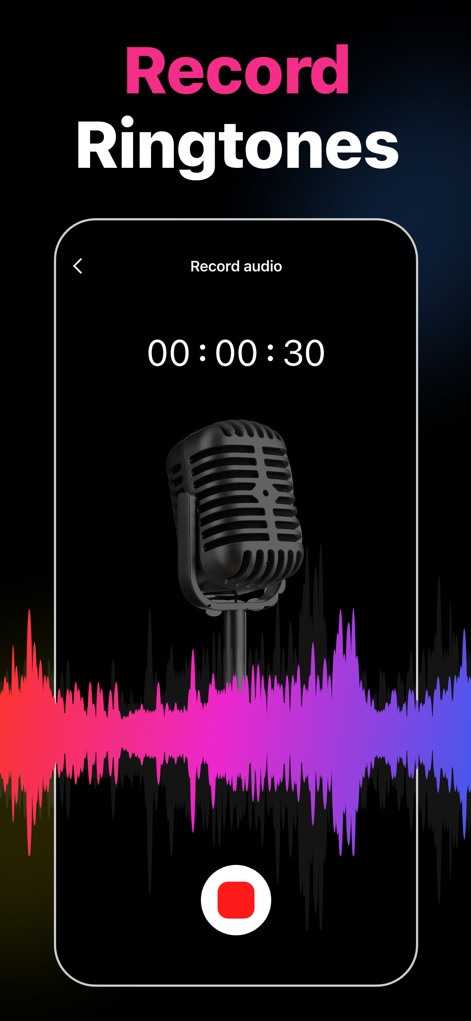
이 도구는 사용자가 내장 마이크를 통해 직접 음성을 녹음하여 벨소리로 만들 수 있도록 하며, 오디오 파형이 실시간으로 시각화되어 녹음 진행 상황을 명확하게 보여줍니다.
음성 녹음 벨소리
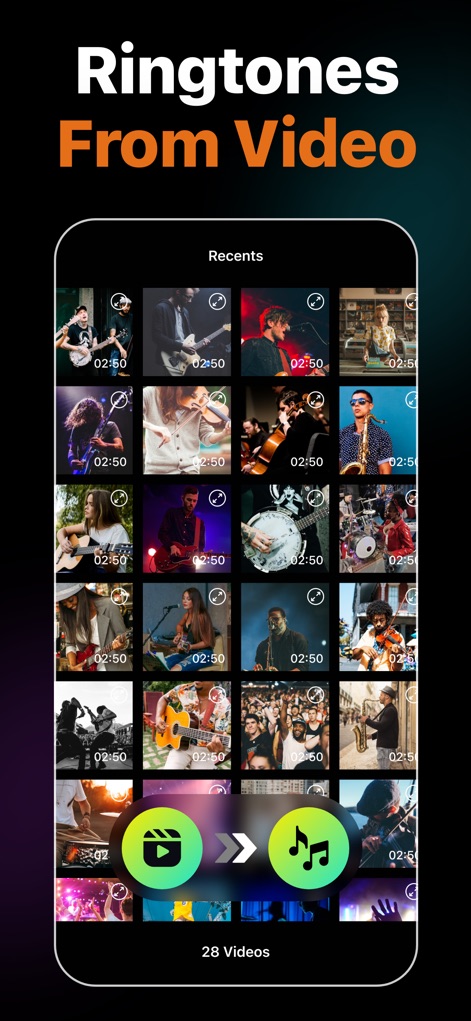
이 앱을 통해 사용자는 갤러리에서 비디오를 선택하여 오디오를 추출할 수 있으며, 각 비디오의 길이와 비디오 아이콘, 음악 노트 아이콘이 명확하게 표시되어 변환 과정을 직관적으로 이해할 수 있습니다.
비디오에서 벨소리 추출
설명
Download
비슷한 앱
유사한 기능과 사용자 경험을 가진 앱
Ringtones Maker - the ring app
苏娟 陈

LittyTone:Ringtone & AI Voice
Shenzhen Chuangyuan Huaqi technology Co., LTD
Garage Ringtones for iPhone
Appflow Software - FZCO

ClipTone: Ringtone & AI Cover
BUD TECHNOLOGIES, PTE. LTD.
Music Editor Cut MP3 Converter
Dream United, Ltd.

Mp3 Cutter - M4a, Music Cutter
TOWER OF HANOI SOFTWARE COMPANY LIMITED

Ringtone Maker & MP3 Converter
Oleksandr Pylaiev

Ringtone Maker +
迪刚 宋
Any Ringtones
Ion Danilov
이 페이지는 앱이나 개발자의 공식 페이지가 아니며, 정보 제공 및 논평을 목적으로 작성된 독립 편집 간행물입니다. 명시적으로 달리 언급되지 않는 한, 해당 앱이나 개발자는 MWM, Apple, Google Play, 앱 퍼블리셔 또는 앱 개발자와 제휴, 보증, 후원, 승인 또는 공식적으로 연결되어 있지 않으며, 이 페이지의 어떤 내용도 해당 앱이 MWM의 서비스를 사용하여 개발되었음을 의미하지 않습니다. 모든 상표, 로고, 스크린샷 및 기타 콘텐츠는 해당 소유자의 자산입니다.