Scan App +

Scan App +

다운로드: App Store
로고: Scan App +

Scan App +: 전문가를 위한 초고속 PDF 스캐너

아이폰을 강력한 문서 스캐너로 변모시키세요. 고품질 PDF를 몇 초 만에 캡처하고 미리 보고 클라우드로 전송하세요. 깔끔하고 종이 없는 삶을 위한 궁극적인 도구입니다.

개발사

Sarrada Software Inc

카테고리

Business

다운로드

1M+

사용자 평점

4.6/5

총 평가 수

36K+

지원 언어

13

주머니 속의 당신의 사무실

이 인터페이스를 사용하는 1M+ 명의 사용자.

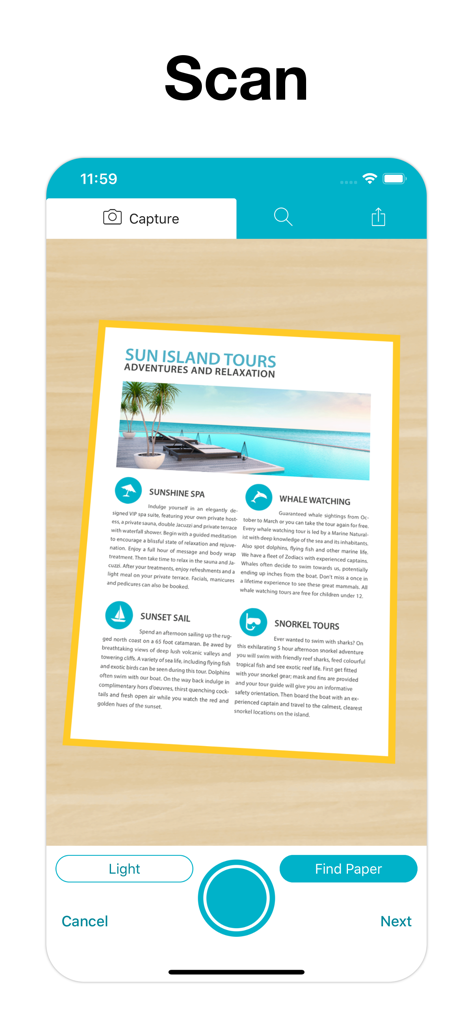
자동 테두리 감지로 문서를 캡처하는 모바일 애플리케이션 인터페이스

자동 테두리 감지로 문서를 캡처하는 모바일 애플리케이션 인터페이스

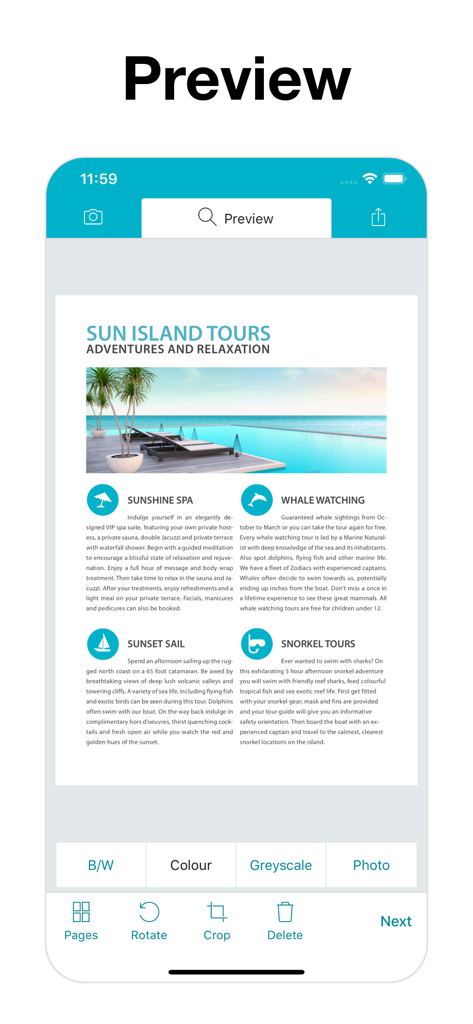
Scan App Plus 문서 미리보기 화면에 여행 브로슈어의 컬러 스캔과 자르기 및 회전과 같은 편집 도구가 표시됨

Scan App Plus 문서 미리보기 화면에 여행 브로슈어의 컬러 스캔과 자르기 및 회전과 같은 편집 도구가 표시됨

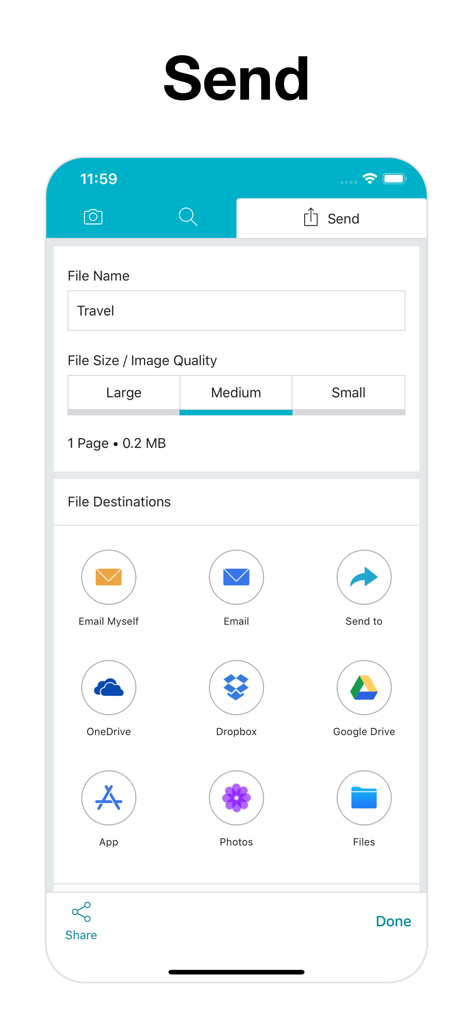
Scan App Plus 인터페이스에 파일 이름 지정, 품질 선택, Google Drive 및 Dropbox와 같은 다양한 클라우드 내보내기 옵션이 표시됨

Scan App Plus 인터페이스에 파일 이름 지정, 품질 선택, Google Drive 및 Dropbox와 같은 다양한 클라우드 내보내기 옵션이 표시됨

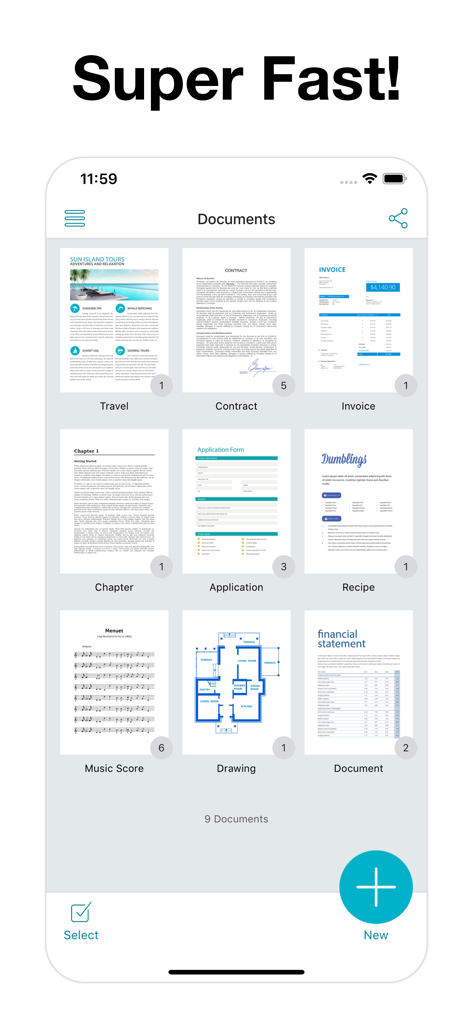
Scan App Plus 대시보드 보기에 다양한 스캔 문서 유형의 그리드가 표시됨

Scan App Plus 대시보드 보기에 다양한 스캔 문서 유형의 그리드가 표시됨

언제 어디서든 당신의 전문 사무실

이 앱을 돋보이게 하는 도구, 1M+ 명의 사용자가 선택.

초고속 자동 캡처

카메라를 대는 순간 문서를 잘라내고 캡처하는 자동 용지 감지 기능으로 마찰 없는 스캔을 경험하세요.

📄

비즈니스 준비 완료 품질

그림자와 지저분함을 제거하는 특수 흑백 및 회색조 필터로 계약서와 영수증을 전문적으로 보이게 하세요.

☁️

끊김 없는 클라우드 통합

한 번의 손쉬운 탭으로 스캔 파일을 Google Drive, Dropbox 또는 OneDrive로 직접 내보내 작업 흐름을 계속 유지하세요.

앱 소개

에 대해 알아야 할 모든 것 Scan App +.

설명

Scan documents to PDF. Super Fast! Scan App + turns your iPhone or iPad into a portable scanner. It’s a tiny scanner in your pocket. Scan in 3 easy steps; capture, preview then send. Email, save to Files App or Photos App. Scan to pdf then upload directly to Google Drive, Dropbox or OneDrive. Scanning options include Black & White, Colour or Grayscale. Control pdf file size with large, medium and small file size options. Just about anything is scannable: ∙ Scan App + is with you on the go: Scan receipts, business cards, forms, contracts. ∙ Scan to pdf for keepsake: Pictures, magazine articles, newsprint, books, recipes. ∙ Scan documents to take with you: Travel docs, whiteboards, coupons, barcodes, grocery list, music scores. Cam Scanner: Camera works as a cam scanner and will automatically detect paper when placed on a contrasting background. Scan one page or multiple pages at the same time with Scan App +. High Quality Scans: Scan photos as Black & White, Colour, Grayscale or Original Photo. Scan App + uses the latest mobile scanning technology to create high quality scans. Control the file size with large, medium and small options. Save, Send and Share: Email pdf files of your scanned docs. Scan App + can upload directly to Google Drive, Dropbox, OneDrive. Save scanned photos to Photos App. Save to iCloud via Files App or send to another app. With 9 export options Scan App + makes it easy to send document scans. Always have a tiny scanner with you. Scan App + is a fast PDF Scanner that will become an indispensable tool in your everyday life. If you like Scan App + please rate us on the App Store. If you have any questions or feedback, contact us at support@sarrada.com. Scan App + Unlimited is available for purchase as Lifetime or Subscription: 1 Year, 1 Month or 3 Months. Check in app for exact pricing in your region. Payment will be charged to iTunes Account at confirmation of purchase. Subscription automatically renews unless auto-renew is turned off at least 24-hours before the end of the current period. Account will be charged for renewal within 24-hours prior to the end of the current period. Subscriptions may be managed by the user and auto-renewal may be turned off by going to the user's Account Settings after purchase. https://www.sarrada.com/app/privacy.htm https://www.sarrada.com/termsofservice.htm

최신 버전

2.6

크기

85.7 MB

출시일

2018년 2월 26일

작업 흐름을 혁신할 준비가 되셨나요?

100만 명 이상의 전문가와 함께 오늘 아이폰을 초고속 휴대용 PDF 스캐너로 바꾸세요.

다운로드: App Store

App information, icons, screenshots, and descriptions displayed on this page are sourced from the Apple App Store and are the property of their respective developers. Download estimates and rankings are based on MWM's proprietary models and may not reflect actual figures. This page is provided for informational and analytical purposes only.

Believe this page infringes your intellectual property? File a dispute