iPhone을 강력한 문서 허브로 바꾸어 워크플로우를 간소화하세요. 전문 OCR 및 보안 클라우드 동기화 기능으로 몇 초 만에 파일을 스캔, 서명, 정리하세요. 현대 전문가에게 적합합니다.
개발사
Digitap Inc.
카테고리
Business
다운로드
1M+
사용자 평점
4.9/5
총 평가 수
46K+
지원 언어
2
당신의 오피스, 재해석되다
이 인터페이스를 사용하는 1M+ 명의 사용자.
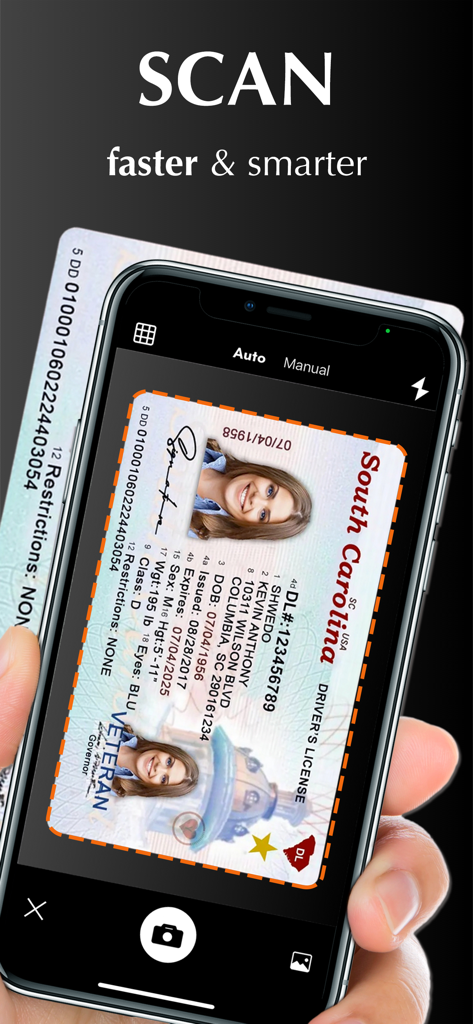
Scanner App PDF Scan Pro를 사용하여 운전면허증을 스캔하는 iPhone을 든 손
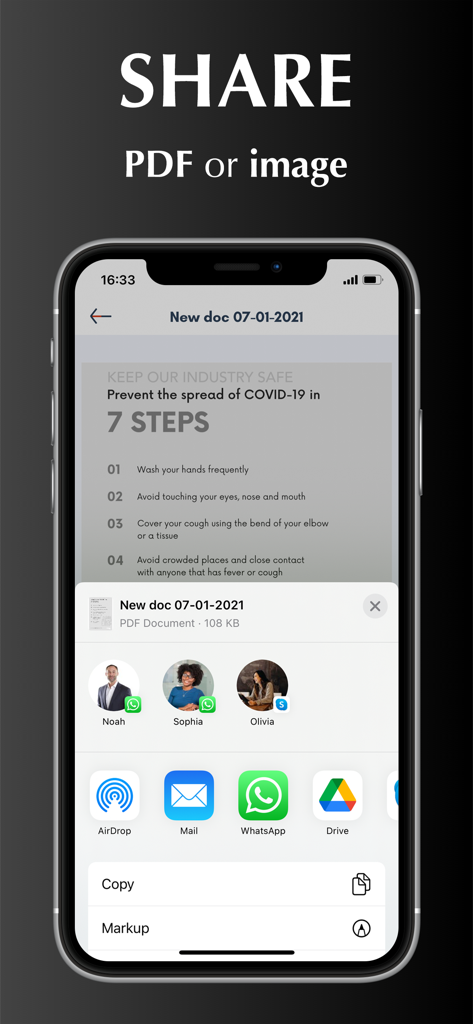
스캔된 PDF 또는 이미지를 다양한 앱을 통해 공유하는 옵션을 보여주는 iPhone 화면
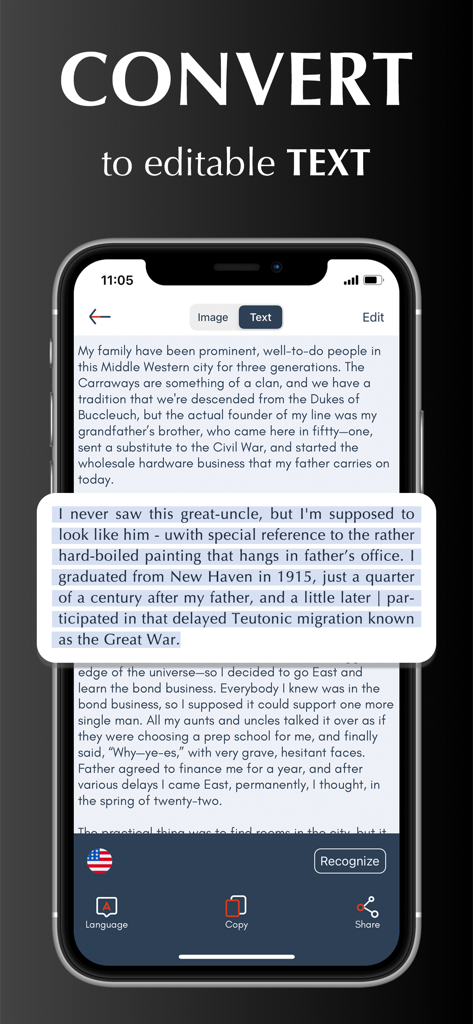
Scanner App이 스캔된 문서를 편집 가능한 텍스트로 변환하는 것을 보여주는 iPhone 화면
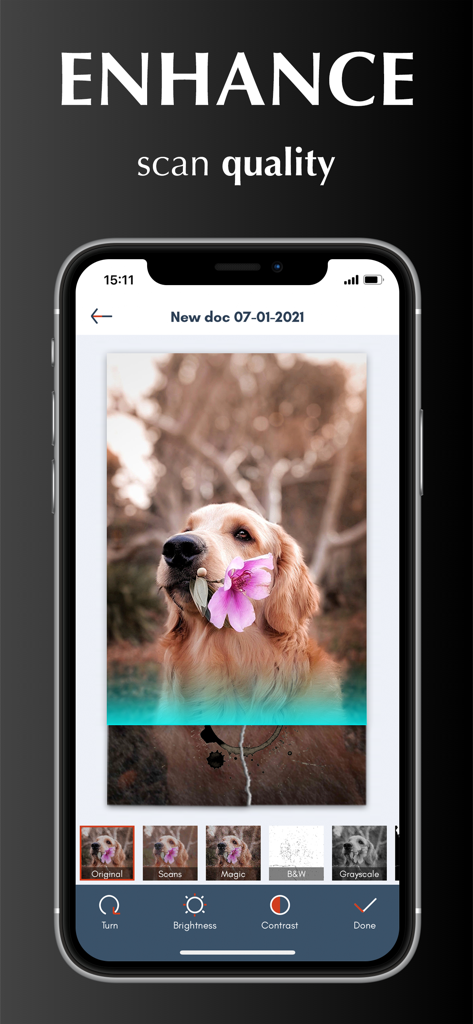
Scanner App PDF Scan Pro의 스캔 품질 향상 도구 및 이미지 필터를 보여주는 인터페이스
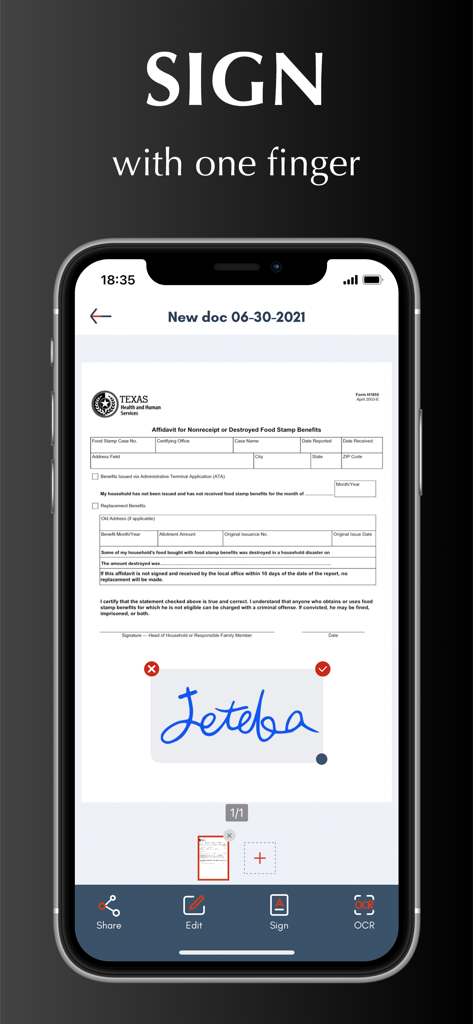
Scanner App 인터페이스 내 문서에서 디지털 서명 기능
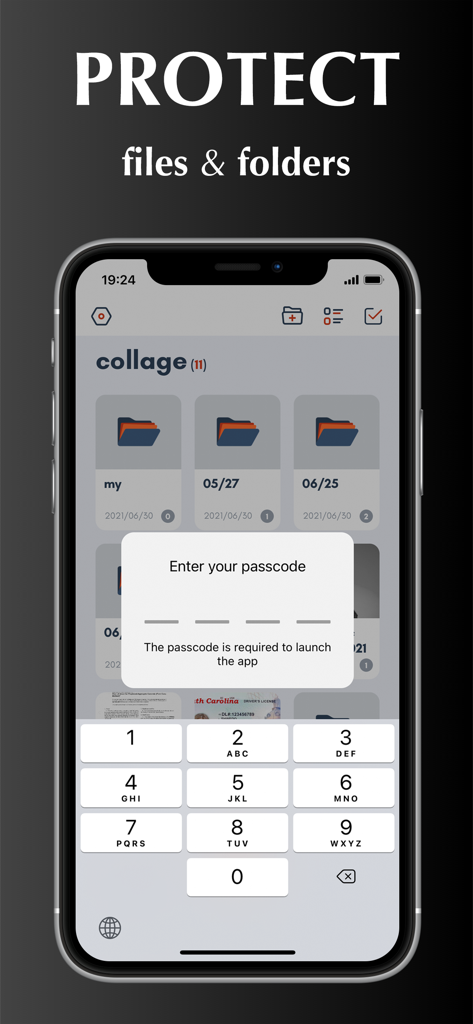
Scanner App에서 문서 및 폴더를 보호하기 위한 암호 잠금 기능을 보여주는 iPhone 화면
전문 포켓 오피스
이 앱을 돋보이게 하는 도구, 1M+ 명의 사용자가 선택.
✍️
이동 중 서명 및 편집
'인쇄-서명-스캔'의 번거로움을 건너뛰세요. 디지털 서명을 생성하고 마법 같은 색상 필터를 사용하여 모든 문서를 선명하고 공식적으로 보이게 하세요.
🔍
스마트 텍스트 추출 (OCR)
스캔을 편집 가능한 텍스트로 즉시 변환하세요. 영수증에서 데이터를 추출하거나 문서를 10개 이상의 언어로 정밀하게 번역하세요.
☁️
안전한 클라우드 통합
iCloud, Dropbox 또는 Google Drive로 자동 동기화하세요. 암호 보호 및 사용자 지정 폴더로 민감한 문서를 안전하게 보관하세요.
앱 소개
에 대해 알아야 할 모든 것 Scanner App - PDF Scan Pro.
설명
Scanner App turns your iPhone into a powerful pocket scanner and help you increase productivity at work. With scanner app, you can scan any paper document into clear PDF or PNG, and sign, enhance, organize and share it to email, iCloud, Dropbox, Box......
SCANNER APP FEATURES
Scan:
√ Accurately detect edges of documents.
√ Automatically scan without tapping.
√ Scan multiple pages of files into one single PDF or long image.
√ Unlimited scan business documents, receipts, ID cards, written notes, agreements, paper sketches, books, printed photos, rentals, or any other printed documents...
√ Add pictures for scanning from camera roll.
√ Batch scanning mode automates multiple pages scanning tasks.
Edit:
√ Create and add signature to electronic documents.
√ Apply magic color effect to scanned files, or change filter to grayscale, black & white, threshold.
√ Adjust contrast or brightness to enhance scan quality.
√ Convert PDF document to PNG, JPG, TXT.
Share:
√ Share through Text, Email, WhatsApp, Facebook, LinkedIn, Messenger……
√ Save scanned files to cloud services (including OneDrive, Google Drive, Dropbox, Box, iCloud) in one tap.
OCR:
√ Use text recognition to extract or grab texts from scanned image.
√ Select, copy, cut, edit and share text.
√ Support 10+ languages.
Translate:
√ Translate Text to different languages.
Organize:
√ Import files from iPhone or cloud services.
√ Create, move and manage files and folders.
√ Rename and share files with friends or colleagues.
√ Protect everything with a Password.
Sync:
√ Sync and access your files from cloud space in seconds.
√ Sync files across multiple devices.
HOW TO USE
Open your scanner app. Place your document in view of the camera. Tap the Camera button. If your scanner app is in Auto mode, your document will automatically scan. Tap “Manual” if you need manually capture a scan. Then drag the corners to adjust the scan to fit the page, then tap the Camera button. Tap “continue” and “done” to save your scans.
UNLIMITED ACCESS MEMBERSHIP SUBSCRIPTION
- You can subscribe for premium account with all premium features and no ads and watermark
- Subscription is from $9.99 monthly, $4.99 weekly, $39.99 yearly
- Subscription automatically renews for the same price and duration period as the original "one week"/"one month"/"one year" package unless auto-renew is turned off at least 24-hours before the end of the current period
- Payment will be charged to iTunes Account at confirmation of purchase
- Subscriptions may be managed by the user and auto-renewal may be turned off by going to the user's Account Settings after purchase
- Any unused portion of a free trial period, if offered, will be forfeited when the user purchases a subscription to that publication, where applicable
Privacy Policy: https://scannerocr.com/privacy.html
Terms of Use: https://scannerocr.com/terms.html
최신 버전
4.2.0
크기
115.8 MB
출시일
2020년 8월 26일
iPhone을 전문가용 파워하우스로 변환하세요
1백만 명 이상의 성공한 사용자들이 부피 큰 하드웨어를 버린 것처럼 동참하세요. 이동 중에 문서를 스캔, 서명, 동기화하는 최고의 도구를 경험하세요.
App information, icons, screenshots, and descriptions displayed on this page are sourced from the Apple App Store and are the property of their respective developers. Download estimates and rankings are based on MWM's proprietary models and may not reflect actual figures. This page is provided for informational and analytical purposes only.
Believe this page infringes your intellectual property? File a dispute