Scanner App - PDF Scanner Pro: 스캔, 서명 및 공유를 위한 궁극의 AI 도구
iPhone을 전문적인 사무실로 바꿔보세요. AI를 통해 문서를 즉시 디지털화하고, 텍스트를 추출하고, 계약을 즉시 실행할 수 있습니다. 속도, 정확성, 서류 없는 워크플로우를 요구하는 바쁜 전문가를 위해 설계되었습니다.
개발사
Evinco Solutions Inc.
카테고리
Business
다운로드
2K+
사용자 평점
4.6/5
총 평가 수
100
지원 언어
1
모든 픽셀의 정밀도
이 인터페이스를 사용하는 2K+ 명의 사용자.
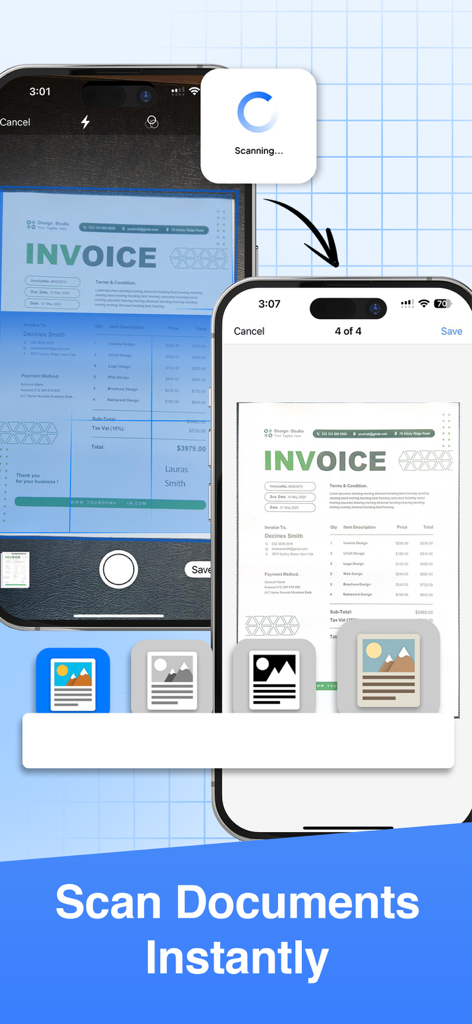
Scanner App으로 송장 문서를 즉시 스캔하는 과정을 보여주는 두 개의 iPhone 화면
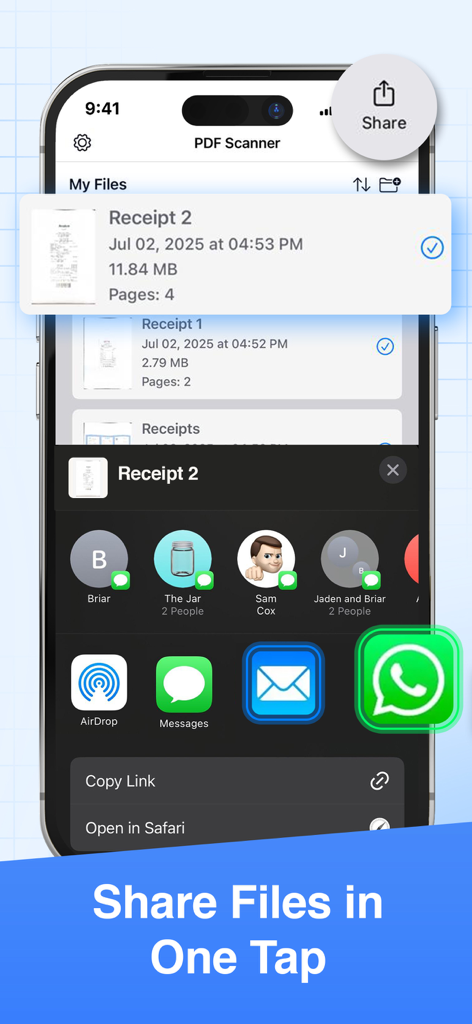
PDF Scanner Pro에서 탭 한 번으로 파일을 공유하는 방법을 보여주는 인터페이스
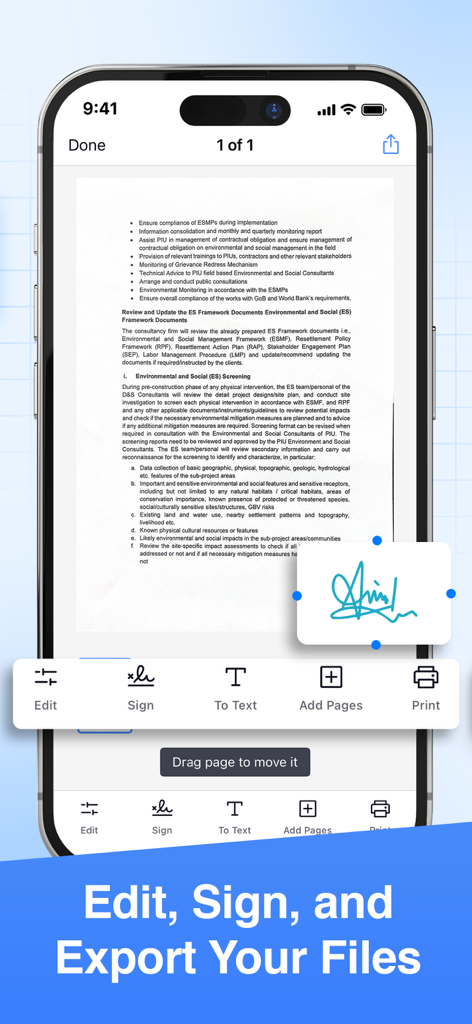
문서 서명 및 편집 도구를 보여주는 PDF 스캐너 앱의 스마트폰 인터페이스
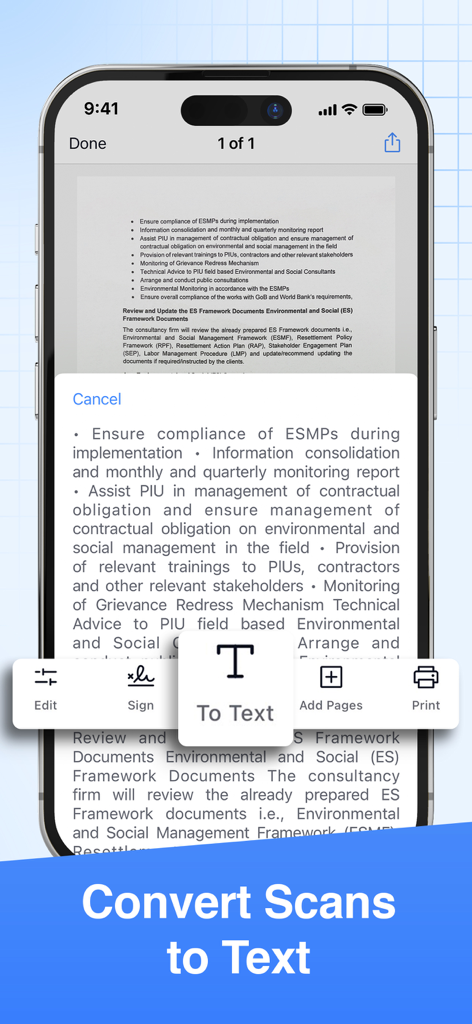
OCR 기술을 통해 스캔한 문서의 텍스트 변환을 보여주는 모바일 앱 인터페이스
주머니 속 전문 사무실
이 앱을 돋보이게 하는 도구, 2K+ 명의 사용자가 선택.
✨
AI 기반 정밀도
자동 자르기, 노이즈 제거 및 AI 개선을 통해 모든 계약서와 영수증이 전문적으로 보이도록 하여 스튜디오 품질의 스캔을 즉시 생성합니다.
✍️
안전한 전자 서명
인쇄기나 실물 서류 처리 없이도 모든 문서에 손으로 그린 서명 또는 디지털 서명을 추가하여 이동 중에 계약을 성사시키세요.
🔄
스마트 형식 변환
스캔한 문서를 PDF, Word, Excel 또는 PowerPoint 파일로 원활하게 변환하고 Google Drive, Dropbox 또는 Microsoft Teams에 직접 동기화하세요.
앱 소개
에 대해 알아야 할 모든 것 Scanner App - PDF Scanner Pro.
설명
● Scan to PDF: scan anything, save, and share it in PDF. Copy and edit text with the OCR.
● Convert: PDF to Word, PPT, JPG, PNG, and more.
● Edit: adjust, sign (supports e-signatures), share, and print.
Have a portable, fast, and accurate scanner anywhere you go with the PDF Scanner app.
Whether you're an accountant, realtor, manager, lawyer, or student, PDF Scanner is the must-have free scanner app that saves you time. Open the app to effortlessly digitize any document with just a few taps on your iOS device.
► Download now for free and accurately scan documents anytime, anywhere.
AI-POWERED SCAN
‣ Scan documents, contracts, tax forms, tickets, receipts, handwritten notes, and more using your camera.
‣ Supports multipage scans and PDFs.
‣ AI-refined scanning assures accuracy and speed.
EDIT & SIGN
‣ Supports advanced color correction, noise removal, and automatic crop tools that make it easy to perfect your document images and make them more realistic.
‣ Extract text from any scanned document using the in-built OCR technology.
‣ Create multipage scans.
‣ Sign documents (supports e-signature and hand/manual signatures).
CONVERT
‣ Convert your scans to PDF, JPG, PNG, Word, Excel, PowerPoint, and more with just one tap.
SHARE OR PRINT
‣ Share your scans with ease via WhatsApp, Teams, email, or popular cloud services like Dropbox, Google Drive, and OneDrive.
‣ Print your scanned files via Air and set copies, page size, orientation, and scaling.
PDF SCANNER APP FEATURES:
● scan documents using your camera
● intuitive UI
● turn scans to PDF
● edit the scanned PDFs
● add a page to create multipage PDFs
● sign the scanned documents
● convert PDF to variety documents and image formats
● save scans to files
● share the scanned documents with ease
● print any scanned files by Air
If you are looking for fast and precise document scanning, give PDF Scanner a try. It gives a feeling of convenince and productivity when you need to scan and sign multiple documents fast and on the go. Must-have for any busy professional or student.
► Download this superior, AI-powered, all-in-one scanning app for FREE.
_____________
Subscription Plans for PDF Scanner:
PDFScan offers flexible subscription plans including Monthly and Yearly Subscription to enable all the premium functionality like e-sign, scanning unlimited pages and unlimited sharing.
+ Monthly Subscription Plan:
The monthly subscription plan costs US$9.99 which auto-renews every month. Get monthly cost-effective and flexible subscription that costs US$9.99 to scan, sign & share unlimited documents throughout the month.
+ Yearly Subscription Plan:
If you prefer long-term convenience, the yearly subscription plan is ideal. It comes with a three days trial period then it renews annually at a rate of US$39.99 which ensures uninterrupted access to unlimited scanning features for a whole year.
Please note that payment for the chosen subscription plan will be charged to your iTunes Account. Subscriptions will automatically renew unless auto-renewal is turned off within the iTunes Account settings at least 24 hours before the end of the current period. You can manage your subscriptions and turn off auto-renewal by accessing your Account Settings after making the purchase.
By using PDF Scanner App, you are agreeing to our Privacy Policy and Terms of Use:
Privacy Policy & Terms : https://evincosolutions.com/pdfscan/privacy.html
We’d love to hear from you! Get in touch with us at support@evincosolutions.com
최신 버전
2.0.0
크기
17.7 MB
출시일
2023년 3월 16일
오늘 서류 없는 환경을 선택한 수천 명의 전문가와 함께하세요
실물 파일로 시간을 낭비하지 마세요. AI의 힘으로 몇 초 안에 모든 문서를 스캔, 서명 및 공유할 수 있습니다. iPhone 또는 iPad에서 만능 스캐너를 무료로 다운로드하세요.
App information, icons, screenshots, and descriptions displayed on this page are sourced from the Apple App Store and are the property of their respective developers. Download estimates and rankings are based on MWM's proprietary models and may not reflect actual figures. This page is provided for informational and analytical purposes only.
Believe this page infringes your intellectual property? File a dispute