Scanner App Pro: Scan Edit PDF

Scanner App Pro: Scan Edit PDF

다운로드: App Store
로고: Scanner App Pro: Scan Edit PDF

Scanner App Pro: 문서를 즉시 스캔, 편집 및 팩스 전송

iPhone을 고성능 포켓 오피스로 바꿔보세요. 계약서에 디지털 서명하고, OCR로 텍스트를 추출하고, 전 세계로 팩스를 보내세요. 이동 중인 현대 전문가를 위해 설계되었습니다.

개발사

IFUNPLAY CO., LTD.

카테고리

Business

다운로드

307K+

사용자 평점

4.7/5

총 평가 수

1K+

지원 언어

1

어디서든 당신의 오피스

이 인터페이스를 사용하는 307K+ 명의 사용자.

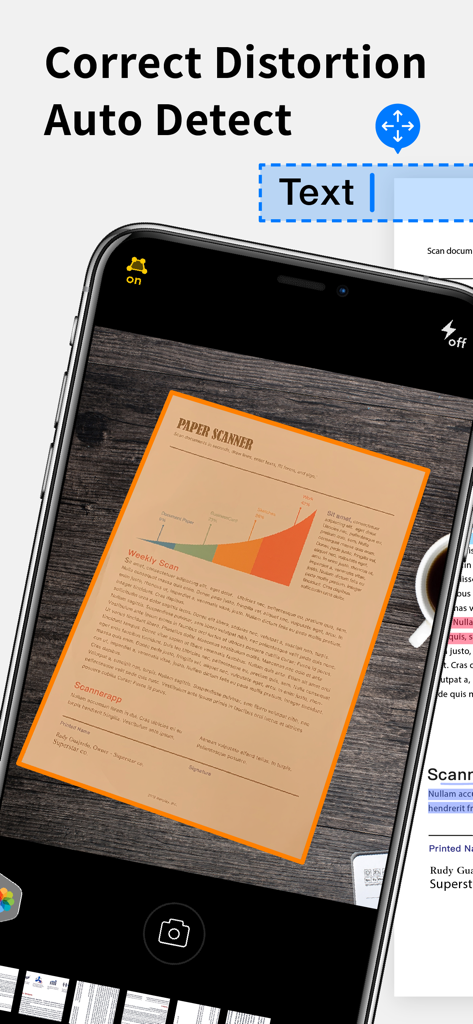
스캔 앱 프로를 사용하여 종이 문서를 스캔하기 위해 자동 감지 및 왜곡 보정을 사용하는 iPhone 화면

스캔 앱 프로를 사용하여 종이 문서를 스캔하기 위해 자동 감지 및 왜곡 보정을 사용하는 iPhone 화면

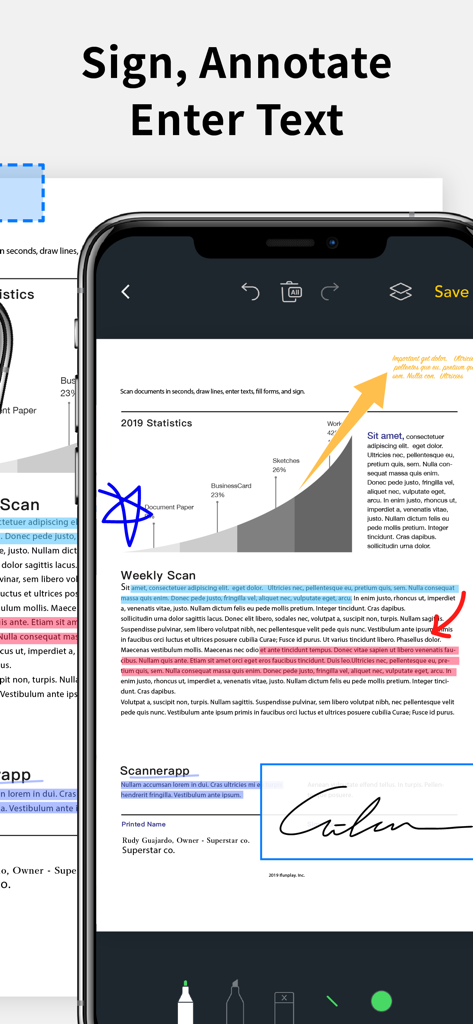
PDF 문서에 서명, 주석 및 강조 표시하기 위한 스캔 앱 프로 인터페이스를 보여주는 iPhone 화면

PDF 문서에 서명, 주석 및 강조 표시하기 위한 스캔 앱 프로 인터페이스를 보여주는 iPhone 화면

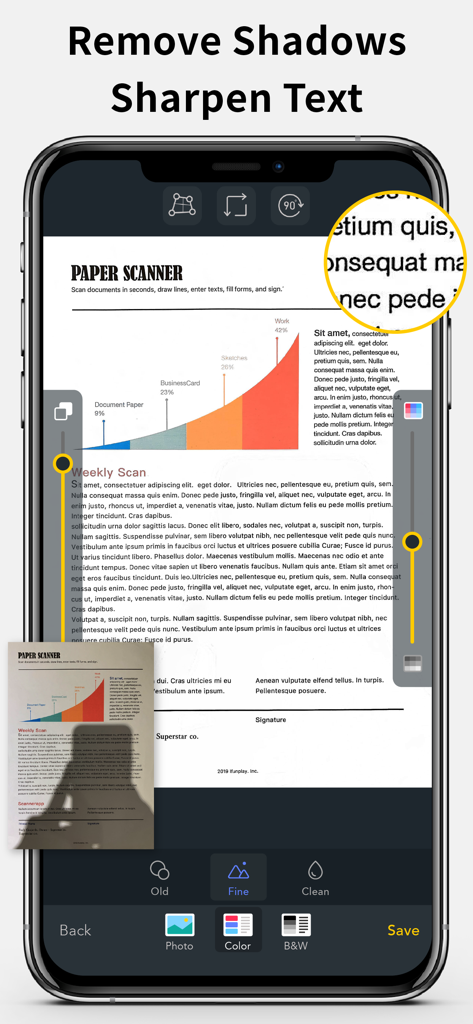
선명한 PDF 스캔을 위한 그림자 제거 및 텍스트 선명도 기능을 보여주는 문서 스캐너 앱 인터페이스

선명한 PDF 스캔을 위한 그림자 제거 및 텍스트 선명도 기능을 보여주는 문서 스캐너 앱 인터페이스

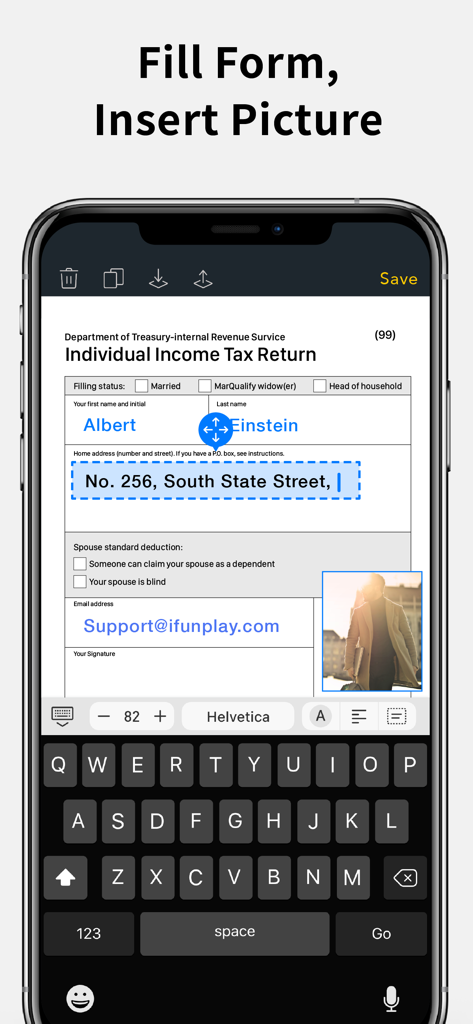
세금 양식을 작성하고 사진을 삽입하는 데 사용되는 스캔 앱 프로 인터페이스를 보여주는 스마트폰 화면

세금 양식을 작성하고 사진을 삽입하는 데 사용되는 스캔 앱 프로 인터페이스를 보여주는 스마트폰 화면

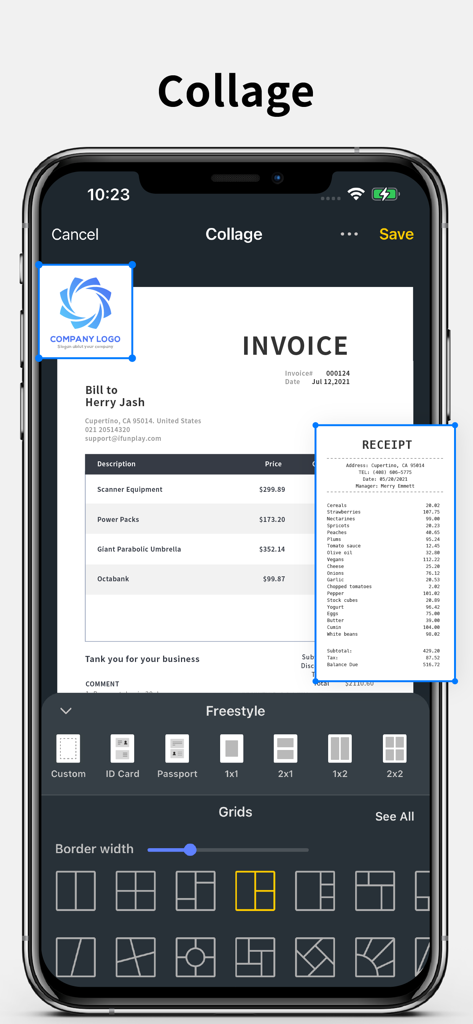
송장 및 영수증 레이아웃 옵션이 있는 문서 콜라주 기능을 보여주는 iPhone 스크린샷

송장 및 영수증 레이아웃 옵션이 있는 문서 콜라주 기능을 보여주는 iPhone 스크린샷

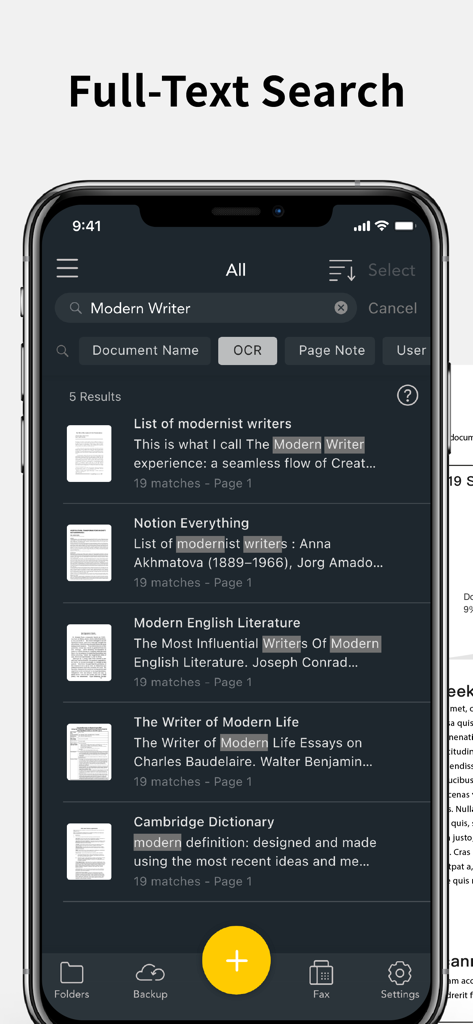
OCR을 사용하여 스캔 문서 내에서 키워드를 찾는 전체 텍스트 검색 기능을 보여주는 스캔 앱 프로의 iPhone 스크린샷

OCR을 사용하여 스캔 문서 내에서 키워드를 찾는 전체 텍스트 검색 기능을 보여주는 스캔 앱 프로의 iPhone 스크린샷

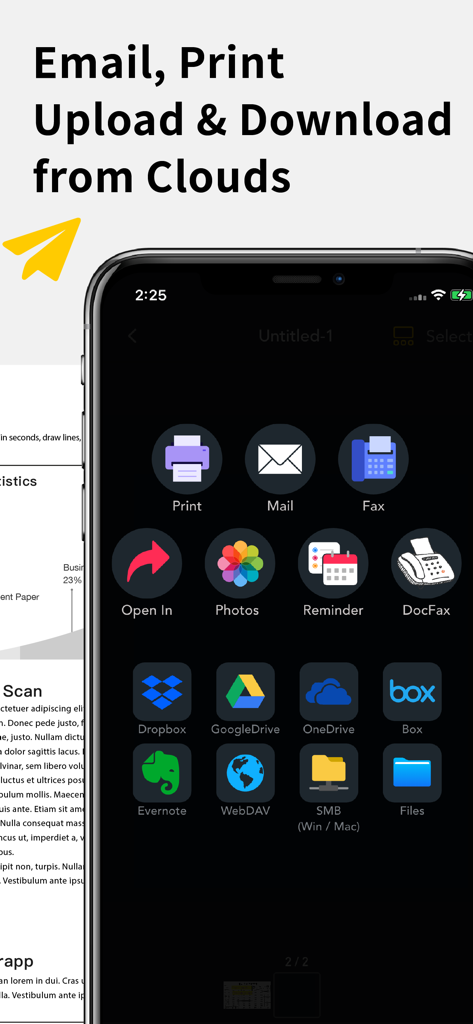
Google Drive 및 Dropbox와 같은 클라우드 스토리지 서비스로 문서를 이메일, 인쇄, 팩스 및 업로드하는 옵션을 표시하는 스캔 앱 인터페이스

Google Drive 및 Dropbox와 같은 클라우드 스토리지 서비스로 문서를 이메일, 인쇄, 팩스 및 업로드하는 옵션을 표시하는 스캔 앱 인터페이스

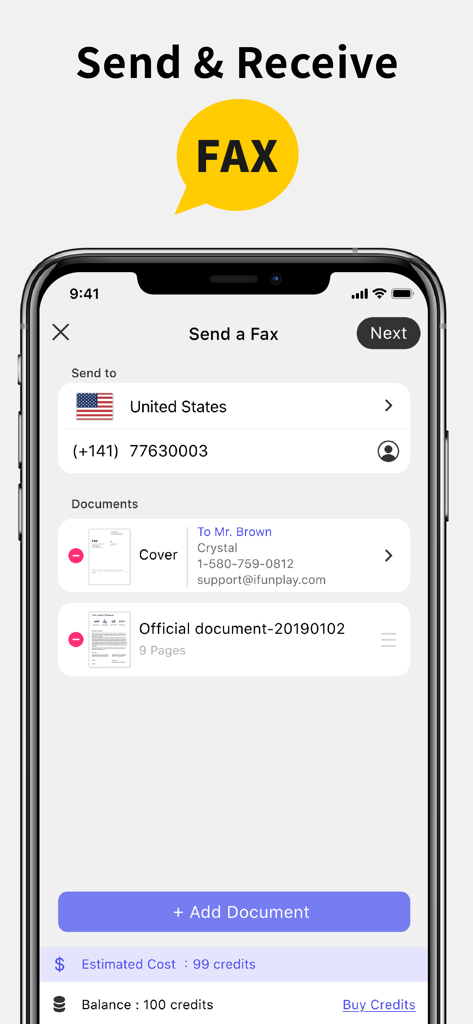
문서 선택 및 크레딧 잔액으로 팩스 보내기 화면을 보여주는 스캔 앱 프로 인터페이스

문서 선택 및 크레딧 잔액으로 팩스 보내기 화면을 보여주는 스캔 앱 프로 인터페이스

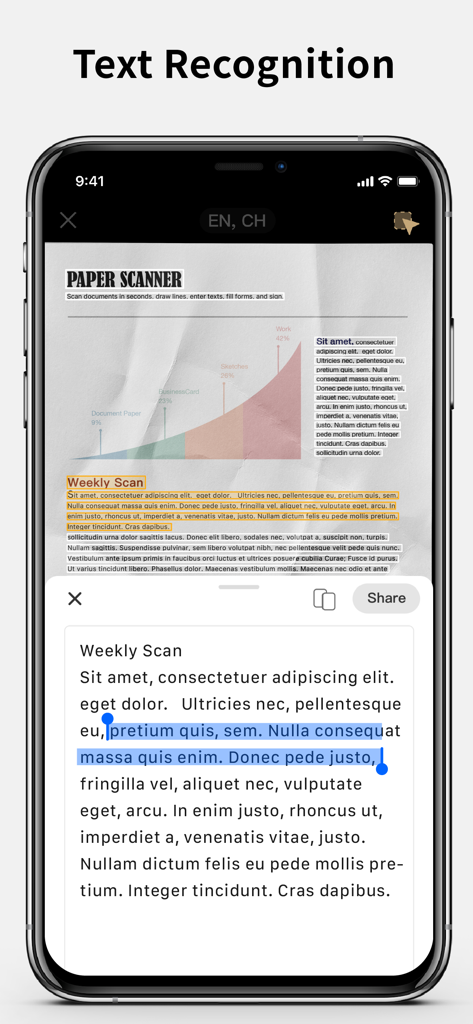
스캔된 문서에서 텍스트를 추출하는 텍스트 인식 기능을 보여주는 iPhone 화면

스캔된 문서에서 텍스트를 추출하는 텍스트 인식 기능을 보여주는 iPhone 화면

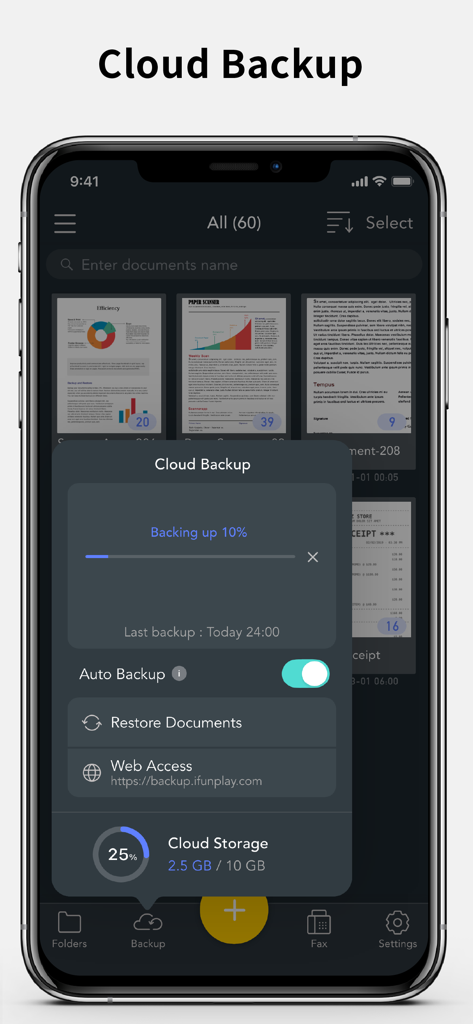
iPhone에서 문서 업로드 진행률 및 스토리지 상태를 보여주는 스캔 앱 프로 클라우드 백업 인터페이스

iPhone에서 문서 업로드 진행률 및 스토리지 상태를 보여주는 스캔 앱 프로 클라우드 백업 인터페이스

모든 서류 업무를 위한 올인원 파워하우스

이 앱을 돋보이게 하는 도구, 307K+ 명의 사용자가 선택.

📄

크리스탈처럼 선명한 모바일 스캔

종이 문서를 즉시 전문적인 PDF로 변환하세요. 고정확도 OCR을 사용하여 텍스트를 추출하고 시야각을 자동 보정하여 항상 완벽한 결과를 얻으세요.

✍️

즉석에서 서명 및 편집

책상으로 돌아갈 때까지 기다릴 필요가 없습니다. 화면에 직접 서명을 추가하고, 양식을 작성하고, 문서를 주석 처리하여 몇 초 안에 공유하세요.

📠

내장된 글로벌 팩스 기능

오피스 매장에 갈 필요가 없습니다. 실시간 상태 업데이트를 통해 100개국 이상으로 팩스를 보내고 받을 수 있습니다. 부피가 큰 하드웨어가 필요하지 않습니다.

앱 소개

에 대해 알아야 할 모든 것 Scanner App Pro: Scan Edit PDF.

설명

Scan and OCR documents in seconds, draw lines, edit texts, fill forms, collage, and sign. Share as PDF / JPEG by email, WiFi file sharing, cloud storages, smb, webdav, and fax. Powerful Scanning & OCR • Instantly scan paper documents, whiteboards, business cards, books, posters, and receipts with sharp clarity. • Auto-detect document edges to correct perspective distortion. • Enhance readability by removing background shadows and sharpening text in “Color” or “B&W” mode. • Adjust brightness and saturation in “Photo” mode. • Edit text, draw lines, and insert images. • Extract text from scanned images using OCR and export as TXT or DOCX. Photo Collage & Multi-Page Printing • Merge multiple pages into a single sheet—perfect for printing double-sided ID cards on A4/Letter paper. Save, Print & Organize • Save scans as JPEG or export as PDF. • Print wirelessly with AirPrint-supported printers. • Organize scans into folders, browse with thumbnail previews, and search by file name, OCR text, or notes. • Add annotations, signatures, and password protection for documents. Convenient Faxing • Send and receive faxes anywhere—no fax machine needed. • Receive push notifications for fax status updates. • Fax to 100+ countries (cost based on page count and recipient country). • Subscribe to a fax number for incoming faxes or disable fax reception when not needed. Seamless File Sharing & Export • Support exporting searchable PDFs • Transfer files between devices effortlessly. • Share as JPEG/PDF via email or open in other apps. • Save to Photos, iCloud Drive, Google Drive, Dropbox, OneDrive, Evernote, WebDAV, and more. • Access files from a PC using a web browser over WiFi. • Export to Reminders and sync with Apple, Google, or Outlook calendars. Easy File Import • Import JPEG images from other apps for cropping and enhancement. • Import PDFs as scanned pages. • Import files from cloud storage services. Effortlessly manage and digitize your documents—anytime, anywhere! Subscription Plans Unlock premium features with Silver, or Gold plans, including: • Cloud Backup & Restore: Access previous versions of your documents anytime • Flexible subscription options: Monthly or annual plans available • Subscription renews automatically unless auto-renew is turned off at least 24 hours before the end of the current period • Account will be charged for renewal within 24 hours before the end of the current period. The cost depends on the selected plan • Subscriptions may be managed by the user, and auto-renewal may be turned off by going to the user's Account Settings after purchase • Any unused portion of the free trial will be forfeited when the user purchases a subscription or cancel it Terms of Service: https://ifunplay.com/legal.html

최신 버전

18.4.9

크기

261.9 MB

출시일

2012년 12월 20일

완벽한 모바일 오피스가 탭 한 번으로 당신 곁에

30만 명 이상의 전문가와 함께 문서를 쉽게 스캔, 서명 및 팩스 전송하세요. 지금 Scanner App Pro를 다운로드하여 워크플로우를 간소화하세요.

다운로드: App Store

App information, icons, screenshots, and descriptions displayed on this page are sourced from the Apple App Store and are the property of their respective developers. Download estimates and rankings are based on MWM's proprietary models and may not reflect actual figures. This page is provided for informational and analytical purposes only.

Believe this page infringes your intellectual property? File a dispute