SCANNER - PDF Document Scan

SCANNER - PDF Document Scan

다운로드: App Store
로고: SCANNER - PDF Document Scan

SCANNER - PDF 문서 스캔: 귀하의 전문 모바일 오피스

OCR 정확도로 문서를 스캔, 서명, 변환하는 하이브리드 전문가를 위한 올인원 도구입니다. FaceID로 민감한 데이터를 보호하고 기기 간에 즉시 동기화하세요.

개발사

Zafar Ullah

카테고리

Business

다운로드

2M+

사용자 평점

4.4/5

총 평가 수

30K+

지원 언어

11

귀하의 모바일 오피스, 시각화

이 인터페이스를 사용하는 2M+ 명의 사용자.

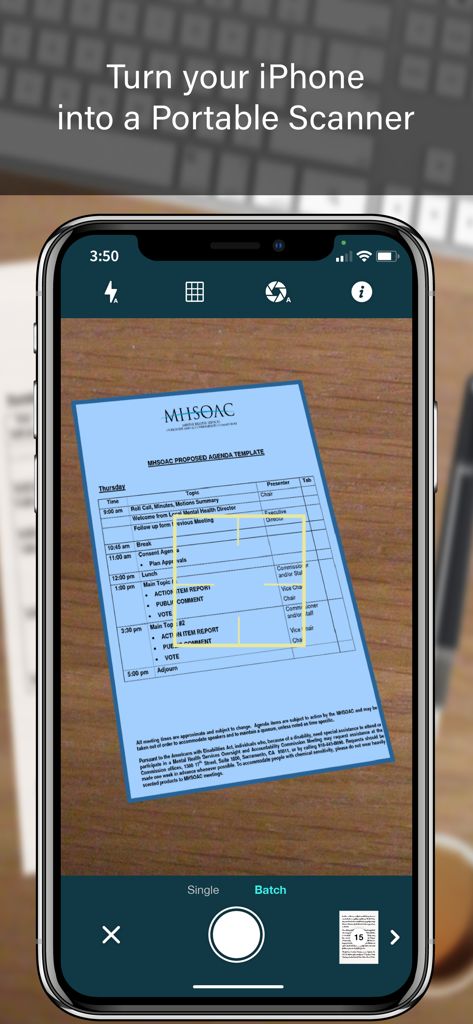
자동 가장자리 감지 및 배치 스캔 모드로 문서를 캡처하는 SCANNER 앱 인터페이스를 보여주는 iPhone 화면

자동 가장자리 감지 및 배치 스캔 모드로 문서를 캡처하는 SCANNER 앱 인터페이스를 보여주는 iPhone 화면

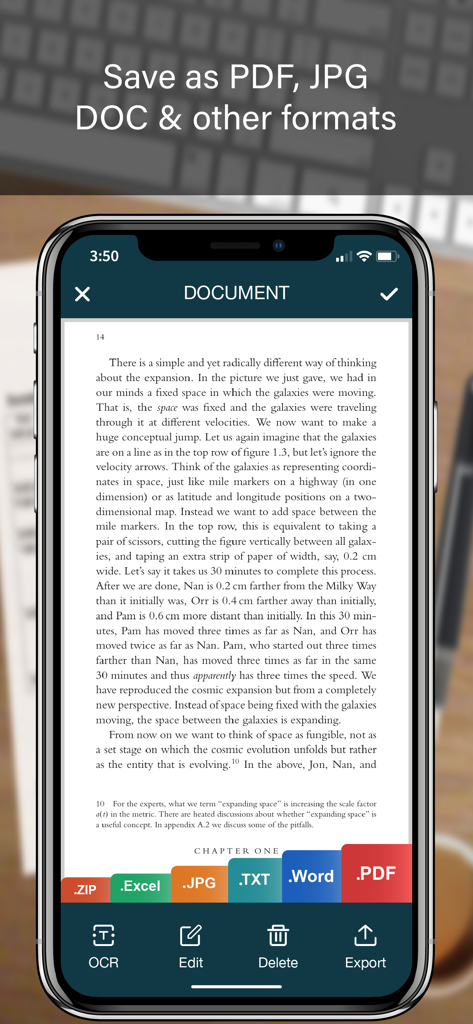
PDF JPG Word 및 Excel에 대한 내보내기 옵션이 있는 문서를 보여주는 모바일 스캐너 앱 인터페이스

PDF JPG Word 및 Excel에 대한 내보내기 옵션이 있는 문서를 보여주는 모바일 스캐너 앱 인터페이스

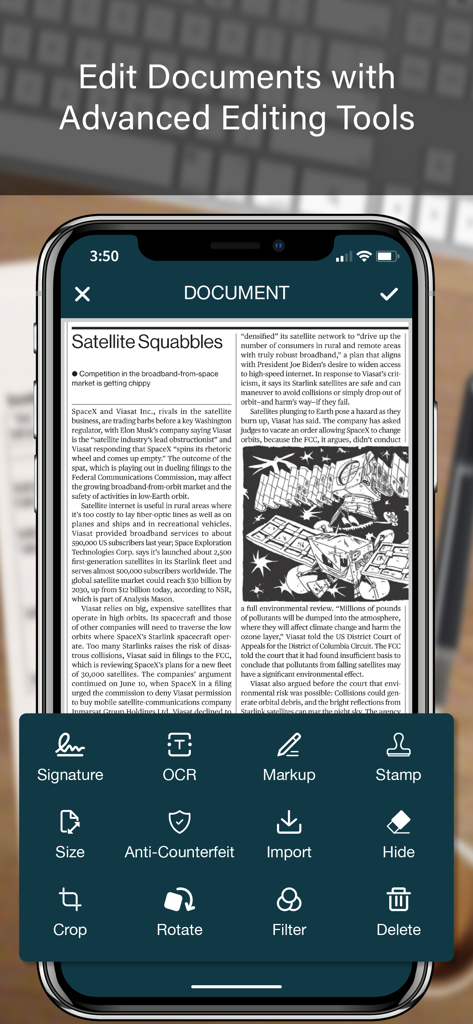
OCR, 디지털 서명 및 마크업을 포함한 고급 문서 편집 도구를 보여주는 SCANNER 앱 인터페이스

OCR, 디지털 서명 및 마크업을 포함한 고급 문서 편집 도구를 보여주는 SCANNER 앱 인터페이스

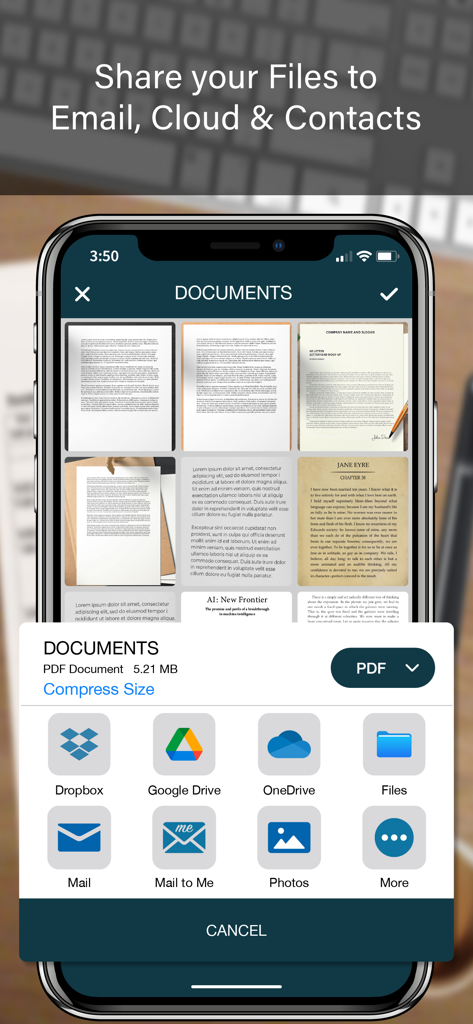
클라우드 저장소 및 이메일을 포함한 PDF 스캐너 앱의 문서 공유 옵션을 보여주는 모바일 인터페이스

클라우드 저장소 및 이메일을 포함한 PDF 스캐너 앱의 문서 공유 옵션을 보여주는 모바일 인터페이스

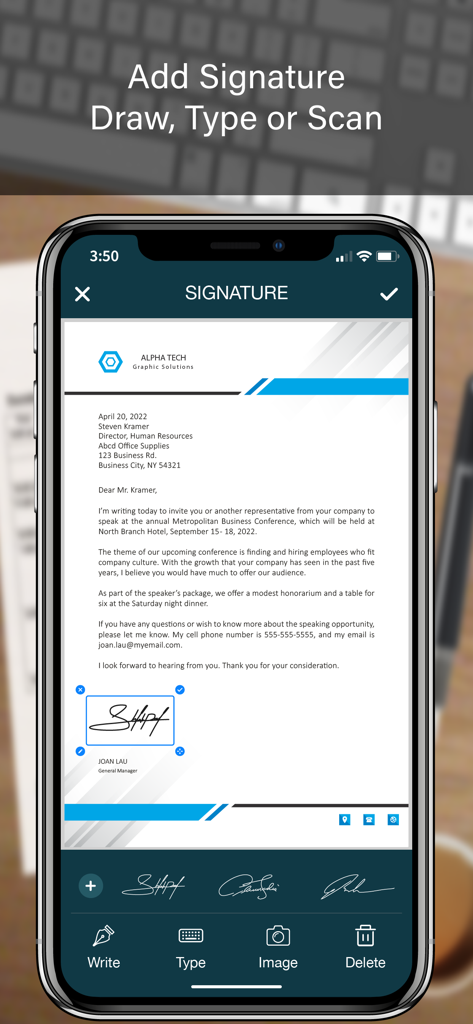
비즈니스 문서에 디지털 서명을 추가하는 방법을 보여주는 모바일 앱 인터페이스

비즈니스 문서에 디지털 서명을 추가하는 방법을 보여주는 모바일 앱 인터페이스

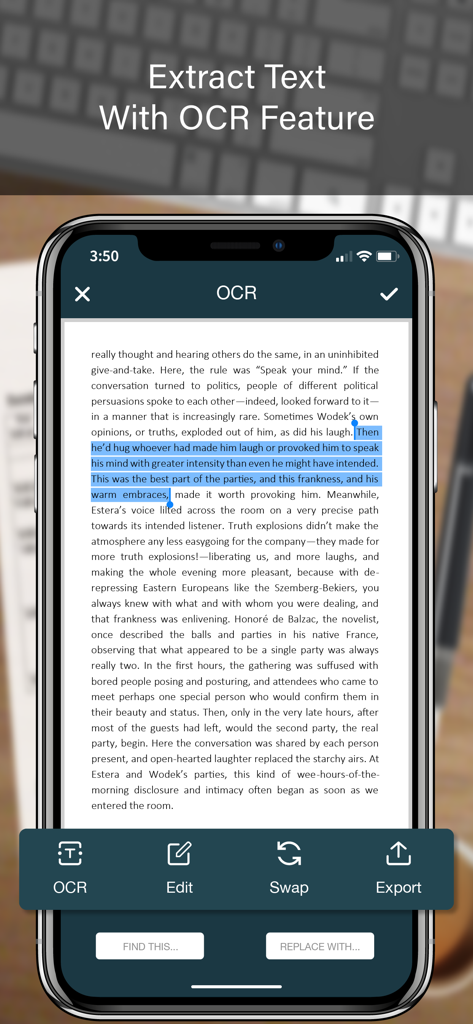
스캔된 문서에서 OCR 텍스트 추출을 보여주는 모바일 앱 화면

스캔된 문서에서 OCR 텍스트 추출을 보여주는 모바일 앱 화면

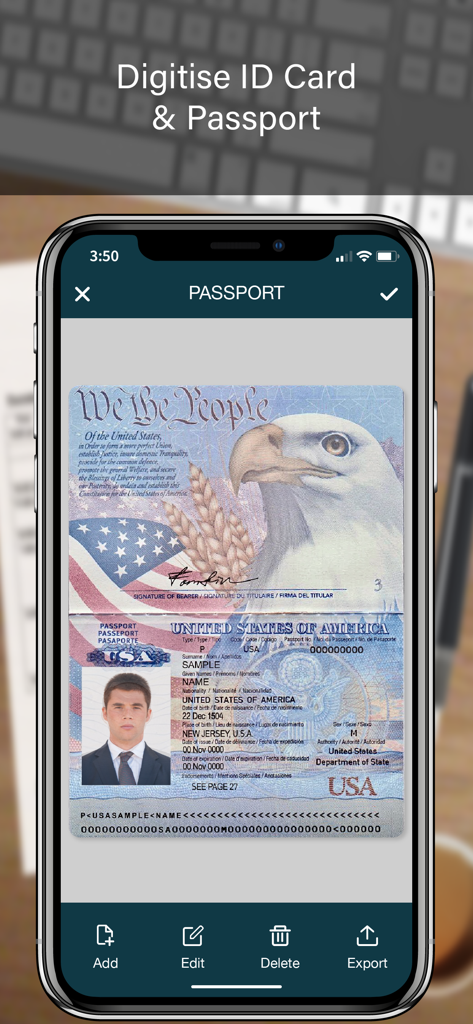
디지털 문서 저장을 위해 스캔된 미국 여권을 보여주는 모바일 앱 화면

디지털 문서 저장을 위해 스캔된 미국 여권을 보여주는 모바일 앱 화면

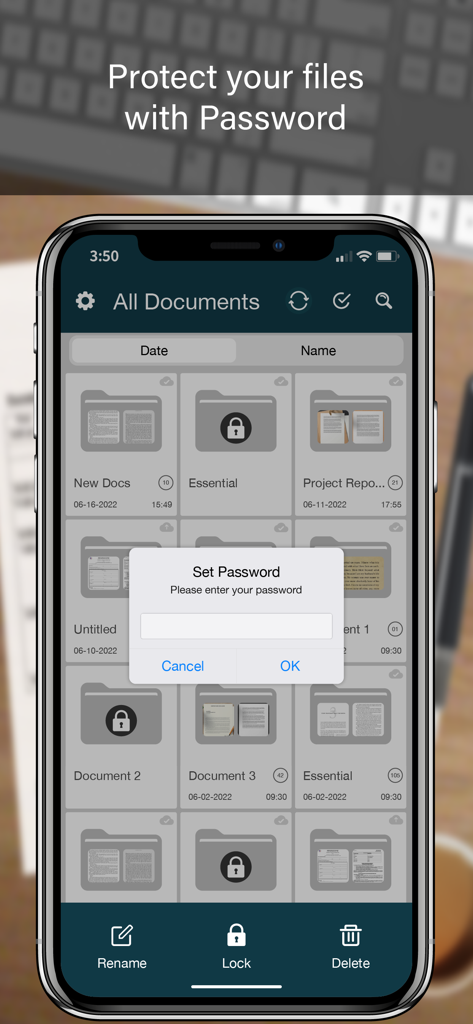
폴더 목록 위에 암호 잠금 프롬프트가 있는 문서 스캐너 앱을 보여주는 스마트폰 화면

폴더 목록 위에 암호 잠금 프롬프트가 있는 문서 스캐너 앱을 보여주는 스마트폰 화면

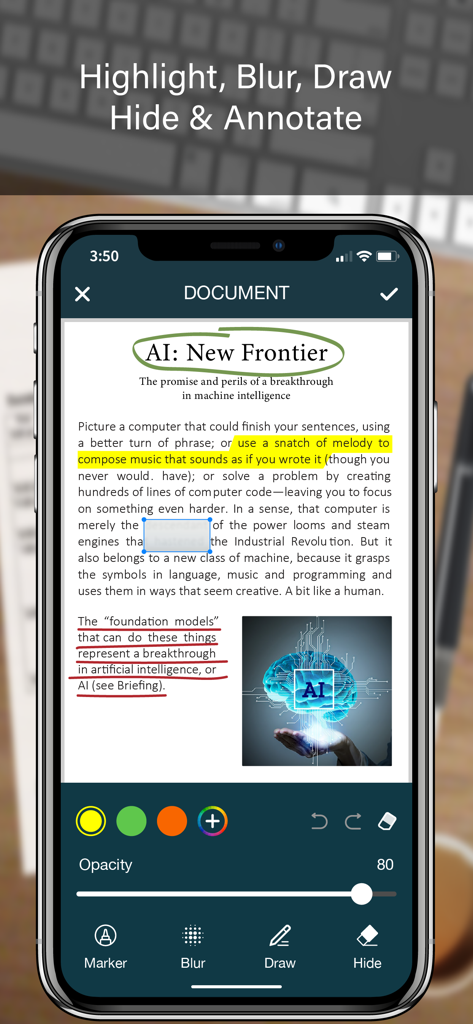
스캔된 PDF 문서에 하이라이트, 흐림 및 그리기와 같은 문서 주석 기능을 보여주는 iPhone 화면

스캔된 PDF 문서에 하이라이트, 흐림 및 그리기와 같은 문서 주석 기능을 보여주는 iPhone 화면

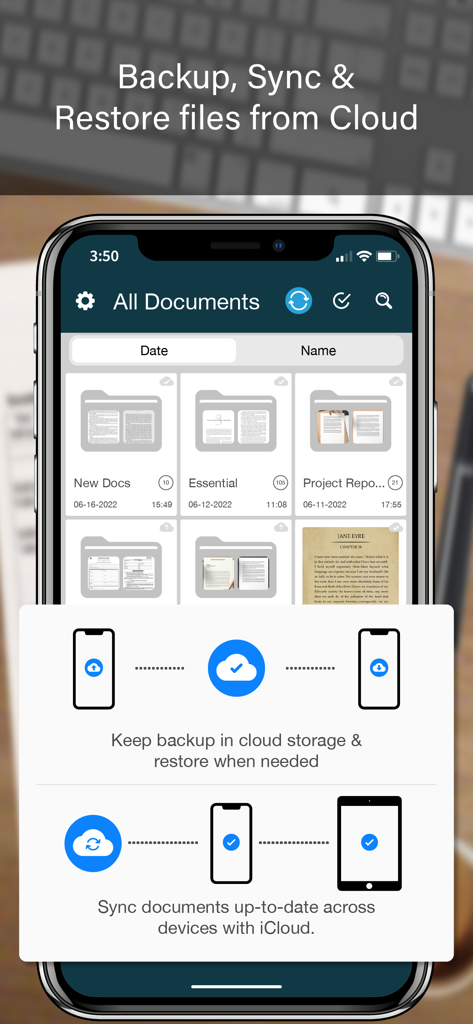
iPhone에서 문서 구성 및 클라우드 백업 기능을 보여주는 SCANNER 앱 인터페이스

iPhone에서 문서 구성 및 클라우드 백업 기능을 보여주는 SCANNER 앱 인터페이스

모바일 오피스에 필요한 모든 것

이 앱을 돋보이게 하는 도구, 2M+ 명의 사용자가 선택.

🖋️

즉시 서명 및 봉인

어디에 있든 전문적인 무결성을 유지하는 디지털 서명 및 공식 스탬프로 이동 중에 계약을 완료하세요.

📊

스마트 OCR 및 데이터 추출

고정밀 인식으로 종이 영수증 및 표를 편집 가능한 Excel, Word, 텍스트 파일로 변환하여 수동 입력을 건너뛰세요.

🛡️

안전한 문서 보관소

전문 등급 보안을 위해 Face ID 폴더 잠금 및 위조 방지 워터마크로 민감한 고객 데이터를 보호하세요.

앱 소개

에 대해 알아야 할 모든 것 SCANNER - PDF Document Scan.

설명

SCANNER is the easiest & simple app to use, which will turn your iPhone into a portable mobile scanner. Use SCANNER to scan receipts, notes, invoices, whiteboard discussions, business cards, certificates, photo & just anything you want. Easily scan, save and share any document in PDF, DOC, EXCEL, TEXT, ZIP & JPEG format. ** Key Feature ** ============== ADVANCED & HIGHLY OPTIMIZED SCANNER : - Scan to create high quality PDF, DOC, EXCEL, TEXT, ZIP & JPEG file. - Auto edge detection for easy, fast and accurate scanning. - Batch Scan feature to scan multiple documents simultaneously. - Control flash and capture mode very easily. - Turn camera grid on/off based on needs. - Auto enhancement make the graphics & text look more clear & sharper. - Automatic noise removing, color correction & perspective correction. EXTRACT TEXT FROM IMAGE (OCR) : - Extract text from image & Turn your images into text file. - Best OCR performance to get most accurate text output from the image. - Search & replace specific text or phrase in OCR. BACKUP & SYNC: - Create backup of documents and restore it when needed. - Sync data with iCloud to keep it up-to-date. - Sync data across multiple devices. ADD DIGITAL SIGNATURE : - Sign in your documents just right in the app. - Add signature by drawing and typing. - Extract signature from image by scanning. - Adjust the size, color & rotation of your signature easily. CONVERTER : - Convert your files into PDF, DOC, EXCEL, TEXT, ZIP & JPEG format. - Compress and control file size very easily. FOLDER LOCK : - Keep you documents safe with folder lock. - Use Pin Code, Face ID & Touch ID to lock and unlock folder. FILE MANAGER : - Full featured file manager with custom folder creation. - Organize documents by copying and moving from one folder to another. - Edit, Sort, Rename & Delete your folder. DOCUMENT EDITOR : - Smart polygonal cropping with auto edge detection feature. - Professional filters to turn image into document. - Draw, mark and annotate document with markup. - Change document dimension into different paper sizes (Such as: A3, A4, A5, Letter, Legal). - Import image from camera and gallery to add on documents. - Hide unwanted/confidential parts of the document with color and blur effects. - Use stamp & seal to make official document. - Add anti-counterfeit watermark. - File rotation feature. SHARING : - 3rd Party Cloud Storage Service : Dropbox, OneDrive, Google Drive & Email. - Airdrop sharing to share your files to any cloud or social media you want. - Easily Print out your files with any WiFi printer. - Save scans to camera roll. Premium Subscription: - With premium subscription, you have access to all features. - Premium subscription is billed monthly or annually at the rate corresponding to the selected plan. - Payment will be charged to iTunes Account at confirmation of purchase. - Subscription automatically renews unless auto-renew is turned off at least 24-hours before the end of the current period. - Account will be charged for renewal within 24-hours prior to the end of the current period, and identify the cost of the renewal. - Subscriptions may be managed by the user and auto-renewal may be turned off by going to the user's Account Settings after purchase. - Any unused portion of a free trial period, if offered, will be forfeited when the user purchases a subscription to that publication, where applicable. Privacy Policy https://zalgotech.com/privacy-policy/ Terms of Use https://zalgotech.com/terms-of-use/ Feel free to contact us: info@zalgotech.com, your feedback and suggestions are important to us!

최신 버전

2.9

크기

67.5 MB

출시일

2017년 1월 9일

iPhone을 전문 모바일 오피스로 바꿔보세요

이동 중에 문서를 스캔, 서명, 보호하는 2백만 명 이상의 전문가와 함께하세요. 손안에서 데스크톱 스캐너의 효율성을 경험하세요.

다운로드: App Store

App information, icons, screenshots, and descriptions displayed on this page are sourced from the Apple App Store and are the property of their respective developers. Download estimates and rankings are based on MWM's proprietary models and may not reflect actual figures. This page is provided for informational and analytical purposes only.

Believe this page infringes your intellectual property? File a dispute