Scanner+ Scan PDF Documents

Scanner+ Scan PDF Documents

다운로드: App Store
로고: Scanner+ Scan PDF Documents

Scanner+: 고성능 휴대용 문서 스캐너

iPhone을 전문가 수준의 사무용 도구로 바꾸세요. 번거로운 하드웨어 없이도 이동 중에 고품질 PDF를 쉽게 스캔하고, 전자 서명하고, 내보낼 수 있습니다. 인터넷 연결은 필요 없습니다.

다운로드: App Store

개발사

Can Aksoy

카테고리

Utilities

다운로드

3K+

사용자 평점

4.8/5

총 평가 수

0

지원 언어

4

모든 스캔의 정밀함

이 인터페이스를 사용하는 3K+ 명의 사용자.

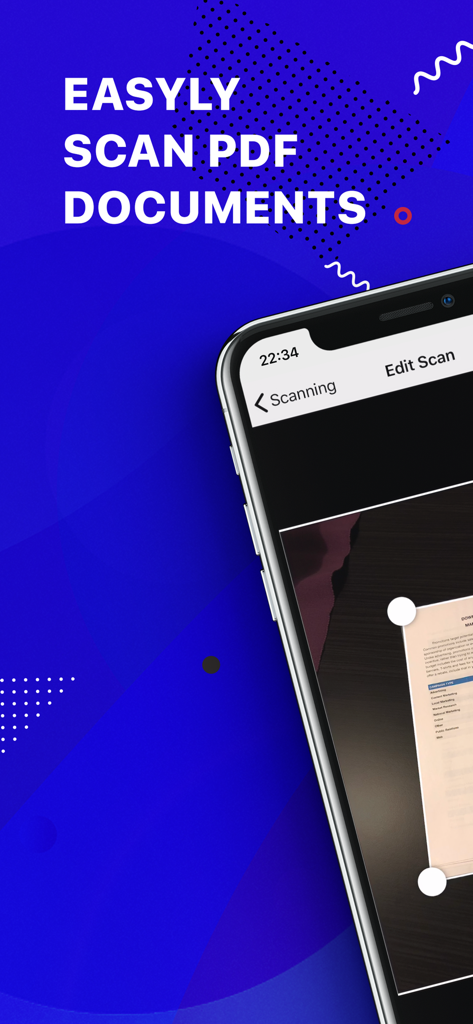
스마트폰에서 자동 가장자리 감지 기능으로 PDF 문서를 스캔하는 모바일 앱 인터페이스

스마트폰에서 자동 가장자리 감지 기능으로 PDF 문서를 스캔하는 모바일 앱 인터페이스

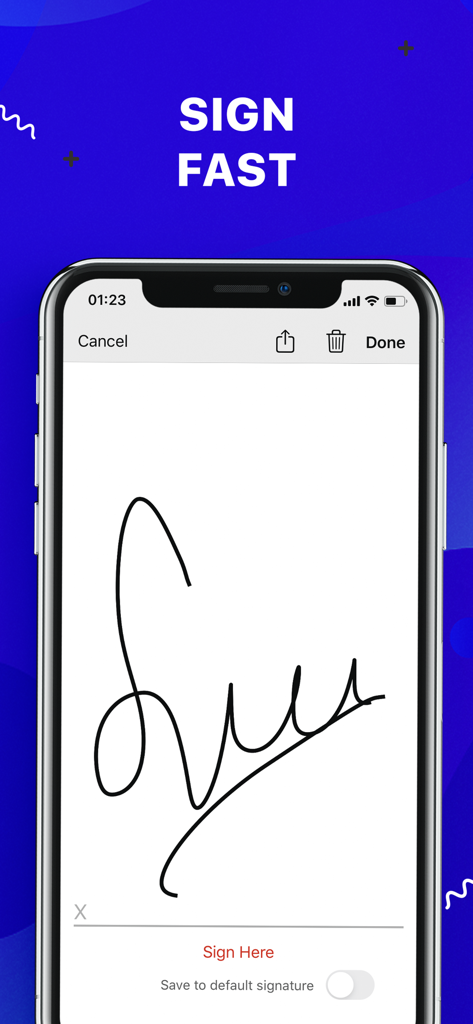
문서 서명을 위한 전자 서명 기능이 표시된 스마트폰 화면

문서 서명을 위한 전자 서명 기능이 표시된 스마트폰 화면

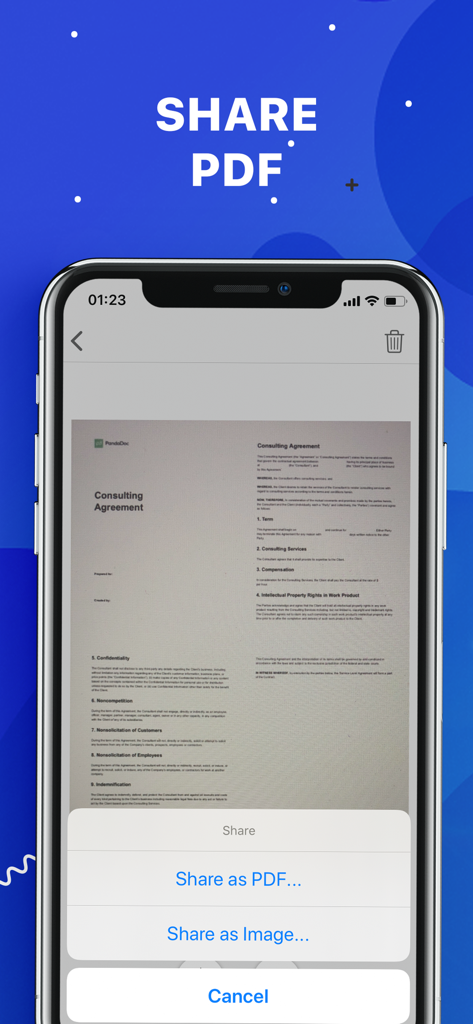
PDF 또는 이미지로 스캔된 문서 공유 옵션을 보여주는 Scanner plus 앱의 인터페이스

PDF 또는 이미지로 스캔된 문서 공유 옵션을 보여주는 Scanner plus 앱의 인터페이스

어디든 가지고 다니는 사무실

이 앱을 돋보이게 하는 도구, 3K+ 명의 사용자가 선택.

🚀

인터넷 없이 스캔

어떤 환경에서도 생산성을 유지하세요. Wi-Fi 또는 데이터 연결 없이도 고품질 문서를 스캔, 처리 및 저장할 수 있습니다.

🖋️

원탭 전자 서명

계약서 및 NDA에 화면에서 직접 서명하여 비즈니스를 가속화하세요. 몇 초 안에 서명하고 저장하고 다시 보낼 수 있습니다.

☁️

즉시 클라우드 동기화

파일을 안전하고 접근 가능하게 유지하세요. 향상된 스캔 파일을 Google Drive, Dropbox 또는 iCloud에 원활하게 내보내 종이 없는 생활을 누리세요.

앱 소개

에 대해 알아야 할 모든 것 Scanner+ Scan PDF Documents.

설명

“Scanner+” is an easy to use scanner app that will turn your iPhone into handy portable scanner. Easily scan, save and share any printed document in PDF or JPEG format. Scan anything you need: Receipts, documents, paper notes, fax papers, book and store your scans as multipage PDF or JPEG files. Save time by adding your signature to documents with a single tap. You can take this portable document scanner anywhere you go for business needs because Scanner+ doesn’t require Internet connection. Say goodbye to big scanner boxes and get this easiest PDF scanner+ now! Scanner+ App Features: - Scan to high quality PDF or JPEG - Save scans in grayscale, black and white or color - Automatic border detection for any scannable object - Advanced pic processing with enhancement and color correction, noise removing, automatic perspective correction and more - Multipage scanning - scan as many pages as you like Document Editor: - E-sign any document by adding your signature to scans within the app - Drag and change the order of your scanned documents Document Sharing Tools: - Share your scans via email - Easy print your scans with any Wi-Fi printer - Share and upload scanned documents to cloud services like Dropbox, Evernote, Yandex Disk, Box, OneDrive or Google Drive - Save scans to Camera Roll Terms Of Service: https://sulubeyn.com/terms.html Privacy Policy: https://sulubeyn.com/privacy.html You can cancel your subscription in the iTunes settings at least 24-hours before the end of the free trial period. Subscription payments will be charged to your iTunes account at confirmation of your purchase and upon commencement of each renewal term. * Please note: any unused portion of a free trial period (if offered) will be forfeited when you purchase a premium subscription during the free trial period. * You can cancel a free trial or subscription anytime by turning off auto-renewal through your iTunes account settings. This must be done 24 hours before the end of a free trial or subscription period to avoid being charged. The cancellation will take effect the day after the last day of the current subscription period, and you will be downgraded to the free service.

최신 버전

1.6

크기

36.8 MB

출시일

2018년 10월 27일

전체 사무실을 주머니에 쏙

수천 명의 전문가들과 함께 몇 초 만에 문서를 스캔, 서명, 공유하세요. 지금 무료 체험을 시작하고 궁극의 종이 없는 자유를 경험하세요.

다운로드: App Store

App information, icons, screenshots, and descriptions displayed on this page are sourced from the Apple App Store and are the property of their respective developers. Download estimates and rankings are based on MWM's proprietary models and may not reflect actual figures. This page is provided for informational and analytical purposes only.

Believe this page infringes your intellectual property? File a dispute