ScanNow: Convert PDF, JPG, Doc

ScanNow: Convert PDF, JPG, Doc

다운로드: App Store
로고: ScanNow: Convert PDF, JPG, Doc

ScanNow: 스캔, 서명 및 변환을 위한 올인원 모바일 오피스

iPhone을 강력한 생산성 허브로 바꾸세요. 이동 중인 바쁜 전문가, 부동산 중개인 및 1인 사업가에게 완벽한 문서 스캔, 계약 서명 및 OCR 텍스트 추출을 즉시 수행하세요.

개발사

MAGENTA APPS S.L.

카테고리

Business

다운로드

289K+

사용자 평점

4.7/5

총 평가 수

2K+

지원 언어

4

실행 중인 디지털 오피스

이 인터페이스를 사용하는 289K+ 명의 사용자.

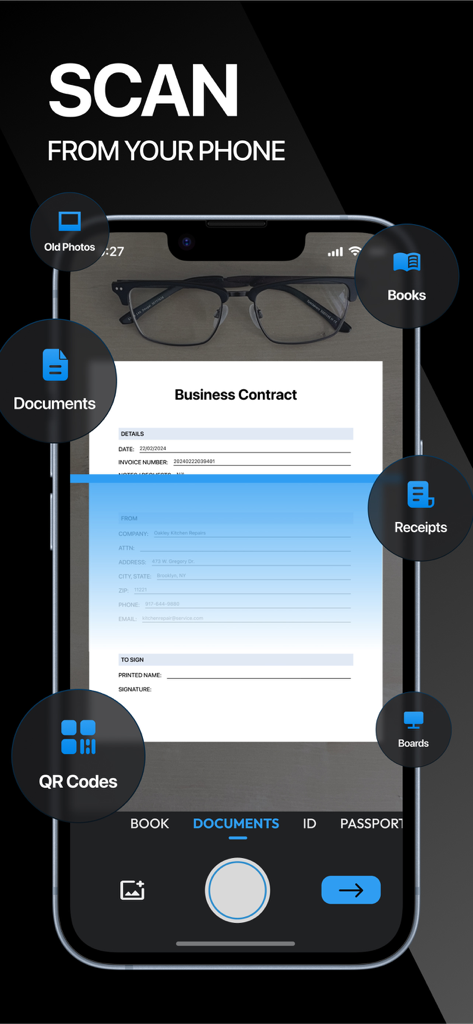
ScanNow 모바일 앱 인터페이스가 스마트폰에서 비즈니스 계약서를 스캔하는 모습

ScanNow 모바일 앱 인터페이스가 스마트폰에서 비즈니스 계약서를 스캔하는 모습

ScanNow 앱 아이콘과 iOS 생산성 및 스캐너 앱 최고 순위에 대한 5성 등급 및 수상 내역

ScanNow 앱 아이콘과 iOS 생산성 및 스캐너 앱 최고 순위에 대한 5성 등급 및 수상 내역

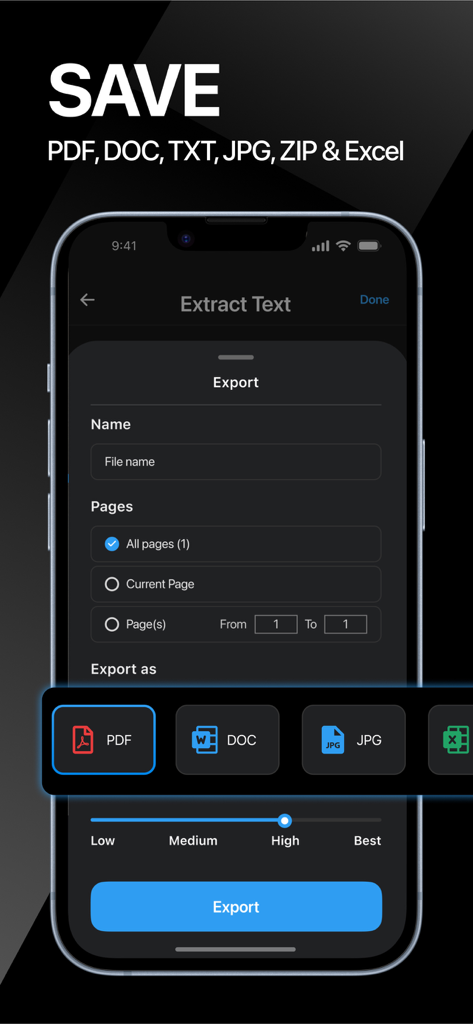
ScanNow의 내보내기 인터페이스로, 문서 저장 옵션을 PDF, DOC, JPG 또는 Excel로 품질 설정과 함께 보여줍니다.

ScanNow의 내보내기 인터페이스로, 문서 저장 옵션을 PDF, DOC, JPG 또는 Excel로 품질 설정과 함께 보여줍니다.

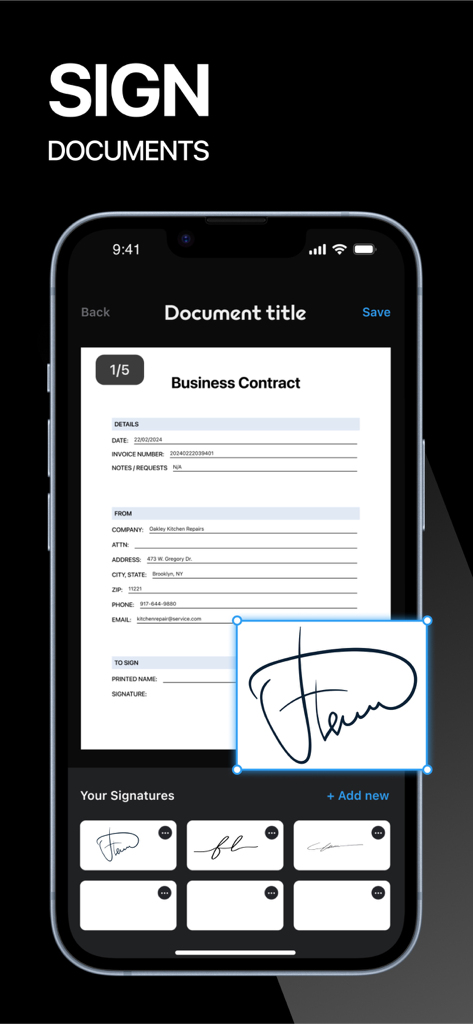
ScanNow 앱의 디지털 서명 기능으로, 비즈니스 계약서에 전자 서명이 표시됩니다.

ScanNow 앱의 디지털 서명 기능으로, 비즈니스 계약서에 전자 서명이 표시됩니다.

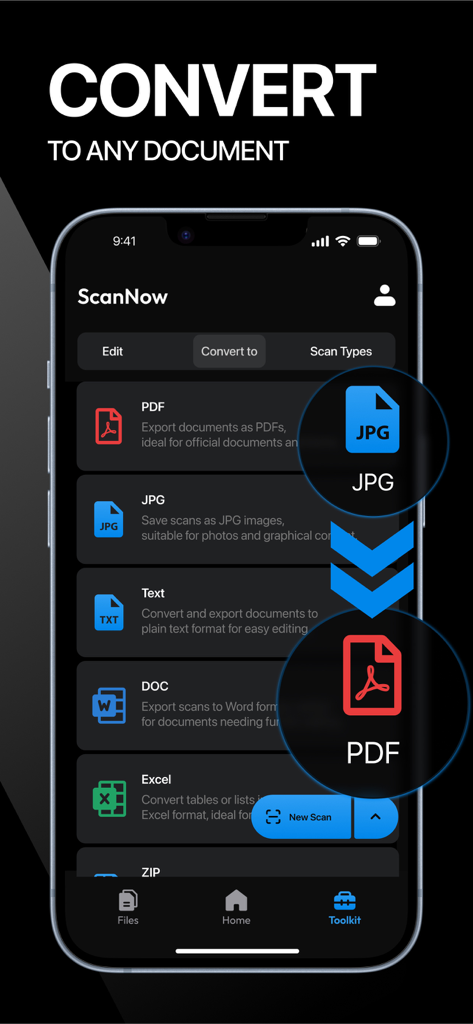
ScanNow 앱 인터페이스로, 파일을 PDF, JPG, 텍스트, DOC 및 Excel 형식으로 변환하는 옵션을 표시합니다.

ScanNow 앱 인터페이스로, 파일을 PDF, JPG, 텍스트, DOC 및 Excel 형식으로 변환하는 옵션을 표시합니다.

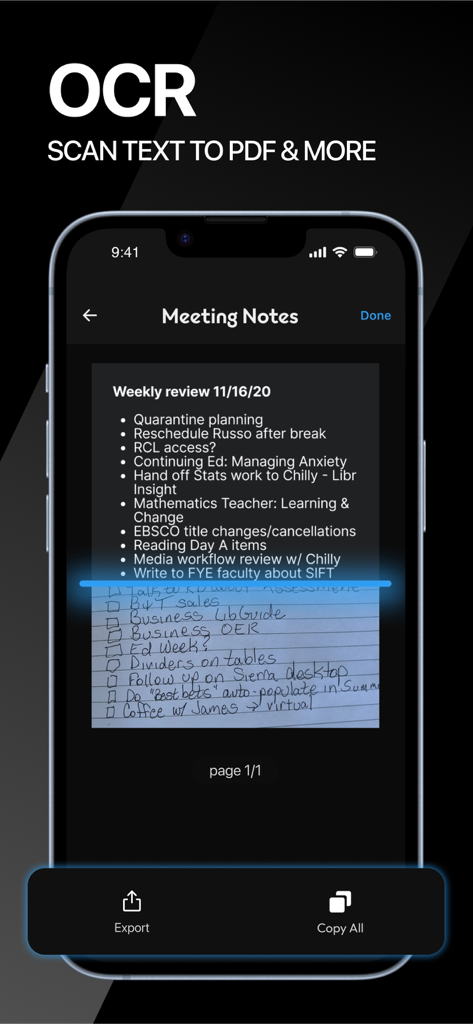
ScanNow 앱 인터페이스는 OCR 기능을 시연하며 필기 회의 노트를 스캔하여 디지털로 변환합니다.

ScanNow 앱 인터페이스는 OCR 기능을 시연하며 필기 회의 노트를 스캔하여 디지털로 변환합니다.

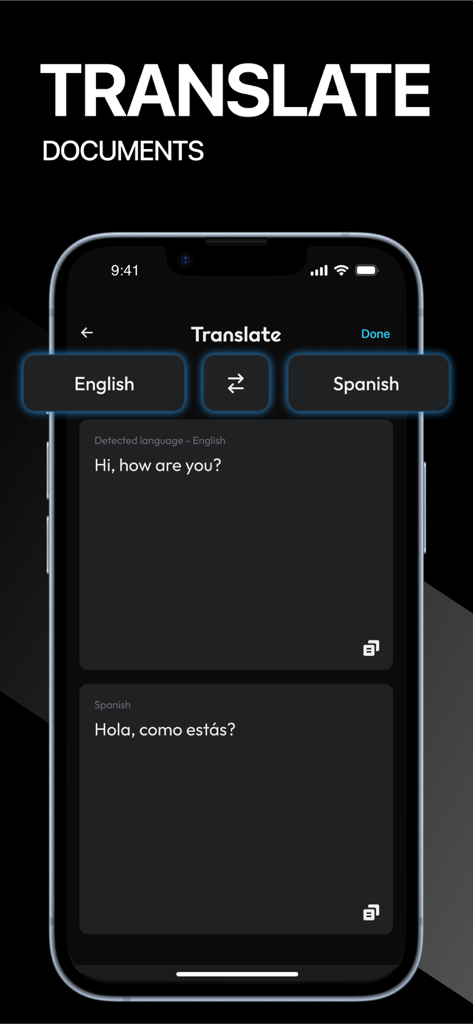
ScanNow 앱 인터페이스로, 영어에서 스페인어로 문서 번역 기능을 보여줍니다.

ScanNow 앱 인터페이스로, 영어에서 스페인어로 문서 번역 기능을 보여줍니다.

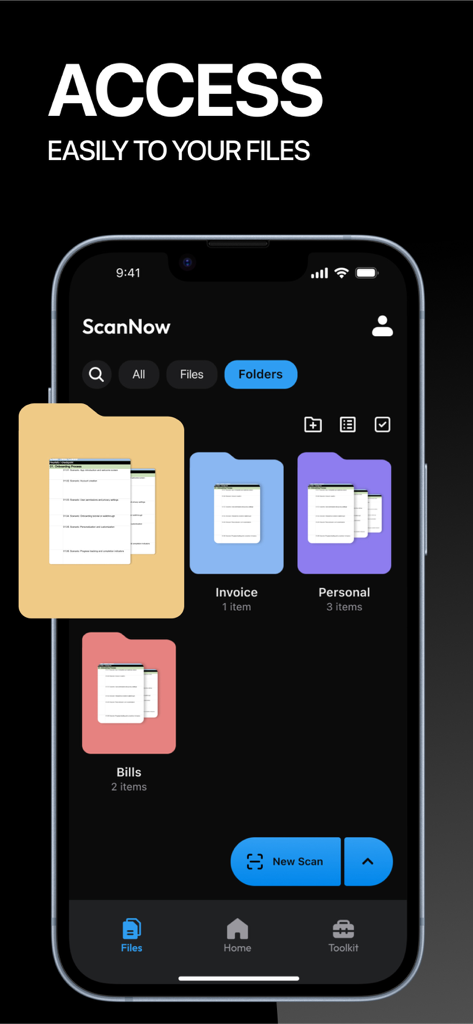
ScanNow 앱 인터페이스로, 송장 및 청구서와 같은 파일을 위한 정리된 디지털 폴더를 보여줍니다.

ScanNow 앱 인터페이스로, 송장 및 청구서와 같은 파일을 위한 정리된 디지털 폴더를 보여줍니다.

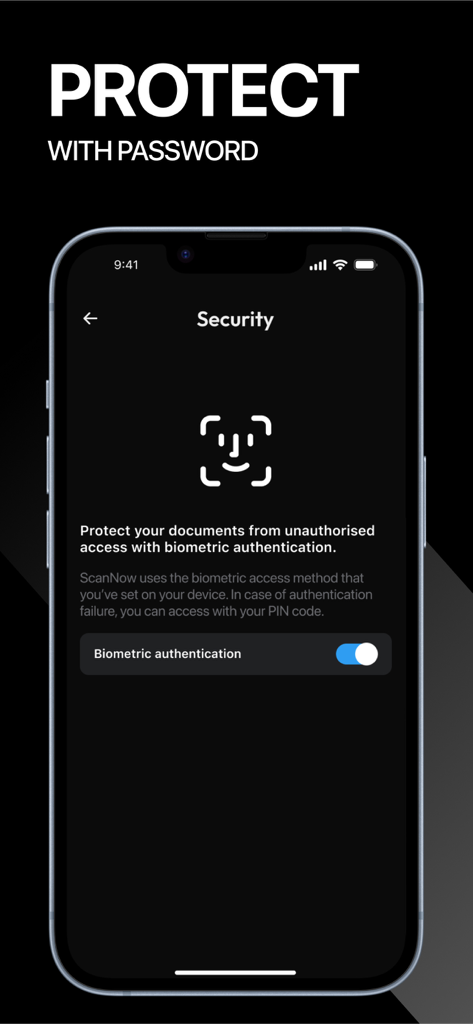
ScanNow 앱 인터페이스로, 문서 보호를 위한 생체 인식 인증 설정을 보여줍니다.

ScanNow 앱 인터페이스로, 문서 보호를 위한 생체 인식 인증 설정을 보여줍니다.

주머니 속 전문가 수준의 모바일 오피스

이 앱을 돋보이게 하는 도구, 289K+ 명의 사용자가 선택.

📄

선명하고 전문적인 스캔

고해상도, 비즈니스 준비 PDF 및 JPG로 사진을 변환하는 지능형 필터를 사용하여 그림자와 노이즈를 제거합니다.

✍️

초 단위 서명 및 편집

프린터를 버리세요. 계약서 및 양식에 보안 전자 서명, 주석 또는 마크업을 화면에 직접 추가하고 즉시 전송하세요.

🔍

고정확도 OCR로 이미지에서 텍스트를 추출하고 FaceID 및 암호 보호로 민감한 파일을 안전하게 보호하세요.

앱 소개

에 대해 알아야 할 모든 것 ScanNow: Convert PDF, JPG, Doc.

설명

Scan Now turns your phone into a powerful digital office! Scan, sign, editor, mark up, add text and icons, erase and convert any document to PDF, TXT, Word, Excel or JPG/JPEG format. Download this scanner app to go paperless with our fast PDF scanner and become more productive with all your documents stored in a neat mobile office right on your phone! ◉ FEATURES: √ SCAN DOCUMENTS FROM YOUR CAMERA, FILES OR GALLERY This tiny yet powerful scanner app is a must-have for students and anyone involved in a small business: accountants, realtors, managers, or lawyers. Instant scanning speed including receipts, contracts, paper notes, fax papers, books, and many others. √ VARIOUS SCANNING MODES Scan and manage all your important documents such as: • ID-CARD & PASSPORT – a mode specifically designed to digitize your ID-documents. • ALL SIZE DOCUMENTS – scanning all size docs made easy. • BOOKS – try our book scanning mode to instantly scan two pages in one shot. • BUSINESS CARDS – collect all your leads in one shot. • RECEIPTS – save all your expenses, invoices and reimbursements. • WALLET – digitize all your cards. • VOUCHERS – save all your vouchers and warranties so you don't lose them. • OLD PHOTOGRAPHS – use our HD camera to scan your old memories. √ QR CODE & BAR CODE SCANNING Scan and manage all your QR codes and BAR codes. √ APPLY FILTERS TO DOCS Enhance with powerful filters that will make your documents look professional, remove shadows to your scans, port to black and white or adjust contrast and brightness. √ SIGN OFFICIAL DOCUMENTATION: Create and save more than one e-signature. Quickly and professionally sign important documents. Sign any documentation in a few taps. √ BATCH AND MERGE DOCUMENTS AND SPLIT PDFs Add unlimited pages to any document. Merge different scans into only one document. Batch files. Use PDF splitter to import a pdf file and split it in pages. √ DOC & PDF VIEWER Get all your important documents in hand and organized in folders. √ DOC & PDF EDITOR Edit all your documents with doodles, lines, squares, arrows and other drawing tools. √ SORT AND ORGANIZE IN FOLDERS Create folders to organize your scans. Find documents in your scanned library easily by name or folder. √ PROTECT FILES Protect PDF with a password, keep your files secure with face recognition. √ CONVERT AND EXPORT IN ANY FORMAT: Export your documents to PDF, TXT, Word, JPEG format. Save and share your documents in the format you need and convert any file to text. √ CONVERT IMAGE TO TEXT AND EDIT TEXT WITH OCR / TEXT RECOGNITION: Automatically extract text on PDF and images and edit it according to your needs. Scan Now OCR (Optical Character Recognition) technology can accurately convert any document to text. √ COMPRESS DOCS IN ZIP FILES Easy sharing on chats or email, reduce file size or compress pdf to zip, making your PDF smaller will help you save space. √ SHARE YOUR SCANNED DOCUMENTS: Email your files as PDF or JPEG. Save your documents to your photo library or cloud storage. Send your scanned files through other messaging apps. √ PRINT Using this PDF scanner, you can print directly from our scanner app. ◉ PREMIUM PAID SUBSCRIPTIONS: This app contains subscriptions! You can subscribe to any of our premium packages and get the following perks: √ Scan unlimited documents √ Unlimited OCR and text recognition √ Export documents in PDF, Text, Word or JPEG √ Export documents in ZIP files Payment models for Premium subscription: - Weekly: $12.99, first week for only $0.99. - 1 Year: $59.99 ◉ CONTACT: Feel free to leave a review or contact us at: hello@magentaapps.com Terms of use: https://magentaapps.com/terms.html Privacy policy: https://magentaapps.com/privacy.html ◈ Download Scan Now and crush your productivity! ◈

최신 버전

5.8.0

크기

150.0 MB

출시일

2022년 9월 8일

모든 사무실을 주머니에 쏙

수많은 서류 작업을 최고의 디지털 툴킷으로 바꾼 289,000명 이상의 전문가와 함께하세요. 비즈니스가 어디를 가든 초당 고품질 문서를 스캔, 서명 및 전송하세요.

다운로드: App Store
FAQ

자주 묻는 질문

에 대해 알아야 할 모든 것 ScanNow: Convert PDF, JPG, Doc

ScanNow는 무엇인가요?

ScanNow는 휴대폰을 디지털 사무실로 변환하는 모바일 앱입니다. 문서를 스캔, 서명, 편집하고 PDF, TXT, Word, Excel 또는 JPG/JPEG 형식으로 변환할 수 있습니다.

ScanNow는 어떤 문서 형식을 내보내기 지원하나요?

ScanNow는 문서를 PDF, TXT, Word, Excel 및 JPG/JPEG 형식으로 내보내기 지원합니다. 또한 OCR을 통해 이미지를 텍스트로 변환할 수 있습니다. 문서를 ZIP 파일로 압축할 수 있습니다.

ScanNow로 신분증과 여권을 스캔할 수 있나요?

예, ScanNow에는 전용 ID-CARD & PASSPORT 스캔 모드가 있습니다. 이 모드는 신분증 문서를 정확하게 디지털화하도록 특별히 설계되었습니다.

ScanNow에 OCR 기능이 있나요?

예, ScanNow에는 OCR(광학 문자 인식) 기술이 포함되어 있습니다. PDF 파일 및 이미지에서 텍스트를 자동으로 추출하고 편집할 수 있습니다.

ScanNow 앱으로 문서에 서명할 수 있나요?

예, ScanNow를 사용하면 여러 개의 전자 서명을 생성하고 저장할 수 있습니다. 사용자는 앱 내에서 직접 중요한 문서에 빠르고 전문적으로 서명할 수 있습니다.

ScanNow 프리미엄 구독의 가격 옵션은 무엇인가요?

ScanNow는 프리미엄 구독을 제공합니다: 주간 $12.99 (첫 주 $0.99) 및 연간 $59.99. 이러한 구독을 통해 무제한 스캔 및 텍스트 인식이 가능합니다.

ScanNow는 사용자 파일과 개인 정보를 어떻게 보호하나요?

ScanNow는 PDF에 비밀번호 보호 기능을 제공하여 파일을 보호합니다. 또한 얼굴 인식 기능을 사용하여 문서를 보호하며, 기기의 생체 인식 인증을 활용하여 액세스합니다.

ScanNow로 PDF 문서를 병합하거나 분할할 수 있나요?

예, ScanNow는 여러 스캔을 일괄 처리하여 단일 문서로 병합할 수 있습니다. 또한 PDF 분할 기능을 통해 PDF 파일을 가져와 개별 페이지로 분할할 수 있습니다.

ScanNow에서 문서를 어떻게 정리하나요?

ScanNow는 사용자가 폴더를 만들어 스캔을 정리할 수 있도록 합니다. 문서는 스캔 라이브러리 내에서 이름 또는 폴더별로 쉽게 찾을 수 있어 효율적인 관리가 가능합니다.

ScanNow가 오래된 사진 스캔을 지원하나요?

예, ScanNow에는 오래된 사진을 위한 전용 스캔 모드가 포함되어 있습니다. HD 카메라를 활용하여 오래된 추억을 디지털화하고 보존합니다.

App information, icons, screenshots, and descriptions displayed on this page are sourced from the Apple App Store and are the property of their respective developers. Download estimates and rankings are based on MWM's proprietary models and may not reflect actual figures. This page is provided for informational and analytical purposes only.

Believe this page infringes your intellectual property? File a dispute