
이 페이지는 앱이나 개발자의 공식 페이지가 아니며, 정보 제공 및 논평을 목적으로 작성된 독립 편집 간행물입니다. 명시적으로 달리 언급되지 않는 한, 해당 앱이나 개발자는 MWM, Apple, Google Play, 앱 퍼블리셔 또는 앱 개발자와 제휴, 보증, 후원, 승인 또는 공식적으로 연결되어 있지 않으며, 이 페이지의 어떤 내용도 해당 앱이 MWM의 서비스를 사용하여 개발되었음을 의미하지 않습니다. 모든 상표, 로고, 스크린샷 및 기타 콘텐츠는 해당 소유자의 자산입니다.


ScreenZen- Screen Time Control
당신은 디지털 세계의 꼭두각시가 아닙니다. 이 앱은 당신에게 조종권을 넘겨줍니다.
다운로드
1M+사용자 평점
총 평가 수
81.1K개발사
카테고리
Productivity지원 언어
6최신 버전
1.2.177크기
105.1 MB출시일
2021년 7월 16일디지털 웰빙 향상 및 스크린 타임 제어를 위한 핵심 기능 평가
스크린젠(ScreenZen) 앱 주요 기능 분석
앱 강제 차단 및 숨김
이 앱은 특정 시간대, 실행 횟수 또는 스크린 타임 기준에 따라 앱을 강력하게 차단하고 홈 화면에서 숨겨 사용자의 디지털 웰빙을 위한 유혹을 최소화합니다.
앱 사용 목표 설정 및 차단
이 도구는 특정 앱의 사용 시간을 미리 정하고 해당 한도를 초과할 경우 자동으로 앱을 차단하여 사용자가 과도한 앱 사용 습관을 효과적으로 관리하도록 돕습니다.
설정 잠금 기능
이 기능은 사용자가 앱 사용의 유혹에 넘어가 설정 변경을 시도하지 않도록 방지하여 자제력을 강화하고 디지털 웰빙 목표를 달성할 수 있게 합니다.
앱 실행 지연
이 앱은 앱을 열기 전에 짧은 지연 시간을 두어 충동적인 앱 사용을 억제하고 사용자가 앱을 실행할 필요성에 대해 신중하게 결정하도록 돕습니다.
실행 전 확인 메시지
사용자가 앱을 열기 전에 "이것이 중요한가요?"와 같은 확인 메시지를 표시하여 불필요한 앱 실행을 줄이고 의식적인 선택을 유도하도록 돕습니다.
스크롤링 중단 알림
이 도구는 사용자가 방해되는 앱에 너무 깊이 몰입하는 것을 방지하기 위해 짧은 시간 동안 앱 사용을 중단하도록 알림을 제공하여 의식적인 제어를 돕습니다.
요일/시간별 맞춤 설정
이 앱은 사용자의 생활 패턴에 맞춰 요일 및 시간별로 앱 제한을 유연하게 설정할 수 있도록 하여 개인화된 디지털 웰빙 관리를 지원합니다.
연속 성공 기록
이 도구는 사용자가 설정된 앱 사용 제한을 준수하거나 설정을 변경하지 않을 때 연속 성공 기록을 제공하여 동기 부여를 강화하고 자제력 향상을 돕습니다.
앱 대기 중 대체 활동 제안
사용자가 앱 잠금 해제를 기다리는 동안 심호흡과 같은 대체 활동을 제안하여 앱에 대한 의존도를 낮추고 마음 챙김을 유도하도록 지원합니다.
방해 앱 전용 스크린 타임 보고서
이 앱은 구글 지도와 같은 필수 앱이 아닌, 사용자를 방해하는 앱에 대해서만 정확한 스크린 타임 정보를 제공하여 효율적인 사용 습관 분석을 가능하게 합니다.
자주 묻는 질문
에 대해 알아야 할 모든 것 ScreenZen- Screen Time Control
What is ScreenZen- Screen Time Control?
ScreenZen- Screen Time Control is an app designed to reduce screentime and compulsive app opening. It employs strategies like delays, strict blocking, and usage goals to help users reclaim daily time and manage digital habits.
How does ScreenZen- Screen Time Control help delay app opening?
ScreenZen- Screen Time Control allows users to set a configurable delay before opening distracting apps. The wait time can automatically increase with each subsequent opening, prompting users to reconsider their immediate app usage.
Can I set daily app usage goals with ScreenZen- Screen Time Control?
Yes, ScreenZen- Screen Time Control enables users to set app goals, such as limiting daily app opens or session durations. The app automatically blocks access once these predefined usage limits are reached.
Does ScreenZen- Screen Time Control support custom schedules for app blocking?
Yes, ScreenZen- Screen Time Control supports custom schedules for app blocking. Users can configure different limits and blocking rules for specific days of the week and distinct time ranges, enhancing flexibility.
What types of interventions does ScreenZen- Screen Time Control offer before opening apps?
ScreenZen- Screen Time Control offers interventions like "Is this important?" messages. It also provides activities, such as breathing exercises or math problems, to engage users during the delay period before app access.
How does strict blocking work in ScreenZen- Screen Time Control?
ScreenZen- Screen Time Control's strict blocking feature activates for specific time ranges, after a set number of app opens, or when a screentime limit is exceeded. Blocked apps can also be hidden from the home screen.
Can ScreenZen- Screen Time Control prevent users from changing its settings?
Yes, ScreenZen- Screen Time Control can prevent users from changing its settings. It includes a lock feature for its settings menu, which ensures that configured app limits and blocking preferences remain active.
Does ScreenZen- Screen Time Control track all screen time?
No, ScreenZen- Screen Time Control specifically tracks screen time only for designated distracting apps. It intentionally excludes general usage from utility apps, providing a focused view on problematic app consumption patterns.
How does ScreenZen- Screen Time Control help users stay motivated?
ScreenZen- Screen Time Control helps users stay motivated through its "Streaks" feature. This encourages individuals to adhere to their set limits and avoid overriding app blocking settings, fostering consistent screen time reduction habits.
Can I temporarily disable blocking in ScreenZen- Screen Time Control?
Yes, ScreenZen- Screen Time Control offers a "Quick Disable" option. Users can temporarily disable blocking for a specified duration, such as 60 minutes, directly from the application's settings when needed.
다음 스크린샷과 설명은 앱의 공식 스토어 목록에서 직접 가져온 것이며 앱 개발자의 자산입니다.
앱 스토어
스크린샷
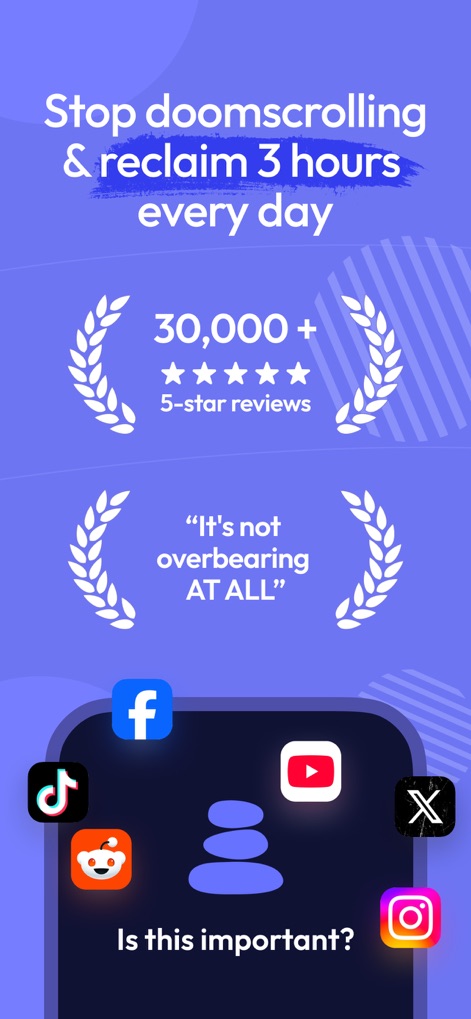
이 앱은 사용자의 디지털 웰빙을 개선하여 소셜 미디어 앱과 같은 방해 요소를 줄이고 하루 3시간을 되찾도록 돕습니다. 사용자는 "이것이 중요한가요?"라는 메시지와 30,000개 이상의 5성급 리뷰를 통해 이 도구의 효과를 확인할 수 있습니다.
스크린 타임 제어
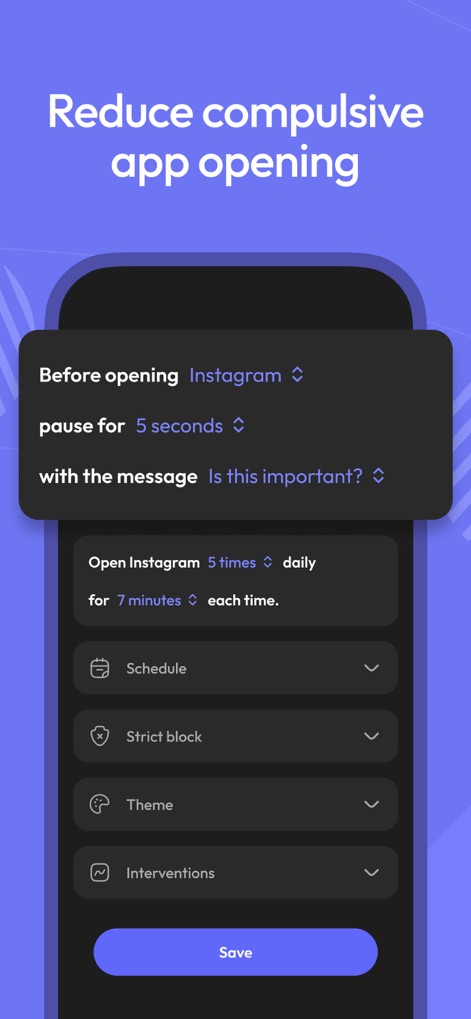
이 화면은 인스타그램과 같은 앱 실행 전 5초 일시 정지 설정과 "이것이 중요한가요?"라는 메시지를 보여주며, 사용자가 강박적인 앱 실행을 줄이도록 돕는 다양한 사용자 지정 옵션을 제공합니다.
앱 실행 지연
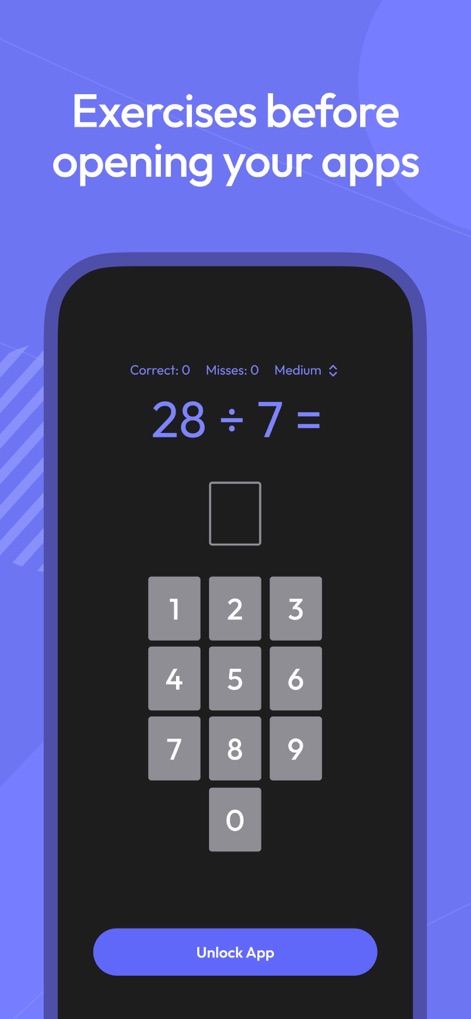
이 앱은 앱을 열기 전에 28 ÷ 7과 같은 간단한 수학 문제를 제시하여 사용자가 앱 실행을 잠시 멈추고 심사숙고할 시간을 가질 수 있도록 지원합니다.
앱 잠금 해제
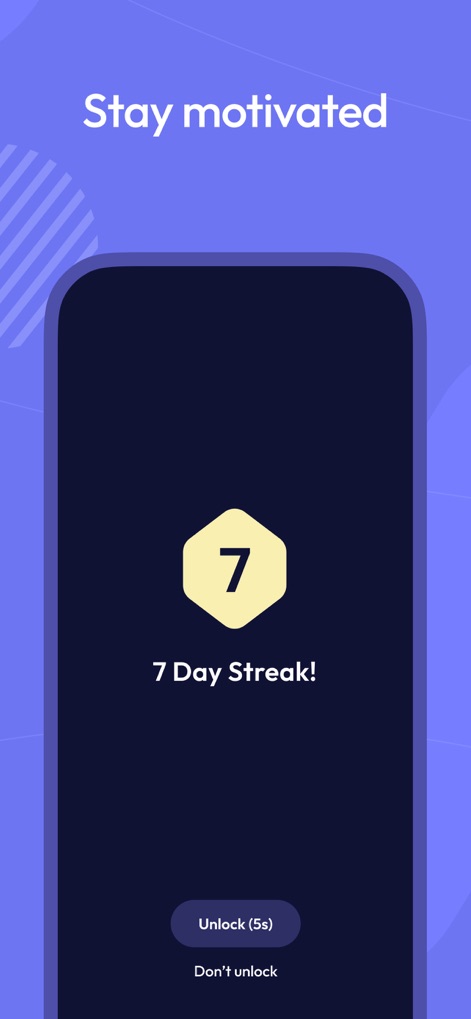
이 앱은 7일 연속으로 앱 사용 목표를 달성한 사용자에게 "7일 스트릭!" 보상을 통해 동기를 부여하며, 사용자는 5초 후 앱을 잠금 해제하거나 해제하지 않도록 선택할 수 있습니다.
동기 부여 스트릭

이 화면은 앱 사용 스케줄(시작 및 종료 시간)과 엄격한 차단 옵션("항상 차단", "일일 목표 달성 후 차단")을 통해 사용자가 디지털 습관을 효과적으로 관리할 수 있도록 상세한 제어 기능을 제공합니다.
앱 사용 스케줄
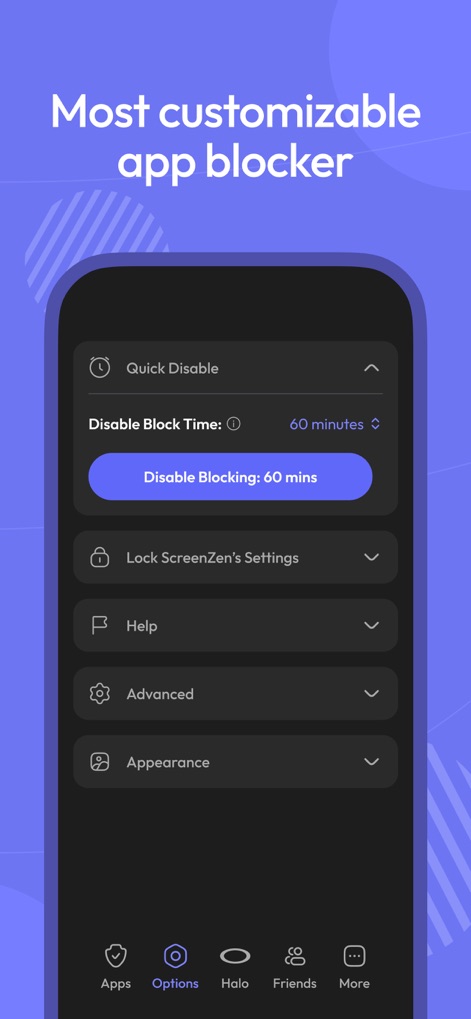
이 앱은 퀵 비활성화 기능과 ScreenZen 설정 잠금 옵션을 통해 사용자가 앱 차단 기능을 유연하게 제어하고 개인화된 디지털 웰빙 경험을 만들 수 있도록 합니다.
맞춤형 차단 설정
설명
Download
비슷한 앱
유사한 기능과 사용자 경험을 가진 앱

Opal: Screen Time Control
OPAL OS CORPORATION

BePresent: Screen Time Control
Screen Detox Inc

Brick - Ditch Distractions
Brick LLC (Wisconsin)

one sec | screen time + focus
riedel.wtf apps S.L.

Refocus: Block Apps & Websites
Labi, LLC

Clarymind: Focus + Self Care
Seamint Co., Ltd.

Roots: Screen Time Control
MWM

AppBlock: Block Apps & Website
MobileSoft s.r.o.

ClearSpace: Reduce Screen Time
Clearspace Technologies, Inc.
이 페이지는 앱이나 개발자의 공식 페이지가 아니며, 정보 제공 및 논평을 목적으로 작성된 독립 편집 간행물입니다. 명시적으로 달리 언급되지 않는 한, 해당 앱이나 개발자는 MWM, Apple, Google Play, 앱 퍼블리셔 또는 앱 개발자와 제휴, 보증, 후원, 승인 또는 공식적으로 연결되어 있지 않으며, 이 페이지의 어떤 내용도 해당 앱이 MWM의 서비스를 사용하여 개발되었음을 의미하지 않습니다. 모든 상표, 로고, 스크린샷 및 기타 콘텐츠는 해당 소유자의 자산입니다.