
이 페이지는 앱이나 개발자의 공식 페이지가 아니며, 정보 제공 및 논평을 목적으로 작성된 독립 편집 간행물입니다. 명시적으로 달리 언급되지 않는 한, 해당 앱이나 개발자는 MWM, Apple, Google Play, 앱 퍼블리셔 또는 앱 개발자와 제휴, 보증, 후원, 승인 또는 공식적으로 연결되어 있지 않으며, 이 페이지의 어떤 내용도 해당 앱이 MWM의 서비스를 사용하여 개발되었음을 의미하지 않습니다. 모든 상표, 로고, 스크린샷 및 기타 콘텐츠는 해당 소유자의 자산입니다.


다운로드
1M+사용자 평점
총 평가 수
5K+개발사
카테고리
Education지원 언어
20최신 버전
8.3.1크기
137.5 MB출시일
2012년 8월 7일교실 워크플로우 향상
iPad 생태계를 위해 네이티브로 구축된 올인원 디지털 허브로, 교사가 작업을 할당하고, 풍부한 피드백을 제공하며, 학생 성공을 추적할 수 있습니다.
몇 초 만에 개인화된 피드백
'종이 산더미'와 빨간 펜은 잊으세요. 밤샘 채점 스트레스 없이 음성 메모와 디지털 잉크를 사용하여 더 의미 있고 인간적인 피드백을 제공하세요.
궁극의 창작 허브
수천 개의 호환되는 iPad 앱에서 작업을 손쉽게 수집하고 검토하여 하나의 중앙 집중식 보안 위치에서 '앱 스매싱'을 단순화하세요.
자주 묻는 질문
에 대해 알아야 할 모든 것 Showbie
Showbie는 무엇이며 어떤 기능을 하나요?
Showbie는 전 세계 3백만 명 이상의 교사와 학생이 사용하는 디지털 학습 앱입니다. iPad에서 과제와 피드백을 개인화하여 직접 지도, 독립적인 연습, 개인화된 피드백, 실시간 평가와 같은 효과적인 수업 방식을 지원합니다.
Showbie는 학생들에게 개인화된 피드백을 제공하나요?
네, Showbie는 디지털 잉크, 텍스트, 음성 주석을 사용하여 이미지와 PDF에 직접 개인화된 피드백을 지원합니다. 또한 개별 학생과 비공개 채팅도 할 수 있습니다.
교사는 Showbie를 사용하여 과제를 어떻게 관리하나요?
교사는 Showbie를 사용하여 수천 개의 호환되는 iPad 앱에서 학생의 작업을 과제로 내주고, 수집하고, 검토할 수 있습니다. 지침을 배포하고, 과제를 차별화하고, 실시간 평가 도구를 사용하여 이해도를 측정할 수 있습니다.
학생들은 Showbie를 사용하여 다른 iPad 앱의 작업을 제출할 수 있나요?
네, Showbie를 사용하면 학생들은 수천 개의 호환되는 iPad 앱에서 작업을 제출할 수 있습니다. 또한 Showbie의 내장 도구를 사용하여 과제를 완료할 수도 있습니다.
Showbie는 피드백을 위해 음성 메모를 녹음하는 것을 지원하나요?
네, Showbie는 구두 피드백 또는 언어 연습을 위해 음성 메모를 지원합니다. Showbie Pro는 더 긴 음성 메모와 학생 작업에 직접 고정하는 기능을 제공합니다.
학부모는 Showbie를 통해 자녀의 진행 상황에 대한 정보를 어떻게 얻을 수 있나요?
Showbie를 통해 교사는 학부모를 초대하여 학생의 작업을 확인하고 수업 활동에 대한 정보를 계속 제공할 수 있습니다. Showbie Pro는 학부모에게 선택한 수업의 과제에 대한 완전한 액세스를 제공합니다.
Showbie Pro는 어떤 독점적인 기능을 제공하나요?
Showbie Pro 기능에는 성적 기록(숫자/문자), 더 많은 펜 색상으로 풍부한 피드백, 페이지에 타이핑, 더 긴 음성 메모/동영상, 더 큰 파일 업로드, 과제 잠금, 학부모 액세스 등이 포함됩니다.
Showbie는 학생 성적을 추적하고 기록할 수 있나요?
네, Showbie Pro는 정성적인 피드백으로 보완하여 숫자 점수 또는 문자 등급으로 성적을 기록하고 추적할 수 있습니다. 이 기능은 포괄적인 학생 평가를 향상시킵니다.
Showbie는 실시간 평가 기능을 제공하나요?
네, Showbie는 교사가 분 단위로 수업 이해도를 측정할 수 있도록 하여 실시간 평가를 용이하게 합니다. 이는 즉각적인 지도 조정에 도움이 됩니다.
학생들은 Showbie 내에서 수업 토론에 참여할 수 있나요?
네, Showbie는 학생과 교사가 채팅 인터페이스를 통해 수업 토론에 참여할 수 있도록 합니다. 이는 앱 내에서 협업 학습과 의사소통을 지원합니다.
Showbie는 학생 포트폴리오 생성을 지원하나요?
네, Showbie는 사용자가 개별 디지털 포트폴리오에 학생 작업을 추가하거나 학생이 직접 큐레이션할 수 있도록 합니다. 이러한 포트폴리오는 학부모와 안전하게 공유할 수 있습니다.
Showbie는 여러 언어로 제공되나요?
네, Showbie는 18개 언어로 제공됩니다. 이는 전 세계 다양한 교육 환경에 대한 광범위한 접근성을 보장합니다.
다음 스크린샷과 설명은 앱의 공식 스토어 목록에서 직접 가져온 것이며 앱 개발자의 자산입니다.
앱 스토어
스크린샷
Showbie가 교사와 학생 프로필을 통한 디지털 워크플로우를 통해 학생 작업 수집 및 검토를 단순화하는 방법을 보여주는 그래픽.
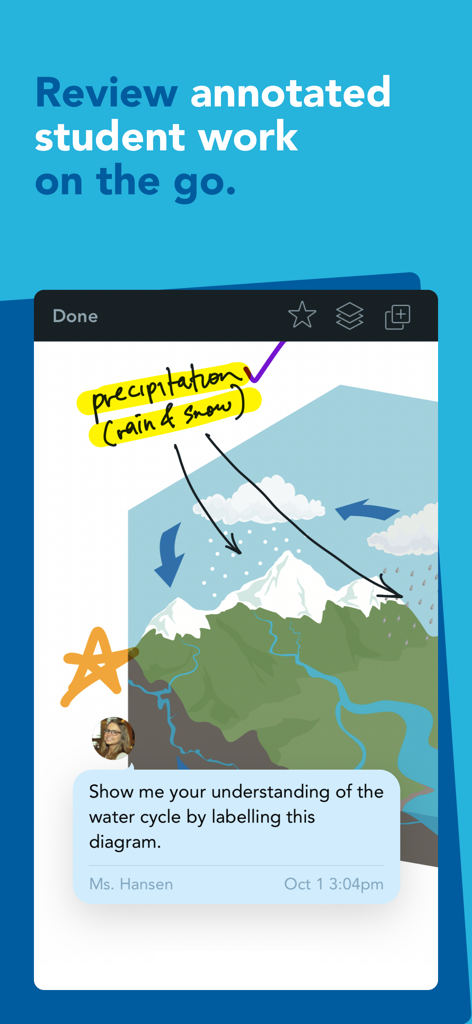
Showbie 앱에서 디지털 잉크와 교사 피드백으로 주석이 달린 학생 작업을 검토합니다.
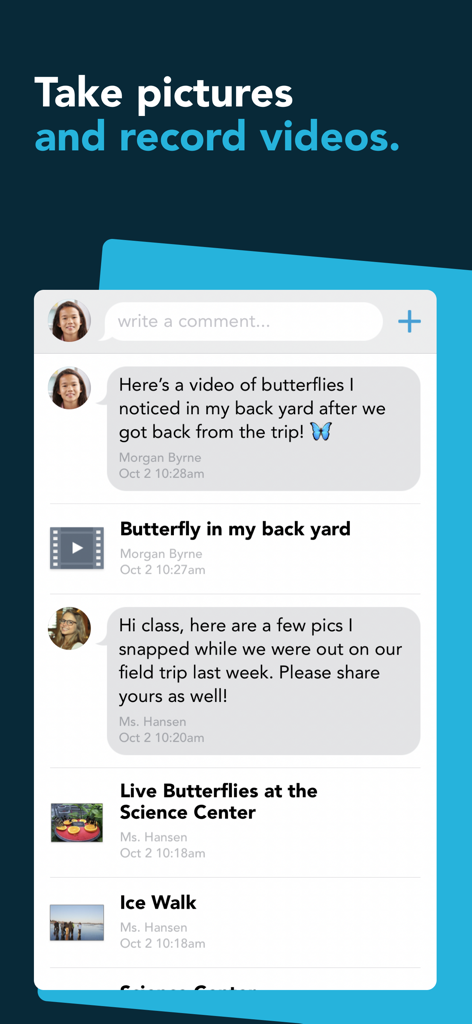
Showbie 앱 스크린샷으로, 교실 채팅 인터페이스에서 학생과 교사가 나비 사진과 동영상을 공유하는 모습을 보여줍니다.
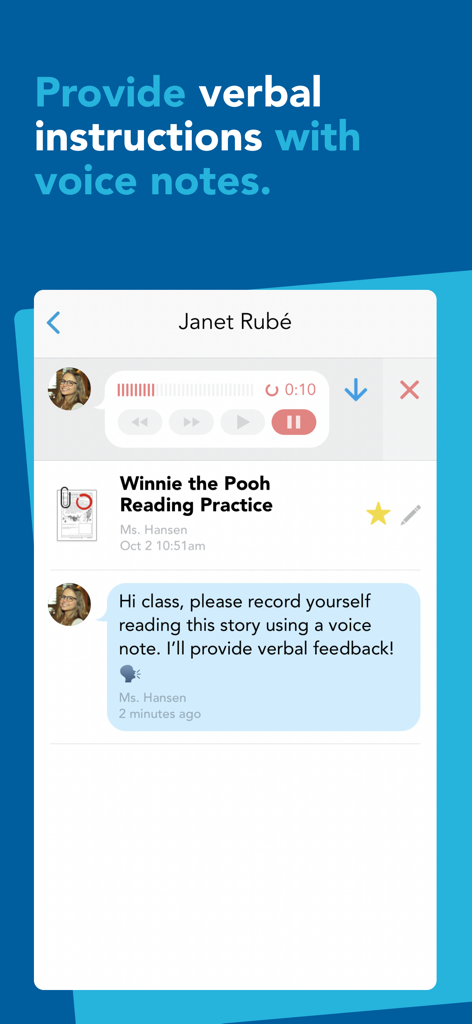
Showbie 앱 인터페이스에서 교사가 읽기 과제에 음성 메모를 사용하여 구두 지침과 피드백을 제공하는 모습을 보여줍니다.
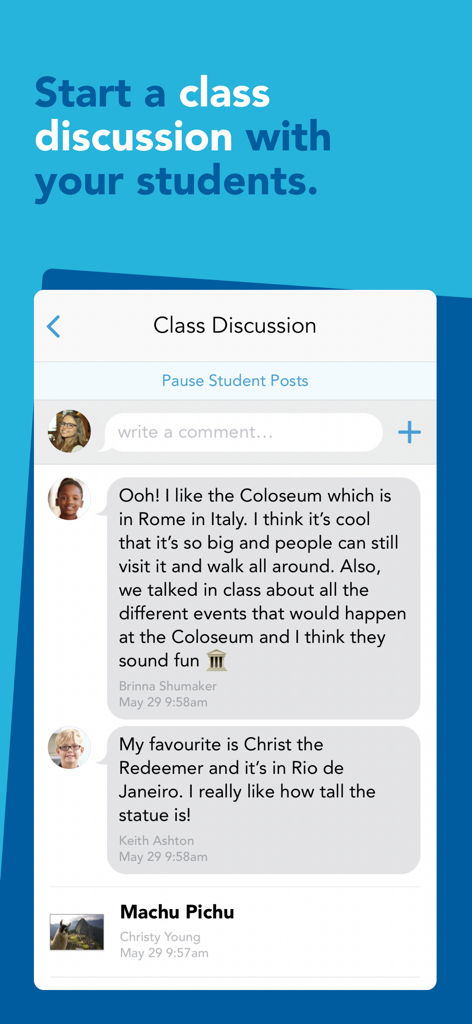
Showbie 앱 인터페이스 스크린샷으로, 교사와 학생 간에 세계 랜드마크에 대한 실시간 수업 토론을 보여줍니다.
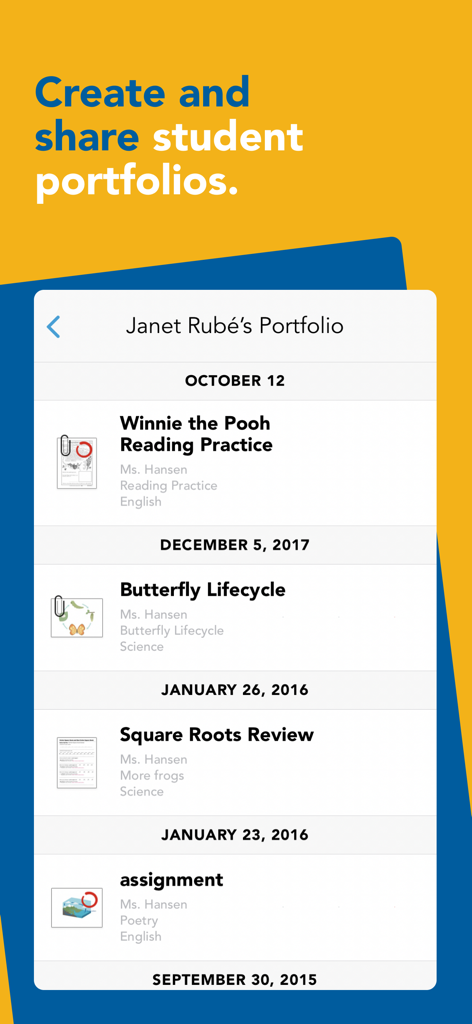
Showbie 앱의 디지털 학생 포트폴리오로, 학업 과제 타임라인을 보여줍니다.
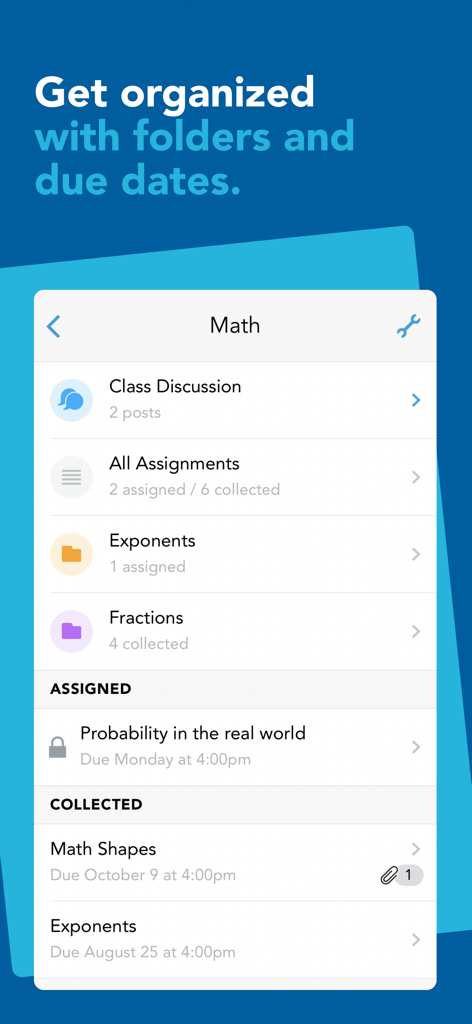
Showbie 앱 인터페이스에 수학 수업 과제가 폴더와 마감일별로 정리되어 표시됩니다.
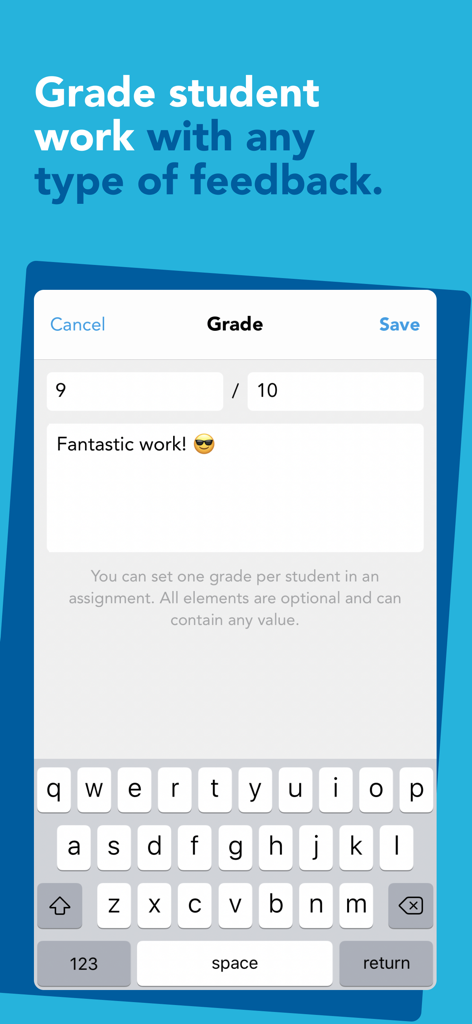
Showbie 앱 인터페이스에서 교사가 학생 작업에 등급과 텍스트 피드백을 할당하는 모습을 보여줍니다.
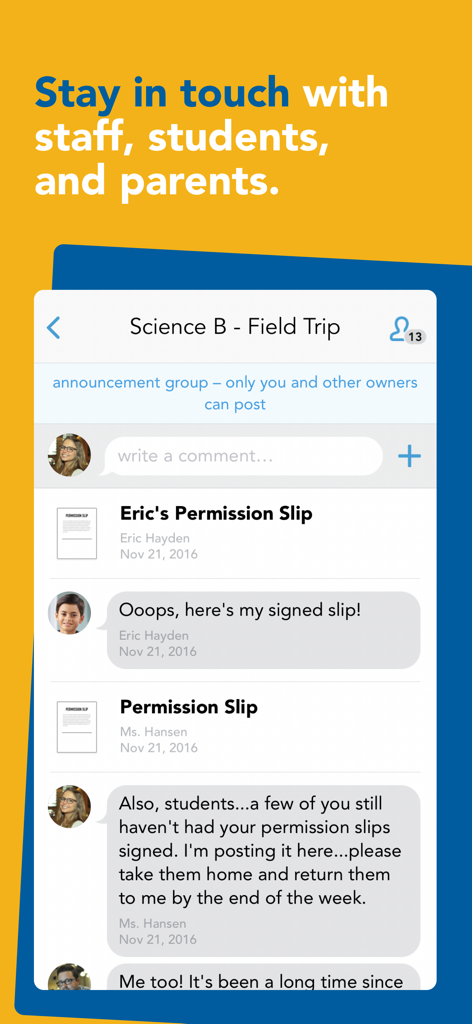
Showbie 모바일 앱 인터페이스에 교사, 학생, 학부모를 위한 수업 공지 그룹이 표시됩니다.
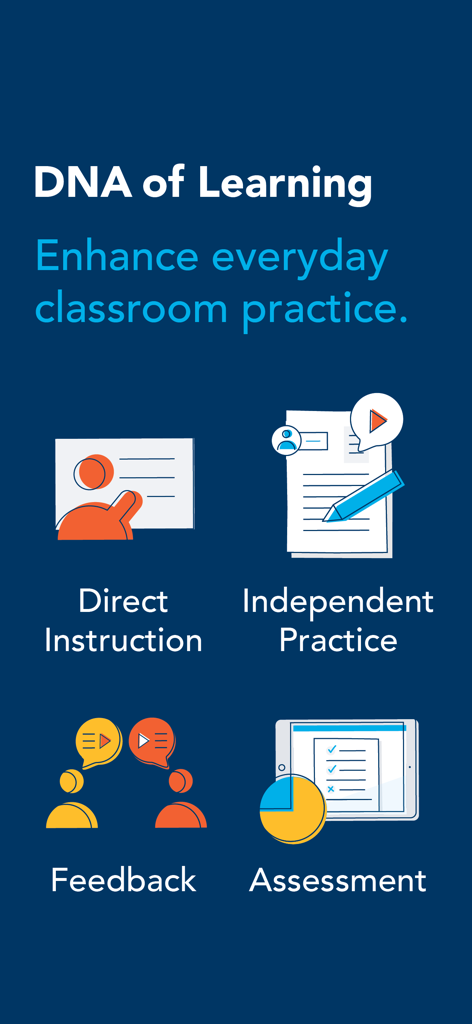
직접 지도, 독립 연습, 피드백 및 평가를 포함한 Showbie 학습 DNA의 네 가지 기둥을 보여주는 인포그래픽
설명
Download
비슷한 앱
유사한 기능과 사용자 경험을 가진 앱

组卷-中小学智能题库
XKW(Beijing)CO.,LTD.

Twinkl USA
Twinkl Limited

ZipGrade
ZipGrade LLC

Учи.ру для учителей
Uchi.ru, OOO

JustTeacher
Igor Furmanenko

TNMaker - Multiple Choice Test
Vinh Le

TeacherKit Classroom Manager
ITWorx Egypt SAE

智学网教师端
Anhui Zhixue Technology Co.,Ltd.

七天网络
Anhui Septnet Co.,Ltd.
이 페이지는 앱이나 개발자의 공식 페이지가 아니며, 정보 제공 및 논평을 목적으로 작성된 독립 편집 간행물입니다. 명시적으로 달리 언급되지 않는 한, 해당 앱이나 개발자는 MWM, Apple, Google Play, 앱 퍼블리셔 또는 앱 개발자와 제휴, 보증, 후원, 승인 또는 공식적으로 연결되어 있지 않으며, 이 페이지의 어떤 내용도 해당 앱이 MWM의 서비스를 사용하여 개발되었음을 의미하지 않습니다. 모든 상표, 로고, 스크린샷 및 기타 콘텐츠는 해당 소유자의 자산입니다.