이 페이지는 앱이나 개발자의 공식 페이지가 아니며, 정보 제공 및 논평을 목적으로 작성된 독립 편집 간행물입니다. 명시적으로 달리 언급되지 않는 한, 해당 앱이나 개발자는 MWM, Apple, Google Play, 앱 퍼블리셔 또는 앱 개발자와 제휴, 보증, 후원, 승인 또는 공식적으로 연결되어 있지 않으며, 이 페이지의 어떤 내용도 해당 앱이 MWM의 서비스를 사용하여 개발되었음을 의미하지 않습니다. 모든 상표, 로고, 스크린샷 및 기타 콘텐츠는 해당 소유자의 자산입니다.
Smart Printer App: iPrint Scan
1,200개 이상의 프린터 모델과 원활하게 연결하세요. 클릭 한 번으로 간편하고 완벽한 보안으로 Mac 또는 iPhone에서 직접 문서, 배송 라벨, 창의적인 포스터를 인쇄하세요.
주요 수치
다운로드
1K+
사용자 평점
1.0/5
총 평가 수
0
개발사
Sidra Hussain
카테고리
Business
지원 언어
35
최신 버전
1.3
크기
28.6 MB
출시일
2025년 5월 7일
기능
모든 것을 갖춘 무선 인쇄 허브
iPhone, iPad, Mac용으로 설계된 단일 강력한 앱으로 기술적 마찰과 제조업체 번들웨어를 제거하세요.
범용 호환성
여러 제조업체 앱은 잊어버리세요. WiFi, Bluetooth 또는 USB를 통해 HP, Canon, Epson, Brother를 포함한 1,200개 이상의 프린터 모델에 즉시 연결하세요.
전문적인 스캔 및 템플릿
기기를 휴대용 스캐너로 바꾸거나 내장 템플릿을 사용하여 Etsy 판매자 및 원격 근무자에게 완벽한 배송 라벨, 플래너, 포스터를 인쇄하세요.
다음 스크린샷과 설명은 앱의 공식 스토어 목록에서 직접 가져온 것이며 앱 개발자의 자산입니다.
앱 스토어
스크린샷
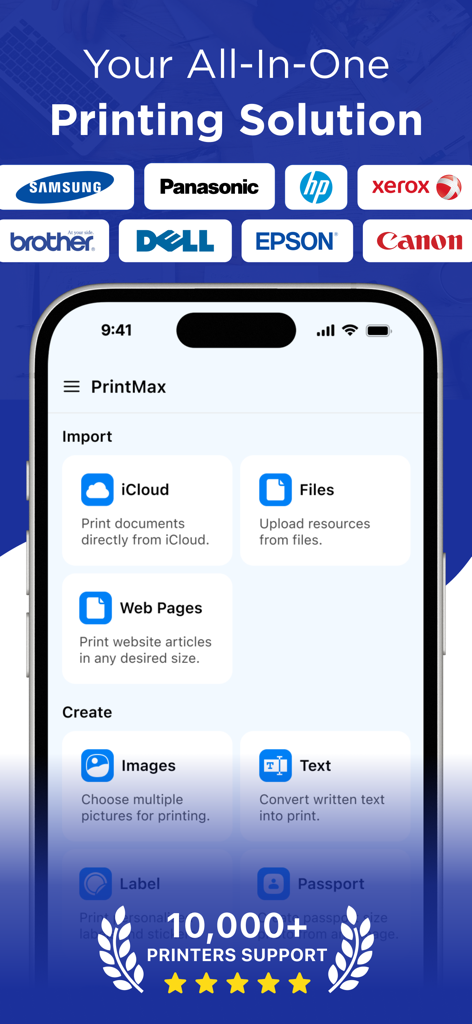
PrintMax 앱 홈 화면에 지원되는 다양한 프린터 브랜드 로고와 함께 가져오기 및 만들기 옵션 표시
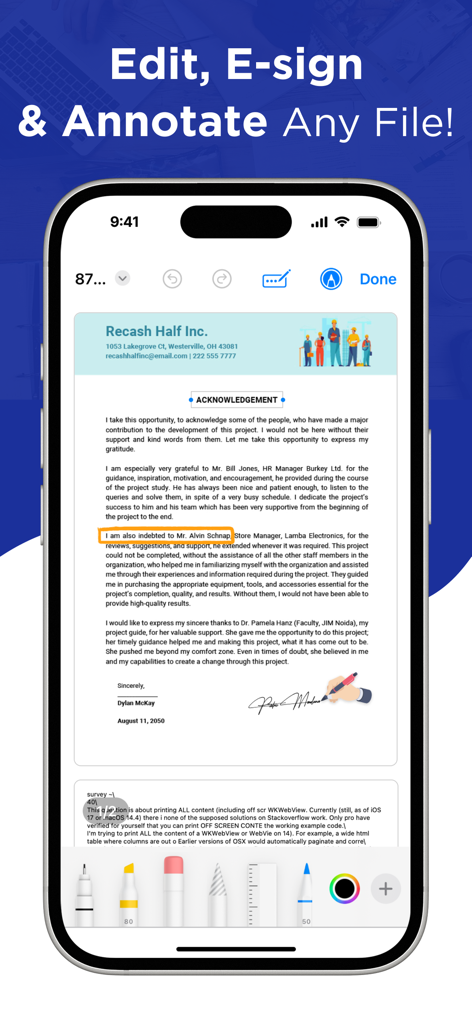
스마트 프린터 앱 인터페이스가 표시되는 스마트폰 화면으로, 디지털 문서 편집, 전자 서명 및 주석 달기 기능 제공
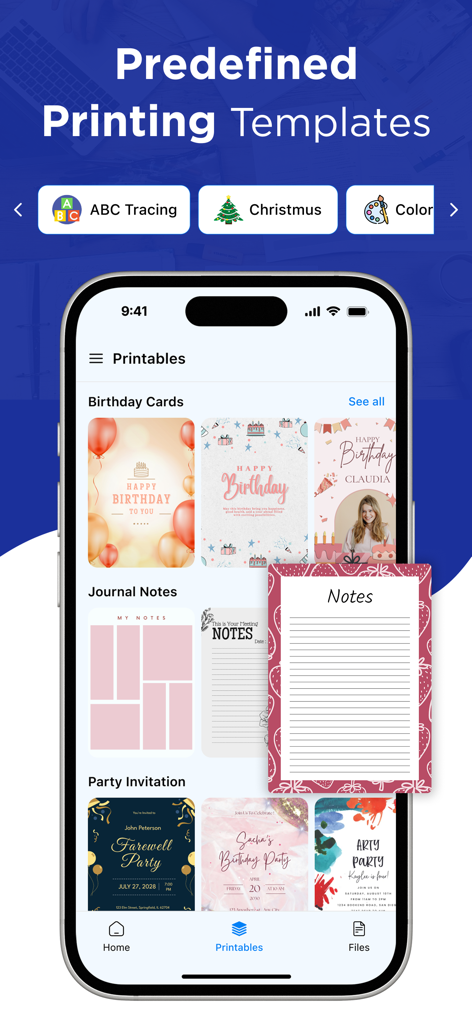
Smart Printer 앱 인터페이스에 생일 카드, 저널 노트, 파티 초대장 등 미리 정의된 인쇄 템플릿 표시
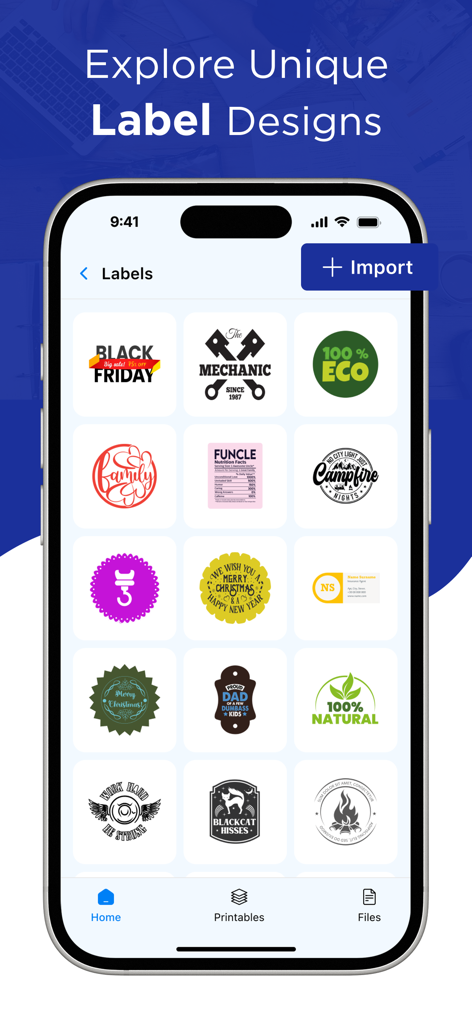
인쇄용 다양한 고유 라벨 템플릿을 보여주는 Smart Printer 앱 인터페이스
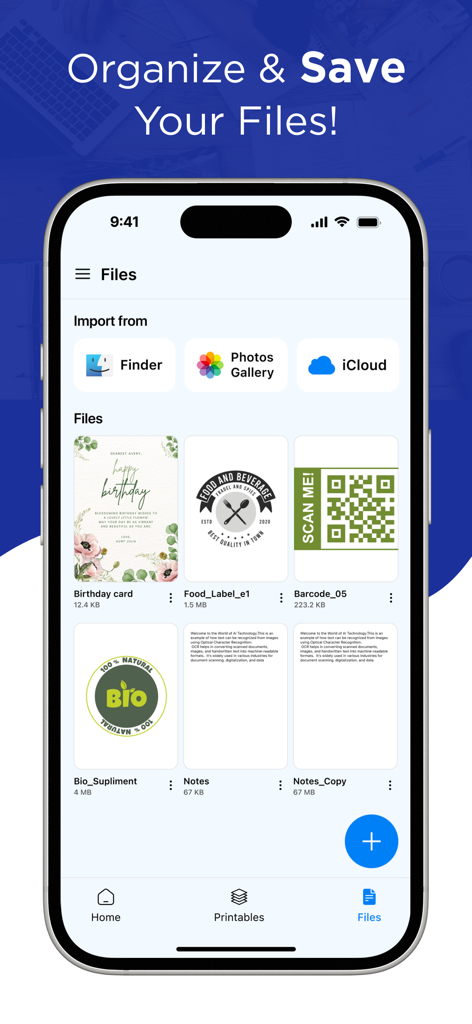
iCloud 및 사진 옵션과 함께 Smart Printer 앱의 파일 관리 및 가져오기 인터페이스를 보여주는 iPhone 화면
설명
PrintMax: Smart Object Printer App– The Ultimate Printing Solution for macOS!
Printing and scanning have never been this easy! PrintMax: Smart Object Printer App is a powerful all-in-one solution designed to streamline document printing, scanning, and management on your Mac.
You can instantly iPrint and scan files directly from the app—no need for extra downloads or printing tools. It seamlessly supports almost any WiFi, Bluetooth, or USB printer, enabling you to print photos, images, web pages, PDFs, and documents anytime, anywhere.
Key Features of PrintMax: Smart Object Printer
App:
• Print on WiFi, Bluetooth, or USB-OTG-connected printers.
• iPrint and scan directly from your device to almost any inkjet, laser, or thermal printer.
• Print websites (HTML pages) accessed through the built-in web browser.
• Print photos and images in JPG, PNG, GIF, and WEBP formats.
• Print multiple images per sheet.
• Print files, PDFs, and documents.
Effortless Setup and Connection:
Setting up your printer is simple with the printer app. Just connect your printer to the same Wi-Fi network as your device, and the app will automatically detect and configure it for instant use.
One-Click Wireless Printing:
Connect to any AirPrint-enabled printer wirelessly. Supports over 1,200+ printer models (Canon, HP, Epson, Brother, Xerox, and more).
Multiple Devices:
Easily share your printer with family, friends, or colleagues. The iPrint and scan app lets multiple devices connect and print to the same printer, making it perfect for home and office settings where several users need access.
Print Forms, Labels & Posters:
Access ready-to-print templates for business, planners, and greeting cards. Print large posters by splitting a single image into multiple sheets.
Safe Printing:
Security is our top concern. The printer app ensures that your documents are securely sent to the printer, safeguarding your sensitive information from unauthorized access.
Why Choose Smart Print & Scan?
- Fast, reliable, and easy-to-use with an intuitive macOS interface.
- Supports all major file formats including PDF, DOCX, PNG, and JPEG.
- Optimized for efficiency – perfect for students, professionals, and home users.
Download Smart Print & Scan today and experience hassle-free printing with IOS!
Privacy Policy: https://sites.google.com/view/smart-object-printer/privacy-policy
Terms of Use: https://sites.google.com/view/smart-object-printer/terms-of-use
EULA: https://sites.google.com/view/smart-object-printer/eula
이 페이지는 앱이나 개발자의 공식 페이지가 아니며, 정보 제공 및 논평을 목적으로 작성된 독립 편집 간행물입니다. 명시적으로 달리 언급되지 않는 한, 해당 앱이나 개발자는 MWM, Apple, Google Play, 앱 퍼블리셔 또는 앱 개발자와 제휴, 보증, 후원, 승인 또는 공식적으로 연결되어 있지 않으며, 이 페이지의 어떤 내용도 해당 앱이 MWM의 서비스를 사용하여 개발되었음을 의미하지 않습니다. 모든 상표, 로고, 스크린샷 및 기타 콘텐츠는 해당 소유자의 자산입니다.