Smart view for samsung tv
다운로드: App Store

이 페이지는 앱이나 개발자의 공식 페이지가 아니며, 정보 제공 및 논평을 목적으로 작성된 독립 편집 간행물입니다. 명시적으로 달리 언급되지 않는 한, 해당 앱이나 개발자는 MWM, Apple, Google Play, 앱 퍼블리셔 또는 앱 개발자와 제휴, 보증, 후원, 승인 또는 공식적으로 연결되어 있지 않으며, 이 페이지의 어떤 내용도 해당 앱이 MWM의 서비스를 사용하여 개발되었음을 의미하지 않습니다. 모든 상표, 로고, 스크린샷 및 기타 콘텐츠는 해당 소유자의 자산입니다.

로고: Smart view for samsung tv
다운로드: App Store

Smart view for samsung tv

iPhone의 사진, 동영상, 앱을 지연 없이 즉시 TV로 전송하세요. 고화질 스트리밍과 손쉬운 공유를 위한 간단한 원클릭 연결을 즐기세요.

주요 수치

다운로드

800

사용자 평점

4.4/5

총 평가 수

0

개발사

Mansoor Ahmed

카테고리

Utilities

지원 언어

1

최신 버전

16

크기

25.5 MB

출시일

2024년 5월 1일
기능

콘텐츠를 큰 화면에서 경험하세요

드디어 iPhone을 삼성 TV에 연결하는 간단한 방법이 생겼습니다. 원클릭 설정과 지연 없이 모든 것을 HD로 미러링하여 가족 사진부터 HD 동영상까지 모두 즐기세요.

즉각적인 원클릭 연결

케이블이나 복잡한 설정이 필요 없습니다. Wi-Fi를 통해 삼성 TV에 즉시 연결하고 몇 초 안에 화면 공유를 시작하세요.

크리스탈처럼 선명한 HD 미러링

좋아하는 추억을 다시 경험하세요. 집에서 찍은 동영상과 휴가 사진을 온 가족이 즐길 수 있도록 놀라운 고화질로 전송하세요.

다음 스크린샷과 설명은 앱의 공식 스토어 목록에서 직접 가져온 것이며 앱 개발자의 자산입니다.

앱 스토어

스크린샷
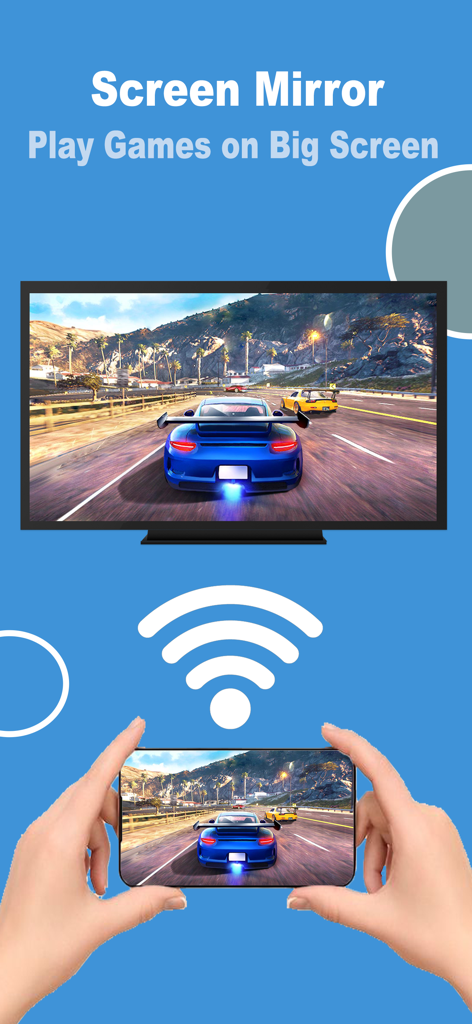
Smart view for samsung tv - 삼성 스마트 TV로 iPhone의 자동차 경주 게임을 미러링하는 사람.
삼성 스마트 TV로 iPhone의 자동차 경주 게임을 미러링하는 사람.

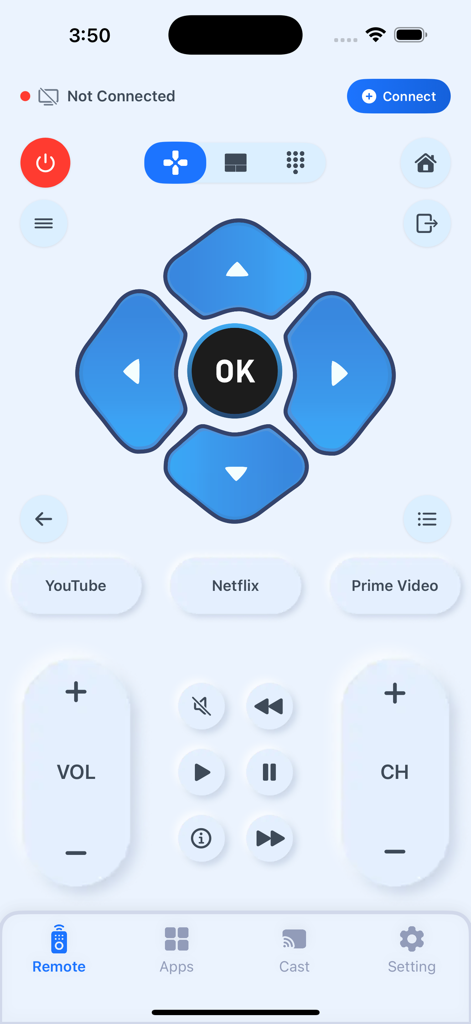
Smart view for samsung tv - 탐색 및 스트리밍 바로가기 기능이 있는 삼성 스마트 TV용 iPhone의 디지털 리모컨 인터페이스
탐색 및 스트리밍 바로가기 기능이 있는 삼성 스마트 TV용 iPhone의 디지털 리모컨 인터페이스

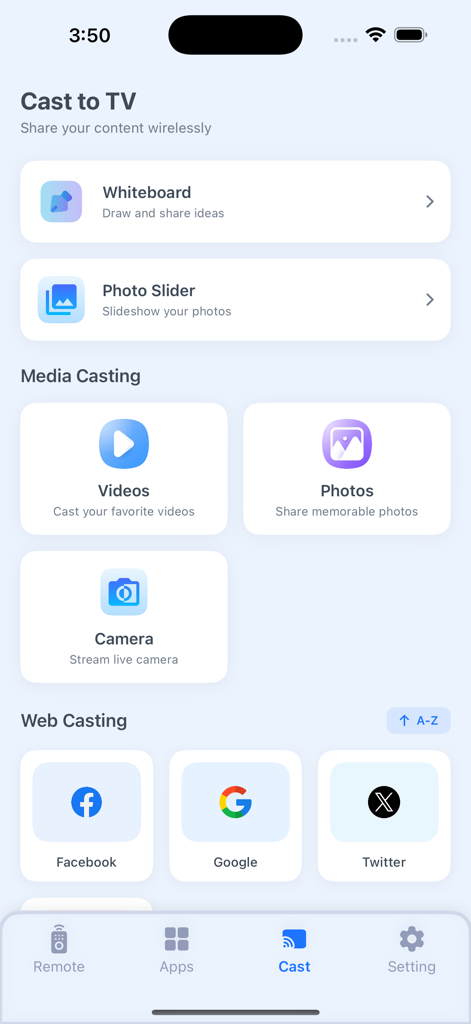
Smart view for samsung tv - 미디어 및 웹 콘텐츠를 삼성 TV로 전송하는 옵션을 보여주는 스마트 뷰 앱의 메인 메뉴
미디어 및 웹 콘텐츠를 삼성 TV로 전송하는 옵션을 보여주는 스마트 뷰 앱의 메인 메뉴

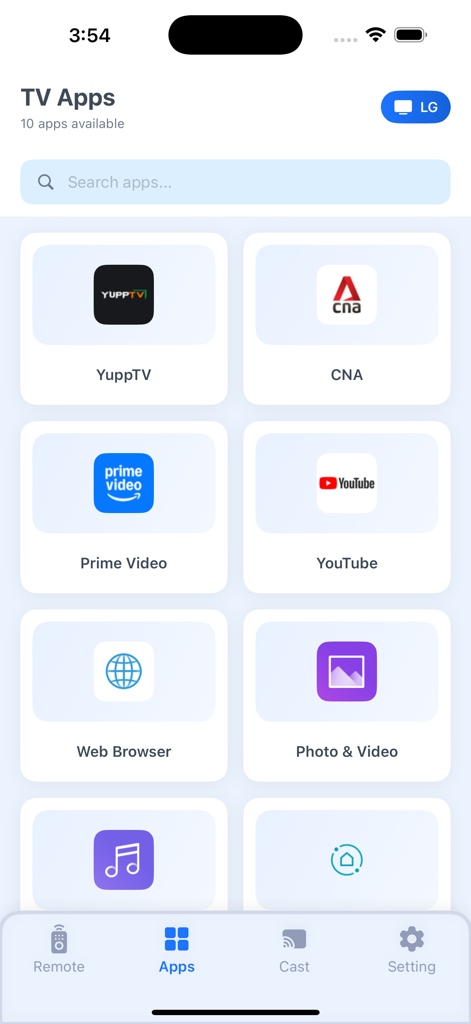
Smart view for samsung tv - YouTube 및 Prime Video와 같은 TV 앱을 전송할 수 있는 스마트 뷰 앱의 인터페이스
YouTube 및 Prime Video와 같은 TV 앱을 전송할 수 있는 스마트 뷰 앱의 인터페이스

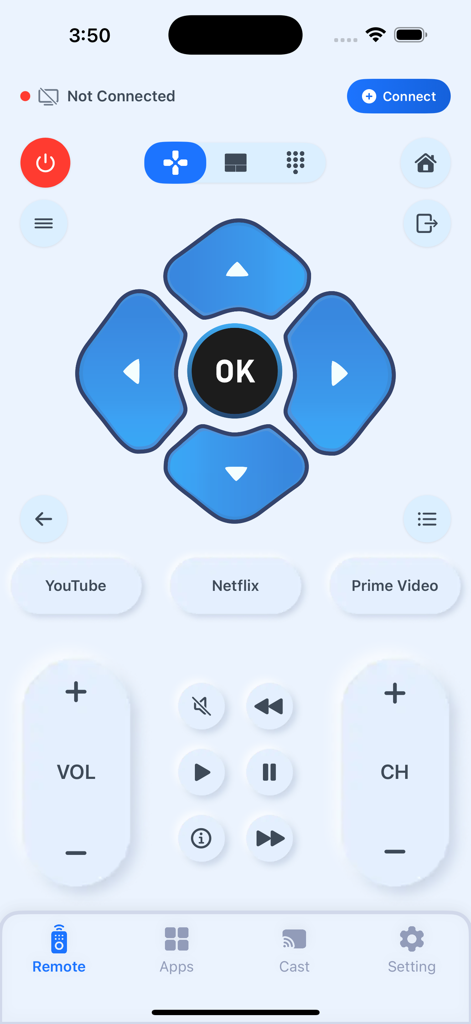
Smart view for samsung tv - 탐색, 재생 및 빠른 실행 버튼이 있는 삼성 TV용 디지털 리모컨 인터페이스

탐색, 재생 및 빠른 실행 버튼이 있는 삼성 TV용 디지털 리모컨 인터페이스

설명

Screen Mirroring app allows you to easily mirror your iPhone's screen to any smart TV in great quality and with no delays. Watch any photos, videos & music on your Smart TV. Draw on your phone, but see on bigger screen. Features . Simple and fast connection with just a click . Stream & Cast to TV with HD quality . Watch your local photos, videos, and movies on your TV . No noticeable delay in mirroring . Compatible with all TV models. HOW TO USE • Step 1: Ensure your iPhone/iPad and Smart TV connects to the same Wi-Fi. • Step 2: Choose and Connect to your Smart TV on the phone screen • Step 3: To stop mirroring click on the top red bar of your iPhone Smart View Cast To TV Premium Subscriptions: 1. Monthly(30 Days) $5.99 Auto Renewable 2. Yearly (365 Days) $34.99 Auto Renewable • In order to use the app, you need to purchase an auto-renewable subscription. • Payment will be charged to iTunes Account at confirmation of purchase. Subscription automatically renews unless auto-renew is turned off at least 24-hours before the end of the current period. The cost depends on the selected plan. Account will be charged for renewal within 24-hours prior to the end of the current period, and identify the cost of the renewal. Subscriptions may be managed by the user and auto-renewal may be turned off by going to the user's Account Settings after purchase. Any unused portion of a free trial period, if offered, will be forfeited when the user purchases a subscription to that publication, where applicable. Terms Of Use(EULA): https://smartviewcast.blogspot.com/2024/06/terms-of-use.html Privacy Policy: https://smartviewcast.blogspot.com/2024/06/privacy-policy.html Contact us if you have any questions Email us: mansoormax@gmail.com

Download

다운로드: App Store

이 페이지는 앱이나 개발자의 공식 페이지가 아니며, 정보 제공 및 논평을 목적으로 작성된 독립 편집 간행물입니다. 명시적으로 달리 언급되지 않는 한, 해당 앱이나 개발자는 MWM, Apple, Google Play, 앱 퍼블리셔 또는 앱 개발자와 제휴, 보증, 후원, 승인 또는 공식적으로 연결되어 있지 않으며, 이 페이지의 어떤 내용도 해당 앱이 MWM의 서비스를 사용하여 개발되었음을 의미하지 않습니다. 모든 상표, 로고, 스크린샷 및 기타 콘텐츠는 해당 소유자의 자산입니다.








