
이 페이지는 앱이나 개발자의 공식 페이지가 아니며, 정보 제공 및 논평을 목적으로 작성된 독립 편집 간행물입니다. 명시적으로 달리 언급되지 않는 한, 해당 앱이나 개발자는 MWM, Apple, Google Play, 앱 퍼블리셔 또는 앱 개발자와 제휴, 보증, 후원, 승인 또는 공식적으로 연결되어 있지 않으며, 이 페이지의 어떤 내용도 해당 앱이 MWM의 서비스를 사용하여 개발되었음을 의미하지 않습니다. 모든 상표, 로고, 스크린샷 및 기타 콘텐츠는 해당 소유자의 자산입니다.


Sony | Imaging Edge Mobile
카메라는 더 이상 독립된 섬이 아니다. 이 앱은 당신의 창작물을 즉시 세상과 연결하고, 통제력을 극대화한다.
다운로드
12.5M+사용자 평점
총 평가 수
45.1K개발사
카테고리
Photo & Video지원 언어
18최신 버전
7.8.3크기
52.6 MB출시일
2012년 1월 9일Sony | Imaging Edge Mobile 앱 심층 분석
소니 카메라 사용자들을 위한 필수 모바일 워크플로우 도구
자동 백그라운드 이미지/비디오 전송
이 앱은 촬영 즉시 카메라에서 스마트폰으로 이미지를 자동 전송하여 워크플로우 효율성을 극대화합니다.
카메라 설정 저장 및 적용
이 앱은 최대 20개의 카메라 설정을 저장하고 필요할 때 카메라에 적용할 수 있게 하여, 복잡한 설정 과정을 간소화하고 일관된 촬영 결과를 보장합니다.
고품질 이미지/4K 비디오 전송
이 도구는 고해상도 이미지와 4K 비디오를 스마트폰으로 전송할 수 있게 하여 원본 품질을 유지하며 콘텐츠를 공유하고 편집할 수 있도록 돕습니다.
스마트폰 라이브 뷰 원격 촬영
이 도구는 스마트폰 화면으로 카메라의 라이브 뷰를 보면서 사진과 비디오를 원격으로 촬영할 수 있는 기능을 제공하여 다양한 각도와 상황에서 정밀한 촬영을 가능하게 합니다.
촬영 후 소셜 미디어 즉시 공유
사용자가 전송된 고품질 이미지를 소셜 네트워크나 이메일을 통해 즉시 공유할 수 있게 하여 콘텐츠 확산 속도를 높입니다.
카메라 전원 OFF 시 이미지 접근 및 전송
이 앱은 카메라 전원이 꺼진 상태에서도 사용자가 스마트폰을 통해 카메라 내의 이미지를 확인하고 전송할 수 있도록 지원하여 편리함을 더합니다.
자주 묻는 질문
에 대해 알아야 할 모든 것 Sony | Imaging Edge Mobile
How does Sony | Imaging Edge Mobile transfer images and videos?
Imaging Edge Mobile transfers images and videos from a camera to a smartphone or tablet. It supports automatic background transfers after shooting and can handle high bit rate video files, including 4K.
Does Sony | Imaging Edge Mobile support 4K video transfer?
Yes, Imaging Edge Mobile can transfer high bit rate video files, including 4K, from a camera to a smartphone or tablet. The availability of video transfer varies depending on the smartphone.
Does Sony | Imaging Edge Mobile allow remote camera shooting?
Yes, Imaging Edge Mobile enables remote shooting of a camera. Users can capture photos and videos while checking the camera's live view on their smartphone, useful for long-exposure or macro shots.
How does Sony | Imaging Edge Mobile add location information to photos?
Imaging Edge Mobile adds location information by linking with compatible cameras to embed smartphone-acquired data into captured images. For cameras without linkage, it adds location info to photos saved on the smartphone during remote shooting.
What operating systems does Sony | Imaging Edge Mobile support?
Imaging Edge Mobile supports iOS operating systems ranging from iOS 17.7 to iOS 18.6. The app's functionality is not guaranteed with all smartphones/tablets.
Can Sony | Imaging Edge Mobile save camera settings?
Yes, Imaging Edge Mobile allows users to save up to 20 camera settings within the app. These saved settings can then be applied to compatible cameras with the same model name.
Does Sony | Imaging Edge Mobile support automatic image transfer?
Yes, Imaging Edge Mobile features an automatic background transfer function. Images are transferred to the smartphone as they are captured, eliminating the need for manual selection after shooting.
다음 스크린샷과 설명은 앱의 공식 스토어 목록에서 직접 가져온 것이며 앱 개발자의 자산입니다.
앱 스토어
스크린샷
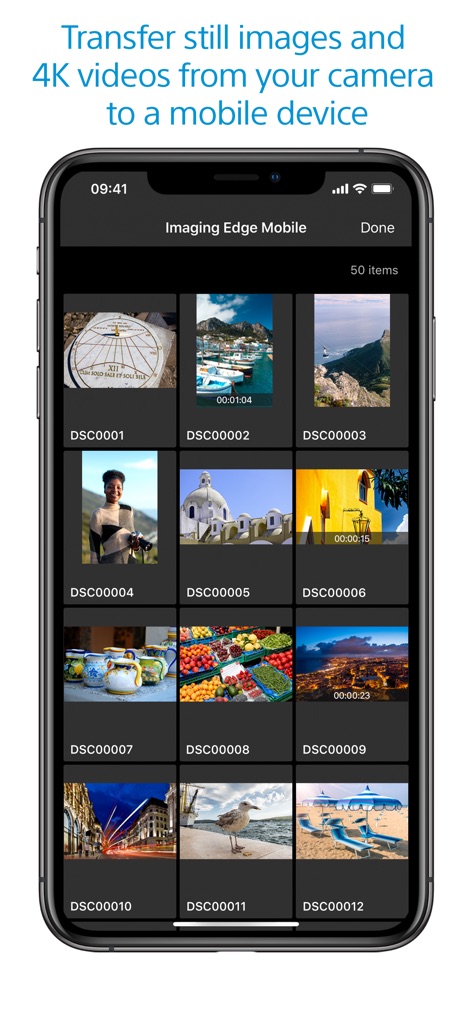
고품질 콘텐츠 관리
이 앱은 카메라에서 모바일 기기로 스틸 이미지와 4K 비디오를 전송할 수 있는 썸네일 갤러리를 제공하며, 비디오 파일에는 재생 시간 표시가 함께 나타나 콘텐츠 유형을 직관적으로 보여줍니다.
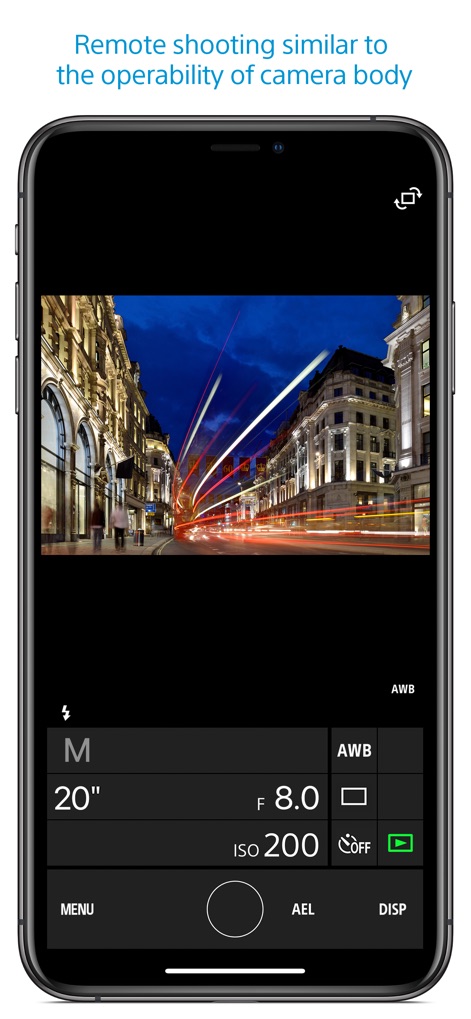
정교한 원격 제어
이 앱은 실시간 라이브 뷰를 통해 사용자가 카메라를 원격으로 제어하며 촬영할 수 있게 하며, M 모드의 셔터 속도와 조리개 값 같은 수동 노출 설정을 직관적으로 조정할 수 있습니다.
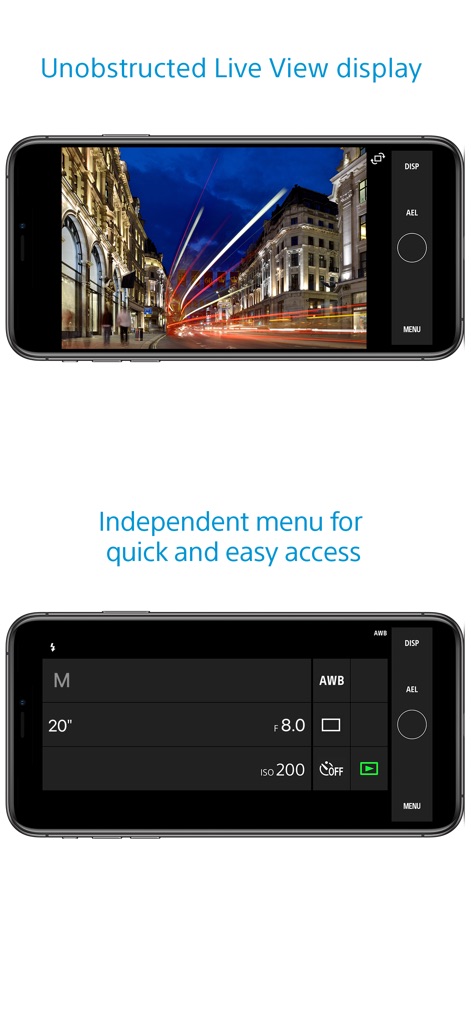
유연한 촬영 인터페이스
이 앱은 전체 화면 라이브 뷰로 촬영 장면을 방해 없이 확인하고, 필요할 때 독립적인 제어 메뉴를 통해 노출 모드와 ISO 설정 같은 카메라 기능을 빠르게 조작할 수 있도록 지원합니다.
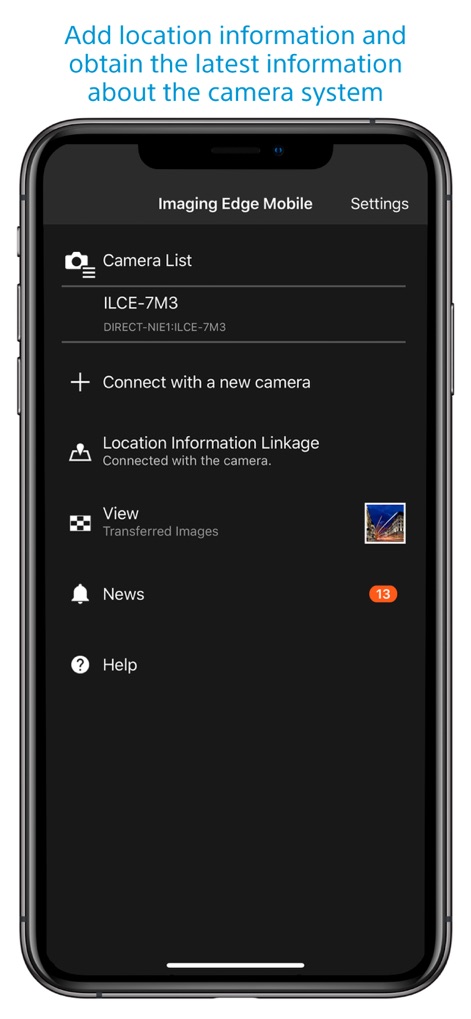
스마트한 연동 설정
이 앱의 설정 화면은 사용자가 연결된 카메라 목록을 효율적으로 관리하고, 촬영된 이미지에 스마트폰의 위치 정보 연동을 활성화하여 메타데이터를 풍부하게 추가할 수 있게 합니다.
설명
Download
비슷한 앱
유사한 기능과 사용자 경험을 가진 앱

DJI Mimo
SZ DJI TECHNOLOGY CO., LTD

DJI Ronin
SZ DJI TECHNOLOGY CO., LTD

Roku TV Remote Control & Cast
Aleh Piashkou

Remote for Hisense TV.
Duscov Stepan

Alpha Linker - Camera Transfer
恒茂 刘

MyCentsys Pro
Centurion Systems (Pty) Ltd

Roku TV Remote Control・
Artur Belov

Luminair
Synthe FX, LLC

FUJIFILM XApp
FUJIFILM Corporation
이 페이지는 앱이나 개발자의 공식 페이지가 아니며, 정보 제공 및 논평을 목적으로 작성된 독립 편집 간행물입니다. 명시적으로 달리 언급되지 않는 한, 해당 앱이나 개발자는 MWM, Apple, Google Play, 앱 퍼블리셔 또는 앱 개발자와 제휴, 보증, 후원, 승인 또는 공식적으로 연결되어 있지 않으며, 이 페이지의 어떤 내용도 해당 앱이 MWM의 서비스를 사용하여 개발되었음을 의미하지 않습니다. 모든 상표, 로고, 스크린샷 및 기타 콘텐츠는 해당 소유자의 자산입니다.