
이 페이지는 앱이나 개발자의 공식 페이지가 아니며, 정보 제공 및 논평을 목적으로 작성된 독립 편집 간행물입니다. 명시적으로 달리 언급되지 않는 한, 해당 앱이나 개발자는 MWM, Apple, Google Play, 앱 퍼블리셔 또는 앱 개발자와 제휴, 보증, 후원, 승인 또는 공식적으로 연결되어 있지 않으며, 이 페이지의 어떤 내용도 해당 앱이 MWM의 서비스를 사용하여 개발되었음을 의미하지 않습니다. 모든 상표, 로고, 스크린샷 및 기타 콘텐츠는 해당 소유자의 자산입니다.


Sony | Monitor & Control
모바일 장치를 고정밀 시네마 모니터로 바꿔보세요. Sony Cinema Line 및 Alpha 카메라용 파형, 가색상 및 원격 포커스 컨트롤로 모든 샷을 마스터하세요.
다운로드
343K+사용자 평점
총 평가 수
600개발사
카테고리
Photo & Video지원 언어
20최신 버전
2.5.1크기
70.4 MB출시일
2023년 9월 11일주머니 속 전문가용 시네마 모니터
iPhone, iPad 또는 Mac을 고정밀 제어 센터로 변환하세요. 최신 Sony 영화 제작자를 위해 설계된 시네마급 모니터링 도구와 원격 카메라 작동 기능을 이용하세요.
정밀 노출 및 색상
전문가용 파형, 가색상 및 히스토그램 디스플레이로 모든 샷을 마스터하세요. LUT를 실시간으로 적용하여 모바일 화면에서 최종 등급을 미리 보세요.
원활한 원격 제어
포커스, ND 필터 및 프레임 속도를 무선 또는 유선으로 조정하세요. 단독 촬영자 또는 짐벌 및 크레인에 장착된 카메라를 관리하는 데 이상적입니다.
자주 묻는 질문
에 대해 알아야 할 모든 것 Sony | Monitor & Control
Sony | Monitor & Control이란 무엇인가요?
Sony | Monitor & Control은 비디오 제작자를 위한 앱입니다. 스마트폰, 태블릿 또는 Mac을 사용하여 유선 및 무선 비디오 모니터링, 고정밀 노출 조정 및 초점 제어를 가능하게 합니다.
Sony | Monitor & Control과 호환되는 카메라는 무엇인가요?
Sony | Monitor & Control은 BURANO, FX6, FX3, FX30, α1 II, α9 III, α7R V, α7S III, α7CR 및 ZV-E1을 포함한 카메라를 지원합니다. 이러한 카메라는 완전한 호환성을 위해 최신 시스템 소프트웨어 업데이트가 필요합니다.
Sony | Monitor & Control은 유선 및 무선 연결을 모두 사용할 수 있나요?
예, Sony | Monitor & Control은 유선 및 무선 연결을 모두 지원합니다. 유선 연결은 무선 신호가 불안정한 경우 안정성을 보장하는 반면, 무선 옵션은 원격 카메라 작동을 위한 유연성을 제공합니다.
Sony | Monitor & Control은 고급 노출 모니터링 도구를 제공하나요?
예, Sony | Monitor & Control은 고급 노출 모니터링을 제공합니다. 연결된 대형 화면 장치에서 정확한 노출 설정을 위해 파형 모니터, 가색상, 히스토그램 및 지브라 디스플레이를 포함합니다.
Sony | Monitor & Control은 초점 작업에 어떻게 도움이 되나요?
Sony | Monitor & Control은 터치 초점, AF 감도 조정 및 화면 측면의 직관적인 작동 막대를 통해 초점을 지원합니다. 초점 영역과 초점이 맞지 않는 영역을 시각화하는 초점 맵도 제공합니다.
Sony | Monitor & Control은 어떤 모바일 장치 및 운영 체제를 지원하나요?
Sony | Monitor & Control은 iOS/iPadOS 버전 17.0 ~ 26.0 및 macOS 버전 14.7 ~ 26.0을 지원합니다. 이 운영 환경 사양을 충족하는 스마트폰, 태블릿 및 Mac 장치에서 작동합니다.
사용자는 Sony | Monitor & Control로 촬영 중에 LUT를 적용할 수 있나요?
예, 사용자는 Sony | Monitor & Control을 사용하여 Log 모드로 촬영 중에 LUT를 적용할 수 있습니다. 이 기능을 사용하면 제작 중에 모니터링 장치에서 완성된 이미지를 실시간으로 미리 볼 수 있습니다.
Sony | Monitor & Control은 다중 카메라 모니터링을 지원하나요?
예, Sony | Monitor & Control은 다중 카메라 모니터링을 지원합니다. 여러 대의 카메라를 단일 iPad, Mac 또는 iPhone에 연결하여 한 장치에서 동시에 작동, 표시 및 촬영 제어를 할 수 있습니다.
다음 스크린샷과 설명은 앱의 공식 스토어 목록에서 직접 가져온 것이며 앱 개발자의 자산입니다.
앱 스토어
스크린샷
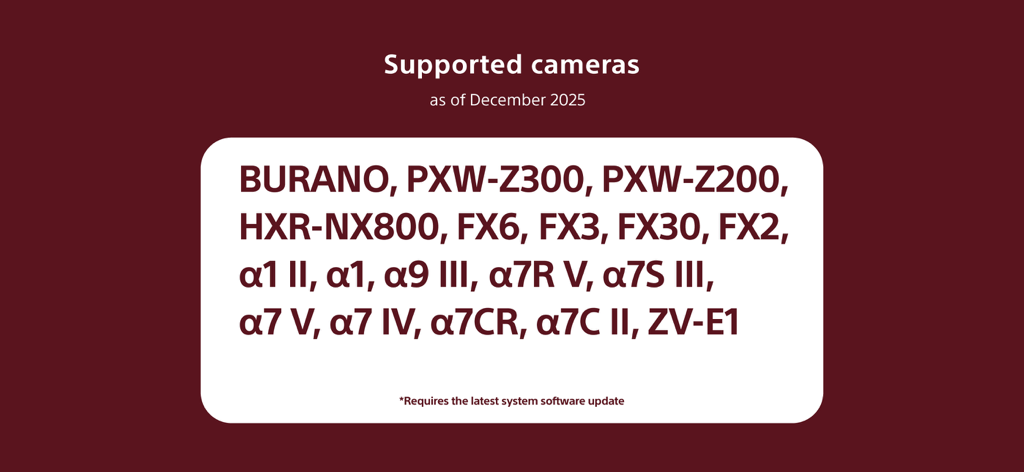
BURANO 및 Alpha 시리즈 모델을 포함한 Monitor and Control 앱 지원 Sony 카메라 목록.
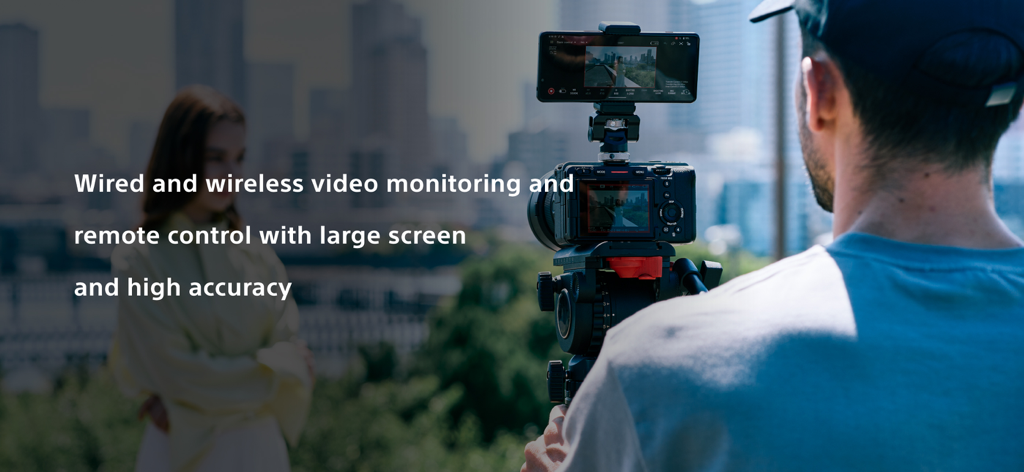
Sony Monitor and Control 앱을 사용하여 외부 모니터로 스마트폰을 사용하는 전문 영화 제작자
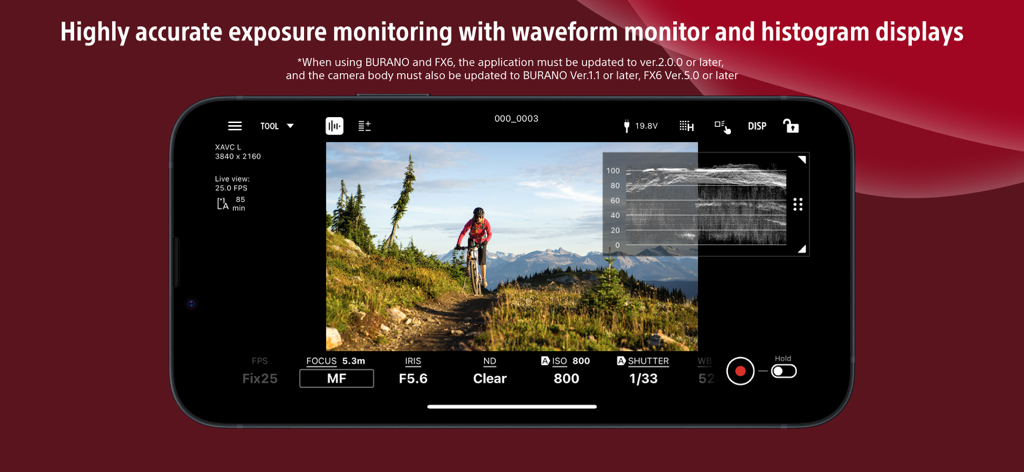
노출 모니터링을 위한 파형 디스플레이가 있는 Sony Monitor and Control 앱의 스마트폰 인터페이스
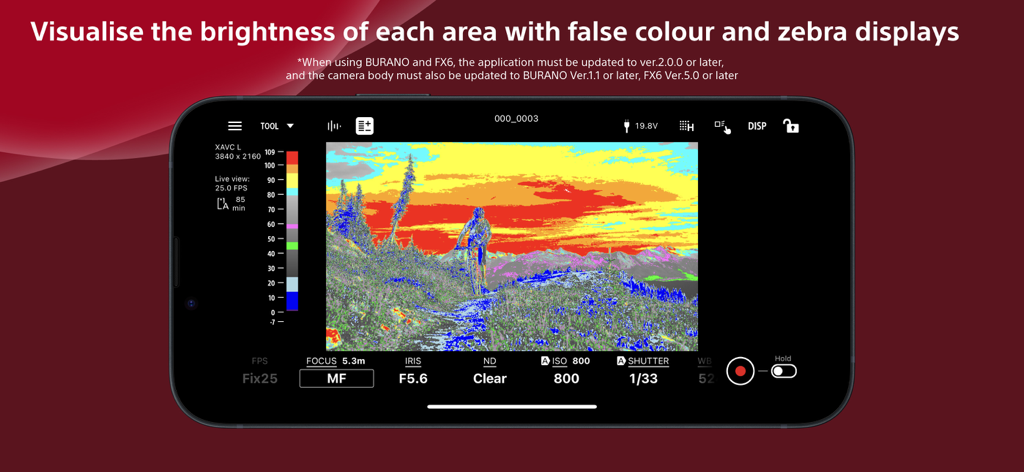
노출 모니터링을 위한 가색상을 표시하는 Sony Monitor and Control 앱 인터페이스
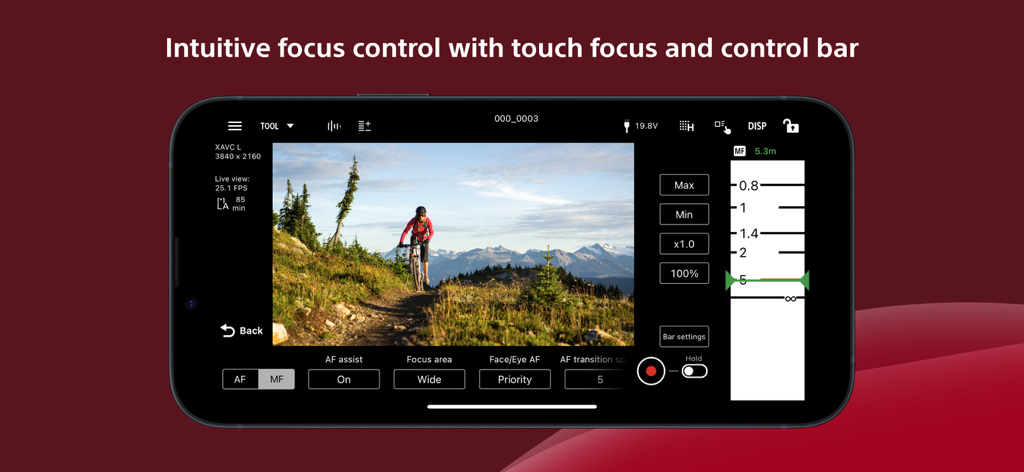
영화 제작을 위한 Sony Monitor and Control 앱 인터페이스에 표시되는 수동 초점 슬라이더 및 터치 초점 설정
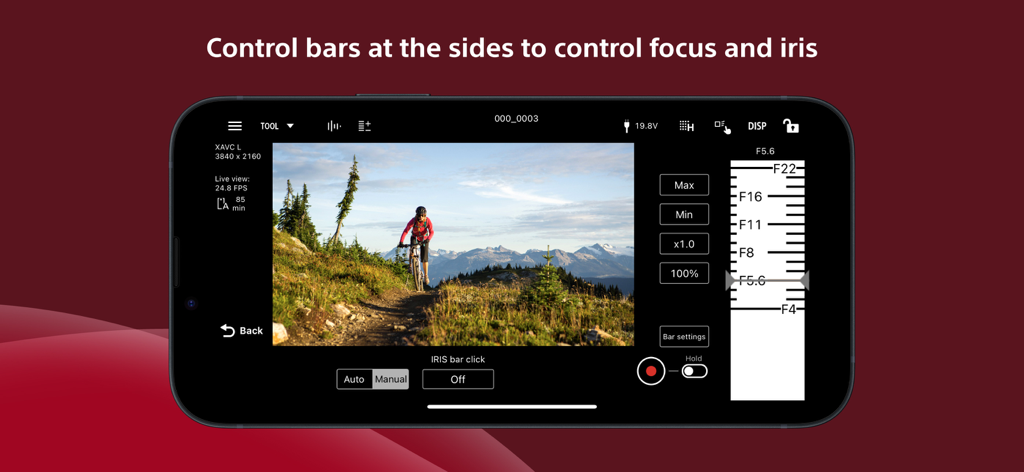
스마트폰 화면에서 아이리스 조정 슬라이더와 원격 카메라 컨트롤을 보여주는 Sony Monitor and Control 앱 인터페이스
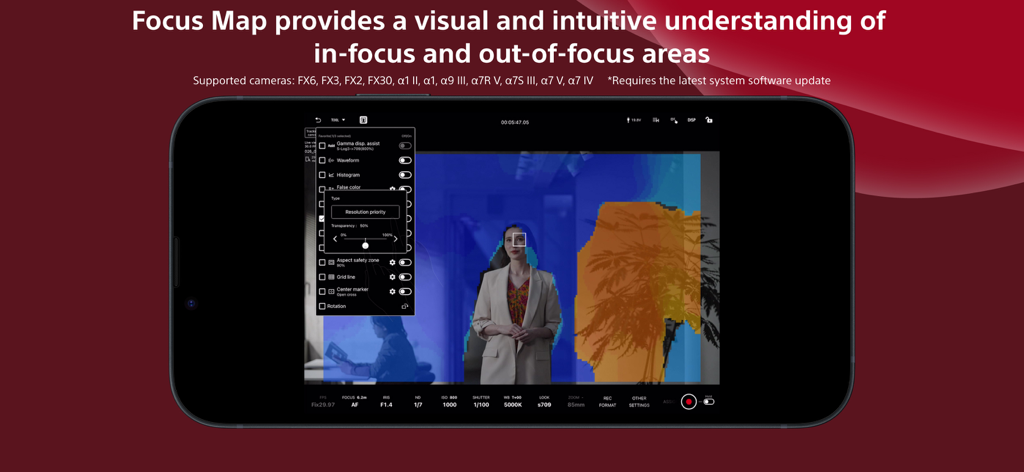
초점 영역 및 초점에서 벗어난 영역을 시각화하는 Focus Map 기능이 있는 Sony Monitor and Control 앱을 표시하는 스마트폰 화면
설명
Download
비슷한 앱
유사한 기능과 사용자 경험을 가진 앱

DJI Mimo
SZ DJI TECHNOLOGY CO., LTD

DJI Ronin
SZ DJI TECHNOLOGY CO., LTD

Roku TV Remote Control & Cast
Aleh Piashkou

Remote for Hisense TV.
Duscov Stepan

Alpha Linker - Camera Transfer
恒茂 刘

MyCentsys Pro
Centurion Systems (Pty) Ltd

Roku TV Remote Control・
Artur Belov

Luminair
Synthe FX, LLC

FUJIFILM XApp
FUJIFILM Corporation
이 페이지는 앱이나 개발자의 공식 페이지가 아니며, 정보 제공 및 논평을 목적으로 작성된 독립 편집 간행물입니다. 명시적으로 달리 언급되지 않는 한, 해당 앱이나 개발자는 MWM, Apple, Google Play, 앱 퍼블리셔 또는 앱 개발자와 제휴, 보증, 후원, 승인 또는 공식적으로 연결되어 있지 않으며, 이 페이지의 어떤 내용도 해당 앱이 MWM의 서비스를 사용하여 개발되었음을 의미하지 않습니다. 모든 상표, 로고, 스크린샷 및 기타 콘텐츠는 해당 소유자의 자산입니다.