Spck Editor Lite

Spck Editor Lite

다운로드: App Store
로고: Spck Editor Lite

Spck Editor Lite: 이동 중인 개발자를 위한 순수하고 전문적인 코드 에디터

산만함 없는 IDE로 웹 프로젝트를 마스터하세요. GitHub 저장소를 복제하고, TypeScript 자동 완성을 활용하며, 계정 없이도 어디서든 완벽한 Git 워크플로우를 관리하세요.

다운로드: App Store

개발사

Zeb Zhao

카테고리

Developer Tools

다운로드

2K+

사용자 평점

1.0/5

총 평가 수

0

지원 언어

1

집중해서 코딩하기

이 인터페이스를 사용하는 2K+ 명의 사용자.

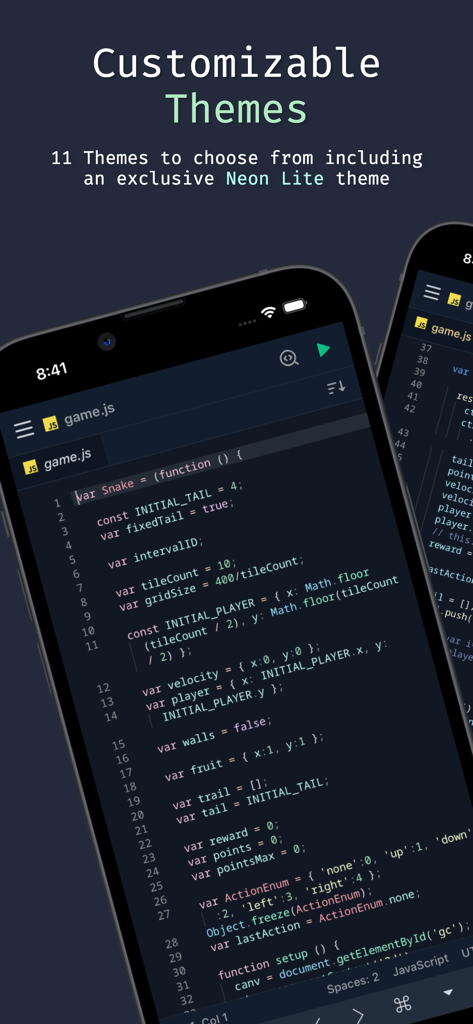
Spck Editor Lite 앱 인터페이스가 모바일 장치에서 사용자 정의 가능한 테마와 JavaScript 코드 에디터를 보여줍니다.
Spck Editor Lite 앱 인터페이스가 모바일 장치에서 사용자 정의 가능한 테마와 JavaScript 코드 에디터를 보여줍니다.

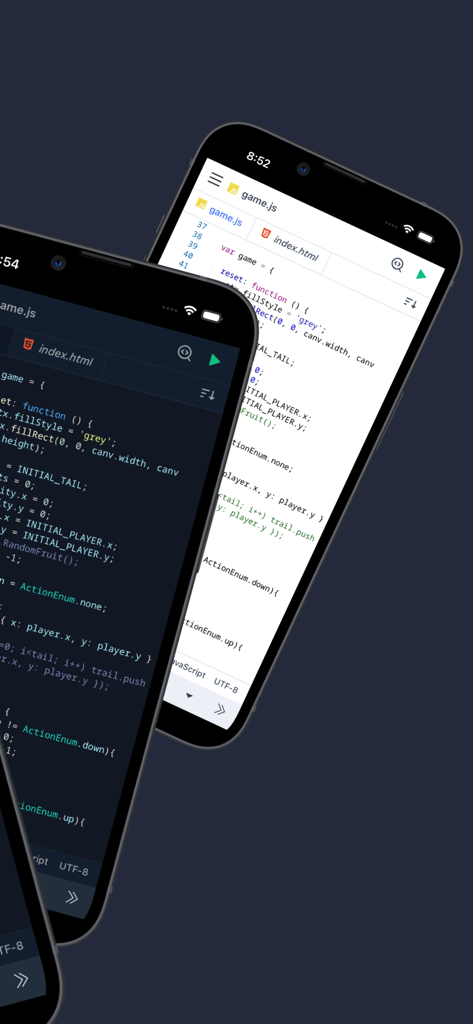
Spck Editor Lite 모바일 애플리케이션 인터페이스가 밝고 어두운 코드 에디터 테마를 보여줍니다.
Spck Editor Lite 모바일 애플리케이션 인터페이스가 밝고 어두운 코드 에디터 테마를 보여줍니다.

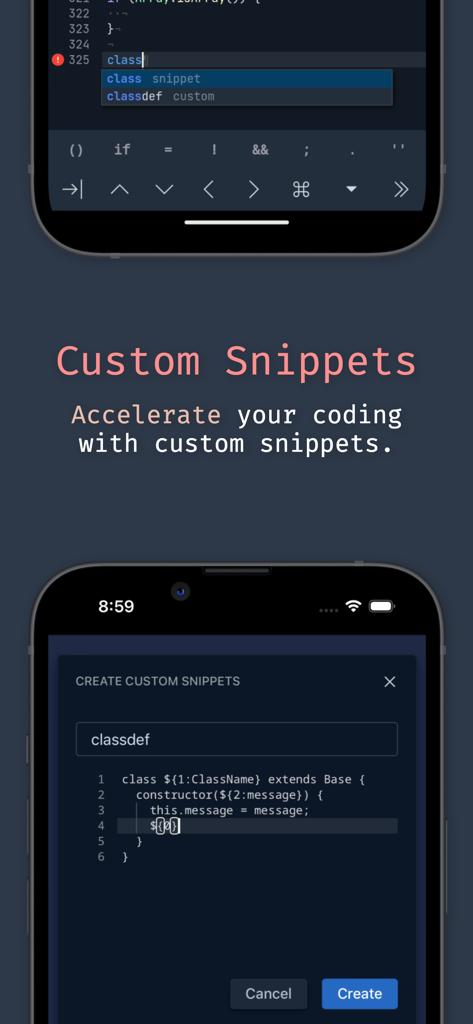
Spck Editor Lite 앱의 사용자 정의 코드 스니펫 기능.
Spck Editor Lite 앱의 사용자 정의 코드 스니펫 기능.

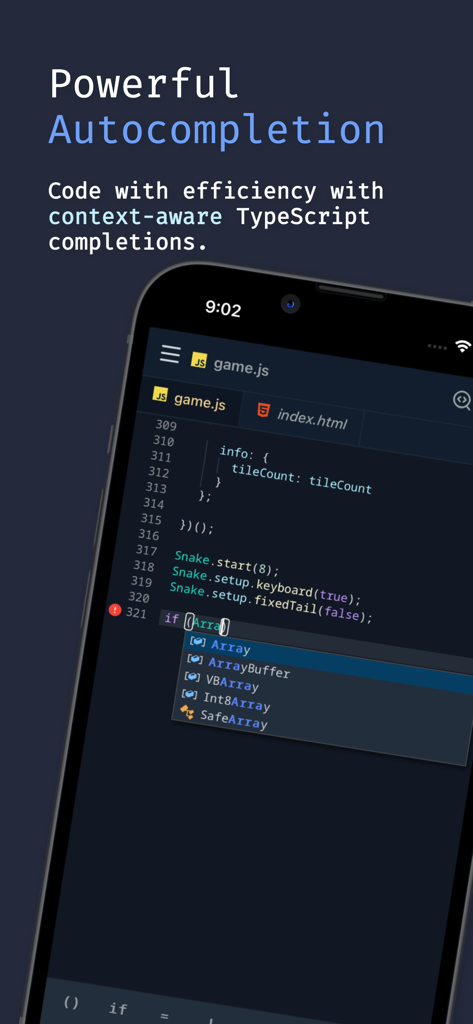
Spck Editor Lite 앱 인터페이스가 모바일 장치에서 문맥 인식 TypeScript 코드 자동 완성을 보여줍니다.
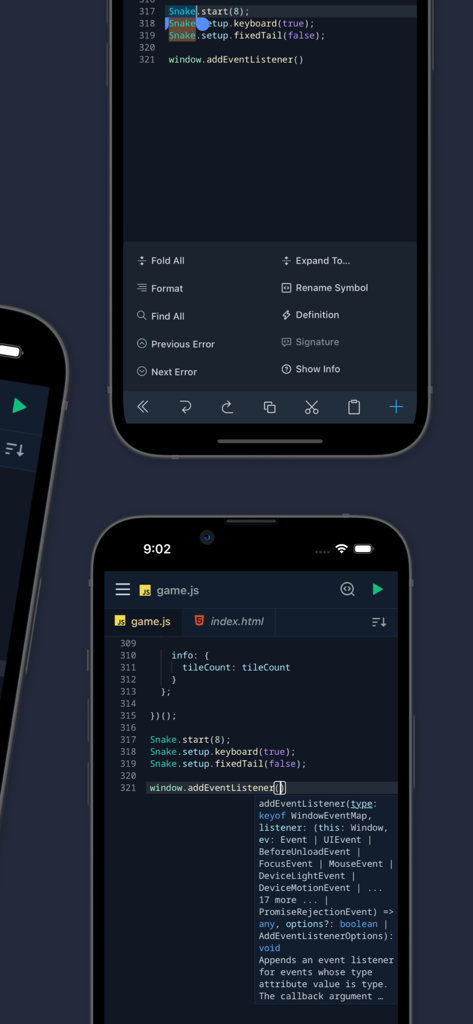
Spck Editor Lite 앱 인터페이스가 모바일 장치에서 문맥 인식 TypeScript 코드 자동 완성을 보여줍니다.

Spck Editor Lite 모바일 앱이 구문 강조 및 자동 완성과 함께 JavaScript 코드를 보여줍니다.
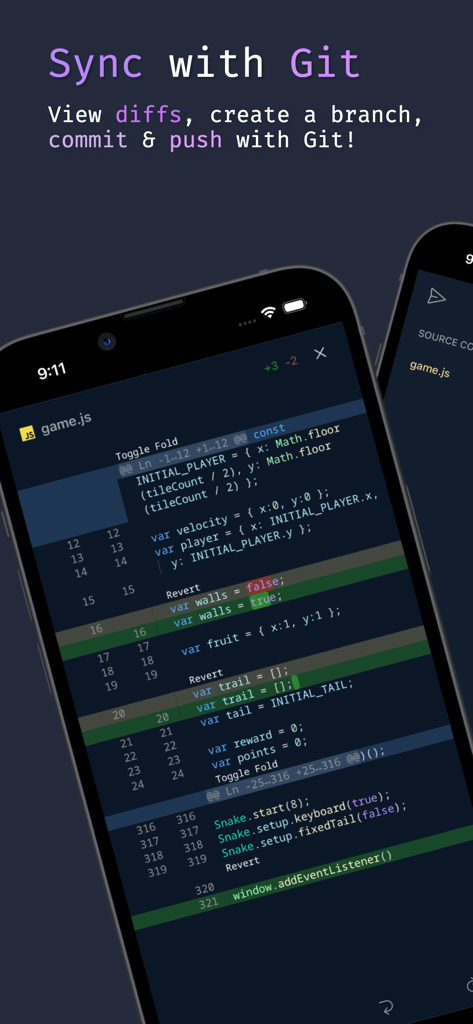
Spck Editor Lite 모바일 앱이 구문 강조 및 자동 완성과 함께 JavaScript 코드를 보여줍니다.

모바일 코드 에디터 인터페이스가 JavaScript 파일에 대한 git diff를 보여줍니다.
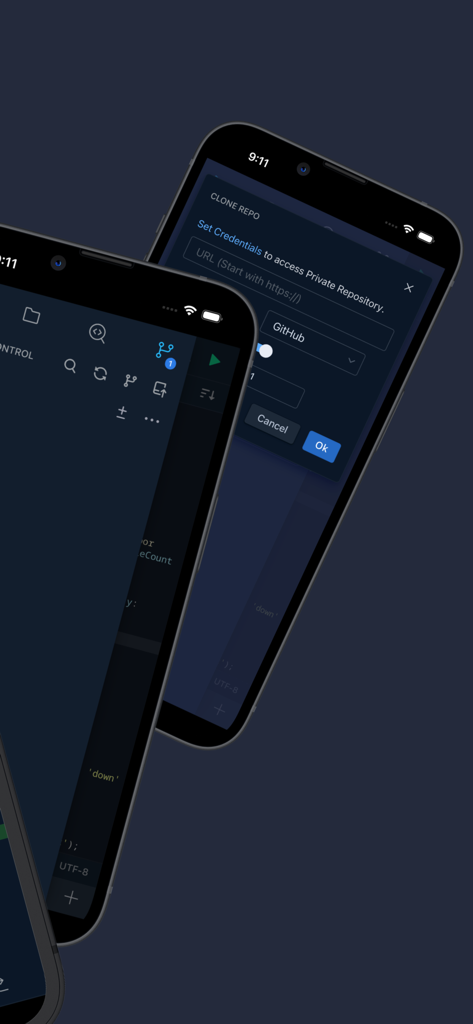
모바일 코드 에디터 인터페이스가 JavaScript 파일에 대한 git diff를 보여줍니다.

Spck Editor Lite 인터페이스가 모바일 장치에서 Git 저장소 복제 및 코드 에디터를 보여줍니다.
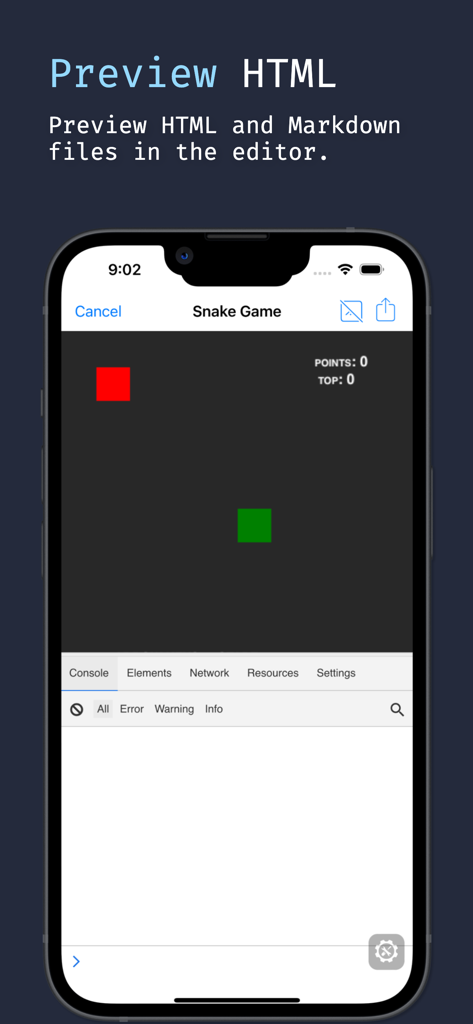
Spck Editor Lite 인터페이스가 모바일 장치에서 Git 저장소 복제 및 코드 에디터를 보여줍니다.

모바일 코드 에디터가 개발자 콘솔과 함께 HTML 뱀 게임을 미리 보여줍니다.

모바일 코드 에디터가 개발자 콘솔과 함께 HTML 뱀 게임을 미리 보여줍니다.

주머니 속 데스크톱급 코딩

이 앱을 돋보이게 하는 도구, 2K+ 명의 사용자가 선택.

🌿

원활한 Git 워크플로우

GitHub 또는 GitLab으로 복제, 커밋, 푸시하세요. 내장된 diff 뷰어와 터미널과 유사한 제어를 사용하여 저장소를 관리하세요.

🧠

스마트 자동 완성

TypeScript 기반 힌트, HTML용 Emmet 지원, 모바일 효율성을 위해 설계된 사용자 정의 예측 키보드로 더 빠르게 코딩하세요.

🔒

개인 정보 보호 우선 Lite 경험

계정 없는 순수 에디터로 집중하세요. 프로젝트는 그대로 유지되며 로컬에 저장되어 번개처럼 빠른 편집을 할 수 있습니다.

앱 소개

에 대해 알아야 할 모든 것 Spck Editor Lite.

설명

Spck Editor Lite is a simple, yet feature-filled code editor that lets you access your projects from Github, Bitbucket, Gitlab, and more! With Spck Editor, you can edit, commit, checkout, push, and run simple JavaScript projects. Make changes quickly with the power of TypeScript autocompletion, code snippets, and on-screen extra keyboard. Preview HTML files and debug them. *Lite version keeps the editor pure. Lab features and account system are removed. *Back up your projects before uninstalling the app, otherwise you will lose the data in the app! Upgrading/updating the app should be okay. Exclusive Lite Features: - Custom Snippets for templating custom code - Predictive extra keyboard for special symbols - Exclusive Theme Features include: - Clone public or private repos (requires app tokens) - Quick snippets keyboard for faster code edits - Git client integration (checkout/pull/push/commit/log) - Diff viewer for git-enabled projects - Preview HTML/Markdown files on your device - Project & file searching - Code syntax analysis and smart auto-completer - Code completion and context provider - Auto code-indentation - Light/dark themes available - Export/import project/files to zip file - CSS Color selector Main languages supported: - JavaScript - CSS - HTML - Markdown Smart code-hinting support: - TypeScript, JavaScript, TSX, JSX - CSS, Less, SCSS - HTML (with Emmet support) Other popular languages (Syntax highlighting only): - Python, Ruby, R, Perl, Julia, Scala, Go - Java, Scala, Kotlin - Rust, C, C++, C# - PHP - Stylus, CoffeeScript, Pug - Shell, Batch - OCaml, ActionScript, Coldfusion, HaXe + More...

최신 버전

5.7.4

크기

25.0 MB

출시일

2024년 3월 19일

이동 중에도 개발할 준비가 되셨나요?

순수하고 산만함 없는 코딩 경험을 위해 Spck Editor Lite를 사용하는 수천 명의 개발자들과 함께하세요. 기기에서 직접 프로젝트를 복제, 편집, 푸시하세요.

다운로드: App Store

App information, icons, screenshots, and descriptions displayed on this page are sourced from the Apple App Store and are the property of their respective developers. Download estimates and rankings are based on MWM's proprietary models and may not reflect actual figures. This page is provided for informational and analytical purposes only.

Believe this page infringes your intellectual property? File a dispute