StereoCheck
StereoCheck
다운로드: App Store

이 페이지는 앱이나 개발자의 공식 페이지가 아니며, 정보 제공 및 논평을 목적으로 작성된 독립 편집 간행물입니다. 명시적으로 달리 언급되지 않는 한, 해당 앱이나 개발자는 MWM, Apple, Google Play, 앱 퍼블리셔 또는 앱 개발자와 제휴, 보증, 후원, 승인 또는 공식적으로 연결되어 있지 않으며, 이 페이지의 어떤 내용도 해당 앱이 MWM의 서비스를 사용하여 개발되었음을 의미하지 않습니다. 모든 상표, 로고, 스크린샷 및 기타 콘텐츠는 해당 소유자의 자산입니다.

로고: StereoCheck
다운로드: App Store

StereoCheck

Leksell, CRW, Brainlab 및 기타 주요 프레임을 지원하는 휴대용 하드웨어 독립 검증 시스템으로 대상 좌표를 교차 검증하고 수술 위험을 완화합니다.

주요 수치

다운로드

38K+

사용자 평점

1.0/5

총 평가 수

0

개발사

Mevis Informatica Medica Ltda.

카테고리

Medical

지원 언어

1

최신 버전

2.8

크기

6.3 MB

출시일

2012년 10월 16일
기능

입체 계획을 위한 정밀 검증

StereoCheck은 다양한 하드웨어 플랫폼에서 데카르트 좌표를 검증하고 수학적 정확성을 보장하기 위한 휴대용 독립 시스템을 제공합니다.

보편적인 프레임 지원

Leksell, CRW, Brainlab 등과 원활하게 작동하여 다양한 수술 하드웨어에 대한 단일 검증 도구를 제공합니다.

지능형 영상 보정

고급 알고리즘이 개틀(gantry) 기울기 및 선형 왜곡을 보정하여 표준 축 방향 CT 또는 MR 슬라이스에서 정확한 좌표를 제공합니다.

다음 스크린샷과 설명은 앱의 공식 스토어 목록에서 직접 가져온 것이며 앱 개발자의 자산입니다.

앱 스토어

스크린샷
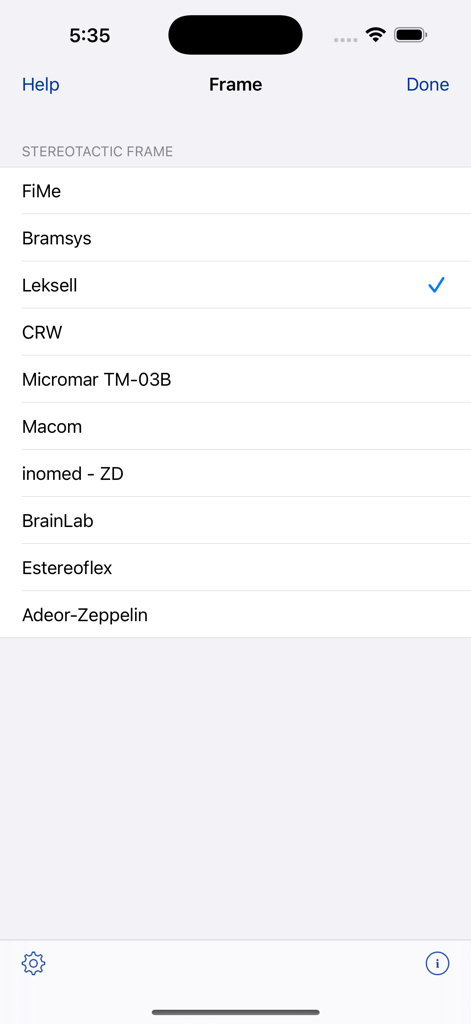
StereoCheck - StereoCheck 앱 화면에 선택할 수 있는 지원되는 입체 프레임 목록이 표시됩니다.
StereoCheck 앱 화면에 선택할 수 있는 지원되는 입체 프레임 목록이 표시됩니다.

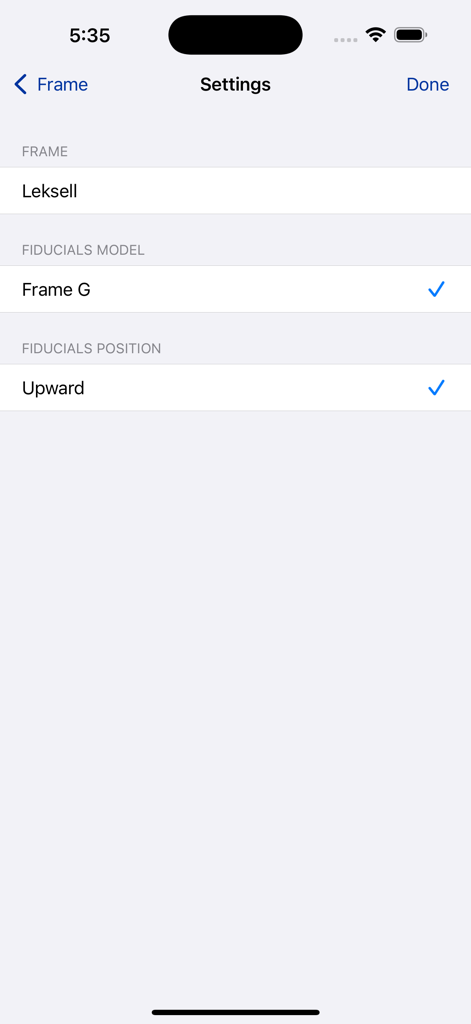
StereoCheck - Leksell 입체 프레임 및 기준점 모델을 선택하기 위한 StereoCheck 앱의 설정 화면
Leksell 입체 프레임 및 기준점 모델을 선택하기 위한 StereoCheck 앱의 설정 화면

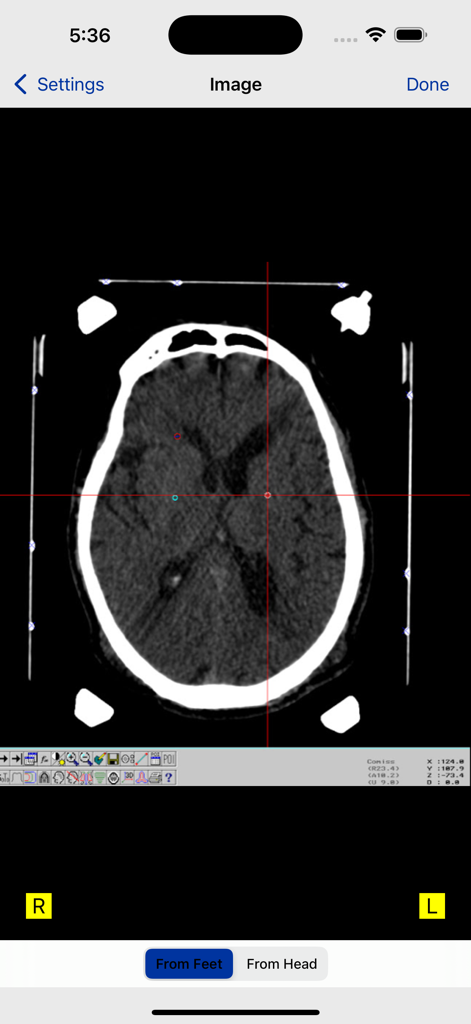
StereoCheck - StereoCheck 앱 인터페이스에 기준점 표시와 좌표 십자선이 있는 뇌 CT 스캔
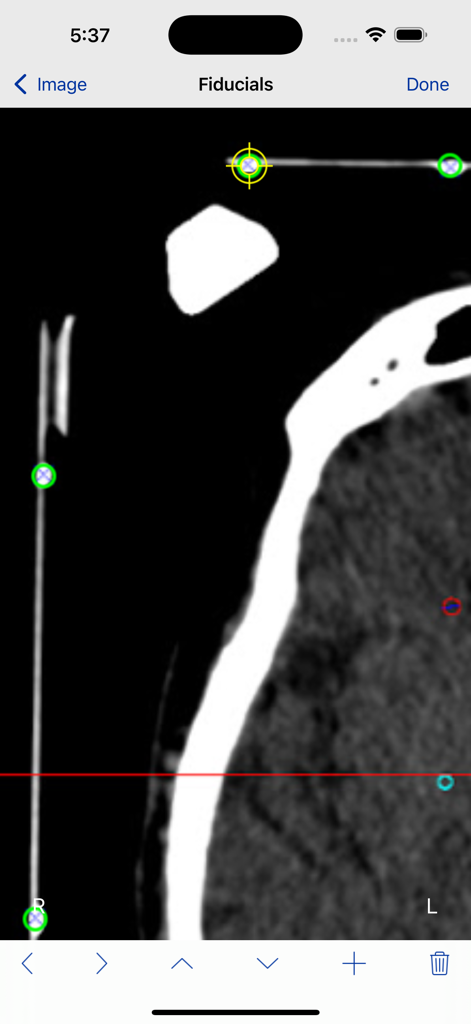
StereoCheck 앱 인터페이스에 기준점 표시와 좌표 십자선이 있는 뇌 CT 스캔

StereoCheck - 입체 CT 스캔 슬라이스에서 기준점 표시를 식별하는 StereoCheck 앱의 인터페이스
입체 CT 스캔 슬라이스에서 기준점 표시를 식별하는 StereoCheck 앱의 인터페이스

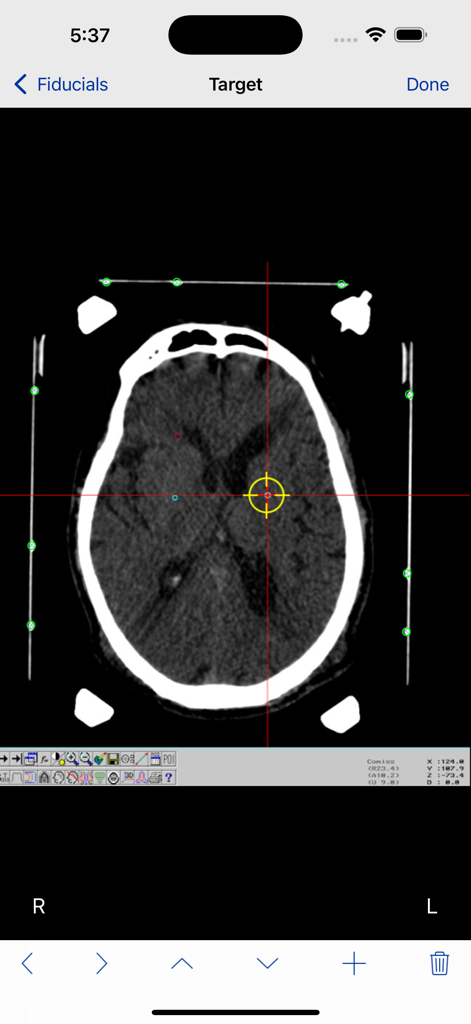
StereoCheck - 기준점과 대상 십자선이 있는 StereoCheck 앱의 뇌 CT 스캔
기준점과 대상 십자선이 있는 StereoCheck 앱의 뇌 CT 스캔

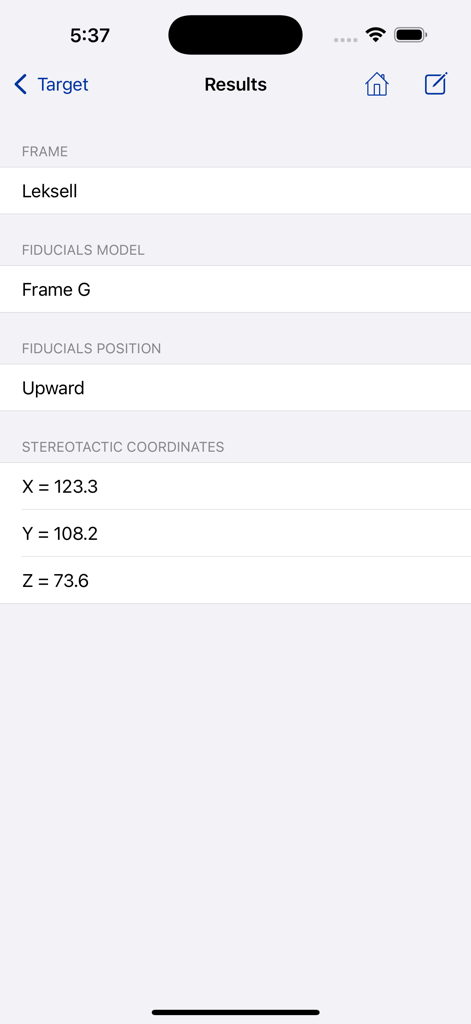
StereoCheck - StereoCheck 앱 결과 화면에 Leksell 프레임에 대한 계산된 입체 좌표 X Y 및 Z가 표시됩니다.

StereoCheck 앱 결과 화면에 Leksell 프레임에 대한 계산된 입체 좌표 X Y 및 Z가 표시됩니다.

설명

Check your Cartesian stereotactic coordinates with an independent system ! StereoCheck is a mobile application designed to compute target coordinates using several hardware manufacturers frames and models. WARNING : Do not use StereoCheck for surgical decision making. Do not use StereoCheck as the primary planning or computation system, it is intended to be a verification system. StereoCheck is also a valuable educational tool for beginners in the field of stereotaxy. The present version of StereoCheck has support for FiMe, Bramsys, Leksell, CRW, Micromar, Macom, inomed-ZD, Brainlab, Estereoflex and Adeor-Zeppelin frames. StereoCheck main axis are: latero-lateral (X), dorso-ventral (Y) and caudal-rostral (Z). The mathematical algorithm used by StereoCheck includes corrections for tilted images (rotation around X and/or Y axis) as long as nine fiducials are present in the image. There is correction for rotation around Z up to 5 degrees. Linear image distortions are also corrected. Step-By-Step: Take a photo of your stereo-CT or stereo-MR or enter the image into the camera roll using any available way. StereoCheck work with axial (transverse) CT slices only, there is no support for coronal or sagittal views. Select the stereotactic frame and model being used. For some frames, such as FiMe and Bramsys, the fiducials orientation must be defined. Select the image from the camera roll. Mark each fiducial on the image. StereoCheck use nine (9) fiducials, except for Brainlab frame, that uses only six (6). If you are using a ZD system, ignore the occipital fiducials. Mark the target point you want to reach and tap the Done button. At this point the stereotactic coordinates will be computed and displayed. If you want to keep a copy of results for your records, use the Compose button on top of the screen to send them by e-mail.

Download

다운로드: App Store

이 페이지는 앱이나 개발자의 공식 페이지가 아니며, 정보 제공 및 논평을 목적으로 작성된 독립 편집 간행물입니다. 명시적으로 달리 언급되지 않는 한, 해당 앱이나 개발자는 MWM, Apple, Google Play, 앱 퍼블리셔 또는 앱 개발자와 제휴, 보증, 후원, 승인 또는 공식적으로 연결되어 있지 않으며, 이 페이지의 어떤 내용도 해당 앱이 MWM의 서비스를 사용하여 개발되었음을 의미하지 않습니다. 모든 상표, 로고, 스크린샷 및 기타 콘텐츠는 해당 소유자의 자산입니다.








