
이 페이지는 앱이나 개발자의 공식 페이지가 아니며, 정보 제공 및 논평을 목적으로 작성된 독립 편집 간행물입니다. 명시적으로 달리 언급되지 않는 한, 해당 앱이나 개발자는 MWM, Apple, Google Play, 앱 퍼블리셔 또는 앱 개발자와 제휴, 보증, 후원, 승인 또는 공식적으로 연결되어 있지 않으며, 이 페이지의 어떤 내용도 해당 앱이 MWM의 서비스를 사용하여 개발되었음을 의미하지 않습니다. 모든 상표, 로고, 스크린샷 및 기타 콘텐츠는 해당 소유자의 자산입니다.

Stylus Labs Write Pro
정밀도를 위해 제작된 벡터 기반 노트 도구를 경험하세요. 손으로 쓴 텍스트를 리플로우하고, 파일 앱을 통해 구성하며, 비독점적 SVG 파일을 사용하여 전체 데이터 주권을 유지하세요.
다운로드
10K+사용자 평점
총 평가 수
100개발사
카테고리
Productivity지원 언어
1최신 버전
1.6.1크기
7.7 MB출시일
2020년 5월 2일벡터 기반 노트 작성으로 생산성을 높이세요
디지털 캔버스 이상의 기능을 필요로 하는 전문가 및 STEM 학생을 위한 최고의 오픈 소스 도구입니다. 손으로 쓴 노트를 영원히 편집, 리플로우 및 소유하세요.
지능형 리플로우 및 공간
정적 메모와 달리 Write Pro를 사용하면 동적으로 공간을 삽입하고 필기를 재정렬할 수 있습니다. 기존 메모에 수식이나 아이디어를 추가하는 데 적합합니다.
독점적 종속성 제로
귀하의 메모는 귀하의 것입니다. 표준 SVG 파일로 저장되어 모든 브라우저나 벡터 앱에서 액세스할 수 있으며 장기적인 데이터 주권을 보장합니다.
다음 스크린샷과 설명은 앱의 공식 스토어 목록에서 직접 가져온 것이며 앱 개발자의 자산입니다.
앱 스토어
스크린샷
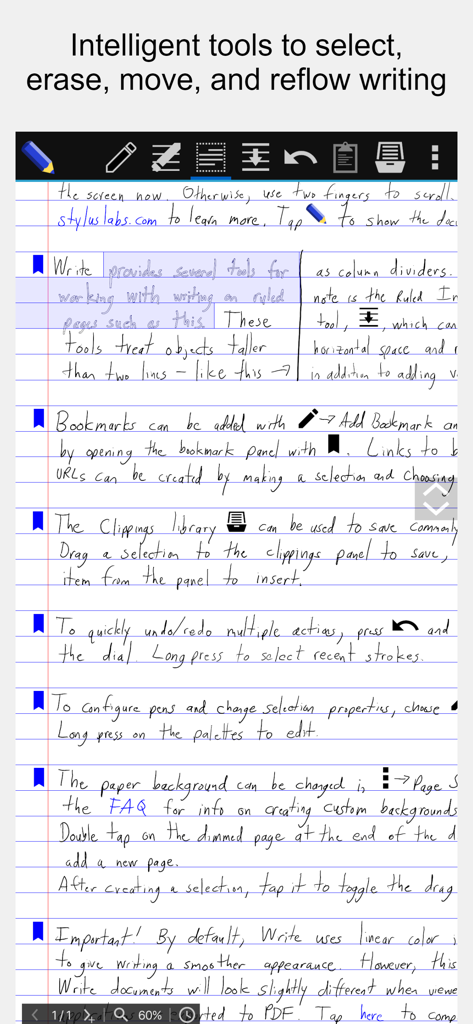
Stylus Labs Write Pro의 손으로 쓴 노트에 툴바와 리플로우 편집 도구가 표시됩니다.
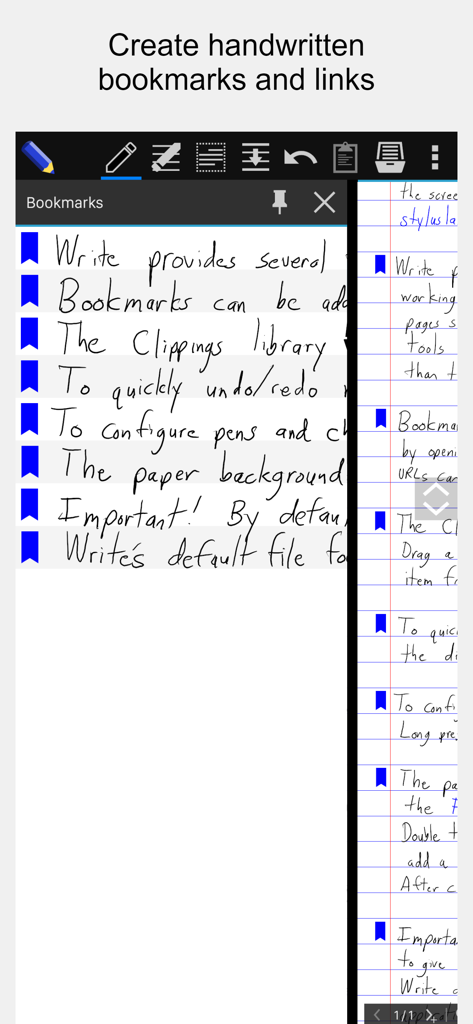
Stylus Labs Write Pro 앱 스크린샷으로, 손으로 쓴 문서 옆에 손으로 쓴 책갈피와 링크가 있는 사이드 패널을 보여줍니다.
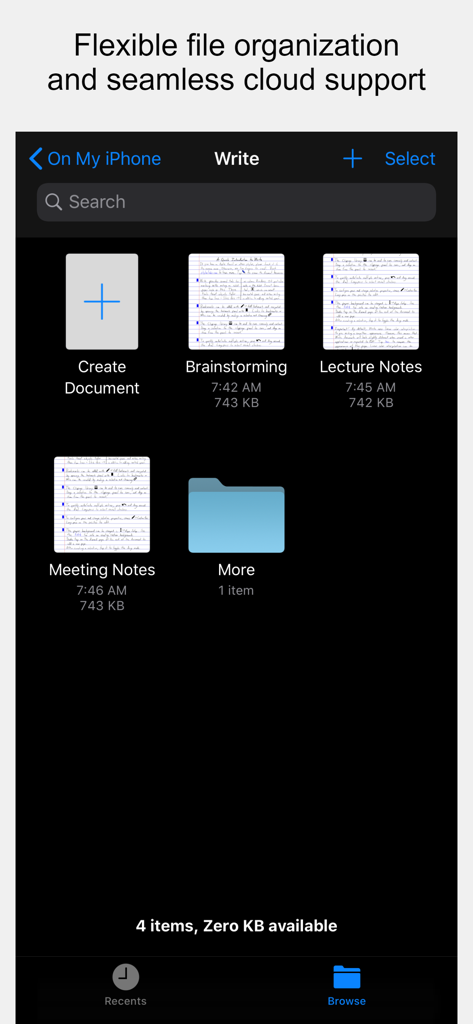
Stylus Labs Write Pro의 파일 관리 화면으로, 브레인스토밍 및 강의를 위한 폴더와 손으로 쓴 노트 썸네일을 보여줍니다.
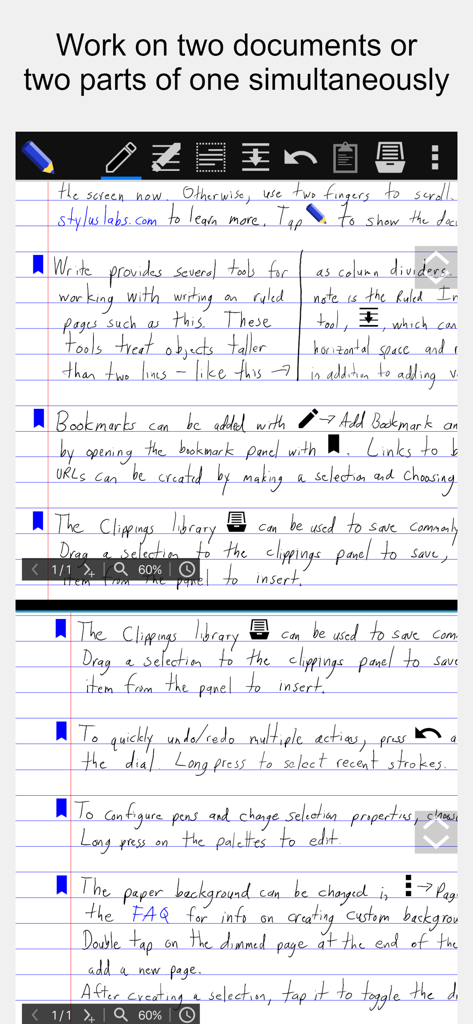
Stylus Labs Write Pro 인터페이스로, 문서의 두 부분을 동시에 편집하는 분할 보기 기능을 보여줍니다.
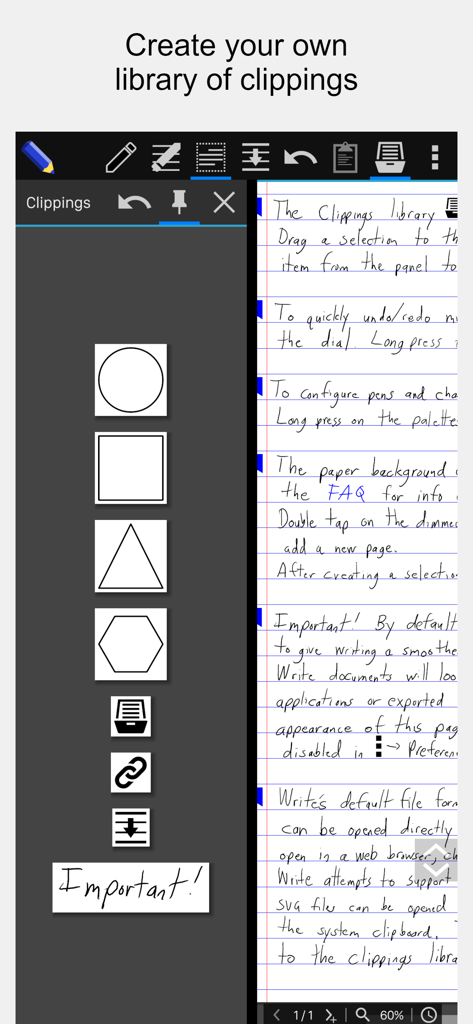
손으로 쓴 문서 옆에 사용자 정의 모양과 아이콘이 있는 클리핑 라이브러리 사이드바를 보여주는 Stylus Labs Write Pro 앱 스크린샷입니다.
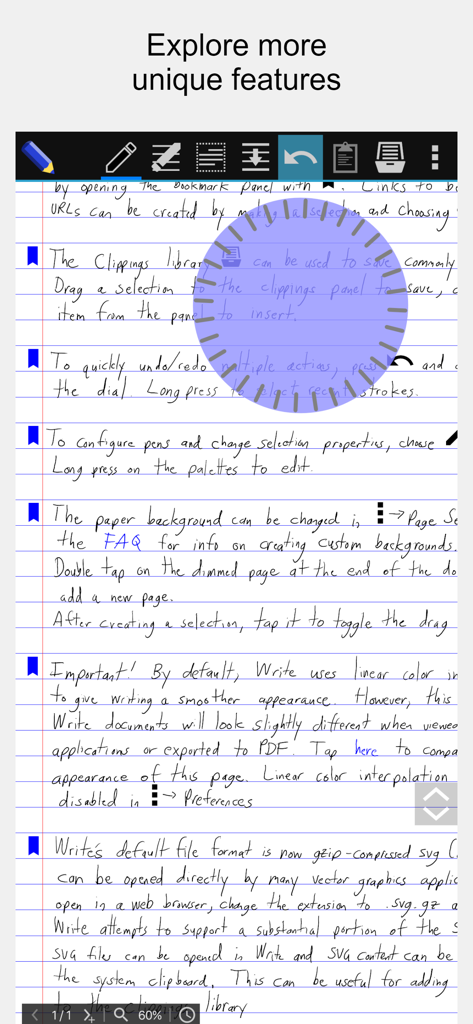
줄이 있는 종이 위에 원형 실행 취소 및 다시 실행 조그 다이얼 도구가 있는 Stylus Labs Write Pro 앱의 손으로 쓴 노트 스크린샷입니다.
설명
Download
비슷한 앱
유사한 기능과 사용자 경험을 가진 앱

Notepad: Easy Notes & Memos
1381802 Ontario Inc.

EasyNote: Note, Handwrite, PDF
Hangzhou Tensorart Technology Co., Ltd

Wellnote-Notes&PDF
MAXEYE US INC.

AJournal - Planner & Journal
WonderApps AB

Element Note
Soysauce Lab

Penbook
User Camp Inc.

Notes Writer - Note Taking
Kairoos Solutions S.L.

Notewise - AI Notes, PDF, Docs
ZIIKR Pte. Ltd.

Notes Writer Pro 2026
Kairoos Solutions S.L.
이 페이지는 앱이나 개발자의 공식 페이지가 아니며, 정보 제공 및 논평을 목적으로 작성된 독립 편집 간행물입니다. 명시적으로 달리 언급되지 않는 한, 해당 앱이나 개발자는 MWM, Apple, Google Play, 앱 퍼블리셔 또는 앱 개발자와 제휴, 보증, 후원, 승인 또는 공식적으로 연결되어 있지 않으며, 이 페이지의 어떤 내용도 해당 앱이 MWM의 서비스를 사용하여 개발되었음을 의미하지 않습니다. 모든 상표, 로고, 스크린샷 및 기타 콘텐츠는 해당 소유자의 자산입니다.