이 페이지는 앱이나 개발자의 공식 페이지가 아니며, 정보 제공 및 논평을 목적으로 작성된 독립 편집 간행물입니다. 명시적으로 달리 언급되지 않는 한, 해당 앱이나 개발자는 MWM, Apple, Google Play, 앱 퍼블리셔 또는 앱 개발자와 제휴, 보증, 후원, 승인 또는 공식적으로 연결되어 있지 않으며, 이 페이지의 어떤 내용도 해당 앱이 MWM의 서비스를 사용하여 개발되었음을 의미하지 않습니다. 모든 상표, 로고, 스크린샷 및 기타 콘텐츠는 해당 소유자의 자산입니다.
Symphony Pro - Music Notation
iPad를 강력한 디지털 악보로 바꾸세요. Apple Pencil의 정밀함과 전문 스튜디오의 다용성으로 언제 어디서나 전체 오케스트라 악보를 작곡, 편집, 공유하세요.
주요 수치
다운로드
255K+
사용자 평점
3.8/5
총 평가 수
3K+
개발사
Xenon Labs, LLC
카테고리
Music
지원 언어
1
최신 버전
6.7.6
크기
365.0 MB
출시일
2011년 1월 7일
기능
제한 없는 작곡
Symphony Pro는 현대 iPad 워크플로우를 위해 특별히 설계된 전문 조판 소프트웨어의 강력함과 악보 패드의 촉감과 같은 느낌을 결합합니다.
자연스러운 필기 인식
Apple Pencil로 자연스럽게 음악을 쓰고 스케치가 전문적이고 고품질 표기법으로 즉시 변환되는 것을 지켜보세요.
완전한 오케스트라 파워
리드 시트부터 교향곡까지 모든 것을 위한 프로급 아티큘레이션으로 최대 100개의 오선과 48개의 악기를 제어하세요.
다음 스크린샷과 설명은 앱의 공식 스토어 목록에서 직접 가져온 것이며 앱 개발자의 자산입니다.
앱 스토어
스크린샷
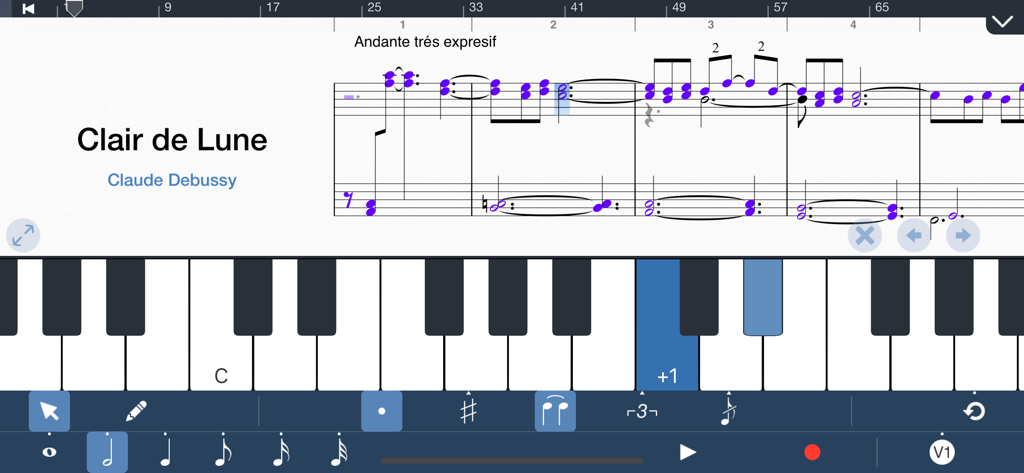
Symphony Pro 앱 인터페이스에 Clair de Lune 악보와 가상 피아노 키보드, 표기 도구가 표시됨
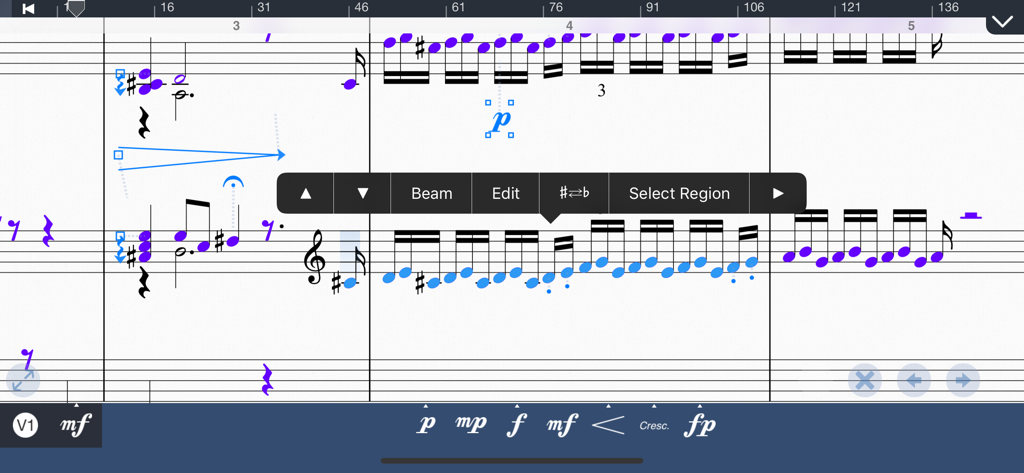
Symphony Pro의 음표와 다이내믹이 있는 음악 악보 편집 인터페이스
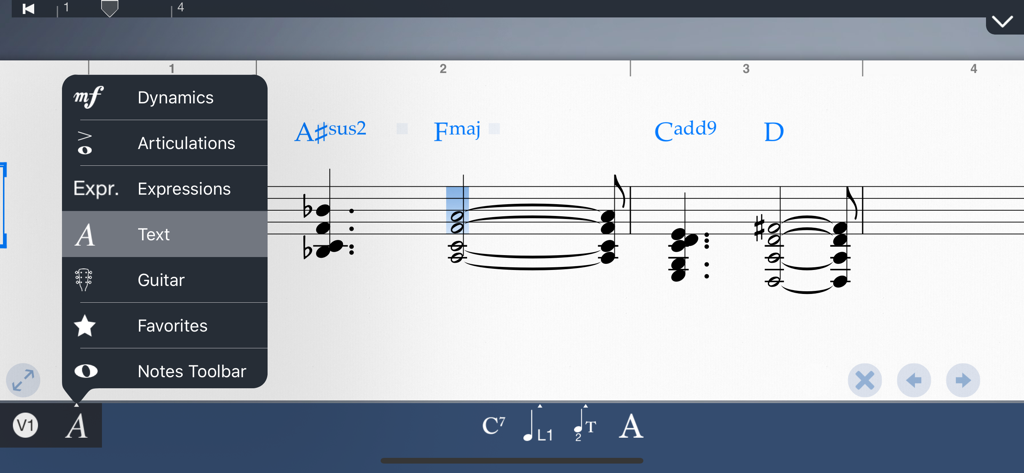
Symphony Pro 앱 인터페이스에 코드 기호가 있는 음악 악보와 다이내믹 및 텍스트 편집 메뉴가 열려 있음
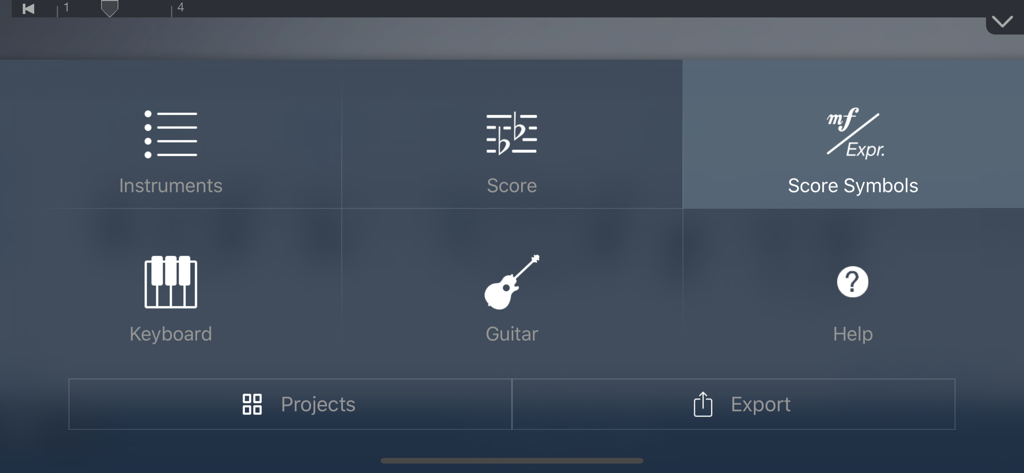
악기, 악보, 기호 도구 아이콘이 있는 Symphony Pro 음악 표기 앱의 메인 메뉴 인터페이스
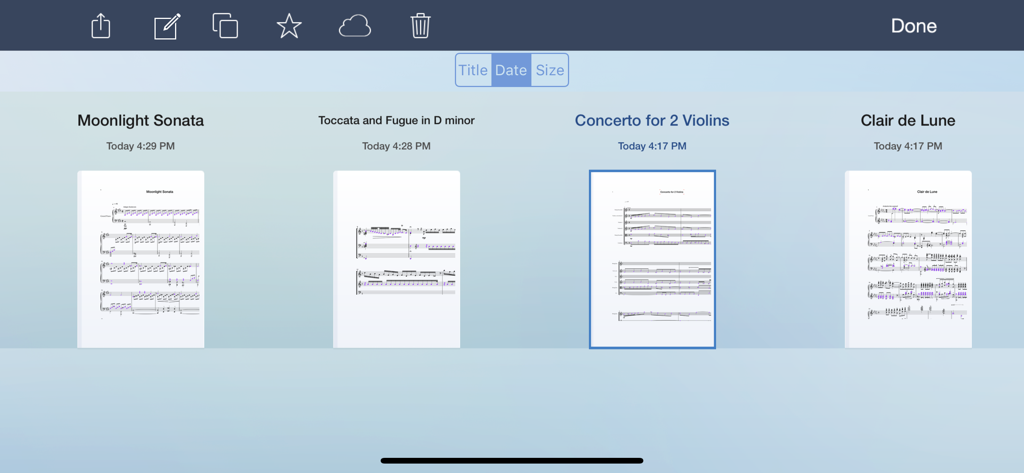
저장된 다양한 작곡을 보여주는 Symphony Pro의 음악 악보 라이브러리
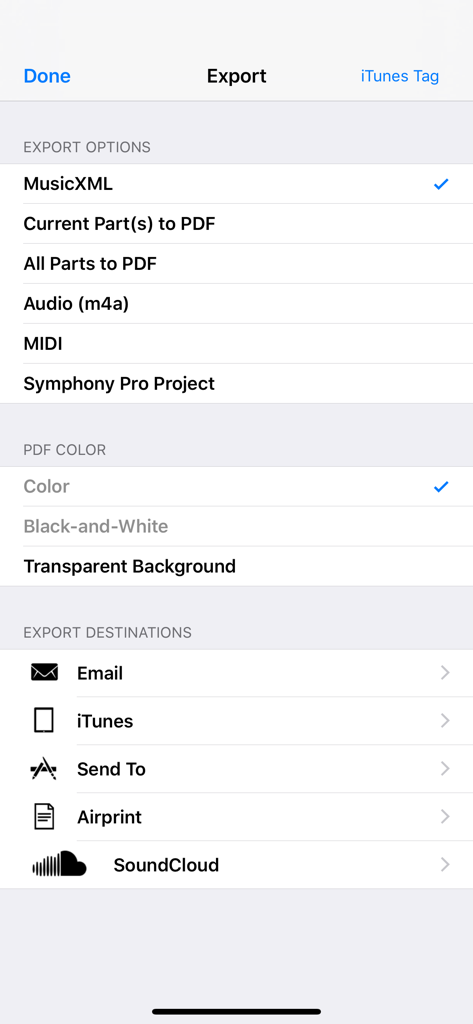
MusicXML, PDF, MIDI 내보내기 및 이메일 또는 SoundCloud 공유 옵션을 보여주는 Symphony Pro 내보내기 메뉴
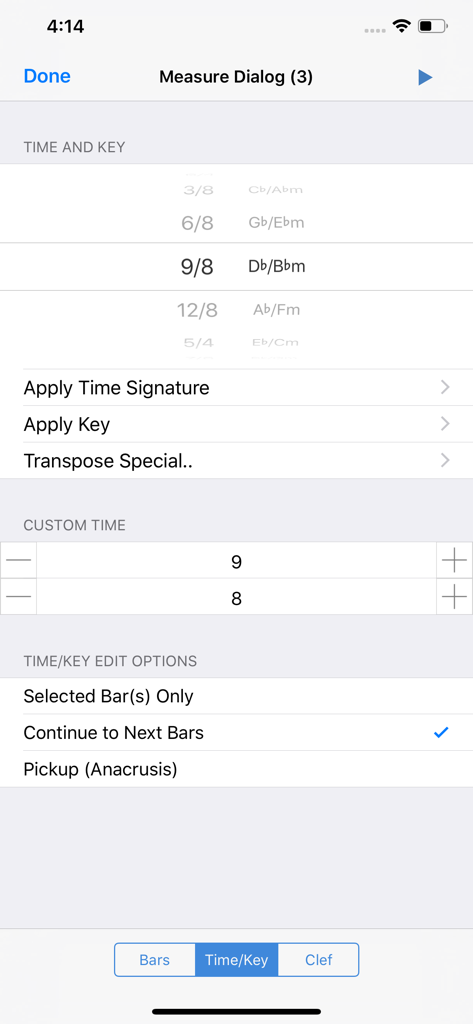
음악 박자 및 조성 선택을 위한 Symphony Pro 앱 인터페이스
설명
Symphony Pro 6 is a complete and intuitive app for writing music notation on iPad. It allows you to compose music for just about any size ensemble, from piano, symphonies, band, lead sheets, chord charts, guitar tabs, and more.
Starting Version 5, Symphony Pro now offers handwriting recognition as the only in-app purchase: Perfect with Apple Pencil, and works great with touch or capacitive stylus
GETTING STARTED
SP provides all of the key options to begin your work. Import a score via MusicXML, MXL, MIDI, or SP file from your computer, or from apps like Dropbox, Mail, iCloud Drive, or Safari. You can base your project on a template, or start a blank score and add additional parts later.
EDITING
To add notes, choose Pencil mode, and tap anywhere on a bar to begin editing right away. You can quickly specify note properties before or after placing notes. By switching to Select mode with one touch, you can also transpose, erase, cut, and paste multiple notes/tracks.
With an on-screen instrument, a QWERTY keyboard, or Core MIDI compatible keyboard, you can quickly enter notes & chords in step entry mode. Record a part in real-time with on-screen instruments to transcribe into notation.
Versions 4 & 5 take greater advantage of the iPad touchscreen. With shortcuts and contextual menus to edit note & bar properties, many of the commonly used editing commands are right at your fingertips.
SP supports a wide range of notational elements for your composition. Including dynamics & articulations, time & key signature changes, clef changes, pedals, and repeat conventions. Edit chord symbols, lyrics, and annotations using the iPad’s standard keyboard.
EXPORT & SHARE
When you’re finished, print out your score with AirPrint, or export it as a PDF, MusicXML, AAC, MIDI, or Symphony file. Share files via email or directly to another computer or iPad via Dropbox/iCloud Drive.
KEY FEATURES
• Introducing Handwriting Recognition for Apple Pencil & touch
• Starting Version 5, Handwriting is the only In-App Purchase to enable the complete app
• Now download SP on your iPhone
• 24+ professionally recorded and sound-designed acoustic instruments, free out of the box
Earlier features offered free, to existing & new owners
• 114 built-in instruments for playback, and auditioning the notes you entered
• Create in standard music notation or tablature
• Edit with an on-screen piano, QWERTY keyboard, or a MIDI input device
• Dozens of shortcuts & gestures to edit & navigate
• Reduce your score size, range, or combination of parts for viewing & editing*
• Print directly to AirPrint
• Up to 48 instruments, 100 staves, 4 voices/layers per score
• Record a part in real-time with clicks at the beat with optional emphasis
• Backup & sync your scores with iCloud*
• Import MusicXML, MIDI, MXL, or Symphony files
• Export as a PDF, MusicXML, MIDI, AAC, or Symphony file
• Large selection of articulations & dynamics
• Multi-measure rests, including automatic rests
• Grace notes
• Customizable noteheads & note colors
• Chord symbol, lyric, and annotation tools
• Edit the properties of multiple notes and rests simultaneously by multi-note select
• Copy/Paste function supports partial & multi-bar/staff select
• Unlimited undo/redo
• Customizable stem directions & note beaming
• Transposing & concert pitch score option
• Change tempo or clef anywhere in score or bar
• Stream audio or share your screen wirelessly with AirPlay
• Advanced document management
• Create your own custom project template or use a built-in one
• Customizable part groupings for SATB and instrument families
• Customizable chord symbol, lyric, and annotation font
• Loop playback feature
• Auto-save support
* Previously paid, but now free upgrade in Version 5
For More information, please visit:
• http://www.symphonypro.net
• http://forums.symphonypro.net
• Facebook page at www.facebook.com/symphonyapp
• Learn about the iPhone-only app: bit.ly/symphonyiphone
이 페이지는 앱이나 개발자의 공식 페이지가 아니며, 정보 제공 및 논평을 목적으로 작성된 독립 편집 간행물입니다. 명시적으로 달리 언급되지 않는 한, 해당 앱이나 개발자는 MWM, Apple, Google Play, 앱 퍼블리셔 또는 앱 개발자와 제휴, 보증, 후원, 승인 또는 공식적으로 연결되어 있지 않으며, 이 페이지의 어떤 내용도 해당 앱이 MWM의 서비스를 사용하여 개발되었음을 의미하지 않습니다. 모든 상표, 로고, 스크린샷 및 기타 콘텐츠는 해당 소유자의 자산입니다.