
이 페이지는 앱이나 개발자의 공식 페이지가 아니며, 정보 제공 및 논평을 목적으로 작성된 독립 편집 간행물입니다. 명시적으로 달리 언급되지 않는 한, 해당 앱이나 개발자는 MWM, Apple, Google Play, 앱 퍼블리셔 또는 앱 개발자와 제휴, 보증, 후원, 승인 또는 공식적으로 연결되어 있지 않으며, 이 페이지의 어떤 내용도 해당 앱이 MWM의 서비스를 사용하여 개발되었음을 의미하지 않습니다. 모든 상표, 로고, 스크린샷 및 기타 콘텐츠는 해당 소유자의 자산입니다.

Teamup Calendar
그룹과 비즈니스를 위한 강력한 공유 캘린더입니다. 세분화된 권한 설정과 실시간 업데이트를 통해 모든 기기에서 인원을 관리하고 리소스를 예약하며 모든 구성원의 싱크를 손쉽게 맞추세요.
다운로드
1M+사용자 평점
총 평가 수
12K+개발사
카테고리
Business지원 언어
20최신 버전
2.20.0크기
35.8 MB출시일
2016년 1월 4일전체 팀을 위한 간편한 협업
모든 기기에서 인원을 조직하고 리소스를 관리하며 모두의 싱크를 맞추기 위해 설계된 공유 커맨드 센터로 일정 관리의 혼란을 해결하세요.
세분화된 액세스 제어
9단계의 권한 설정으로 개인정보를 보호하세요. 팀원, 계약업체 또는 고객에게 과도한 공유 없이 필요한 만큼의 액세스 권한만 부여할 수 있습니다.
통합 리소스 관리
직원과 실물 자산을 나란히 시각화하세요. 중복 예약을 방지하고 필요한 장비가 항상 제자리에 있도록 보장합니다.
자주 묻는 질문
에 대해 알아야 할 모든 것 Teamup Calendar
Teamup Calendar는 무엇인가요?
Teamup Calendar는 그룹을 위한 공유 캘린더로, 사람들을 조직하고, 업무를 예약하고, 가용성을 관리하며, 이벤트를 효율적으로 공유하도록 설계되었습니다. 팀과 개인이 효과적으로 협업하도록 돕습니다.
Teamup Calendar는 무료로 사용할 수 있나요?
네, Teamup Calendar는 기본 버전을 무료로 제공합니다. 이 버전은 소규모 회사, 팀, 가족, 동호회 또는 앱의 초기 평가에 적합합니다.
휴대폰으로 Teamup Calendar에 접속할 수 있나요?
네, Teamup Calendar는 모바일 앱과 웹 브라우저를 통해 모든 기기에서 접속할 수 있습니다. 모바일 앱은 브라우저 기반 버전의 보완 역할을 합니다.
Teamup Calendar의 이벤트에 이미지나 문서를 첨부할 수 있나요?
네, Teamup Calendar를 사용하면 캘린더 이벤트에 이미지와 문서를 직접 첨부할 수 있습니다. 이는 이벤트 상세 정보를 풍부하게 하고 참가자 간의 더 나은 의사소통을 지원합니다.
Teamup Calendar에서 사용자 권한은 어떻게 관리되나요?
Teamup Calendar는 9단계의 접근 권한을 지원하며, 이는 캘린더 관리자가 브라우저 기반 관리 인터페이스를 통해 제어합니다. 이를 통해 세분화된 사용자 접근을 보장합니다.
Teamup Calendar에 다크 모드 옵션이 있나요?
네, Teamup Calendar는 다크 모드를 지원합니다. 이 기능을 통해 사용자는 가시성 향상이나 개인적인 선호에 따라 더 어두운 인터페이스 테마로 전환할 수 있습니다.
Teamup Calendar는 중복 예약을 방지하나요?
네, Teamup Calendar는 중복 예약을 방지하는 기능을 포함하고 있습니다. 이 기능은 효율적인 일정 관리를 돕고 리소스나 이벤트 할당 시 충돌을 방지합니다.
새 Teamup Calendar는 어떻게 만드나요?
새 Teamup Calendar를 만들려면 웹 브라우저에서 https://www.teamup.com을 방문하세요. 전체 관리 및 구성 인터페이스는 웹 버전에서만 사용할 수 있습니다.
Teamup Calendar의 핵심 기능은 무엇인가요?
Teamup Calendar의 주요 기능에는 중앙 집중식 관리, 하위 캘린더 보기, 사용자 지정 가능한 접근 권한, 사용자 지정 필드, 파일 첨부, 그리고 글로벌 팀을 위한 강력한 시간대 지원이 있습니다.
Teamup Calendar는 SSO(Single Sign-On)를 지원하나요?
네, Teamup Calendar는 엔터프라이즈 수준 기능으로 SSO(Single Sign-On)를 제공합니다. 이는 대규모 조직의 인증 프로세스를 간소화합니다.
다음 스크린샷과 설명은 앱의 공식 스토어 목록에서 직접 가져온 것이며 앱 개발자의 자산입니다.
앱 스토어
스크린샷
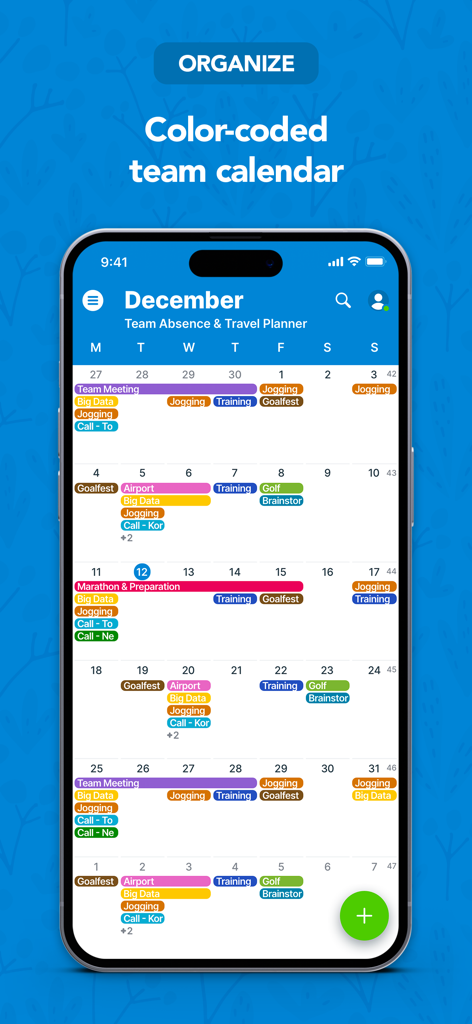
일정 정리를 위해 Teamup 앱에서 색상별로 구분된 월간 팀 캘린더 보기를 보여주는 모바일 화면.
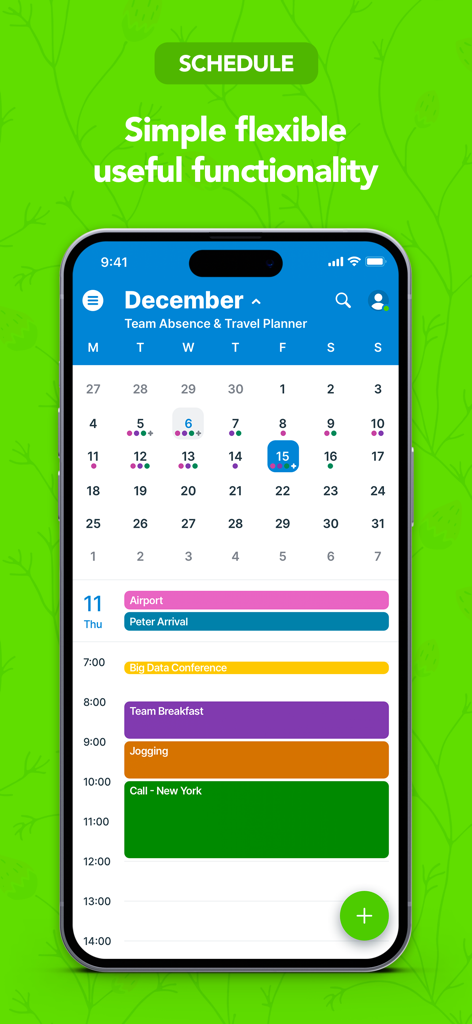
iPhone에서 월간 캘린더와 색상별로 구분된 일간 일정을 보여주는 Teamup Calendar 모바일 앱.
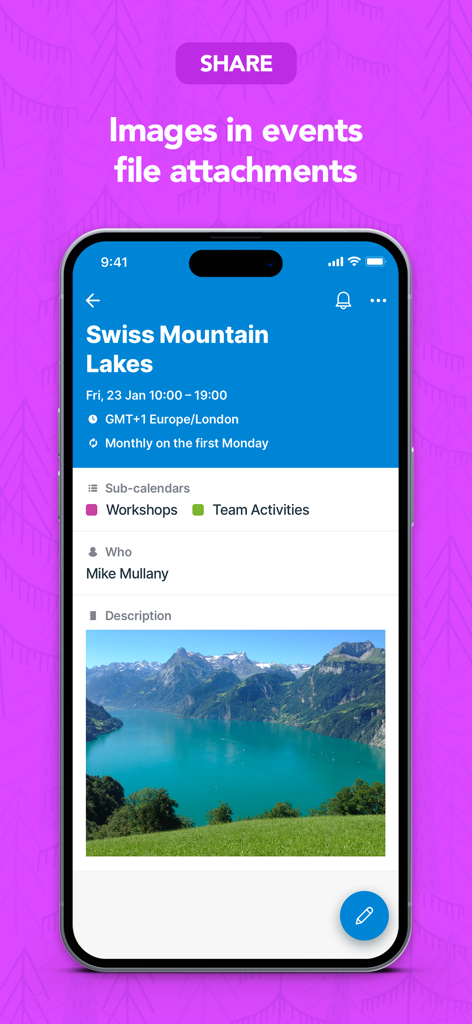
파일 첨부로 산속 호수 사진이 포함된 Teamup Calendar 이벤트 상세 화면.
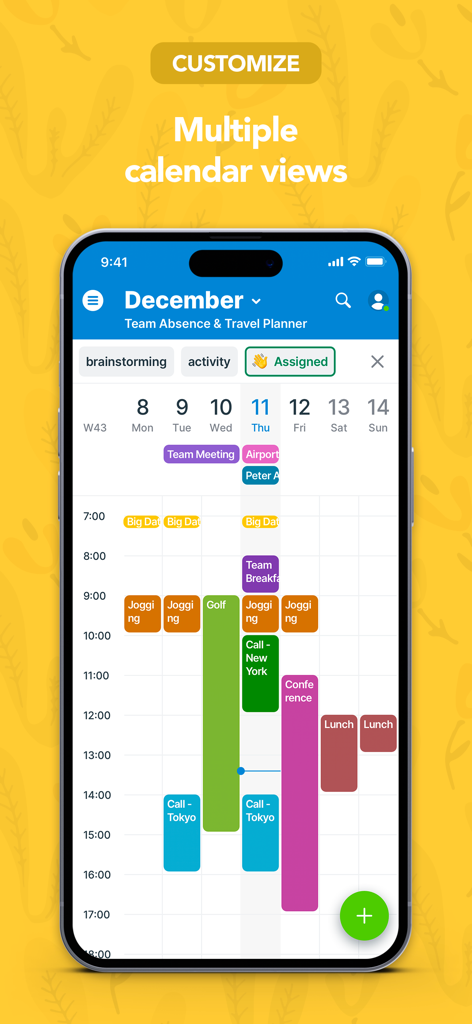
그룹 일정을 위해 여러 개의 색상별 서브 캘린더 보기를 보여주는 Teamup Calendar 앱 인터페이스.
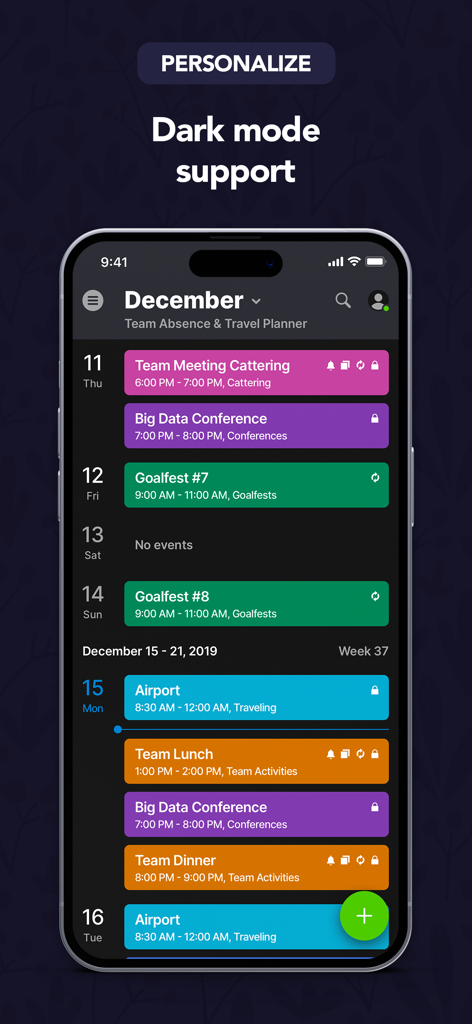
색상별로 구분된 팀 일정을 보여주는 다크 모드 기반의 Teamup Calendar 앱 인터페이스.
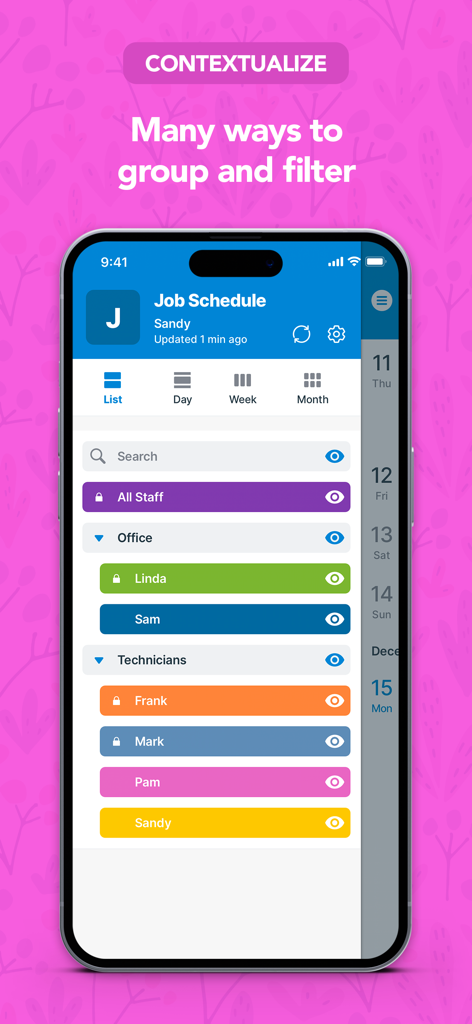
그룹별로 정리되고 특정 팀원별로 필터링된 작업 일정을 보여주는 Teamup Calendar 모바일 앱 인터페이스.
설명
Download
비슷한 앱
유사한 기능과 사용자 경험을 가진 앱

Howbout: shared calendar
Howbout Ltd.
TimeTree: Shared Calendar
TimeTree, Inc.

Cupla: Shared Couples Calendar
Cupla Limited

Chouseisan
Mixtend Inc.

みんなの縦型カレンダー
Funeasy Soft, Inc.
OurCal: Group Calendar Share
ONIN LTD.

게더링 : 함께 쓰는 공유 캘린더
HUSTLERS Corp

不揪?- 儲存、分享課表
HSIN-CHE CHUNG

Palu - Handwriting Calendar -
MetaMoJi Corporation
이 페이지는 앱이나 개발자의 공식 페이지가 아니며, 정보 제공 및 논평을 목적으로 작성된 독립 편집 간행물입니다. 명시적으로 달리 언급되지 않는 한, 해당 앱이나 개발자는 MWM, Apple, Google Play, 앱 퍼블리셔 또는 앱 개발자와 제휴, 보증, 후원, 승인 또는 공식적으로 연결되어 있지 않으며, 이 페이지의 어떤 내용도 해당 앱이 MWM의 서비스를 사용하여 개발되었음을 의미하지 않습니다. 모든 상표, 로고, 스크린샷 및 기타 콘텐츠는 해당 소유자의 자산입니다.