TextPort: Text Message Export
다운로드: App Store

이 페이지는 앱이나 개발자의 공식 페이지가 아니며, 정보 제공 및 논평을 목적으로 작성된 독립 편집 간행물입니다. 명시적으로 달리 언급되지 않는 한, 해당 앱이나 개발자는 MWM, Apple, Google Play, 앱 퍼블리셔 또는 앱 개발자와 제휴, 보증, 후원, 승인 또는 공식적으로 연결되어 있지 않으며, 이 페이지의 어떤 내용도 해당 앱이 MWM의 서비스를 사용하여 개발되었음을 의미하지 않습니다. 모든 상표, 로고, 스크린샷 및 기타 콘텐츠는 해당 소유자의 자산입니다.

로고: TextPort: Text Message Export
다운로드: App Store

TextPort: Text Message Export

iMessage, WhatsApp 및 Telegram 채팅을 보관하는 가장 간단한 방법. 법률 문서, 비즈니스 규정 준수 또는 소중한 디지털 추억 보호에 적합합니다.

주요 수치

다운로드

400

사용자 평점

4.2/5

총 평가 수

400

개발사

TSUBASA TECHNOLOGIES LIMITED LIABILITY COMPANY

카테고리

Utilities

지원 언어

22

최신 버전

3.18

크기

60.4 MB

출시일

2025년 5월 16일
기능

디지털 문서 기록을 안전하게 보관하세요

법적 증거, 비즈니스 기록 또는 개인적인 추억을 위해 TextPort는 채팅을 몇 초 안에 정리되고 검색 가능한 문서로 변환합니다.

법정 제출 가능 PDF 내보내기

iMessage 및 SMS를 법률 문서 및 규정 준수에 적합한 전문적이고 타임스탬프가 찍힌 PDF 또는 CSV 파일로 변환합니다.

하나의 앱, 모든 채팅

간단하고 단계별 프로세스를 통해 WhatsApp, Telegram, Messenger 및 Instagram DM 전반의 대화를 원활하게 내보냅니다.

다음 스크린샷과 설명은 앱의 공식 스토어 목록에서 직접 가져온 것이며 앱 개발자의 자산입니다.

앱 스토어

스크린샷
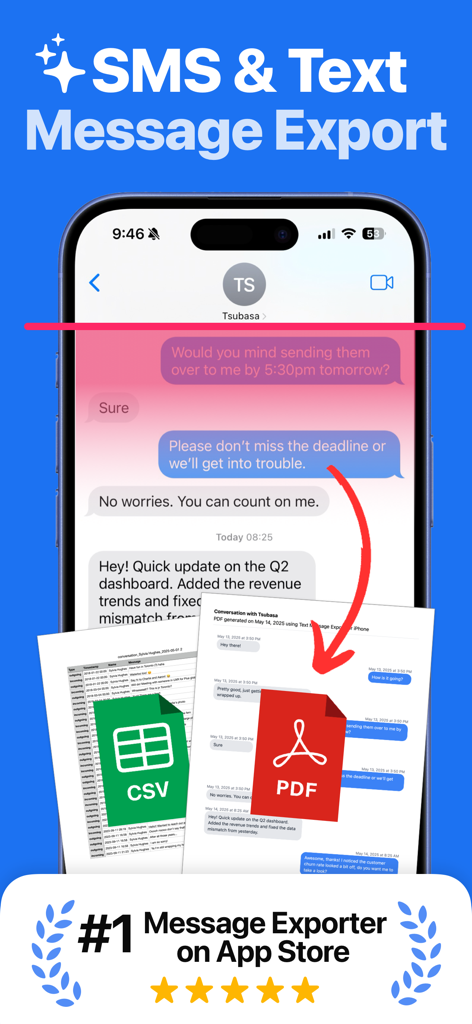
TextPort: Text Message Export - TextPort 앱 인터페이스가 iPhone에서 PDF 및 CSV 파일 형식으로 SMS 및 문자 메시지 내보내기를 보여줍니다.
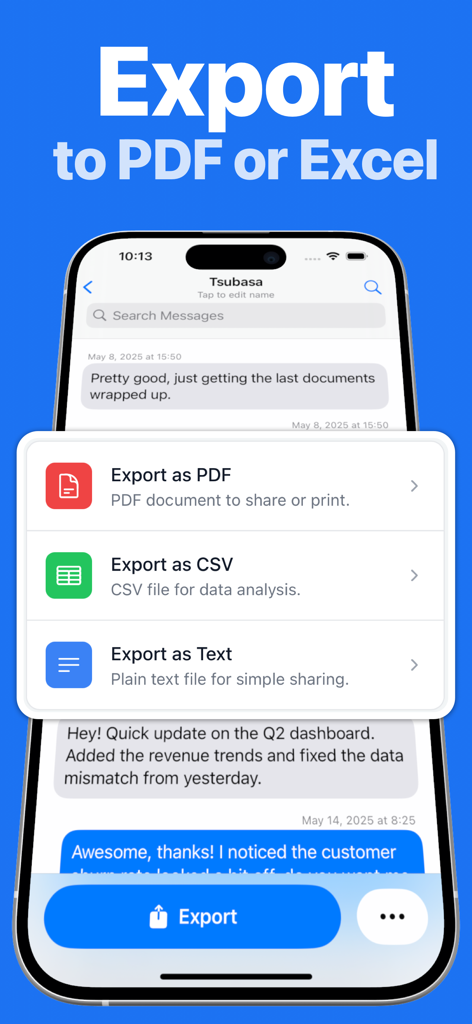
TextPort 앱 인터페이스가 iPhone에서 PDF 및 CSV 파일 형식으로 SMS 및 문자 메시지 내보내기를 보여줍니다.

TextPort: Text Message Export - TextPort 앱 옵션 화면에서 iPhone 메시지를 PDF, CSV 또는 일반 텍스트로 내보냅니다.
TextPort 앱 옵션 화면에서 iPhone 메시지를 PDF, CSV 또는 일반 텍스트로 내보냅니다.

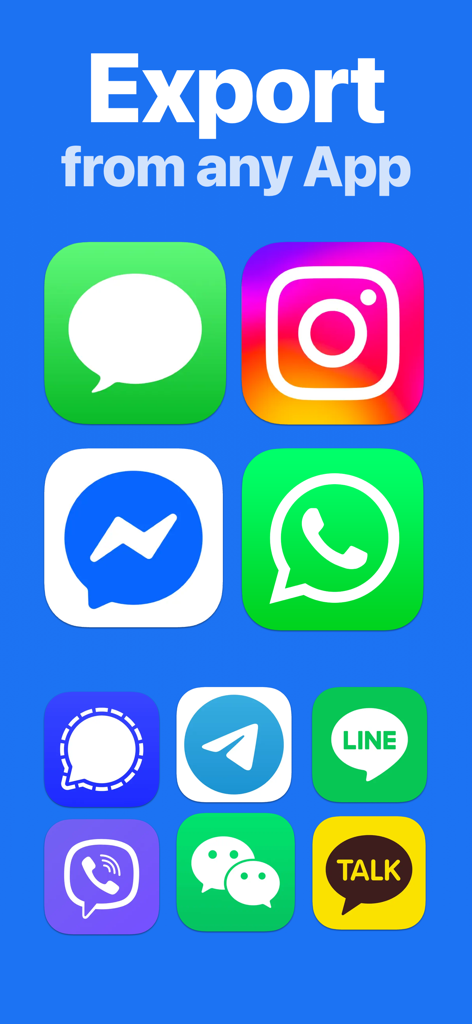
TextPort: Text Message Export - WhatsApp iMessage 및 Instagram을 포함한 텍스트 기록 내보내기를 위한 지원 메시징 앱 아이콘을 보여주는 인터페이스
WhatsApp iMessage 및 Instagram을 포함한 텍스트 기록 내보내기를 위한 지원 메시징 앱 아이콘을 보여주는 인터페이스

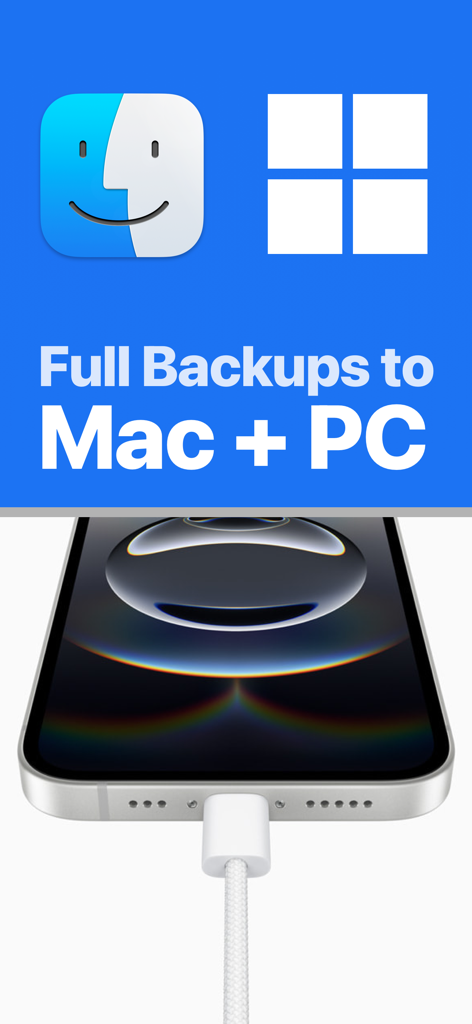
TextPort: Text Message Export - iPhone을 케이블에 연결하여 Mac 및 PC 컴퓨터로 전체 메시지 백업을 보여줍니다.
iPhone을 케이블에 연결하여 Mac 및 PC 컴퓨터로 전체 메시지 백업을 보여줍니다.

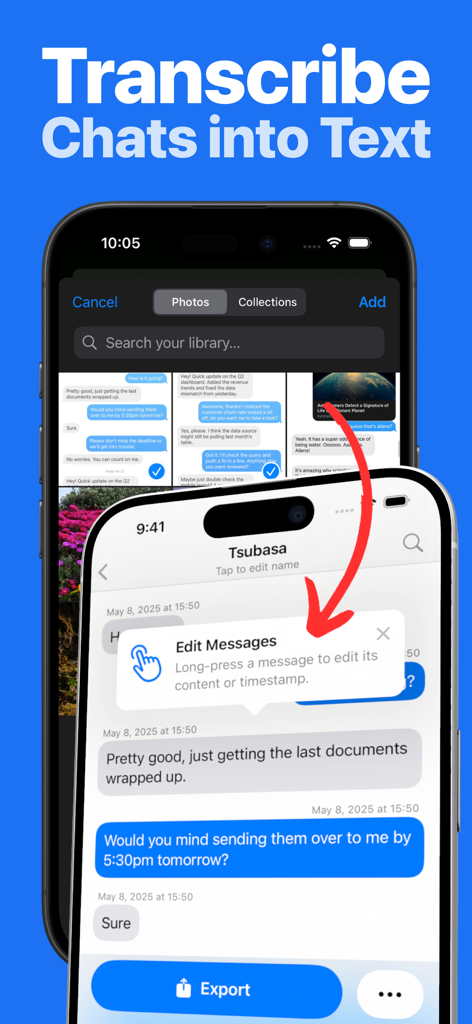
TextPort: Text Message Export - TextPort 앱 내에서 편집 가능한 텍스트로 채팅 스크린샷을 전사하는 방법을 보여주는 인터페이스.

TextPort 앱 내에서 편집 가능한 텍스트로 채팅 스크린샷을 전사하는 방법을 보여주는 인터페이스.

TextPort: Text Message Export - TextPort 앱 프로모션 화면에 평균 평점 4.2와 지금 설치 버튼이 표시됩니다.

TextPort 앱 프로모션 화면에 평균 평점 4.2와 지금 설치 버튼이 표시됩니다.

설명

TextPort is the easiest way to download text messages from iPhone and export conversations from any messaging app on your device. Whether you need to export text messages from iPhone for personal archiving, legal documentation, or peace of mind, TextPort makes it effortless to backup and preserve your important conversations, memories, and information. Export all you messages at once using our desktop app or transcribe screenshots of your chats into data you can search, download, backup and print. Looking for how to download text messages from iPhone? TextPort provides the simplest solution to save your SMS, iMessage, WhatsApp, Messenger, Telegram, and other messaging app conversations in multiple formats directly on your iPhone. KEY FEATURES • Universal iMessage Exporter & More: Works as an iMessage exporter and supports downloading text messages from iPhone across all messenger apps—SMS, WhatsApp, Messenger, Instagram DMs, Telegram, and more. • iPhone Export Text Messages to PDF: Easily export text messages from iPhone to PDF, CSV, or plain text. Perfect for those searching for how to export text messages from iPhone in accessible formats. • Download Text Messages iPhone Made Simple: Clear step-by-step guidance ensures anyone can start downloading text messages from iPhone in minutes—no technical knowledge required. • No Limits: Export as many conversations or messages as you need. The best app to download text messages from iPhone without restrictions. • Decipher Textmessage: Turn you chats into data you can backup, download, print and export. • Reliable Customer Support: Get quick help whenever you need it from our dedicated support team. WHY CHOOSE TEXTPORT? • Complete Text Message Backup: The ultimate solution for those wondering how to download messages from iPhone securely for future reference. • Professional PDF Export: Ideal for users who need to export text messages from iPhone to PDF for legal documentation, business records, or client correspondence. • Easy Organization: Quickly archive and download iPhone text messages, making them easy to search, review, or print. • Personal Archives: Safely preserve memories—perfect for anyone learning how to download texts from iPhone to keep meaningful conversations. PERFECT FOR • Professionals needing documented proof of communication who want to export text messages from iPhone • Individuals looking for how to download text messages from iPhone to securely back up meaningful messages • Businesses requiring conversation exports for compliance or record-keeping • Anyone searching for a reliable iMessage exporter or text message backup solution • Love mobile app by users of apps like iMazing, Touchcopy, Copytrans, Phoneview GET STARTED WITH TEXTPORT Discover how easy it is to backup and download text messages from iPhone: • How to export text messages from iPhone — Simple step-by-step process • iPhone export text messages to PDF — Create professional PDF documents of your conversations • How to download messages from iPhone — Quick backup to your computer • Export text messages from iPhone to CSV for easy analysis and organization SUBSCRIPTION DETAILS A subscription gives you full access to unlimited message exporting, multiple file formats including PDF export, and premium customer support. Terms: https://www.apple.com/legal/internet-services/itunes/dev/stdeula/ Privacy Policy: https://exportiphonemessages.com/privacy

Download

다운로드: App Store

이 페이지는 앱이나 개발자의 공식 페이지가 아니며, 정보 제공 및 논평을 목적으로 작성된 독립 편집 간행물입니다. 명시적으로 달리 언급되지 않는 한, 해당 앱이나 개발자는 MWM, Apple, Google Play, 앱 퍼블리셔 또는 앱 개발자와 제휴, 보증, 후원, 승인 또는 공식적으로 연결되어 있지 않으며, 이 페이지의 어떤 내용도 해당 앱이 MWM의 서비스를 사용하여 개발되었음을 의미하지 않습니다. 모든 상표, 로고, 스크린샷 및 기타 콘텐츠는 해당 소유자의 자산입니다.