
이 페이지는 앱이나 개발자의 공식 페이지가 아니며, 정보 제공 및 논평을 목적으로 작성된 독립 편집 간행물입니다. 명시적으로 달리 언급되지 않는 한, 해당 앱이나 개발자는 MWM, Apple, Google Play, 앱 퍼블리셔 또는 앱 개발자와 제휴, 보증, 후원, 승인 또는 공식적으로 연결되어 있지 않으며, 이 페이지의 어떤 내용도 해당 앱이 MWM의 서비스를 사용하여 개발되었음을 의미하지 않습니다. 모든 상표, 로고, 스크린샷 및 기타 콘텐츠는 해당 소유자의 자산입니다.

WT Chat Backup Restore Delete
당신은 디지털 기억 상실증에 걸리지 않을 권리가 있습니다. 이 앱은 당신이 망각을 극복할 수 있도록 돕는 도구입니다.
다운로드
750k+사용자 평점
총 평가 수
5.3K개발사
카테고리
Reference지원 언어
1최신 버전
3.9크기
90.4 MB출시일
2022년 2월 5일WhatsApp 및 WhatsApp Business 사용자를 위한 핵심 백업 및 데이터 관리 솔루션
앱 'WT Chat Backup Restore Delete' 주요 기능 분석
삭제된 메시지 확인
이 앱은 사용자가 WhatsApp에서 삭제된 대화, 미디어, 문서를 WhatsApp과 유사한 미리보기로 다시 확인할 수 있도록 해줍니다.
WhatsApp 대화 자동 백업
이 도구는 사용자의 중요한 WhatsApp 대화, 미디어, 링크, 문서를 간편하고 안전하게 백업합니다.
강력한 데이터 보안
이 앱은 백업된 개인 대화에 암호, Touch ID 또는 Face ID를 적용하여 사용자 데이터의 보안을 강화합니다.
사적인 대화 열람
사용자는 WhatsApp에서 삭제된 대화도 이 앱 내에서 사적이고 안전하게 열람할 수 있습니다.
다중 플랫폼 대화 가져오기
이 도구는 WhatsApp 외에도 WhatsApp Business, Google Drive, 파일 관리자 등 다양한 소스에서 내보낸 대화를 가져올 수 있도록 지원합니다.
외부 저장소로 백업 내보내기
이 앱은 백업된 WhatsApp 대화, 미디어 및 문서를 사용자의 하드 드라이브 또는 다른 외부 저장소 옵션으로 쉽게 내보낼 수 있도록 합니다.
WhatsApp과 동일한 보기 환경
이 도구는 완벽한 타임스탬프와 함께 WhatsApp에서와 동일한 방식으로 대화, 사진, 비디오, 오디오, 문서 및 링크를 표시하여 익숙한 사용자 경험을 제공합니다.
연락처 저장 없이 채팅 시작 (Click to Chat)
이 기능은 사용자가 연락처를 저장하지 않고도 알 수 없는 번호나 일회성 연락처와 WhatsApp 채팅을 시작할 수 있게 해줍니다.
자주 묻는 질문
에 대해 알아야 할 모든 것 WT Chat Backup Restore Delete
What is the WT Chat Backup Restore Delete app?
The WT Chat Backup Restore Delete app (WhatsApp Backup) securely backs up WhatsApp conversations, media, links, and documents. It allows users to access deleted chats and view them privately with a WhatsApp-like preview.
Does WT Chat Backup Restore Delete allow access to deleted WhatsApp chats?
Yes, the WhatsApp Backup app allows you to access deleted chats, media, and documents after import. It provides a WhatsApp-like preview for viewing the content.
Does the WhatsApp Backup app offer unlimited chat storage?
Yes, the WhatsApp Backup app provides unlimited chat backups. It also includes all-in-one media access and smart chat search features for comprehensive data management.
How does the WT Chat Backup Restore Delete app secure private chats?
The WT Chat Backup Restore Delete app allows private viewing of chats. It secures backups with a passcode, Touch ID, or Face ID, keeping your WhatsApp backup safe and protected.
Which platforms does WhatsApp Backup support for importing chats?
WhatsApp Backup supports importing chats from WhatsApp, WhatsApp Business, Google Drive, and File Manager. This offers versatility for users with various chat sources.
Can I view media files within the WhatsApp Backup app?
Yes, the WhatsApp Backup app allows viewing photos, videos, audios, documents, and links. It displays them with perfect timestamps, mimicking the original WhatsApp interface.
Does the WT Chat Backup Restore Delete app have a text-to-speech feature?
Yes, the WT Chat Backup Restore Delete app includes text-to-speech. With one click, you can hear backed-up messages clearly, which is useful for different languages.
What are the steps to import a WhatsApp chat into the WT Chat Backup Restore Delete app?
To import a chat, tap it in WhatsApp, go to contact info, select "export chat," choose to attach media, and then select the WA Backup App. The chat imports automatically.
Does WhatsApp Backup allow chatting with unknown numbers?
Yes, the "Click to chat for WhatsApp" feature allows chatting with unknown people or one-time contacts without saving their number. This maintains ongoing conversations efficiently.
Can I export chats from the WT Chat Backup Restore Delete app to other storage?
Yes, you can export WhatsApp chats, media, and documents from the app. This allows saving them to your hard drive or other storage alternatives as needed.
How much does a subscription for the WhatsApp Backup app cost?
A Weekly Subscription costs $1.99 USD, Monthly is $2.99 USD, and Yearly is $19.99 USD. These prices are for the WhatsApp Backup app (WT Chat Backup Restore Delete).
How do users manage their WT Chat Backup Restore Delete app subscription?
Users manage their WT Chat Backup Restore Delete app subscription via iTunes Account Settings. Auto-renewal must be turned off there at least 24 hours before the current period ends.
다음 스크린샷과 설명은 앱의 공식 스토어 목록에서 직접 가져온 것이며 앱 개발자의 자산입니다.
앱 스토어
스크린샷
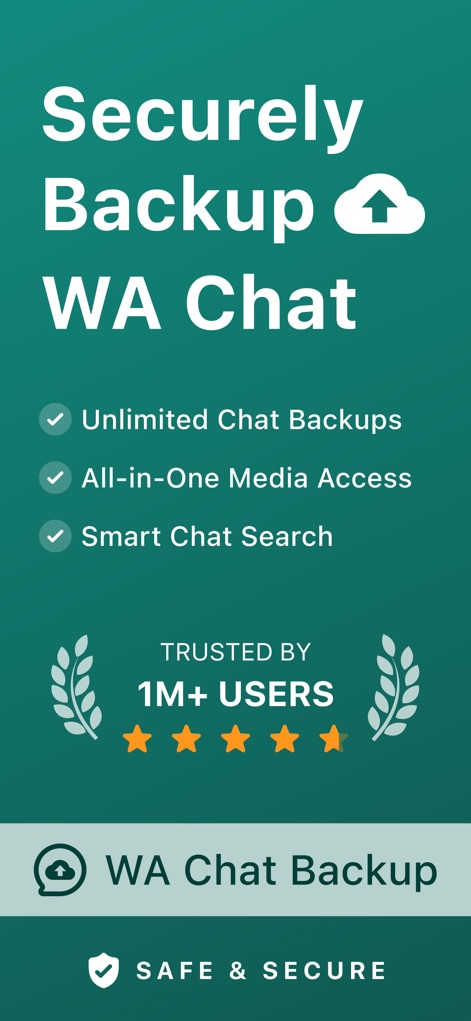
이 앱은 무제한 채팅 백업을 제공하며, 1백만 명 이상의 사용자에게 신뢰받는 안전한 데이터 보호를 강조합니다.
안전한 WA 백업

사용자는 앱 내에서 깔끔하게 정리된 채팅 목록을 확인하고, 특정 연락처의 대화를 손쉽게 선택할 수 있습니다.
채팅 목록 확인

이 앱은 WhatsApp과 유사한 인터페이스로 대화 내역을 보여주며, 메시지와 미디어 링크가 포함된 카탈로그를 명확하게 표시합니다.
대화 내역 보기

사용자는 미디어, 링크, 문서 탭을 통해 다양한 미디어 파일을 편리하게 탐색하고, WhatsApp과 동일한 방식으로 사진 및 동영상을 미리 볼 수 있습니다.
미디어 파일 접근
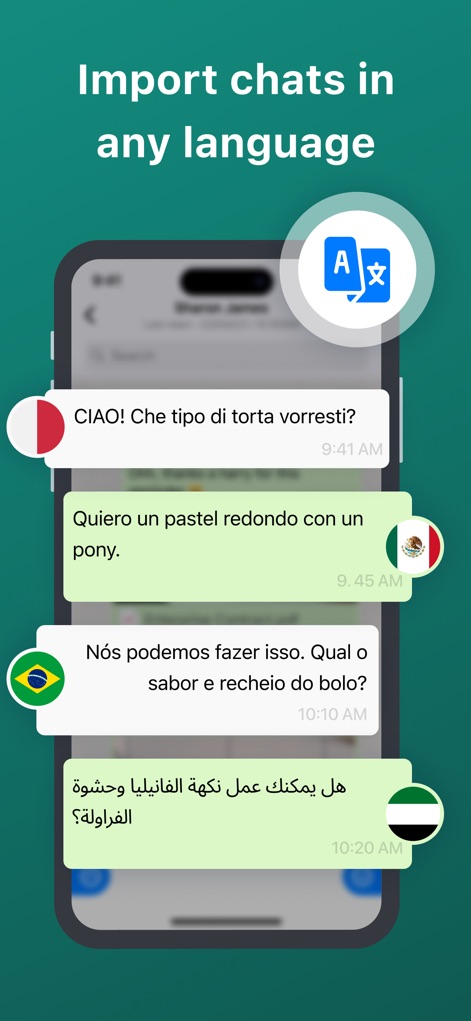
이 앱은 다국어 채팅을 원활하게 가져와 표시하며, 각 메시지 옆에 해당 언어의 국기 아이콘이 나타나 언어를 시각적으로 구분합니다.
다양한 언어 지원
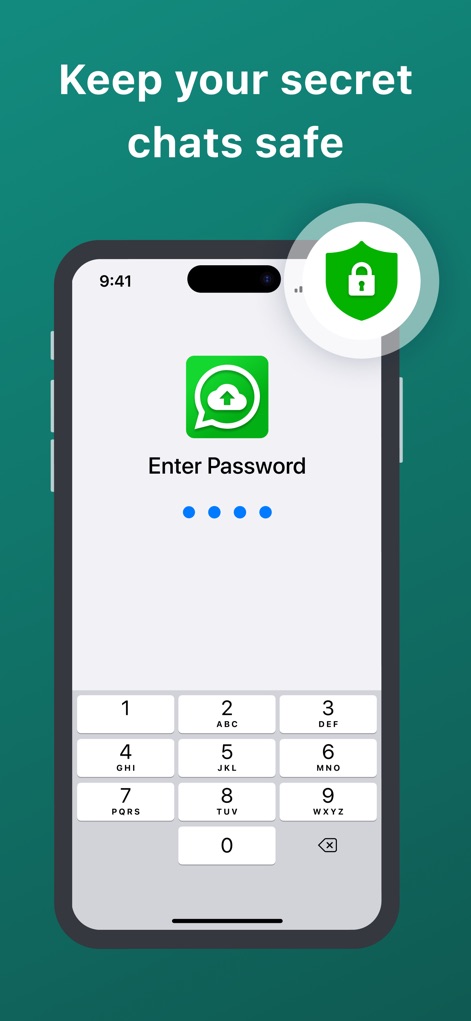
중요한 채팅은 개인정보 보호를 위해 패스코드를 설정하여 접근을 제한할 수 있으며, 잠금 방패 아이콘으로 보안 기능을 시각적으로 강조합니다.
비밀 채팅 보호

이 도구는 WhatsApp, WhatsApp Business뿐만 아니라 Google Drive, 파일 관리자 등 여러 플랫폼에서 채팅을 가져올 수 있는 유연성을 제공합니다.
다양한 플랫폼 호환

사용자는 WhatsApp에서 백업하려는 채팅을 선택한 다음, 해당 연락처 정보를 탭하여 가져오기 절차를 시작할 수 있습니다.
채팅 가져오기: 1단계

채팅 설정에서 '채팅 내보내기' 옵션을 선택한 후, 공유 시트에서 이 앱 아이콘을 선택하여 백업을 진행할 수 있습니다.
채팅 내보내기: 2단계

채팅 가져오기가 성공적으로 완료되면, 이 앱은 가져온 채팅 목록을 보여주며 완료를 알리는 확인 메시지를 표시합니다.
가져오기 완료!
설명
Download
비슷한 앱
유사한 기능과 사용자 경험을 가진 앱

Chat Backup Assistant: Textify
muge deniz

Recover Deleted Messages: WARB
SERPINTY DIJITAL HIZMETLER LIMITED SIRKETI

REWA: Backup Messages Pro
Emre Boyabat

WT Backup & Restore - StoryBox
Jayshri Pipaliya

Dual Messenger & Duo Web
菲 张

TextPort: Text Message Export
TSUBASA TECHNOLOGIES LIMITED LIABILITY COMPANY

Delox Recover Deleted Messages
Gizem Yildirim

AppToCloud - Copy My Data
Zipo Apps Ltd.

Backup my Chats & Photos
Arpana Singh
이 페이지는 앱이나 개발자의 공식 페이지가 아니며, 정보 제공 및 논평을 목적으로 작성된 독립 편집 간행물입니다. 명시적으로 달리 언급되지 않는 한, 해당 앱이나 개발자는 MWM, Apple, Google Play, 앱 퍼블리셔 또는 앱 개발자와 제휴, 보증, 후원, 승인 또는 공식적으로 연결되어 있지 않으며, 이 페이지의 어떤 내용도 해당 앱이 MWM의 서비스를 사용하여 개발되었음을 의미하지 않습니다. 모든 상표, 로고, 스크린샷 및 기타 콘텐츠는 해당 소유자의 자산입니다.