이 페이지는 앱이나 개발자의 공식 페이지가 아니며, 정보 제공 및 논평을 목적으로 작성된 독립 편집 간행물입니다. 명시적으로 달리 언급되지 않는 한, 해당 앱이나 개발자는 MWM, Apple, Google Play, 앱 퍼블리셔 또는 앱 개발자와 제휴, 보증, 후원, 승인 또는 공식적으로 연결되어 있지 않으며, 이 페이지의 어떤 내용도 해당 앱이 MWM의 서비스를 사용하여 개발되었음을 의미하지 않습니다. 모든 상표, 로고, 스크린샷 및 기타 콘텐츠는 해당 소유자의 자산입니다.
Theodolite
2009년부터 수백만 전문가의 신뢰를 받아왔습니다. 나침반, 경사계, 거리 측정기, GPS를 하나의 검증된 도구로 통합하여 가장 까다로운 환경에서 지리 오버레이 데이터를 캡처하세요.
주요 수치
다운로드
289K+
사용자 평점
4.4/5
총 평가 수
3K+
개발사
Craig Hunter
카테고리
Navigation
지원 언어
1
최신 버전
9.1
크기
29.6 MB
출시일
2009년 11월 30일
기능
현장 전문가를 위한 전문가급 내비게이션
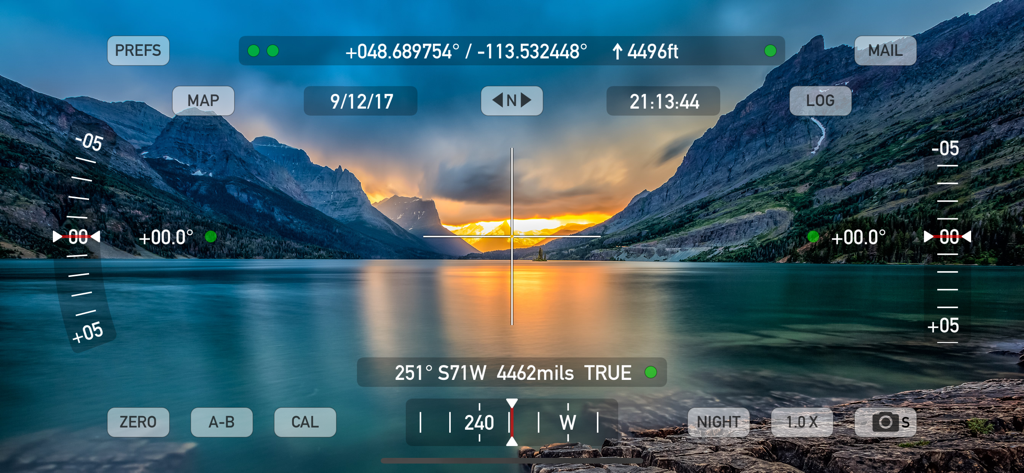
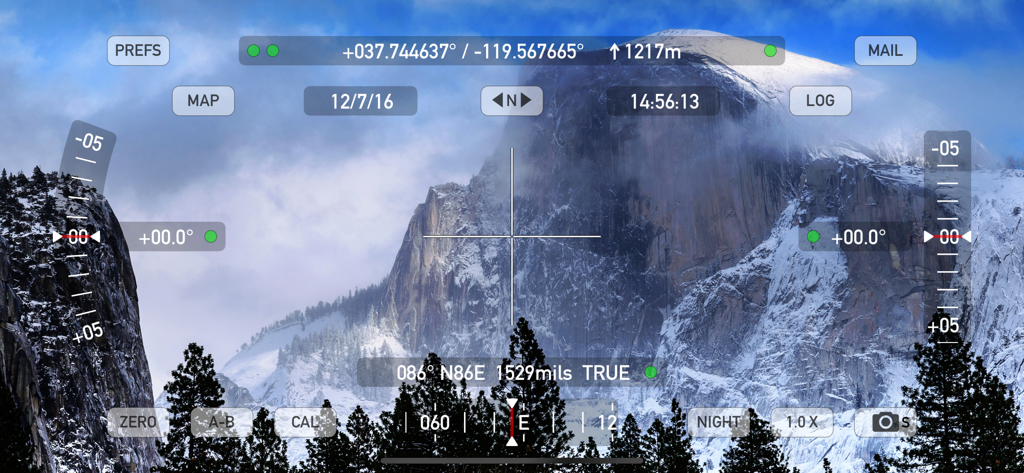
Theodolite는 측량사, 엔지니어, 야외 전문가를 위해 설계된 단일 AR 뷰파인더에 나침반, 경사계, 거리 측정기, GPS를 통합합니다.
데이터 오버레이 문서화
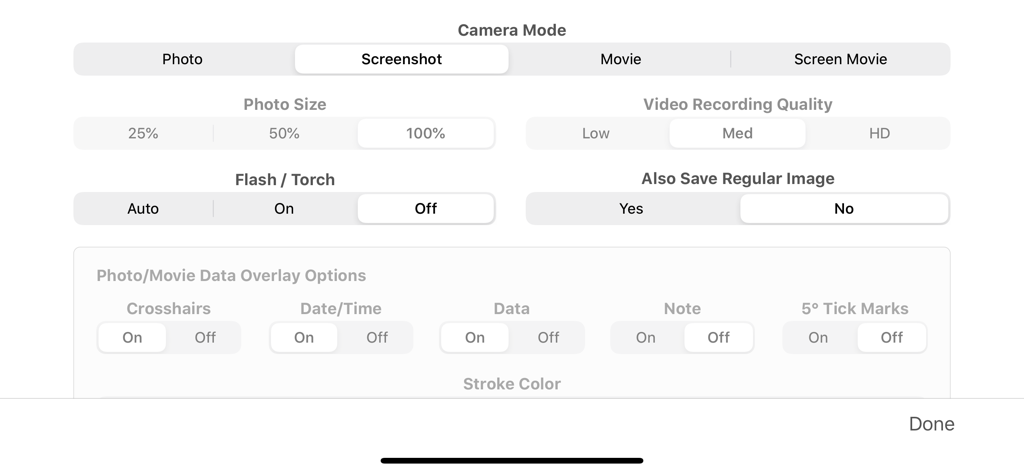
위치, 각도, 프로젝트 메모를 즉시 현장 기록으로 이미지 및 메타데이터에 직접 포함하여 사진과 동영상을 캡처합니다.
정밀 엔지니어링 도구
밀 기반 레티클, 광학 거리 측정기, MGRS 및 US State Plane과 같은 다중 형식 좌표 시스템을 포함한 전문가급 도구에 액세스합니다.
다음 스크린샷과 설명은 앱의 공식 스토어 목록에서 직접 가져온 것이며 앱 개발자의 자산입니다.
앱 스토어
스크린샷
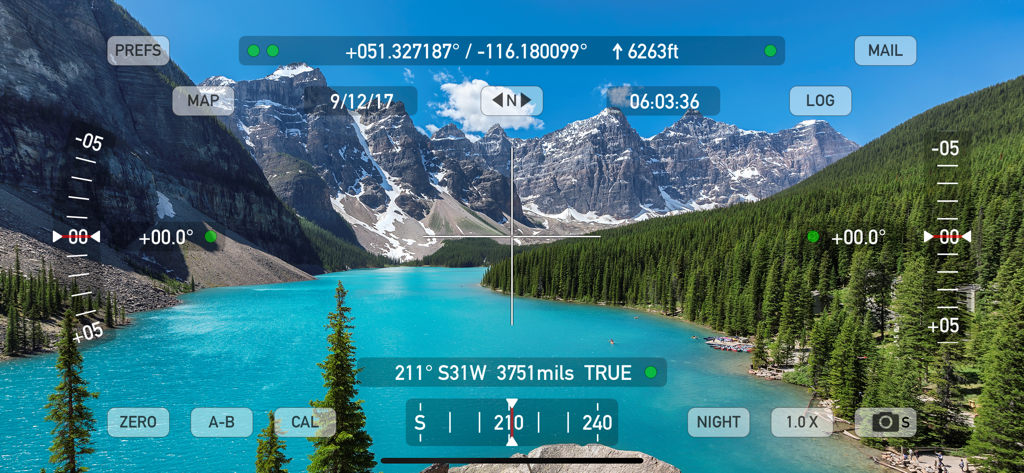
Theodolite 앱 인터페이스에 실시간 GPS 좌표, 고도 및 경사계 데이터가 산악 호수 풍경에 오버레이되어 표시됨
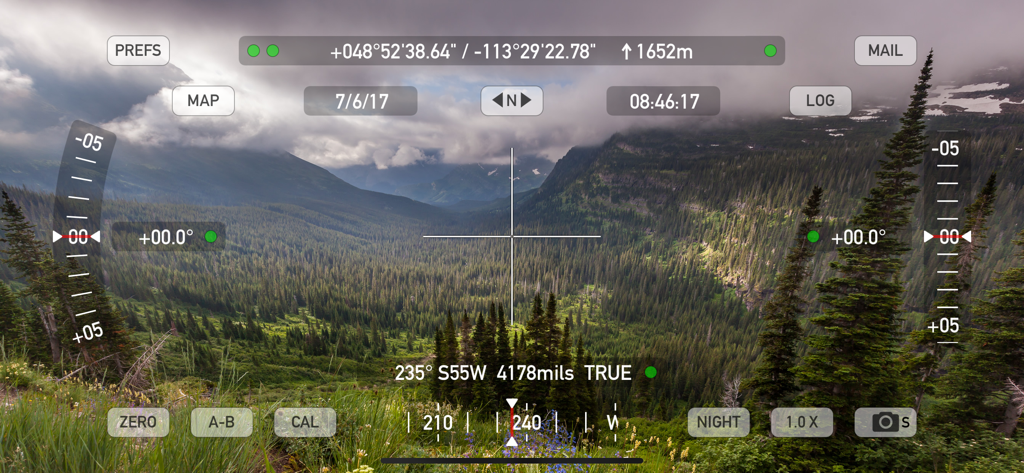
Theodolite 앱 AR 뷰파인더에 산악 풍경에 GPS 및 고도 데이터가 오버레이되어 표시됨
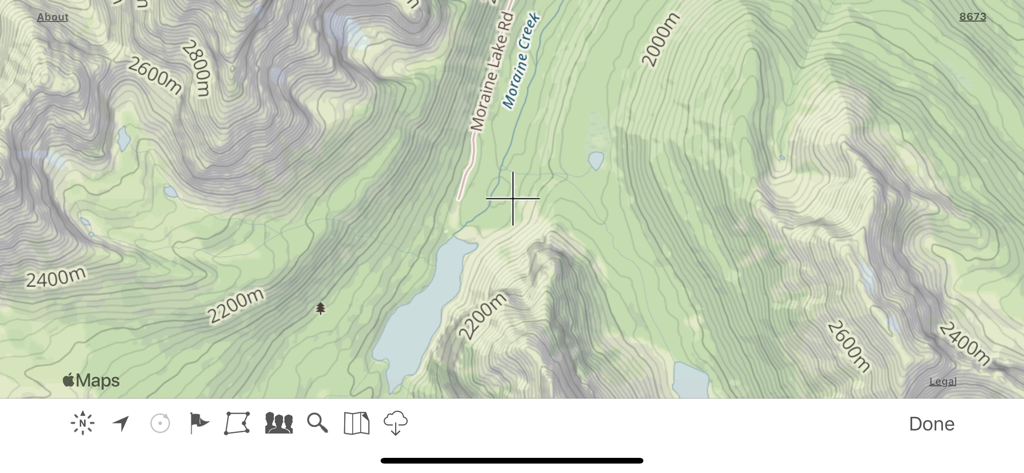
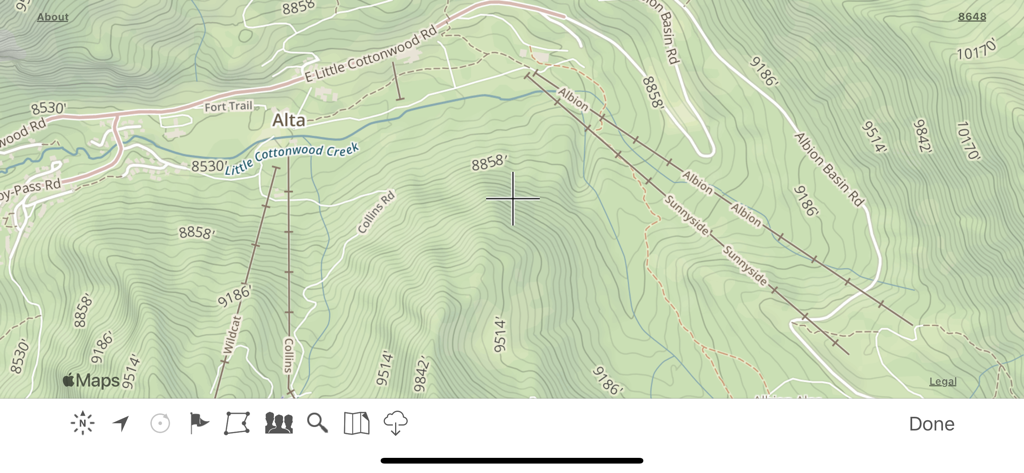
Theodolite 앱의 지형도 인터페이스에 등고선과 산악 지형이 표시됨
Theodolite 앱의 지형도 디스플레이에 등고선과 트레일 라벨이 표시됨
Theodolite 앱 AR 뷰파인더에 산악 호수 위에 GPS 좌표와 전문 내비게이션 데이터가 표시됨.
Theodolite 앱 증강 현실 뷰파인더에 산악 풍경 위에 GPS 좌표 및 고도 데이터가 표시됨
Theodolite 앱 설정에서 카메라 모드 및 데이터 오버레이 구성 화면
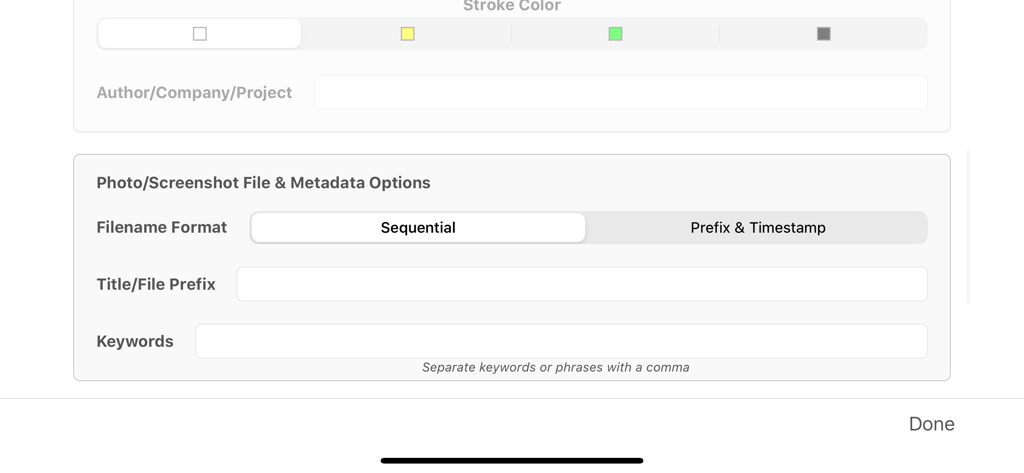
Theodolite 앱의 사진 메타데이터 및 파일 이름 형식 옵션 설정 화면.
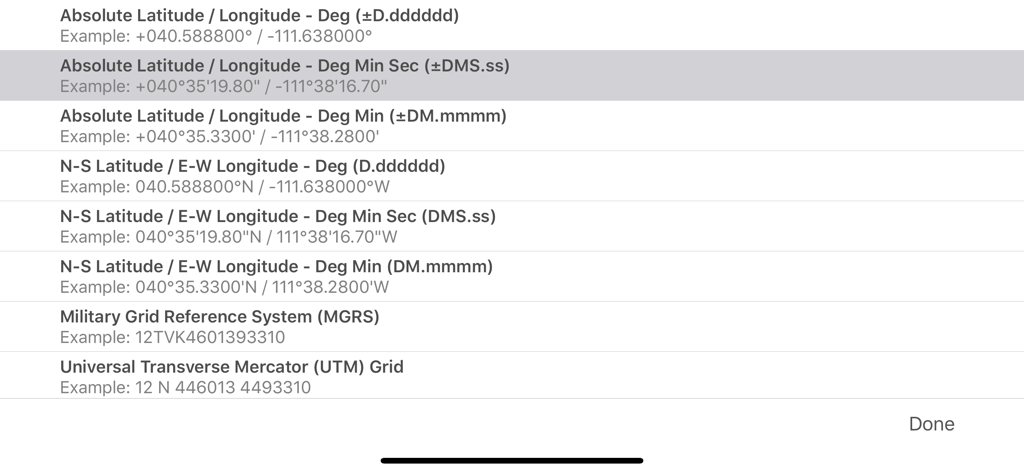
Theodolite 앱의 MGRS 및 UTM과 같은 다양한 GPS 좌표 형식 옵션을 보여주는 메뉴
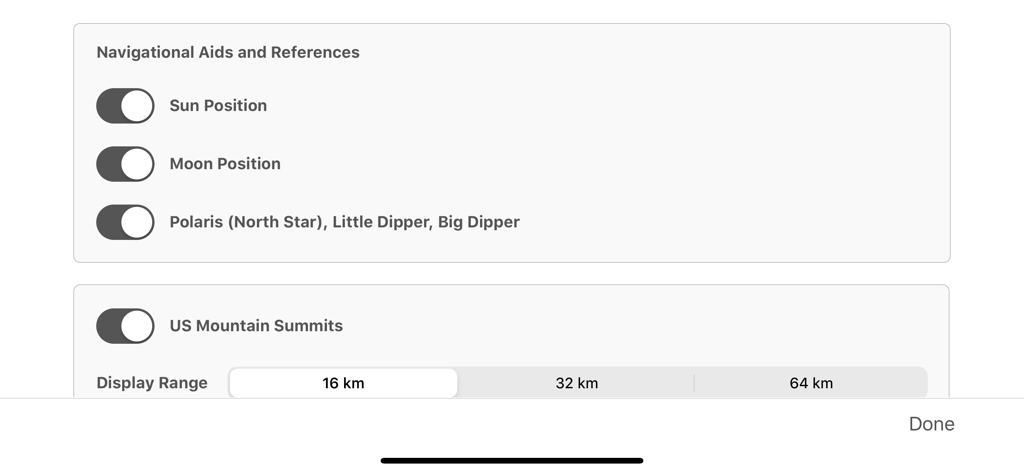
Theodolite 앱의 천문 항법 보조 장치 및 미국 산봉우리 표시 범위 설정
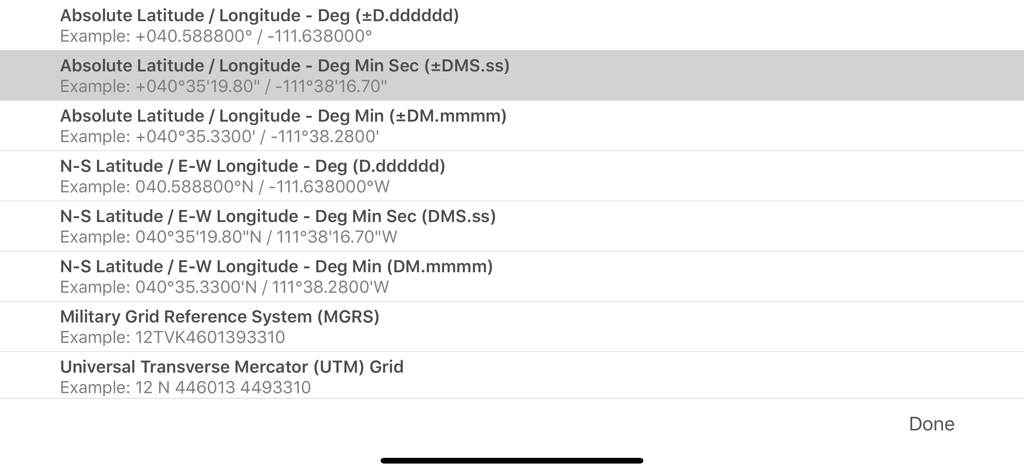
Theodolite 앱에서 MGRS 및 UTM을 포함한 지리 좌표 시스템 옵션 목록
설명
Theodolite is a multi-function viewfinder that combines a compass, two-axis inclinometer, rangefinder, GPS, map, nav calculator, and geo-overlay photo/movie camera into one indispensable app. Theodolite was one of the very first augmented reality (AR) apps when it was released in 2009, and it’s been downloaded and used by millions of customers since then. Uses are endless, and the app is great for land measurements, outdoor sports, sightseeing, navigation, and finding your way around. Theodolite is a pro grade app and is used extensively by surveyors, geologists, architects, engineers, competitive sportsmen, first responders, military personnel, and search and rescue workers around the world.
Theodolite lets you take data-overlay photos and movies with 2X-8X zoom. Overlay geographical data, angle markings, date/time, author/company info, and project notes directly on photos and movies for later reference. The same data is written into the metadata record of images, making image files self-contained data records. Third-party apps can tap into Theodolite's advanced camera functions with a camera sharing feature.
View current position on the built-in map with optional offline Outdoors maps that include topo contours, roads, trails, landmarks, campgrounds, ski lifts, and more. Live map markers continually update distance/heading relative to the current location and also show wayfinding info in the main viewfinder. Draw polygons on the map to mark things like property boundaries and trails, and import/export polygon data via KML.
Share map markers and nav calculator points with other users of Theodolite via text messages or e-mail. This powerful capability opens up a wide range of collaborative uses including team land surveying, accident investigations, spotting wild fires, triangulation of landmarks, and advanced tactical observation and targeting. With an optional in-app purchase to enable team tracking, you can share location with up to 20 people on Theodolite's map.
Theodolite includes features for serious users like a reference angle mode, nav calculator, map marker import/export, manual and automatic data logging with CSV and KML export, clipboard integration, %grade display, mil compass readout, optical rangefinders (including a mil-based reticle, sniper-style stadiametric graphs, and a variable 4X-24X scope), and night filters to improve use in dark conditions.
Theodolite can provide location in military grid reference system (MGRS) coordinates, Universal Transverse Mercator (UTM) coordinates, British/Irish National Grids, US National Grid, Maidenhead locator system, Map Grid of Australia, and six latitude/longitude formats. Optional US State Plane coordinates include SPCS27 and SPCS83 zones covering all US States. The optional Datum Pack adds over 230 geodetic datums to the app to improve position computation from GPS data, covering regions and countries on all continents around the world.
AR Layers include navigational aids like the sun, moon, planets, and Polaris (North star), and the optional US Mountain Summits layer that shows over 70,000 US mountain summits in the viewfinder.
Theodolite has been shown in Apple Keynotes, featured on the App Store, and has been a #1 selling Navigation app in App Stores around the world. Since its introduction in 2009, Theodolite has defined augmented reality navigation. The app continually introduces new technologies, pushing the limits of iOS app development and taking advantage of new hardware capabilities.
Find out why Apple named Theodolite one of the most amazing apps available and showed it being used to explore the Great Wall of China. Where will you take it on your next adventure?
Note: Theodolite is an iPhone app -- see “Theodolite HD” for use on an iPad. And be sure to check out the all-new "Theodolite for Watch" and put Theodolite on your wrist!
이 페이지는 앱이나 개발자의 공식 페이지가 아니며, 정보 제공 및 논평을 목적으로 작성된 독립 편집 간행물입니다. 명시적으로 달리 언급되지 않는 한, 해당 앱이나 개발자는 MWM, Apple, Google Play, 앱 퍼블리셔 또는 앱 개발자와 제휴, 보증, 후원, 승인 또는 공식적으로 연결되어 있지 않으며, 이 페이지의 어떤 내용도 해당 앱이 MWM의 서비스를 사용하여 개발되었음을 의미하지 않습니다. 모든 상표, 로고, 스크린샷 및 기타 콘텐츠는 해당 소유자의 자산입니다.