Timestamp Camera Pro

Timestamp Camera Pro

다운로드: App Store
로고: Timestamp Camera Pro

Timestamp Camera Pro: 밀리초 단위의 정밀도로 전문적인 증거 확보

현장 전문가를 위한 신뢰할 수 있는 기록 도구. 자동 GPS, 주소 및 고정밀 타임스탬프로 모든 사진을 안전하게 보호하여 부인할 수 없는 작업 증거를 확보하세요.

다운로드: App Store

개발사

玉彬 陈

카테고리

Photo & Video

다운로드

124K+

사용자 평점

4.7/5

총 평가 수

1K+

지원 언어

16

모든 프레임의 정밀도

이 인터페이스를 사용하는 124K+ 명의 사용자.

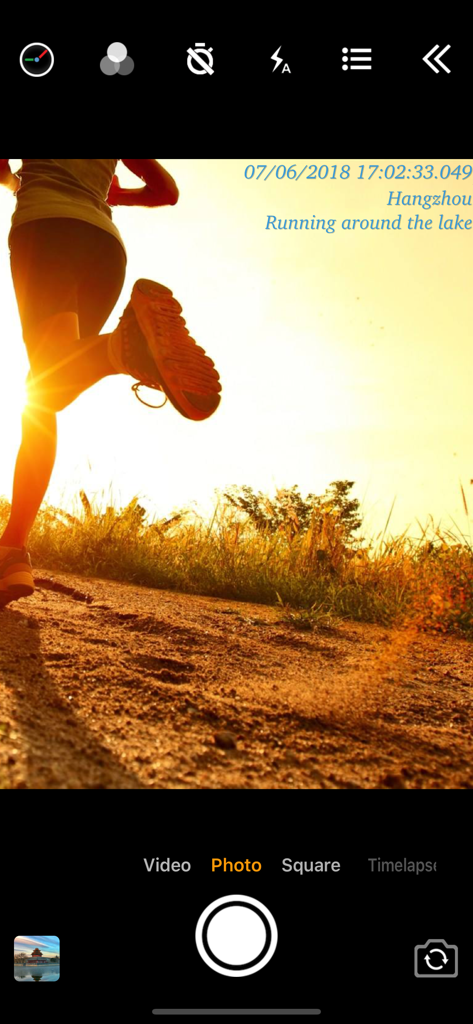
날짜, 시간, 위치 데이터가 포함된 달리는 사람 사진을 보여주는 앱 인터페이스 스크린샷
날짜, 시간, 위치 데이터가 포함된 달리는 사람 사진을 보여주는 앱 인터페이스 스크린샷

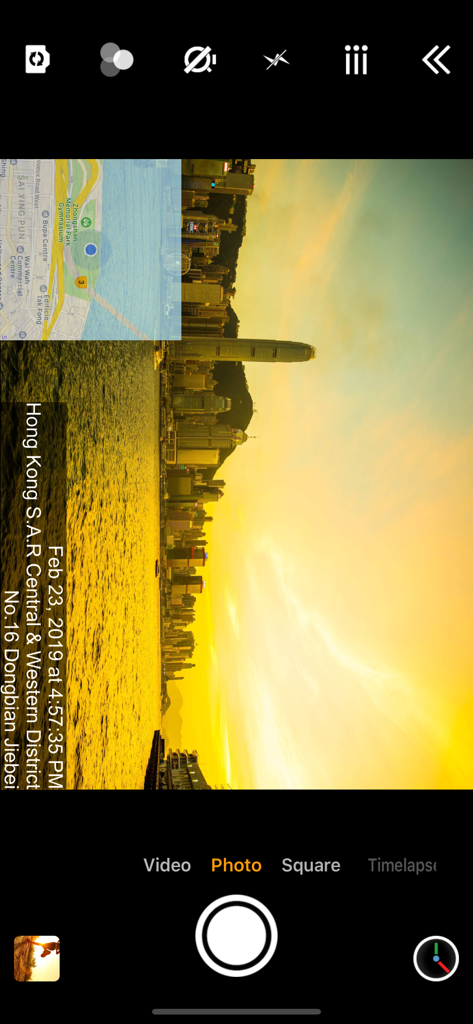
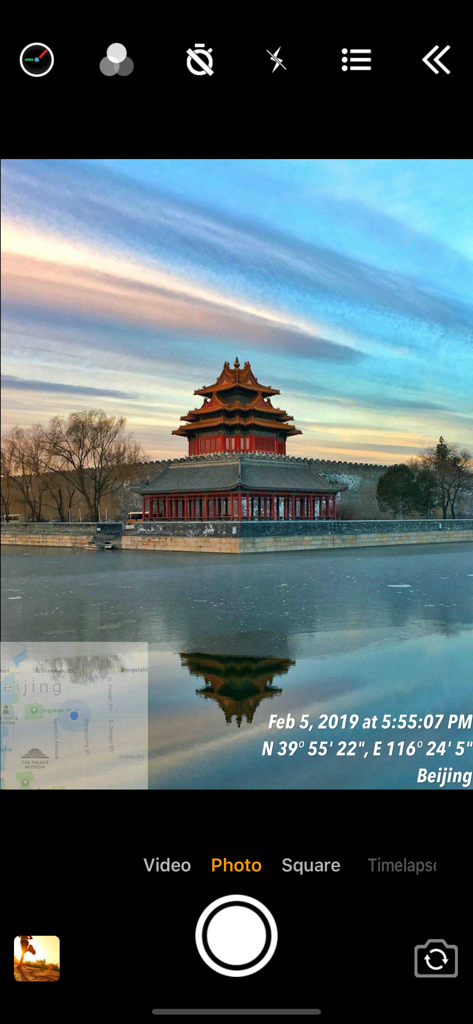
전문적인 기록을 위한 타임스탬프, 주소 및 GPS 지도 오버레이가 있는 사진을 보여주는 카메라 앱 인터페이스
전문적인 기록을 위한 타임스탬프, 주소 및 GPS 지도 오버레이가 있는 사진을 보여주는 카메라 앱 인터페이스

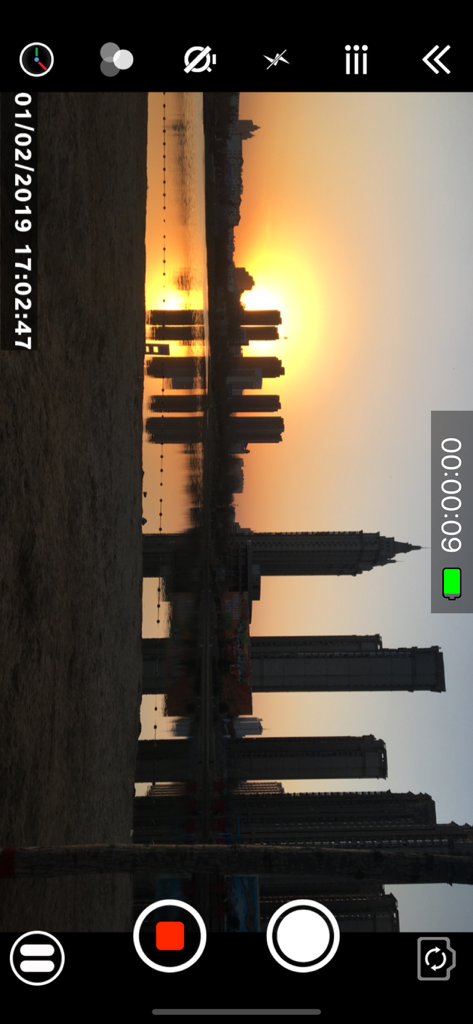
정확한 날짜 및 시간 워터마크가 있는 도시의 일몰을 보여주는 Timestamp Camera Pro의 비디오 녹화 인터페이스.
정확한 날짜 및 시간 워터마크가 있는 도시의 일몰을 보여주는 Timestamp Camera Pro의 비디오 녹화 인터페이스.

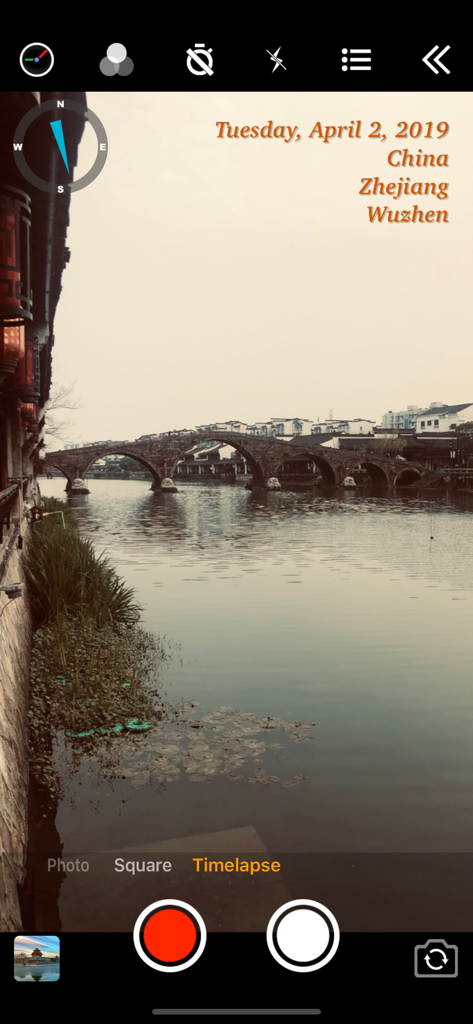
돌다리 카메라 뷰에 날짜, 위치 및 나침반 오버레이를 보여주는 Timestamp Camera Pro 앱 인터페이스.
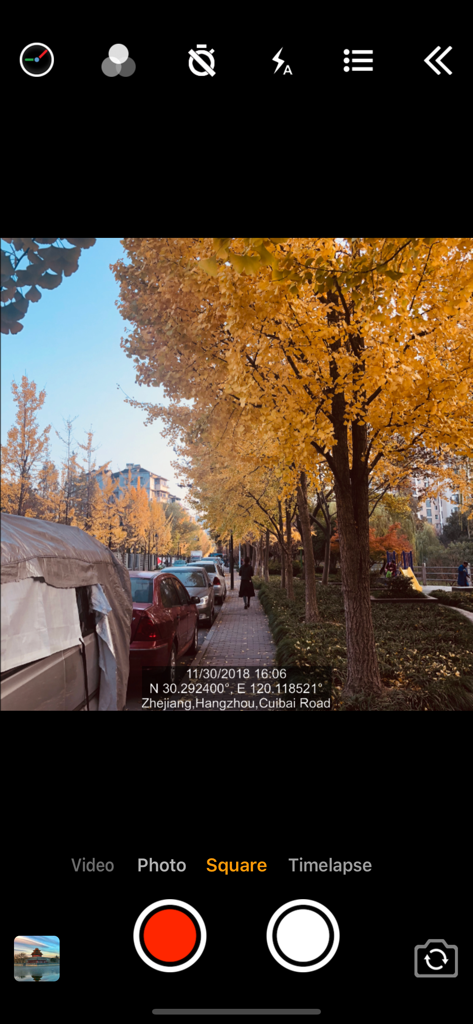
돌다리 카메라 뷰에 날짜, 위치 및 나침반 오버레이를 보여주는 Timestamp Camera Pro 앱 인터페이스.

날짜 및 GPS 위치 데이터가 포함된 거리 사진을 표시하는 Timestamp Camera Pro의 인터페이스.
날짜 및 GPS 위치 데이터가 포함된 거리 사진을 표시하는 Timestamp Camera Pro의 인터페이스.

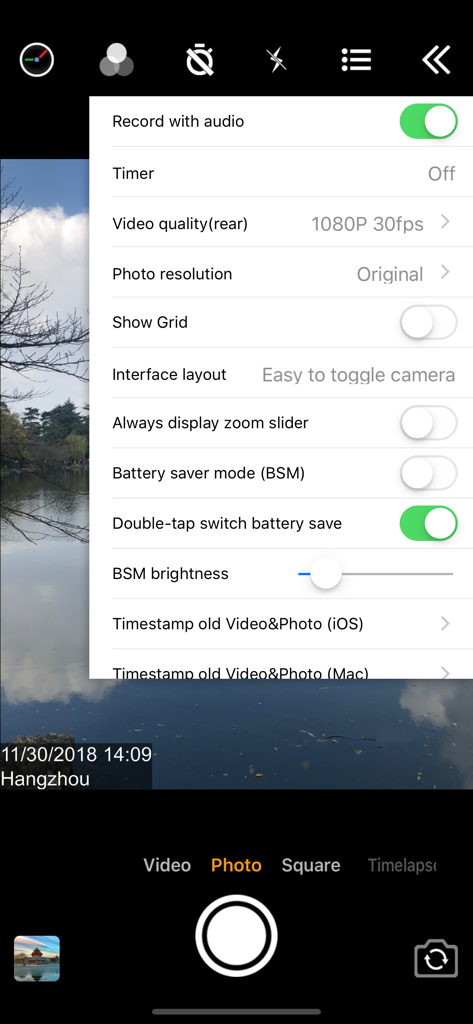
실시간 날짜 및 GPS 위치 메타데이터가 포함된 사진을 보여주는 Timestamp Camera Pro 앱 인터페이스
실시간 날짜 및 GPS 위치 메타데이터가 포함된 사진을 보여주는 Timestamp Camera Pro 앱 인터페이스

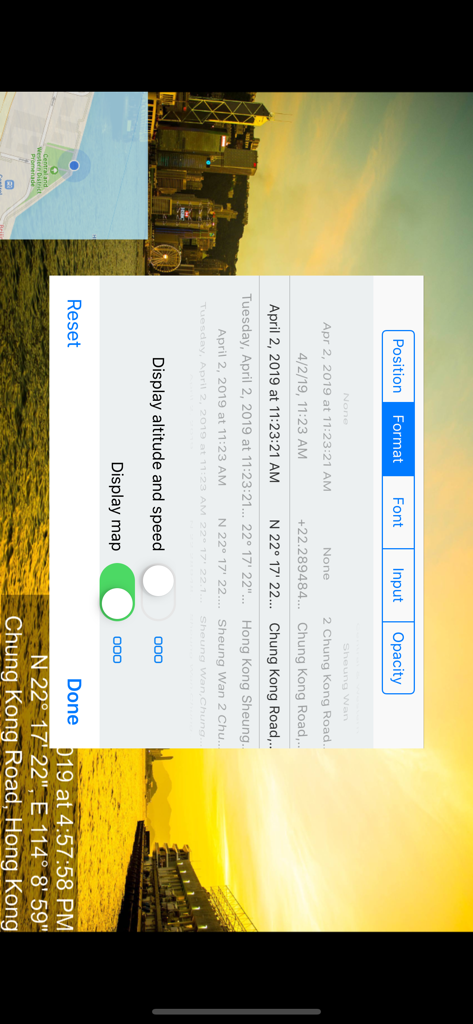
다양한 날짜, 시간 및 위치 형식 옵션을 보여주는 Timestamp Camera Pro 앱 설정 메뉴
다양한 날짜, 시간 및 위치 형식 옵션을 보여주는 Timestamp Camera Pro 앱 설정 메뉴

날짜 및 위치 타임스탬프가 있는 카메라 뷰를 오버레이하는 Timestamp Camera Pro 앱의 설정 메뉴
날짜 및 위치 타임스탬프가 있는 카메라 뷰를 오버레이하는 Timestamp Camera Pro 앱의 설정 메뉴

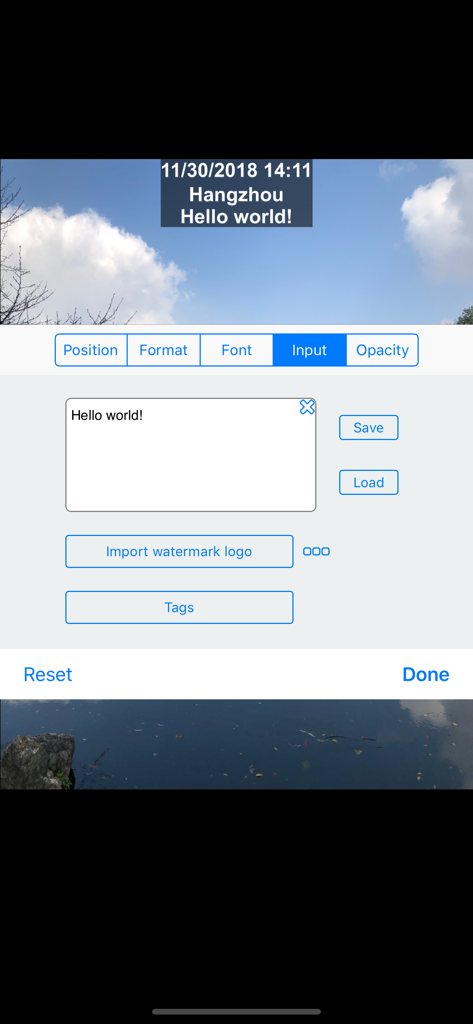
Timestamp Camera Pro에서 사용자 지정 텍스트 및 워터마크 로고를 추가하기 위한 인터페이스

Timestamp Camera Pro에서 사용자 지정 텍스트 및 워터마크 로고를 추가하기 위한 인터페이스

검증 가능한 기록을 위한 전문 표준

이 앱을 돋보이게 하는 도구, 124K+ 명의 사용자가 선택.

🛡️

부인할 수 없는 작업 증명

밀리초 정확도 타임스탬프와 자동 GPS 주소 워터마킹으로 비즈니스를 보호하세요. 배달, 검사 또는 작업 완료에 대한 완벽한 증거를 제공하세요.

📊

자동 메타데이터 보고

사용자 지정 프로젝트 태그 및 메모를 EXIF 데이터에 직접 포함하여 수동 파일링을 제거하세요. 셔터 누르는 순간 필요한 모든 세부 정보를 캡처하여 워크플로를 간소화하세요.

🏗️

기술 현장 오버레이

전문가 로고와 함께 실시간 고도, 속도 및 나침반 좌표를 표시하세요. 책임에 대한 가장 높은 산업 표준을 충족하는 브랜드화되고 데이터가 풍부한 보고서를 만드세요.

앱 소개

에 대해 알아야 할 모든 것 Timestamp Camera Pro.

설명

Add timestamp watermark to camera in real time. • Automatically insert current time and address when taking photo or video in real time, you can change time format or select the address around easily. Timestamp Camera is the only App that can record video with the time watermark accurate to millisecond(0.001 second). - Support 81 timestamp formats. - Support change font, font color, font size. - Support set timestamp in 6 positions: top left, top center, top right, bottom left, bottom center, bottom right. - Support auto add address and GPS. - Support input and display custom text on camera. - Support input and display tag on camera and insert to the Exif. - Support change opacity of text and text background. - Support four text margin modes: no margin, one line margin, half line margin, suitable for printing • Support display altitude and speed. • Support display map on the camera. • Support display compass on the camera. • Support import watermark logo image to display on the camera. • Support change photo resolution, support the maximum resolution supported by the camera. • Support change video resolution(540P, 720P, 1080P, 4K) and fps(30fps, 60fps). • Support record video without audio. • Support pause and continue record fragments to one video. • Support timer to take picture (3, 5, 10 seconds with count down). • Has 4 modes. "Video", "Square", "Timelapse" support record video and capture photo. "Photo" mode only support capture photo with special optimization. • All the effects are real-time and can be used when taking photo or video. • Support change effect, toggle camera when recording. • Support "Battery saver mode", the brightness of screen can be changed when turn it on. • Support show 3x3 grid. • Support import photo as a virtual camera. • Support portrait and landscape. • Support both iPad and iPhone. • Photo and Video will be saved to Camera roll. Please mail us cybfriend@gmail.com if you have any problem or suggestions. Thank you.

최신 버전

1.137

크기

10.6 MB

출시일

2014년 3월 12일

전문적인 정밀도로 모든 세부 사항을 포착하세요

부인할 수 없는 GPS 증거 및 밀리초 정확도 기록을 위해 Timestamp Camera Pro를 신뢰하는 124,000명 이상의 전문가와 함께하세요.

다운로드: App Store

App information, icons, screenshots, and descriptions displayed on this page are sourced from the Apple App Store and are the property of their respective developers. Download estimates and rankings are based on MWM's proprietary models and may not reflect actual figures. This page is provided for informational and analytical purposes only.

Believe this page infringes your intellectual property? File a dispute