Tiny Scanner - PDF Scanner App

Tiny Scanner - PDF Scanner App


다운로드: App Store다운로드: Google Play
로고: Tiny Scanner - PDF Scanner App
Tiny Scanner - PDF 스캐너 앱: 당신의 전문적인 포켓 사무실

단 몇 초 만에 문서를 고품질 PDF로 변환하는 8백만 명 이상의 사용자와 함께하세요. AI 기반 정밀도와 안전한 클라우드 동기화로 업무를 스캔, 서명 및 정리하세요.

개발사

TinyWork Apps

카테고리

Business

다운로드

8M+

사용자 평점

4.8/5

총 평가 수

336K+

지원 언어

12

효율성의 엿보기

이 인터페이스를 사용하는 8M+ 명의 사용자.

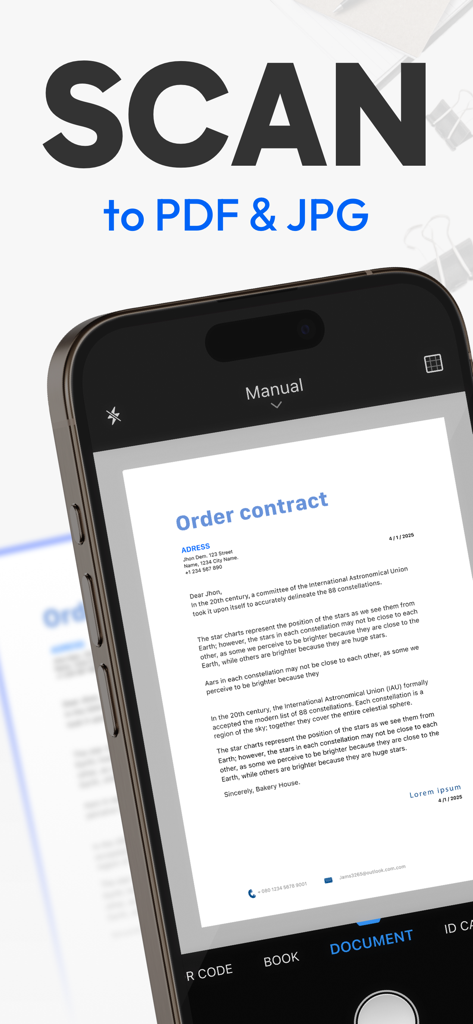
Tiny Scanner를 사용하여 종이 주문 계약서를 디지털 PDF 또는 JPG 파일로 스캔하는 스마트폰

Tiny Scanner를 사용하여 종이 주문 계약서를 디지털 PDF 또는 JPG 파일로 스캔하는 스마트폰

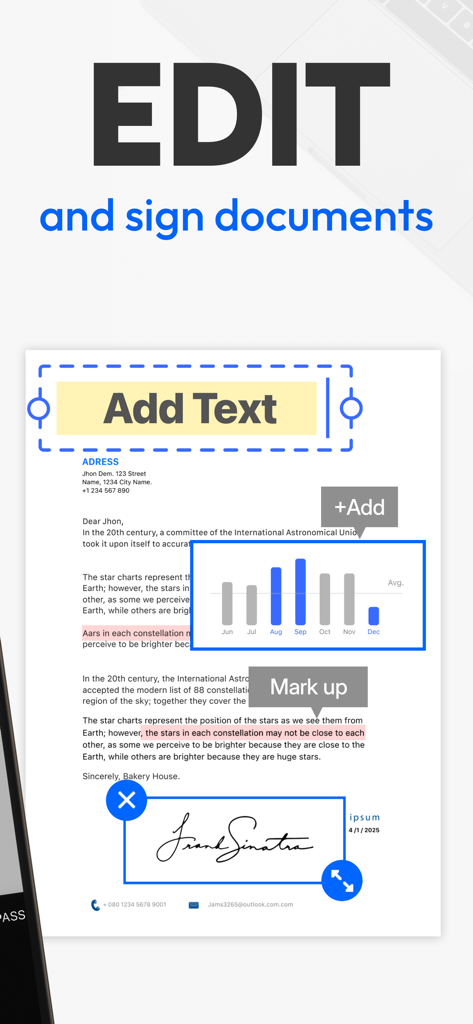
Tiny Scanner 앱 인터페이스에서 텍스트 편집, 콘텐츠 마크업 및 PDF 문서에 서명 추가 기능 표시

Tiny Scanner 앱 인터페이스에서 텍스트 편집, 콘텐츠 마크업 및 PDF 문서에 서명 추가 기능 표시

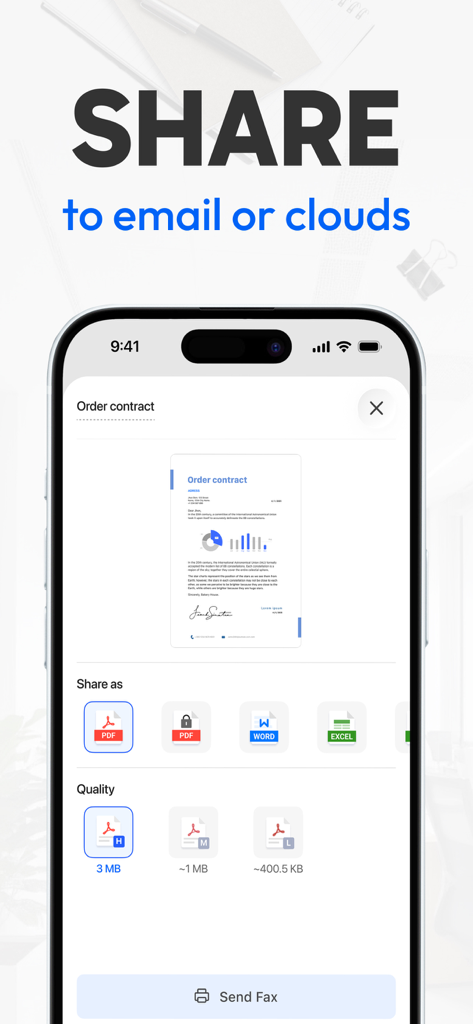
Tiny Scanner 모바일 앱 인터페이스에서 PDF, Word 또는 Excel 형식으로 이메일 또는 클라우드 스토리지에 스캔된 문서 공유 옵션 표시

Tiny Scanner 모바일 앱 인터페이스에서 PDF, Word 또는 Excel 형식으로 이메일 또는 클라우드 스토리지에 스캔된 문서 공유 옵션 표시

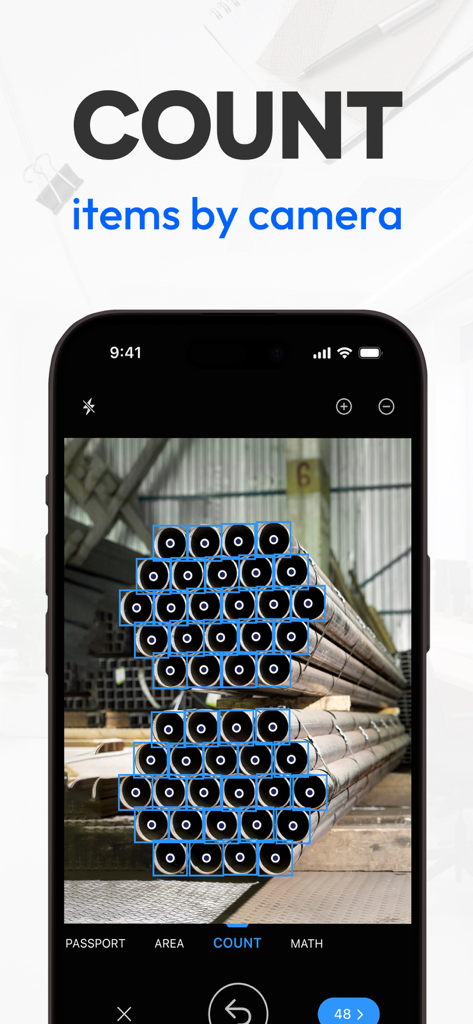
파이프 더미에 대한 카메라 기반 품목 개수 도구를 시연하는 Tiny Scanner의 모바일 앱 인터페이스.

파이프 더미에 대한 카메라 기반 품목 개수 도구를 시연하는 Tiny Scanner의 모바일 앱 인터페이스.

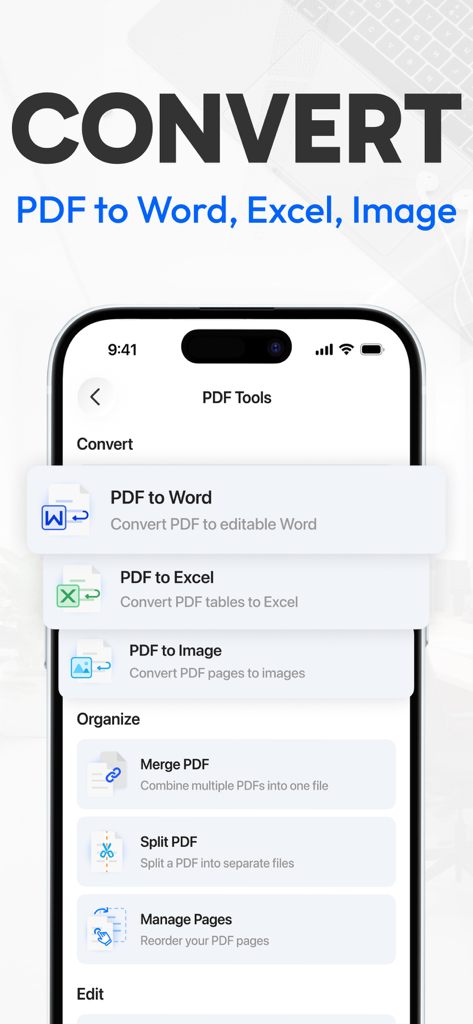
Word 및 Excel로의 PDF 변환 옵션 및 문서 정리 도구를 보여주는 Tiny Scanner 모바일 앱 인터페이스

Word 및 Excel로의 PDF 변환 옵션 및 문서 정리 도구를 보여주는 Tiny Scanner 모바일 앱 인터페이스

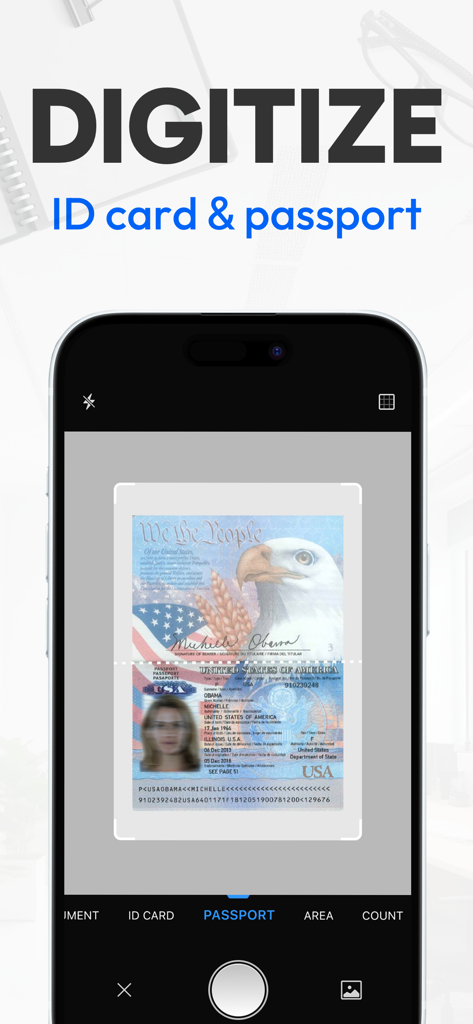
여권을 스캔하고 디지털화하기 위해 Tiny Scanner 앱을 사용하는 스마트폰

여권을 스캔하고 디지털화하기 위해 Tiny Scanner 앱을 사용하는 스마트폰

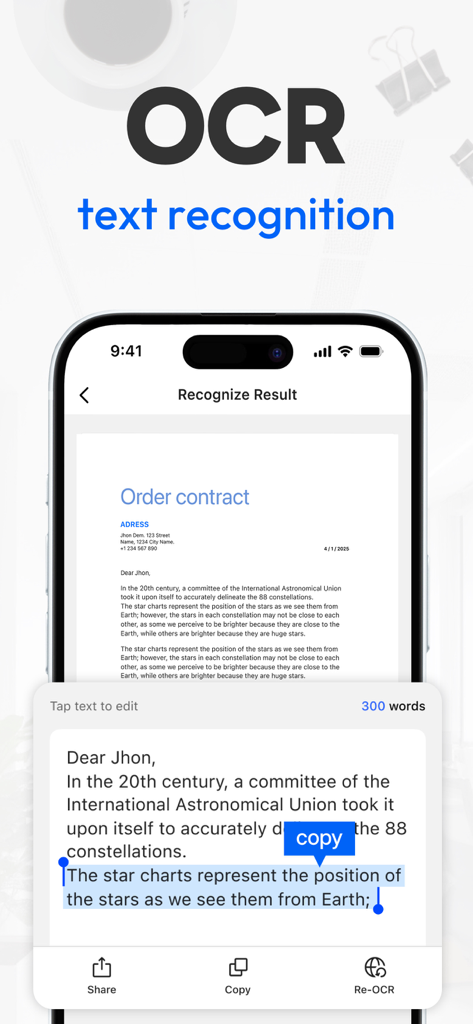
iPhone에서 Tiny Scanner 앱 OCR 텍스트 인식 기능 표시

iPhone에서 Tiny Scanner 앱 OCR 텍스트 인식 기능 표시

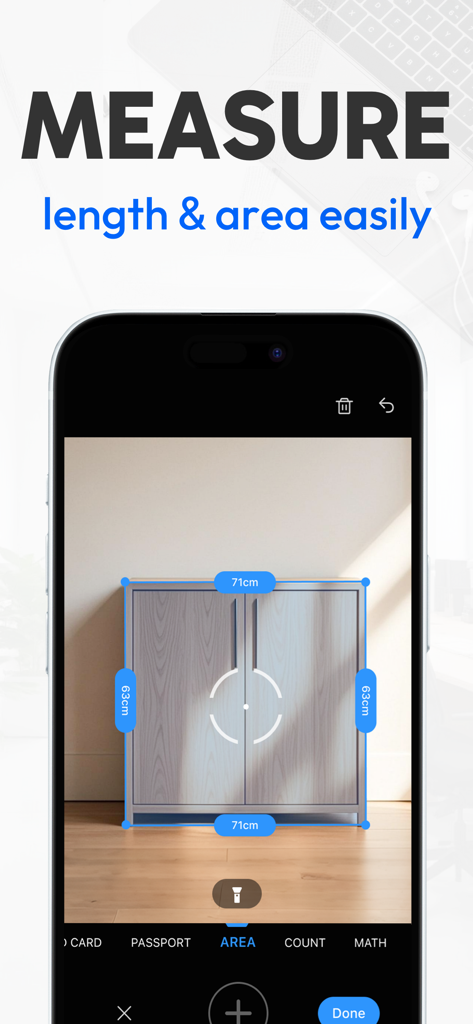
찬장의 길이와 면적을 측정하는 Tiny Scanner 앱을 보여주는 스마트폰 화면

찬장의 길이와 면적을 측정하는 Tiny Scanner 앱을 보여주는 스마트폰 화면

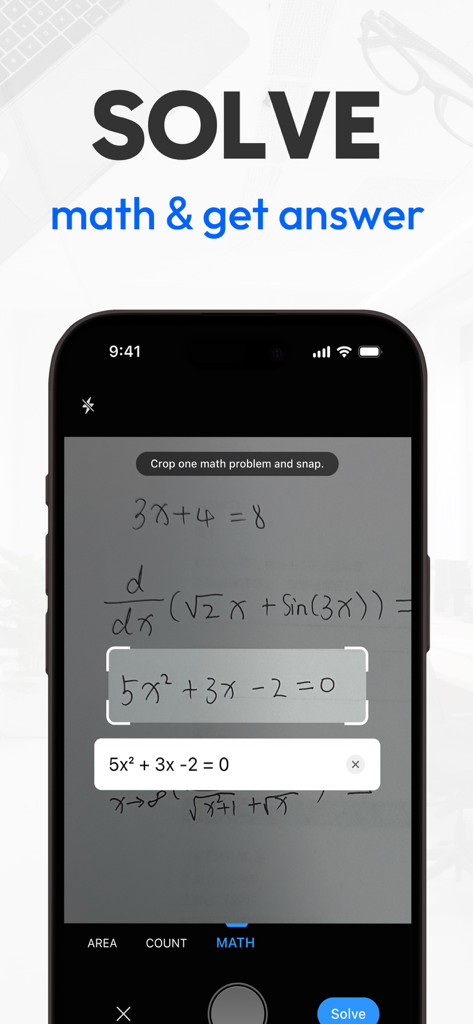
Tiny Scanner 앱이 손으로 쓴 수학 방정식을 스캔하고 풀고 있는 것을 보여주는 iPhone 화면

Tiny Scanner 앱이 손으로 쓴 수학 방정식을 스캔하고 풀고 있는 것을 보여주는 iPhone 화면

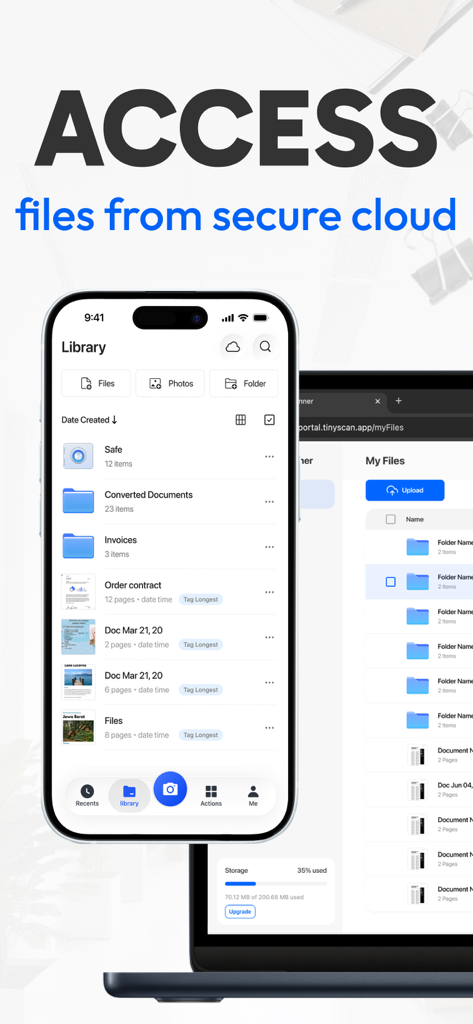
iPhone의 Tiny Scanner 앱 라이브러리와 노트북의 웹 포털에 안전한 클라우드 파일 동기화 표시

iPhone의 Tiny Scanner 앱 라이브러리와 노트북의 웹 포털에 안전한 클라우드 파일 동기화 표시

손안에서 펼쳐지는 효율성

이 앱을 돋보이게 하는 도구, 8M+ 명의 사용자가 선택.

스마트 AI 스캔

자동으로 테두리를 감지하고 텍스트 선명도를 즉시 향상합니다. 모든 실제 문서를 탭 한 번으로 전문적이고 고품질의 PDF로 변환합니다.

✍️

어디서든 서명 및 발송

프린터를 건너뛰세요. 이동 중에 계약에 서명하고, 문서를 병합하고, Google Drive, Dropbox 또는 Slack으로 직접 내보내세요.

🔒

안전한 정리

암호 암호화로 민감한 파일을 보호하고 사용자 지정 폴더 및 지능형 태그로 깔끔한 상태를 유지하세요.

앱 소개

에 대해 알아야 할 모든 것 Tiny Scanner - PDF Scanner App.

설명

Trusted by millions worldwide for more than 10 years. Simple, fast and professional, Tiny Scanner lets you scan and recognize almost any document, from receipts and notes to IDs, certificates and posters. From work documents to personal files, Tiny Scanner handles all your PDF needs: - Convert: Instantly turn any document into a high-quality PDF, and convert PDFs into Excel, Word, or image files.- Sign: Add your signature to PDFs directly from your device. - Merge: Quickly combine multiple files into a single PDF. - Organize: Easily reorder or delete PDF pages. - Share: Export and share your PDFs securely anywhere. - Protect: Password-protect sensitive PDFs for extra security. - Scan: Capture receipts, notes, and documents as PDFs in one tap. - Compress: Reduce PDF file size without losing quality. Tiny Scanner helps you transform paper documents into professional PDF files within seconds. Edit PDF text, sign with ease, and manage your files with rich PDF tools that cover everything from conversion to secure sharing. FREE SCANNER APP WITH POWERFUL TOOLS - Single/Multi-page scan mode allowing document scanning from a single page to an entire book, guided by helpful tutorials; - AI-powered OCR text recognition; - Smart border detection for automatic document recognition; - Professional filter options, including Color, Black & White, Photo, and Grayscale; - Document sharing as PDF, JPG through fax or email, or uploading to Dropbox, Google Drive, Box, OneDrive, Evernote, iCloud Drive; - Share your document seamlessly via a link; - Add tags to files to make them easier to search and organize; - Instantly measure the length of objects; - Scan math questions and get accurate answers instantly; - Automatically count items in your scan for quick organization; - Recovery of documents from the trash bin. CLOUD SYNC OF TINY SCANNER - Store and sync your files in a secure cloud. - Transfer and view files from any platform. - Use one subscription for all your devices. --- WHY Tiny Scanner? - Speed: Decades of refining ensure the smoothest and fastest scanning experience. - Convenience: Quickly access the functions you need through the "Actions" page. - Organization: All scanned documents or files can be neatly organized in your preferred manner. Move or archive them into folders at your convenience. - Accessibility: Cloud storage allows you to access your scanned documents anytime, anywhere. - Reliability: With a decade of trust from millions of small businesses and individuals, Tiny Scanner stands as a reliable scanning solution. - Free your space: Scan important documents into your phone to free up space in your backpack, eliminating the need for piles of paper documents. Subscription Details • Weekly and annual subscriptions are available. • Payment will be charged to your Apple ID Account at confirmation of purchase. • Your subscription will automatically renew unless auto-renew is disabled at least 24 hours before the end of the current subscription period. • Subscriptions can be managed by going to Account Settings on the App Store after purchase. Terms of Service: https://bit.ly/3kaDAeG Privacy Policy: https://bit.ly/2UzHqVJ Tiny Scanner is constantly updated with new features. Please write to us before leaving negative reviews, as we can often help with your problem or help you better use the app. If you have any problem or suggestion, please send mail to support@tinyscanner.app, you will get the response and solution in a short time. The content of the screenshots, preview videos, and audio are provided by the following platforms: - Shutterstock: Used with permission from Shutterstock.com (where applicable) - Epidemic Sound: Tik Tok Tok by PØW / provided by Epidemic Sound - Freepik: Designed by Freepik - iStock: Standard license obtained from iStock

최신 버전

8.10.0

크기

222.4 MB

출시일

2013년 1월 31일

백만 명의 종이 없는 혁명에 동참하세요

부피가 큰 하드웨어를 버리고 주머니 속 전문 스캐너의 속도를 경험하세요. 지금 Tiny Scanner를 다운로드하고 업무, 서명 및 공유 방식을 혁신하세요.

다운로드: App Store다운로드: Google Play
FAQ

자주 묻는 질문

에 대해 알아야 할 모든 것 Tiny Scanner - PDF Scanner App

Tiny Scanner는 어떤 종류의 문서를 PDF로 변환할 수 있나요?

Tiny Scanner는 종이 문서를 전문적인 PDF 파일로 변환합니다. 문서, 여권, 신분증, 운전면허증 스캔을 지원하며, PDF 또는 JPG 형식으로 변환하여 쉽게 관리할 수 있습니다.

Tiny Scanner 앱으로 문서를 편집하고 서명할 수 있나요?

네, Tiny Scanner는 완벽한 PDF 편집 도구를 제공합니다. 스캔한 서명 또는 직접 서명을 사용하여 문서에 서명하고, 텍스트, 이미지, 도형, 날짜, 바닥글, 페이지 번호, 워터마크 및 마크업을 스캔한 문서에 추가할 수 있습니다.

Tiny Scanner는 어떤 AI 기반 도구를 제공하나요?

Tiny Scanner는 자동 스캔을 위한 AI 기반 테두리 감지, 콘텐츠 추출을 위한 OCR 텍스트 인식, 요약, 콘텐츠 다듬기, 주요 개체 추출을 위한 AI 기능을 제공합니다. 또한 수학 문제를 인식하고 해결할 수도 있습니다.

Tiny Scanner에서 문서를 공유하고 내보내려면 어떻게 해야 하나요?

Tiny Scanner는 여러 가지 방법으로 스캔한 문서를 공유하고 파일 크기를 압축할 수 있도록 지원합니다. PDF를 Word, JPG, Excel 형식으로 변환할 수 있습니다. 공유된 PDF 파일은 보안 강화를 위해 암호화할 수도 있습니다.

Tiny Scanner는 내 문서와 개인 정보를 보호하나요?

네, Tiny Scanner는 파일 보안을 보장합니다. 공유된 PDF 파일을 암호화하고, 개인 정보를 위한 앱 암호화를 지원하며, 사용자가 폴더를 암호화하여 중요한 파일을 장치에만 안전하게 저장할 수 있도록 합니다.

Tiny Scanner 앱의 구독은 어떻게 작동하나요?

Tiny Scanner는 주간 및 연간 구독을 제공합니다. 구매 시 Apple ID 계정으로 요금이 청구됩니다. 구독은 기간 종료 24시간 전에 비활성화하지 않으면 자동 갱신되며, App Store 설정에서 관리할 수 있습니다.

Tiny Scanner는 QR 코드를 인식하거나 수학 문제를 해결할 수 있나요?

네, Tiny Scanner는 여러 스캔 모드를 제공합니다. QR 코드 콘텐츠를 자동으로 인식하여 링크를 열 수 있으며, 수학 문제를 인식하여 즉각적인 결과를 제공할 수 있습니다. 또한 객체의 길이를 측정하고 동일한 객체의 수를 셀 수도 있습니다.

Tiny Scanner는 스캔한 문서에 대한 클라우드 스토리지를 제공하나요?

네, Tiny Scanner는 무료 저장 공간과 함께 클라우드 동기화를 제공합니다. 이를 통해 언제 어디서나 모든 장치에서 스캔한 문서에 원활하게 액세스할 수 있으며, 모든 사용자에게 접근성과 편리성을 보장합니다.

App information, icons, screenshots, and descriptions displayed on this page are sourced from the Apple App Store and are the property of their respective developers. Download estimates and rankings are based on MWM's proprietary models and may not reflect actual figures. This page is provided for informational and analytical purposes only.

Believe this page infringes your intellectual property? File a dispute