
이 페이지는 앱이나 개발자의 공식 페이지가 아니며, 정보 제공 및 논평을 목적으로 작성된 독립 편집 간행물입니다. 명시적으로 달리 언급되지 않는 한, 해당 앱이나 개발자는 MWM, Apple, Google Play, 앱 퍼블리셔 또는 앱 개발자와 제휴, 보증, 후원, 승인 또는 공식적으로 연결되어 있지 않으며, 이 페이지의 어떤 내용도 해당 앱이 MWM의 서비스를 사용하여 개발되었음을 의미하지 않습니다. 모든 상표, 로고, 스크린샷 및 기타 콘텐츠는 해당 소유자의 자산입니다.


TrimCut - Video Editor
차세대 크리에이터를 위해 설계된 완벽한 AI 보정, 즉각적인 자동 자막, 영화 같은 효과로 틱톡, 릴, 유튜브 쇼츠를 한 단계 끌어올리세요.
다운로드
3M+사용자 평점
총 평가 수
4K+개발사
카테고리
Photo & Video지원 언어
12최신 버전
3.0.9크기
179.8 MB출시일
2024년 10월 10일스크롤을 멈추게 하는 콘텐츠 만들기
차세대 크리에이터를 위해 특별히 설계된 전문가급 AI 편집 도구. 몇 초 만에 원본 푸티지를 바이럴 준비가 된 걸작으로 바꾸세요.
완벽한 AI 보정
즉시 카메라 준비를 완료하세요. 모든 프레임에서 완벽한 인플루언서 미학을 위한 AI 도구로 피부를 부드럽게 하고 이목구비를 향상시키세요.
원탭 자동 자막
참여율을 최대 80% 높이세요. 메시지가 침묵하는 스크롤러에게도 전달될 수 있도록 정확한 자막을 자동으로 생성하세요.
자주 묻는 질문
에 대해 알아야 할 모든 것 TrimCut - Video Editor
TrimCut이란 무엇인가요?
TrimCut은 올인원 동영상 편집 스튜디오이자 전문가용 리터칭 앱입니다. 강력한 AI 도구, 기본 및 고급 동영상 편집 기능, 창의적인 효과를 제공하여 매력적인 스토리를 제작할 수 있습니다.
TrimCut은 동영상 편집을 위한 AI 기반 도구를 제공하나요?
네, TrimCut은 강력한 AI 도구를 제공합니다. 여기에는 피부 보정을 위한 AI 리터치, 자막을 위한 자동 자막, AI 배경 제거, 슬로우 모션 효과, 색상 및 조명 균형을 위한 자동 조정 기능이 포함됩니다.
TrimCut은 동영상 배경 제거를 어떻게 처리하나요?
TrimCut은 원터치로 동영상의 배경을 즉시 제거하는 AI 배경 제거 도구를 제공합니다. 이 기능은 강력한 AI 제품군의 일부입니다.
TrimCut으로 자막이나 캡션을 자동으로 추가할 수 있나요?
네, TrimCut은 자동 자막 기능을 제공합니다. 원터치로 정확한 자막이나 가사를 생성하여 다양한 플랫폼에서 동영상을 더욱 접근하기 쉽고 매력적으로 만듭니다.
TrimCut Pro Unlimited의 구독 옵션은 무엇인가요?
TrimCut Pro Unlimited는 주간, 월간, 연간 구독 유형을 제공합니다. 현재 기간이 종료되기 최소 24시간 전에 자동 갱신을 해제하지 않으면 구독은 자동으로 갱신됩니다.
TrimCut은 사용자가 슬로우 모션 효과를 위해 동영상 속도를 조절할 수 있도록 허용하나요?
네, TrimCut은 사용자가 슬로우 모션 효과를 만들 수 있도록 합니다. 사용자 정의 가능한 속도 곡선을 사용한 속도 조절 기능을 통해 순간을 부드러운 영화 같은 시퀀스로 변환할 수 있습니다.
TrimCut은 여러 동영상 클립을 병합할 수 있나요?
네, TrimCut은 여러 동영상 클립을 병합할 수 있습니다. 클립을 매끄럽게 이어 붙이는 "트림 및 병합" 기능을 제공하며, 이는 기본 동영상 편집 기능의 핵심 기능입니다.
TrimCut은 어떤 종류의 필터와 효과를 제공하나요?
TrimCut은 글리치, 전환, VHS, FX 효과를 포함한 풍부한 전문 효과 라이브러리를 제공합니다. 또한 동영상에 완벽한 분위기를 설정하기 위한 시네마틱 필터도 제공합니다.
TrimCut의 개인정보 처리방침은 어디서 찾을 수 있나요?
TrimCut의 개인정보 처리방침은 https://pzmobile.com/app/en/policy에서 온라인으로 확인할 수 있습니다. 사용자는 데이터 처리 및 개인정보 보호 관행에 대한 자세한 내용을 정책에서 검토할 수 있습니다.
TrimCut은 멀티 트랙 편집을 지원하나요?
네, TrimCut은 멀티 트랙 편집을 지원합니다. 멀티 트랙 타임라인 기능을 포함하여 사용자가 동영상, 사진, 스티커, 텍스트를 쉽게 오버레이하여 역동적인 콘텐츠를 만들 수 있도록 합니다.
다음 스크린샷과 설명은 앱의 공식 스토어 목록에서 직접 가져온 것이며 앱 개발자의 자산입니다.
앱 스토어
스크린샷
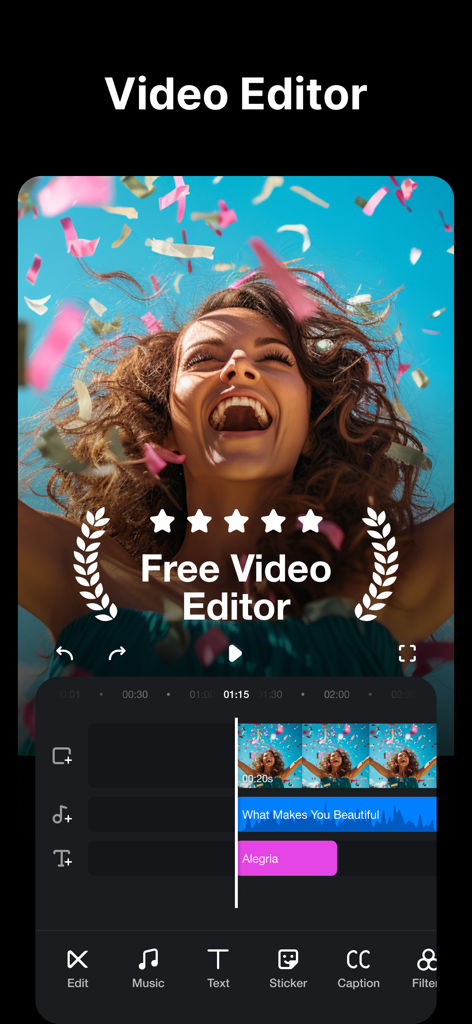
TrimCut 동영상 편집기 모바일 앱 인터페이스, 음악 및 텍스트 효과가 있는 멀티 트랙 타임라인 표시.
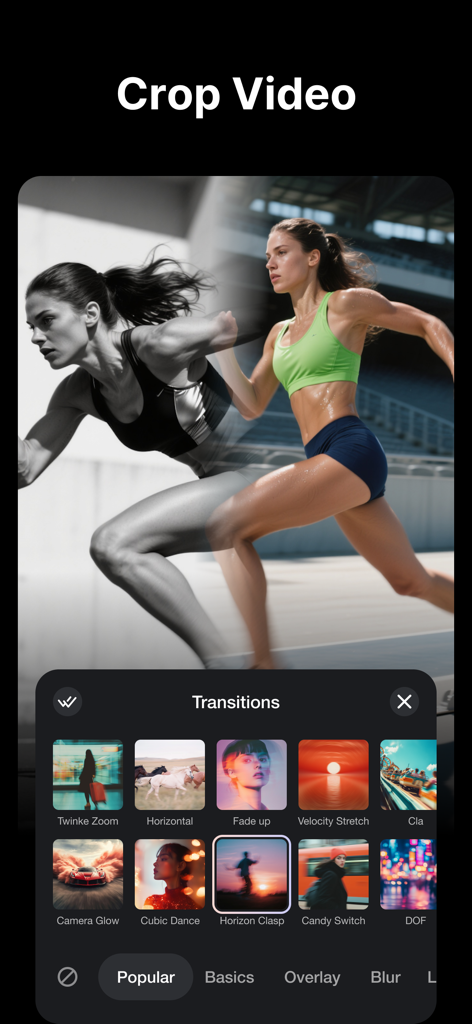
소셜 미디어 크리에이터를 위한 TrimCut 앱 인터페이스의 영화 같은 동영상 전환 라이브러리.
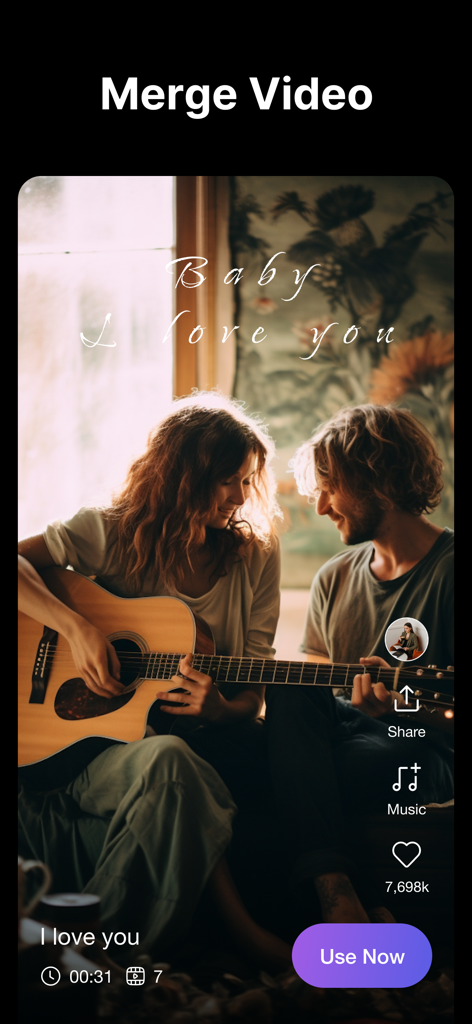
TrimCut 동영상 편집기 앱의 인터페이스, 영화 같은 라이프스타일 클립 및 소셜 미디어 아이콘과 함께 동영상 병합 기능 표시.
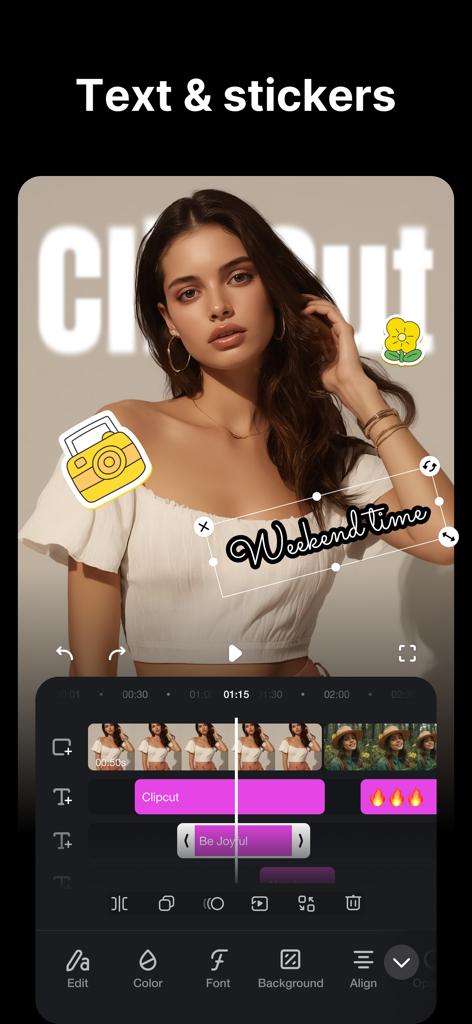
TrimCut 앱 인터페이스, 텍스트 및 스티커 오버레이를 사용한 동영상 편집 표시.
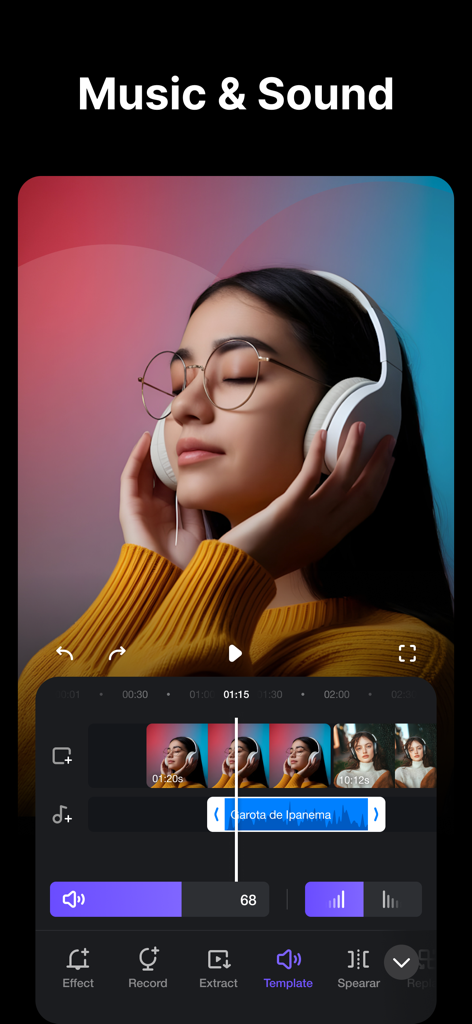
오디오 파형 및 동영상 타임라인과 함께 음악 및 사운드 편집 도구를 보여주는 TrimCut 앱의 인터페이스.
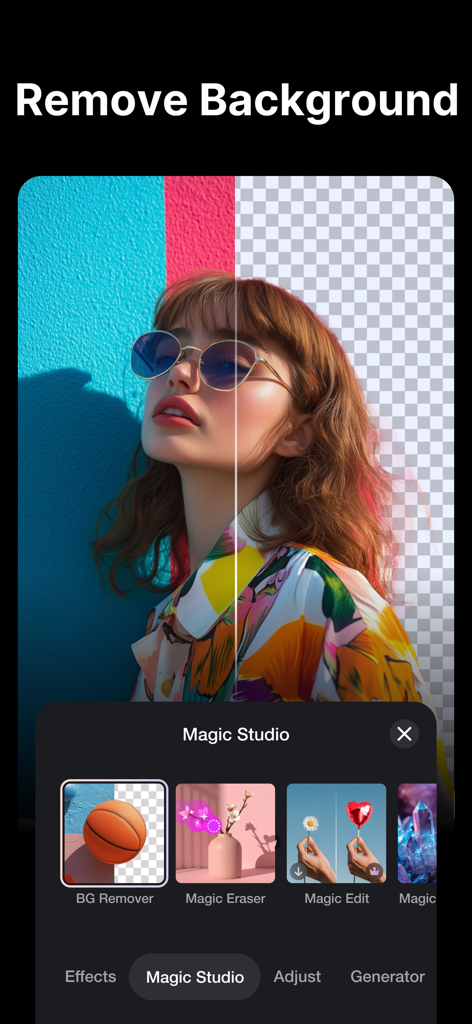
TrimCut 동영상 편집 앱의 AI 배경 제거 기능을 보여주는 분할 화면.
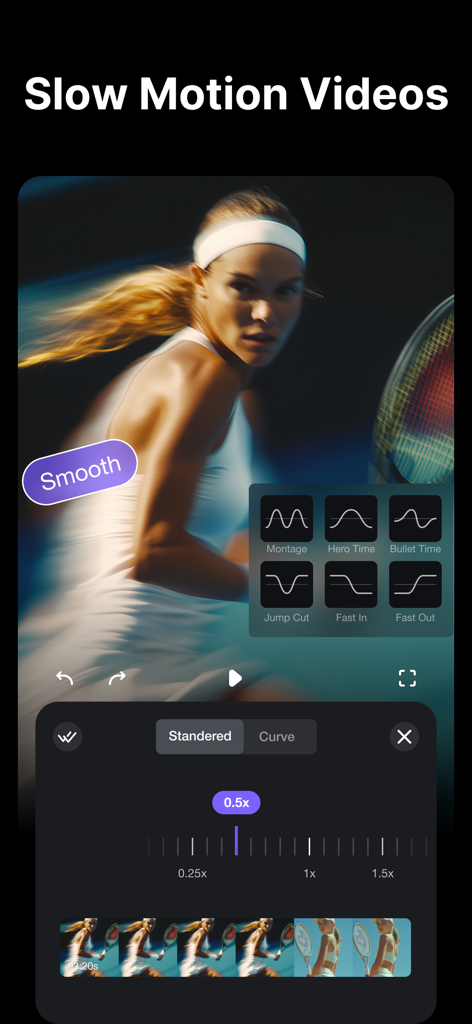
테니스 동영상 클립에 대한 전문적인 슬로우 모션 속도 곡선 설정을 보여주는 TrimCut 동영상 편집기 인터페이스.
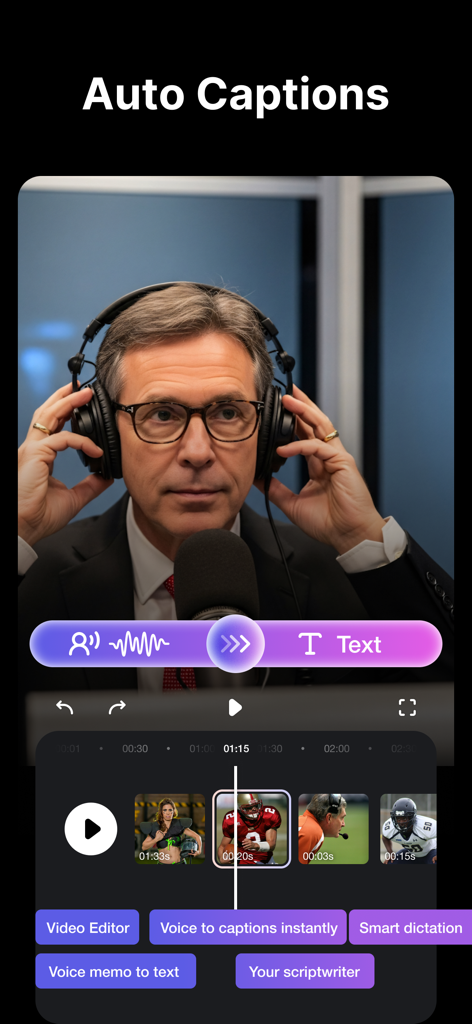
소셜 미디어 동영상을 위한 자동 자막 및 음성 텍스트 편집 도구를 특징으로 하는 TrimCut 앱 인터페이스.
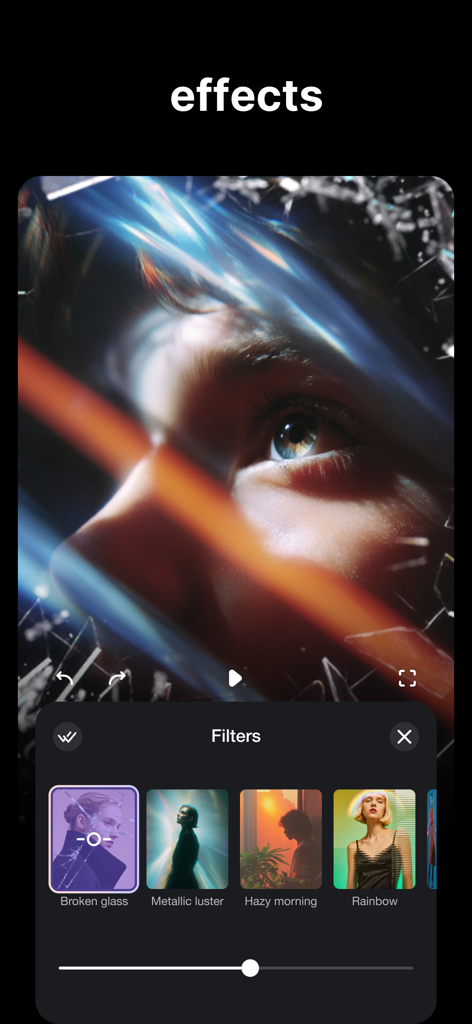
예술적인 동영상 필터와 클로즈업 동영상 클립의 깨진 유리 효과를 보여주는 TrimCut 앱 인터페이스.
설명
Download
비슷한 앱
유사한 기능과 사용자 경험을 가진 앱

Edits: Video Editor
Instagram, Inc.

VLLO- Video Editor, Vlog Edits
vimosoft

YouCut - AI Video Editor
SHANTANU PTE. LTD.

必剪-B站官方出品
Shanghai Bilibili Animation Co.,Ltd

剪影 - 视频剪辑 & 卡点影集制作
Shanghai Jian Ji Software Technology Co., Ltd

Videoshop - Video Editor
Jajijujejo Inc.

VDIT - Video Maker & Editor
ImgBase, Inc.

Video Editor with Music・VidLab
Onelight Apps CY Ltd

Video Maker-movie maker&Editor
Changsha Fugui Bamboo Network Technology Co., Ltd.
이 페이지는 앱이나 개발자의 공식 페이지가 아니며, 정보 제공 및 논평을 목적으로 작성된 독립 편집 간행물입니다. 명시적으로 달리 언급되지 않는 한, 해당 앱이나 개발자는 MWM, Apple, Google Play, 앱 퍼블리셔 또는 앱 개발자와 제휴, 보증, 후원, 승인 또는 공식적으로 연결되어 있지 않으며, 이 페이지의 어떤 내용도 해당 앱이 MWM의 서비스를 사용하여 개발되었음을 의미하지 않습니다. 모든 상표, 로고, 스크린샷 및 기타 콘텐츠는 해당 소유자의 자산입니다.