TV Remote, Universal Control
다운로드: App Store

이 페이지는 앱이나 개발자의 공식 페이지가 아니며, 정보 제공 및 논평을 목적으로 작성된 독립 편집 간행물입니다. 명시적으로 달리 언급되지 않는 한, 해당 앱이나 개발자는 MWM, Apple, Google Play, 앱 퍼블리셔 또는 앱 개발자와 제휴, 보증, 후원, 승인 또는 공식적으로 연결되어 있지 않으며, 이 페이지의 어떤 내용도 해당 앱이 MWM의 서비스를 사용하여 개발되었음을 의미하지 않습니다. 모든 상표, 로고, 스크린샷 및 기타 콘텐츠는 해당 소유자의 자산입니다.

로고: TV Remote, Universal Control
다운로드: App Store

TV Remote, Universal Control

투박한 물리적 리모컨과 답답한 TV 키보드는 잊으세요. 모든 스트리밍 기기에서 내장 터치패드로 손쉬운 탐색, 즉각적인 설정, 고화질 화면 미러링을 경험하세요.

주요 수치

다운로드

9K+

사용자 평점

4.4/5

총 평가 수

1K+

개발사

Imran Yaqoob

카테고리

Utilities

지원 언어

2

최신 버전

4.5

크기

75.4 MB

출시일

2021년 10월 28일
기능

거실 전체를 위한 스마트 제어

매끄러운 탐색, 즉각적인 입력, 손쉬운 화면 공유를 위해 설계된 강력한 올인원 앱으로 투박한 물리적 리모컨을 교체하세요.

쉽게 입력하고 스와이프하세요

답답한 TV D-패드는 잊으세요. iPhone의 전체 키보드와 반응성이 뛰어난 터치패드를 사용하여 좋아하는 Netflix 쇼를 역대 최단 시간에 찾아보세요.

설정 없이 즉시 연결

페어링 코드나 복잡한 메뉴가 없습니다. 앱이 Wi-Fi에서 스마트 TV를 자동으로 감지하여 즉시 볼륨과 전원을 제어할 수 있습니다.

다음 스크린샷과 설명은 앱의 공식 스토어 목록에서 직접 가져온 것이며 앱 개발자의 자산입니다.

앱 스토어

스크린샷
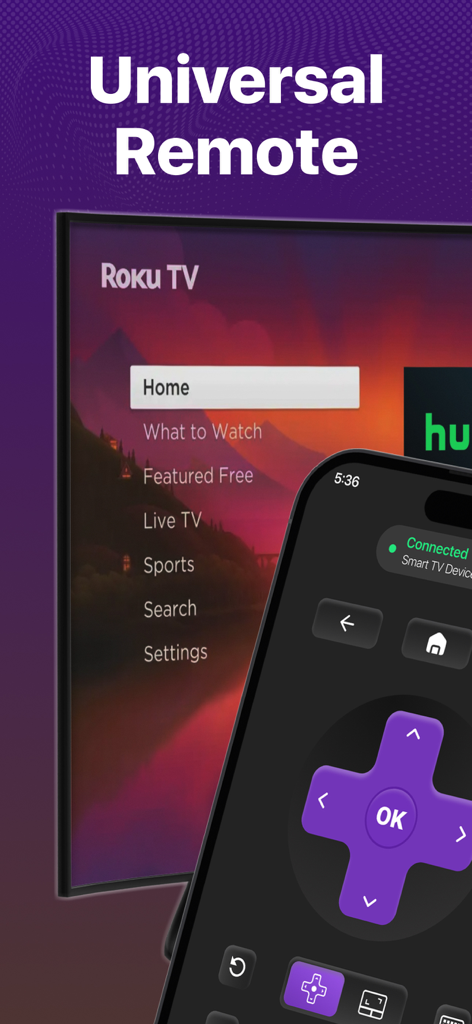
TV Remote, Universal Control - Roku TV에 연결된 통합 TV 리모컨 앱 인터페이스를 보여주는 iPhone
Roku TV에 연결된 통합 TV 리모컨 앱 인터페이스를 보여주는 iPhone

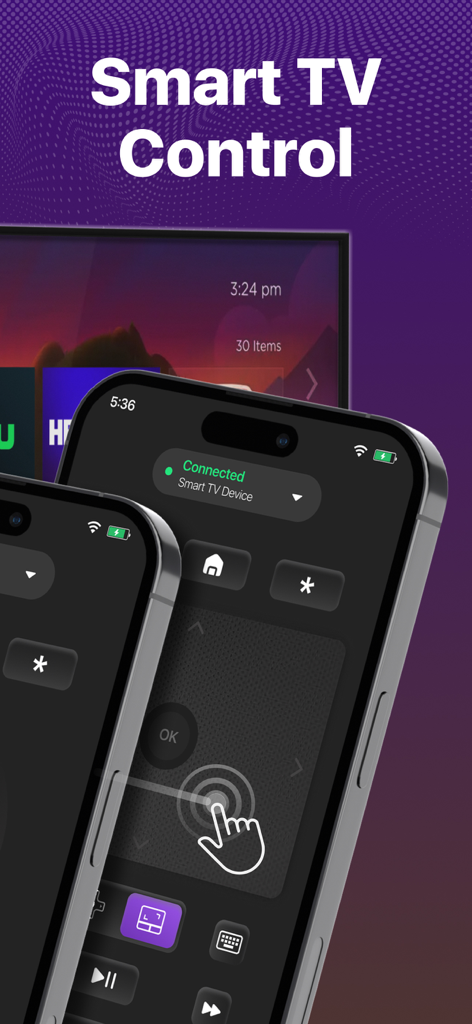
TV Remote, Universal Control - 터치패드와 탐색 버튼이 특징인 iPhone의 스마트 TV 리모컨 앱 인터페이스
터치패드와 탐색 버튼이 특징인 iPhone의 스마트 TV 리모컨 앱 인터페이스

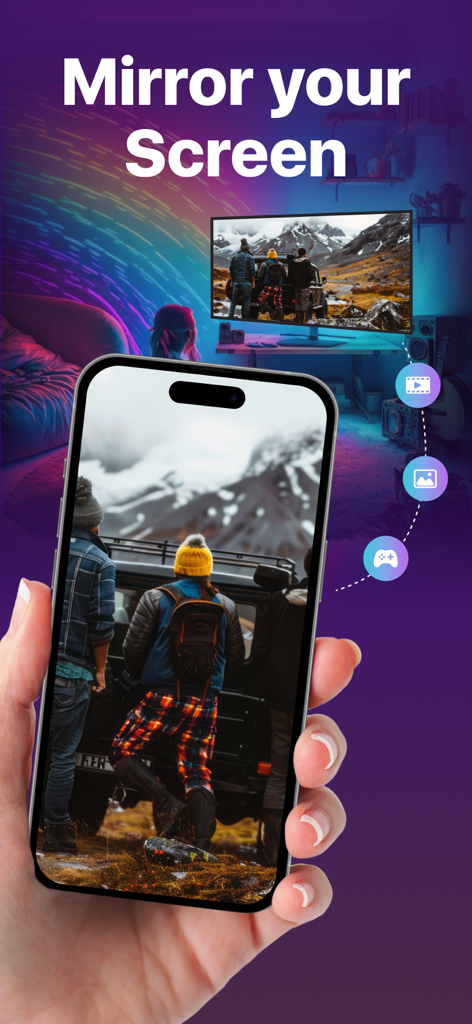
TV Remote, Universal Control - 통합 리모컨 앱을 사용하여 스마트 TV로 사진을 미러링하는 iPhone 화면
통합 리모컨 앱을 사용하여 스마트 TV로 사진을 미러링하는 iPhone 화면

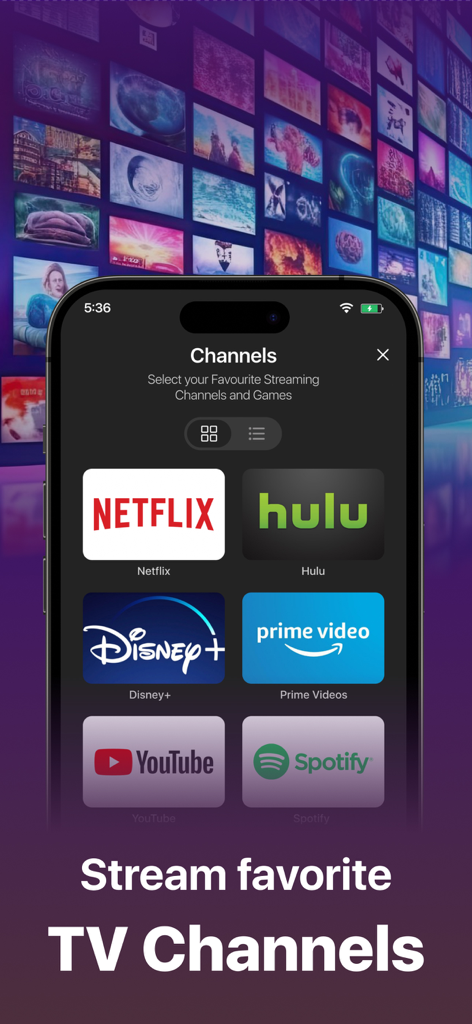
TV Remote, Universal Control - Netflix, Hulu, Disney Plus와 같은 스트리밍 채널 바로가기를 보여주는 통합 TV 리모컨 앱 인터페이스
Netflix, Hulu, Disney Plus와 같은 스트리밍 채널 바로가기를 보여주는 통합 TV 리모컨 앱 인터페이스

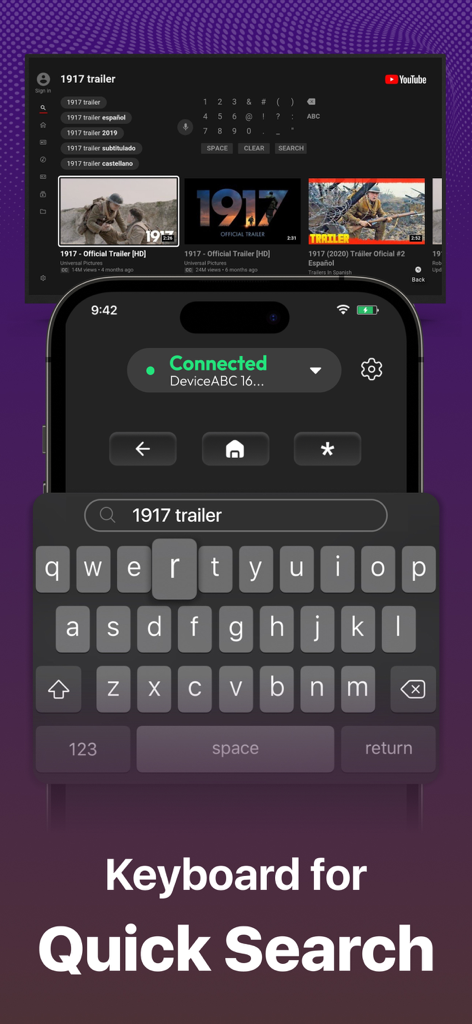
TV Remote, Universal Control - 스마트 TV에서 빠른 검색을 위한 스마트폰 앱 키보드

스마트 TV에서 빠른 검색을 위한 스마트폰 앱 키보드

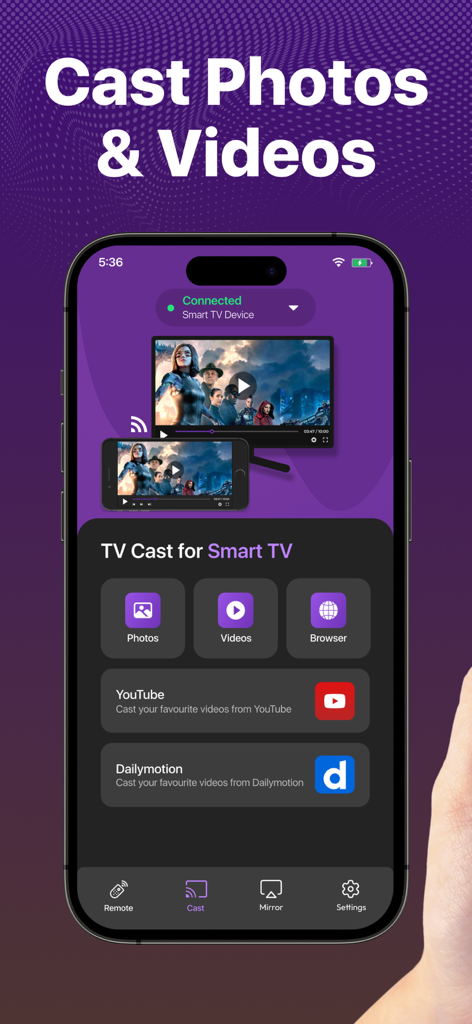
TV Remote, Universal Control - 스마트 TV로 사진과 동영상을 전송하는 옵션을 보여주는 TV 리모컨 앱의 스마트폰 인터페이스

스마트 TV로 사진과 동영상을 전송하는 옵션을 보여주는 TV 리모컨 앱의 스마트폰 인터페이스

설명

Enjoy the Best, Super-Easy, and Feature-Loaded Remote Control + Screen Mirror for Smart TV on the App Store. Designed with your ease and convenience in mind, the new Remote Control offers every control you need to access your favorite channels on your Smart TV Streaming Device. Combined with the Screen Mirroring feature, the Universal remote control for tv is the best casting app you can use on the App store. Introducing the new touch-pad and keyboard feature on the Smart TV remote control app! Experience the ultimate convenience of streaming with our Smart TV Remote control mobile app. With a responsive touchpad and full keyboard search function, you can quickly search, browse, and stream your favorite content with just a few clicks. Say goodbye to bulky remotes and hello to effortless control with our TV remote app and touch-pad. Here are the fully-loaded features you will love in the app: No setup is required. Just download the app right now and start controlling your Smart TV device instantly. 4 Quick shortcuts to directly access your favorite streaming channels. Memorizes the last connected Smart devices. Easily switch between connected Smart devices. Volume Controls. Turn Smart device On/Off directly from the Remote. Mirror your iPhone screen to a smart TV. Cast your favorite videos, photos from your iPhone directly. You can also cast your favorite videos from facebook, dailymotion or anywhere from the internet to directly to your Smart Tv device. Smooth gaming experience in HD quality display mirroring. Present your business proposal and presentation with just one tap screen mirroring feature. Smooth Navigation Controls. Easy controls for you to navigate and type on a keyboard. Remote & Mirror Works on both iPhone and iPad. The Remote Control app automatically finds the devices connected to the same WiFi. The remote is designed to have the most useful controls on the screen for you. This saves you from a lot of clutter and complex navigation. The universal remote control comes with a zero setup policy. Just connect it to the same WiFi as your Smart device and start controlling the device from your app. The best thing about Universal Remote Control is that you can even control the volume directly from the remote. The remote control app helps you control everything you need on your Smart device. You can mirror your movies, photos, games, and other relevant stuff through Screen mirror. And for this, you don't need a native AirPlay feature because it provides you with all you need. Just mirror your iPhone to supported devices and mirror the joy of happiness. Casting photos and videos on your smart devices is also possible through our Smart app. We have tested every aspect of the Universal Smart Remote Control app on multiple devices. In case you find any bugs or want to give us any suggestions, we would love to receive your feedback at imran.yaqoob35@outlook.com Disclaimer: This app is not an affiliated entity of Roku, Inc, and is not an official product of Roku, Inc. You can upgrade to the premium version by subscribing to our monthly plan. It costs you $4.99 and is charged per month. The monthly plan comes with a free trial of 3 days. We also offer a Lifetime deal for just a one-time fee of $12.99. When you upgrade to our lifetime in-app purchase, the premium version is unlocked forever. Subscription Info: Monthly - $4.99 Lifetime - $12.99 - Payment will be charged to iTunes Account at confirmation of purchase - Subscription automatically renews unless auto-renew is turned off at least 24 hours before the end of the current period - The account will be charged for renewal within 24 hours prior to the end of the current period, and identify the cost of the renewal Privacy Policy: https://king-streamer.jimdosite.com/privacy/ Terms & Conditions: https://king-streamer.jimdosite.com/terms-and-conditions/ Terms of Subscription: https://king-streamer.jimdosite.com/subscription-terms/

Download

다운로드: App Store

이 페이지는 앱이나 개발자의 공식 페이지가 아니며, 정보 제공 및 논평을 목적으로 작성된 독립 편집 간행물입니다. 명시적으로 달리 언급되지 않는 한, 해당 앱이나 개발자는 MWM, Apple, Google Play, 앱 퍼블리셔 또는 앱 개발자와 제휴, 보증, 후원, 승인 또는 공식적으로 연결되어 있지 않으며, 이 페이지의 어떤 내용도 해당 앱이 MWM의 서비스를 사용하여 개발되었음을 의미하지 않습니다. 모든 상표, 로고, 스크린샷 및 기타 콘텐츠는 해당 소유자의 자산입니다.