
이 페이지는 앱이나 개발자의 공식 페이지가 아니며, 정보 제공 및 논평을 목적으로 작성된 독립 편집 간행물입니다. 명시적으로 달리 언급되지 않는 한, 해당 앱이나 개발자는 MWM, Apple, Google Play, 앱 퍼블리셔 또는 앱 개발자와 제휴, 보증, 후원, 승인 또는 공식적으로 연결되어 있지 않으며, 이 페이지의 어떤 내용도 해당 앱이 MWM의 서비스를 사용하여 개발되었음을 의미하지 않습니다. 모든 상표, 로고, 스크린샷 및 기타 콘텐츠는 해당 소유자의 자산입니다.


UE | BOOM
이 앱은 당신의 스피커를 단순한 기기에서 공간 전체를 정복하는 사운드 제국의 사령탑으로 격상시킨다.
다운로드
12.5M+사용자 평점
총 평가 수
121.5K개발사
카테고리
Music지원 언어
7최신 버전
7.21.3(178)크기
194.0 MB출시일
2013년 5월 21일UE | BOOM 앱 기능 분석
얼티밋 이어스 스피커 사용자를 위한 핵심 기능 심층 분석
파티업 (PartyUp) 기능
이 앱은 사용자가 최대 150개의 스피커를 연결하여 파티 경험을 극대화하고 언제 어디서든 강력한 사운드를 즐길 수 있게 해줍니다.
맞춤형 이퀄라이저
이 도구는 사용자가 내장된 EQ 프리셋과 사용자 지정 옵션을 통해 스피커의 사운드를 세밀하게 조절하여 원하는 분위기를 연출할 수 있도록 돕습니다.
원격 제어
이 앱은 사용자가 원거리에서 스피커의 전원을 켜고 끄는 등 다양한 기능을 편리하게 제어할 수 있는 원격 제어 기능을 제공합니다.
스피커 맞춤 설정
이 앱은 사용자가 스피커의 이름을 설정하고, EQ 선호도를 저장하며, 사전 설정된 재생 목록을 관리하여 개인화된 사용 환경을 구축할 수 있도록 합니다. (특정 모델에 한함)
간편한 소프트웨어 업데이트
이 앱은 간단한 탭만으로 스피커를 최신 기능으로 업데이트하여 항상 최적의 성능을 유지하고 새로운 경험을 제공합니다.
뉴스레터 및 특별 할인 구독
이 앱은 사용자가 얼티밋 이어스(Ultimate Ears)의 최신 뉴스레터와 특별 할인 정보를 받아볼 수 있도록 구독 기능을 제공합니다.
자주 묻는 질문
에 대해 알아야 할 모든 것 UE | BOOM
What is the BOOM app for Ultimate Ears?
The BOOM app by Ultimate Ears enhances your Ultimate Ears speaker experience. It unlocks features like PartyUp, customizable EQ, and remote control for BOOM series speakers.
How does PartyUp work with the BOOM app?
The BOOM app's PartyUp feature connects up to 150 Ultimate Ears speakers. This allows users to amplify their audio experience by synchronizing multiple speakers for large gatherings.
Can I control the sound equalizer with the BOOM app?
Yes, the BOOM app allows users to customize their sound. It offers built-in EQ and custom options, enabling adjustments like bass, mid, and treble to create the desired audio atmosphere.
Which Ultimate Ears speakers are compatible with the BOOM app's personalization features?
The BOOM app's personalization features, such as speaker name, EQ preferences, and preset playlists, are compatible with BOOM 3, MEGABOOM 3, BOOM 4, MEGABOOM 4, HYPERBOOM, EPICBOOM, and EVERBOOM speakers.
Can I update my Ultimate Ears speaker using the BOOM app?
Yes, the BOOM app allows users to update their Ultimate Ears speaker. A simple tap in the app updates the speaker with the latest features, ensuring optimal performance.
Does the BOOM app offer remote control capabilities for Ultimate Ears speakers?
Yes, the BOOM app provides remote control functionality for Ultimate Ears speakers. Users can use the app to power their speakers on and off, along with accessing other remote controls from a distance.
Can I create a stereo sound experience with two Ultimate Ears speakers using the BOOM app?
Yes, the BOOM app supports Stereo Mode with two identical Ultimate Ears speakers. This feature allows users to set up a dedicated left and right channel for an enhanced audio experience.
How can I access my playlists through the BOOM app?
The BOOM app provides one-touch access to your playlists. It integrates with music services like Apple Music, allowing users to select and play their 'Favorites Mix' or other curated lists directly.
다음 스크린샷과 설명은 앱의 공식 스토어 목록에서 직접 가져온 것이며 앱 개발자의 자산입니다.
앱 스토어
스크린샷
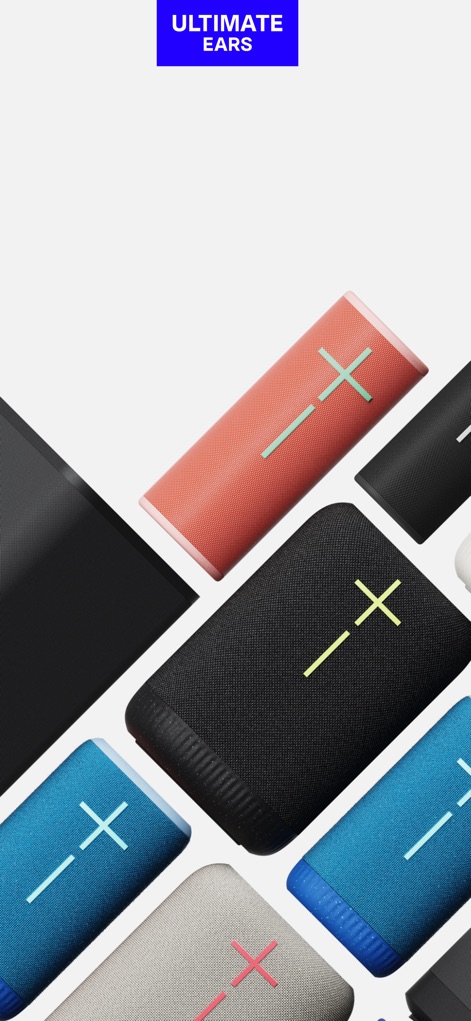
Ultimate Ears 스피커
이 앱은 다양한 Ultimate Ears 스피커 모델의 시각적 디자인과 여러 색상의 스피커 배열을 통해 브랜드의 폭넓은 제품군을 소개합니다.
새로운 기능 발견
이 화면은 'UNLCOK MORE FEATURES'라는 문구로 앱의 추가 기능을 발견하도록 사용자를 유도하며, 다양한 Ultimate Ears 스피커 모델의 다채로운 디자인과 함께 새로운 사용자 경험을 예고합니다.
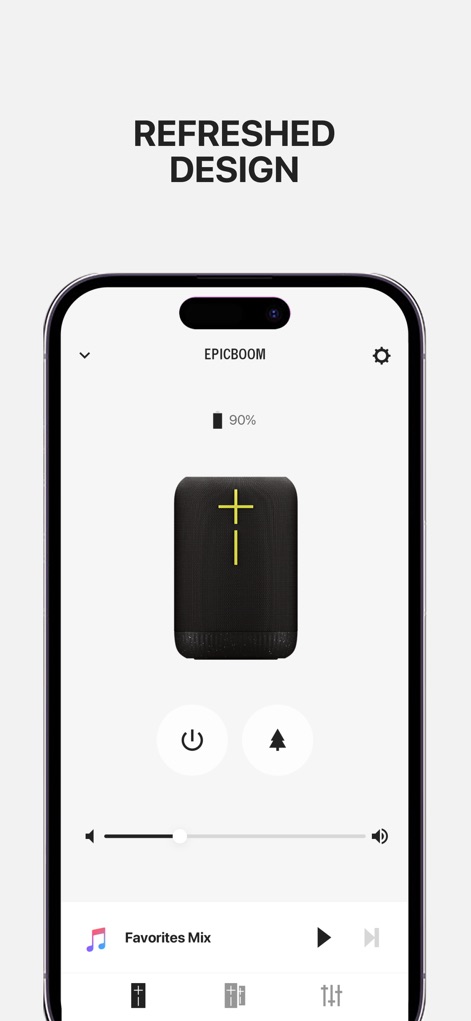
스피커 제어 화면
이 인터페이스는 연결된 EPICBOOM 스피커의 배터리 잔량을 명확하게 표시하며, 전원 제어 및 즐겨찾는 재생 목록(Favorites Mix)에 대한 빠른 접근 기능을 제공합니다.
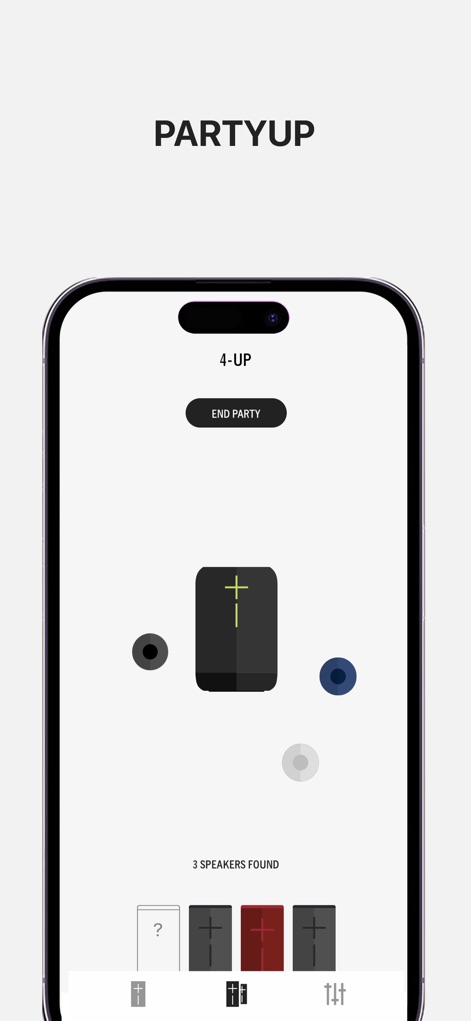
강력한 파티업
이 화면은 'PARTYUP' 기능을 통해 여러 스피커를 연결하는 방식을 보여주며, 현재 '4-UP'으로 표시된 것처럼 중앙 스피커 주위에 세 개의 추가 스피커 아이콘이 연결 상태를 나타냅니다.

스테레오 모드 설정
이 앱은 두 대의 동일한 스피커를 사용하여 스테레오 모드를 설정하는 기능을 제공하며, 'DOUBLE' 및 'STEREO' 버튼을 통해 손쉽게 전환할 수 있습니다.
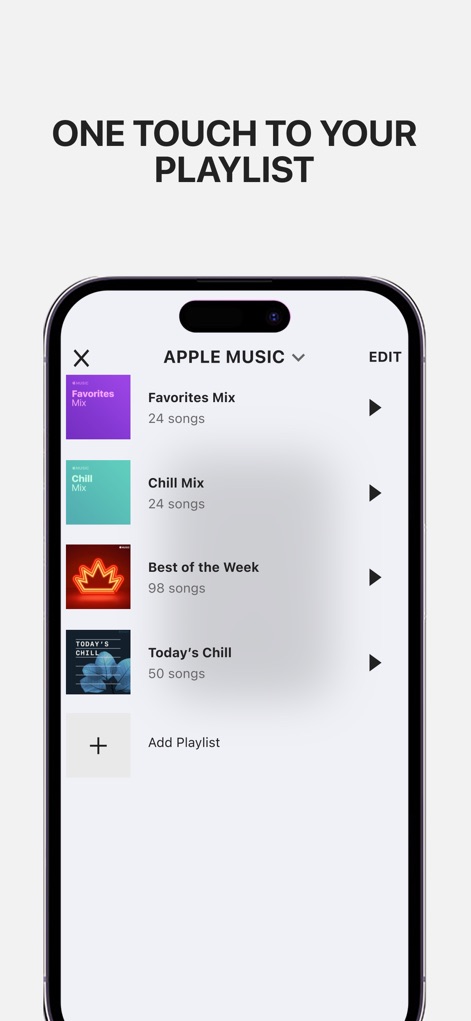
플레이리스트 바로 재생
이 인터페이스는 사용자가 Apple Music의 다양한 플레이리스트 목록에 한 번의 터치로 접근할 수 있게 해주며, 'Favorites Mix'와 'Chill Mix' 등의 구체적인 재생 목록을 보여줍니다.

사운드 개인화 설정
이 화면은 사용자가 베이스, 미드, 트레블을 조절할 수 있는 슬라이더를 통해 사운드를 개인화할 수 있는 이퀄라이저 기능을 보여주며, 'BASS BOOST' 프리셋과 함께 시각적인 EQ 곡선 조절 인터페이스를 제공합니다.
설명
Download
비슷한 앱
유사한 기능과 사용자 경험을 가진 앱

Bose
Bose Corporation

Marshall Bluetooth
Marshall Group AB (publ)

JBL PartyBox
Harman International Industries

Bose Connect
Bose Corporation

Bose QC Earbuds
Bose Corporation

JBL Headphones
Harman International Industries

soundcore
Power Mobile Life LLC

JBL Portable
Harman International Industries

Xiaomi Earbuds
Beijing Xiaomi Co., Ltd
이 페이지는 앱이나 개발자의 공식 페이지가 아니며, 정보 제공 및 논평을 목적으로 작성된 독립 편집 간행물입니다. 명시적으로 달리 언급되지 않는 한, 해당 앱이나 개발자는 MWM, Apple, Google Play, 앱 퍼블리셔 또는 앱 개발자와 제휴, 보증, 후원, 승인 또는 공식적으로 연결되어 있지 않으며, 이 페이지의 어떤 내용도 해당 앱이 MWM의 서비스를 사용하여 개발되었음을 의미하지 않습니다. 모든 상표, 로고, 스크린샷 및 기타 콘텐츠는 해당 소유자의 자산입니다.