UPDF - AI-Powered PDF Editor

UPDF - AI-Powered PDF Editor


다운로드: App Store다운로드: Google Play
로고: UPDF - AI-Powered PDF Editor

UPDF: 모바일 오피스를 위한 궁극의 AI 기반 PDF 편집기

책상으로 돌아갈 때까지 기다리지 마세요. iPhone 및 iPad에 맞춰 특별히 설계된 데스크탑급 PDF 편집, 즉각적인 AI 요약 및 안전한 문서 관리를 경험하세요.

다운로드: App Store

개발사

Superace Software Technology Co., Ltd.

카테고리

Productivity

다운로드

559K+

사용자 평점

4.7/5

총 평가 수

3K+

지원 언어

12

귀하의 워크플로우, 시각화

이 인터페이스를 사용하는 559K+ 명의 사용자.

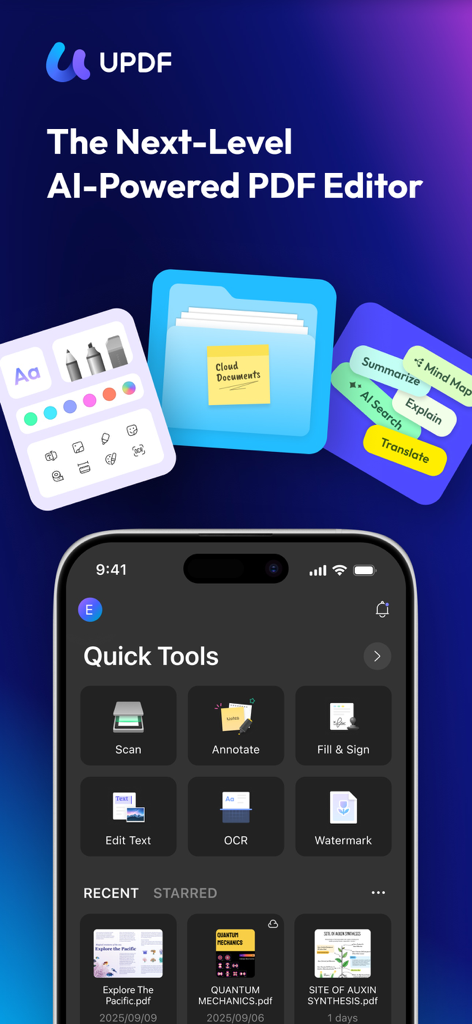
빠른 스캔, 주석 달기, 텍스트 편집과 같은 도구를 보여주는 AI 기반 PDF 편집기 UPDF의 인터페이스입니다.

빠른 스캔, 주석 달기, 텍스트 편집과 같은 도구를 보여주는 AI 기반 PDF 편집기 UPDF의 인터페이스입니다.

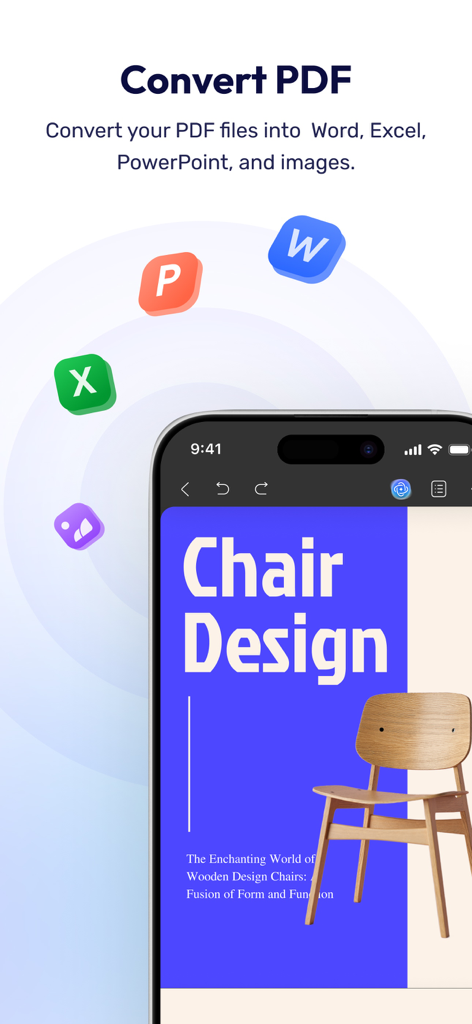
PDF 파일을 Word, Excel 및 PowerPoint 형식으로 변환하는 UPDF 앱 기능을 표시하는 스마트폰 화면입니다.

PDF 파일을 Word, Excel 및 PowerPoint 형식으로 변환하는 UPDF 앱 기능을 표시하는 스마트폰 화면입니다.

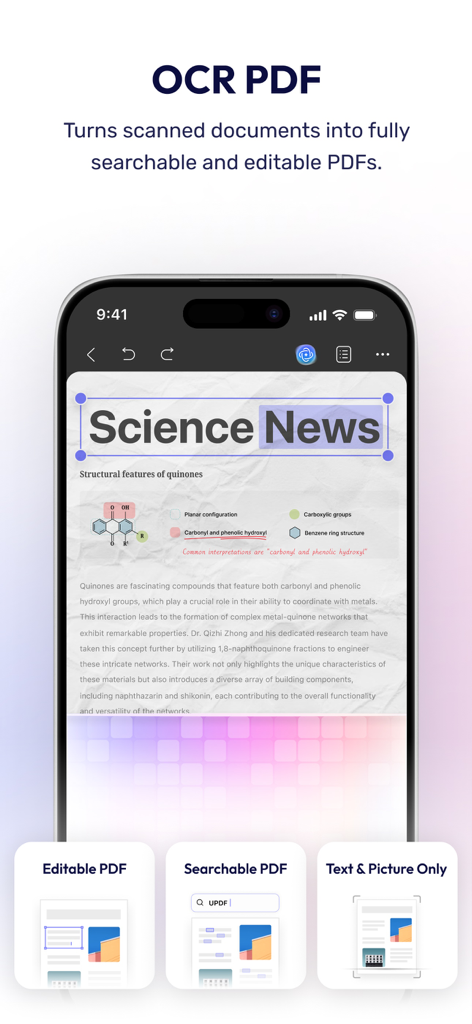
iPhone에서 검색 및 편집 가능한 PDF로 스캔된 문서를 변환하기 위해 OCR 기술을 보여주는 UPDF 앱입니다.

iPhone에서 검색 및 편집 가능한 PDF로 스캔된 문서를 변환하기 위해 OCR 기술을 보여주는 UPDF 앱입니다.

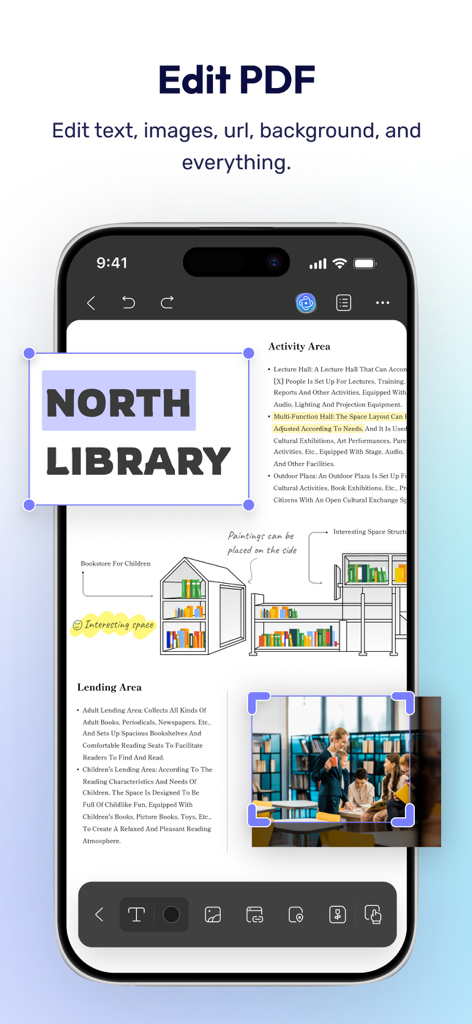
PDF 문서의 텍스트 및 이미지 편집을 위한 UPDF 앱 인터페이스를 보여주는 스마트폰 화면입니다.

PDF 문서의 텍스트 및 이미지 편집을 위한 UPDF 앱 인터페이스를 보여주는 스마트폰 화면입니다.

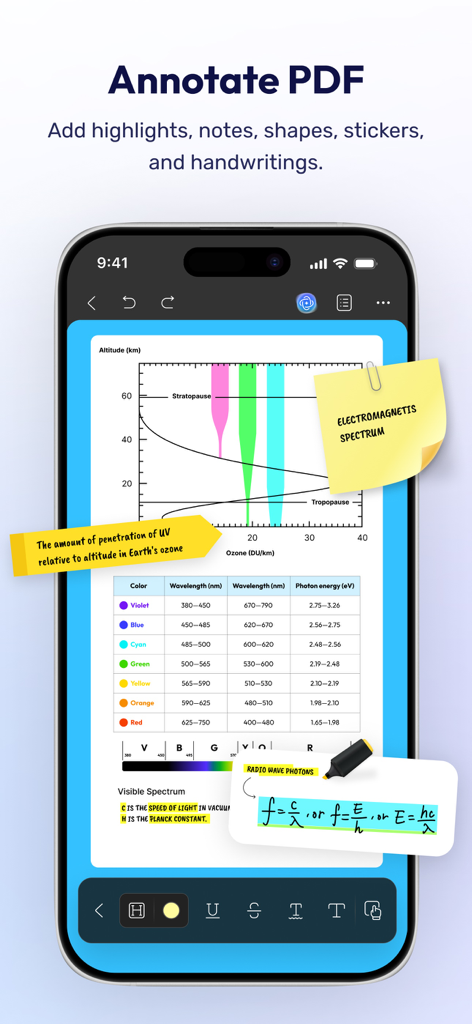
과학 문서에 하이라이트, 메모, 필기 노트를 포함한 PDF 주석 기능을 보여주는 UPDF 앱 인터페이스입니다.

과학 문서에 하이라이트, 메모, 필기 노트를 포함한 PDF 주석 기능을 보여주는 UPDF 앱 인터페이스입니다.

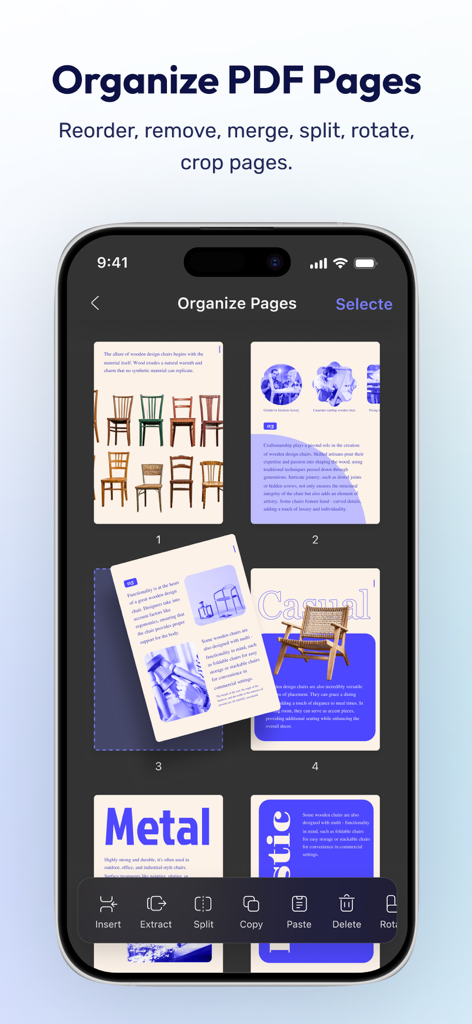
iPhone에서 PDF 페이지를 구성하고 재정렬하는 방법을 보여주는 UPDF 모바일 앱 화면입니다.

iPhone에서 PDF 페이지를 구성하고 재정렬하는 방법을 보여주는 UPDF 모바일 앱 화면입니다.

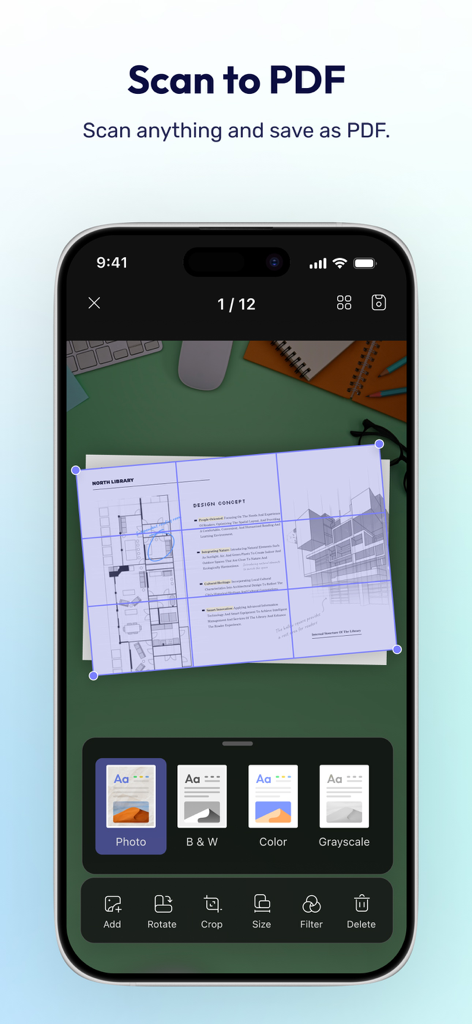
문서 자르기 및 필터 옵션이 있는 스캔하여 PDF로 만들기 기능을 보여주는 UPDF 모바일 앱 인터페이스입니다.

문서 자르기 및 필터 옵션이 있는 스캔하여 PDF로 만들기 기능을 보여주는 UPDF 모바일 앱 인터페이스입니다.

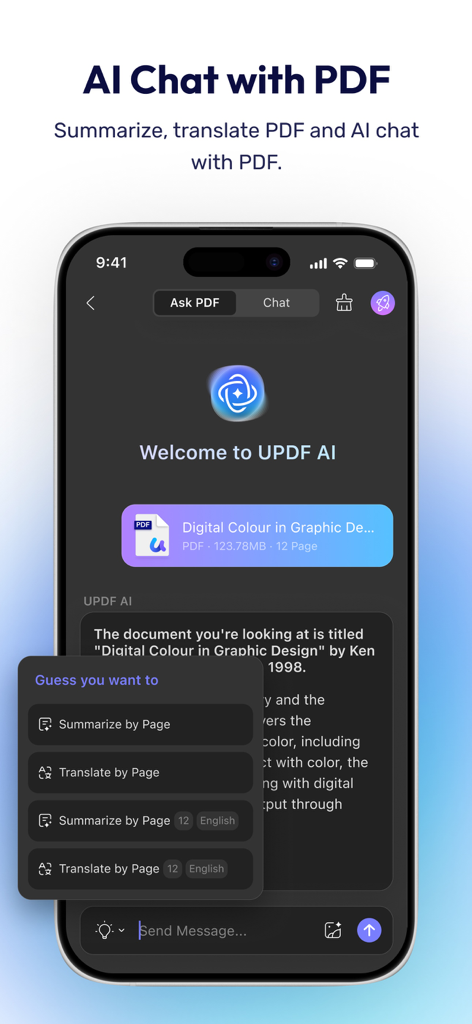
모바일 장치에서 문서 요약 및 번역과 같은 AI 채팅 기능을 시연하는 UPDF AI 기반 PDF 편집기 인터페이스입니다.

모바일 장치에서 문서 요약 및 번역과 같은 AI 채팅 기능을 시연하는 UPDF AI 기반 PDF 편집기 인터페이스입니다.

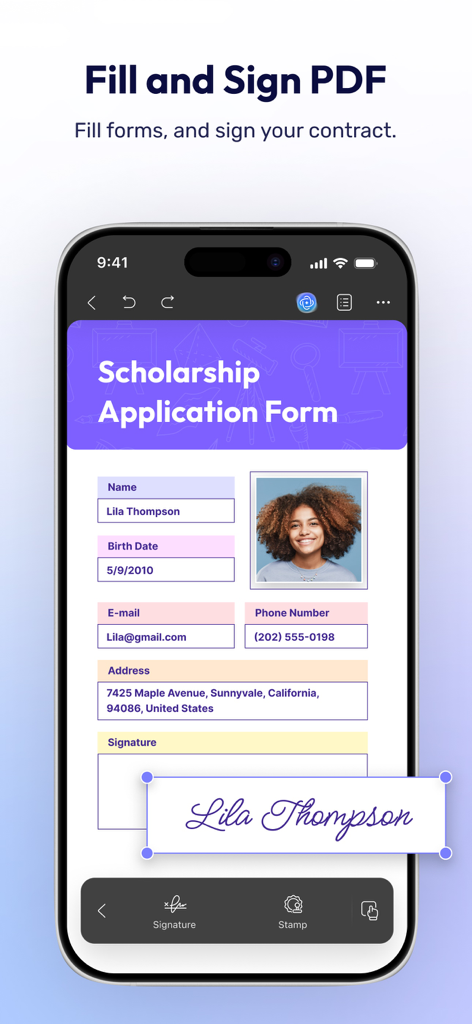
iPhone에서 PDF 신청서를 작성하고 서명하는 방법을 보여주는 UPDF 앱 인터페이스입니다.

iPhone에서 PDF 신청서를 작성하고 서명하는 방법을 보여주는 UPDF 앱 인터페이스입니다.

AI 기반 정밀도로 문서를 마스터하세요

이 앱을 돋보이게 하는 도구, 559K+ 명의 사용자가 선택.

🤖

AI 기반 인사이트

훑어보는 것을 멈추고 이해하기 시작하세요. 복잡한 PDF를 즉시 요약, 번역 및 채팅하여 몇 초 안에 핵심 정보를 추출하세요.

✍️

완전한 데스크탑급 편집

책상에서 벗어나세요. 전문 컴퓨터 스위트와 동일한 정밀도로 PDF 내의 텍스트, 이미지 및 링크를 직접 편집하세요.

🛡️

전문적인 보안 워크플로우

자신 있게 스캔, 서명 및 구성하세요. Face ID 및 전용 개인 보안 공간을 사용하여 민감한 문서를 보호하세요.

앱 소개

에 대해 알아야 할 모든 것 UPDF - AI-Powered PDF Editor.

설명

UPDF for iOS is an AI-integrated PDF editor app for your iPhone or iPad. It supports summarizing, translating, viewing, editing, annotating, OCR, scanning documents to PDF, converting, organizing, cropping, searching, copying & pasting, deleting, renaming, compressing, decompressing, sharing, and securing PDF documents—all from your iOS device. Amazing features of UPDF for iOS: Edit PDF - Edit text in PDF (change color, font style, font size) - Edit images in PDF (rotate, extract, replace, and crop images) - Edit watermark in PDF (add, edit, delete and favor watermark) - Edit links in PDF (add, edit, copy, and delete) AI Assistant - Summarize, translate, explain, and rephrase lengthy PDFs in minutes. - Engage in a chat with UPDF AI and ask it any questions you have. - Summarize or translate PDF by pages. - Export conversations to Markdown or TXT files. Read PDF - Flexible reading settings: vertical and horizontal scrolling, single-page and two-page view - Theme: Dark reading mode protects your eyes - Bookmarks: Go to specific points of interest using bookmark links - PDF slideshow: Present PDF documents as slideshows Annotate PDFs - Annotate PDFs using markup tools like pencil, highlight, underline, strikethrough, or squiggly line. - Add comments like text boxes and sticky notes. - Add shapes, stamps, and stickers to PDFs. Organize PDF pages - Easily rotate, extract, insert, and delete pages. - Copy, paste, and share specific pages in a PDF. Scan to PDF - Scan to create a PDF. - Scan an ID card/driving license/bank card onto one side of a page. - Crop, rotate, filter, delete, and reorder the scanned images. OCR PDF - Extract/copy text in scanned documents and paste to any PDF you want. Fill and Sign the PDF - Fill out PDF forms and add signatures to your PDF. - Create and add image signatures - Save the created signatures to cloud to use across platforms. Create PDF - Create PDF with blank, lined, dotted, grid, and graph papers - Create PDF by combining multiple images into a single PDF. Protect PDF - Add watermarks. - Add digital signatures. File Manager - Upload, create, rename, move, copy, duplicate, and reorder files or folders. - Unzip files by simply tapping .zip files - Search for files. - Supports two-finger multiple selections and operations. - Move files or folders to trash, and find deleted items in the trash. - Protect PDF files with a password or unlock protected PDF files. - Compress one or multiple files into a zip file. Security Space - Protect your privacy by moving your files or folders to Security Space. - Enable Face ID & Passcode to access your Security Space. Import File - Import files from Photos albums. - Import files from the Files App. - Transfer files from a computer over the same Wi-Fi. View files in All Formats - Browse dozens of different file formats including PDFs, Office documents (.doc, .docx, .ppt, .pptx, .xls, .xlsx), Pages, Keynotes, and Numbers with a single app. - Open other formats such as text, HTML(.html, xhtml), XML, Web Archive, Images( JPG, JPEG, GIF, PNG, TIFF, SVG, BMP) , video, audio. *** Pro Features of In-App Purchase*** - Use UPDF across all platforms including desktops and mobiles. Check features on different platforms:https://updf.com/tech-spec/ - Free Users will get 1 GB of Cloud Storage; Paid users will get 10 GB of Cloud Storage for free. - Advanced PDF features such as Convert PDF with OCR, batch process, etc. are available on the desktop. - Unliimted use of Scan to PDF(Free trial only scans up to 5 pages) - Unlimited use of Security Space(Trial version stores up to 10 items) - Secure App with passcode/TouchID/FaceID Need help? If you have any questions about this app, please email us at support@superace.com. You can follow us on Facebook: @superacesoftware Twitter: @updfeditor Youtube: @UPDF Instagram: @updfeditor If you feel this app helped you, please leave us a positive review in the App Store. Much appreciated!

최신 버전

2.2.6

크기

182.9 MB

출시일

2021년 12월 5일

AI로 문서 워크플로우를 혁신하세요

이동 중에 편집, 서명 및 요약하는 550,000명 이상의 전문가 및 학생들과 함께하세요. 지금 바로 iPhone 및 iPad에서 궁극의 올인원 PDF 파워를 경험하세요.

다운로드: App Store다운로드: Google Play
FAQ

자주 묻는 질문

에 대해 알아야 할 모든 것 UPDF - AI-Powered PDF Editor

UPDF for iOS란 무엇인가요?

UPDF for iOS는 iPhone 및 iPad용 AI 통합 PDF 편집 앱입니다. iOS 기기에서 직접 문서 보기, 편집, 주석 달기, 구성, 보안 등 광범위한 PDF 기능을 지원합니다.

UPDF AI는 PDF 요약을 제공하나요?

네, UPDF AI는 긴 PDF에 대한 요약 기능을 통합합니다. 사용자는 전체 문서 또는 특정 페이지를 요약하고 AI 어시스턴트를 사용하여 콘텐츠를 번역, 설명 또는 재구성할 수 있습니다.

iOS의 UPDF를 사용하여 PDF의 텍스트를 어떻게 편집하나요?

UPDF for iOS를 사용하면 색상, 글꼴 스타일, 글꼴 크기를 변경하는 것을 포함하여 PDF 내의 텍스트를 직접 편집할 수 있습니다. 또한 문서 내의 이미지, 워터마크 및 링크 편집도 지원합니다.

UPDF에서 스캔한 문서를 편집 가능한 PDF로 변환할 수 있나요?

예, UPDF는 OCR(광학 문자 인식) 기술을 제공합니다. 이 기능을 통해 스캔한 문서를 완전히 검색 가능하고 편집 가능한 PDF로 변환하여 텍스트를 추출하고 복사할 수 있습니다.

UPDF for iOS에는 어떤 주석 도구가 있나요?

UPDF는 다양한 주석 도구를 제공합니다. 사용자는 펜, 형광펜, 밑줄, 취소선, 텍스트 상자, 스티커 메모, 도형, 스탬프, 스티커를 사용하여 PDF에 표시할 수 있습니다.

UPDF for iOS는 다크 리딩 모드를 제공하나요?

예, UPDF for iOS에는 유연한 읽기 설정의 일부로 다크 리딩 모드가 포함되어 있습니다. 이 기능은 사용자의 눈을 보호하고 PDF 읽기 경험을 향상시키는 데 도움이 됩니다.

UPDF로 물리적 문서를 PDF로 스캔하려면 어떻게 해야 하나요?

UPDF를 사용하면 물리적 문서를 스캔하여 PDF를 만들 수 있습니다. ID 카드를 한 페이지에 스캔하는 것을 지원하며, 저장하기 전에 스캔한 이미지를 자르고 회전하고 필터링하는 옵션이 있습니다.

UPDF for iOS에서 비밀번호로 PDF 파일을 보호할 수 있나요?

예, UPDF for iOS를 사용하면 사용자가 비밀번호로 PDF 파일을 보호할 수 있습니다. 이 기능은 디지털 서명 및 워터마크와 함께 PDF 문서의 보안을 강화합니다.

UPDF에 포함된 클라우드 스토리지는 얼마인가요?

무료 UPDF 사용자는 1GB의 클라우드 스토리지를 받습니다. 유료 사용자는 추가 비용 없이 10GB의 클라우드 스토리지를 제공받으며, 지원되는 모든 플랫폼에서 원활하게 통합됩니다.

UPDF에서 PDF 양식을 작성하고 서명을 추가할 수 있나요?

예, UPDF for iOS를 사용하면 PDF 양식을 작성하고 서명을 추가할 수 있습니다. 이미지 서명을 생성하고 추가하는 것을 지원하며, 이 서명은 클라우드에 저장하여 편리하게 여러 플랫폼에서 사용할 수 있습니다.

App information, icons, screenshots, and descriptions displayed on this page are sourced from the Apple App Store and are the property of their respective developers. Download estimates and rankings are based on MWM's proprietary models and may not reflect actual figures. This page is provided for informational and analytical purposes only.

Believe this page infringes your intellectual property? File a dispute