US NOAA Radars 3D Pro
다운로드: App Store

이 페이지는 앱이나 개발자의 공식 페이지가 아니며, 정보 제공 및 논평을 목적으로 작성된 독립 편집 간행물입니다. 명시적으로 달리 언급되지 않는 한, 해당 앱이나 개발자는 MWM, Apple, Google Play, 앱 퍼블리셔 또는 앱 개발자와 제휴, 보증, 후원, 승인 또는 공식적으로 연결되어 있지 않으며, 이 페이지의 어떤 내용도 해당 앱이 MWM의 서비스를 사용하여 개발되었음을 의미하지 않습니다. 모든 상표, 로고, 스크린샷 및 기타 콘텐츠는 해당 소유자의 자산입니다.

로고: US NOAA Radars 3D Pro
다운로드: App Store

US NOAA Radars 3D Pro

몰입형 3D로 고정밀 NOAA 레이더를 경험하세요. iPhone, Apple Watch 및 Apple TV 간의 원활한 통합과 실시간 데이터로 심각한 폭풍을 추적하십시오.

주요 수치

다운로드

42K+

사용자 평점

1.7/5

총 평가 수

0

개발사

Jufen Chang

카테고리

Weather

지원 언어

1

최신 버전

23.30

크기

18.4 MB

출시일

2016년 1월 21일
기능

3D 정밀도로 하늘을 완벽하게 파악하세요

Apple 생태계 전반에 통합된 전문가 수준의 NOAA 레이더 데이터를 경험하세요. 3D 도시 플라이오버부터 실시간 위성 이미지까지, 대비에 필요한 기상 정보를 확보하십시오.

몰입형 3D 플라이오버

주요 도시 상공의 3차원 기상 패턴을 탐색하여 전례 없는 방식으로 폭풍의 깊이와 움직임을 시각화하세요.

전문가급 NOAA 데이터

투명도 조절 및 실시간 업데이트가 가능한 국립 기상청의 고해상도 레이더 이미지를 직접 확인하세요.

다음 스크린샷과 설명은 앱의 공식 스토어 목록에서 직접 가져온 것이며 앱 개발자의 자산입니다.

앱 스토어

스크린샷
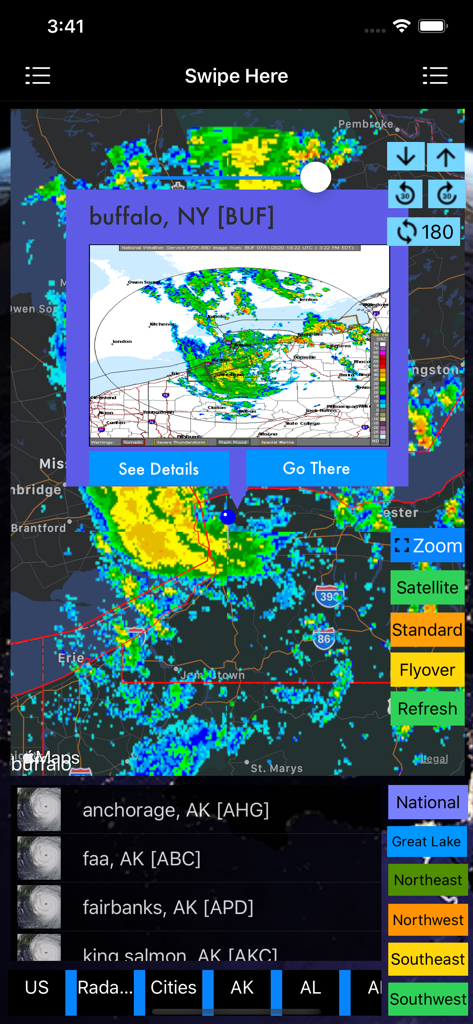
US NOAA Radars 3D Pro - US NOAA Radars 3D Pro 애플리케이션의 뉴욕 버팔로 기상 레이더 지도
US NOAA Radars 3D Pro 애플리케이션의 뉴욕 버팔로 기상 레이더 지도

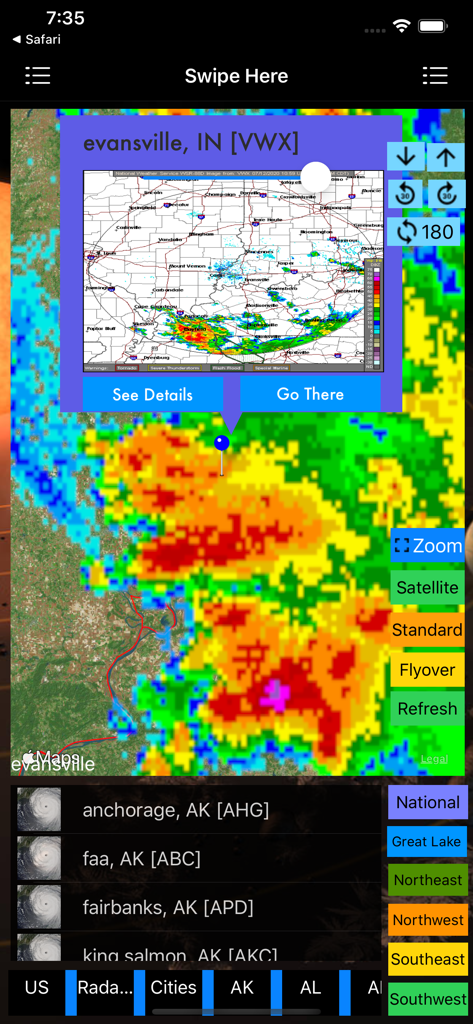
US NOAA Radars 3D Pro - 인디애나주 에반스빌의 폭풍 셀을 보여주는 US NOAA Radars 3D Pro 앱의 상세 기상 레이더 지도
인디애나주 에반스빌의 폭풍 셀을 보여주는 US NOAA Radars 3D Pro 앱의 상세 기상 레이더 지도

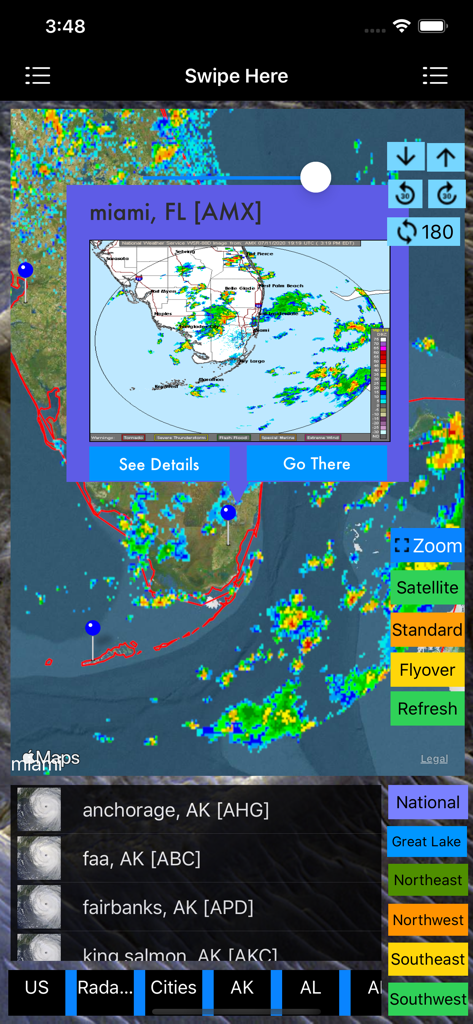
US NOAA Radars 3D Pro - 폭풍 추적 오버레이가 포함된 마이애미 기상 레이더 지도를 보여주는 US NOAA Radars 3D Pro 앱
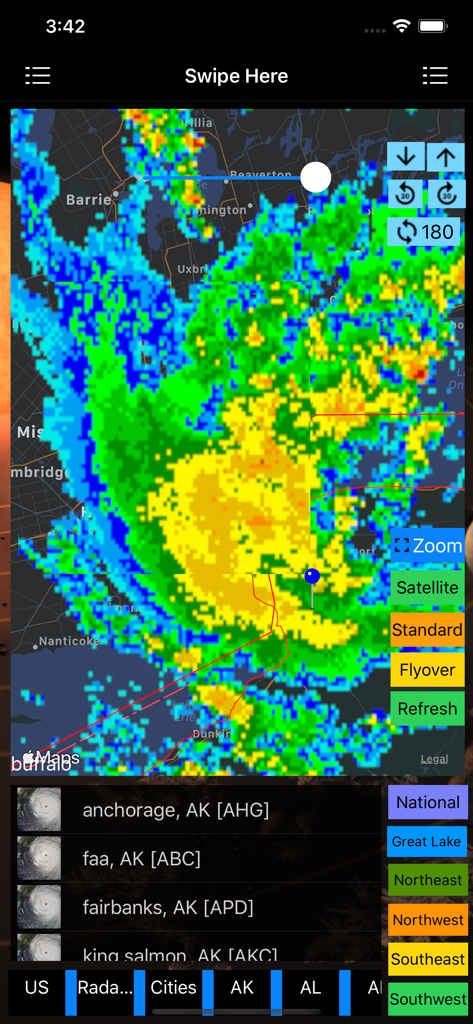
폭풍 추적 오버레이가 포함된 마이애미 기상 레이더 지도를 보여주는 US NOAA Radars 3D Pro 앱

US NOAA Radars 3D Pro - 탐색 및 확대/축소 도구와 함께 지도 위에 다채로운 폭풍 레이더 오버레이가 표시된 US NOAA Radars 3D Pro 앱 인터페이스
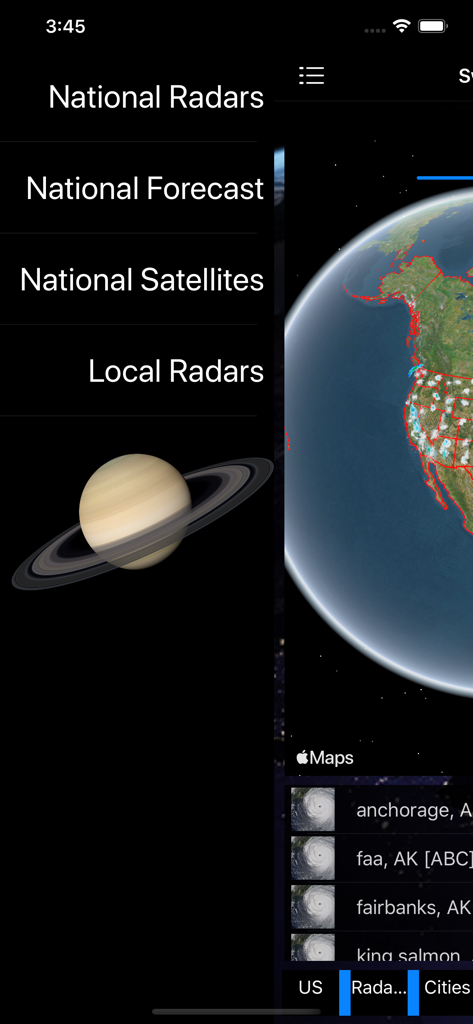
탐색 및 확대/축소 도구와 함께 지도 위에 다채로운 폭풍 레이더 오버레이가 표시된 US NOAA Radars 3D Pro 앱 인터페이스

US NOAA Radars 3D Pro - US NOAA Radars 3D Pro 앱의 메인 메뉴 및 3D 지구 시각화.
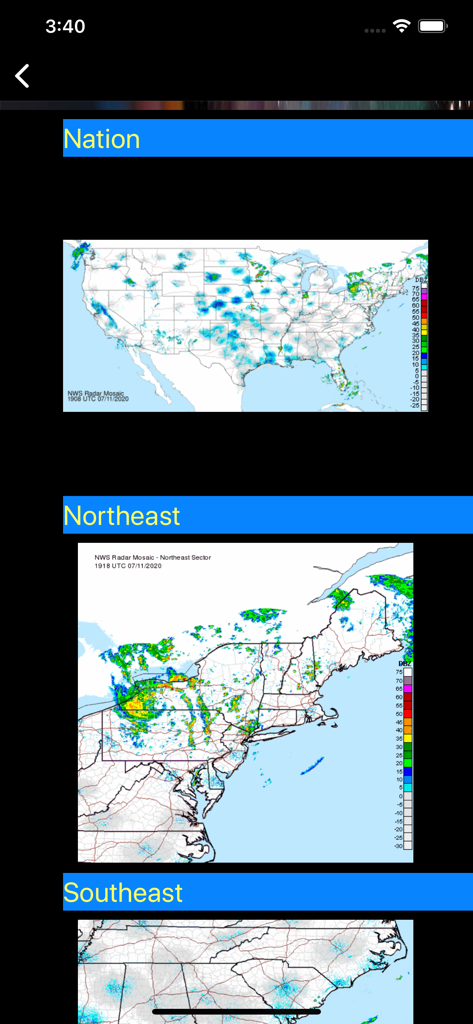
US NOAA Radars 3D Pro 앱의 메인 메뉴 및 3D 지구 시각화.

US NOAA Radars 3D Pro - 미국 전역 및 지역 NOAA 기상 레이더 지도.

미국 전역 및 지역 NOAA 기상 레이더 지도.

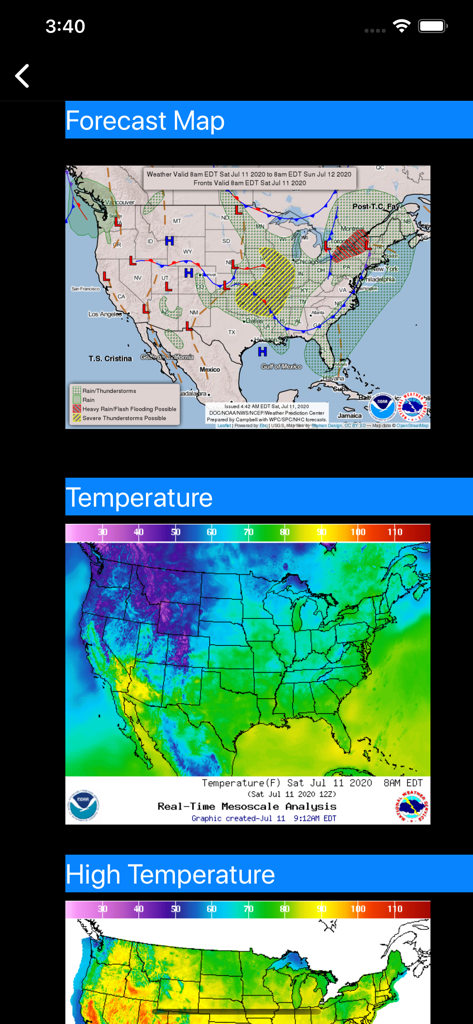
US NOAA Radars 3D Pro - 미국 일기 예보 및 온도 레이더 지도

미국 일기 예보 및 온도 레이더 지도

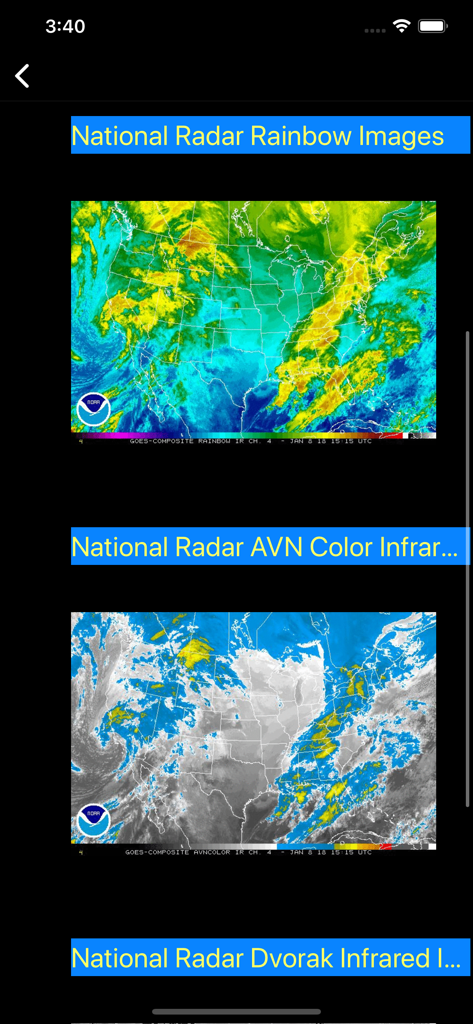
US NOAA Radars 3D Pro - 무지개 및 적외선 뷰의 미국 NOAA 위성 레이더 이미지

무지개 및 적외선 뷰의 미국 NOAA 위성 레이더 이미지

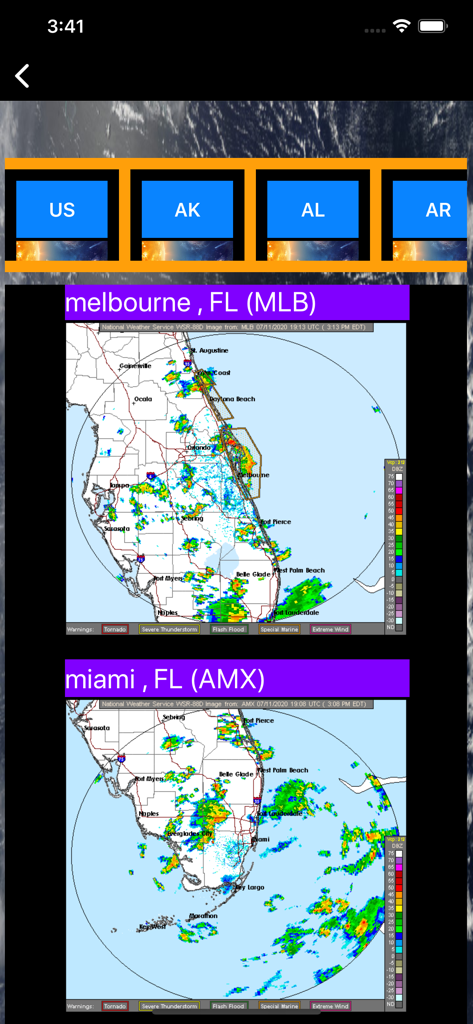
US NOAA Radars 3D Pro - US NOAA Radars 3D Pro 앱 인터페이스의 플로리다주 멜버른 및 마이애미 기상 레이더 지도

US NOAA Radars 3D Pro 앱 인터페이스의 플로리다주 멜버른 및 마이애미 기상 레이더 지도

설명

The Next Generation of Weather Radar app is here. iOS App Quick Started: > Radar images will be loaded when the app is launched and will be refreshed every 10 minutes. And you are ready to see the latest real time radar images on the map. Zoom in and out to see the whether across multiple states. Click on the "Radar" button to enable/disable radar images. Slide the slider to change the transparency of radar images. You can also select any radar from menu, radar stations on the map and right sidebar to switch to a different radar station. > To see the major city 3D View, follow the steps below: 1. Select "Flyover" on the top to enable 3D View 2. Select "Major Cities" from the left sidebar to see the major cities on the map. Click on any major city and you are ready to see 3D City View (use two-fingers gesture to change viewing angles: zoom in/out, rotate, swipe up/down). You can also zoom in to a major city manually. Watch App Quick Started: > Launch the Watch App and the app will communicate with the iOS App to get the nearest Radar information and also notify the iOS App to select and view the Radar. The radar image will also be sent back to Watch App for display. Click on the "Nearest" button if you would like to search the nearest radar again. This app is the Next Generation of Weather Radar app by integrating the following technologies and data together: - The latest Apple MapKit features such as Traffic, Buildings, POI and 3D View - Apple Watch Integration with iPhone. - Apple TV integration (Universal Purchase) - Real Time NOAA Radar - National, Regional and Individual Radar View with the easiest ways to access the radars (right sidebar, menu or map pins) - 3D Radar View - Transparent Radar View - Radar Image - Major cities layer and weather forecast (***Full Version*** Tap a city and the flyover view will be enabled and zoomed into the selected city). - Radar Stations layer and weather forecast (Full Version) - Radar Images (Full Version) - Apple Watch Integration. - Databases with built in information. - Weather Alerts (Under development) This app provides the following features: - The first app integrates the latest national Radar, Regional Radar and Individual Radars together. - The first app provides Radar images in 3D view by selecting Flyover map mode on the top. - Quick access to radars: > One click Radar switch by selecting the right sidebar and click on a radar. > One click Radar switch by selecting an item on the top menu. > One click Radar switch by selecting radar on the map (Full Version) - One click feature/layer switch by selecting the left sidebar and click on a feature/layer > Radar Image based upon the selected state > Radar Stations layer on/off > Major cities layer on/off - One click theme switch by selecting the left sidebar and click on a theme to have the look you want. - This app provides the Apple Watch Integration to control iPhone to select and display the nearest Radar Image. - This app provides Apple TV integration (Universal Purchase)

Download

다운로드: App Store

이 페이지는 앱이나 개발자의 공식 페이지가 아니며, 정보 제공 및 논평을 목적으로 작성된 독립 편집 간행물입니다. 명시적으로 달리 언급되지 않는 한, 해당 앱이나 개발자는 MWM, Apple, Google Play, 앱 퍼블리셔 또는 앱 개발자와 제휴, 보증, 후원, 승인 또는 공식적으로 연결되어 있지 않으며, 이 페이지의 어떤 내용도 해당 앱이 MWM의 서비스를 사용하여 개발되었음을 의미하지 않습니다. 모든 상표, 로고, 스크린샷 및 기타 콘텐츠는 해당 소유자의 자산입니다.