Video Editor : Video Maker,Cut
다운로드: App Store

이 페이지는 앱이나 개발자의 공식 페이지가 아니며, 정보 제공 및 논평을 목적으로 작성된 독립 편집 간행물입니다. 명시적으로 달리 언급되지 않는 한, 해당 앱이나 개발자는 MWM, Apple, Google Play, 앱 퍼블리셔 또는 앱 개발자와 제휴, 보증, 후원, 승인 또는 공식적으로 연결되어 있지 않으며, 이 페이지의 어떤 내용도 해당 앱이 MWM의 서비스를 사용하여 개발되었음을 의미하지 않습니다. 모든 상표, 로고, 스크린샷 및 기타 콘텐츠는 해당 소유자의 자산입니다.


로고: Video Editor : Video Maker,Cut
다운로드: App Store

Video Editor : Video Maker,Cut

수천 명의 크리에이터와 함께 프로 수준의 편집, 트렌디한 효과, 즉각적인 오디오 추출 기능을 사용하여 모든 게시물을 TikTok 및 Reels에서 돋보이게 만드세요.

주요 수치

다운로드

40K+

사용자 평점

3.5/5

총 평가 수

0

개발사

宝锋 吴

카테고리

Photo & Video

지원 언어

19

최신 버전

1.6.6

크기

100.3 MB

출시일

2022년 10월 28일
기능

바이럴을 일으킬 콘텐츠 만들기

고임팩트 소셜 동영상을 위한 올인원 모바일 스튜디오입니다. 매끄러운 컷부터 트렌디한 효과까지, 몇 분 안에 전문가 수준의 콘텐츠를 만드세요.

빠르고 정확한 편집

TikTok 및 Reels의 속도에 맞춰 설계된 직관적인 도구를 사용하여 클립을 쉽게 분할, 병합 및 자르세요.

트렌디한 분위기 및 필터

엄선된 멋진 전환, 시네마틱 필터, 눈길을 끄는 특수 효과 라이브러리로 미학을 향상시키세요.

다음 스크린샷과 설명은 앱의 공식 스토어 목록에서 직접 가져온 것이며 앱 개발자의 자산입니다.

앱 스토어

스크린샷
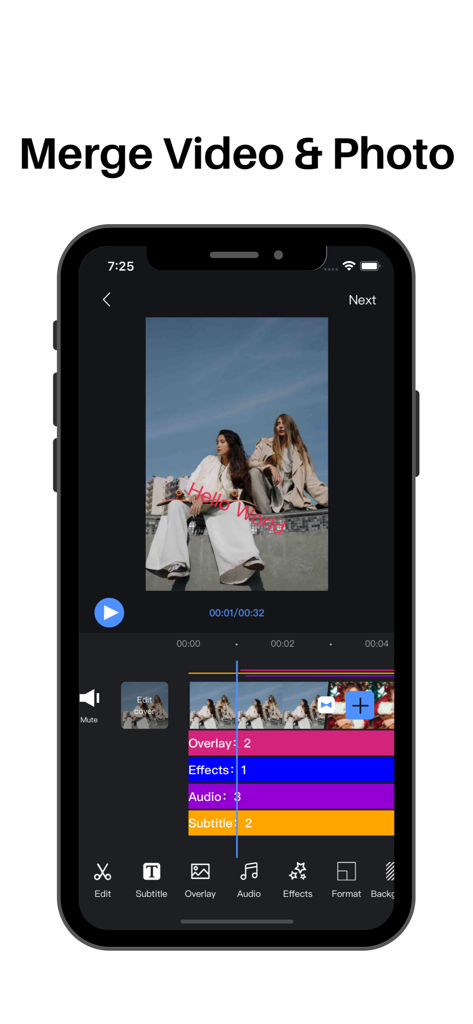
Video Editor : Video Maker,Cut - 여러 타임라인 트랙을 사용하여 동영상과 사진을 병합하는 옵션이 있는 동영상 편집기 인터페이스를 보여주는 휴대폰 화면
여러 타임라인 트랙을 사용하여 동영상과 사진을 병합하는 옵션이 있는 동영상 편집기 인터페이스를 보여주는 휴대폰 화면

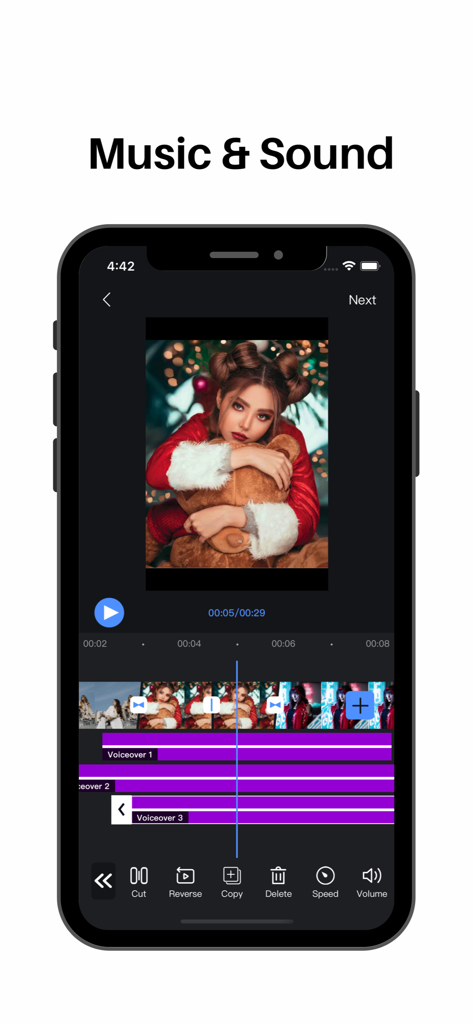
Video Editor : Video Maker,Cut - 동영상 클립의 타임라인에 여러 음성 설명 트랙이 있는 모바일 동영상 편집 앱 인터페이스
동영상 클립의 타임라인에 여러 음성 설명 트랙이 있는 모바일 동영상 편집 앱 인터페이스

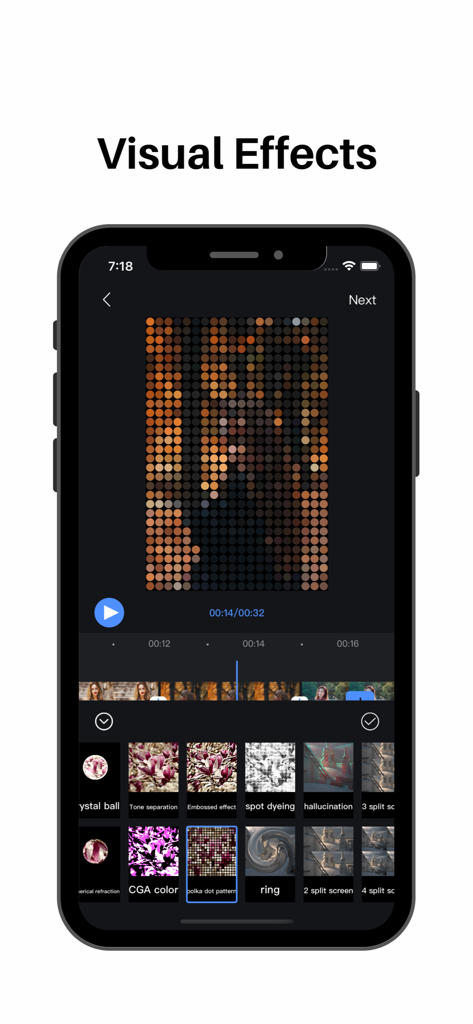
Video Editor : Video Maker,Cut - 점박이 패턴 효과와 다양한 필터 옵션이 있는 모바일 동영상 편집 앱 인터페이스를 보여주는 스마트폰 화면
점박이 패턴 효과와 다양한 필터 옵션이 있는 모바일 동영상 편집 앱 인터페이스를 보여주는 스마트폰 화면

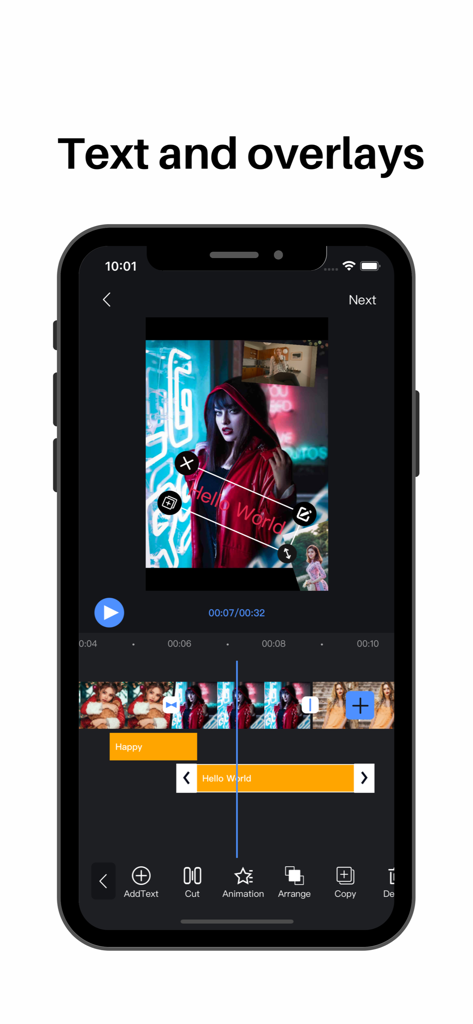
Video Editor : Video Maker,Cut - 편집 타임라인에 "Hello World" 텍스트 오버레이와 picture-in-picture 동영상 클립이 있는 모바일 동영상 편집 앱 인터페이스
편집 타임라인에 "Hello World" 텍스트 오버레이와 picture-in-picture 동영상 클립이 있는 모바일 동영상 편집 앱 인터페이스

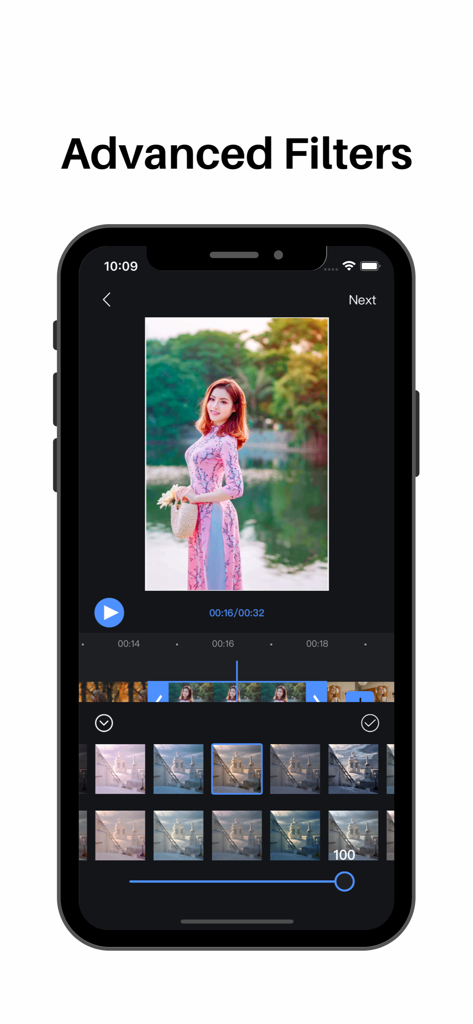
Video Editor : Video Maker,Cut - 동영상 편집을 위한 고급 필터 인터페이스를 보여주는 아이폰 화면

동영상 편집을 위한 고급 필터 인터페이스를 보여주는 아이폰 화면

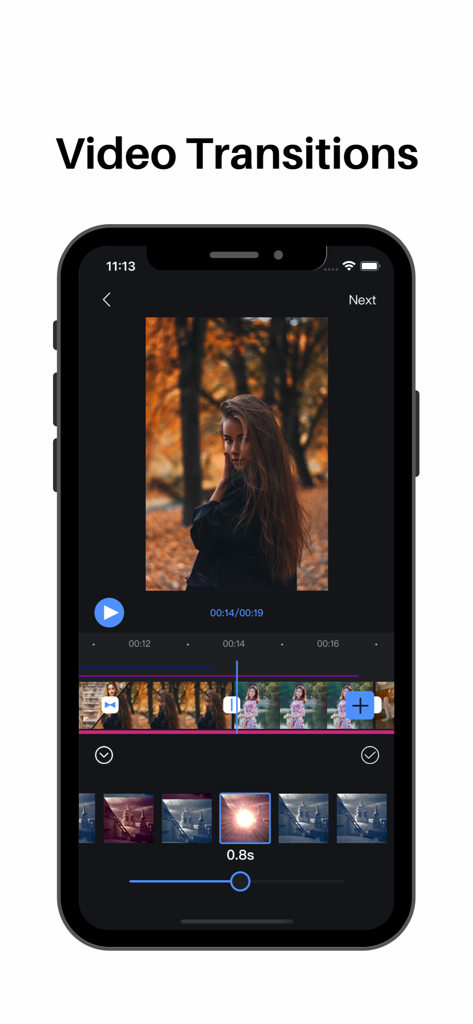
Video Editor : Video Maker,Cut - 타임라인과 효과 옵션이 있는 동영상 전환 기능을 보여주는 동영상 편집기 모바일 앱 인터페이스
타임라인과 효과 옵션이 있는 동영상 전환 기능을 보여주는 동영상 편집기 모바일 앱 인터페이스

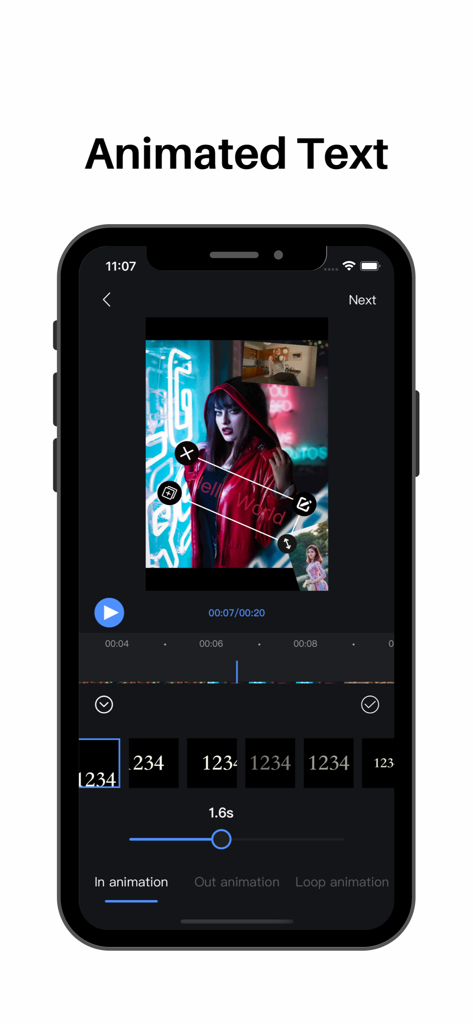
Video Editor : Video Maker,Cut - 동영상 편집기 앱에서 애니메이션 스타일이 있는 애니메이션 텍스트 기능을 보여주는 스마트폰 화면
동영상 편집기 앱에서 애니메이션 스타일이 있는 애니메이션 텍스트 기능을 보여주는 스마트폰 화면

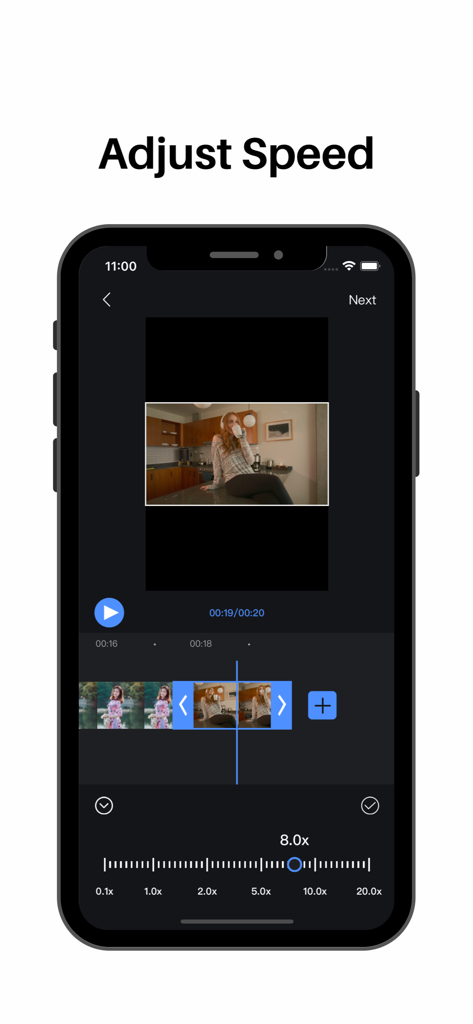
Video Editor : Video Maker,Cut - 동영상 타임라인과 속도 조절 슬라이더를 보여주는 모바일 동영상 편집기 인터페이스

동영상 타임라인과 속도 조절 슬라이더를 보여주는 모바일 동영상 편집기 인터페이스

설명

Video Editor Features: 【segmentation】 Split video clips at will 【Splicing】 Video/picture stitching at will 【Speed ​​change】 fast/slow speed switch 【Picture in Picture】 Support for adding video/photo picture-in-picture blending modes 【Transitions】 Cool effects for you to choose 【Special effects】 Easily choose from a variety of video/picture animation modes 【Filter】 A variety of rich filter modes for you to choose, showing different colors 【subtitle】 Multi-layer subtitles can be added, size, position, font style can be changed at will Easily control subtitle display time 【Extract audio】 Convenient and fast extraction of audio from local video 【Upside down】 Easily switch video/audio reverse mode 【Voice】 Add to extract audio from video Selection of local audio Comfortable use of recording mode 【Cutting】 Easy cropping of video/pictures in various ratios 【Video time crop】 Easily crop the desired time segment in the video 【Proportional background】 Easy selection of different ratios of video/picture Canvas background color can be changed at will Adding background images Background blur function settings 【Video Editor VIP Subscription】 1. Subscribing to Video Editor VIP membership includes the following functions: watermark removal, video parameter adjustment, subtitles and video animations, advanced filters, special effects, and transition animations. 2. Video Editor VIP members provide free use (renewed by annual fee) and monthly subscription. We also offer a one-time fee in addition to our existing subscription plans if needed. The price depends on the subscription package you choose. 3. Subscription automatically renews at the selected package price unless cancelled 24 hours in advance of the current subscription period. Subscription fees are charged to your iTunes Account at confirmation of purchase. You can manage subscriptions and turn off auto-renewal by going to your Account Settings after purchase. According to Apple's policy, the current subscription cannot be cancelled during the active subscription period. There will be no refunds for any unused portion after purchase. 4. If you are eligible for a free trial and subscribe before the end of the free trial period, the remaining free trial period will be cancelled after you confirm your purchase. Subscription starts immediately after free usage ends unless cancelled at least 24 hours before the end of the trial. Privacy Policy: https://sites.google.com/view/appsvideo/video-editor/privacy User Agreement: https://sites.google.com/view/appsvideo/video-editor/agreement Feedback Email: feedbackapp@126.com

Download

다운로드: App Store

이 페이지는 앱이나 개발자의 공식 페이지가 아니며, 정보 제공 및 논평을 목적으로 작성된 독립 편집 간행물입니다. 명시적으로 달리 언급되지 않는 한, 해당 앱이나 개발자는 MWM, Apple, Google Play, 앱 퍼블리셔 또는 앱 개발자와 제휴, 보증, 후원, 승인 또는 공식적으로 연결되어 있지 않으며, 이 페이지의 어떤 내용도 해당 앱이 MWM의 서비스를 사용하여 개발되었음을 의미하지 않습니다. 모든 상표, 로고, 스크린샷 및 기타 콘텐츠는 해당 소유자의 자산입니다.