Video Editor .
Video Editor .
다운로드: App Store

이 페이지는 앱이나 개발자의 공식 페이지가 아니며, 정보 제공 및 논평을 목적으로 작성된 독립 편집 간행물입니다. 명시적으로 달리 언급되지 않는 한, 해당 앱이나 개발자는 MWM, Apple, Google Play, 앱 퍼블리셔 또는 앱 개발자와 제휴, 보증, 후원, 승인 또는 공식적으로 연결되어 있지 않으며, 이 페이지의 어떤 내용도 해당 앱이 MWM의 서비스를 사용하여 개발되었음을 의미하지 않습니다. 모든 상표, 로고, 스크린샷 및 기타 콘텐츠는 해당 소유자의 자산입니다.


로고: Video Editor .
다운로드: App Store

Video Editor .

자신의 아이디어를 HD 걸작으로 바꾸는 수백만 명의 크리에이터들과 함께하세요. 인기 음악부터 감각적인 필터까지, TikTok, Instagram, YouTube에서 돋보이는 데 필요한 모든 것이 여기에 있습니다.

주요 수치

다운로드

7M+

사용자 평점

4.7/5

총 평가 수

3K+

개발사

传彬 戴

카테고리

Photo & Video

지원 언어

7

최신 버전

2.8.1

크기

165.1 MB

출시일

2017년 7월 3일
기능

손쉽게 바이럴 콘텐츠 만들기

차세대 크리에이터를 위해 설계된 강력하고 직관적인 도구로 클립을 소셜 미디어 걸작으로 변환하세요.

1분 안에 편집하기

복잡함은 건너뛰세요. 전문가 수준의 자르기, 잘라내기, 분할 도구를 사용하여 소셜 미디어 속도에 맞춰 스토리를 구축하세요.

고급 오디오 레이어링

인기 음악, 사용자 지정 음성 해설, 다른 비디오에서 추출한 오디오를 믹스하여 자신만의 독특한 사운드를 만드세요.

다음 스크린샷과 설명은 앱의 공식 스토어 목록에서 직접 가져온 것이며 앱 개발자의 자산입니다.

앱 스토어

스크린샷
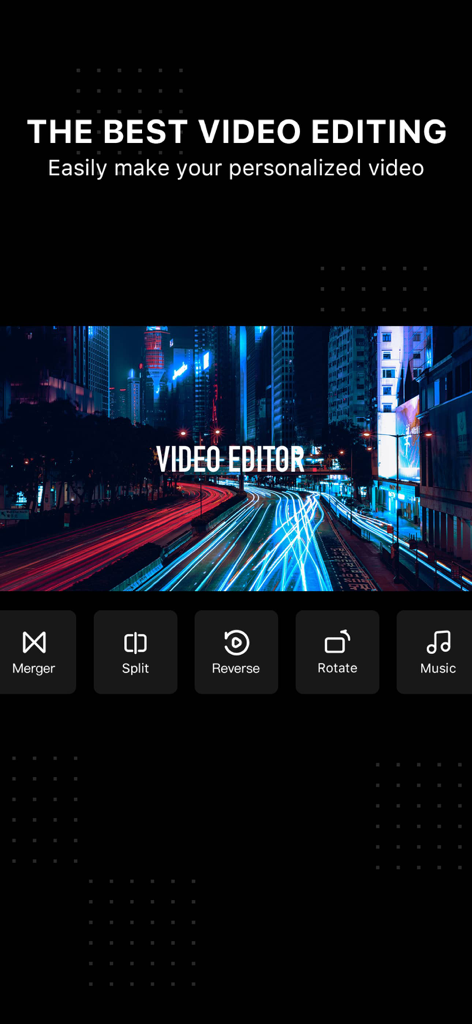
Video Editor . - 비디오 편집기 앱 화면에 병합, 분할, 음악 편집 옵션 표시

비디오 편집기 앱 화면에 병합, 분할, 음악 편집 옵션 표시

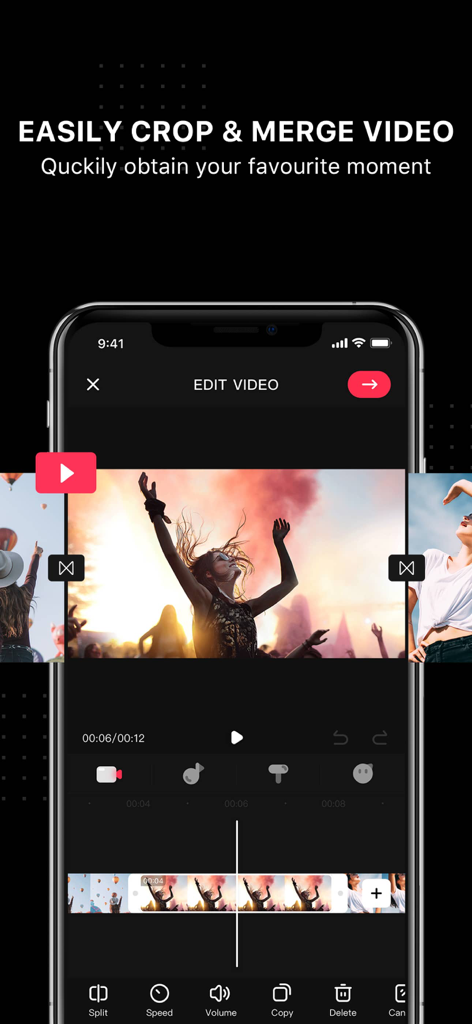
Video Editor . - 소셜 미디어용 비디오 클립 자르기 및 병합 도구를 보여주는 Video Editor 앱의 모바일 인터페이스
소셜 미디어용 비디오 클립 자르기 및 병합 도구를 보여주는 Video Editor 앱의 모바일 인터페이스

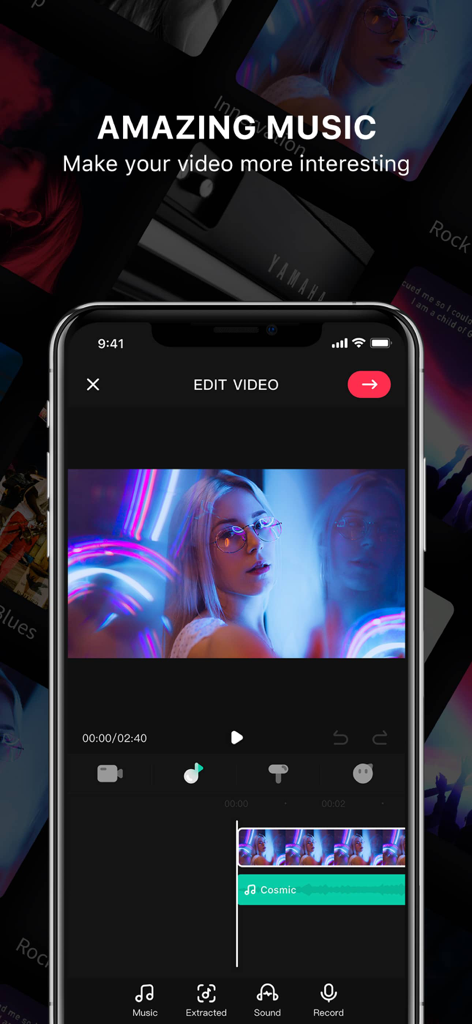
Video Editor . - 비디오에 음악 및 음향 효과를 추가하기 위한 모바일 앱 인터페이스

비디오에 음악 및 음향 효과를 추가하기 위한 모바일 앱 인터페이스
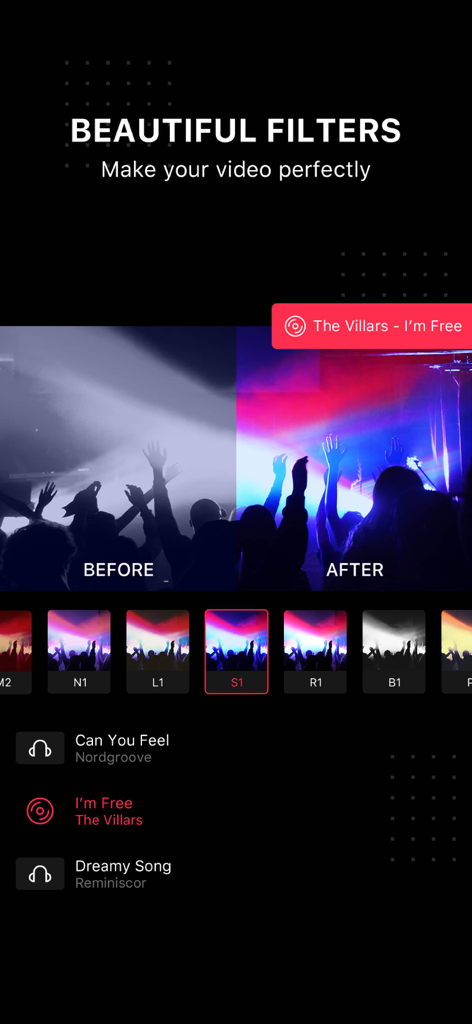
Video Editor . - Video Editor 앱 인터페이스 내에서 콘서트 비디오에 생생한 감각 필터를 적용한 전후 비교
Video Editor 앱 인터페이스 내에서 콘서트 비디오에 생생한 감각 필터를 적용한 전후 비교

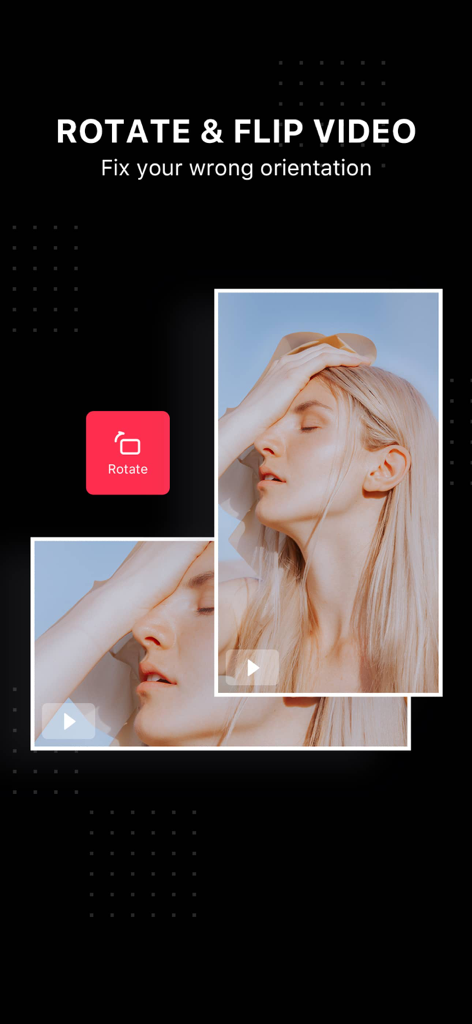
Video Editor . - Video Editor 앱에서 방향을 수정하기 위한 회전 및 플립 비디오 기능을 보여주는 인터페이스
Video Editor 앱에서 방향을 수정하기 위한 회전 및 플립 비디오 기능을 보여주는 인터페이스

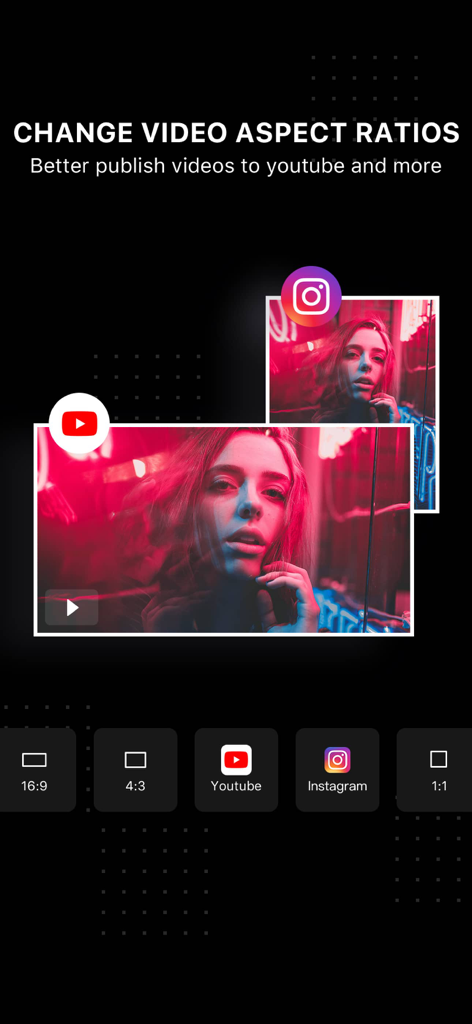
Video Editor . - Video Editor 앱에서 YouTube, Instagram 및 일반 형식의 비디오 종횡비 옵션을 보여주는 인터페이스

Video Editor 앱에서 YouTube, Instagram 및 일반 형식의 비디오 종횡비 옵션을 보여주는 인터페이스

설명

Video Editor is a hot video editing and creating app. Now has millions of users around the world. Even the new beginners can easily create and edit a great video in 1 minute. Whether you’re looking to make a full film or be the next YouTube hot creator, Video Editor offers you the tools to make your videos shine. WHY YOU'LL LOVE THIS APP - It is full-featured editing functions, winning many video editing software, and become the popular choice for many YouTubers. - Multi-audio synthesis, support for adding multiple music, recording, and sound effects to the same video; - A variety of professional photographers’ favorite filters. - Tons of stickers to really make your videos stand out. - Hundreds of popular songs help you to turn your video into a masterpiece. EASILY CROP YOUR VIDEOS - Easily crop the video clips you want, accurate to 1s. - Includes Clip, Cut and Split, which is very suitable for beginners to use. POWERFUL MUSIC EDITING FUNCTION - Rich music and sound effect material library to make your video more outstanding. - Extract audio from other videos, use your own video, and edit - Hundreds of popular music songs that can be used on YouTube are available. - You can also import your favorite songs from iTunes over video as background music. - You can easily dub videos and make blockbuster movies with your voice. - Edit background music, you can drag to change music playback position and add multiple music at the same time. ADD TEXT & STICKERS - Type your own text with color and various fonts. - Bring your videos to life with cute stickers. ADJUST VIDEO ASPECT RATIOS AND DIRECTIONS - Multiple frame sizes: including YouTube, Instagram video sizes, 4:3, 1:1 and 9:16. - Rotating your videos in 90 degree to adjust the video direction is supported. MERGE VIDEOS AND PHOTOS - Combine multiple clips into one to make your own unique videos. - Create interesting slideshows and videos from your photos. - Choose your favorite transition to style your video and slideshows. ADJUST SPEED - Adjust playback speed for fast or slow motion. CAREFULLY-SELECTED FILTERS - Tons of carefully-selected filters to cater to all your needs no matter you're looking for documentary effects or artistic expression. COPY VIDEOS - One-click copying makes it easy to edit repeating clips. SAVE HD VIDEO - Save videos to your camera roll in high quality output. - Share right to YouTube, Facebook, Instagram, TikTok and other pop app. Don’t wait! Join Video Editor, the top video editing app, to make stunning videos easily. If you have any problems, please feel free to contact us: videoeditorteam@163.com. Video Editor PRO SUBSCRIPTION - Membership Benefits: Unlock all VIP features. - Subscription Period: 1 month (Pro membership continuous monthly product), 12 months (Pro membership continuous annual product). If needed, we also provide one-time payment services other than existing subscription plans. - Subscription Prices: Prices may vary based on iAP application information, e.g., $4.49 per month for continuous monthly product, $27.49 per year for continuous annual product. - Payment: Users confirm purchase and make payments through their iTunes account. - Canceling Renewal: To cancel renewal, please manually disable the auto-renewal feature in iTunes/Apple ID settings management at least 24 hours before the current subscription period ends. - Renewal: Apple iTunes account will be charged within 24 hours before expiration. Upon successful payment, the subscription period will be extended by one subscription period. - Free Trial for Annual Members: Renewing or canceling renewal during the free trial period will not revoke the trial benefits. Users can continue to use the trial until the trial period ends. User Agreement: https://videoeditor.principlebits.com/web/UserAgreement/ Privacy Policy: https://videoeditor.principlebits.com/web/PrivacyPolicy/ EULA: https://www.apple.com/legal/internet-services/itunes/dev/stdeula/

Download

다운로드: App Store

이 페이지는 앱이나 개발자의 공식 페이지가 아니며, 정보 제공 및 논평을 목적으로 작성된 독립 편집 간행물입니다. 명시적으로 달리 언급되지 않는 한, 해당 앱이나 개발자는 MWM, Apple, Google Play, 앱 퍼블리셔 또는 앱 개발자와 제휴, 보증, 후원, 승인 또는 공식적으로 연결되어 있지 않으며, 이 페이지의 어떤 내용도 해당 앱이 MWM의 서비스를 사용하여 개발되었음을 의미하지 않습니다. 모든 상표, 로고, 스크린샷 및 기타 콘텐츠는 해당 소유자의 자산입니다.