
이 페이지는 앱이나 개발자의 공식 페이지가 아니며, 정보 제공 및 논평을 목적으로 작성된 독립 편집 간행물입니다. 명시적으로 달리 언급되지 않는 한, 해당 앱이나 개발자는 MWM, Apple, Google Play, 앱 퍼블리셔 또는 앱 개발자와 제휴, 보증, 후원, 승인 또는 공식적으로 연결되어 있지 않으며, 이 페이지의 어떤 내용도 해당 앱이 MWM의 서비스를 사용하여 개발되었음을 의미하지 않습니다. 모든 상표, 로고, 스크린샷 및 기타 콘텐츠는 해당 소유자의 자산입니다.

Video Up! Video Editor & Maker
더 이상 망설일 시간은 없다. Video Up!은 당신의 평범한 아이디어를 즉시 압도적인 시각적 서사로 변환시키는 도구임을 과시한다.
다운로드
12.5M+사용자 평점
총 평가 수
212.7K개발사
카테고리
Photo & Video지원 언어
30최신 버전
2.5.1크기
271.0 MB출시일
2022년 4월 29일'Video Up! Video Editor & Maker' 심층 분석
소셜 미디어 크리에이터부터 브이로거까지, 모두를 위한 올인원 비디오 편집 솔루션
AI 텍스트-이미지 생성
이 앱은 사용자의 텍스트 설명을 기반으로 AI가 생성한 이미지를 비디오에 삽입하여 독창적인 시각 콘텐츠를 제작할 수 있게 합니다.
강력한 비디오 편집 도구
이 도구는 클립 자르기, 병합, 텍스트 오버레이 추가, 캡션 자동 생성 등 포괄적인 편집 기능을 제공하여 비디오를 정밀하게 조정합니다.
다양한 템플릿 및 전환 효과
이 앱은 미리 디자인된 템플릿과 즉시 사용 가능한 인트로, 아웃트로 및 전환 효과를 제공하여 사용자가 빠르고 쉽게 전문적인 비디오를 제작할 수 있게 돕습니다.
시네마틱 시각 효과
이 앱은 영화 같은 효과, 오버레이, 필터 및 크로마 키 기능을 포함하여 비디오에 시각적인 매력을 더하고 배경을 창의적으로 변경할 수 있게 합니다.
풍부한 음악 및 사운드 라이브러리
이 도구는 5,000개 이상의 내장된 음악, 개인 오디오 파일 가져오기, 음성 해설 및 효과음을 활용하여 사용자가 비디오의 분위기를 풍부하게 만들 수 있도록 지원합니다.
다중 플랫폼 공유 및 고해상도 저장
이 앱은 완성된 비디오를 TikTok, Instagram, YouTube 등 다양한 소셜 미디어 플랫폼에 쉽게 공유하고 고해상도로 저장하여 사용자가 언제든지 콘텐츠를 활용할 수 있게 합니다.
자주 묻는 질문
에 대해 알아야 할 모든 것 Video Up! Video Editor & Maker
Does Video Up! use AI to generate images for videos?
Yes, Video Up! incorporates an AI video editor to insert AI-generated images and illustrations. Users describe their desired visuals, and the app instantly creates them.
Can Video Up! automatically generate captions for my videos?
Yes, Video Up! instantly generates captions to narrate video content. This feature assists users in adding text overlays efficiently to their video projects.
What kind of music library does Video Up! offer?
Video Up! includes a library of over 5,000 built-in songs. Users can also import custom tracks, extract audio from clips, and add voiceovers or sound effects.
How does Video Up! handle background removal in videos?
Video Up! provides a chroma key feature for creatively changing video backgrounds. This tool enables users to build custom visuals and enhance their scenes.
Does Video Up! provide templates for video creation?
Yes, Video Up! offers beautiful templates, including intros, outros, and transitions, for instant use. Users can personalize fonts, colors, and layout quickly.
Which social media platforms can I export videos to from Video Up!?
Video Up! supports direct export to TikTok, Instagram, YouTube, and WhatsApp. Users can save their final videos in high resolution to their device gallery.
Can I adjust the playback speed of videos in Video Up!?
Yes, Video Up! allows users to speed up or slow down video playback. This feature provides flexibility for dynamic adjustments within their video editing projects.
Is Video Up! suitable for creating different types of video content?
Yes, Video Up! is an all-in-one editor capable of creating high-quality videos, reels, slideshows, and movies. It serves as a comprehensive tool for various content needs.
다음 스크린샷과 설명은 앱의 공식 스토어 목록에서 직접 가져온 것이며 앱 개발자의 자산입니다.
앱 스토어
스크린샷
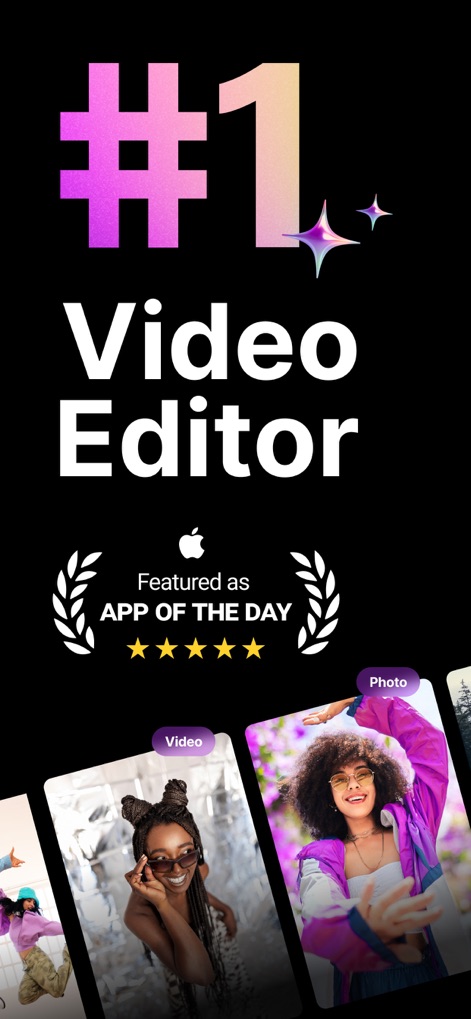
최고의 비디오 경험
이 앱은 '오늘의 앱'으로 선정되어 (#1 Video Editor) 그 품질을 인정받았으며, 사용자들은 다양한 비디오와 사진을 손쉽게 가져와 편집을 시작할 수 있습니다.

AI 이미지 생성
사용자는 AI 기능을 활용하여 ('A girl skating in a neon-lit skatepark') 텍스트 설명을 기반으로 동영상에 삽입할 독창적인 이미지를 생성할 수 있으며, 생성된 이미지들은 다양한 스타일로 (하단 썸네일) 제공됩니다.

정밀한 비디오 편집
사용자는 비디오를 자유롭게 병합하고 자르며, 다양한 화면 비율 (9:16, 3:4 등) 중 선택하여 영상 크기를 정밀하게 조정할 수 있습니다.

손쉬운 템플릿 활용
이 앱은 'Fashion', 'Hiking Vlog'와 같은 다양한 테마의 (수많은 템플릿) 템플릿을 제공하며, 사용자는 추천 비디오 길이 (예: 0:20, 0:16) 정보를 확인하며 쉽게 프로젝트를 시작할 수 있습니다.

자동 자막 생성
이 도구는 비디오 속 음성을 자동으로 인식하여 자막을 생성하는 'Auto-Captions' 기능을 제공하며, 사용자는 생성된 자막 텍스트와 (하단 편집 바) 스타일을 자유롭게 편집할 수 있습니다.

감각적인 텍스트 추가
사용자는 비디오에 'SPORT'와 같은 (텍스트 오버레이) 문구를 삽입하여 메시지를 강조할 수 있으며, 텍스트의 글꼴과 색상 (하단 편집 메뉴)을 커스터마이징하여 개성을 표현합니다.

풍부한 사운드 라이브러리
이 앱은 'Trending Now', 'Acoustic' 등 다양한 장르의 (수천 곡의 음악) 음악을 제공하며, 사용자는 보이스오버 (마이크 아이콘)를 추가하여 비디오 콘텐츠의 몰입도를 높일 수 있습니다.

다채로운 효과와 필터
사용자는 비디오에 시네마틱한 효과와 필터를 적용하여 분위기를 전환할 수 있으며, 실시간 미리보기 (분할 화면)를 통해 변경 사항을 즉시 확인할 수 있습니다.

배경 제거 기능
이 앱은 '크로마 키' 기능을 포함한 고급 도구를 사용하여 비디오 배경을 손쉽게 제거할 수 있도록 하며, 사용자는 원치 않는 요소를 지우고 (반쪽짜리 배경) 새로운 배경으로 교체하여 창의적인 영상을 만들 수 있습니다.

역동적인 속도 조절
사용자는 비디오의 재생 속도를 자유롭게 조절하여 (타임라인의 속도 곡선) 극적인 효과를 연출할 수 있으며, 'Hero', 'Bullet'과 같은 프리셋 (하단 메뉴)을 활용하여 다채로운 전환을 구현합니다.
설명
Download
비슷한 앱
유사한 기능과 사용자 경험을 가진 앱

Edits: Video Editor
Instagram, Inc.

VLLO- Video Editor, Vlog Edits
vimosoft

YouCut - AI Video Editor
SHANTANU PTE. LTD.

必剪-B站官方出品
Shanghai Bilibili Animation Co.,Ltd

剪影 - 视频剪辑 & 卡点影集制作
Shanghai Jian Ji Software Technology Co., Ltd

Videoshop - Video Editor
Jajijujejo Inc.

VDIT - Video Maker & Editor
ImgBase, Inc.

Video Editor with Music・VidLab
Onelight Apps CY Ltd

Video Maker-movie maker&Editor
Changsha Fugui Bamboo Network Technology Co., Ltd.
이 페이지는 앱이나 개발자의 공식 페이지가 아니며, 정보 제공 및 논평을 목적으로 작성된 독립 편집 간행물입니다. 명시적으로 달리 언급되지 않는 한, 해당 앱이나 개발자는 MWM, Apple, Google Play, 앱 퍼블리셔 또는 앱 개발자와 제휴, 보증, 후원, 승인 또는 공식적으로 연결되어 있지 않으며, 이 페이지의 어떤 내용도 해당 앱이 MWM의 서비스를 사용하여 개발되었음을 의미하지 않습니다. 모든 상표, 로고, 스크린샷 및 기타 콘텐츠는 해당 소유자의 자산입니다.