Videorama Text & Video Editor
다운로드: App Store

이 페이지는 앱이나 개발자의 공식 페이지가 아니며, 정보 제공 및 논평을 목적으로 작성된 독립 편집 간행물입니다. 명시적으로 달리 언급되지 않는 한, 해당 앱이나 개발자는 MWM, Apple, Google Play, 앱 퍼블리셔 또는 앱 개발자와 제휴, 보증, 후원, 승인 또는 공식적으로 연결되어 있지 않으며, 이 페이지의 어떤 내용도 해당 앱이 MWM의 서비스를 사용하여 개발되었음을 의미하지 않습니다. 모든 상표, 로고, 스크린샷 및 기타 콘텐츠는 해당 소유자의 자산입니다.


로고: Videorama Text & Video Editor
다운로드: App Store

Videorama Text & Video Editor

크리에이터와 1인 기업가를 위한 최고의 포켓 사이즈 스튜디오입니다. iPhone에서 애니메이션 텍스트, 할리우드 효과, 시네마틱 음악을 사용하여 사진과 클립을 강력한 임팩트의 비디오로 변환하세요.

주요 수치

다운로드

2M+

사용자 평점

4.7/5

총 평가 수

34K+

개발사

Life Fertility Tracker IVS

카테고리

Photo & Video

지원 언어

7

최신 버전

2.7.7

크기

381.3 MB

출시일

2016년 3월 17일
기능

스토리텔링의 수준을 높이세요

강력한 편집 도구와 놀라운 시네마틱 효과를 결합하여 전문 팀이 만든 것 같은 시선을 사로잡는 비디오를 제작하세요.

다이내믹한 텍스트 및 자막

어떤 소셜 피드에서도 돋보이는 50개 이상의 전문 폰트와 애니메이션 텍스트 레이어로 청중의 시선을 사로잡으세요.

시네마틱 스튜디오 효과

할리우드 스타일의 필터, 특수 효과 및 방대한 로열티 프리 스톡 비디오 라이브러리를 통해 대형 스크린의 감동을 주머니 속에 담으세요.

다음 스크린샷과 설명은 앱의 공식 스토어 목록에서 직접 가져온 것이며 앱 개발자의 자산입니다.

앱 스토어

스크린샷
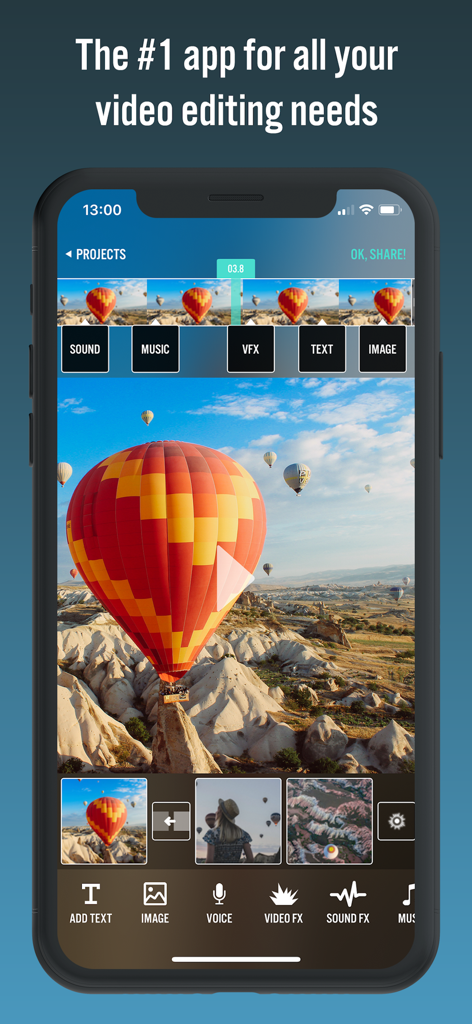
Videorama Text & Video Editor - 비디오 편집 타임라인과 도구를 보여주는 Videorama 모바일 앱 인터페이스
비디오 편집 타임라인과 도구를 보여주는 Videorama 모바일 앱 인터페이스

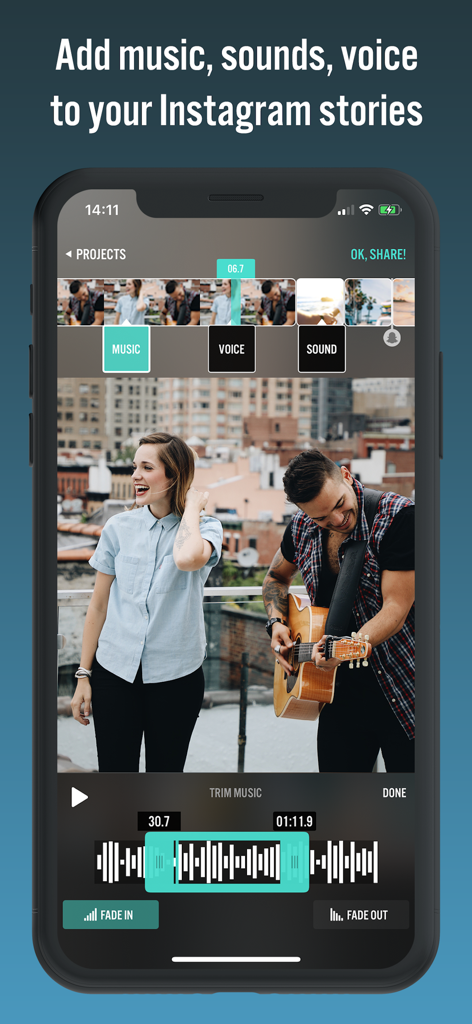
Videorama Text & Video Editor - 인스타그램 스토리를 위한 음악 자르기 및 오디오 도구를 보여주는 모바일 비디오 편집기 인터페이스
인스타그램 스토리를 위한 음악 자르기 및 오디오 도구를 보여주는 모바일 비디오 편집기 인터페이스

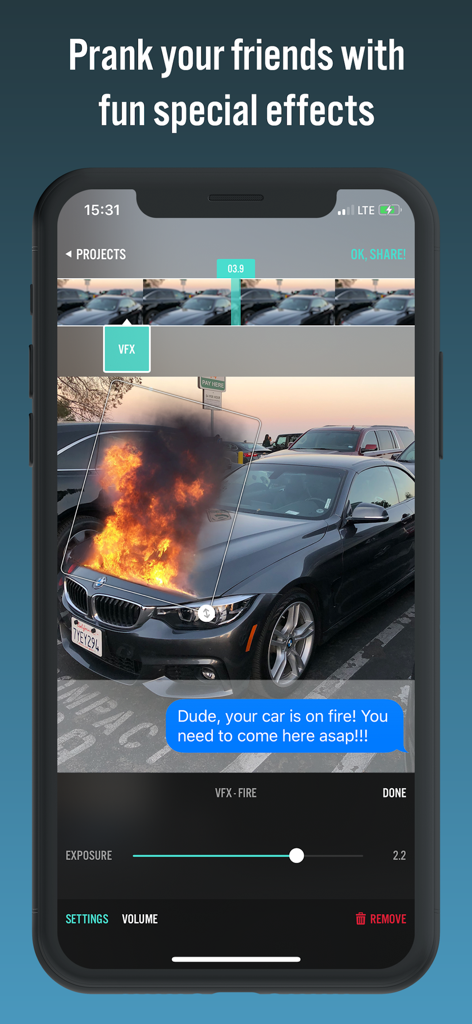
Videorama Text & Video Editor - 장난 비디오를 위해 자동차에 화염 특수 효과를 추가하는 모습을 보여주는 Videorama 앱 인터페이스
장난 비디오를 위해 자동차에 화염 특수 효과를 추가하는 모습을 보여주는 Videorama 앱 인터페이스

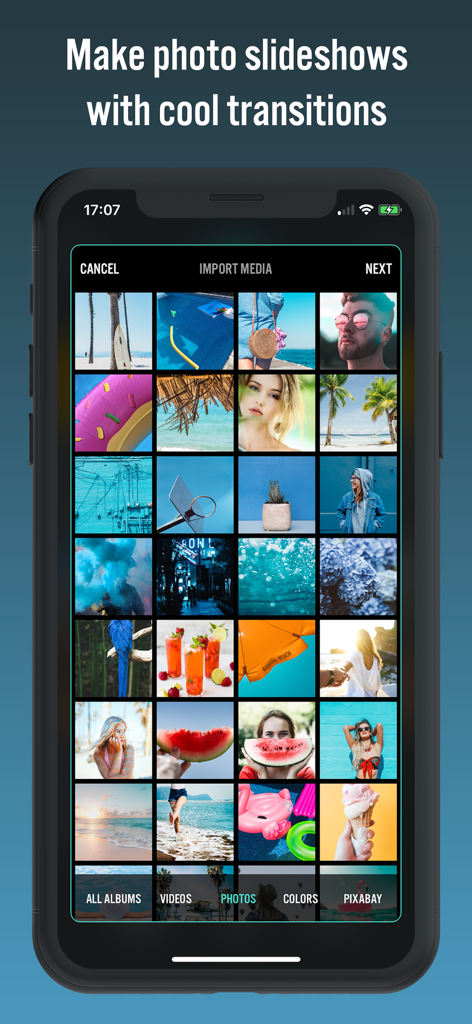
Videorama Text & Video Editor - 전환 효과가 포함된 사진 슬라이드쇼 제작을 위한 Videorama 앱 인터페이스
전환 효과가 포함된 사진 슬라이드쇼 제작을 위한 Videorama 앱 인터페이스

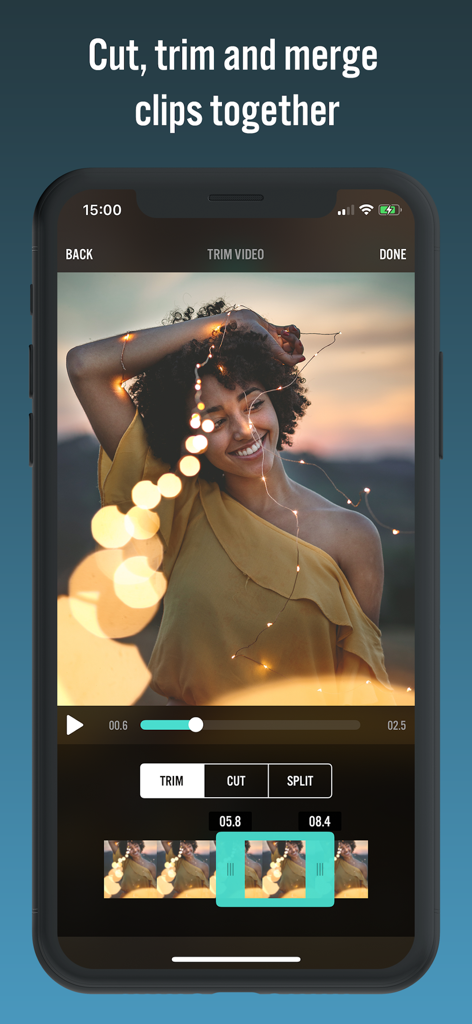
Videorama Text & Video Editor - 비디오 클립을 다듬고 자르기 위한 Videorama 앱 인터페이스를 표시하는 iPhone 화면
비디오 클립을 다듬고 자르기 위한 Videorama 앱 인터페이스를 표시하는 iPhone 화면

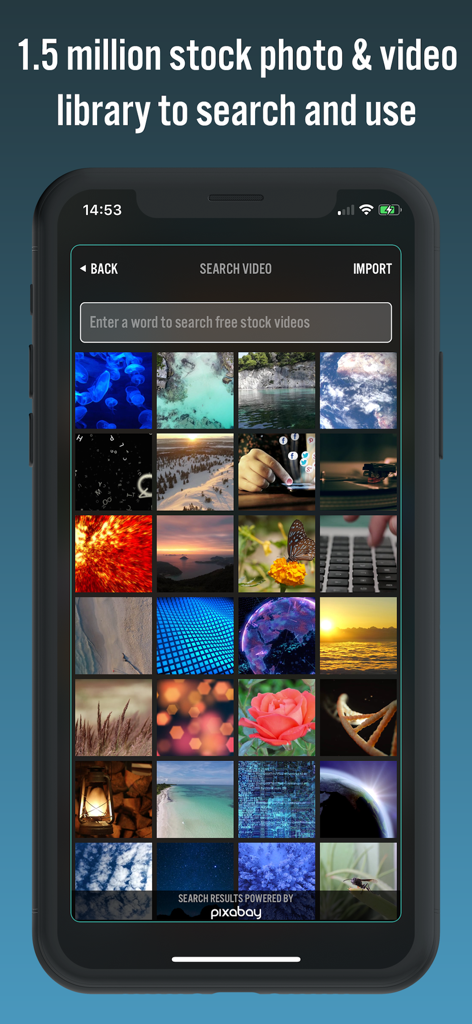
Videorama Text & Video Editor - 150만 개의 스톡 사진 및 비디오 검색 라이브러리를 표시하는 Videorama 앱 인터페이스
150만 개의 스톡 사진 및 비디오 검색 라이브러리를 표시하는 Videorama 앱 인터페이스

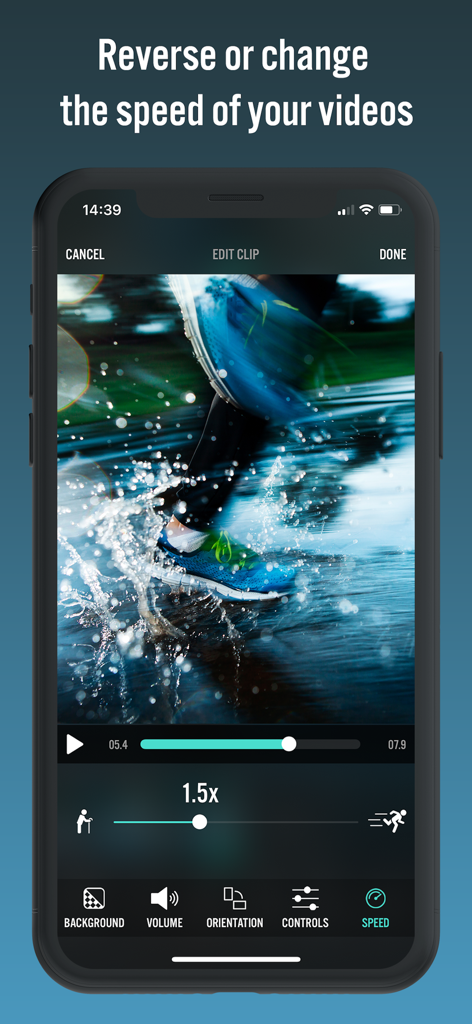
Videorama Text & Video Editor - 비디오 속도 조절 도구가 1.5배속으로 설정된 Videorama 앱 인터페이스를 표시하는 iPhone 화면
비디오 속도 조절 도구가 1.5배속으로 설정된 Videorama 앱 인터페이스를 표시하는 iPhone 화면

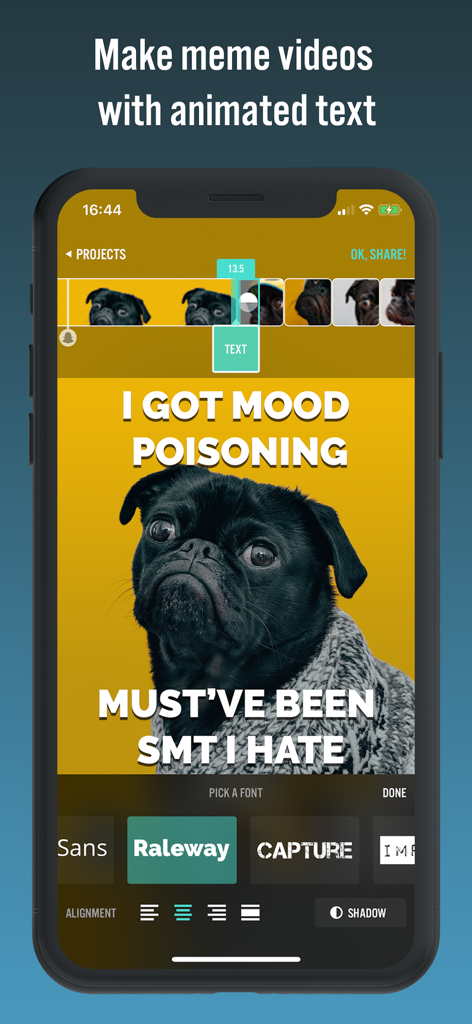
Videorama Text & Video Editor - 맞춤형 폰트와 애니메이션 텍스트 오버레이로 퍼그 밈을 편집하는 모습을 보여주는 Videorama 앱 인터페이스
맞춤형 폰트와 애니메이션 텍스트 오버레이로 퍼그 밈을 편집하는 모습을 보여주는 Videorama 앱 인터페이스

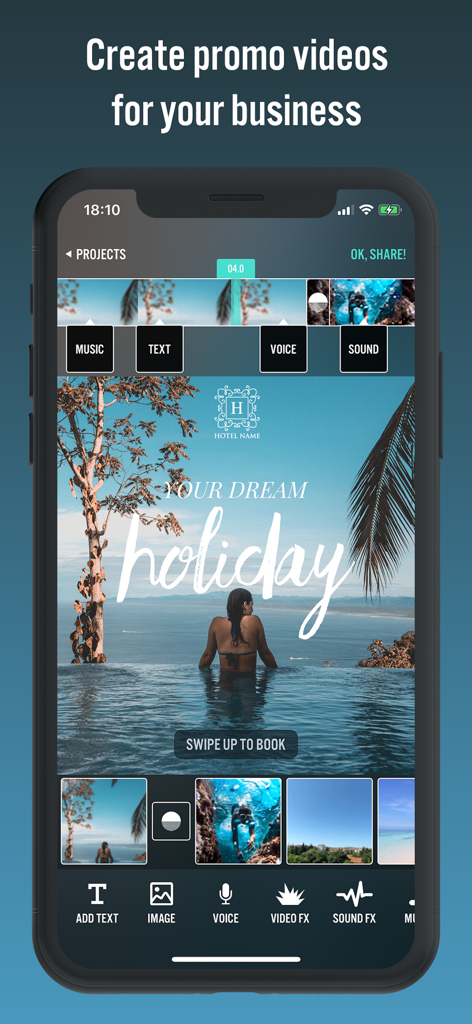
Videorama Text & Video Editor - 여행 비즈니스를 위한 전문 홍보 비디오 제작 과정을 보여주는 Videorama 모바일 앱 인터페이스

여행 비즈니스를 위한 전문 홍보 비디오 제작 과정을 보여주는 Videorama 모바일 앱 인터페이스

설명

Videorama lets you make amazing movies out of your photos and videos. You will feel like a pro in minutes! - Want to create fun movies out of your family videos and photos? - Need a powerful yet easy tool to promote your brand on YouTube, Instagram, Facebook? - Want to edit videos taken using your drone or action cam? - Planning to be the next social media celebrity through cool videos? This app is what you need! Features: A POWERFUL CLIP EDITOR - Combine your photos and videos. Trim, cut, split, re-scale them any way you like. - Turn your still images into slideshows, add transitions effects. - Reverse, speed up / slow down your videos, flip or change orientation. - Make square (Instagram ready) videos. ADD & ANIMATE TEXT - Add animated text layers over your videos, easily subtitle them. - More than 50 professional fonts. ADD SPECIAL EFFECTS - Enrich your videos with fun special effects. - It's a mini Hollywood film studio in your pocket! ADD MUSIC, SOUND EFFECTS & VOICE-OVERS - Add your own music from your iTunes library or choose from a list of cinematic tracks included. - Hundreds of fun sound FX to spice up your videos. - Record your own voice and add narratives. APPLY CINEMATIC FILTERS, OVERLAYS - Apply pro filters and overlays to your movies. - Adjust brightness, contrast, exposure, saturation and more. OVERLAY IMAGES & VECTOR ARTWORK - Overlay any image over your video, choosing from your photo gallery or from our free stock photo library. - Easily watermark your videos with your company / brand logo. SEARCH & MIX IN WITH 100% FREE STOCK VIDEOS - We've partnered up with the world's biggest, free stock video search engine. Search their library right inside the app and mix their content with your own videos. FAST, REAL-TIME PREVIEWS - SUPER CRISP FULL HD OUTPUT - Apply effects in real time, no waiting, no loading! - Different canvas & resolution options: Up to 1080p FULL HD output You'll be amazing with what you can do with Videorama. Follow us on Instagram / Twitter at @VideoramaApp to get tips and inspiration. ====================== SUBSCRIPTION Videorama PRO - Yearly • 1 Month With Videorama PRO you'll have unlimited access to all the premium content and features. • Payment will be charged to iTunes Account at confirmation of purchase • Subscription automatically renews unless auto-renew is turned off at least 24-hours before the end of the current period • Account will be charged for renewal within 24-hours prior to the end of the current period, and identify the cost of the renewal • To cancel or manage your subscription, navigate to manage your Apple ID in your device's settings. Sign in to the iTunes / App Store, tap Videorama, and turn off the automatic renewal for the subscription. Disabling the automatic renewal must be done 24-hours before the end of the subscription period to avoid being charged. Due to Apple’s policy, immediate cancellation of subscriptions isn’t possible. To restore your upgrade to Videorama PRO on a new device, go to the INFO screen, tap the “Restore Previous Purchases” option and your subscription / previous purchases will become active free of charge. More info: https://www.appholdings.org/videorama/faq/ Privacy policy: https://www.appholdings.org/privacypolicy.html Terms of Use: https://www.appholdings.org/termsofuse.html Reach us at videorama@appholdings.org for any help or feedback.

Download

다운로드: App Store

이 페이지는 앱이나 개발자의 공식 페이지가 아니며, 정보 제공 및 논평을 목적으로 작성된 독립 편집 간행물입니다. 명시적으로 달리 언급되지 않는 한, 해당 앱이나 개발자는 MWM, Apple, Google Play, 앱 퍼블리셔 또는 앱 개발자와 제휴, 보증, 후원, 승인 또는 공식적으로 연결되어 있지 않으며, 이 페이지의 어떤 내용도 해당 앱이 MWM의 서비스를 사용하여 개발되었음을 의미하지 않습니다. 모든 상표, 로고, 스크린샷 및 기타 콘텐츠는 해당 소유자의 자산입니다.








