VILO: Video Editor Reel Maker

VILO: Video Editor Reel Maker

다운로드: App Store
로고: VILO: Video Editor Reel Maker

VILO: 전문가 수준의 비디오 편집으로 릴을 한 단계 끌어올리세요

차세대 크리에이터를 위해 설계된 올인원 편집기. 트렌디한 템플릿, 시네마틱 효과 및 원활한 소셜 미디어 공유를 통해 일반 클립을 바이럴 콘텐츠로 전환하세요.

다운로드: App Store

개발사

MK APPS PRIVATE LIMITED

카테고리

Photo & Video

다운로드

256K+

사용자 평점

4.4/5

총 평가 수

700

지원 언어

11

일반에서 바이럴로

이 인터페이스를 사용하는 256K+ 명의 사용자.

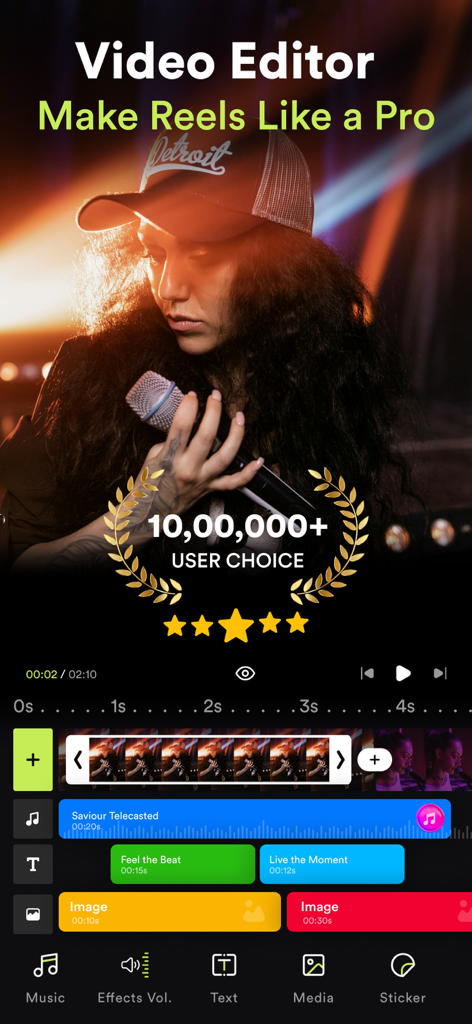
VILO 비디오 편집기 앱 인터페이스, 전문가 릴 제작 기능 및 다중 레이어 타임라인 표시
VILO 비디오 편집기 앱 인터페이스, 전문가 릴 제작 기능 및 다중 레이어 타임라인 표시

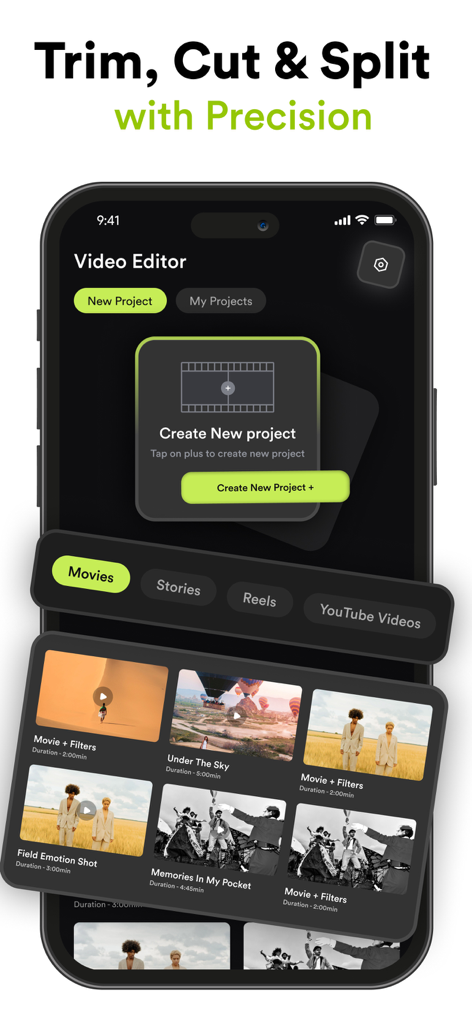
새 프로젝트 생성 및 소셜 미디어 비디오 템플릿 관리를 위한 VILO 비디오 편집기 앱 인터페이스
새 프로젝트 생성 및 소셜 미디어 비디오 템플릿 관리를 위한 VILO 비디오 편집기 앱 인터페이스

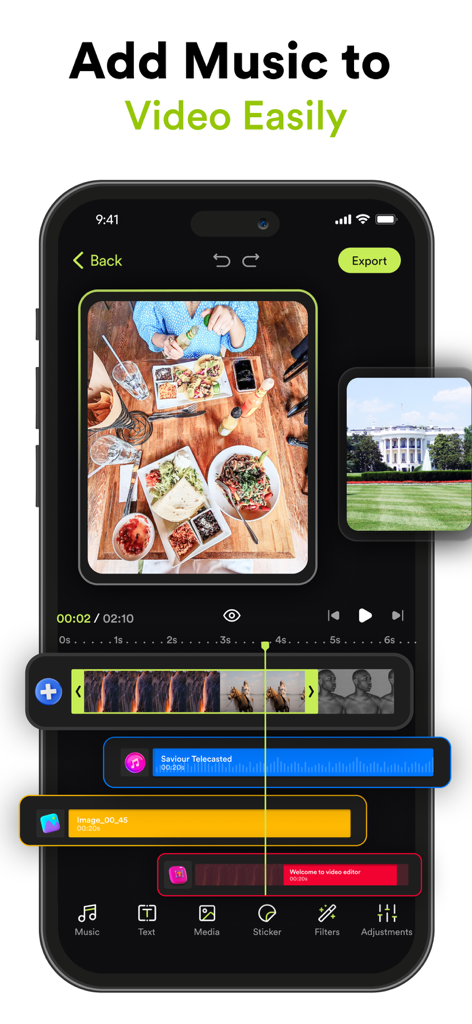
음악 및 비디오 클립이 있는 다중 트랙 타임라인을 보여주는 VILO의 모바일 비디오 편집 인터페이스
음악 및 비디오 클립이 있는 다중 트랙 타임라인을 보여주는 VILO의 모바일 비디오 편집 인터페이스

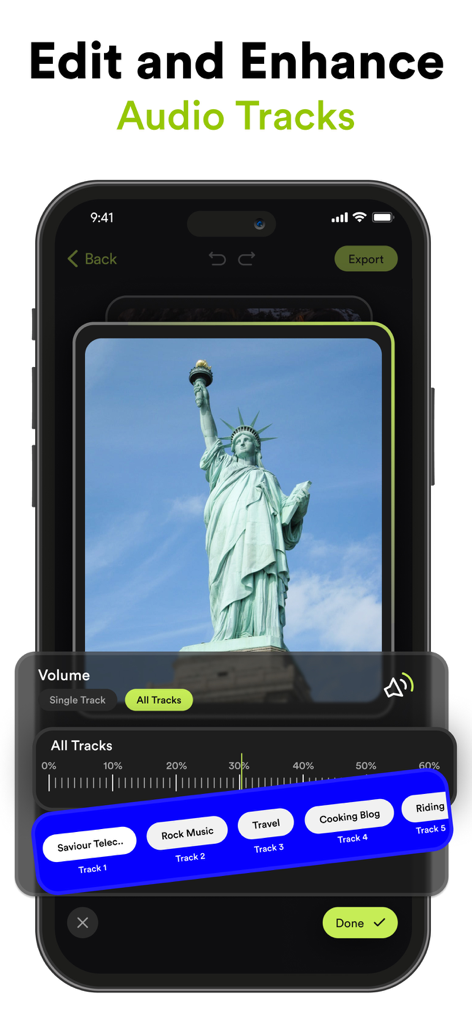
비디오의 오디오 트랙 편집기 및 볼륨 컨트롤을 보여주는 VILO 앱 인터페이스
비디오의 오디오 트랙 편집기 및 볼륨 컨트롤을 보여주는 VILO 앱 인터페이스

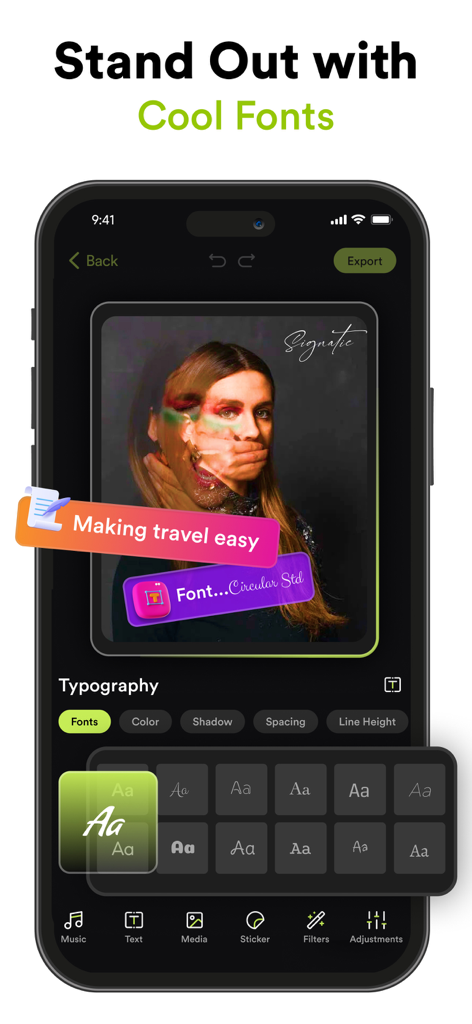
VILO 앱의 모바일 화면, 비디오 텍스트 오버레이를 사용자 정의하는 다양한 스타일의 글꼴 및 타이포그래피 도구 표시
VILO 앱의 모바일 화면, 비디오 텍스트 오버레이를 사용자 정의하는 다양한 스타일의 글꼴 및 타이포그래피 도구 표시

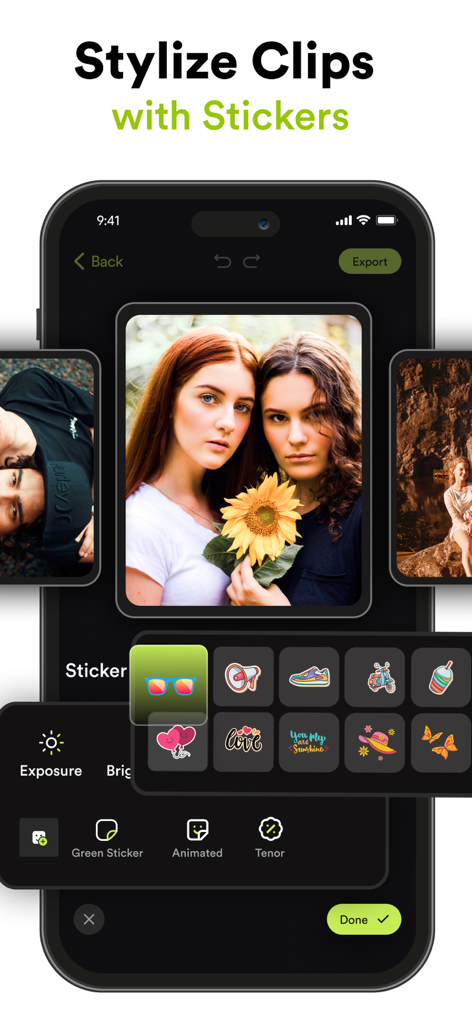
비디오 클립 스타일링을 위한 다채로운 스티커 및 애니메이션 아이콘 메뉴를 보여주는 VILO 모바일 앱 인터페이스
비디오 클립 스타일링을 위한 다채로운 스티커 및 애니메이션 아이콘 메뉴를 보여주는 VILO 모바일 앱 인터페이스

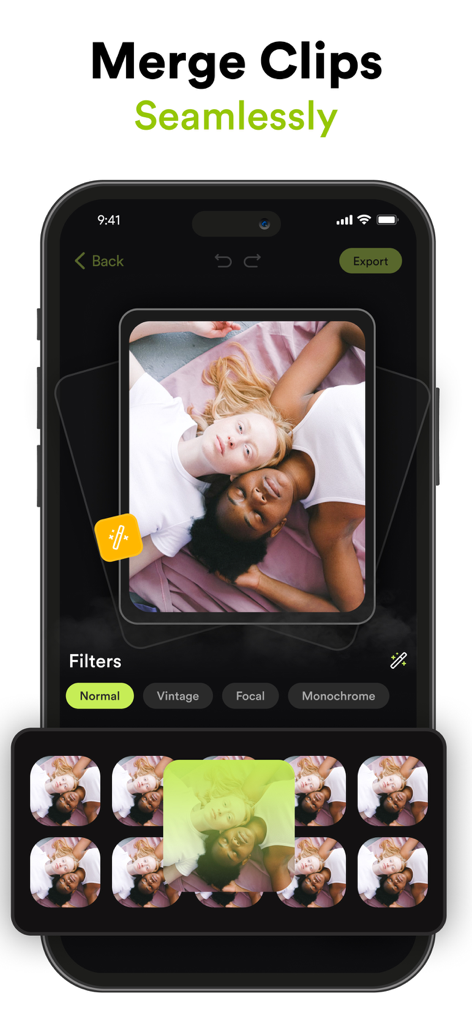
소셜 미디어 릴을 위해 클립을 병합하고 필터를 적용하는 방법을 보여주는 VILO 비디오 편집기의 인터페이스
소셜 미디어 릴을 위해 클립을 병합하고 필터를 적용하는 방법을 보여주는 VILO 비디오 편집기의 인터페이스

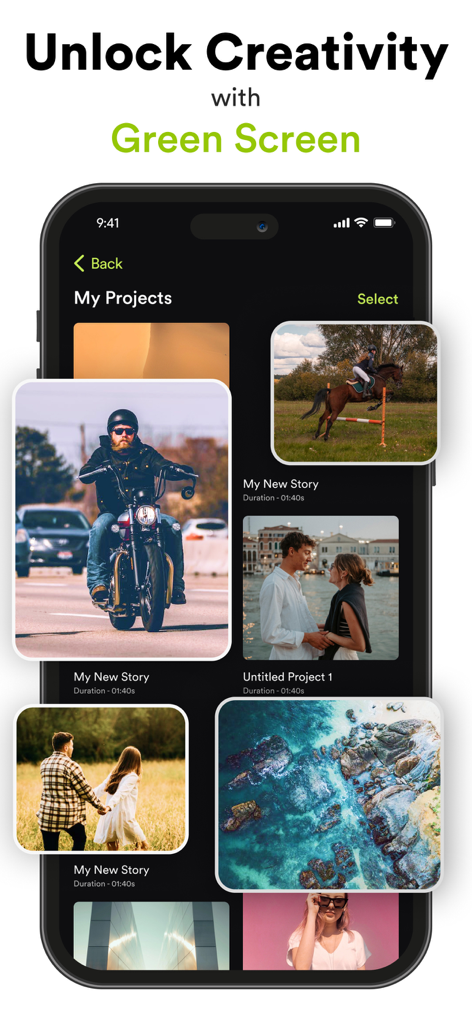
다양한 비디오 썸네일과 그린 스크린 기능 헤드라인이 있는 Vilo 비디오 편집기 프로젝트 갤러리를 표시하는 스마트폰.
다양한 비디오 썸네일과 그린 스크린 기능 헤드라인이 있는 Vilo 비디오 편집기 프로젝트 갤러리를 표시하는 스마트폰.

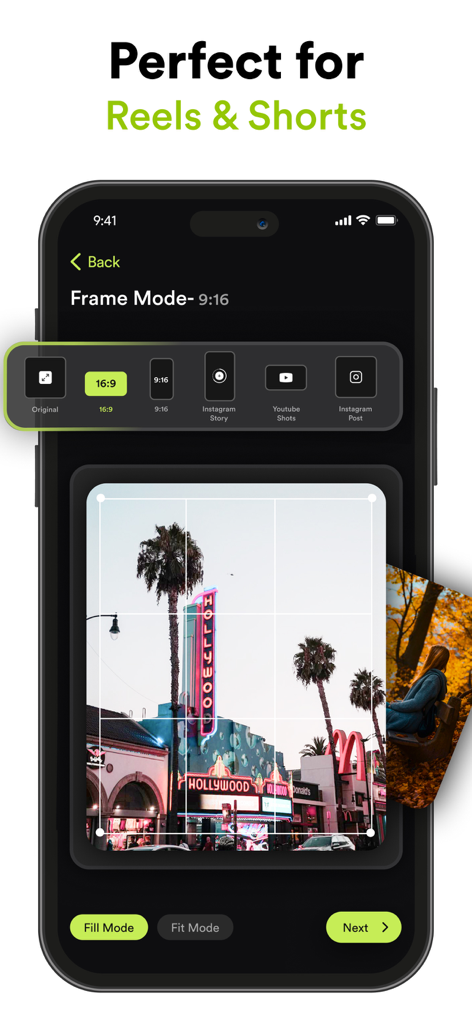
다양한 화면 비율 사전 설정을 갖춘 Instagram 릴 및 YouTube Shorts용 프레임 모드 옵션을 보여주는 VILO 앱 화면
다양한 화면 비율 사전 설정을 갖춘 Instagram 릴 및 YouTube Shorts용 프레임 모드 옵션을 보여주는 VILO 앱 화면

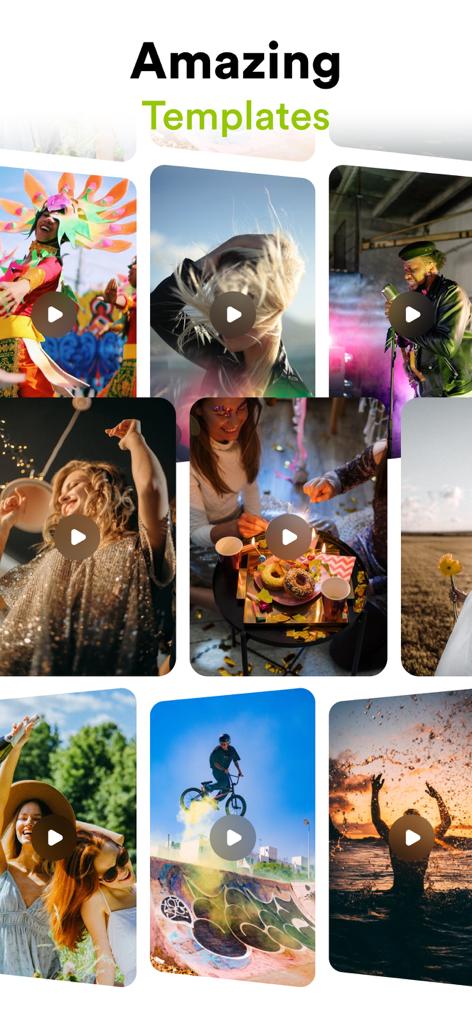
소셜 미디어 콘텐츠를 위한 라이프스타일 및 액션 클립을 특징으로 하는 Vilo 앱의 다양한 비디오 템플릿의 생생한 그리드.

소셜 미디어 콘텐츠를 위한 라이프스타일 및 액션 클립을 특징으로 하는 Vilo 앱의 다양한 비디오 템플릿의 생생한 그리드.

손쉬운 전문가 수준의 편집

이 앱을 돋보이게 하는 도구, 256K+ 명의 사용자가 선택.

바이럴 준비 템플릿

Instagram 및 TikTok을 위한 사전 디자인된 레이아웃으로 다음 트렌드를 시작하세요. 전문가 수준의 편집과 전환이 탭 한 번으로 가능합니다.

🎬

시네마틱 비주얼 도구

고급 색 보정, 그린 스크린 마법, 피사계 심도 흐림 효과로 당신만의 미학을 완성하세요. 하이엔드 프로덕션 룩을 연출할 수 있습니다.

🔊

완벽한 오디오 동기화

큐레이션된 음악 라이브러리와 정밀한 오디오 도구로 스토리에 생동감을 불어넣으세요. 모든 비트가 예상대로 정확하게 맞춰지도록 하세요.

앱 소개

에 대해 알아야 할 모든 것 VILO: Video Editor Reel Maker.

설명

Transform Your Videos with Video Editor – The Ultimate Video Editing Experience! Are you ready to elevate your video content to the next level? Whether you’re an aspiring influencer, a social media enthusiast, or just someone who loves creating memorable videos, Video Editor is here to turn your vision into reality. Packed with powerful features and intuitive tools, our app is designed to make professional video editing accessible and fun. Download now and discover the endless possibilities! Key Features: Seamless Clip Merging Combine multiple clips effortlessly into one smooth video. Create stunning montages, highlight reels, or just piece together your favorite moments with our easy-to-use merging tool. Add Music & Audio Effects Enhance your videos with a vast library of music tracks and sound effects. Adjust the volume, add audio effects, and sync your soundtrack perfectly with your visuals to create a captivating experience. Social Media-Ready Orientations Get your content noticed across all platforms! Change your video orientation to fit Instagram Stories, YouTube, or any other social media format with just a few taps. Customize with Text, Stickers, & Media Express yourself with customizable text overlays, trendy stickers, and additional media. Personalize your videos to reflect your style and make your content stand out. Professional Color Grading & Adjustments Bring your footage to life with advanced color grading tools. Adjust brightness, contrast, saturation, and more to give your videos a cinematic look. Green Screen Magic Take your creativity to new heights with our green screen feature. Easily replace backgrounds, add exciting new elements, and transport your videos to any setting you imagine. Precision Trimming & Splitting Trim and split your clips with precision. Remove unwanted sections, focus on key moments, and seamlessly edit your footage to get the perfect cut every time. Speed Control & Opacity Adjustments Play with speed effects to create dramatic slow-motion or fast-paced sequences. Adjust the opacity to blend scenes or highlight key elements in your video. Stunning Blur Effects Add depth and focus to your videos with our blur effects. Create professional-looking bokeh backgrounds or emphasize specific areas with customizable blur. Instagram Stories & YouTube Templates Save time and effort with our pre-designed templates for Instagram Stories and YouTube. Easily add text, media, and effects to make your posts look polished and engaging. Why Choose Video Editor? - User-Friendly Interface: Enjoy a sleek and intuitive design that makes video editing a breeze, even if you’re a beginner. - High-Quality Output: Export your videos in stunning HD quality, ensuring they look their best on any device or platform. - Regular Updates: We’re always adding new features and improvements to keep your editing experience fresh and exciting. - Community Support: Join our vibrant community of creators. Share tips, get inspiration, and connect with fellow video enthusiasts. Subscription Details: Video Editor by MK offers premium features through auto-renewable subscriptions. Payment will be charged to your Apple ID account upon confirmation of purchase. Subscriptions automatically renew unless canceled at least 24 hours before the end of the current period. You can manage your subscription and turn off auto-renewal in your account settings. For more details on managing subscriptions, visit: https://support.apple.com/en-us/HT202039 Privacy Policy: https://videoeditor.mkapps.app/VideoEditorMK/terms/privacy Terms of Use: https://videoeditor.mkapps.app/VideoEditorMK/terms/terms Ready to Create Amazing Videos? Download Video Editor now and unlock your creative potential! Transform your raw footage into polished masterpieces with just a few taps. Your next viral video is just a download away!

최신 버전

2.10

크기

141.6 MB

출시일

2021년 6월 14일

지금 바로 당신의 바이럴 시대를 시작하세요

수십만 명의 크리에이터와 함께 몇 초 만에 멋진 릴과 틱톡을 만드세요. 다음 걸작이 탭 한 번이면 완성됩니다.

다운로드: App Store

App information, icons, screenshots, and descriptions displayed on this page are sourced from the Apple App Store and are the property of their respective developers. Download estimates and rankings are based on MWM's proprietary models and may not reflect actual figures. This page is provided for informational and analytical purposes only.

Believe this page infringes your intellectual property? File a dispute