
이 페이지는 앱이나 개발자의 공식 페이지가 아니며, 정보 제공 및 논평을 목적으로 작성된 독립 편집 간행물입니다. 명시적으로 달리 언급되지 않는 한, 해당 앱이나 개발자는 MWM, Apple, Google Play, 앱 퍼블리셔 또는 앱 개발자와 제휴, 보증, 후원, 승인 또는 공식적으로 연결되어 있지 않으며, 이 페이지의 어떤 내용도 해당 앱이 MWM의 서비스를 사용하여 개발되었음을 의미하지 않습니다. 모든 상표, 로고, 스크린샷 및 기타 콘텐츠는 해당 소유자의 자산입니다.

Whats-App Web Scanner
모든 기기에서 채팅을 원활하게 동기화하고, 사라지는 스토리를 저장하고, 연락처에 추가하지 않고 즉시 누구에게나 메시지를 보내세요.
다운로드
160K+사용자 평점
총 평가 수
1000개발사
카테고리
Social Networking지원 언어
8최신 버전
4.0크기
21.6 MB출시일
2023년 3월 22일메시징 경험 마스터하기
현대 WhatsApp 사용자를 위해 설계된 전문 도구로 기기 간의 격차를 해소하세요. iPhone이든 iPad든 동기화 및 제어 상태를 유지하세요.
iPad용 듀얼 메신저
드디어 iPad에서 WhatsApp을 사용할 수 있는 원활한 방법입니다. 계정을 몇 초 만에 복제하고 모든 Apple 기기에서 실시간 동기화를 즐기세요.
연락처 없이 바로 채팅
주소록을 어지럽히지 마세요. 임시 전화번호를 연락처에 저장할 필요 없이 클라이언트 또는 마켓플레이스 판매자에게 즉시 메시지를 보내세요.
자주 묻는 질문
에 대해 알아야 할 모든 것 Whats-App Web Scanner
Whats-App Web Scanner란 무엇인가요?
Whats-App Web Scanner는 아이폰용 인스턴트 메시징 앱으로, WhatsApp의 듀얼 메신저 역할을 합니다. 이를 통해 사용자는 자신의 WhatsApp 계정을 다른 iPhone 또는 iPad로 복제하여 여러 장치에서 채팅 및 기능에 액세스할 수 있습니다.
Whats-App Web Scanner를 사용하여 한 기기에서 두 개의 WhatsApp 계정을 관리할 수 있나요?
예, Whats-App Web Scanner는 듀얼 메신저 역할을 하여 두 개의 다른 모바일 장치에서 동일한 WhatsApp 계정을 가질 수 있습니다. 개인 WhatsApp 채팅 계정을 다른 iPhone 또는 iPad로 복제합니다.
Whats-App Web Scanner는 내 WhatsApp 계정과 어떻게 연결되나요?
Whats-App Web Scanner는 WhatsApp Web에서 QR 코드를 스캔하도록 하여 연결됩니다. 이를 통해 빠르고 안정적인 연결을 제공하여 쉽게 로그인하고 실시간으로 메시지를 동기화할 수 있습니다.
Whats-App Web Scanner를 사용하여 연락처를 저장하지 않고 직접 메시지를 보낼 수 있나요?
예, Whats-App Web Scanner에는 "Direct Chat" 기능이 있습니다. 이를 통해 사용자는 전화번호부에 연락처를 추가할 필요 없이 WhatsApp 또는 WhatsApp Business에서 직접 메시지를 보낼 수 있습니다.
Whats-App Web Scanner로 WhatsApp 스토리를 저장할 수 있나요?
예, Whats-App Web Scanner에는 스토리 저장 기능이 포함되어 있습니다. 듀얼 메신저 스토리 저장 기능을 사용하면 WhatsApp 웹 스토리를 장치에 저장하여 보관하거나 다른 사람과 공유할 수 있습니다.
Whats-App Web Scanner는 다크 모드를 지원하나요?
예, Whats-App Web Scanner는 다크 모드를 지원합니다. 사용자는 다크 모드로 전환하여 앱 인터페이스에 대한 대안적인 시각 테마를 제공할 수 있습니다.
Whats-App Web Scanner의 구독은 어떻게 관리하나요?
Whats-App Web Scanner의 구독은 iTunes 계정을 통해 관리합니다. iTunes > iTunes Store > 계정 > 설정 > 구독 관리로 이동하여 자동 갱신을 취소하거나 끌 수 있습니다.
Whats-App Web Scanner는 내 모든 WhatsApp 메시지를 동기화하나요?
예, Whats-App Web Scanner는 WhatsApp 메시지를 즉시 동기화합니다. 사용자는 복제된 계정의 모든 메시지를 실시간으로 읽고, 답장하고, 다운로드하여 메시지를 놓치지 않도록 할 수 있습니다.
다음 스크린샷과 설명은 앱의 공식 스토어 목록에서 직접 가져온 것이며 앱 개발자의 자산입니다.
앱 스토어
스크린샷
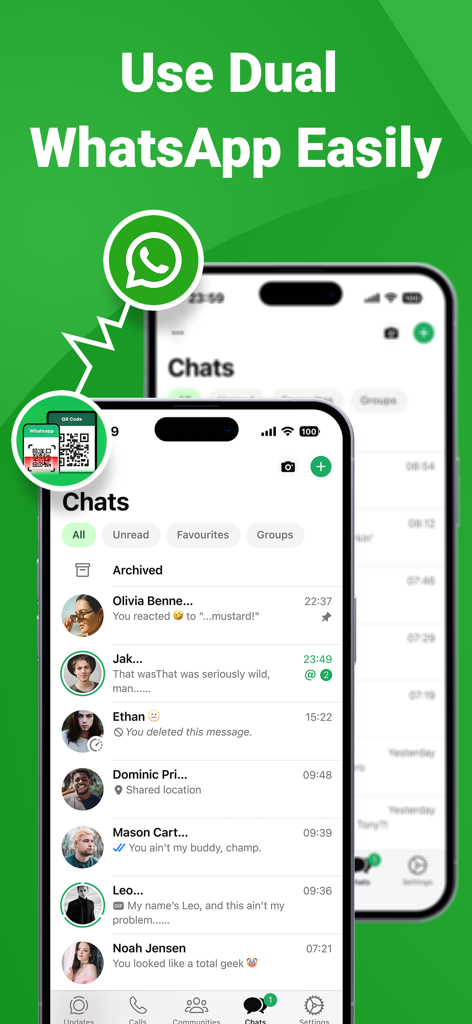
두 개의 iPhone에서 듀얼 계정 메시징을 보여주는 WhatsApp 복제 앱 인터페이스.
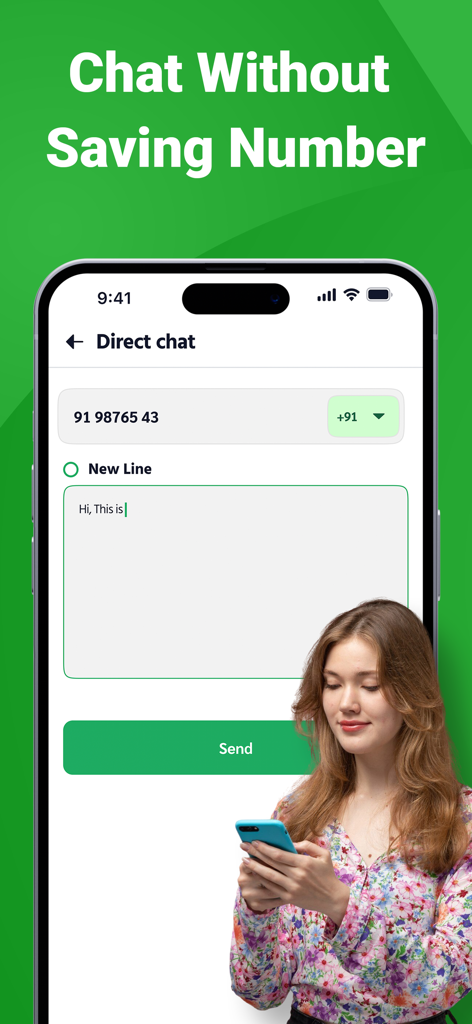
연락처를 저장하지 않고 메시지를 보내기 위한 바로 채팅 기능이 표시된 스마트폰
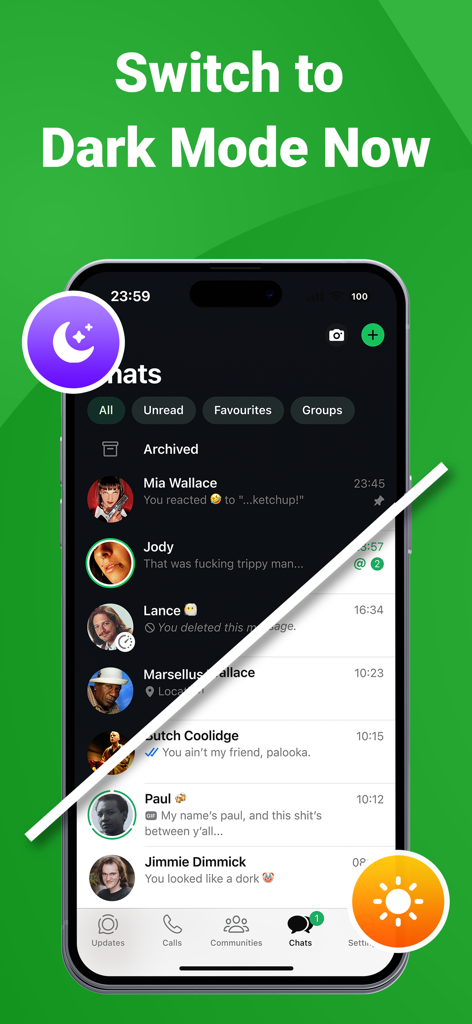
다크 모드와 라이트 모드 모두에서 앱 인터페이스의 분할 화면 시연.
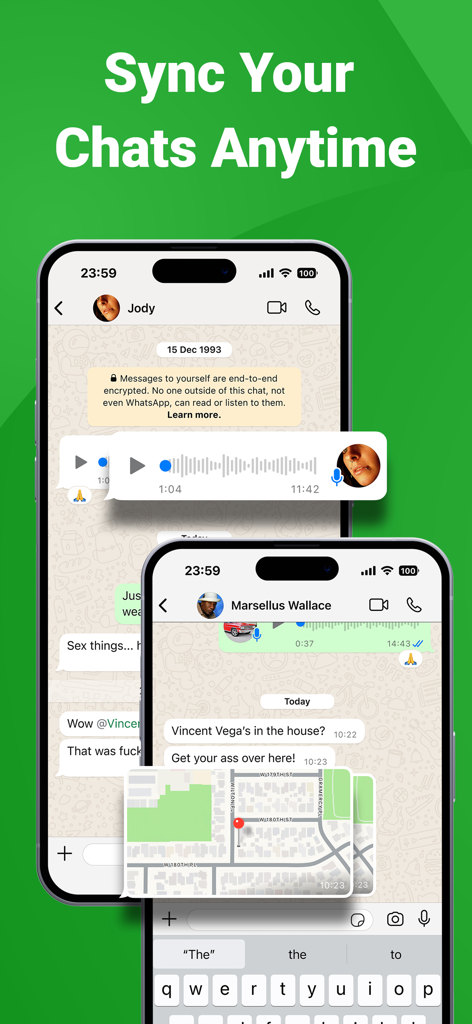
두 개의 스마트폰에서 동기화된 채팅 메시지와 위치 공유를 보여주는 모바일 앱 인터페이스
설명
Download
비슷한 앱
유사한 기능과 사용자 경험을 가진 앱

WatchsApp - Chat for Watch
BEYLER SAGLIK BILISIM SAVUNMA DANISMANLIK SANAYI VE TICARET LIMITED SIRKETI
Battery Life - check runtimes
RBT Digital LLC
Web Scanner - Dual App
Kokila Ukani
WatchsApp - Chat on Watch
芳 王

WatchTalk: Chat on Watch
Bitsbaker LLC.

WristTube for YouTube
ALL RADIO DEVELOPMENT TECHNOLOGY JOINT STOCK COMPANY

WatchChat 2: Chat on Watch
XAN Software GmbH & Co. KG

WatchApp+ for Watch
Jennifer Kirby

Whats Messenger App
Michael Knochen
이 페이지는 앱이나 개발자의 공식 페이지가 아니며, 정보 제공 및 논평을 목적으로 작성된 독립 편집 간행물입니다. 명시적으로 달리 언급되지 않는 한, 해당 앱이나 개발자는 MWM, Apple, Google Play, 앱 퍼블리셔 또는 앱 개발자와 제휴, 보증, 후원, 승인 또는 공식적으로 연결되어 있지 않으며, 이 페이지의 어떤 내용도 해당 앱이 MWM의 서비스를 사용하여 개발되었음을 의미하지 않습니다. 모든 상표, 로고, 스크린샷 및 기타 콘텐츠는 해당 소유자의 자산입니다.