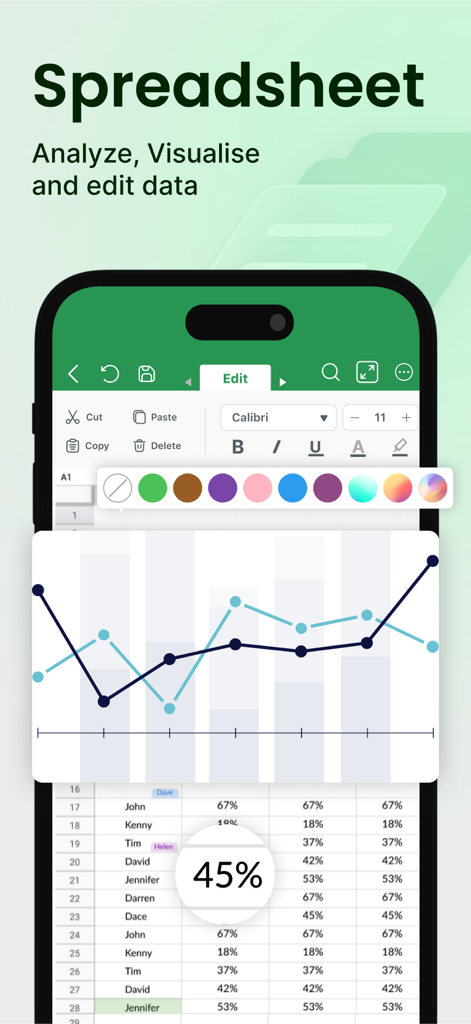
모바일 Word Editor 앱의 스프레드시트 편집 도구 및 데이터 시각화 차트를 보여주는 인터페이스
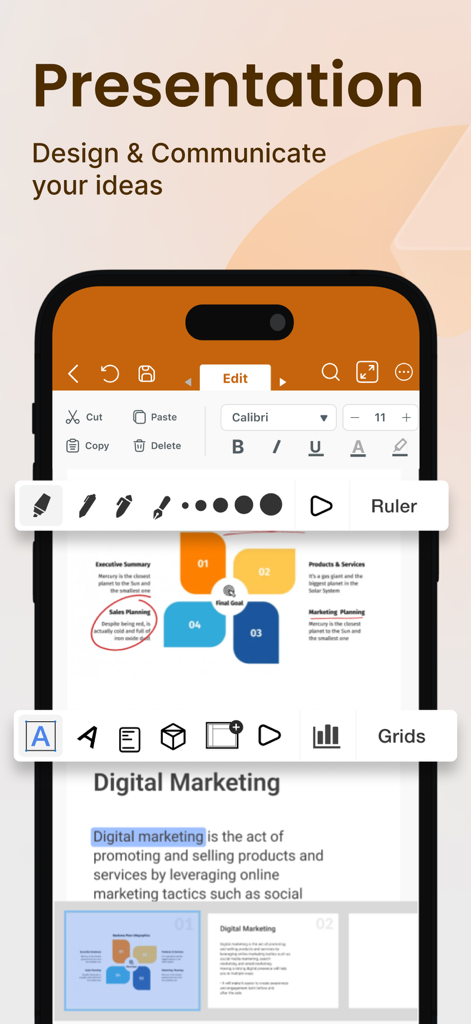
iPhone에서 프레젠테이션 슬라이드 편집 도구를 보여주는 Word Editor 앱의 모바일 인터페이스
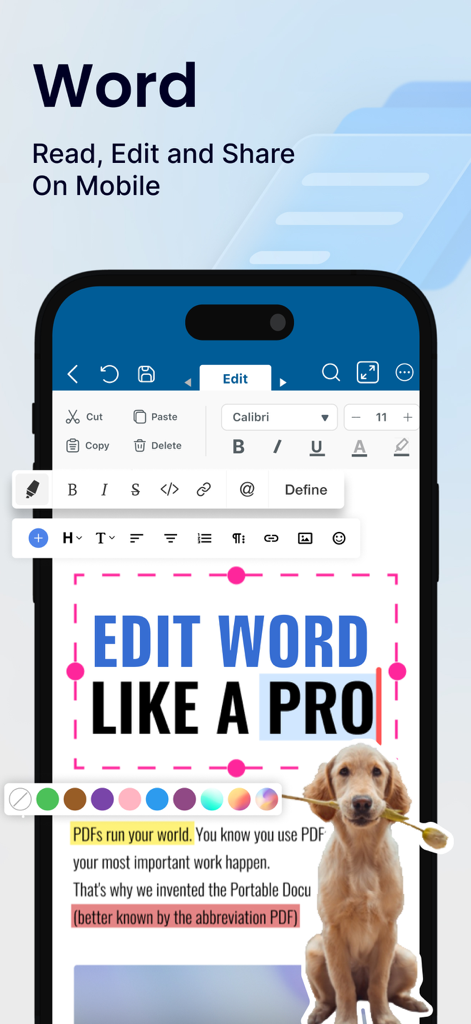
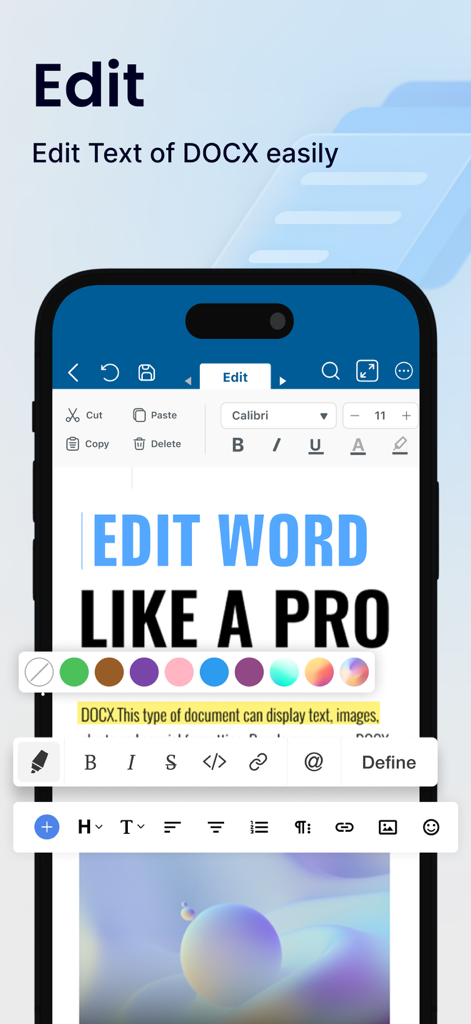
텍스트 서식 및 DOCX 편집 기능을 표시하는 Word Editor 앱의 모바일 인터페이스
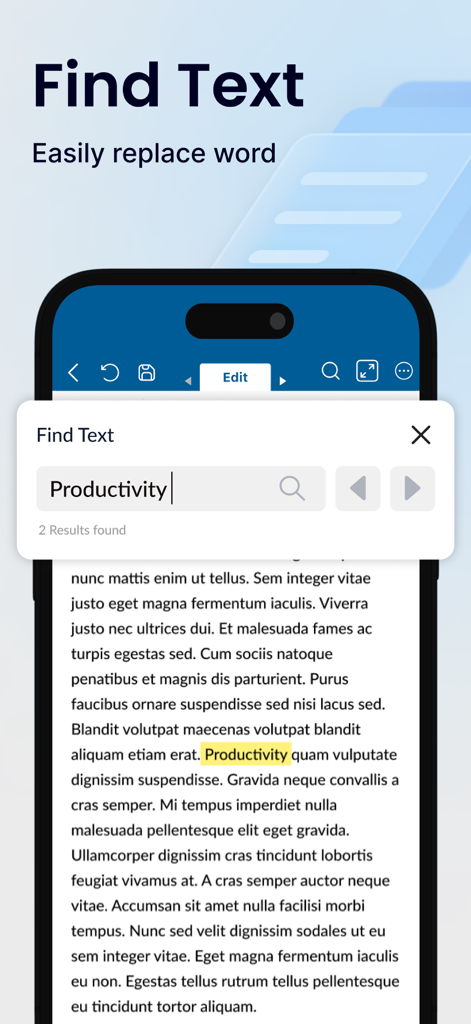
모바일 장치에서 텍스트 찾기 및 검색 결과 기능을 보여주는 Word Editor 앱 인터페이스
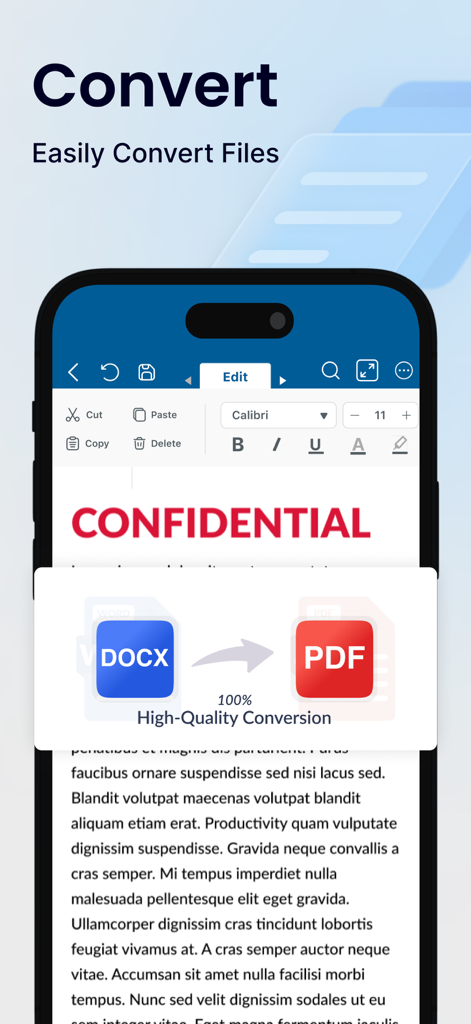
고품질로 DOCX 파일을 PDF 문서로 변환하는 과정을 보여주는 스마트폰 화면.
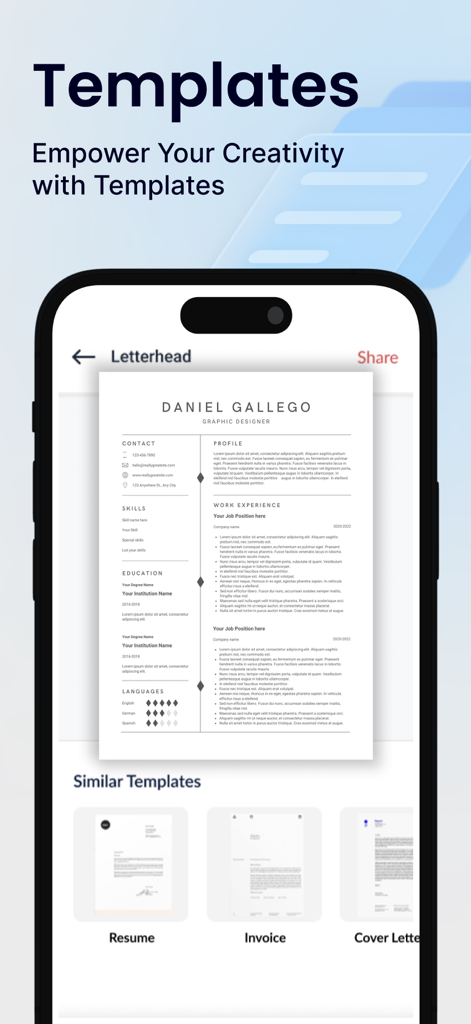
이력서 템플릿과 송장 및 표지 편지와 같은 기타 문서 템플릿 선택을 표시하는 모바일 앱 인터페이스.
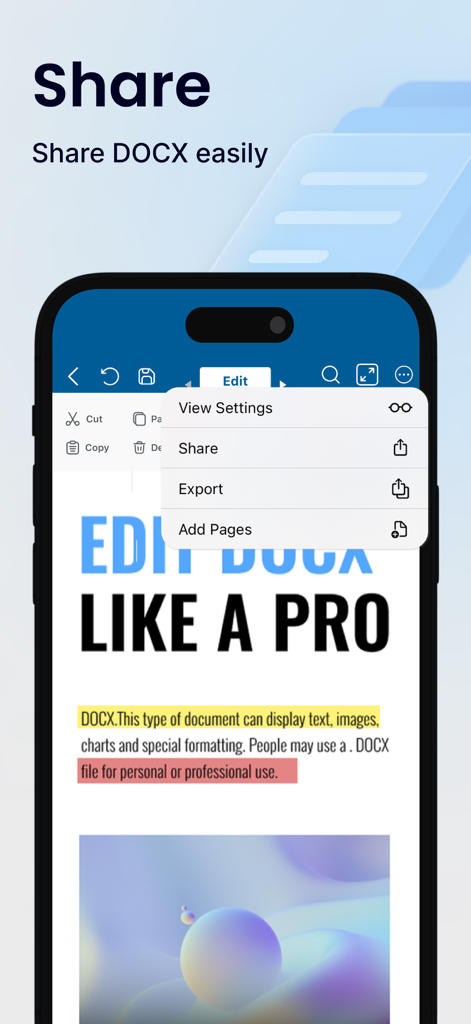
Word Editor 모바일 앱에서 DOCX 파일의 공유 및 내보내기 기능을 보여주는 인터페이스.
완벽한 모바일 오피스
이 앱을 돋보이게 하는 도구, 1M+ 명의 사용자가 선택.
📦
통합 문서 제품군
하나의 고성능 워크스페이스에서 Word, Excel, PowerPoint 파일을 관리하여 앱 피로를 줄이세요.
📄
원활한 PDF 도구
이동 중에 전문적인 공유, 이력서 또는 계약 서명을 위해 문서를 PDF로 즉시 변환하세요.
☁️
클라우드 동기화 및 오프라인 프로
Google Drive 또는 Dropbox를 통해 작업에 액세스하고 Wi-Fi 연결 없이도 계속 편집하세요.
리뷰 분석
사용자 리뷰 인사이트.
감정 점수
21%
부정적
요약
The mobile app has garnered overwhelmingly negative feedback, primarily due to its aggressive monetization strategy. Users frequently express frustration over the necessity of purchasing a subscription for basic functionalities, with many features being entirely inaccessible without payment. A significant number of complaints also highlight unauthorized automatic charges and the subsequent denial of refund requests, leading many users to label the app as deceptive. While a small minority of users have praised the app's document editing and writing capabilities, these positive aspects are largely overshadowed by widespread dissatisfaction concerning the pervasive paywall and problematic billing practices.
주요 테마
Mandatory Subscription & Paywall(20)
Unauthorized Charges & Denied Refunds(18)
Deceptive Marketing(5)
Document Editing Features(4)
General Positive Experience(4)
Offline Functionality(1)
앱 소개
에 대해 알아야 할 모든 것 Word Editor: Docs & Docx Files.
설명
Word Editor - Edit all your Word related Documents in One Place!
Experience seamless document editing on the go with Word Editor – the ultimate app for creating, editing, and managing your files anytime, anywhere. Designed for productivity enthusiasts and professionals alike, Word Editor supports a wide range of file types, including DOC, DOCX, XLS, PPT, and PDF making it an essential tool for handling all your documents on your IPHONE and IPAD Devices.
Key Features:
1. Edit & Format Word Documents with Ease:
Quickly edit DOC and DOCX files with a full range of formatting tools at your fingertips. Adjust fonts, styles, colors, and text alignment to ensure your document looks polished and professional.
2. Comprehensive Spreadsheet Management:
Easily create and edit XLS and XLSX files with intuitive spreadsheet tools. Organize data, perform calculations, and visualize information through built-in charts to stay on top of your tasks.
3. Power Up Presentations:
Word Editor supports PPT files, allowing you to create, edit, and customize presentations with ease. Add slides, arrange layouts, and make on-the-spot adjustments, all from the convenience of your mobile device.
4. Convert Files to PDF Easily:
Convert Docx, XLS & PPT files to PDF instantly. Save and share PDF files to anyone.
5. Versatile File Viewer:
Open and view a wide range of file formats without needing additional apps. Access PDFs, DOCX, XLS, and PPT files directly within Word Editor, providing a comprehensive solution for all your document needs.
6. Cloud Sync & Easy File Management:
Seamlessly connect with popular cloud storage services like Google Drive, Dropbox, and OneDrive to access your documents from any device. Word Editor keeps your files organized and accessible, wherever your work takes you.
7. Real-Time Collaboration & Sharing:
Collaborate on documents with colleagues, classmates, or friends by sharing files directly from the app. Whether it’s a quick edit or a final review, Word Editor supports efficient teamwork.
8. Customizable Viewing & Editing Modes:
Switch between light and dark themes, adjust text size, and select a comfortable editing mode that suits your reading and writing preferences.
9. Offline Access:
Word Editor ensures that you can access and work on your documents even without an internet connection. Simply download your files and enjoy editing on the go.
10. Free Trials and Flexible Subscriptions:-
Explore all premium features with a 3-day free trial, or 7 Day Trial and unlock powerful tools for editing your documents and files. Choose the plan that fits your needs, whether you’re working on word documents, spreadsheets, or presentations.
You’re free to cancel at any time, with no commitment. Subscriptions are charged to your credit card through your App Store account and will automatically renew unless you cancel at least 24 hours before the current period ends. You can manage or adjust your subscription settings directly in your App Store account after purchase.
Premium Features - Create, Edit, Save, Convert, Export and Share on iPhone and iPad devices.
Why Choose Word Editor?
This app is your all-in-one solution for document management and productivity. Easily create, edit, view, share, convert and manage documents in seconds. Manage all formats like Docx, XLS, PPTx, PDF etc. Perfect for students, professionals, and anyone in between, this app brings robust editing tools, seamless sharing, and full compatibility with essential file types directly to your device. Say goodbye to juggling multiple apps and streamline your workflow with Word Editor – because staying productive has never been easier.
Additional Information
• Link to the app's Terms of Use - https://sites.google.com/a1apps.co/tc-wordeditorios/home
• Link to the app's Privacy Policy - https://sites.google.com/a1apps.co/privacypolicy-wordeditorios/home
최신 버전
1.0.27
크기
196.3 MB
출시일
2024년 11월 3일
모바일 작업 흐름을 단순화할 준비가 되셨나요?
한 곳에서 모든 문서를 생성, 편집 및 변환하는 100만 명 이상의 전문가 및 학생들과 함께하세요. 궁극의 올인원 편집기를 다운로드하고 사무실을 어디든 가지고 다니세요.
FAQ
자주 묻는 질문
에 대해 알아야 할 모든 것 Word Editor: Docs & Docx Files
Word Editor: Docs & Docx Files란 무엇인가요?
Word Editor: Docs & Docx Files는 iPhone 및 iPad 장치에서 DOC, DOCX, XLS, PPT 및 PDF를 포함한 다양한 파일 형식을 생성, 편집 및 관리할 수 있는 궁극의 모바일 앱입니다.
Word Editor: Docs & Docx Files는 어떤 파일 형식을 지원하나요?
Word Editor는 DOC, DOCX, XLS, XLSX, PPT, PPTx 및 PDF를 포함한 광범위한 파일 형식을 지원합니다. 또한 Docx, XLS 및 PPT 파일을 PDF로 변환할 수 있습니다.
사용자는 Word Editor: Docs & Docx Files로 Microsoft Word 문서를 편집할 수 있나요?
예, Word Editor를 사용하면 글꼴, 스타일, 색상 및 텍스트 정렬을 포함한 전체 서식 도구를 사용하여 DOC 및 DOCX 파일을 빠르게 편집할 수 있습니다.
Word Editor: Docs & Docx Files는 스프레드시트 관리를 지원하나요?
예, Word Editor는 포괄적인 스프레드시트 관리를 지원합니다. 사용자는 XLS 및 XLSX 파일을 만들고 편집하며 데이터를 구성하고 계산을 수행하며 차트로 정보를 시각화합니다.
Word Editor: Docs & Docx Files를 사용하여 프레젠테이션을 만들고 편집할 수 있나요?
예, Word Editor는 PPT 파일을 지원하여 사용자가 프레젠테이션을 만들고, 편집하고, 사용자 정의할 수 있습니다. 사용자는 슬라이드를 추가하고, 레이아웃을 배열하고, 모바일 장치에서 즉시 조정을 할 수 있습니다.
Word Editor: Docs & Docx Files를 PDF로 파일 변환할 수 있나요?
예, Word Editor는 Docx, XLS 및 PPT 파일을 즉시 PDF로 변환합니다. 그런 다음 사용자는 PDF 파일을 저장하고 공유합니다.
Word Editor: Docs & Docx Files와 통합되는 클라우드 서비스는 무엇인가요?
Word Editor는 Google Drive, Dropbox 및 OneDrive와 같은 인기 있는 클라우드 스토리지 서비스와 원활하게 연결되어 모든 장치에서 문서에 액세스할 수 있습니다.
Word Editor: Docs & Docx Files에서 실시간 협업을 사용할 수 있나요?
예, Word Editor는 실시간 협업을 지원합니다. 사용자는 앱에서 직접 파일을 공유하여 동료, 학급 친구 또는 친구와 문서를 작업할 수 있습니다.
Word Editor: Docs & Docx Files를 사용하여 오프라인으로 문서에 액세스하고 작업할 수 있나요?
예, Word Editor는 오프라인 액세스를 보장합니다. 사용자는 인터넷 연결 없이 파일을 다운로드하고 편집하여 이동 중에 생산성을 높일 수 있습니다.
Word Editor: Docs & Docx Files는 무료 체험판을 제공하나요?
예, Word Editor는 프리미엄 기능을 탐색할 수 있는 무료 체험판을 제공합니다. 사용자는 3일 또는 7일 무료 체험판 중에서 선택할 수 있습니다.
Word Editor: Docs & Docx Files 구독은 어떻게 작동하나요?
구독은 사용자 App Store 계정을 통해 청구되며 자동으로 갱신됩니다. 갱신을 피하려면 현재 기간이 종료되기 최소 24시간 전에 취소해야 합니다.
Word Editor: Docs & Docx Files 구독을 관리할 수 있나요?
예, 사용자는 구매 후 App Store 계정에서 직접 구독 설정을 관리하거나 조정할 수 있습니다. 약정은 없으며 언제든지 취소할 수 있습니다.
Word Editor: Docs & Docx Files와 호환되는 장치는 무엇인가요?
Word Editor: Docs & Docx Files는 iPhone 및 iPad 장치 모두에 설계되어 이동 중에 원활한 문서 편집을 제공합니다.
Word Editor: Docs & Docx Files에 문서 템플릿이 포함되어 있나요?
예, Word Editor는 창의력을 발휘할 수 있는 템플릿을 포함합니다. 이력서, 송장, 표지 등 다양한 옵션을 제공합니다.
사용자는 Word Editor: Docs & Docx Files에서 보기 및 편집 모드를 사용자 정의할 수 있나요?
예, Word Editor는 사용자 정의 가능한 보기 및 편집 모드를 제공합니다. 사용자는 밝은 테마와 어두운 테마를 전환하고, 텍스트 크기를 조정하고, 편안한 편집 모드를 선택할 수 있습니다.
Word Editor: Docs & Docx Files에서 문서를 어떻게 공유하나요?
Word Editor를 사용하면 앱 내에서 직접 파일을 공유할 수 있습니다. 공유, 내보내기 및 페이지 추가 옵션이 있습니다.
Word Editor: Docs & Docx Files에서 문서 내 텍스트를 찾고 바꾸기를 할 수 있나요?
예, Word Editor를 사용하면 문서 내에서 단어를 쉽게 찾고 바꿀 수 있습니다. 전용 "텍스트 찾기" 기능을 제공합니다.
App information, icons, screenshots, and descriptions displayed on this page are sourced from the Apple App Store and are the property of their respective developers. Download estimates and rankings are based on MWM's proprietary models and may not reflect actual figures. This page is provided for informational and analytical purposes only.
Believe this page infringes your intellectual property? File a dispute