
이 페이지는 앱이나 개발자의 공식 페이지가 아니며, 정보 제공 및 논평을 목적으로 작성된 독립 편집 간행물입니다. 명시적으로 달리 언급되지 않는 한, 해당 앱이나 개발자는 MWM, Apple, Google Play, 앱 퍼블리셔 또는 앱 개발자와 제휴, 보증, 후원, 승인 또는 공식적으로 연결되어 있지 않으며, 이 페이지의 어떤 내용도 해당 앱이 MWM의 서비스를 사용하여 개발되었음을 의미하지 않습니다. 모든 상표, 로고, 스크린샷 및 기타 콘텐츠는 해당 소유자의 자산입니다.


Xmind - Mind Map & Brainstorm
당신의 머릿속은 이제 무한한 캔버스. 이 앱은 생각을 시각 지배력으로 바꿉니다.
다운로드
12.5M+사용자 평점
총 평가 수
269.8K개발사
카테고리
Productivity지원 언어
16최신 버전
26.02.04105크기
843.3 MB출시일
2017년 12월 12일Xmind - Mind Map & Brainstorm 주요 기능 분석
생산성 향상과 창의적인 문제 해결을 위한 핵심 기능 평가
실시간 협업 기능
팀 구성원들이 동시에 같은 마인드맵에서 아이디어를 공유하고 내용을 편집하며 실시간으로 동기화할 수 있어 팀 단위 브레인스토밍과 프로젝트 진행에 필수적입니다.
다양한 아이디어 시각화 구조 (9가지)
이 앱은 복잡한 주제나 프로젝트를 효율적으로 관리하고 다양한 방식으로 아이디어를 시각화할 수 있도록 9가지의 구조(마인드맵, 로직 차트 등)를 제공하며, 하나의 맵에서 여러 구조를 혼합하여 사용할 수 있습니다.
직관적인 템플릿 및 스켈레톤
30가지 이상의 잘 디자인된 템플릿과 다양한 사전 설정 구조 및 색상 테마 조합을 통해 사용자가 쉽고 빠르게 창의적인 마인드맵을 시작할 수 있도록 돕습니다.
포괄적인 프로젝트 관리 기능
사용자가 마인드맵 내에서 직접 작업을 생성하고 관리하며, 우선순위 설정, 진행률 추적 및 기간 관리를 한곳에서 처리하여 프로젝트를 효율적으로 관리할 수 있습니다.
다양한 형식으로 내보내기 및 가져오기
이 도구는 다양한 외부 마인드맵 소프트웨어 형식 및 문서 형식(PDF, PNG, Word, Excel, PowerPoint 등)으로 파일을 가져오거나 내보낼 수 있도록 지원하여 다른 도구와의 호환성을 높입니다.
아웃라이너 모드
사용자의 생각과 아이디어를 계층적으로 정리하고 마인드맵과 연동하여 구조화된 정보 관리를 지원함으로써, 복잡한 내용을 체계적으로 파악할 수 있게 합니다.
풍부한 미디어 삽입 및 주석 기능
사용자가 이미지, 오디오 노트, 방정식, 레이블, 하이퍼링크 등 다양한 요소를 마인드맵에 삽입하여 주제를 상세하게 설명하고 풍부하게 만들 수 있도록 합니다.
LaTeX 수식 및 방정식 지원
수학 및 화학 방정식을 LaTeX로 입력하고 표시하는 기능을 제공하여 학술 및 연구 분야 사용자의 복잡한 콘텐츠 작성 요구를 충족시킵니다.
ZEN 모드 (방해 없는 집중)
전체 화면으로 전환하여 방해 요소를 제거하고 사용자가 콘텐츠에 온전히 집중하며 아이디어를 구상할 수 있도록 지원합니다. (iPad 전용)
멀티태스킹 지원
사용자가 동시에 두 개의 파일을 나란히 열어 보고 편집할 수 있도록 하여, 다른 앱과 연동하거나 여러 문서를 동시에 참조하며 작업 효율성을 높일 수 있습니다.
자주 묻는 질문
에 대해 알아야 할 모든 것 Xmind - Mind Map & Brainstorm
What is Xmind?
Xmind is a full-featured mind mapping and brainstorming tool for clarity, creativity, and collaboration across all platforms. It helps users structure thoughts and manage projects efficiently.
Does Xmind offer templates for mind mapping?
Yes, Xmind provides over 100 well-designed templates to kick-start any mind map, covering various creative, planning, and study needs.
What structures does Xmind support for mind maps?
Xmind supports 9 different structures, including Mind Map, Logic Chart, Brace Map, Org Chart, Tree Chart, Timeline, Fishbone, Tree Table, and Matrix. Multiple structures can be combined.
Can users add rich media to Xmind mind maps?
Yes, Xmind allows enriching topics with images, audio notes, equations, labels, hyperlinks, topic links, and drawings for comprehensive information visualization.
Does Xmind support LaTeX for equations?
Yes, Xmind supports LaTeX, enabling users to accurately jot down mathematics and chemical equations directly within their mind maps.
Can I record audio notes in Xmind?
Yes, Xmind allows users to record audio notes directly within their mind maps, ensuring creative ideas are captured quickly without missing details.
Does Xmind include an Outliner feature?
Yes, Xmind features an Outliner to hierarchically organize thoughts and ideas, which can then be seamlessly integrated into a mind map structure.
Does Xmind offer a distraction-free mode?
Yes, Xmind provides a ZEN Mode, a full-screen, distraction-free environment designed for content focus. This feature is available specifically on iPad.
Can Xmind convert mind maps into presentations?
Yes, Xmind's Pitch Mode transforms mind maps into slideshows with auto-generated transitions and layouts, allowing for easy and effective presentations.
Does Xmind support multitasking with other apps?
Yes, Xmind supports multitasking, allowing users to open, read, and edit two files side-by-side, such as Xmind and GoodNotes/Notability simultaneously.
Does Xmind allow real-time collaboration?
Yes, Xmind supports real-time collaboration, enabling teams to work simultaneously on the same mind map, share ideas, and edit content together regardless of location.
What file formats can Xmind import?
Xmind can import files from MindManager, FreeMind, Lighten, MindNode, Markdown, OPML, TextBundle, and Word (DOCX Only) for versatile compatibility.
What export formats does Xmind support?
Xmind supports exporting mind maps to PDF, PNG, Markdown, Word, Excel, PowerPoint, OPML, and TextBundle formats, providing universal sharing options.
Can I password-protect Xmind files?
Yes, Xmind allows users to encrypt their mind map files with a password, enhancing the security and privacy of their intellectual property.
Can Xmind be used for project and task management?
Yes, Xmind integrates task management, allowing users to create, set priorities, track progress, and manage task duration directly within their mind maps.
How much does an Xmind subscription cost annually?
An annual Xmind Pro/Premium subscription costs either $59.99 or $99.00, depending on the chosen plan. These are auto-renewable subscriptions.
How do I cancel my Xmind subscription?
To cancel an Xmind subscription, navigate to Settings > iTunes & App Store > Tap Apple ID > View Apple ID > Subscriptions, then select the Xmind subscription to cancel.
Is Xmind a recurring subscription?
Yes, Xmind subscriptions are auto-renewable. Your iTunes account is automatically charged for renewal 24 hours prior to the expiration of each billing cycle.
Where can I find Xmind's Privacy Policy?
Xmind's comprehensive Privacy Policy, detailing data handling practices, is publicly available on their website at https://www.xmind.com/privacy/.
Where can I find Xmind's Terms of Service?
Xmind's official Terms of Service, which includes subscription rules and user agreements, can be accessed on their website at https://www.xmind.com/terms/.
다음 스크린샷과 설명은 앱의 공식 스토어 목록에서 직접 가져온 것이며 앱 개발자의 자산입니다.
앱 스토어
스크린샷
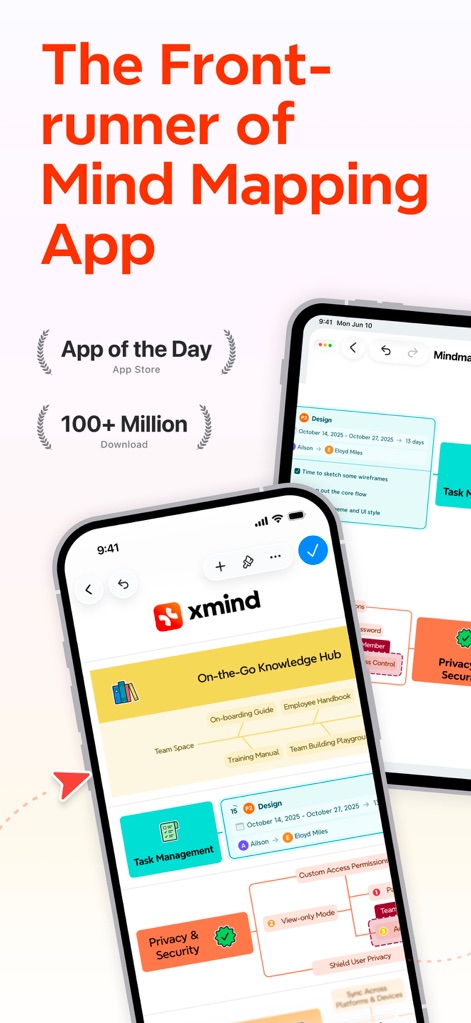
마인드맵 선두 주자
이 앱은 'App of the Day' 수상 및 '1억 이상 다운로드'를 통해 그 우수성을 입증하며, 화면에 보이는 직관적인 마인드맵 디자인과 핵심 정보 노드를 시각적으로 보여줍니다.
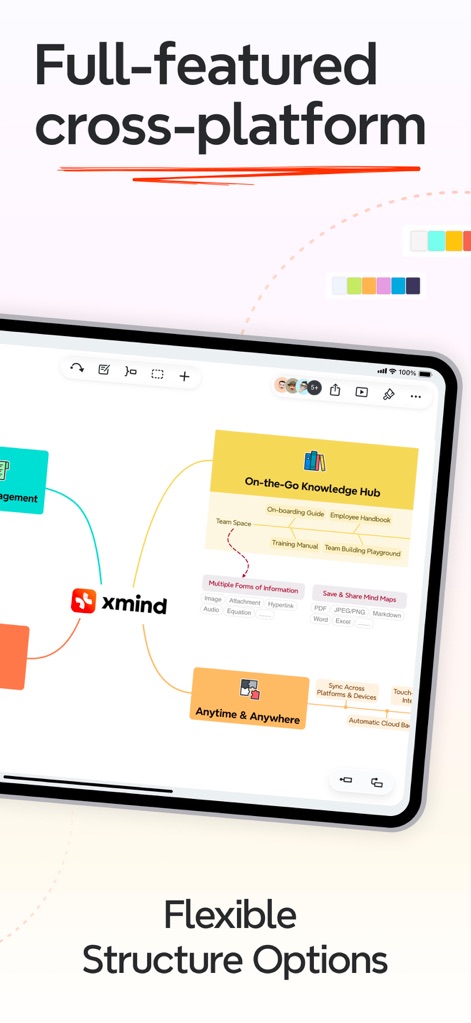
유연한 아이디어 구조
이 앱은 다양한 구조 옵션을 제공하여 복잡한 정보를 효과적으로 시각화할 수 있으며, 'On-the-Go Knowledge Hub'와 'Anytime & Anywhere' 같은 주요 노드들을 통해 유연한 정보 구성을 시각적으로 제시합니다.
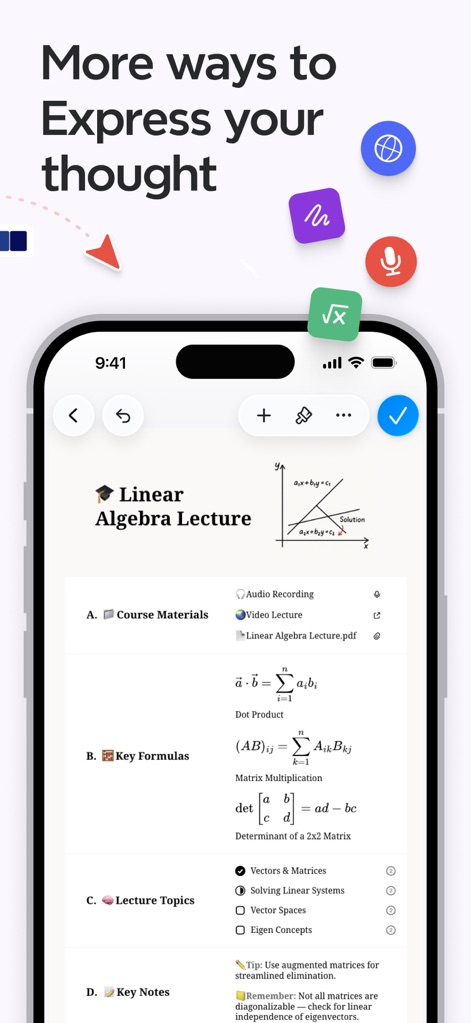
풍부한 표현 방식
사용자는 LaTeX 수식 입력 기능을 통해 복잡한 수학적 개념을 명확히 표현할 수 있으며, 오디오 녹음 및 비디오 강의 링크 첨부 기능을 활용하여 정보를 풍부하게 담을 수 있습니다.
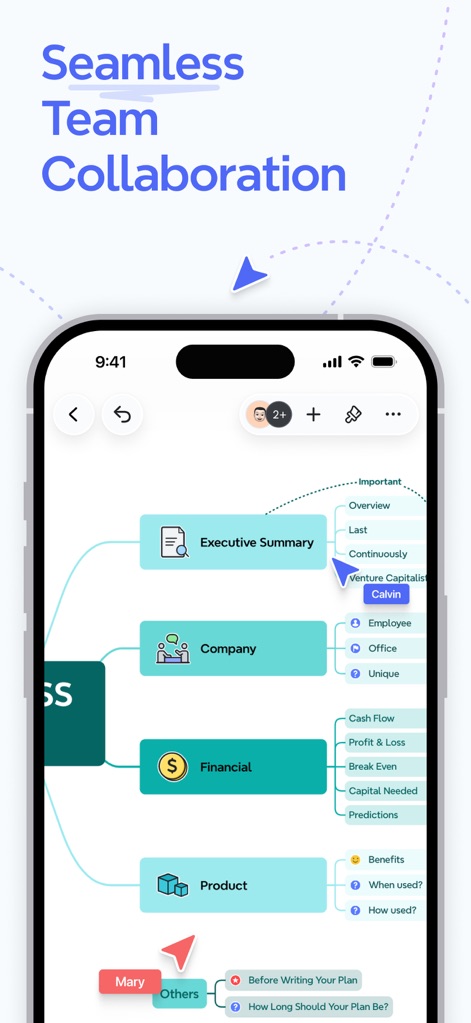
원활한 팀 협업
이 도구는 '2+' 아이콘으로 표현된 여러 사용자가 동시에 하나의 마인드맵을 편집할 수 있는 실시간 협업을 지원하며, 'Executive Summary' 및 'Financial'과 같은 비즈니스 계획의 핵심 요소를 효율적으로 공유합니다.
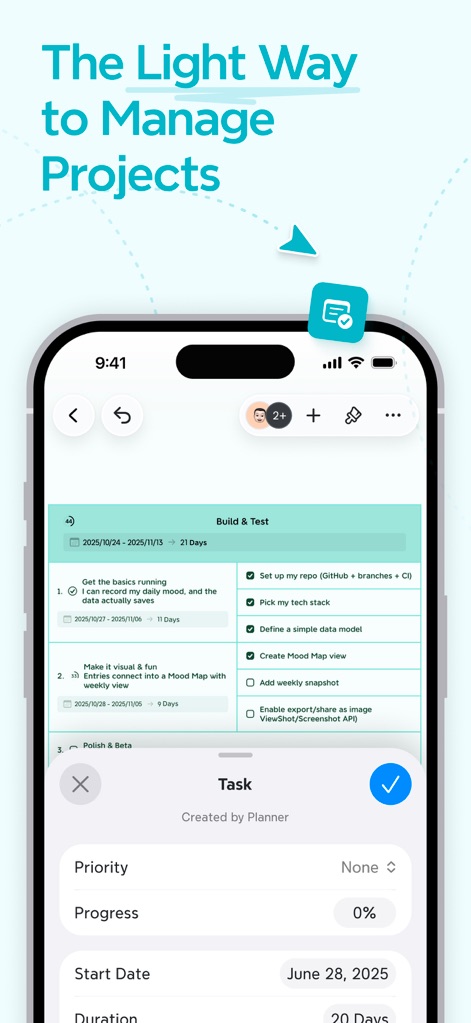
손쉬운 프로젝트 관리
이 앱은 'Build & Test' 프로젝트의 진행률 추적 기능을 통해 효율적인 작업 관리를 가능하게 하며, 작업의 우선순위 설정 및 기간 명시 기능을 시각적으로 제공하여 일정을 명확하게 파악할 수 있습니다.
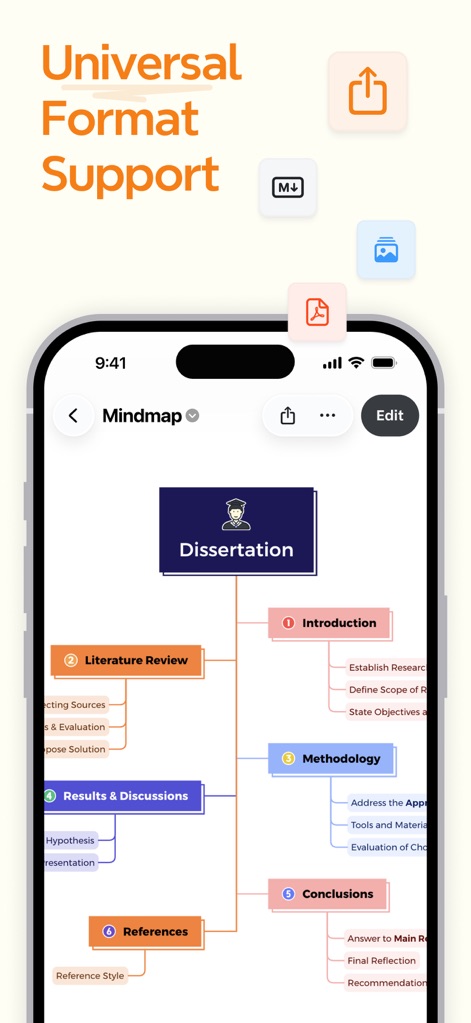
범용 형식 지원
이 앱은 'Dissertation'과 같은 학술적 작업을 위한 체계적인 구조를 지원하며, 완성된 마인드맵을 PDF 및 PNG를 포함한 다양한 형식으로 손쉽게 내보낼 수 있는 아이콘을 보여줍니다.
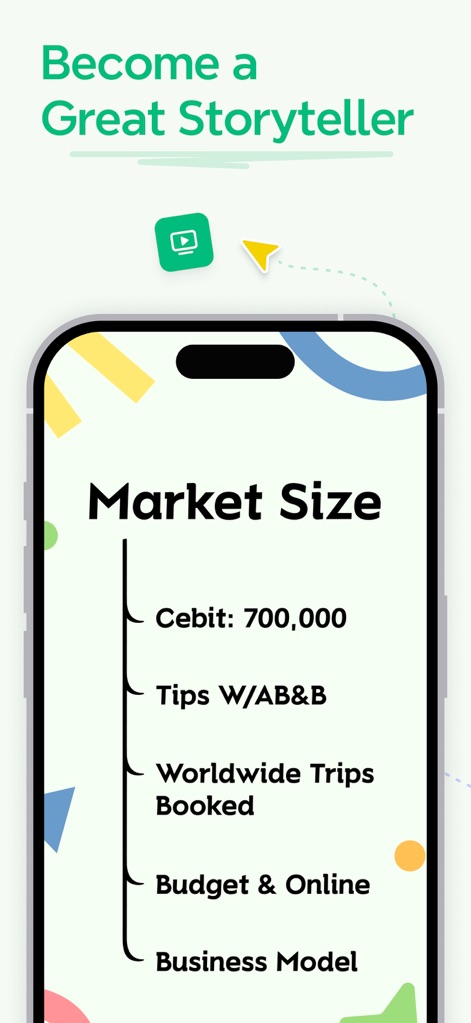
매력적인 스토리텔링
이 앱은 'Market Size' 아웃라이너 기능을 통해 아이디어를 체계적으로 정리하여 효과적인 스토리텔링을 지원하며, 간결한 목록 형식과 핵심 아이디어를 시각적으로 전달하는 디자인을 제공합니다.
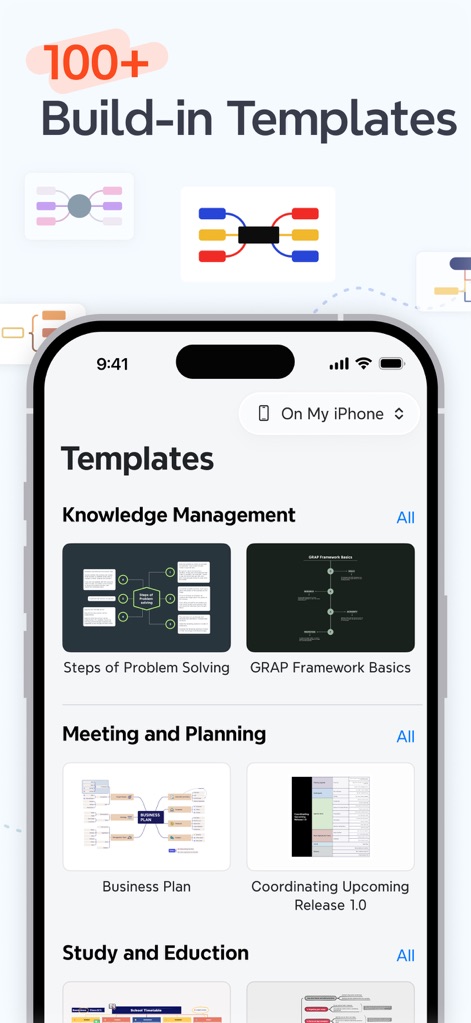
100+개 템플릿
이 도구는 'Knowledge Management' 및 'Meeting and Planning'과 같은 다양한 내장 템플릿을 제공하여 사용자가 쉽게 시작할 수 있도록 돕고, 풍부한 시각적 템플릿 미리보기로 선택의 폭을 넓힙니다.
설명
Download
비슷한 앱
유사한 기능과 사용자 경험을 가진 앱

Smartsheet: Projects & Teams
Smartsheet Inc.

Miro: your visual workspace
Realtimeboard Inc.

Padlet
Wallwisher, Inc.

Asana: Work Management
Asana, Inc.

Microsoft Planner
Microsoft Corporation

Microsoft Loop
Microsoft Corporation

Microsoft Whiteboard
Microsoft Corporation

Nola: Story Planner & Writing
indent Inc.

MeisterTask - Task Management
MeisterLabs
이 페이지는 앱이나 개발자의 공식 페이지가 아니며, 정보 제공 및 논평을 목적으로 작성된 독립 편집 간행물입니다. 명시적으로 달리 언급되지 않는 한, 해당 앱이나 개발자는 MWM, Apple, Google Play, 앱 퍼블리셔 또는 앱 개발자와 제휴, 보증, 후원, 승인 또는 공식적으로 연결되어 있지 않으며, 이 페이지의 어떤 내용도 해당 앱이 MWM의 서비스를 사용하여 개발되었음을 의미하지 않습니다. 모든 상표, 로고, 스크린샷 및 기타 콘텐츠는 해당 소유자의 자산입니다.