2Do - Todo List, Tasks & Notes
Download on App Store

This page is not an official page of the app or its developer, but an independent editorial publication created for informational and commentary purposes. Unless expressly stated otherwise, neither the app nor its developer is affiliated with, endorsed by, sponsored by, authorized by, or otherwise officially connected with MWM, Apple, Google Play, the app publisher, or the app's developer, and nothing on this page implies that the app was developed using MWM's services. Any trademarks, logos, screenshots, and other content remain the property of their respective owners.

Logo of 2Do - Todo List, Tasks & Notes
Download on App Store

2Do - Todo List, Tasks & Notes

Designed for power users who demand total control. From GTD projects to smart lists and batch editing, experience a desktop-class workflow that works exactly how you do.

Key Figures

Downloads

537K+

User Rating

4.3/5

Total Ratings

59K+

Publisher

Beehive Innovations Services

Category

Productivity

Locales

18

Latest Version

3.83

Size

81.7 MB

First Released

Oct 15, 2009
Features

Task Management Without Compromise

Designed for knowledge workers and power users who need more than a simple checklist. 2Do provides the flexibility and desktop-class power to manage your life your way.

Methodology Agnostic

Stop being forced into rigid systems. Whether you use GTD, custom projects, or simple lists, 2Do adapts to your unique workflow and habits.

Advanced Smart Filtering

Harness the power of custom Smart Lists and pinch-to-zoom density control to navigate complex projects and focus on what truly matters.

The following screenshots and description are sourced directly from the app's official store listing and are the property of the app developer.

App Store

Screenshots
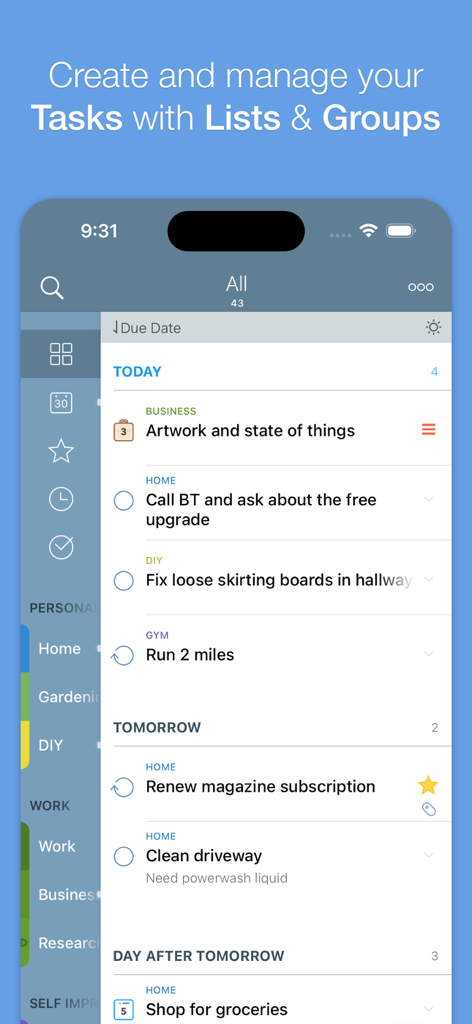
2Do - Todo List, Tasks & Notes - 2Do app task list view showing scheduled tasks categorized by tags and due dates.
2Do app task list view showing scheduled tasks categorized by tags and due dates.

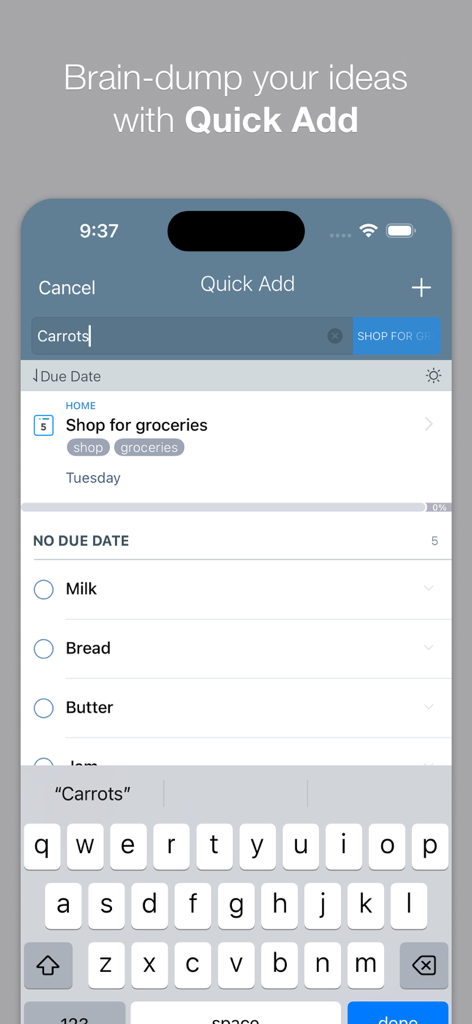
2Do - Todo List, Tasks & Notes - 2Do app interface showing the Quick Add feature for rapid task entry on an iPhone
2Do app interface showing the Quick Add feature for rapid task entry on an iPhone

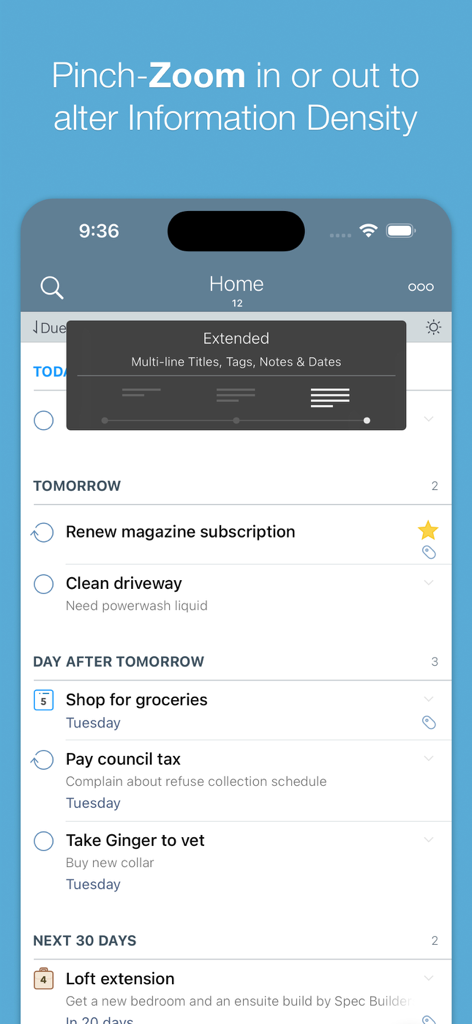
2Do - Todo List, Tasks & Notes - Screenshot of the 2Do app task list showing the pinch-zoom feature to adjust information density
Screenshot of the 2Do app task list showing the pinch-zoom feature to adjust information density

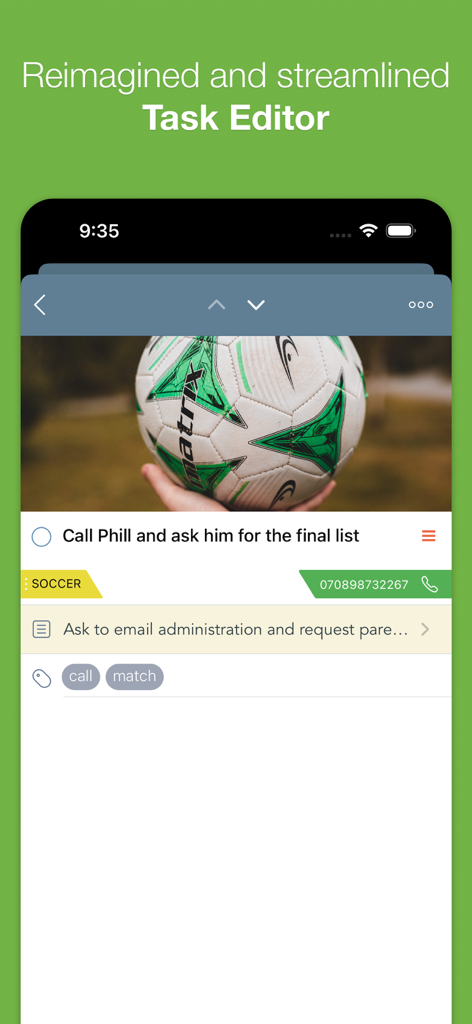
2Do - Todo List, Tasks & Notes - Interface of the 2Do app task editor showing a task with an attached image tags and contact details
Interface of the 2Do app task editor showing a task with an attached image tags and contact details

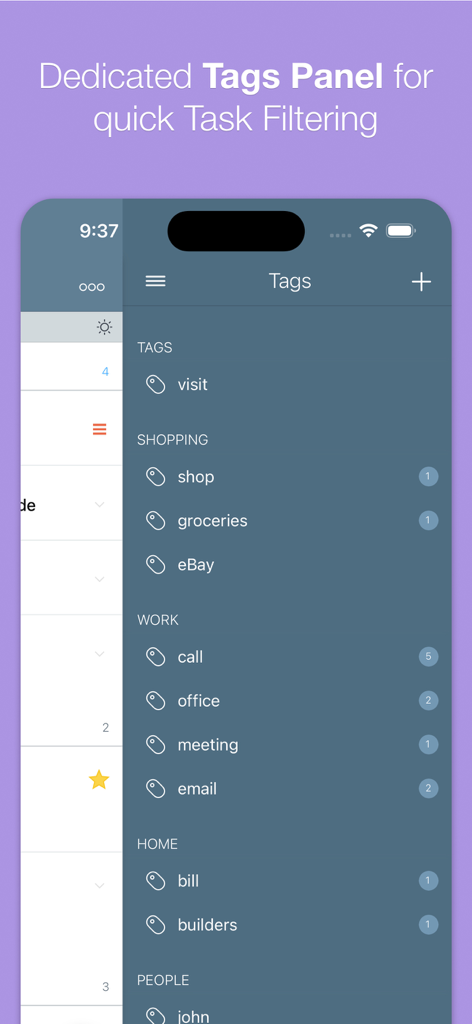
2Do - Todo List, Tasks & Notes - A mobile screenshot of the 2Do app showing the dedicated tags panel for organizing and filtering tasks.

A mobile screenshot of the 2Do app showing the dedicated tags panel for organizing and filtering tasks.

Description

"2Do adapts to my needs, not the other way around. 2Do gets me."- Macstories 2Do lets you take a completely different approach to managing your tasks. With its extremely simple-to-use interface and a comprehensive and flexible set of powerful features, it lets you focus on what's most important to you: your life. There is no wrong way of using 2Do, and unlike other to-do apps, it won't force you in adhering to a particular task management methodology. AWARDS • Macstories: App of the Year 2015 • Apple - App of the week, June 2015 • Apple - Mac App Store “Best of 2013” • “Best App Ever Awards” Winner • Cult Of Mac - 5/5 • Gizmodo "Best app for forgetful people" - Gold Medal PLUGINS: Email to 2Do: Optional plugin that allows you to integrate your email address directly with 2Do, thus allowing you to email yourself tasks from anywhere. You can even use automation, such as IFTTT, to add reminders to your list. SYNC • Stay in sync using one of the following: Dropbox, Reminders (CalDAV), Toodledo, Fruux (CalDAV), Calendar Server (CalDAV), ownCloud (CalDAV), SabreDAV (CalDAV) or a 3rd party CalDAV Server of choice. • Using Reminders CalDAV sync enables Siri • Periodic automatic backups are created for you (compatible with 2Do for Mac) for a rainy day. • Automatic Push sync between devices SIMPLE TASKS, CHECKLISTS & PROJECTS • Create simple tasks, or checklists and projects with sub-tasks. Tasks can have notes, attachments and multiple alarms. • Set any task to repeat using a flexible set of options. • Assign multiple alerts / reminders PASSWORD PROTECTION • Set a lock to the whole app or individual lists LIST GROUPS, LISTS, INBOX & SMART LISTS • In addition to built-in Focus lists that allow you to conveniently view upcoming, starred or scheduled tasks, you can create multiple lists to manage and organize your tasks. • Built-in support for GTD Inbox • Smart lists let you harness the true potential of 2Do using a number of search options, filters and search pre-sets. Using Smart Lists, you can create custom views of your tasks and use them to focus-in or find frequently managed tasks. 
 PINCH ZOOMING • Control the amount of information you wish to see with a simple pinch-to-zoom gesture, from single line titles to multiple lines of titles, notes and tags.
 BATCH EDITING & SHARING • Drag & Drop support to move tasks between lists or drop on calendar to defer • Batch tagging, starring, marking tasks done and more • Task Sharing via AirDrop, iMessage and Email REIMAGINED TASK EDITOR & QUICK ADD • With focus on switching between editors effortlessly using a single tap only, you’ll save dozens of taps and swipes when editing your tasks. • Save your thoughts as they come to you, by using Quick Add (Tap-hold on [+]) • X-callback-url support TAGS • Manage tags from a dedicated Tags Panel • Organize your tags within groups • Leverage the powerful integration of Tags & Smart Lists to filter on frequently managed tasks. 
• Find Used vs. Unused tags YOUR TASKS UNLIMITED • Set a Start Date to hide tasks from a list before they're relevant and add Duration to put an estimate on the amount of time you’ll be spending on your task • Add an action to call, write an email or trigger a URL Scheme right from 2Do • Attach an image or a voice note to your tasks • Customizations for time management • Use as an events / party planner, or an effective birthday reminder • Desktop-class Task Manager ALERTS • Attach multiple alerts to each task • Attach locations to tasks and get nearby alerts as you approach assigned locations DESKTOP-CLASS IPAD APP • Everything from Tasks to Calendar Events - all managed from the same screen. • Manage calendar events and schedules • Split-screen support • Keyboard shortcuts EXTRAS • TextExpander support Follow us: Twitter: @2DoApp Facebook.com/The2DoApp Youtube.com/user/The2DoApp

Download

Download on App Store

This page is not an official page of the app or its developer, but an independent editorial publication created for informational and commentary purposes. Unless expressly stated otherwise, neither the app nor its developer is affiliated with, endorsed by, sponsored by, authorized by, or otherwise officially connected with MWM, Apple, Google Play, the app publisher, or the app's developer, and nothing on this page implies that the app was developed using MWM's services. Any trademarks, logos, screenshots, and other content remain the property of their respective owners.