Due - Reminders & Timers
Download on App Store

This page is not an official page of the app or its developer, but an independent editorial publication created for informational and commentary purposes. Unless expressly stated otherwise, neither the app nor its developer is affiliated with, endorsed by, sponsored by, authorized by, or otherwise officially connected with MWM, Apple, Google Play, the app publisher, or the app's developer, and nothing on this page implies that the app was developed using MWM's services. Any trademarks, logos, screenshots, and other content remain the property of their respective owners.

Logo of Due - Reminders & Timers
Download on App Store

Due - Reminders & Timers

Stop letting tasks fall through the cracks. Set reminders in seconds with natural language parsing and stay on track with relentless auto-snooze notifications that don't quit until you do.

Key Figures

Downloads

474K+

User Rating

4.4/5

Total Ratings

12K+

Publisher

Due Apps LLP

Category

Productivity

Locales

17

Latest Version

26.1

Size

80.0 MB

First Released

Sep 15, 2010
Features

The external brain that never lets you fail

Built for high-pressure professionals and busy parents, Due bridges the gap between 'to-do' and 'done' through persistent, unignorable reminders.

Persistent Auto-Snooze

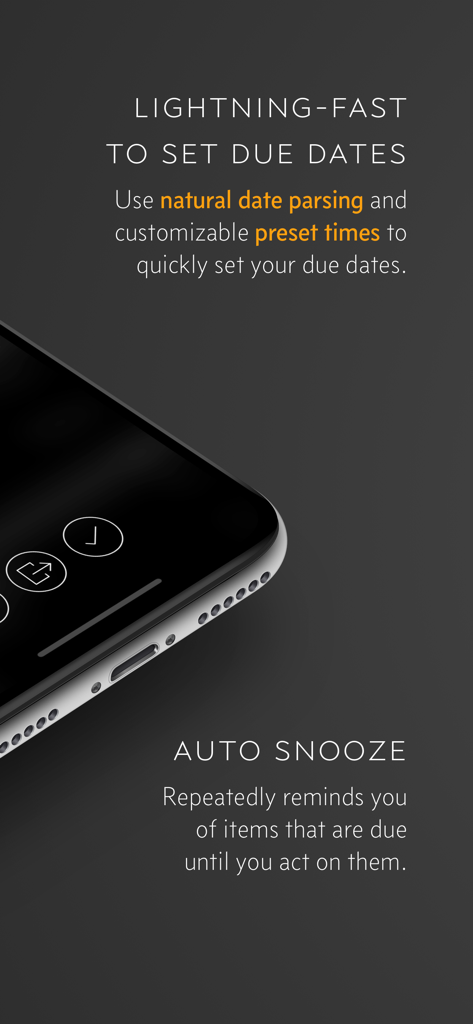
Stop swiping away tasks. Due keeps nudging you at intervals you choose until the job is actually finished, ensuring nothing ever slips through the cracks.

Lightning-Fast Entry

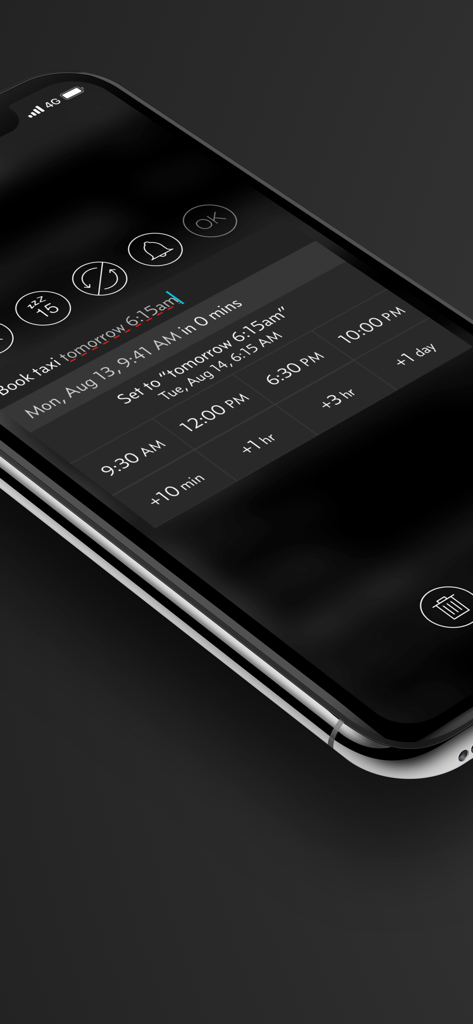
Stop fiddling with date pickers. Type or dictate 'Call client at 4pm tomorrow' and Due instantly parses the time, letting you set reminders in seconds.

The following screenshots and description are sourced directly from the app's official store listing and are the property of the app developer.

App Store

Screenshots
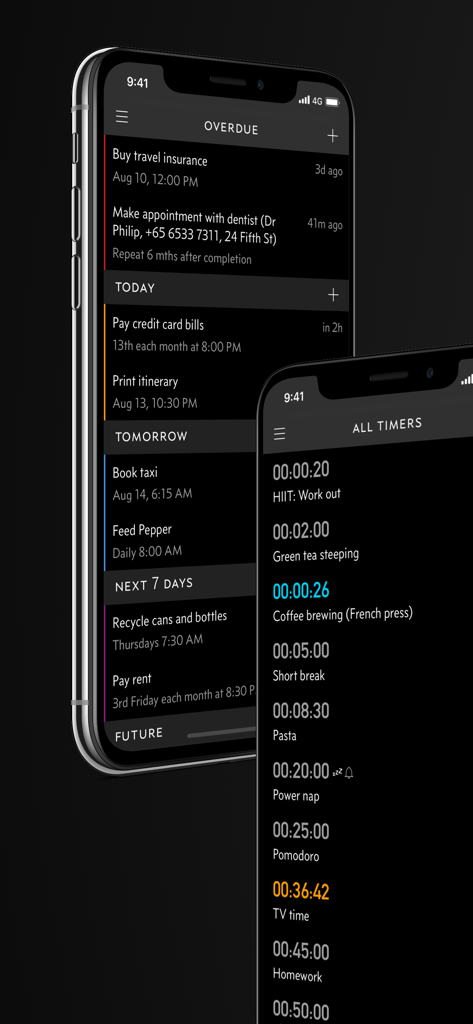
Due - Reminders & Timers - Due app interface on iPhone showing overdue reminders and countdown timers
Due app interface on iPhone showing overdue reminders and countdown timers

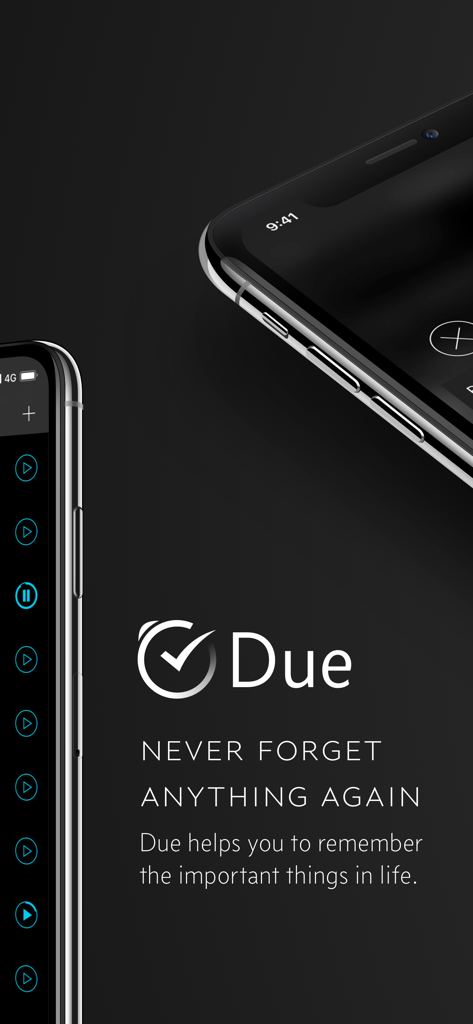
Due - Reminders & Timers - Due app logo and slogan Never Forget Anything Again with iPhone screenshots
Due app logo and slogan Never Forget Anything Again with iPhone screenshots

Due - Reminders & Timers - Due app interface on iPhone showing natural language input and quick time picker buttons for a taxi reminder
Due app interface on iPhone showing natural language input and quick time picker buttons for a taxi reminder

Due - Reminders & Timers - Due app features highlighting natural date parsing and persistent auto snooze reminders.
Due app features highlighting natural date parsing and persistent auto snooze reminders.

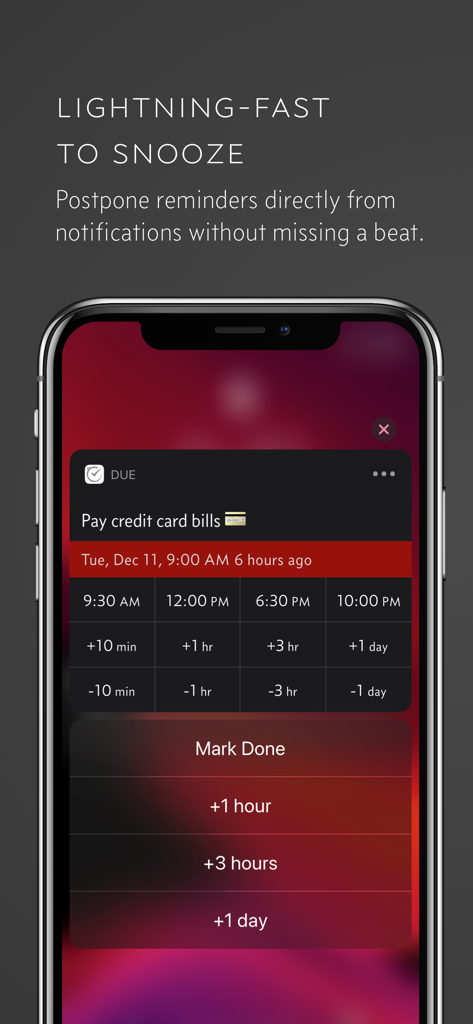
Due - Reminders & Timers - iPhone screen showing quick snooze and postpone options for a reminder in the Due app.
iPhone screen showing quick snooze and postpone options for a reminder in the Due app.

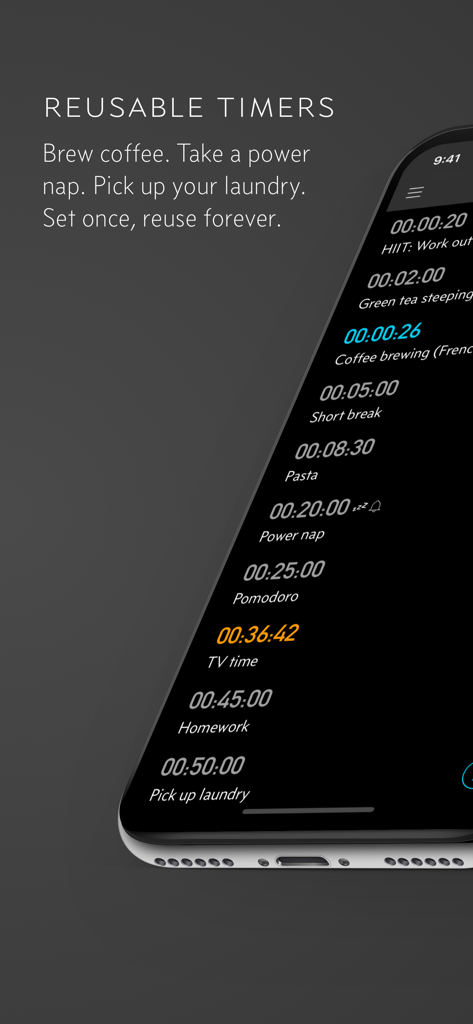
Due - Reminders & Timers - Reusable countdown timers in the Due app for common tasks like brewing coffee and power naps.
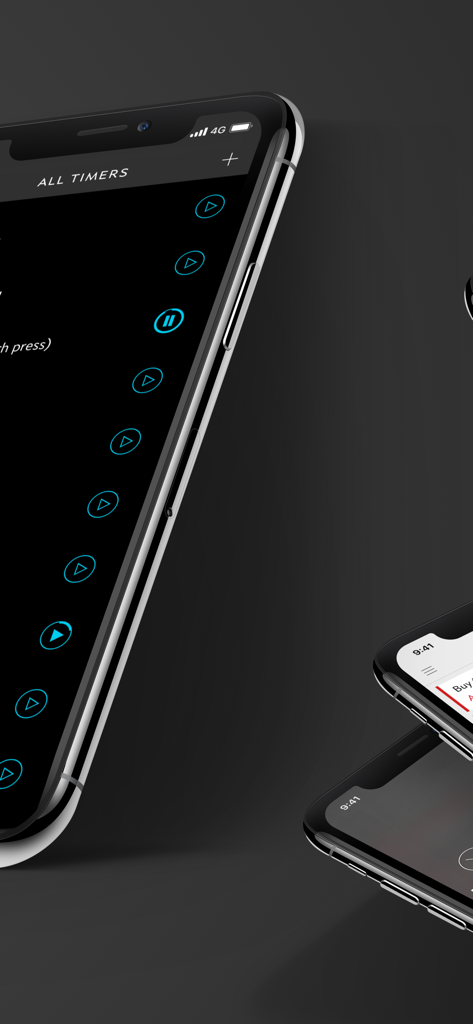
Reusable countdown timers in the Due app for common tasks like brewing coffee and power naps.

Due - Reminders & Timers - Due app interface for managing all timers on an iPhone in dark mode
Due app interface for managing all timers on an iPhone in dark mode

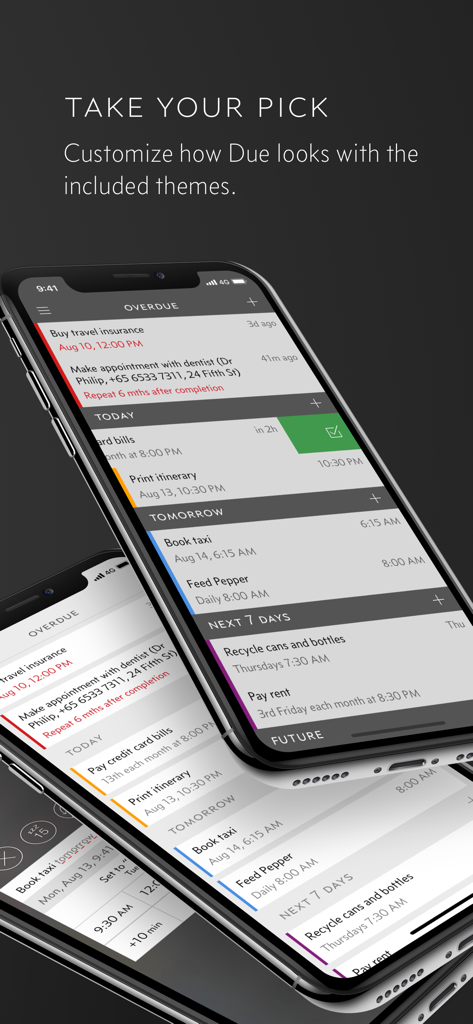
Due - Reminders & Timers - Three iPhones displaying different color themes and categorized reminders in the Due app.
Three iPhones displaying different color themes and categorized reminders in the Due app.

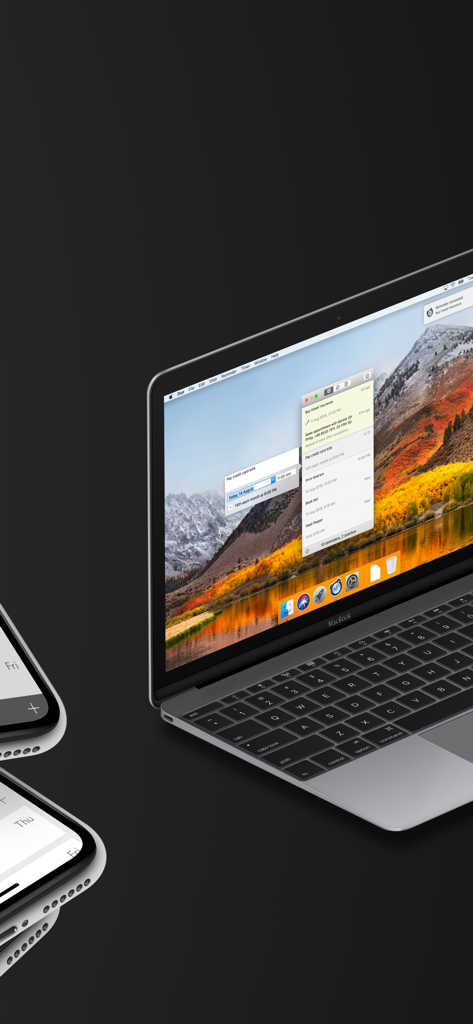
Due - Reminders & Timers - Due reminders and timers app interface displayed on a MacBook and iPhone
Due reminders and timers app interface displayed on a MacBook and iPhone

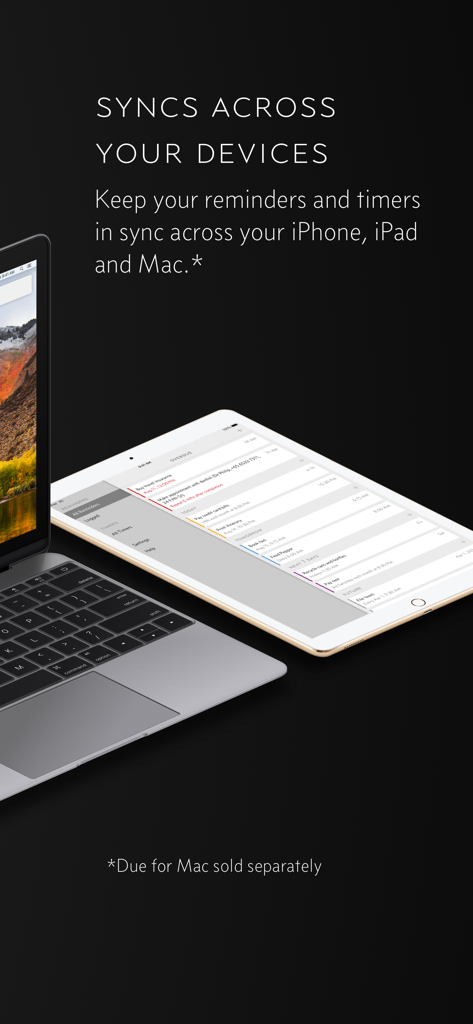
Due - Reminders & Timers - Due app reminders and timers syncing between a MacBook and an iPad.

Due app reminders and timers syncing between a MacBook and an iPad.

Description

Due remembers all the things that you need so you don't have to. Because it repeatedly reminds you of things until you act on them, it‘s impossible to forget anything. Most importantly, it's lightning-fast to set and postpone reminders, all thanks to a clever time picker and natural date parsing. KEY FEATURES 1. Persistent & Effective Auto Snooze repeatedly* notifies you of missed reminders until marked done or rescheduled. Choose between intervals of every 1, 5, 10, 15, 30 and 60 minutes. 2. Fast to Set, Fast to Postpone A time picker with 12 preset and fully customizable times lets you set due dates and postpone reminders in record time. 3. Natural Date & Time Parsing Due can also parse dates and times that you typed or dictate and offer to set the due dates and times for you. 4. Countdown Timers Precise to the second, perfect for making the perfect soft-boiled eggs, brewing your coffee and more. Set them up once and reuse them forever 5. Powerful Recurring Reminders From the simple daily and weekly reminders to the complex every-3rd-Wednesday-of-the-month kind of reminders 6. Keep in Sync** Use iCloud or Dropbox to keep your reminders and timers in sync across your iPhone, iPad and Mac. 7. Works Offline, Completely Private There is no account to sign up for. We don't store, and we can't access your reminders and timers. And you don't need internet to receive reminders. 8. Accessible to Everyone Automatically adjusts text size according to your system setting, and offers full VoiceOver support. Due is also localized in 17 languages. * By default, auto snooze repeats 5 times, and can be configured to repeat up to 10 times. Due can auto snooze any overdue items indefinitely when you launch Due or act on any of its notifications. ** Sync on Mac requires Due for Mac (sold separately) WHAT'S THAT IN-APP PURCHASE ABOUT? When you purchase Due today, you will have access to every feature in the app today—no further purchase required. You will also get access to all new features released one year from your date of purchase. The optional Due Upgrade Pass subscription allows you to continue getting access to all new features released one year *after* your date of purchase. And here's the deal: Every feature that you have unlocked will remain available to you, forever—even if you stop subscribing. Even without a subscription, you'll always receive bug-fix and compatibility updates for free. These updates add support for the latest iPhones, iPads and Apple Watches. They also help ensure that Due continues to function well on the latest versions of iOS, iPadOS and watchOS. Due has a pretty good track record with that. To illustrate: If you've purchased Due back in 2010 for your iPhone 3G running iOS 4, that very same app in 2026 is now optimized for iPhone 17 Pro Max running iOS 26. It even works on devices that didn't exist back then, such as the iPad Pro and the Apple Watch. TERMS & PRIVACY POLICY Our terms of use and privacy policy is available here: https://www.dueapp.com/terms.html COMPATIBILITY Due requires an iPhone, iPod touch or iPad running iOS 16 or later. The Watch app is a companion to the iOS app. It requires watchOS 8 (or later) and the paired iPhone to work correctly.

Download

Download on App Store

This page is not an official page of the app or its developer, but an independent editorial publication created for informational and commentary purposes. Unless expressly stated otherwise, neither the app nor its developer is affiliated with, endorsed by, sponsored by, authorized by, or otherwise officially connected with MWM, Apple, Google Play, the app publisher, or the app's developer, and nothing on this page implies that the app was developed using MWM's services. Any trademarks, logos, screenshots, and other content remain the property of their respective owners.