3D Mappa - GIS & Topo Analysis
Download on App Store

This page is not an official page of the app or its developer, but an independent editorial publication created for informational and commentary purposes. Unless expressly stated otherwise, neither the app nor its developer is affiliated with, endorsed by, sponsored by, authorized by, or otherwise officially connected with MWM, Apple, Google Play, the app publisher, or the app's developer, and nothing on this page implies that the app was developed using MWM's services. Any trademarks, logos, screenshots, and other content remain the property of their respective owners.


Logo of 3D Mappa - GIS & Topo Analysis
Download on App Store

3D Mappa - GIS & Topo Analysis

Turn your iPhone or iPad into a powerful geospatial workstation. Visualize contours, slope, and flow patterns in real-time, and export precision data directly to AutoCAD and GIS software while on-site.

Key Figures

Downloads

7K+

User Rating

5.0/5

Total Ratings

0

Publisher

Andres Narvaez

Category

Navigation

Locales

1

Latest Version

1.5.0

Size

232.3 MB

First Released

Apr 11, 2024
Features

Field-Ready GIS Analysis

Stop waiting for the office. Analyze topography, simulate flow patterns, and export professional-grade data directly from your iPhone or iPad.

On-Site Desktop Power

Perform complex slope, aspect, and flow analysis right where you stand, reducing costly return trips and increasing field efficiency.

Seamless CAD Integration

Export your findings in industry-standard DXF, SHP, and CSV formats to move field data straight into your AutoCAD or ArcGIS project.

The following screenshots and description are sourced directly from the app's official store listing and are the property of the app developer.

App Store

Screenshots
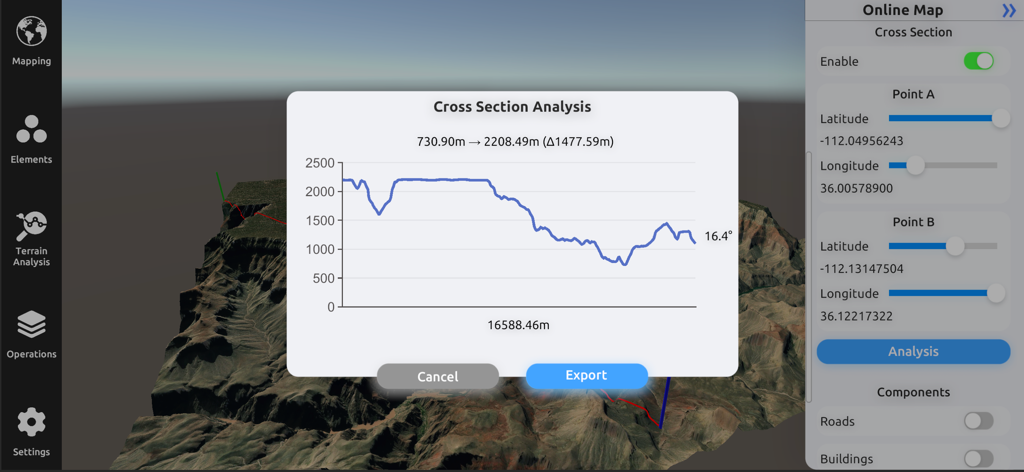
3D Mappa - GIS & Topo Analysis - Interface of 3D Mappa showing a cross section analysis graph with elevation profile over a 3D terrain model
Interface of 3D Mappa showing a cross section analysis graph with elevation profile over a 3D terrain model

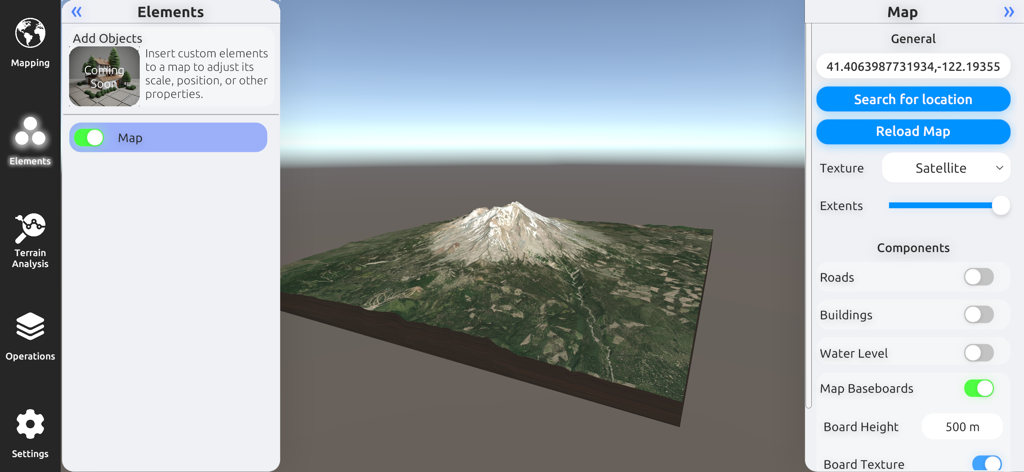
3D Mappa - GIS & Topo Analysis - A 3D terrain model of a mountain with satellite imagery and map configuration settings in the 3D Mappa GIS app.
A 3D terrain model of a mountain with satellite imagery and map configuration settings in the 3D Mappa GIS app.

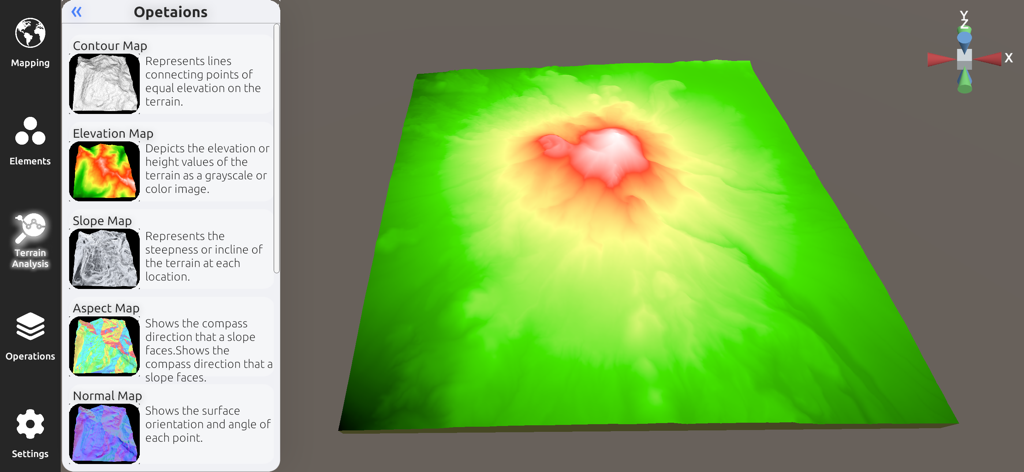
3D Mappa - GIS & Topo Analysis - 3D elevation model and terrain analysis sidebar in the 3D Mappa app
3D elevation model and terrain analysis sidebar in the 3D Mappa app

3D Mappa - GIS & Topo Analysis - 3D terrain visualization showing a multicolored slope map on a mountain landscape in the 3D Mappa app
3D terrain visualization showing a multicolored slope map on a mountain landscape in the 3D Mappa app

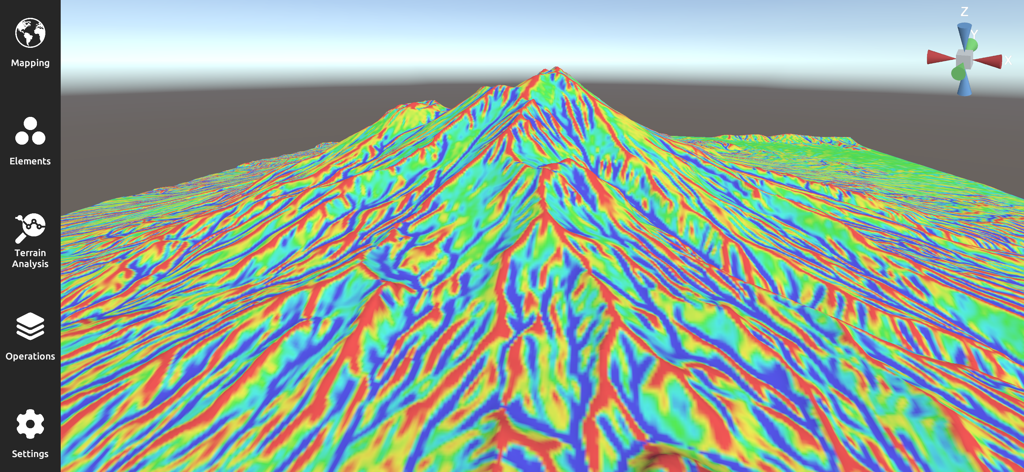
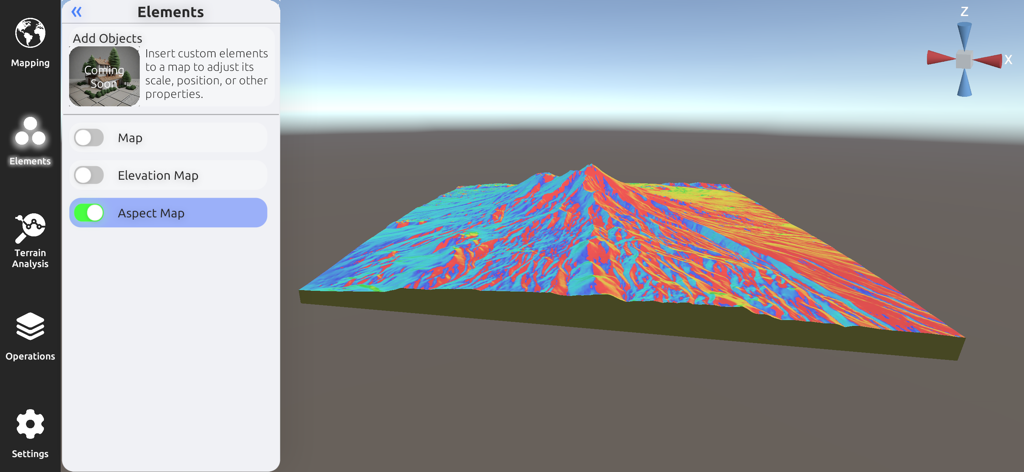
3D Mappa - GIS & Topo Analysis - 3D Mappa mobile interface displaying a detailed colorful 3D aspect map for terrain analysis.
3D Mappa mobile interface displaying a detailed colorful 3D aspect map for terrain analysis.

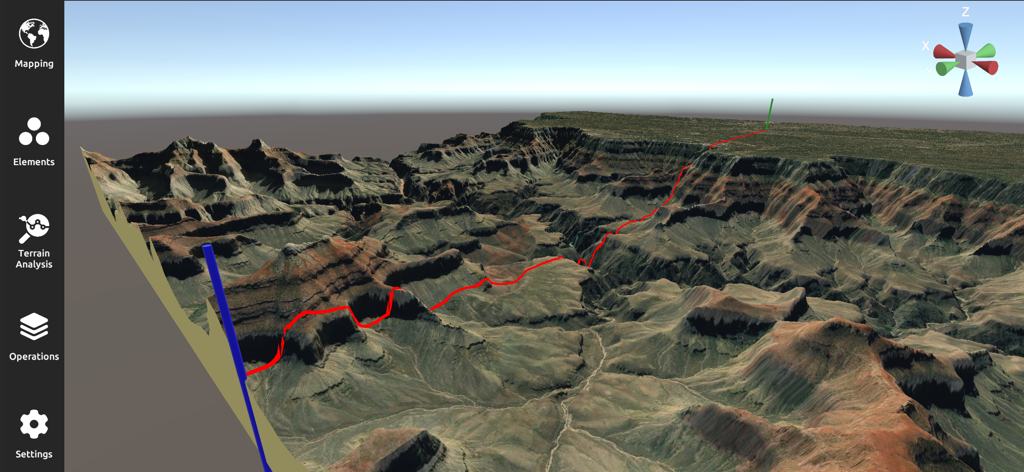
3D Mappa - GIS & Topo Analysis - A professional 3D terrain analysis and mapping interface showing a rugged canyon landscape with a red path
A professional 3D terrain analysis and mapping interface showing a rugged canyon landscape with a red path

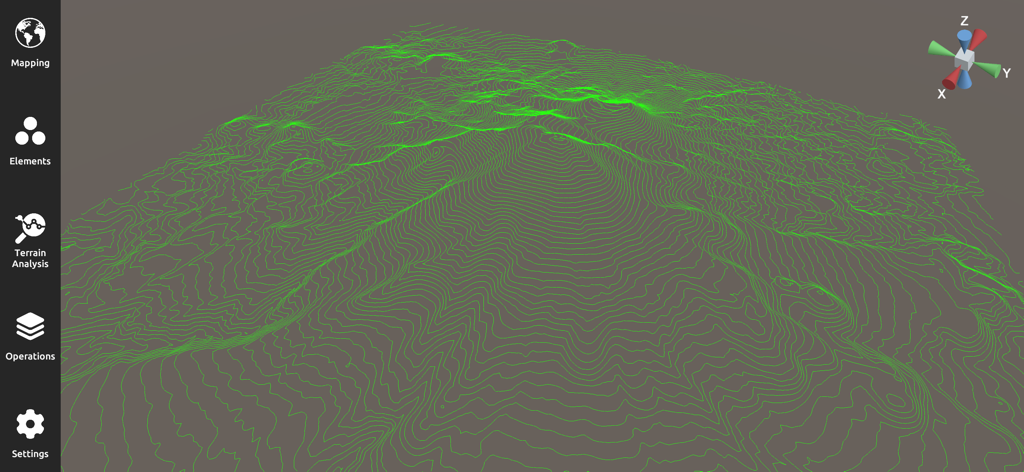
3D Mappa - GIS & Topo Analysis - A 3D topographic map with green contour lines for GIS terrain analysis
A 3D topographic map with green contour lines for GIS terrain analysis

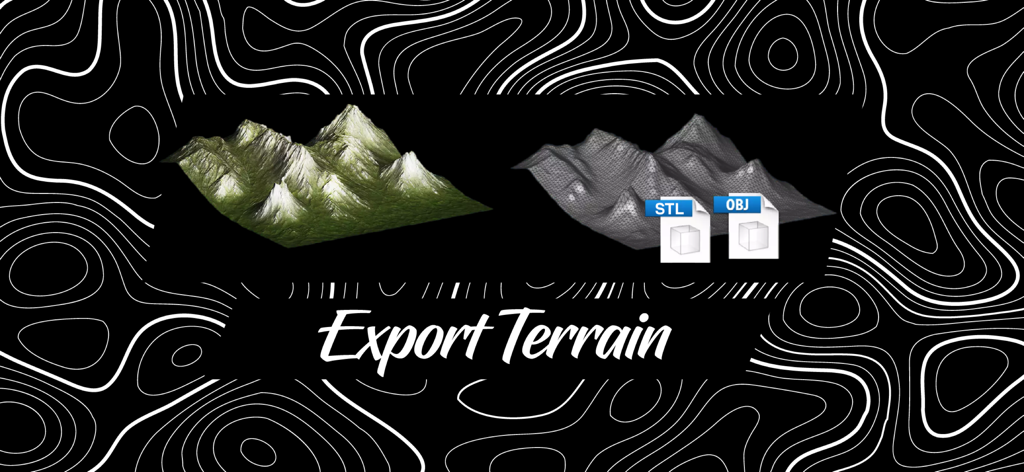
3D Mappa - GIS & Topo Analysis - Exporting 3D terrain models in STL and OBJ formats with 3D Mappa.
Exporting 3D terrain models in STL and OBJ formats with 3D Mappa.

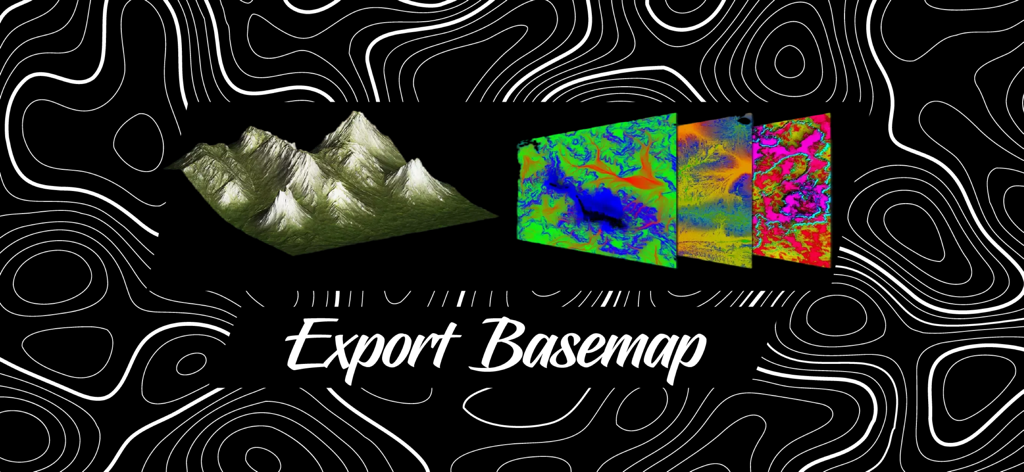
3D Mappa - GIS & Topo Analysis - A 3D terrain model and colored topographic basemap layers with text saying Export Basemap

A 3D terrain model and colored topographic basemap layers with text saying Export Basemap

Description

3D Mappa revolutionizes GIS on mobile. Our app puts powerful terrain analysis tools in the palm of your hand, making complex tasks effortless. Instantly visualize elevation, slope, contours, and more. Simplify workflows with intuitive features designed for speed and efficiency. Export data in seconds to industry-standard formats like DXF, SHP, CSV, OBJ, glTIF, and STL, ensuring compatibility with AutoCAD, and GIS software. Say goodbye to cumbersome processes and hello to streamlined GIS on mobile. KEY FEATURES: - Cross Section: Visualize changes in elevation and other terrain characteristics in a 2D plot. - Contour Map: Represents lines connecting points of equal elevation on the terrain. - Elevation Map: Depicts the elevation or height values of the terrain as a grayscale or color image. - Slope Map: Represents the steepness or incline of the terrain at each location. - Aspect Map: Shows the compass direction that a slope faces. - Normal Map: Shows the surface orientation and angle of each point. - Flow Map: Illustrates the direction of water flow or drainage patterns across the landscape. - Landform Map: Depicts the different types of landforms or land features present in the area. - Curvature Map: Indicates the amount and direction of curvature of the terrain. - Residual Map: Highlights variations or deviations from a baseline, often used in geological analysis. ADDITIONAL FUNCTIONALITIES: - Digital Elevation Models from Data Servers: Create digital elevation models (DEMs) directly from data servers like Google Maps and Mapbox. This functionality allows you to seamlessly integrate high-resolution elevation data from popular map services into your projects, enhancing your analysis with up-to-date and accurate terrain information. - Import Custom XYZ Files: Import your own XYZ files to create digital elevation models using Delaunay triangulation. This feature allows you to bring your own data into the app, providing flexibility and precision in modeling terrain. The Delaunay triangulation method ensures that your elevation models are accurate and well-formed, making it easier to analyze and visualize complex landscapes. UPCOMING FEATURES: - Import LiDAR Files: Display LiDAR data in 2D and 3D for geospatial analysis. This feature will allow you to represent high-precision data obtained by LiDAR technology, providing a detailed view of the terrain and its vegetation. - Add Objects: Insert custom elements into a map to adjust its scale, position, or other properties. This functionality will facilitate the customization and enhancement of your maps with specific objects according to your needs. - Buffer: Create buffer zones around points, lines, or areas for spatial analysis. This tool will be useful for evaluating impacts and conducting proximity studies. - Clipping and Intersect Tools: Perform clipping and intersection operations on your maps to analyze and manipulate spatial data precisely. These tools will allow you to extract and combine specific areas of interest. - Flood Simulation: Simulate flood scenarios to assess risks and plan mitigation measures. This feature will enable the prediction of water behavior under various conditions and help plan appropriate responses. Terms of Use: https://www.apple.com/legal/internet-services/itunes/dev/stdeula/

Download

Download on App Store

This page is not an official page of the app or its developer, but an independent editorial publication created for informational and commentary purposes. Unless expressly stated otherwise, neither the app nor its developer is affiliated with, endorsed by, sponsored by, authorized by, or otherwise officially connected with MWM, Apple, Google Play, the app publisher, or the app's developer, and nothing on this page implies that the app was developed using MWM's services. Any trademarks, logos, screenshots, and other content remain the property of their respective owners.








