3D Model Viewer: STL & USDZ

3D Model Viewer: STL & USDZ


Download on App Store
Logo of 3D Model Viewer: STL & USDZ

3D Model Viewer: STL & USDZ – Visualize Your Designs in High-Fidelity AR

The essential mobile tool for makers and pros. Effortlessly open STL, USDZ, and OBJ files, record stunning previews, and bring your 3D models to life in the real world with advanced Augmented Reality.

Download on App Store

Publisher

Ariel Ortiz

Category

Productivity

Downloads

9K+

User Rating

1.0/5

Total Ratings

0

Locales

1

3D Mastery in Your Pocket

Discover the interface used by 9K+ users.
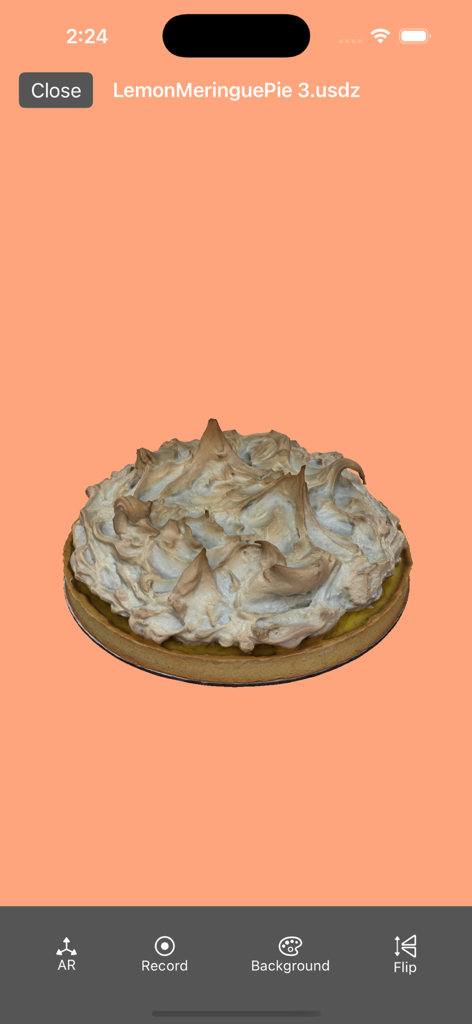
A 3D model of a lemon meringue pie in USDZ format displayed within the mobile app interface.

A 3D model of a lemon meringue pie in USDZ format displayed within the mobile app interface.

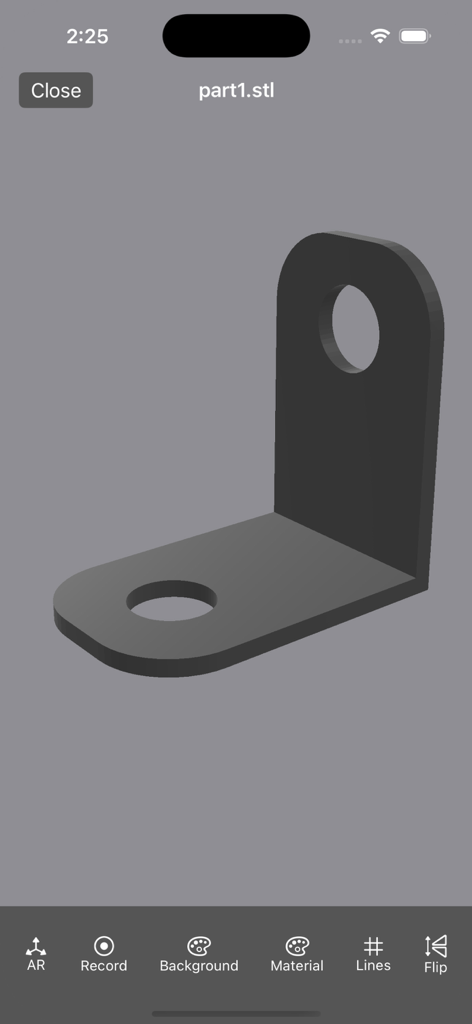
iPhone screenshot showing a 3D L-shaped bracket model inside the 3D Model Viewer app interface

iPhone screenshot showing a 3D L-shaped bracket model inside the 3D Model Viewer app interface

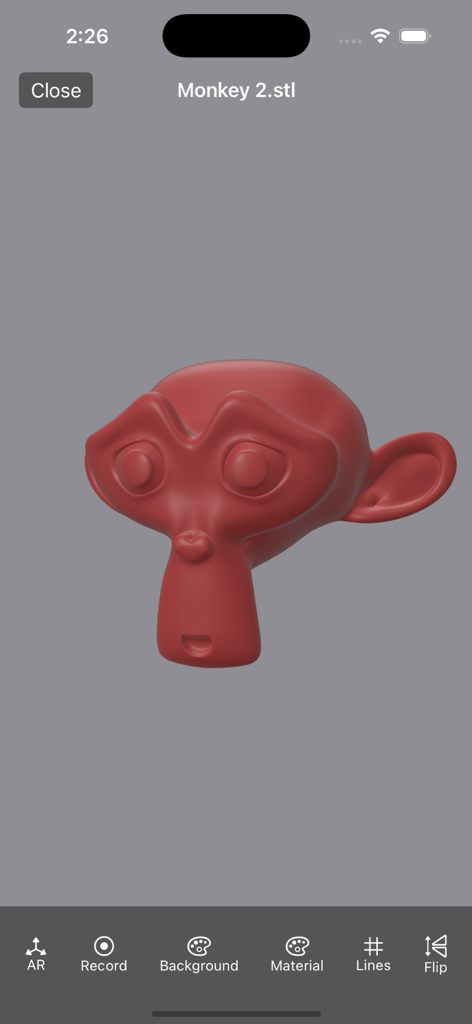
A red 3D monkey head model displayed in the 3D Model Viewer mobile app interface

A red 3D monkey head model displayed in the 3D Model Viewer mobile app interface

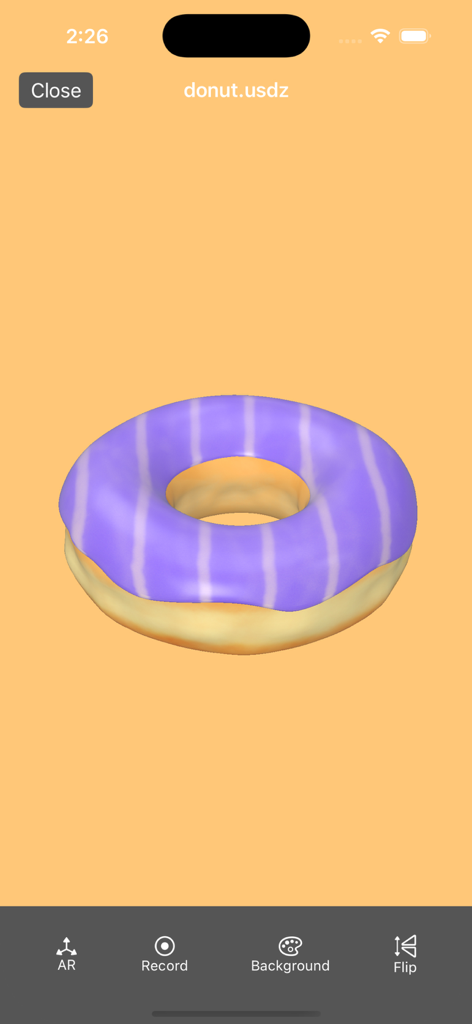
A 3D model of a purple striped donut rendered in the 3D Model Viewer app interface

A 3D model of a purple striped donut rendered in the 3D Model Viewer app interface

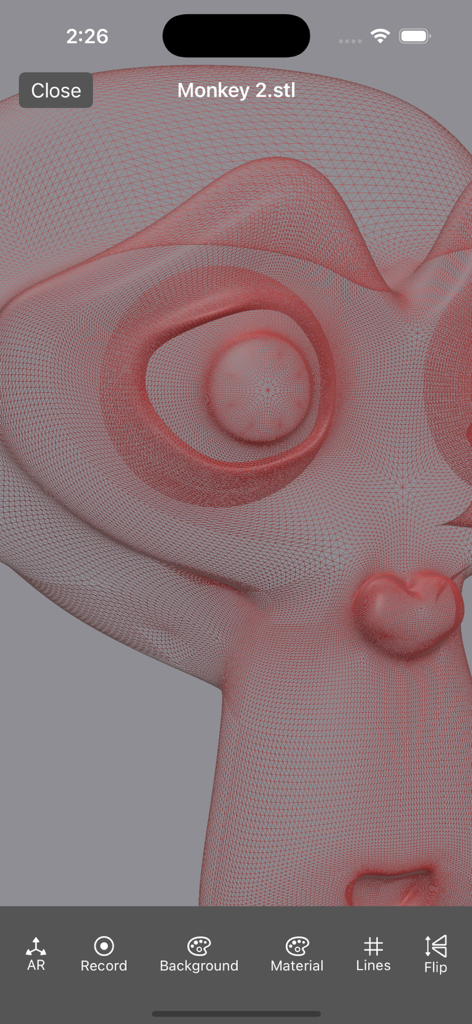
iPhone screenshot of a 3D model viewer app showing a detailed red wireframe mesh of a monkey character model.

iPhone screenshot of a 3D model viewer app showing a detailed red wireframe mesh of a monkey character model.

Visualize Designs with Pro Precision

The tools that make this app stand out, trusted by 9K+ users.

📐

Augmented Reality Integration

Visualize your models in the real world to verify scale and fit before you print or build.

💎

Crystal Clear Rendering

Explore complex STL and USDZ files with smooth gestures and full texture support for a life-like experience.

🚀

Seamless Professional Workflow

Effortlessly import .obj files with textures and record rotation animations to share your vision with clients.

About the app

Everything you need to know about 3D Model Viewer: STL & USDZ.

Description

3D Model Viewer: STL & USDZ - Transform Your Experience with 3D Visualization! Key Features: - Seamless Viewing: Effortlessly open and explore .usdz, .usd, .obj, .stl, .ply files with stunning clarity and detail. Experience 3D models like never before! - User-Friendly Interface: Navigate through your 3D models with simple gestures. Rotate, zoom and pan. - High Performance: Enjoy smooth and fast rendering, ensuring an optimal viewing experience for complex models. - AR Viewer: Visualize your models in AR. - Record: Record the scene with a rotation animation. You can upload .obj with textures, you need to create a zip file with the textures and the .mtl file. Download 3D Model Viewer: STL & USDZ today and step into the future of 3D visualization! Transform the way you see and share your creative ideas. Payment will be charged to your Apple ID account at the confirmation of purchase. The subscription automatically renews unless it is canceled at least 24 hours before the end of the current period. Your account will be charged for renewal within 24 hours prior to the end of the current period. You can manage and cancel your subscriptions by going to your App Store account settings after purchase. - Terms & conditions https://sites.google.com/view/usdz3dviewer/home/termsandconditions

Latest Version

5.4.4

Size

12.7 MB

First Released

Sep 27, 2021

Bring Your 3D Projects to Life Today

Join 9,000+ makers and professionals who trust 3D Model Viewer for seamless STL, USDZ, and AR visualization on the go.

Download on App Store
FAQ

Frequently Asked Questions

Everything you need to know about 3D Model Viewer: STL & USDZ

What 3D file formats does "3D Model Viewer: STL & USDZ" support?

The "3D Model Viewer: STL & USDZ" app supports .usdz, .usd, .obj, .stl, and .ply file formats for seamless viewing.

Can "3D Model Viewer: STL & USDZ" display models in Augmented Reality (AR)?

Yes, "3D Model Viewer: STL & USDZ" includes an AR Viewer feature. Users can visualize their 3D models directly in augmented reality.

How can users interact with 3D models in "3D Model Viewer: STL & USDZ"?

Users navigate 3D models with simple gestures in "3D Model Viewer: STL & USDZ". They can rotate, zoom, and pan the models.

Can I record a rotating animation of my 3D model in "3D Model Viewer: STL & USDZ"?

Yes, "3D Model Viewer: STL & USDZ" allows users to record the scene with a rotation animation. This feature is available directly within the app.

Does "3D Model Viewer: STL & USDZ" support .obj files with textures?

Yes, "3D Model Viewer: STL & USDZ" supports .obj files with textures. Users must create a zip file containing the .obj, textures, and .mtl file.

Does "3D Model Viewer: STL & USDZ" offer advanced viewing options for STL models?

Yes, "3D Model Viewer: STL & USDZ" provides advanced viewing options for STL models. These include changing material properties and displaying wireframes.

Can I view the wireframe of an STL model in "3D Model Viewer: STL & USDZ"?

Yes, "3D Model Viewer: STL & USDZ" allows viewing the wireframe of STL models. The "Lines" option in the bottom menu enables this display.

How does the subscription renewal work for "3D Model Viewer: STL & USDZ"?

The "3D Model Viewer: STL & USDZ" subscription automatically renews unless canceled 24 hours before the period ends. Charges occur within 24 hours prior to renewal.

How can I cancel my "3D Model Viewer: STL & USDZ" subscription?

Users can manage and cancel their "3D Model Viewer: STL & USDZ" subscription by accessing their App Store account settings after purchase.

Where are the Terms & Conditions for "3D Model Viewer: STL & USDZ" located?

The Terms & Conditions for "3D Model Viewer: STL & USDZ" are available at https://sites.google.com/view/usdz3dviewer/home/termsandconditions.

App information, icons, screenshots, and descriptions displayed on this page are sourced from the Apple App Store and are the property of their respective developers. Download estimates and rankings are based on MWM's proprietary models and may not reflect actual figures. This page is provided for informational and analytical purposes only.

Believe this page infringes your intellectual property? File a dispute