
This page is not an official page of the app or its developer, but an independent editorial publication created for informational and commentary purposes. Unless expressly stated otherwise, neither the app nor its developer is affiliated with, endorsed by, sponsored by, authorized by, or otherwise officially connected with MWM, Apple, Google Play, the app publisher, or the app's developer, and nothing on this page implies that the app was developed using MWM's services. Any trademarks, logos, screenshots, and other content remain the property of their respective owners.


Microsoft Authenticator
Digital entry demands precision. The app empowers users with unyielding security, transforming complex authentication into a single, seamless action.
Downloads
100M+User Rating
Total Ratings
1.8MPublisher
Category
ProductivityLocales
42Latest Version
6.8.43Size
155.0 MBFirst Released
May 30, 2015Microsoft Authenticator: A Comprehensive Security Analysis
Evaluating its core features for enhanced digital identity protection and user convenience.
Passwordless Access to Microsoft Services
It allows users to sign into their Microsoft accounts using their phone, leveraging biometric authentication (fingerprint, Face ID) or PIN for enhanced security and convenience, eliminating the need for traditional passwords.
Secure Sign-in with Push Notifications
The app provides a second layer of security by sending push notifications to a user's device for login approval, ensuring only authorized access to accounts.
Enterprise & Educational Account Integration
It facilitates the secure access to organizational resources by allowing device registration and supporting work or school accounts, often mandated by IT policies for enhanced corporate security.
Centralized Account Management
This tool supports adding and managing multiple personal, work, and school accounts, including non-Microsoft services like Facebook, Amazon, and Google, centralizing security for diverse online presences.
Offline One-Time Password Generation
This tool features the generation of time-based one-time passwords (TOTP) that do not require an internet connection, offering a robust backup for multi-factor authentication across various accounts.
Device-Based Certificate Authentication
The app supports certificate-based authentication, issuing a certificate to the user's device to verify its trustworthiness, streamlining secure access to additional Microsoft apps and services without repeated logins.
Frequently Asked Questions
Everything you need to know about Microsoft Authenticator
What is Microsoft Authenticator used for?
Microsoft Authenticator provides easy, secure sign-ins for online accounts using multi-factor authentication, passwordless options, or password autofill. It also offers account management for Microsoft personal, work, or school accounts.
Does Microsoft Authenticator support multi-factor authentication?
Yes, Microsoft Authenticator provides multi-factor authentication (MFA). It offers a second layer of security by requiring approval of a notification or entry of a one-time password (OTP) generated by the app after entering your password.
How does multi-factor authentication work with Microsoft Authenticator?
Multi-factor authentication in Microsoft Authenticator works by sending a notification for approval or generating a time-based one-time password (OTP). Users either approve the notification or enter the OTP, which has a 30-second timer.
Can I use Microsoft Authenticator for non-Microsoft accounts?
Yes, Microsoft Authenticator supports adding multiple accounts, including non-Microsoft accounts. Examples include Facebook, Amazon, Dropbox, Google, LinkedIn, and GitHub.
Does Microsoft Authenticator offer passwordless sign-in?
Yes, Microsoft Authenticator enables passwordless sign-in for Microsoft accounts. Users enter their username, then approve a notification on their phone using fingerprint, Face ID, or PIN for verification.
How does passwordless sign-in work with Microsoft Authenticator?
Passwordless sign-in with Microsoft Authenticator requires entering a username for a Microsoft account. The app sends a notification to the phone, which the user approves using fingerprint, Face ID, or PIN for a second layer of security.
Can Microsoft Authenticator autofill passwords?
Yes, Microsoft Authenticator can autofill passwords. Users sign in to the Passwords tab with their personal Microsoft account to sync passwords, including those from Microsoft Edge, and can set it as the default autofill provider.
Is password autofill in Microsoft Authenticator secure?
Yes, password autofill in Microsoft Authenticator is secure. Passwords are protected with multi-factor authentication, requiring fingerprint, Face ID, or PIN verification to access and autofill them on mobile devices.
Can I import passwords into Microsoft Authenticator?
Yes, Microsoft Authenticator allows users to import passwords. It supports importing passwords from Google Chrome and other password managers.
How does Microsoft Authenticator support work or school accounts?
Microsoft Authenticator supports work or school accounts by allowing device registration for organizational resources. It provides cert-based authentication, ensuring seamless and secure access to Microsoft apps and services without needing separate logins.
Does the Microsoft Authenticator app drain battery or require a network connection for OTPs?
No, the Microsoft Authenticator app does not drain battery or require a network connection for its one-time password (OTP) feature. The OTP codes are time-based and function offline.
The following screenshots and description are sourced directly from the app's official store listing and are the property of the app developer.
App Store
Screenshots
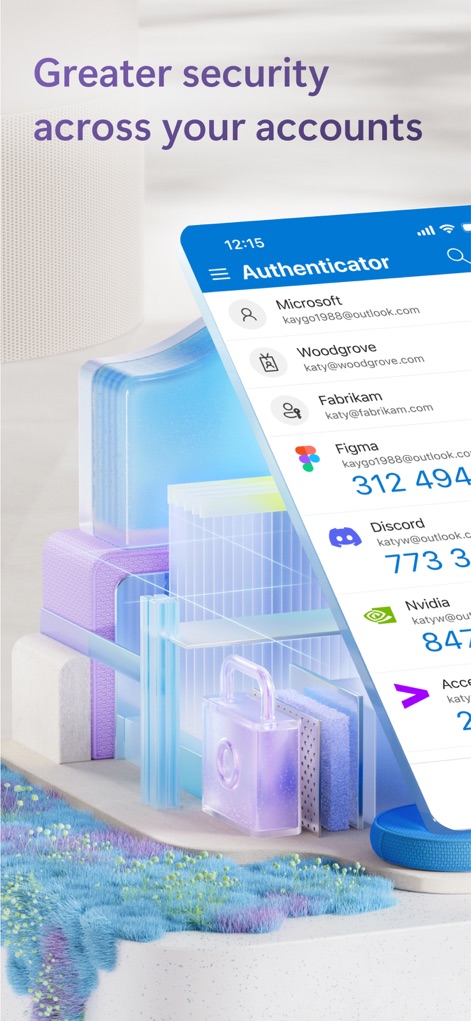
Account Overview
Users can effortlessly manage multiple accounts and view their time-based one-time passwords (OTP) for enhanced security.

App Navigation
This tool offers clear navigation between the primary Authenticator functions and dedicated Verified IDs section.

Seamless Approval
The app simplifies sign-in approvals with direct notifications on the lock screen, allowing users to quickly respond to 'Approve sign-in?' requests.

Passwordless Verification
Users can experience passwordless sign-in through a number matching prompt, clearly linked to their specific account context for secure verification.

Unified Account Access
The app streamlines access by allowing users to pick an account from a centralized dialogue, integrating seamlessly with services like Outlook, OneDrive, and Office.

Digital Identity Management
This tool provides robust digital identity management through a 'Verified Employee' card, detailing essential identity information for trusted access.

Secure Passkey Integration
The app offers secure sign-in via a dedicated confirmation pop-up, leveraging passkeys for seamless integration with the 'Authenticator' service.
Description
Download
More Like This
Apps with similar features and user experience

Google Authenticator
Google LLC

Duo Mobile
Duo Security LLC

Authenticator App - 2FA &. MFA
APPLY DIJITAL HIZMETLER TICARET LIMITED SIRKETI

authenticator . app
Mustafa Uz

SafeNet MobilePASS+
Thales DIS (Singapore) Pte Ltd

Čítačka
Tatra banka, a.s.

Authenticator App - SafeAuth
Brilliant App Limited

Authenticator App - 2FA Auth
UNIVERSE DIJITAL HIZMETLER LIMITED SIRKETI

Authenticator App : Scan & 2FA
XSOFT GLOBAL LIMITED
This page is not an official page of the app or its developer, but an independent editorial publication created for informational and commentary purposes. Unless expressly stated otherwise, neither the app nor its developer is affiliated with, endorsed by, sponsored by, authorized by, or otherwise officially connected with MWM, Apple, Google Play, the app publisher, or the app's developer, and nothing on this page implies that the app was developed using MWM's services. Any trademarks, logos, screenshots, and other content remain the property of their respective owners.