
This page is not an official page of the app or its developer, but an independent editorial publication created for informational and commentary purposes. Unless expressly stated otherwise, neither the app nor its developer is affiliated with, endorsed by, sponsored by, authorized by, or otherwise officially connected with MWM, Apple, Google Play, the app publisher, or the app's developer, and nothing on this page implies that the app was developed using MWM's services. Any trademarks, logos, screenshots, and other content remain the property of their respective owners.

Authenticator App - SafeAuth
Protect your Instagram, Coinbase, and work accounts in under a minute. Secure, easy-to-use two-factor authentication with cloud backup so you never get locked out again.
Downloads
3K+User Rating
Total Ratings
0Publisher
Category
ProductivityLocales
9Latest Version
1.0.3Size
42.1 MBFirst Released
Jun 28, 2023Uncompromising Security for Your Digital Life
Protect your crypto, social, and work accounts from hackers with military-grade 2FA and seamless cloud backup.
Never Lose Access Again
Securely back up your 2FA tokens to the cloud. If you upgrade or lose your phone, your accounts remain safe and immediately accessible.
One App for Everything
Universally compatible with Coinbase, Tesla, Instagram, GitHub, and thousands more. Centralize your security in one single place.
Frequently Asked Questions
Everything you need to know about Authenticator App - SafeAuth
What is SafeAuth Authenticator?
SafeAuth Authenticator is a two-factor authentication (2FA) solution generating one-time 6-digit codes for secure account verification. It protects online accounts against unauthorized access, hacking, and phishing by adding an extra layer of security.
How does SafeAuth Authenticator improve account security?
SafeAuth Authenticator improves security by generating unique time-based one-time passwords (TOTP) for each login. This 2-step verification ensures only authorized users access accounts, safeguarding against unauthorized access and security threats.
Does SafeAuth Authenticator offer cloud backup for 2FA codes?
Yes, SafeAuth Authenticator offers cloud backup for all account data. Users log in with a Google account to sync data across devices, preventing data loss and simplifying account migration without re-binding.
How do I add new accounts to SafeAuth Authenticator?
Users add accounts to SafeAuth Authenticator by scanning 2FA QR codes or manually entering private keys. The app provides detailed 2FA guides to simplify this process, making setup efficient and user-friendly.
Is SafeAuth Authenticator compatible with popular online services?
Yes, SafeAuth Authenticator's 2FA tokens are universally accepted across a wide range of popular online services. This includes Google, Instagram, Facebook, Twitter, Dropbox, Coinbase, and thousands of others.
Can SafeAuth Authenticator generate codes offline?
Yes, SafeAuth Authenticator supports offline code generation. This feature allows users to generate time-based one-time passwords (TOTP) without an active internet connection, streamlining the authentication process anytime, anywhere.
How do I manage my Authenticator App - SafeAuth subscription?
Users manage their Authenticator App - SafeAuth subscription and disable auto-renewal via Account Settings after purchase. Auto-renewal must be turned off at least 24 hours before the current billing cycle ends.
What are the subscription terms for Authenticator App - SafeAuth?
Payment for Authenticator App - SafeAuth is charged to iTunes upon purchase. Subscriptions renew automatically unless disabled 24 hours before the cycle ends. Renewal charges occur up to 24 hours prior to the period's conclusion.
Where can I access the Privacy Policy for Authenticator App - SafeAuth?
The Privacy Policy for Authenticator App - SafeAuth is accessible directly via the provided link: https://mauther.safeauth.services/privacypolicy.html. This document outlines how personal data is handled by the application.
The following screenshots and description are sourced directly from the app's official store listing and are the property of the app developer.
App Store
Screenshots
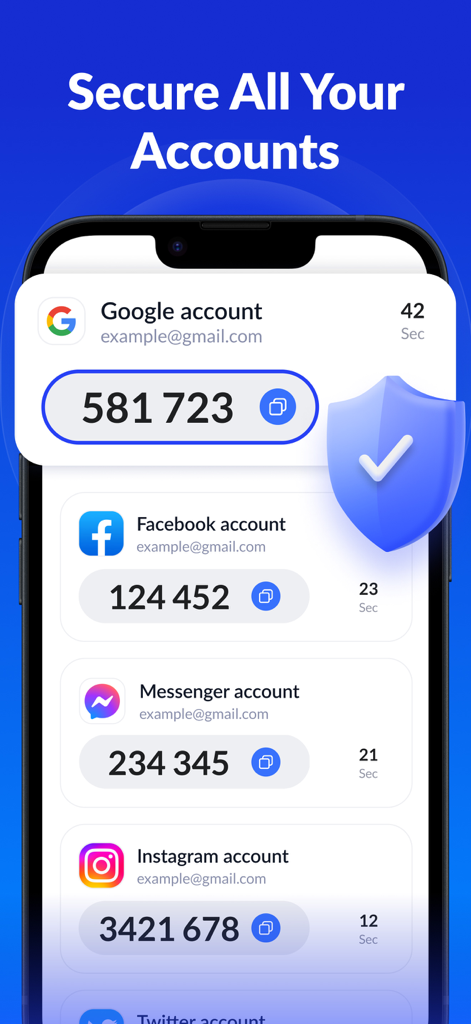
SafeAuth Authenticator app interface displaying 2FA codes for Google Facebook Messenger and Instagram with a protective security shield icon
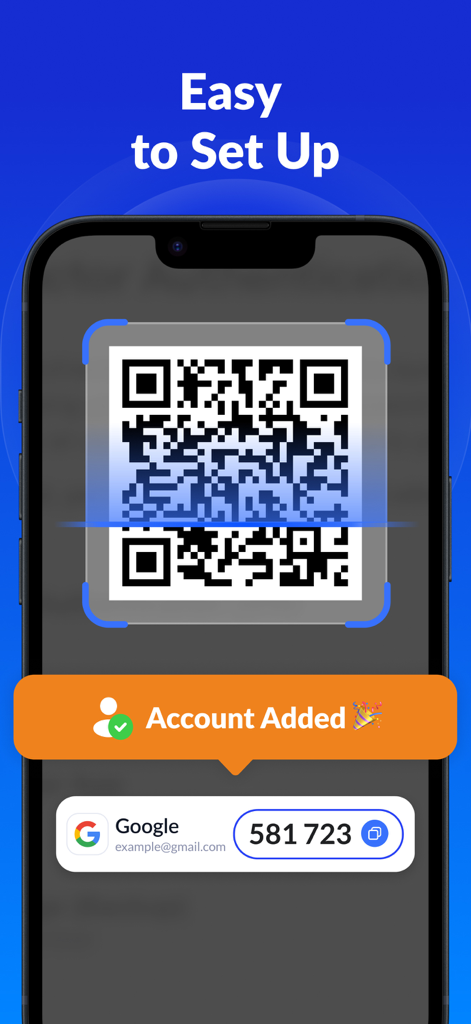
The SafeAuth authenticator app interface showing how to scan a QR code for easy 2FA setup.
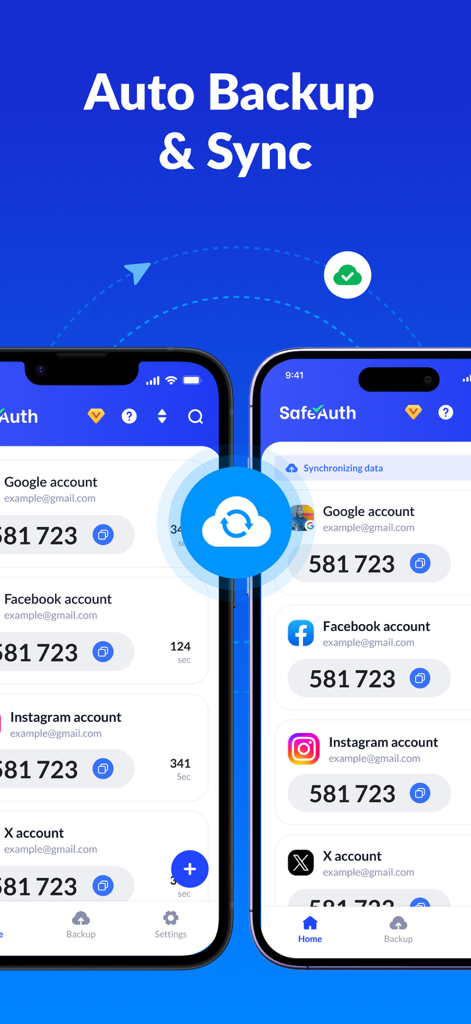
Two iPhones displaying SafeAuth authenticator app with cloud backup and sync feature enabled for multiple 2FA accounts
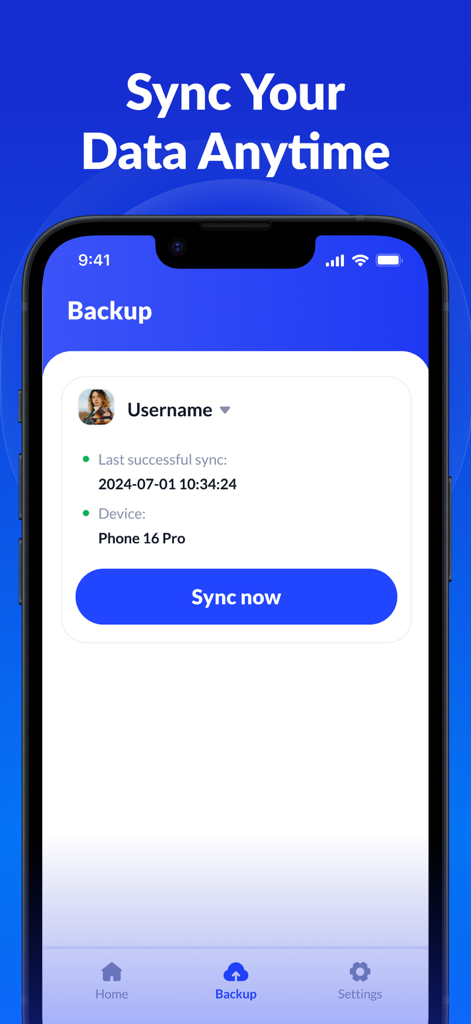
SafeAuth Authenticator app interface for cloud backup and data synchronization
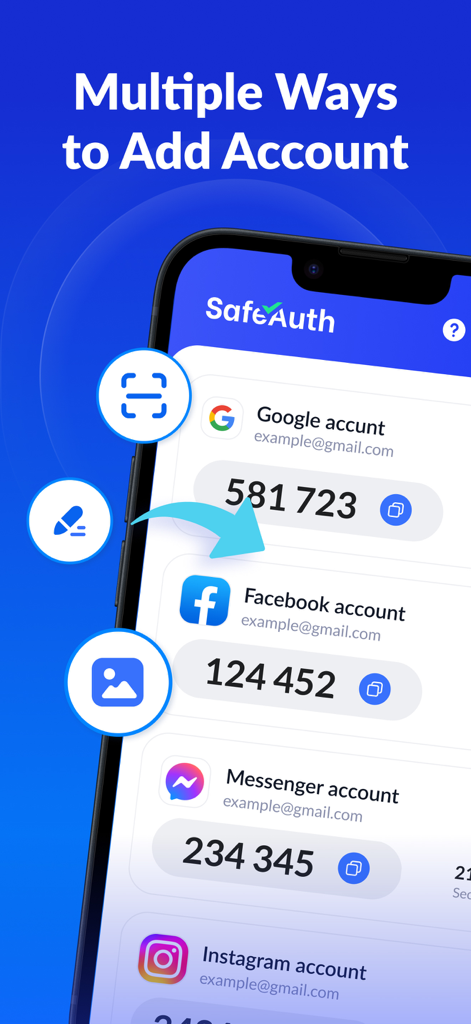
Interface of SafeAuth authenticator app displaying various options to add new 2FA accounts
Description
Download
More Like This
Apps with similar features and user experience

Google Authenticator
Google LLC

Duo Mobile
Duo Security LLC

Authenticator App - 2FA &. MFA
APPLY DIJITAL HIZMETLER TICARET LIMITED SIRKETI

authenticator . app
Mustafa Uz

SafeNet MobilePASS+
Thales DIS (Singapore) Pte Ltd

Čítačka
Tatra banka, a.s.

Authenticator App - 2FA Auth
UNIVERSE DIJITAL HIZMETLER LIMITED SIRKETI

Authenticator App : Scan & 2FA
XSOFT GLOBAL LIMITED
Authenticator: Secure 2FA, MFA
Stefan Philipsen
This page is not an official page of the app or its developer, but an independent editorial publication created for informational and commentary purposes. Unless expressly stated otherwise, neither the app nor its developer is affiliated with, endorsed by, sponsored by, authorized by, or otherwise officially connected with MWM, Apple, Google Play, the app publisher, or the app's developer, and nothing on this page implies that the app was developed using MWM's services. Any trademarks, logos, screenshots, and other content remain the property of their respective owners.