
This page is not an official page of the app or its developer, but an independent editorial publication created for informational and commentary purposes. Unless expressly stated otherwise, neither the app nor its developer is affiliated with, endorsed by, sponsored by, authorized by, or otherwise officially connected with MWM, Apple, Google Play, the app publisher, or the app's developer, and nothing on this page implies that the app was developed using MWM's services. Any trademarks, logos, screenshots, and other content remain the property of their respective owners.

SafeNet MobilePASS+
Experience next-generation MFA with one-tap push approvals and biometric unlock. Effortlessly secure your corporate VPN, cloud apps, and personal accounts on iPhone, Apple Watch, and Mac.
Downloads
2M+User Rating
Total Ratings
230K+Publisher
Category
BusinessLocales
10Latest Version
3.0Size
65.6 MBFirst Released
Dec 18, 2015Enterprise-Grade Security Meets Effortless Access
Experience the next generation of mobile authentication. Secure your professional and personal digital life with frictionless one-tap approvals and biometric protection across all your devices.
Frictionless One-Tap Approval
Eliminate the hassle of typing manual 6-digit codes. Approve access requests instantly via secure push notifications for a smoother, faster workday.
Seamless Apple Integration
Authenticate right from your wrist or Mac. Leverage FaceID and TouchID for biometric security that fits perfectly into your high-end Apple ecosystem.
Frequently Asked Questions
Everything you need to know about SafeNet MobilePASS+
What is SafeNet MobilePASS+?
SafeNet MobilePASS+ is a next-generation mobile authenticator providing advanced user experience and security. It allows single-tap push authentication and generation of secure one-time passcodes for various accounts.
How does SafeNet MobilePASS+ improve security?
SafeNet MobilePASS+ enhances security by offering single-tap push authentication requests, secure one-time passcode generation, and biometric authentication with TouchID or FaceID for unlocking authenticators.
Does SafeNet MobilePASS+ support biometric authentication?
Yes, SafeNet MobilePASS+ supports biometric authentication. Users can unlock authenticators using TouchID or FaceID for enhanced security and convenience.
How do I set up SafeNet MobilePASS+?
SafeNet MobilePASS+ features a quick and easy self-enrollment process. Users can activate the authenticator via QR code following simple, guided instructions.
What kind of applications can I protect with SafeNet MobilePASS+?
SafeNet MobilePASS+ protects various applications including leading cloud apps, security gateways, and VPNs. It also allows adding third-party authenticators for personal and professional accounts like Slack and Facebook.
Does SafeNet MobilePASS+ provide push notifications for login requests?
Yes, SafeNet MobilePASS+ provides frictionless approvals with push notifications for login requests. Users can approve or deny requests directly from the notification.
Does SafeNet MobilePASS+ require camera permissions?
SafeNet MobilePASS+ requires access to the camera only if enrollment via QR Code is enabled. This permission is necessary for scanning the QR code during the setup process.
Can I manage login requests directly within the SafeNet MobilePASS+ app?
Yes, SafeNet MobilePASS+ allows users to manage and approve login requests simply within the app. It displays request details like location, user, and IP, offering options to approve or deny.
The following screenshots and description are sourced directly from the app's official store listing and are the property of the app developer.
App Store
Screenshots
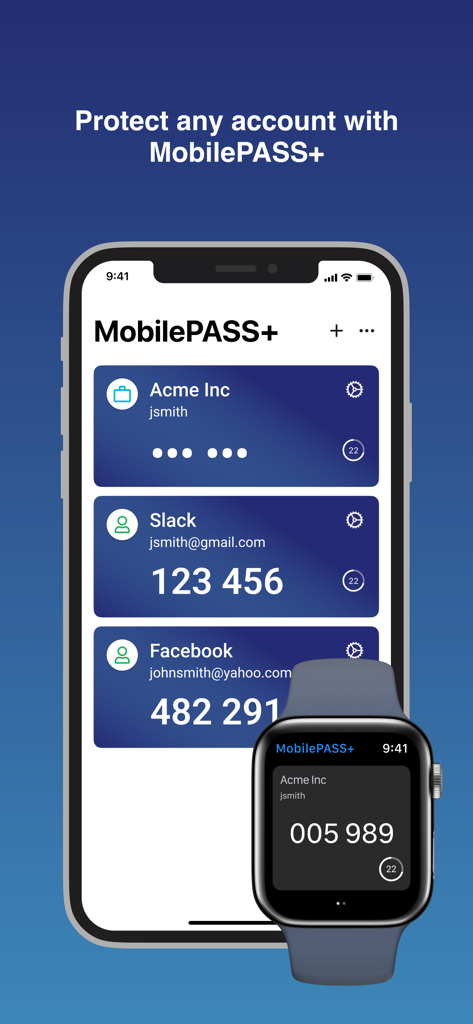
SafeNet MobilePASS plus app showing authentication codes on iPhone and Apple Watch
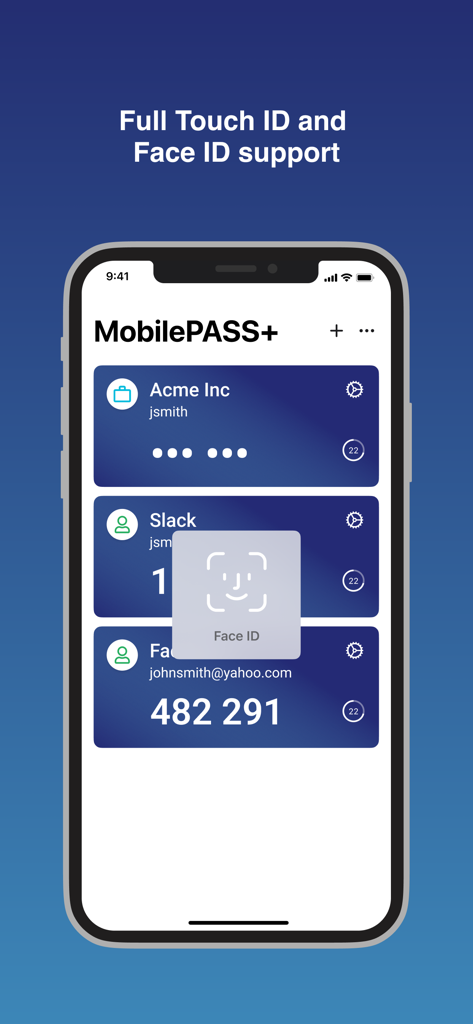
SafeNet MobilePASS app interface showing Face ID biometric authentication for secure account login
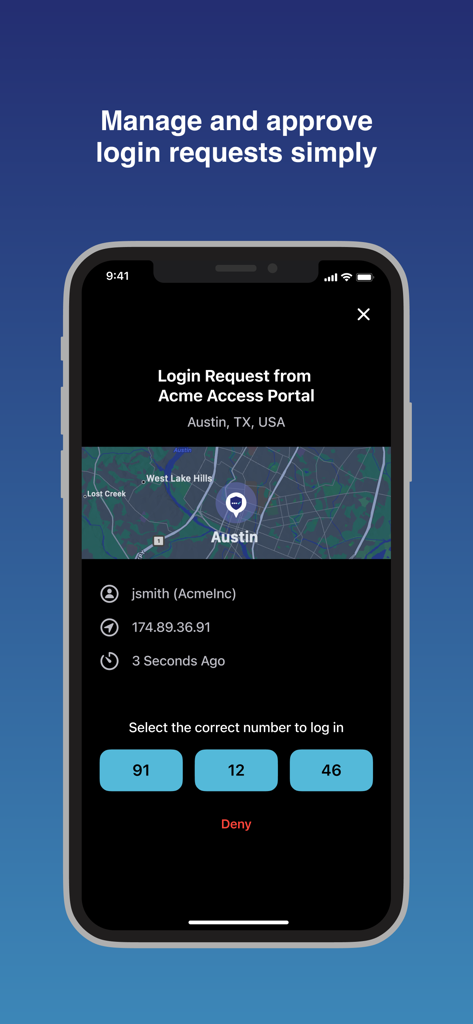
SafeNet MobilePASS plus app screen showing a login request from Austin Texas with number matching authentication
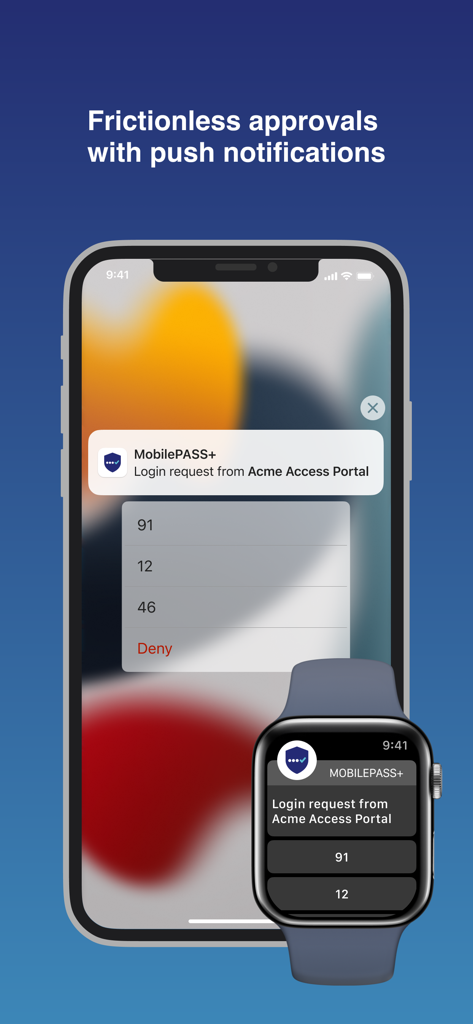
SafeNet MobilePASS plus login request on iPhone and Apple Watch showing push notification approvals
Description
Download
More Like This
Apps with similar features and user experience

Google Authenticator
Google LLC

Duo Mobile
Duo Security LLC

Authenticator App - 2FA &. MFA
APPLY DIJITAL HIZMETLER TICARET LIMITED SIRKETI

authenticator . app
Mustafa Uz

Čítačka
Tatra banka, a.s.

Authenticator App - SafeAuth
Brilliant App Limited

Authenticator App - 2FA Auth
UNIVERSE DIJITAL HIZMETLER LIMITED SIRKETI

Authenticator App : Scan & 2FA
XSOFT GLOBAL LIMITED
Authenticator: Secure 2FA, MFA
Stefan Philipsen
This page is not an official page of the app or its developer, but an independent editorial publication created for informational and commentary purposes. Unless expressly stated otherwise, neither the app nor its developer is affiliated with, endorsed by, sponsored by, authorized by, or otherwise officially connected with MWM, Apple, Google Play, the app publisher, or the app's developer, and nothing on this page implies that the app was developed using MWM's services. Any trademarks, logos, screenshots, and other content remain the property of their respective owners.