
This page is not an official page of the app or its developer, but an independent editorial publication created for informational and commentary purposes. Unless expressly stated otherwise, neither the app nor its developer is affiliated with, endorsed by, sponsored by, authorized by, or otherwise officially connected with MWM, Apple, Google Play, the app publisher, or the app's developer, and nothing on this page implies that the app was developed using MWM's services. Any trademarks, logos, screenshots, and other content remain the property of their respective owners.

Gmail - Email by Google
Inbox threats vanish; this app empowers users with absolute command over every digital exchange.
Downloads
500M+User Rating
Total Ratings
8.1MPublisher
Category
ProductivityLocales
58Latest Version
6.0.260323Size
745.5 MBFirst Released
Nov 2, 2011Key Features Analysis: Gmail - Email by Google
An evaluation of essential functionalities tailored for efficiency, security, and communication for individuals and professionals.
Robust Security & Spam Blocking
The app automatically blocks over 99.9% of spam, phishing, malware, and dangerous links, ensuring a secure inbox environment.
AI-Powered Productivity Tools
It allows users to leverage AI features like Gemini for email summarization and drafting, alongside Smart Reply and Smart Compose for efficient communication.
Seamless Multiple Account Management
The app enables users to effortlessly switch and manage multiple email accounts from a single, unified interface.
Integrated Collaboration Suite
This tool features tight integration with Google Chat, Meet, and Spaces, facilitating seamless communication and teamwork directly within the app.
Advanced Search Functionality
It provides swift and intelligent search capabilities, offering instant results, predictive typing, and spelling suggestions to quickly locate emails.
Real-time Notifications
The app delivers immediate notifications for new mail, with customizable options for notification center, badge counts, and lock screen alerts.
Frequently Asked Questions
Everything you need to know about Gmail - Email by Google
Is the Gmail app secure against spam and phishing?
Yes, the Gmail app provides robust security features. It automatically blocks over 99.9% of spam, phishing, malware, and dangerous links from reaching your inbox, ensuring user protection.
Can I undo sending an email in the Gmail app?
Yes, the Gmail app offers an "Undo Send" feature. This allows users to prevent embarrassing mistakes by recalling an email shortly after it has been sent.
Does the Gmail app support multiple email accounts?
Yes, the Gmail app supports multiple email accounts. Users can switch between Gmail, Google, iCloud, Outlook, Hotmail, Live, Office365, Yahoo, and other IMAP accounts within the app.
Can I use Gemini with the Gmail app?
Yes, the Gmail app integrates Gemini for advanced email assistance. Gemini can summarize emails, craft or refine responses, and search your inbox to find specific information.
What are the requirements for using Gemini in the Gmail app?
To use Gemini features within the Gmail app, a Google One AI Premium subscription is required. An active internet connection is also necessary for Gemini's functionality.
What collaboration features are available in the Gmail app?
The Gmail app facilitates collaboration through integrated Google Chat, Spaces, and Google Meet. Users can connect with colleagues, collaborate in dedicated Spaces, and conduct high-quality video calls directly.
Does the Gmail app provide Smart Reply functionality?
Yes, the Gmail app offers Smart Reply suggestions. These provide quick, context-aware response options that enable users to reply to emails efficiently without typing full messages.
Does the Gmail app have powerful search functionality?
Yes, the Gmail app features powerful search capabilities. It provides instant results, predictions as you type, and spelling suggestions to help users quickly find any email across their entire mail.
Can I set Gmail as my default email app on iOS?
Yes, users can make the Gmail app their default email application on iOS. This allows all email links and actions to open directly within the Gmail app.
How does the Gmail app help organize emails?
The Gmail app helps organize mail through labeling, starring, deleting, and reporting spam. Users can also quickly clear their inbox by using the swipe-to-archive/delete feature.
The following screenshots and description are sourced directly from the app's official store listing and are the property of the app developer.
App Store
Screenshots
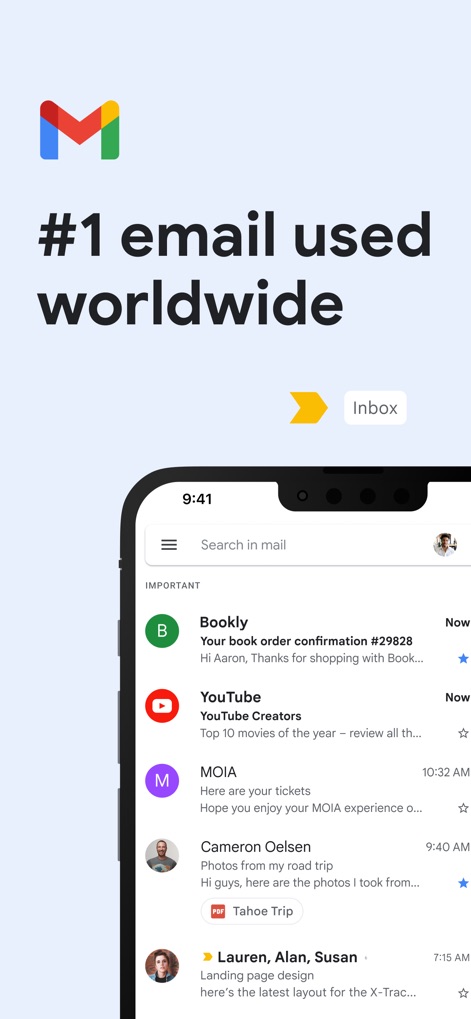
Global Inbox View
The visual highlights the clean layout of the primary "Inbox" tab and the organized display of incoming emails with sender information.
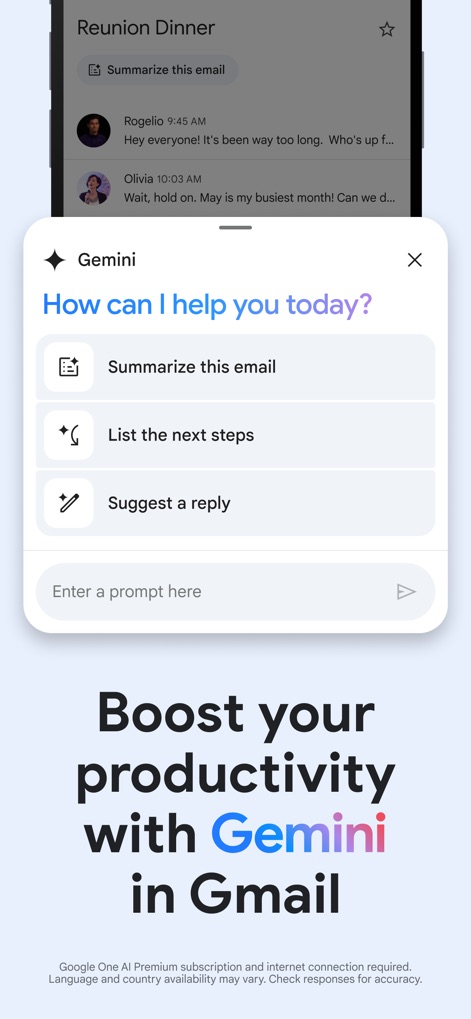
AI Productivity Boost
Users can see the integrated Gemini interface, offering quick actions like "Summarize this email" and "Suggest a reply" to enhance efficiency.
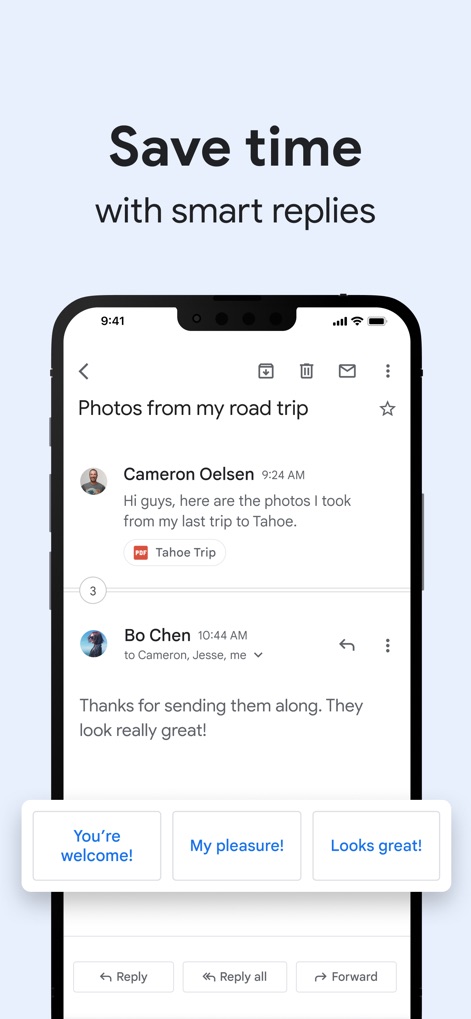
Smart Reply Efficiency
This screenshot demonstrates the time-saving "Smart Reply" suggestions, which appear below email conversations to facilitate quick responses.
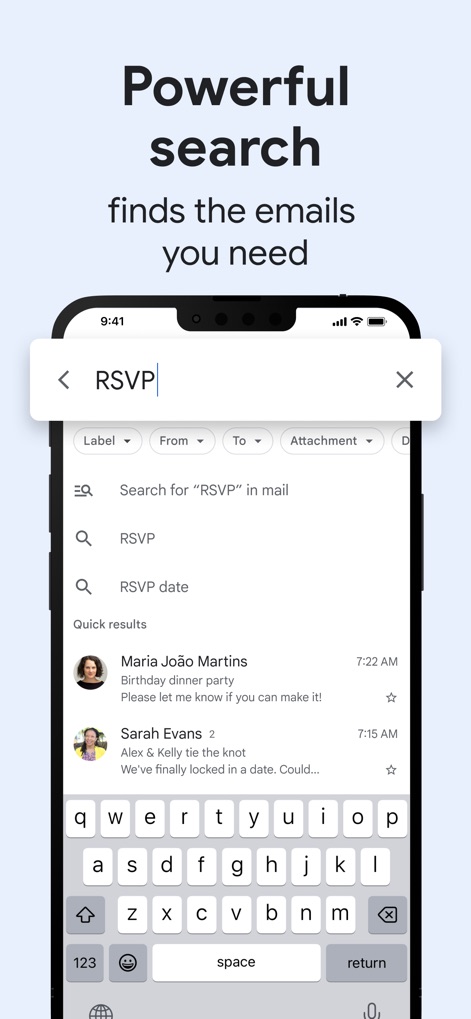
Instant Email Search
The app's powerful search is showcased, featuring instant results as users type and advanced filtering options like "From" and "Attachment".
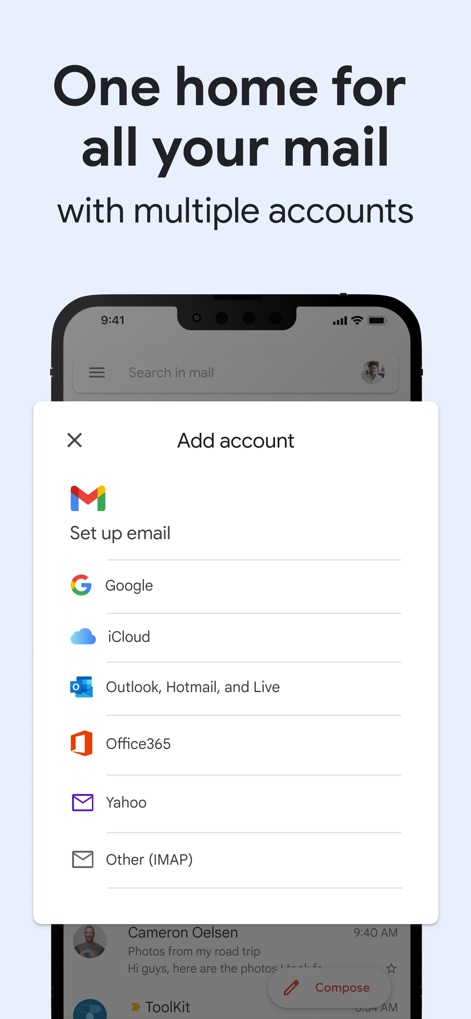
Unified Account Management
This visual illustrates the "Add account" dialog, allowing users to seamlessly manage multiple email providers such as Google and Outlook within a single app.
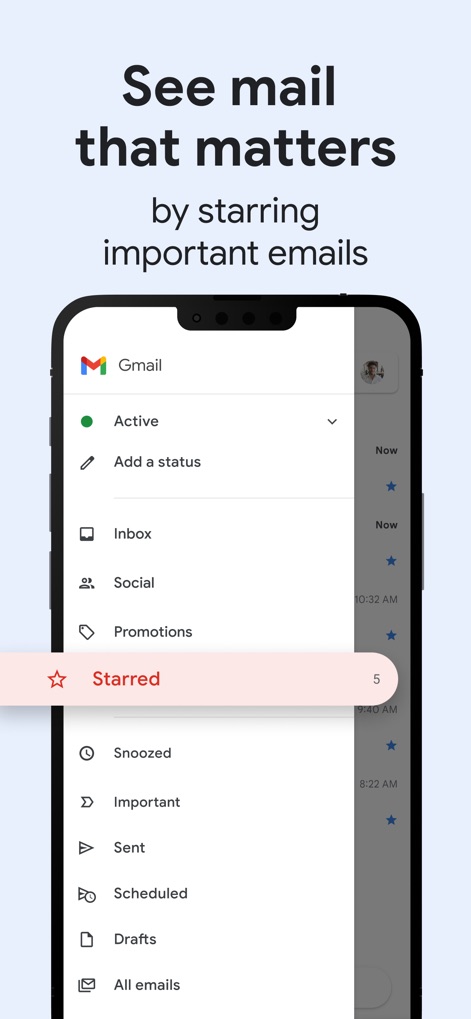
Priority Mail Organization
The app helps users prioritize with a clear sidebar menu and the dedicated "Starred" emails section for important messages.
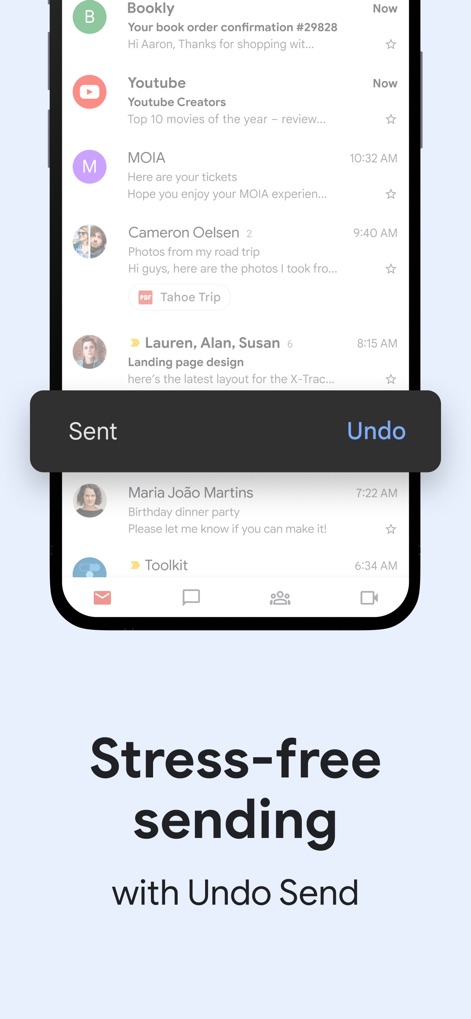
Secure Sending Options
This screenshot highlights the "Undo Send" notification banner, providing a brief window to reverse accidental email sends and ensure peace of mind.
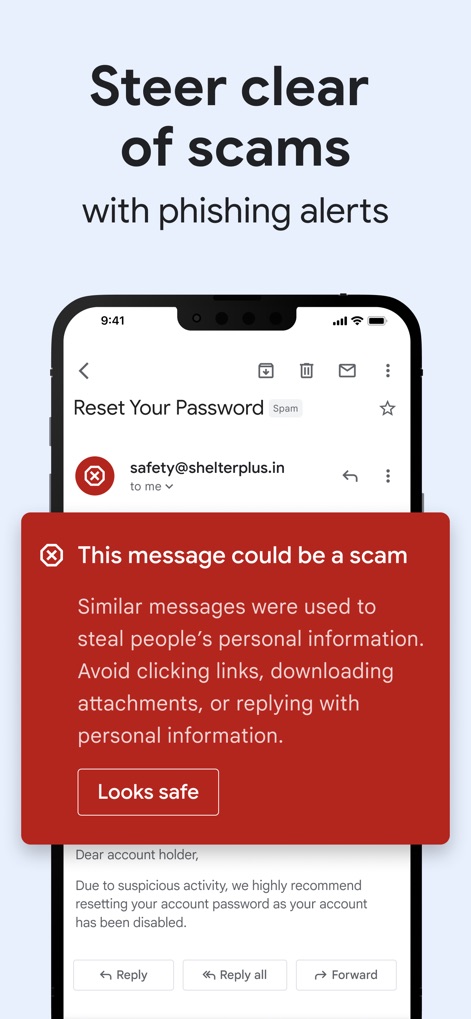
Advanced Scam Protection
The app's robust security is visible through the prominent red "This message could be a scam" warning and the option to override with "Looks safe".
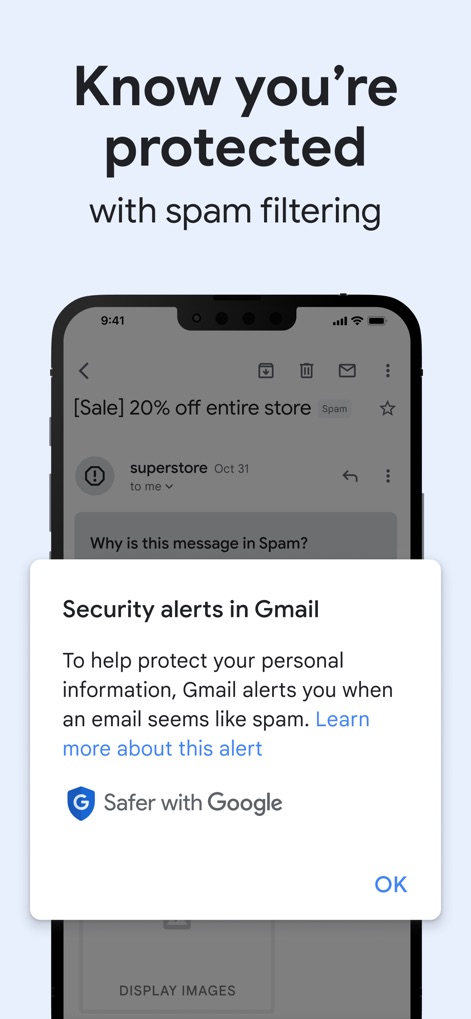
Robust Security Alerts
Users are assured of their protection with the "Security alerts in Gmail" dialog and the reassuring "Safer with Google" branding.
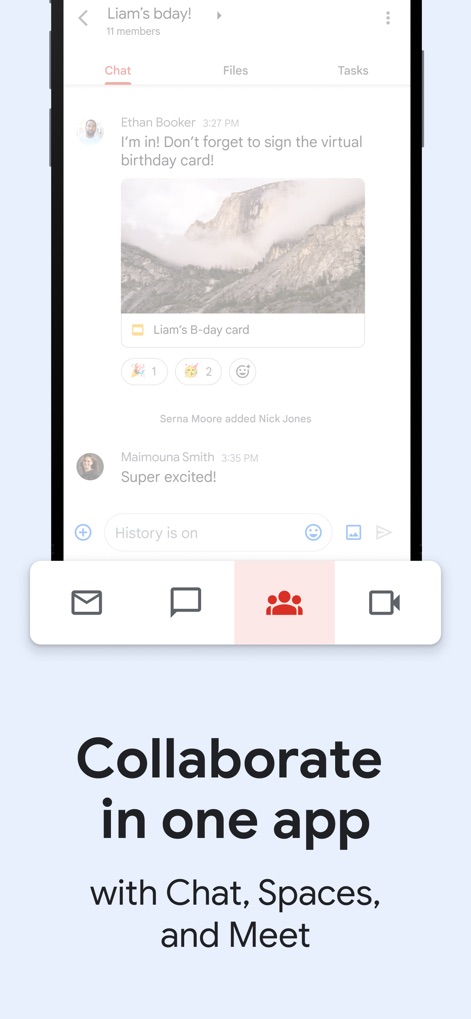
Integrated Collaboration Hub
This visual demonstrates the app's integrated collaboration features, showing a lively chat interface and quick access buttons for "Chat" and "Meet".
Description
Download
More Like This
Apps with similar features and user experience

Microsoft Outlook
Microsoft Corporation

Mail: Email, Cloud, Calendar
V Kontakte OOO

Yandex Mail: Email & Cloud
DIRECT CURSUS COMPUTER SYSTEMS TRADING LLC

Yahoo Mail
Yahoo Inc.

Proton Mail - Encrypted Email
Proton AG

Email - Edison Mail
Edison Software Inc.

Zoho Mail - Email and Calendar
Zoho Corporation

GMX - Mail & Cloud
1&1 Mail & Media GmbH

AOL Mail, News, Weather
AOL Media LLC
This page is not an official page of the app or its developer, but an independent editorial publication created for informational and commentary purposes. Unless expressly stated otherwise, neither the app nor its developer is affiliated with, endorsed by, sponsored by, authorized by, or otherwise officially connected with MWM, Apple, Google Play, the app publisher, or the app's developer, and nothing on this page implies that the app was developed using MWM's services. Any trademarks, logos, screenshots, and other content remain the property of their respective owners.