
This page is not an official page of the app or its developer, but an independent editorial publication created for informational and commentary purposes. Unless expressly stated otherwise, neither the app nor its developer is affiliated with, endorsed by, sponsored by, authorized by, or otherwise officially connected with MWM, Apple, Google Play, the app publisher, or the app's developer, and nothing on this page implies that the app was developed using MWM's services. Any trademarks, logos, screenshots, and other content remain the property of their respective owners.

Zoho Mail - Email and Calendar
The ad-free, HIPAA-compliant inbox built for modern businesses. Take back your privacy and master your productivity with a unified email and calendar experience.
Downloads
3M+User Rating
Total Ratings
24K+Publisher
Category
ProductivityLocales
41Latest Version
3.2Size
192.6 MBFirst Released
Aug 25, 2014Elevate Your Business Communication
A secure, ad-free email and calendar suite built for professionals who value privacy and demand peak productivity.
Unrivaled Privacy & Security
Experience an ad-free inbox with end-to-end encryption and enterprise-grade compliance including HIPAA and SOC 2 Type II.
Hyper-Efficient Workflow
Master your schedule and multiple accounts through a unified inbox with offline access and lightning-fast search capabilities.
Frequently Asked Questions
Everything you need to know about Zoho Mail - Email and Calendar
Is Zoho Mail private and secure?
Yes, Zoho Mail is private and secure, offering end-to-end encryption and compliance with GDPR, HIPAA, and ISO/IEC 27001. It ensures an ad-free inbox and protects personal and health data.
Can I manage multiple email accounts in Zoho Mail?
Yes, Zoho Mail allows users to manage multiple email accounts through its unified inbox feature. You can view and organize all your emails in one centralized location.
Does Zoho Mail work offline?
Yes, Zoho Mail provides offline functionality. You can browse your inbox, compose, and respond to emails without internet connectivity. Messages automatically send when back online.
Is the Zoho Mail mobile app free to use?
Yes, the Zoho Mail mobile app is available for free. Businesses can access more features and storage limits with paid Lite and Premium plans.
Does Zoho Mail offer customer support?
Yes, Zoho Mail offers 24/7 customer service. Users can contact a live agent via email, toll-free phone, or live chat for support.
Does Zoho Mail include collaboration tools for email?
Yes, Zoho Mail includes collaboration tools through its Streams feature, providing a social media-style communication experience. This transforms email collaboration and eliminates endless forwarding.
Does Zoho Mail integrate a calendar?
Yes, Zoho Mail integrates a calendar. Users can RSVP, schedule, and manage their daily activities directly from their inbox within the app.
Can I customize notifications in Zoho Mail?
Yes, Zoho Mail allows tailored notifications. Users can set custom alerts specifically for desired senders and folders to help maintain focus.
Does Zoho Mail support confidential emails with expiry dates?
Yes, Zoho Mail supports confidential emails with expiry dates. This feature ensures sensitive communications are time-limited for enhanced security.
How does Zoho Mail help with inbox management?
Zoho Mail supercharges inbox management with contextual menus and action sheets. It also offers quick inbox control through customizable swipe actions for faster decision-making.
The following screenshots and description are sourced directly from the app's official store listing and are the property of the app developer.
App Store
Screenshots
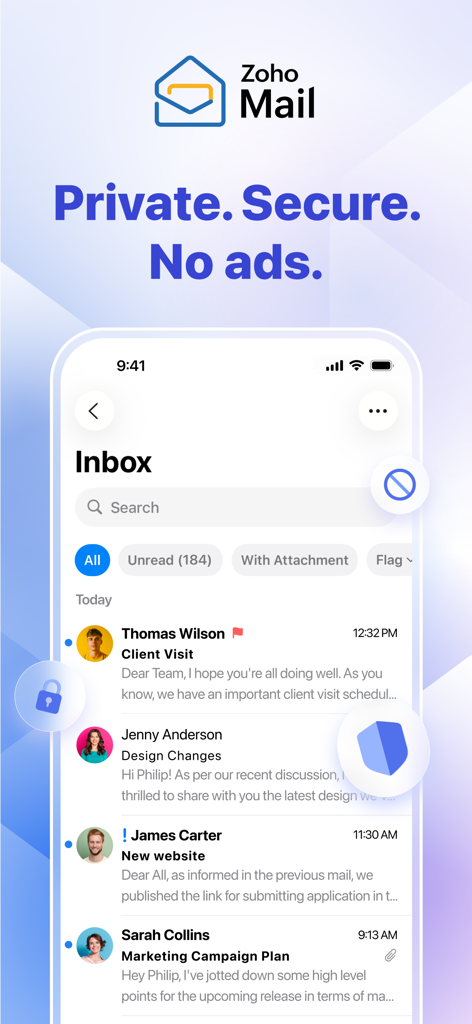
Zoho Mail mobile app interface on an iPhone displaying a private and secure ad free inbox
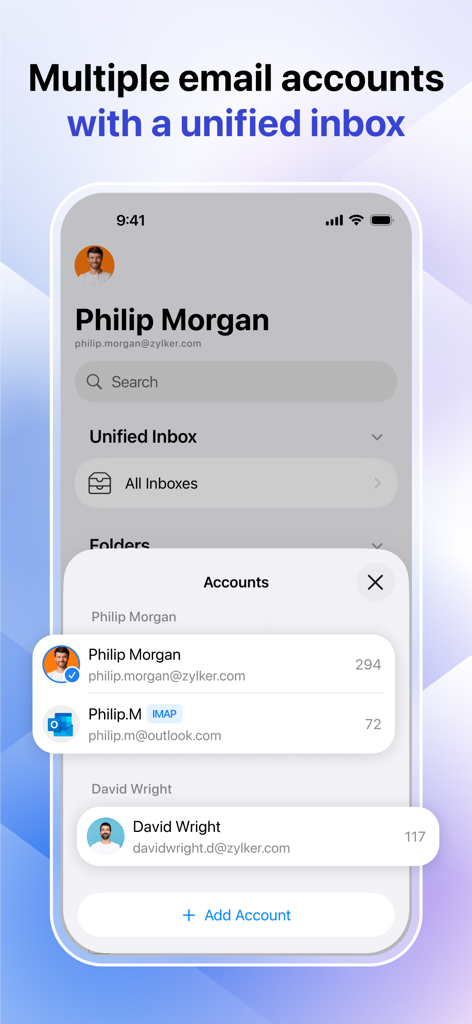
Zoho Mail app interface showing a unified inbox for managing multiple email accounts on a mobile device.
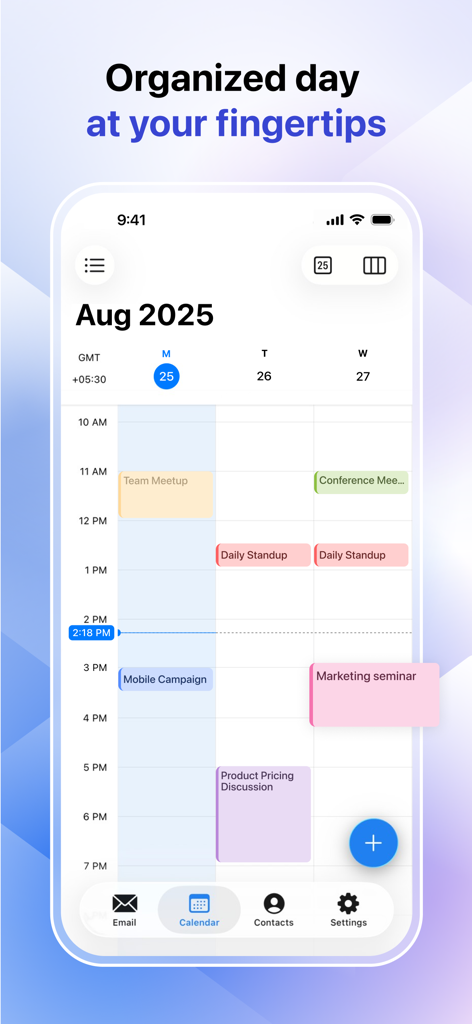
Integrated business calendar view in Zoho Mail showing a weekly schedule with meetings and task blocks.
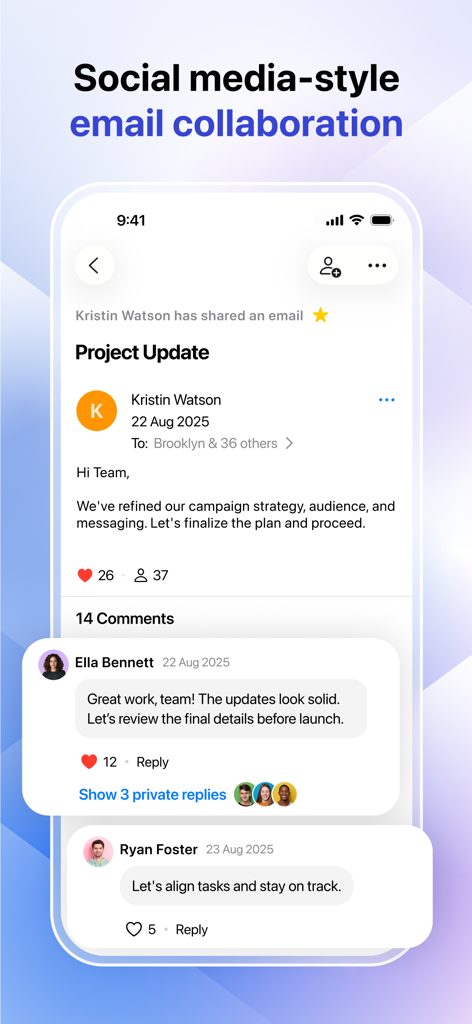
Zoho Mail app interface showing social media style email collaboration with comments and likes
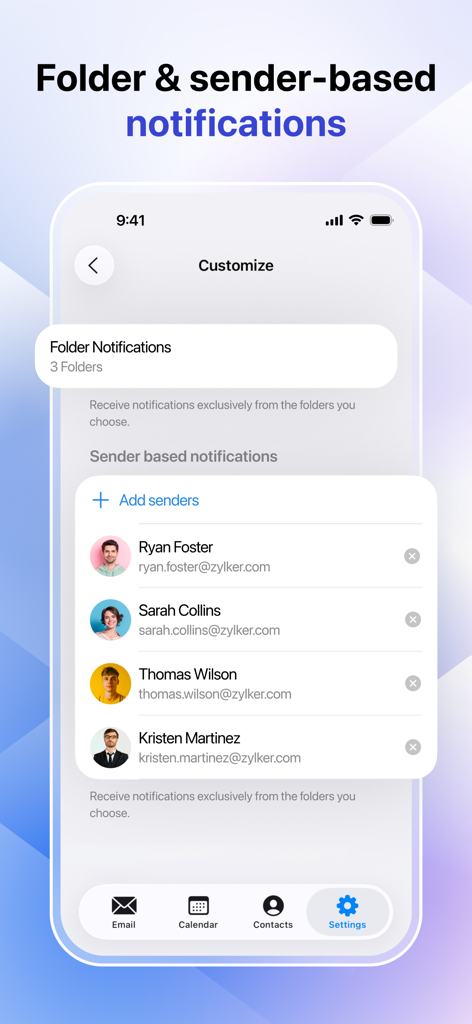
Zoho Mail app interface showing folder and sender based notification settings
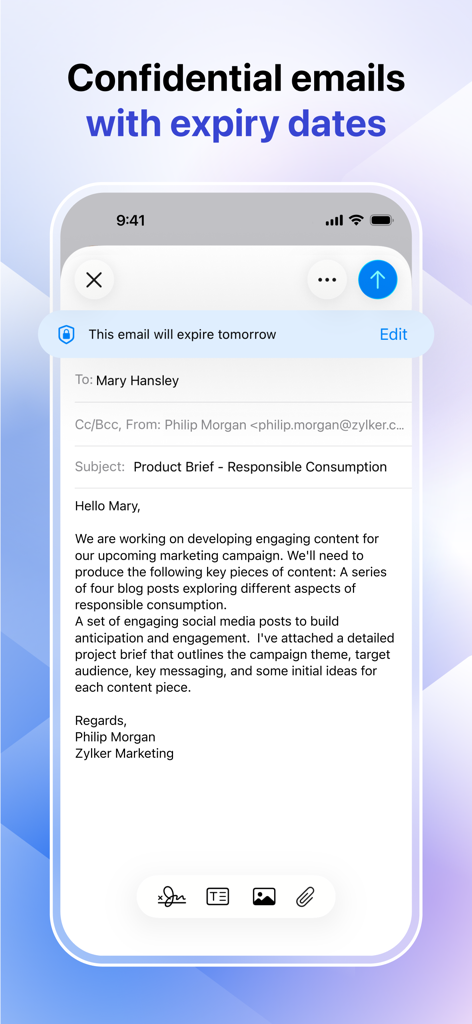
Zoho Mail app interface showing a confidential email with an expiration date notification
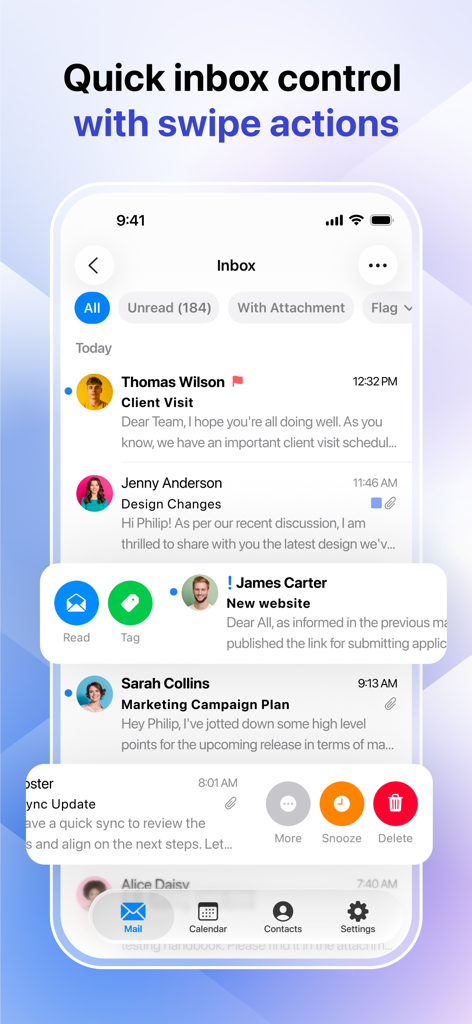
Zoho Mail app interface showing quick swipe actions to read, tag, snooze, and delete emails for efficient inbox management.
Description
Download
More Like This
Apps with similar features and user experience

Microsoft Outlook
Microsoft Corporation

Mail: Email, Cloud, Calendar
V Kontakte OOO

Yandex Mail: Email & Cloud
DIRECT CURSUS COMPUTER SYSTEMS TRADING LLC

Gmail - Email by Google
Google LLC

Yahoo Mail
Yahoo Inc.

Proton Mail - Encrypted Email
Proton AG

Email - Edison Mail
Edison Software Inc.

GMX - Mail & Cloud
1&1 Mail & Media GmbH

AOL Mail, News, Weather
AOL Media LLC
This page is not an official page of the app or its developer, but an independent editorial publication created for informational and commentary purposes. Unless expressly stated otherwise, neither the app nor its developer is affiliated with, endorsed by, sponsored by, authorized by, or otherwise officially connected with MWM, Apple, Google Play, the app publisher, or the app's developer, and nothing on this page implies that the app was developed using MWM's services. Any trademarks, logos, screenshots, and other content remain the property of their respective owners.