
This page is not an official page of the app or its developer, but an independent editorial publication created for informational and commentary purposes. Unless expressly stated otherwise, neither the app nor its developer is affiliated with, endorsed by, sponsored by, authorized by, or otherwise officially connected with MWM, Apple, Google Play, the app publisher, or the app's developer, and nothing on this page implies that the app was developed using MWM's services. Any trademarks, logos, screenshots, and other content remain the property of their respective owners.


Microsoft Outlook
Digital sprawl cripples productivity. Microsoft Outlook gives users absolute command over their email and calendar, transforming communication into decisive action.
Downloads
250M+User Rating
Total Ratings
30.8MPublisher
Category
ProductivityLocales
47Latest Version
5.2612.0Size
414.7 MBFirst Released
Jan 29, 2015Microsoft Outlook: Core Features Analysis
An evaluation of key functionalities driving productivity and connectivity for professionals.
AI-Powered Email Summarization
This tool leverages AI (Copilot) to instantly summarize lengthy email threads, enabling users to quickly grasp key information and manage information overload efficiently.
Unified Inbox & Calendar Management
The app provides a centralized platform for managing multiple email accounts and calendars, ensuring all communications and schedules are accessible in one convenient location.
Direct Document Editing & Integration
It allows users to open and edit Microsoft Office attachments (Word, Excel, PowerPoint) directly within their respective applications and re-attach them, streamlining document collaboration.
AI-Assisted Draft Creation
This tool allows users to initiate email drafts or outlines with AI assistance (Copilot) by providing minimal input, significantly speeding up the composition of professional communications.
AI-Enhanced Communication Coaching
The app offers AI-driven (Copilot) suggestions to improve the tone, sentiment, and clarity of emails before sending, enhancing the professionalism and effectiveness of communication.
Integrated Cloud File Access
It provides seamless access to files stored in various cloud services (OneDrive, Dropbox) directly from the app, eliminating the need for downloads and simplifying file attachments.
Smart Inbox & Priority Management
This tool intelligently sorts messages into a 'Focused Inbox', highlighting important emails that require immediate attention and filtering out less critical communications.
Comprehensive Search Functionality
The app enables users to quickly locate files, contacts, and travel information within the app, centralizing essential data and saving valuable time for busy professionals.
Streamlined Meeting Scheduling
It facilitates easy sharing of meeting availability with just a tap and simplifies the process of finding optimal times to collaborate and schedule meetings with others.
Intuitive Gesture Controls
This tool allows users to efficiently manage emails through simple swipe actions for scheduling, deleting, and archiving messages, streamlining inbox management.
Frequently Asked Questions
Everything you need to know about Microsoft Outlook
What is Microsoft Outlook for iOS?
Microsoft Outlook for iOS is an app that centralizes email accounts and calendars in one convenient spot. It helps users stay productive, organized, and connected.
Does Microsoft Outlook for iOS have a smart inbox?
Yes, Microsoft Outlook for iOS features a smart inbox. It helps users sort between messages requiring immediate action and other emails.
Can users manage emails with swipe gestures in Microsoft Outlook for iOS?
Yes, Microsoft Outlook for iOS allows users to quickly schedule, delete, and archive messages using intuitive swipe gestures directly from the inbox.
How do I share meeting availability in Microsoft Outlook for iOS?
Microsoft Outlook for iOS allows users to share their meeting availability with just a tap, simplifying the process of finding suitable times to meet with others.
What can I search for in Microsoft Outlook for iOS?
In Microsoft Outlook for iOS, users can find everything they are looking for, including files, contacts, and forthcoming trips, using the built-in search function.
Can Microsoft Outlook for iOS access files from cloud storage?
Yes, Microsoft Outlook for iOS allows viewing and attaching files directly from email, OneDrive, Dropbox, and more, without downloading them to the phone.
Can I edit Word, Excel, or PowerPoint attachments in Microsoft Outlook for iOS?
Yes, Microsoft Outlook for iOS allows users to open and edit Word, Excel, or PowerPoint attachments directly in their corresponding apps, then attach them back to an email.
How does Microsoft Outlook for iOS summarize email threads?
Microsoft Outlook for iOS can instantly recap extra-long email threads using the "Summarise with Copilot" feature, condensing the content for quick understanding.
Can Microsoft Outlook for iOS generate email drafts?
Yes, Microsoft Outlook for iOS's Copilot feature jump-starts writing. Users type a few words, and Copilot generates an outline or draft.
Does Microsoft Outlook for iOS offer writing assistance for emails?
Yes, Microsoft Outlook for iOS provides "Coaching with Copilot." This feature offers tips and suggestions to improve email tone, sentiment, and clarity before sending.
What are the requirements to use Copilot features in Microsoft Outlook for iOS?
To use Copilot features in Microsoft Outlook for iOS, users require a Microsoft 365 Personal/Family subscription or a business account enabled with Copilot.
Which email accounts does Microsoft Outlook for iOS support?
Microsoft Outlook for iOS supports accounts from Microsoft Exchange, Office 365, Outlook.com (Hotmail, MSN), Gmail, Yahoo Email, and iCloud.
How do I purchase a Microsoft 365 subscription within Microsoft Outlook for iOS?
To purchase a Microsoft 365 subscription in Microsoft Outlook for iOS, open the app, go to Settings, and tap "Upgrade" next to your Outlook.com or Hotmail.com account.
How much does a Microsoft 365 subscription cost through Microsoft Outlook for iOS?
Microsoft 365 subscriptions purchased via Microsoft Outlook for iOS start at $6.99 per month in the US. Pricing varies by region.
What benefits come with a Microsoft 365 subscription purchased via Microsoft Outlook for iOS?
A Microsoft 365 subscription offers 1TB storage per user, full Word, Excel, and PowerPoint access on iOS, plus installation rights for these and other apps on PCs/Macs.
How do Microsoft Outlook for iOS subscriptions renew?
Microsoft 365 subscriptions purchased through Microsoft Outlook for iOS automatically renew via your iTunes account within 24 hours before the current period ends, unless auto-renewal is disabled.
Can I cancel a Microsoft Outlook for iOS subscription mid-period?
No, a Microsoft 365 subscription purchased through Microsoft Outlook for iOS cannot be canceled during its active subscription period.
Where can I find the privacy policy for Microsoft Outlook for iOS?
The privacy policy for Microsoft Outlook for iOS is accessible via the link: https://go.microsoft.com/fwlink/?LinkId=521839.
Does Microsoft Outlook for iOS include intelligent writing tools like spell check?
Yes, Microsoft Outlook for iOS includes intelligent writing tools such as spell check, which corrects errors like misspelled words during email composition.
The following screenshots and description are sourced directly from the app's official store listing and are the property of the app developer.
App Store
Screenshots
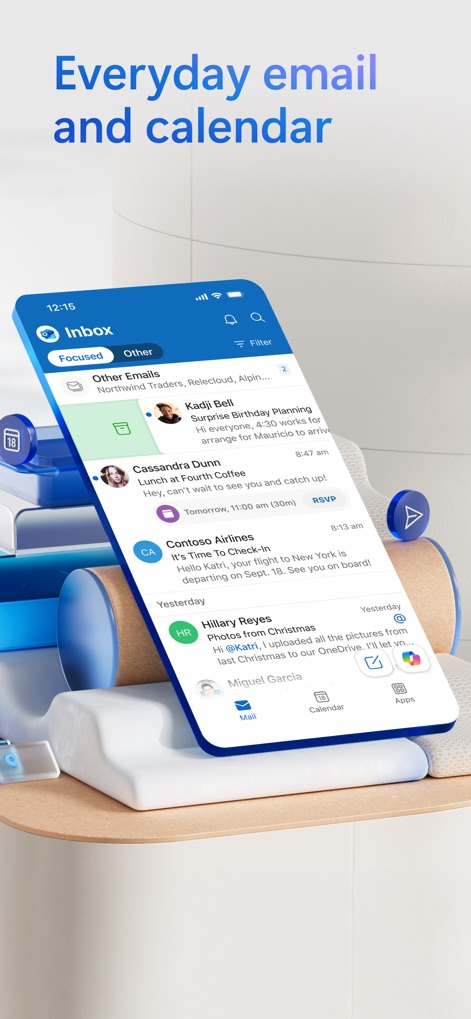
Smart Inbox View
Explore how the app organizes communications with its "Focused" and "Other" inbox tabs and seamless access to the calendar from the bottom navigation.
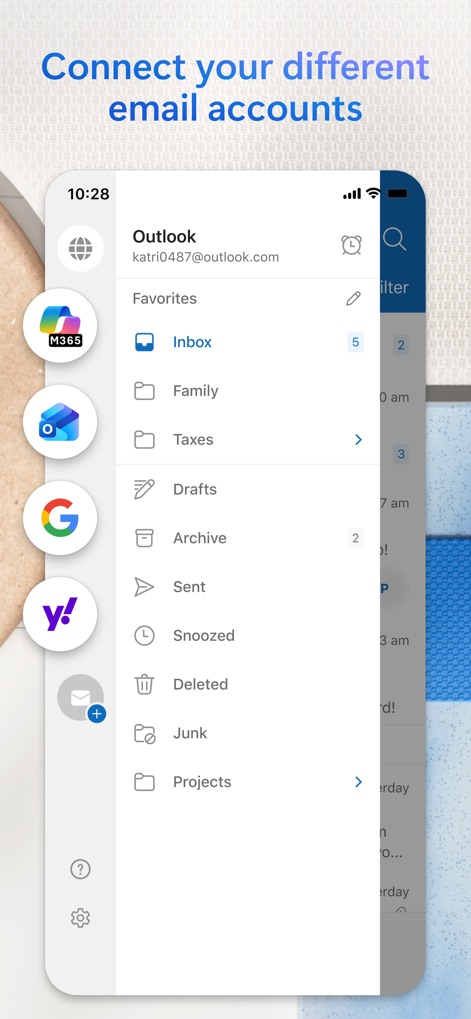
Unified Account Access
Discover how users can integrate multiple email accounts like Outlook and Google within a single interface, along with a comprehensive folder list for easy message categorization.
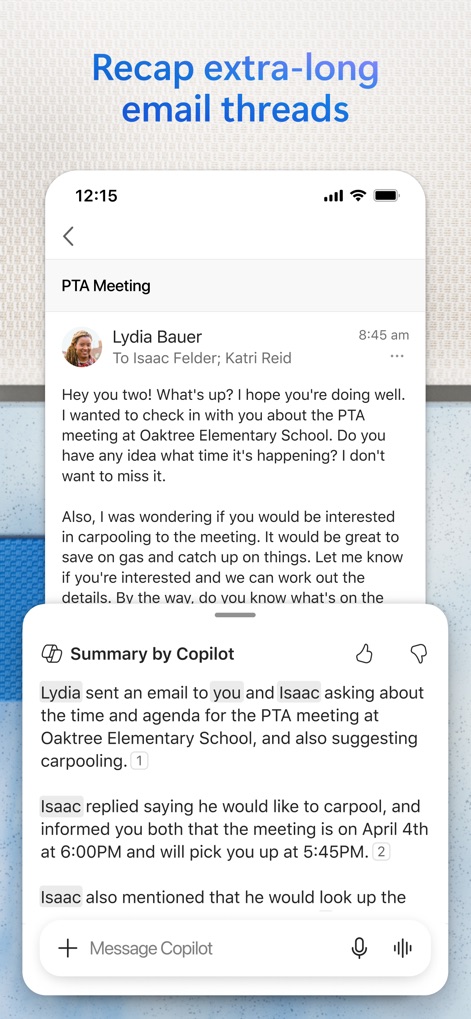
AI Email Summary
Witness Copilot's ability to recap extra-long email threads instantly, presenting key information in a concise, numbered summary format.
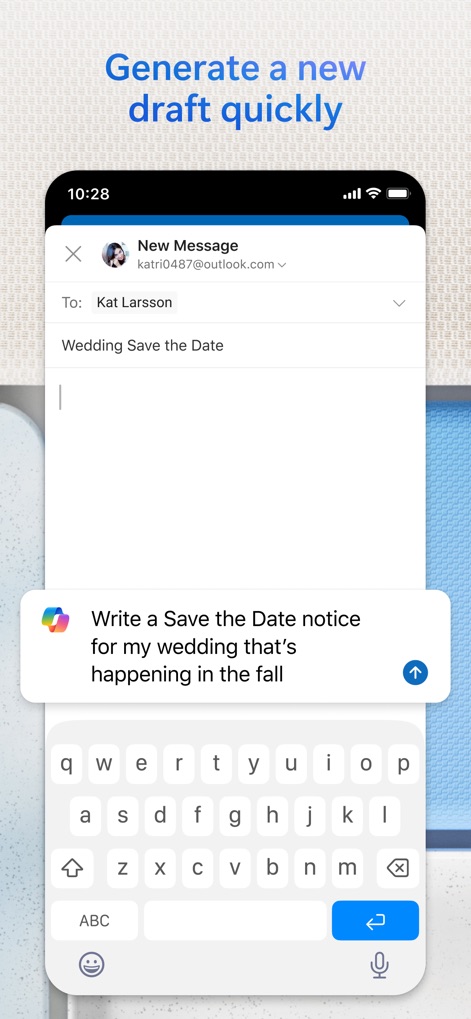
Copilot Draft Generation
Observe how Copilot can jump-start email writing by generating drafts from simple prompts, streamlining communication for users.
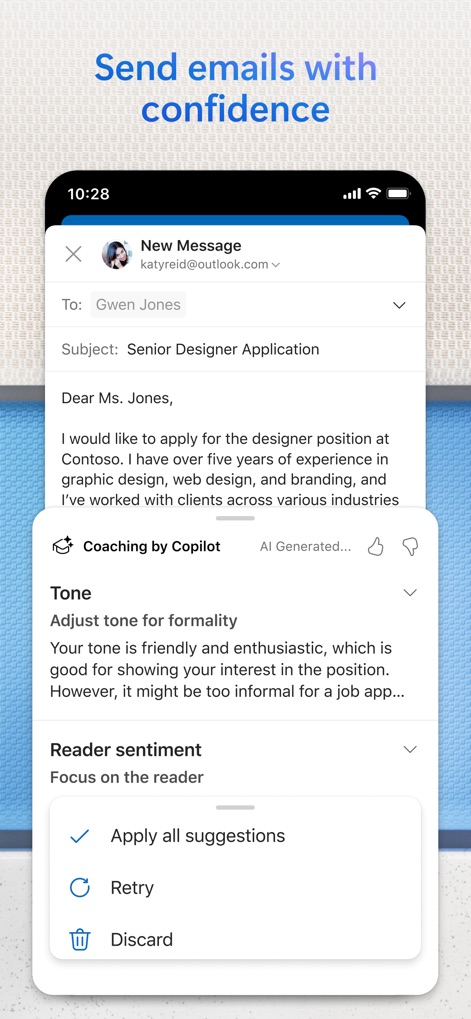
Confident Email Coaching
Explore Copilot's "Coaching" feature, providing actionable tips for adjusting email tone and improving reader sentiment before sending.
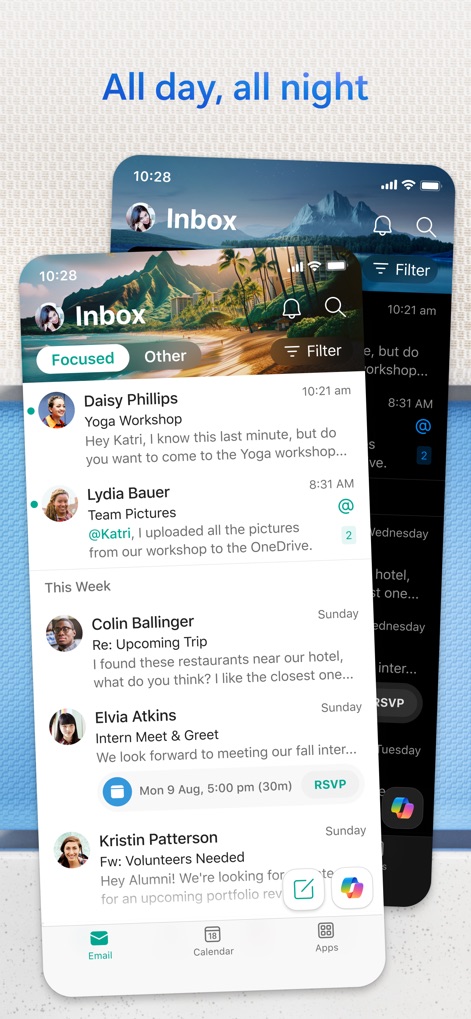
Inbox Management
See how the app provides robust inbox management with "Focused" and "Other" tabs, complemented by accessible filter and search functionalities.
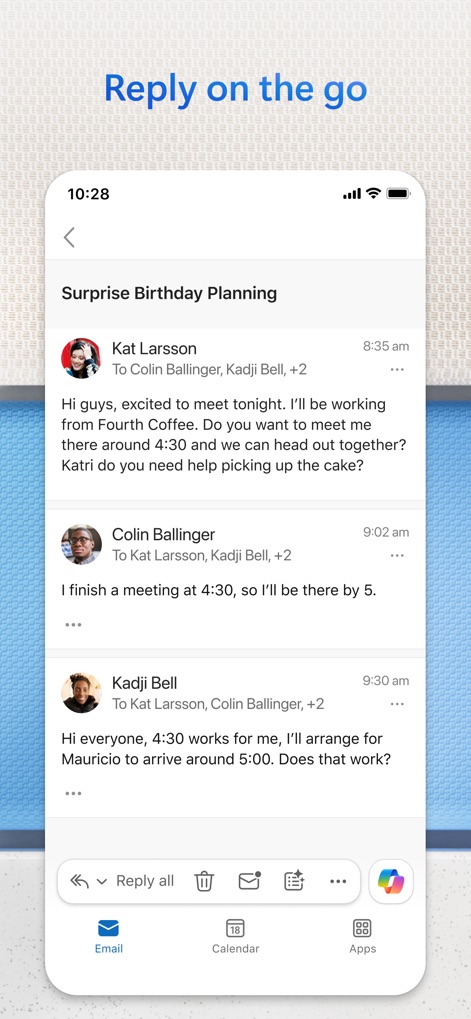
Seamless Mobile Replies
Experience the convenience of responding to email threads on the go, utilizing quick reply actions and integrated bottom navigation for seamless app transitions.
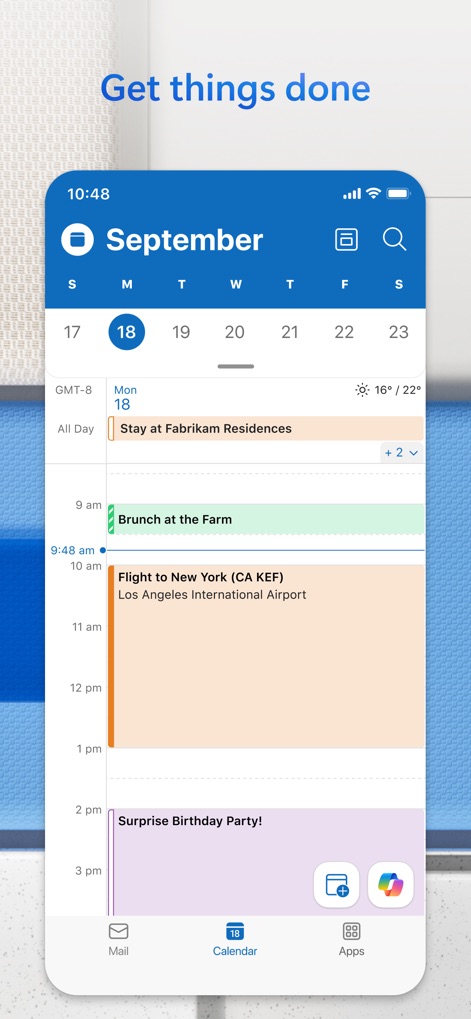
Organized Daily Schedule
Observe the app's intuitive calendar interface, showcasing a comprehensive daily view with multiple event types and integrated quick access to other app features.
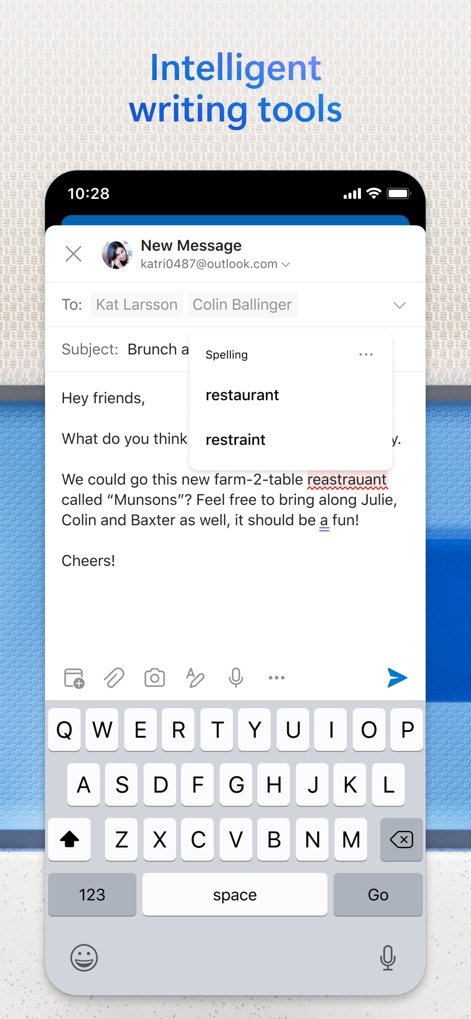
Intelligent Writing Aids
Discover the app's intelligent writing aids, featuring real-time spell-check with suggested corrections and a user-friendly keyboard layout for efficient communication.
Description
Download
More Like This
Apps with similar features and user experience

Mail: Email, Cloud, Calendar
V Kontakte OOO

Yandex Mail: Email & Cloud
DIRECT CURSUS COMPUTER SYSTEMS TRADING LLC

Gmail - Email by Google
Google LLC

Yahoo Mail
Yahoo Inc.

Proton Mail - Encrypted Email
Proton AG

Email - Edison Mail
Edison Software Inc.

Zoho Mail - Email and Calendar
Zoho Corporation

GMX - Mail & Cloud
1&1 Mail & Media GmbH

AOL Mail, News, Weather
AOL Media LLC
This page is not an official page of the app or its developer, but an independent editorial publication created for informational and commentary purposes. Unless expressly stated otherwise, neither the app nor its developer is affiliated with, endorsed by, sponsored by, authorized by, or otherwise officially connected with MWM, Apple, Google Play, the app publisher, or the app's developer, and nothing on this page implies that the app was developed using MWM's services. Any trademarks, logos, screenshots, and other content remain the property of their respective owners.