
This page is not an official page of the app or its developer, but an independent editorial publication created for informational and commentary purposes. Unless expressly stated otherwise, neither the app nor its developer is affiliated with, endorsed by, sponsored by, authorized by, or otherwise officially connected with MWM, Apple, Google Play, the app publisher, or the app's developer, and nothing on this page implies that the app was developed using MWM's services. Any trademarks, logos, screenshots, and other content remain the property of their respective owners.


3D Snap: LiDAR Scanner & Ruler
It gives users the power to remap their reality. This app obliterates manual measurements, transforming spaces into precise digital blueprints in seconds.
Downloads
1M+User Rating
Total Ratings
8.2KPublisher
Category
ProductivityLocales
9Latest Version
3.7Size
173.9 MBFirst Released
Mar 15, 2024An evaluation of core functionalities driving efficiency and precision for spatial planning and design.
Key Analytical Features of 3D Snap: LiDAR Scanner & Ruler
Rapid 3D Room Scanning
The app provides advanced LiDAR and AI capabilities to rapidly scan physical spaces, generating accurate digital floor plans and comprehensive 3D models instantly.
Professional Export Capabilities
It allows users to export floor plans and 3D models in professional formats like PDFs and 3D files, facilitating seamless integration with design software and collaboration with contractors or clients.
AR-Powered Precision Measurement
This tool features an augmented reality ruler and measurement tools that deliver instant, accurate dimensions for walls, areas, and alignment checks, essential for detailed planning and project execution.
Time-Saving Scanning Workflow
The app significantly enhances user productivity by enabling full room scans in as little as 30 seconds, drastically reducing the time traditionally spent on manual measurements.
Interactive Design Visualization
It offers robust visualization tools, allowing users to virtually experiment with different floor and wall textures, colors, and furniture arrangements before making physical changes or purchases.
Instant 3D Object Capture
This tool enables the capture and instant 3D visualization of individual objects from a single photograph, proving invaluable for assessing furniture fit or creating specific design references.
Frequently Asked Questions
Everything you need to know about 3D Snap: LiDAR Scanner & Ruler
What is 3D Snap: LiDAR Scanner & Ruler?
3D Snap is an iPhone application that utilizes LiDAR technology to scan rooms, create detailed floor plans, generate 3D models, and provide precise dimensions. It is designed for both professionals and DIY enthusiasts.
Which iPhone and iPad models support 3D scanning with 3D Snap?
Yes, 3D Snap's 3D scanning mode is available on devices equipped with a LiDAR sensor. These include iPhone 12 Pro, iPad Pro, and all subsequent Pro and Pro Max models.
Does 3D Snap create floor plans for rooms?
Yes, 3D Snap creates complete floor plans instantly by scanning any room. The app automatically captures walls, doors, and furniture, providing accurate layouts within 30 seconds.
How quickly does 3D Snap scan a room to create a floor plan?
3D Snap can scan a room in 30 seconds. This rapid scanning capability saves users significant time compared to traditional manual measuring methods for creating floor plans.
Can 3D Snap scan and create 3D models of objects?
Yes, 3D Snap includes a 3D object scanner. Users can capture objects in full 3D by taking a single photo, and AI instantly creates a 3D prototype for visualization.
What measurement tools are available in 3D Snap: LiDAR Scanner & Ruler?
3D Snap offers AR ruler functionality for instant dimensions, calculates areas for flooring or paint estimates, and checks horizontal and vertical alignment. These tools facilitate accurate measurements.
What are the export options for scans created with 3D Snap?
3D Snap allows users to export scans as PDFs, 3D files, or images. These files are suitable for sharing with contractors, importing into design software, or including in client proposals.
Is a subscription required to use all features of 3D Snap?
Yes, accessing all features in 3D Snap requires a 3D Snap PRO subscription. Charges apply after purchase confirmation, and subscriptions automatically renew.
How do I manage my 3D Snap PRO subscription?
You can manage your 3D Snap PRO subscription directly within the Account Settings on the App Store. Subscriptions auto-renew 24 hours before their expiration date.
Where can I find the Privacy Policy for the 3D Snap app?
The Privacy Policy for 3D Snap is available at http://bpmob.com/3d_scan_ios/privacy/en/. This document details the app's data handling practices.
The following screenshots and description are sourced directly from the app's official store listing and are the property of the app developer.
App Store
Screenshots
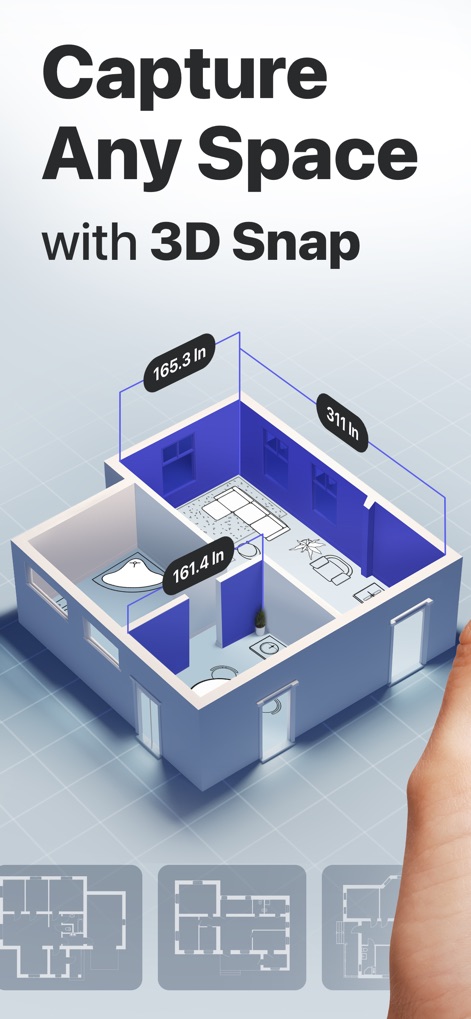
Discover how the app instantly generates detailed 3D floor plans with precise measurements, showcasing intuitive room layouts and dimension readouts.
Space Scanning Overview
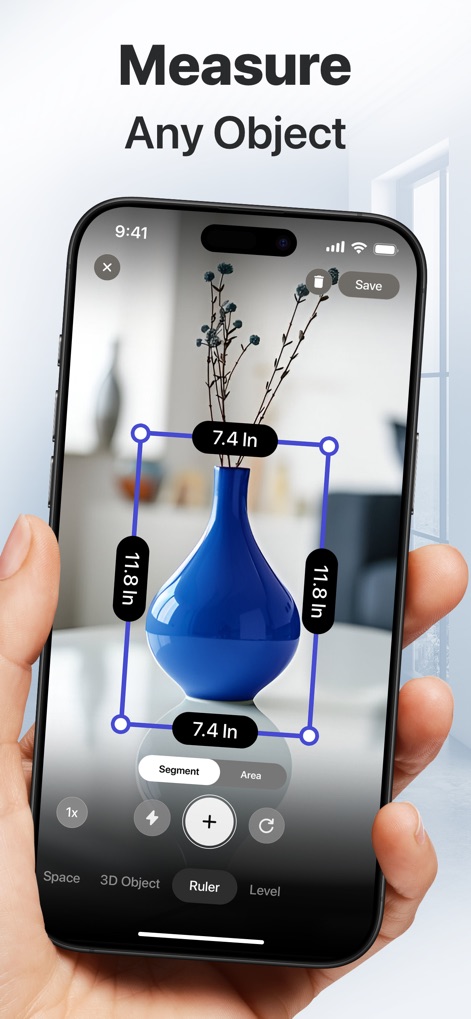
See how users can accurately measure any object in real-time, displaying both segment lengths and the overall bounding box for precise dimensions.
Object Dimension Capture
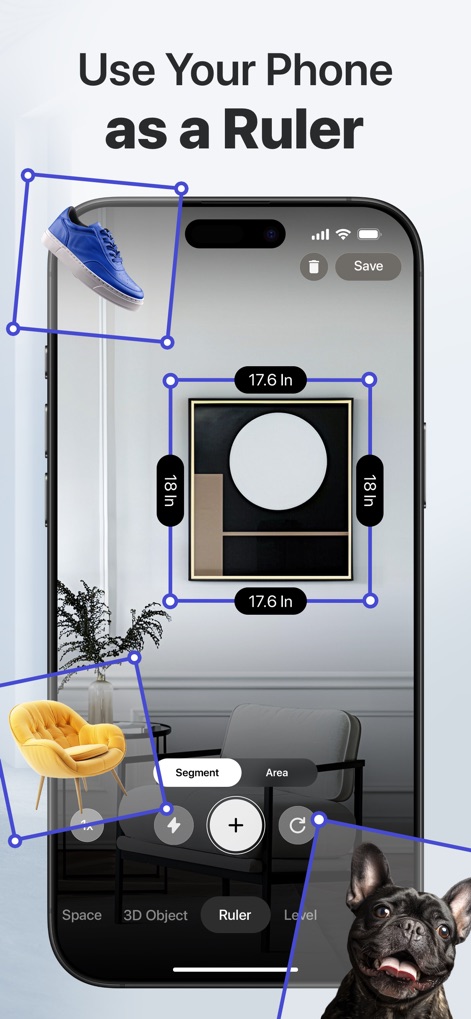
This tool transforms your phone into an AR ruler, allowing users to measure items like framed art and furniture with overlaid digital dimensions and a clear visual interface.
Augmented Reality Ruler
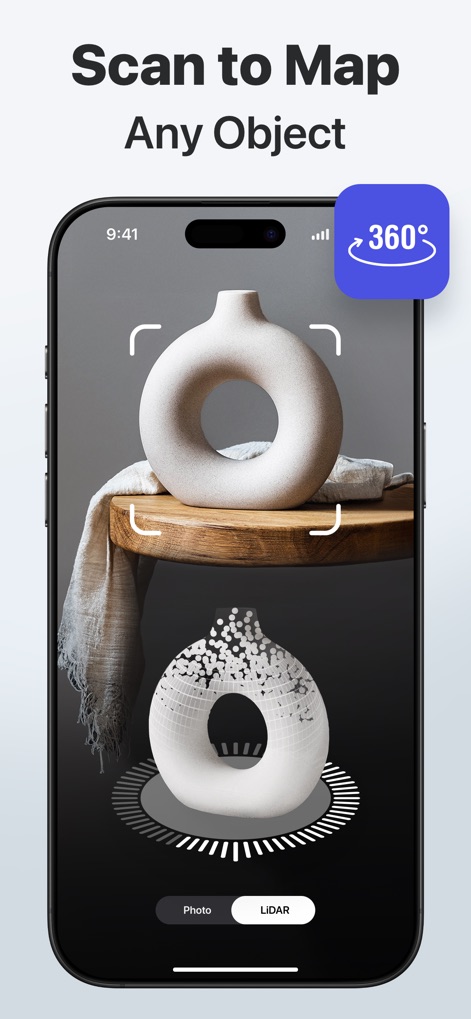
Observe the app's capability to map physical objects into digital 3D models, illustrating the active scanning process and point cloud reconstruction.
Real-time Object Mapping
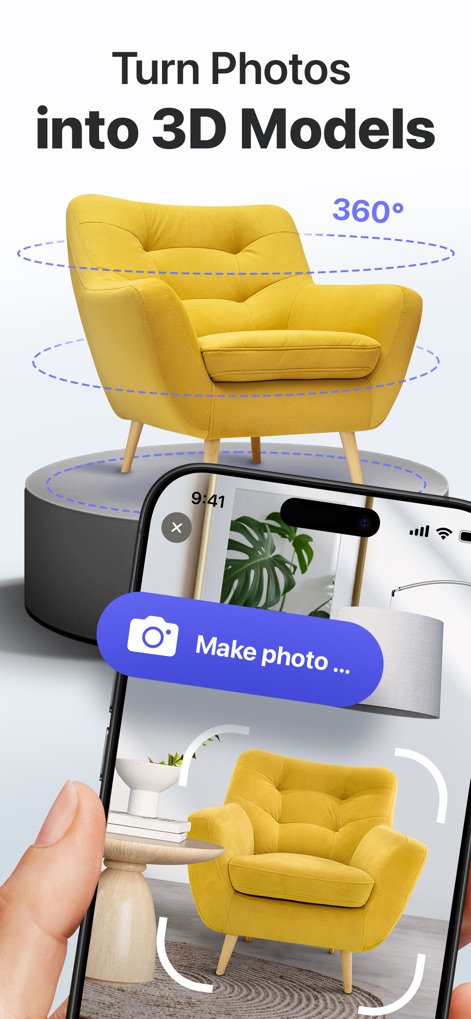
Experience how single photos are transformed into interactive 3D models, enabling virtual rotation and realistic spatial visualization of furniture.
Photo to 3D Conversion
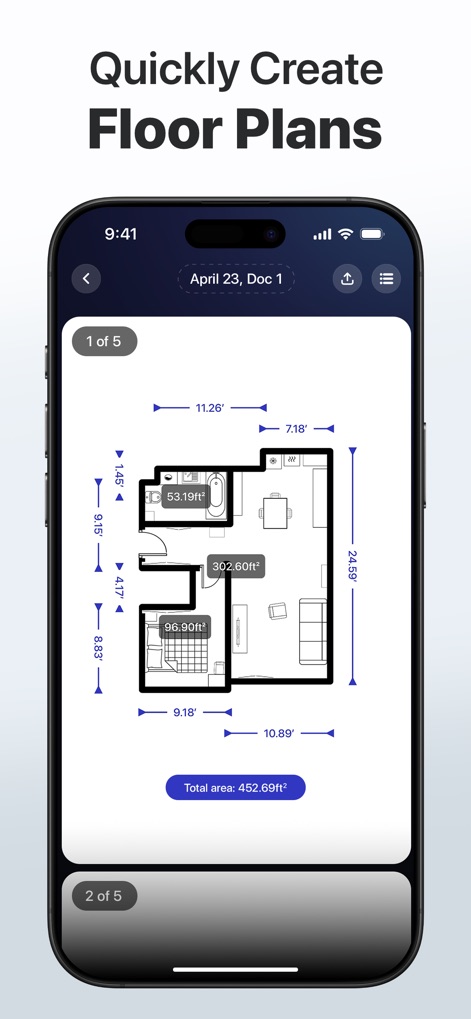
This feature highlights the app's ability to rapidly create detailed floor plans, complete with room area calculations and overall space dimensions for quick review.
Instant Floor Plan Generation
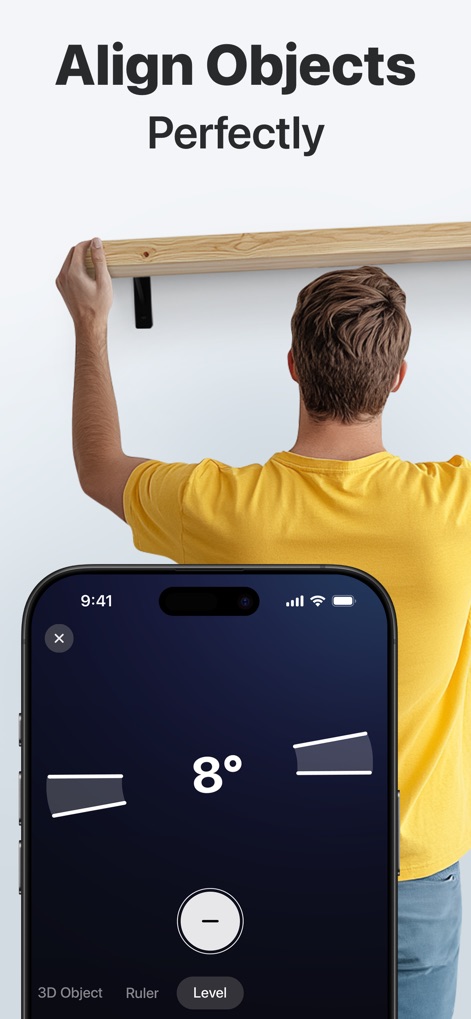
The app provides a digital level for perfect alignment, showing an 8-degree tilt indication and demonstrating practical use for hanging shelves or art.
Precision Leveling Tool
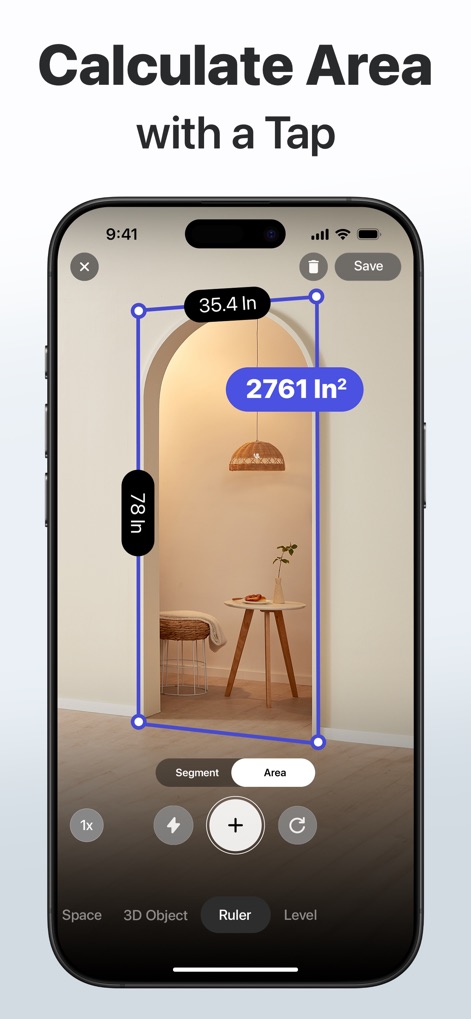
Users can effortlessly calculate the area of surfaces like archways, with the app displaying both segment measurements and the total square inches.
Instant Area Calculation
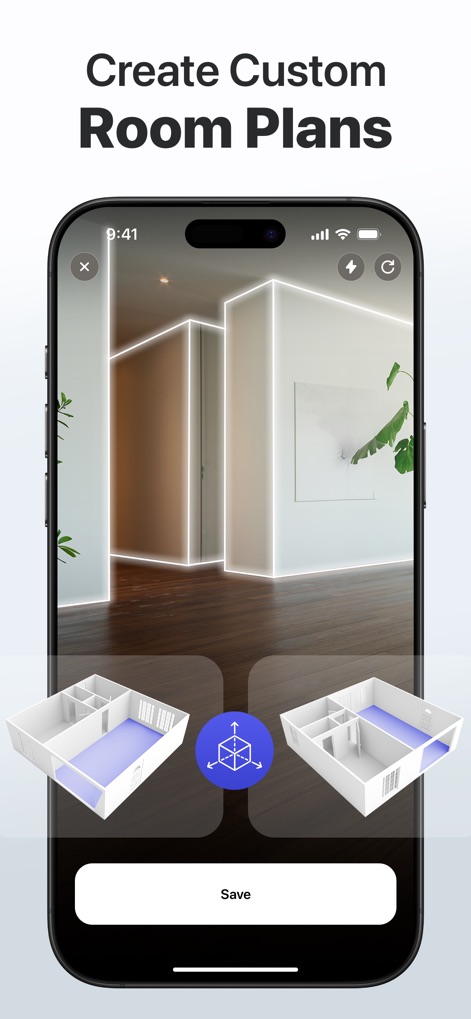
Explore the app's capability to generate and manipulate 3D room plans in real-time, featuring interactive models and highlighted floor areas for customization.
Interactive Room Planning
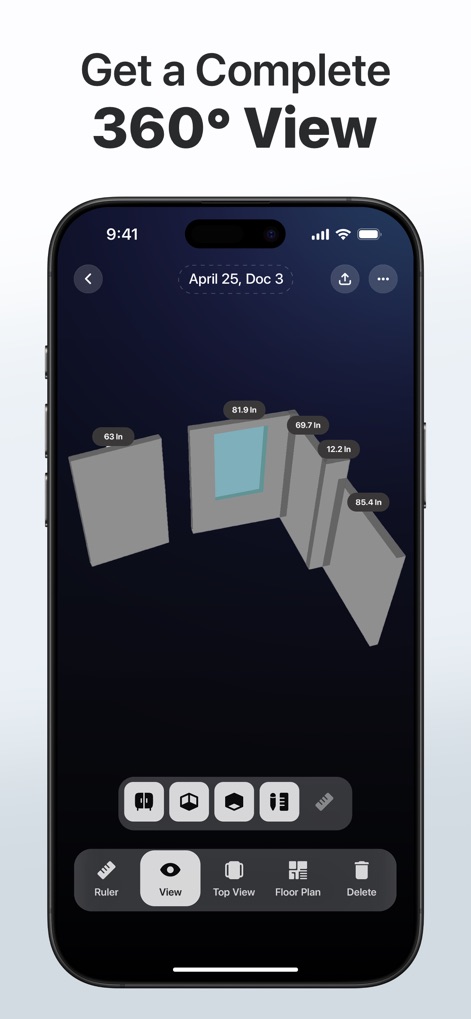
This view demonstrates the app's capacity to render complete 360° room models, allowing users to inspect individual wall segments and their precise dimensions.
Comprehensive 360° Visualization
Description
Download
More Like This
Apps with similar features and user experience

Pocket Bubble Level XXL
ExaMobile S.A.

Measuring Tape +ㅤ
Rocket Apps GmbH

CamToPlan - 3D Scanner & LiDAR
Tasmanic Editions

Tape Measure: AR Ruler
Veysel OTI

Home Planner - AI Room Design
Room Planner Ltd

Polycam 3D Scanner, LiDAR, 360
Polycam Inc.

Measuring Tape+ Measure AR app
MEASURE TECH SOCIEDAD LIMITADA

Tape Measure®
AI Photo Editor Lab SRL

Bubble Level for iPhone
Lemondo Apps LLC
This page is not an official page of the app or its developer, but an independent editorial publication created for informational and commentary purposes. Unless expressly stated otherwise, neither the app nor its developer is affiliated with, endorsed by, sponsored by, authorized by, or otherwise officially connected with MWM, Apple, Google Play, the app publisher, or the app's developer, and nothing on this page implies that the app was developed using MWM's services. Any trademarks, logos, screenshots, and other content remain the property of their respective owners.